Running a law firm today goes far beyond handling cases. You’re juggling:
- client intake
- consultations
- follow-ups
- document requests
- evidence collection
- deadlines
- hearings
- billing
- and constant communication
All while managing expectations and keeping every case organized.
If you’re a solo attorney or running a small-to-mid-sized firm, the workload can feel overwhelming.
Missed follow-ups lead to lost clients. Missed reminders lead to delays. Scattered communication leads to confusion. And switching between multiple tools makes your practice harder to manage.
GoHighLevel for Lawyers changes all of that.
It gives you a single, streamlined platform that helps you:
- manage clients
- automate intake
- track case workflows
- organize documents
- send reminders
- update clients
- and grow your practice with predictable systems.
Instead of chaotic manual work.
Whether you’re a:
- family lawyer
- immigration attorney
- criminal defense lawyer
- personal injury firm
- real estate attorney
- or general practitioner.
This guide will show you exactly how to use GoHighLevel to simplify operations, improve client satisfaction, and run a more efficient law practice.
⚡ TL;DR: How GoHighLevel Transforms Your Law Firm
All-in-One Client & Case Management: Store client details, case notes, communication logs, deadlines, documents, and tasks in one organized CRM – no more scattered files.
Smarter Intake & Retainer Automation:
Automate client intake, questionnaires, retainer agreement delivery, document requests, and follow-up reminders so no lead or case slips through the cracks.Better Communication for Legal Clients: Manage SMS, email, calls, voicemail, and WhatsApp from one inbox – keeping every conversation logged and every client properly updated.
Appointment Scheduling Made Easy: Let clients book consultations online while your system sends confirmations, reminders, and post-consultation follow-ups automatically.
Marketing & Lead Generation for Legal Practices: Use landing pages, funnels, and follow-up campaigns to attract new clients, nurture leads, and convert website visitors into booked consultations.
Performance Tracking for Better Case Management: Monitor case progress, pipeline stages, conversion rates, staff activity, and firm-wide KPIs to improve operations and stay ahead of deadlines.
How to Set Up GoHighLevel for Lawyers – (Step by Step Tutorial)
Let’s get straight to the point – first, we’ll set up your account, then I’ll walk you through all the strategies you can use.
This is how to set it up:
Step 1: Create HighLevel Account for 30 Days Free
Since you’re just starting with GoHighLevel, you would need to properly set up your account.
And you can do that for free through our exclusive 30-Day Free Trial link here.
In order to start, head over to gohighlevel.com/30-day-free-tial free trial and click on “30 DAY FREE TRIAL” as you can see below.

Upon clicking on “30 DAY FREE TRIAL“, a page will pop that looks exactly like the image below.
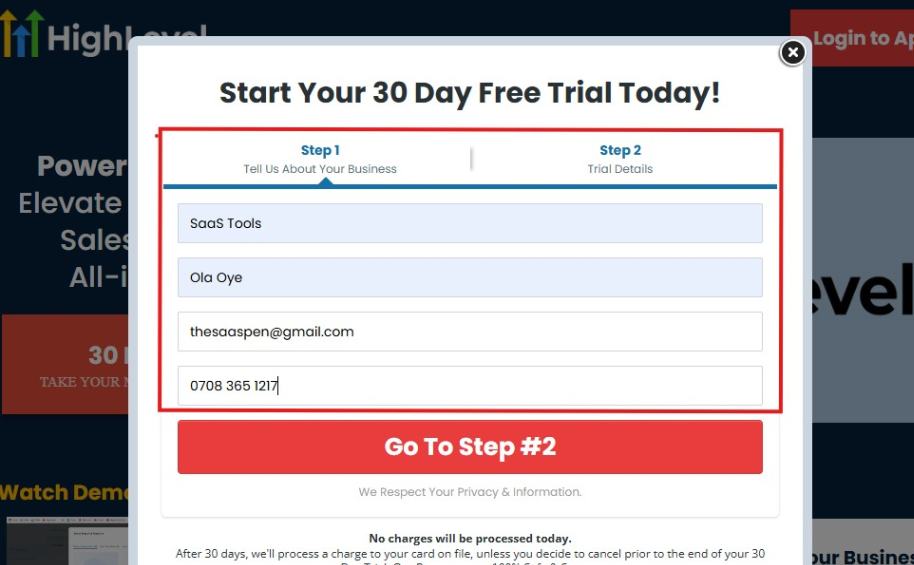
If you take a closer look at the image above, you will see that you need to supply your:
- Business name
- Company name
- Company email
- Phone number
Supply all the pieces of information and click on “Go To Step #2.”
On the next page, you will be required to select the plan you want to opt in for.
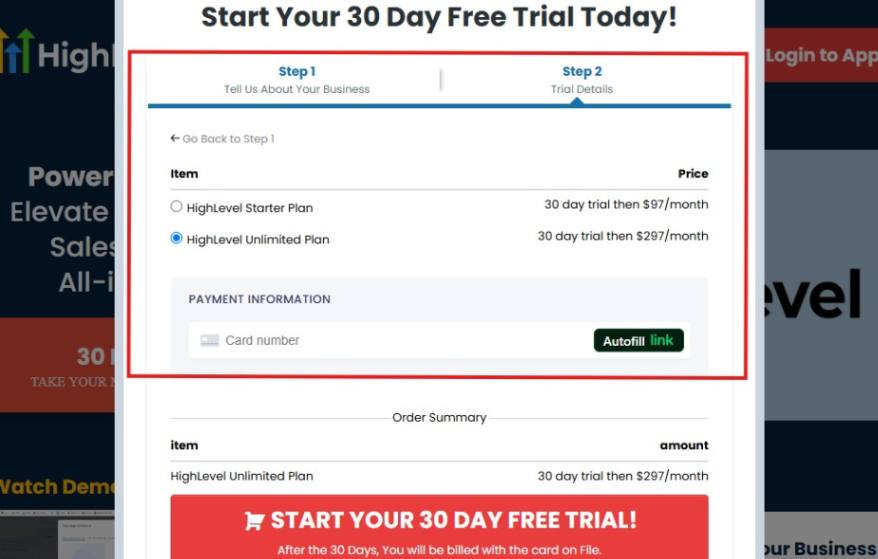
As you can see from the image above, you can either choose from:
- HighLevel Starter Plan
- HighLevel Unlimited Plan
Select the HighLevel Unlimited Plan and continue – you can always upgrade to the SaaS Mode later if you want that or downgrade.
The next thing you want to do is supply your credit card information.
Note: You will not be debited anything today until the end of your trail that is if you don’t cancel. Keep in mind that $1 will be debited and refunded back instantly into your account just to test your card is working.
After you have supplied the information accordingly, click on “START YOUR 30 DAY FREE TRIAL” and you will be asked to confirm you’re not a robot.
After that, the page below will pop up.
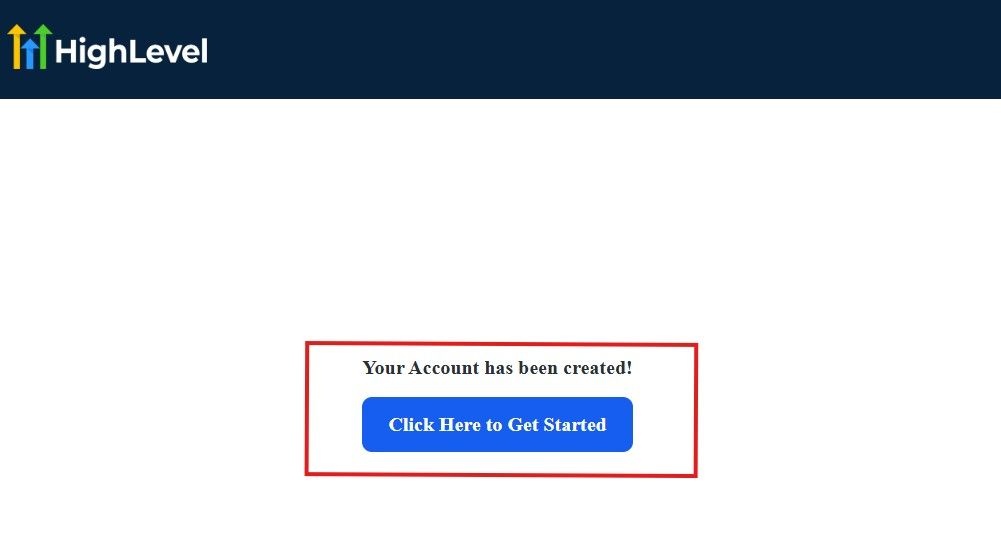
The image above says, “Your Account has been created!” Now, you need to click on the blue button that says “Click Here to Get Started.“
Click on the blue button to start your onboarding process.
Step 2: GoHighLevel Onboarding Process
The onboarding questions help GoHighLevel understand why you have signed up for the platform so that it can tailor your experience accordingly.
This is all you need to do:
After you click on the blue button above, the page below will pop up.
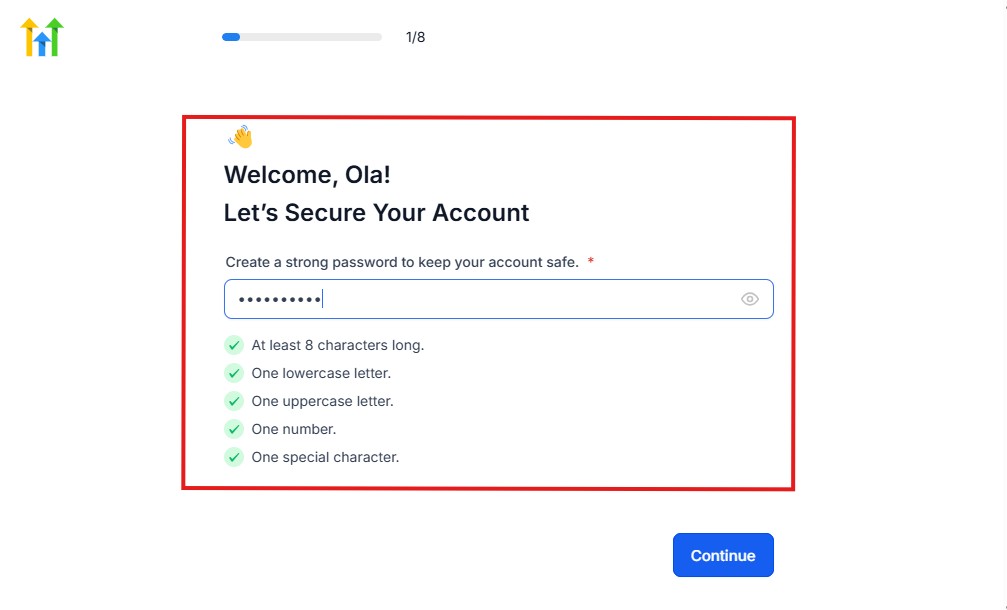
As you can see above, you need to set up your password, and the password has to be:
- At least 8 characters long
- One lowercase letter
- One uppercase letter
- One number
- One special character
If you have input the password and it matches all the description above, everything will be green just the way it’s in the image.
Click on “Continue” there after, and the image below will pop up.
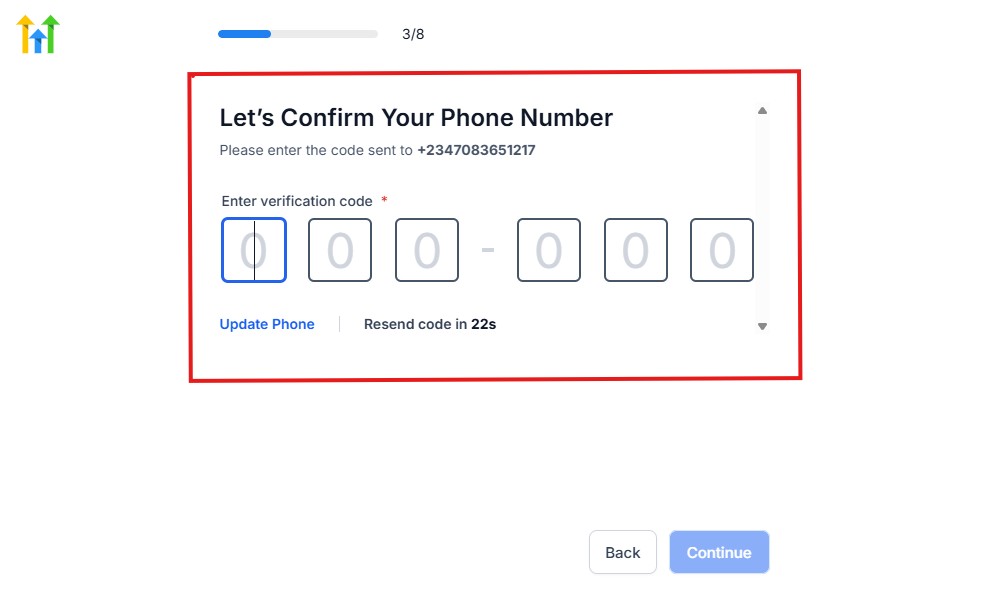
As you can see, a code will be sent to you to confirm your email address and phone number. The process is the same for the 2.
The next thing you need to do is to select how you plan to use GoHighLevel, as you can see below.
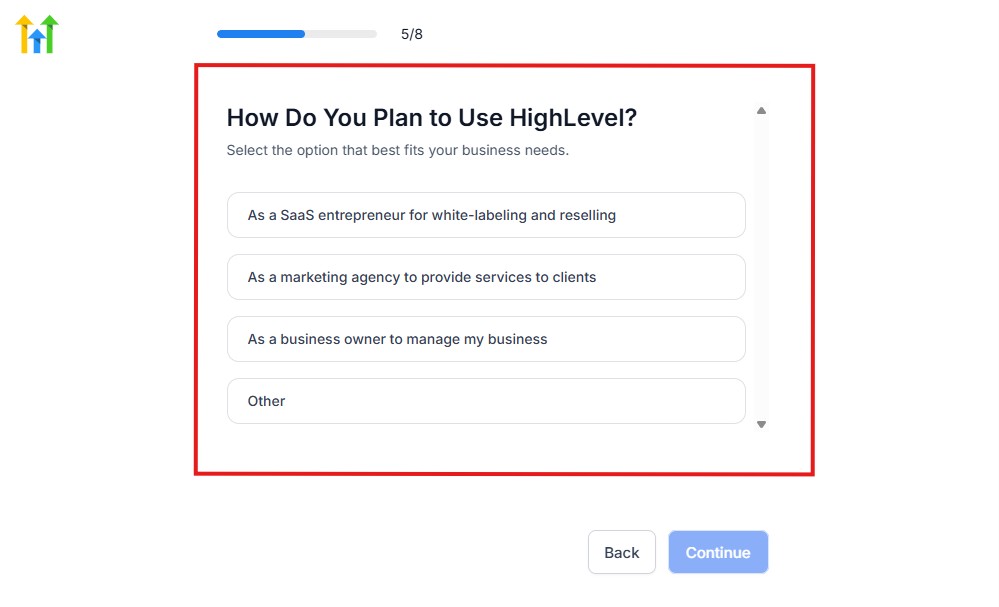
Select what best matches why you have signed up and click on Continue.
On the next page, you will be asked if you plan to resell GoHighLevel or not.
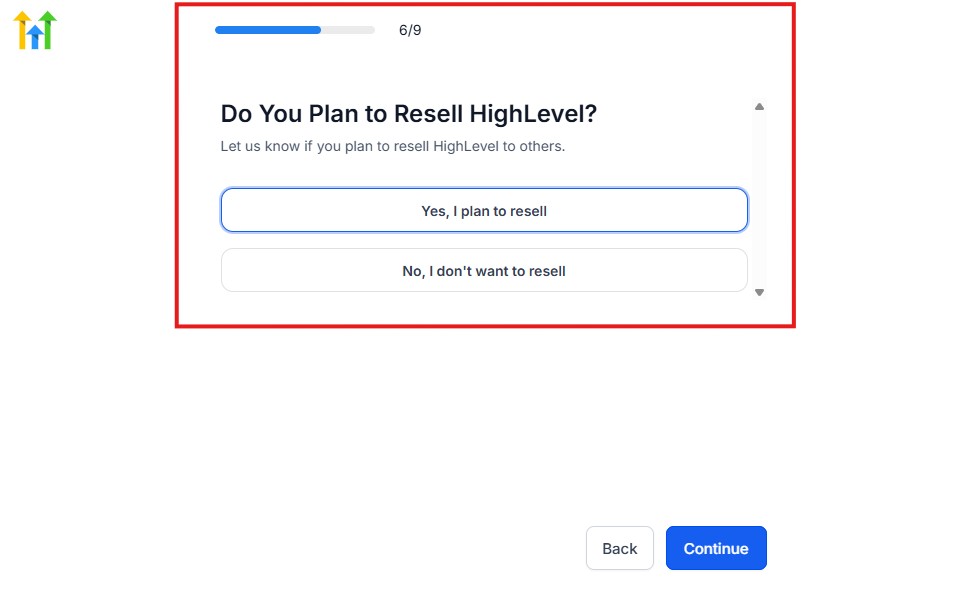
Select the answer based on the reason why you have signed up and click on “Continue”
Then, the page below will pop up.
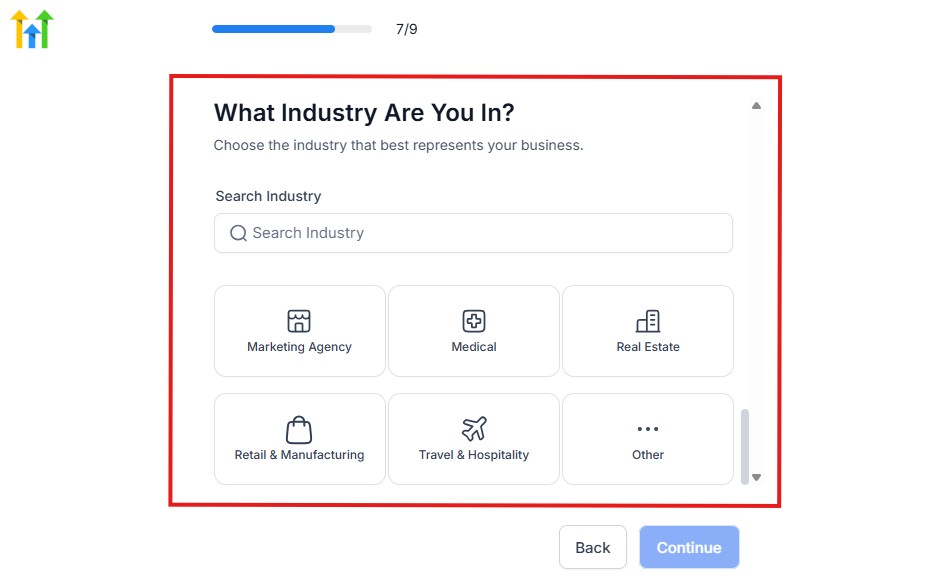
From the image above, you need to select the industry that you fall on. You can also make use of the search button if you can’t find it right away.
Then, click on continue after you select your industry.
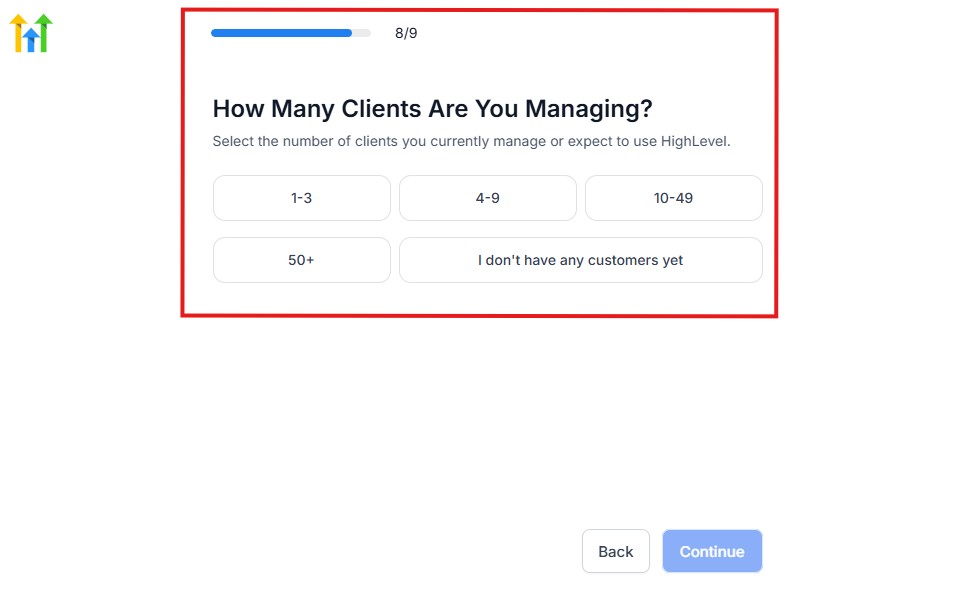
Then, the next thing you need to do is to select the number of clients that you currently have. Select “I don’t have any customers” yet if you currently don’t have one.
On the next page, you will be asked to select the platforms you currently use that you can integrate with GoHighLevel right away.
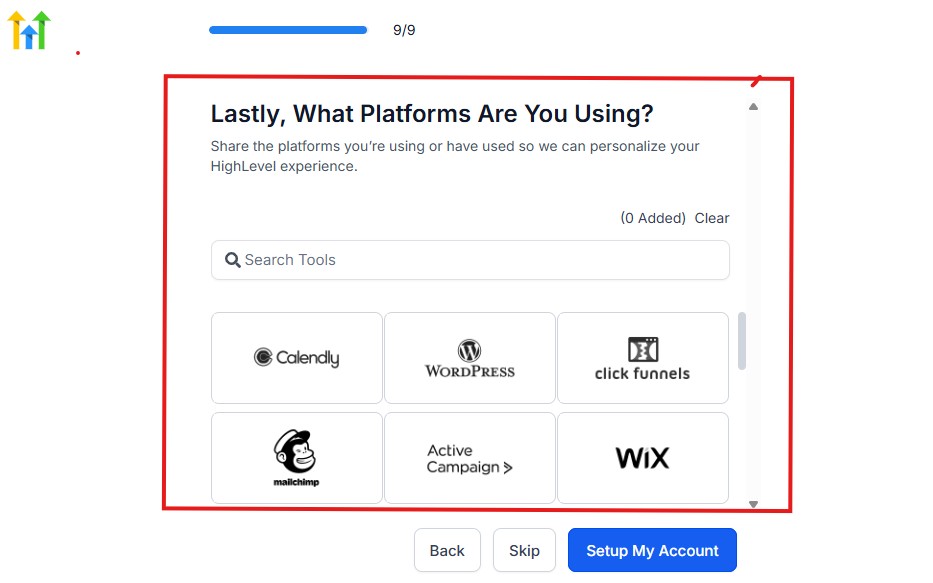
You can use the search button to search for any tools you want to add to your GoHighLevel account.
You can also skip this process and do it later if you want to.
After that, the page below will pop up.
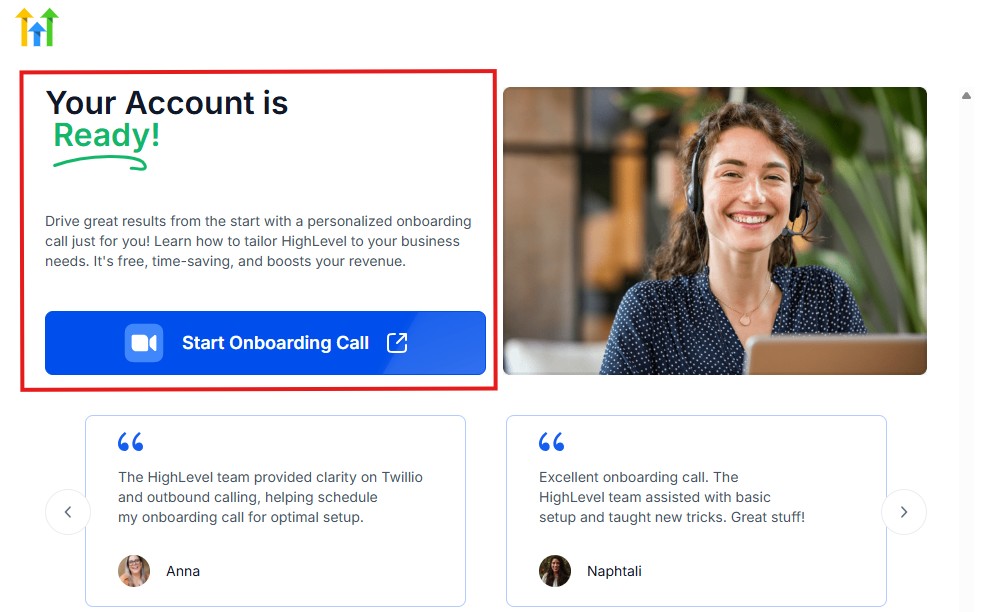
The page above says your account is ready and is asking you to “Start Onboarding Call.”
The “Onboarding Call” allows you to connect with the Go High Level team in order to discuss your account set-up process and everything regarding your plan in using HighLevel.
If you don’t want to start the “Onboarding Call” yet, just stroll down, and you will see the button in the image below.
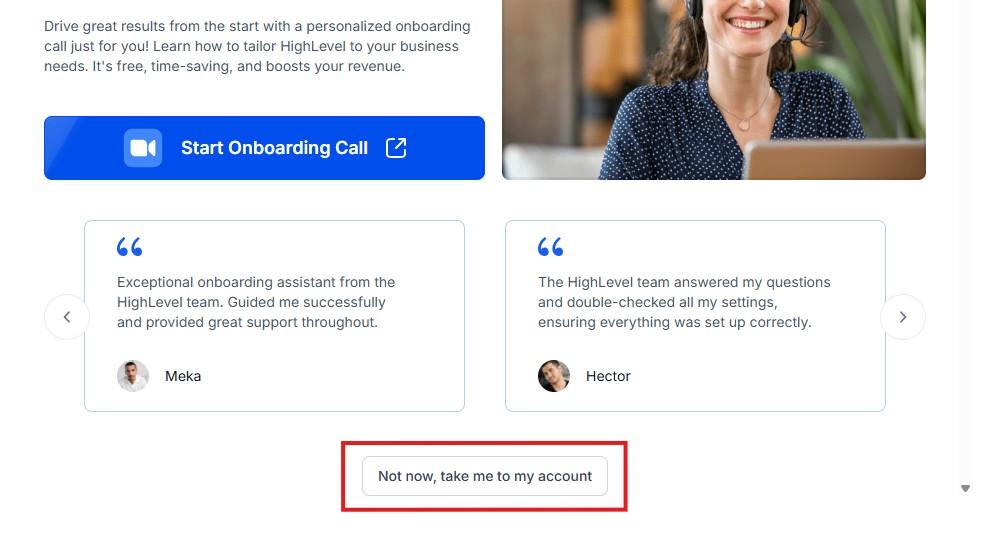
Simply click on “Not now, take me to my account“, and you will have access to your dashboard.
Note: If you have indicated that you want to resell HighLevel, you would have access to the agency dashboard by default, which looks like the image below.
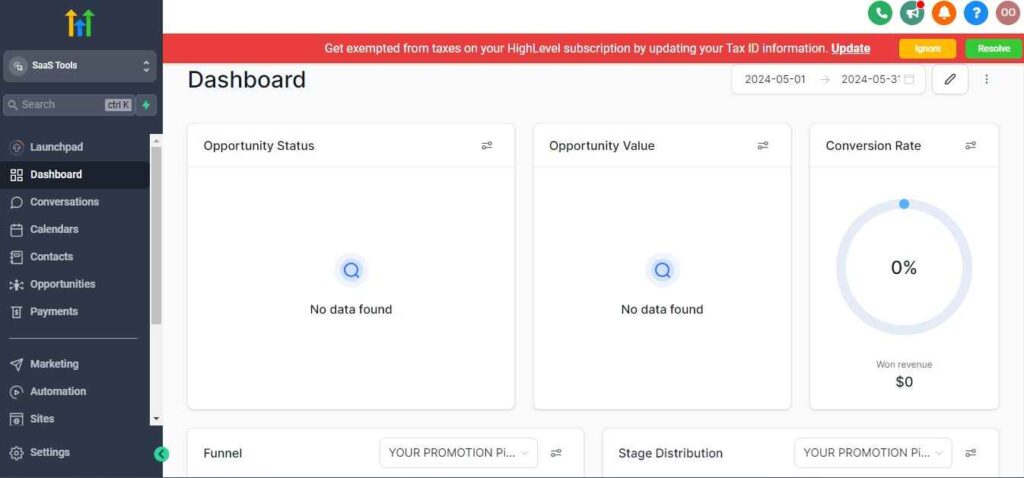
But if you didn’t indicate interest in reselling GHL, your dashboard will look like the image below.
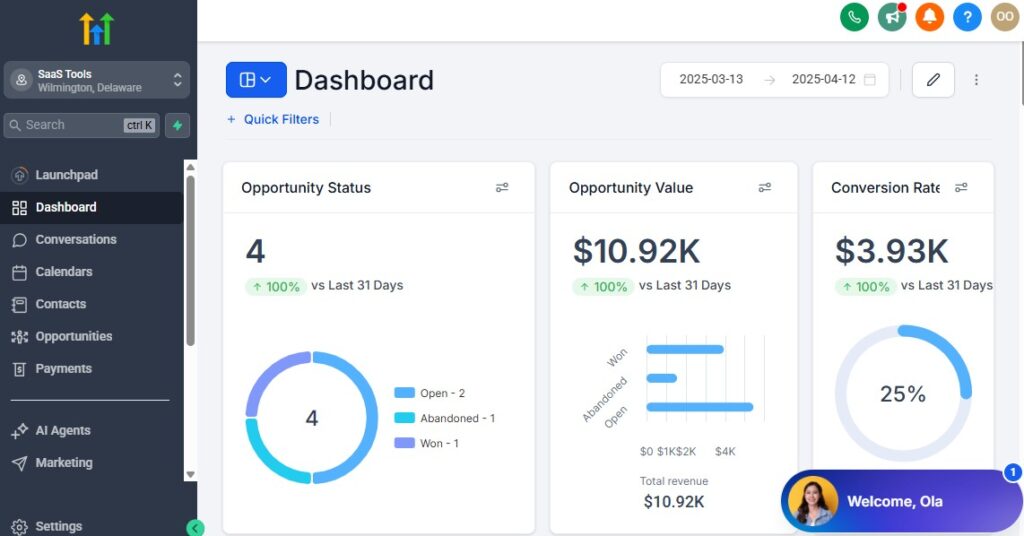
You can switch between these dashboards at any time.
The data you see on the dashboard above are not real data, they’re snapshots that you can use to kickstart your account setup process.
I want to say congratulations. You have successfully set up your Go High Level account.
🛠️ Step 3: Create Your Firm’s Workspace
Start by setting up a dedicated workspace where you’ll manage everything related to your practice:
- Client records
- Case files
- Intake forms
- Pipelines
- Automations
- Appointment calendars
- Communication channels
- Document storage
This becomes your law firm’s central command center.
👥 Step 4: Add Your Team and Assign Roles
Law practices involve multiple roles – and GoHighLevel lets you assign access levels to keep sensitive information protected.
Common roles include:
- Attorney: Case view + communication + tasks
- Paralegal: CRM + documents + follow-up
- Legal Assistant: Intake + scheduling + reminders
- Intake Specialist: Lead management + funnels
- Admin: Full visibility and control
This ensures the right people see the right information, at the right time.
📂 Step 5: Create Legal Pipelines for Case Management
Pipelines help you track every client from the first contact to case resolution.
A clean pipeline prevents missed deadlines, overlooked leads, and communication gaps.
Suggested Legal Pipeline:
New Lead → Booked Consultation → Attended Consultation → Retainer Sent → Retainer Signed → Active Case → Waiting on Client → Court/Processing → Case Completed → Closed/Archived
Specialty pipelines (optional):
- Personal injury case pipeline
- Immigration case pipeline
- Criminal defense pipeline
- Family law (divorce, custody, mediation)
- Real estate transactions
These pipelines give you clarity across every case type.
🏷️ Step 6: Organize Clients With Tags & Segmentation
Tagging helps you filter, segment, and manage clients more efficiently.
Useful law firm tags:
- Case type (Family Law, Criminal, PI, Immigration, Estate, Business)
- Lead source (Google Ads, Referral, Website, Social Media)
- Consultation: Attended
- Retainer: Signed
- Retainer: Pending
- High-priority case
- Requires follow-up
- VIP client
Segmentation ensures the right communication goes to the right clients.
📄 Step 7: Set Up Custom Fields for Legal Information
Every practice area has its own data requirements.
Add custom fields like:
- Case type
- Court dates
- Documents required
- Retainer amount
- Opposing counsel info
- Filing deadlines
- Case number
- Client ID uploads
- Notes from consultation
This gives you a full, organized view of each case at a glance.
📧 Step 8: Connect Your Email & Phone Systems
To streamline communication, connect:
- Email sending domain
- SMS provider (Twilio)
- Phone numbers
- WhatsApp integration (optional)
- Call forwarding and recording
- Voicemail drops
Everything will log automatically inside each client’s CRM record.
📅 Step 9: Set Up Your Consultation & Case Calendars
Create calendars for:
- New consultations
- Attorney availability
- Paralegal follow-ups
- Court preparation meetings
- Document review calls
- Case updates
Enable automated:
- Confirmation messages
- 24-hour reminders
- Rescheduling links
- Post-consultation follow-ups
This reduces no-shows dramatically.
💰 Step 10: Connect Your Payment Processor for Retainers
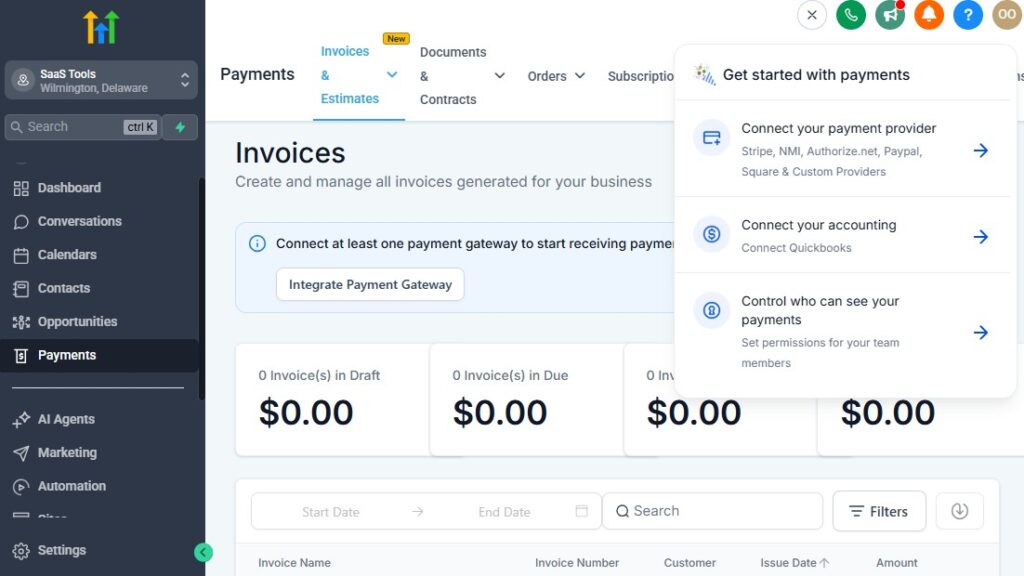
If your firm collects retainers or consultation fees online, integrate:
- Stripe
- PayPal
- NMI
GoHighLevel can then:
- Send payment links
- Trigger retainer onboarding
- Automate receipt emails
- Track who paid and who didn’t
Perfect for firms wanting smoother financial workflows.
📃 Step 11: Build Essential Legal Intake Forms
Forms you’ll want to create:
- Lead intake form
- Pre-consultation questionnaire
- Case details form
- Document-upload form
- Retainer agreement acknowledgment (if needed)
- Conflict of interest check form
These forms streamline admin work and give your team exactly what they need upfront.
📨 Step 12: Build Core Legal Automations
Start with these essential workflows:
- New lead → Consultation booking
- Missed call → Auto-text back
- Retainer sent → Follow-up reminders
- Court date reminders
- Document request sequences
- Case update notifications
- Unresponsive client follow-ups
These automations eliminate manual chasing and client confusion.
🧾 Step 13: Create Templates for Legal Communication
Every law office sends similar messages daily.
Set up templates for:
- Appointment confirmations
- Consultation reminders
- Retainer follow-ups
- Document requests
- Status updates
- Case progress notifications
- Court reminders
- Closing messages
This saves you hours and keeps communication consistent across your team.
💡 In Short
Setting up GoHighLevel for your law practice helps you:
- Organize cases and client details
- Streamline intake
- Automate onboarding
- Reduce missed deadlines
- Improve communication
- Keep your team aligned
- Deliver a more professional client experience
Once your foundation is in place, your firm will run smoothly, stay more organized, and operate with far fewer manual tasks.
Managing Clients, Cases & Documentation with GoHighLevel for Lawyers CRM
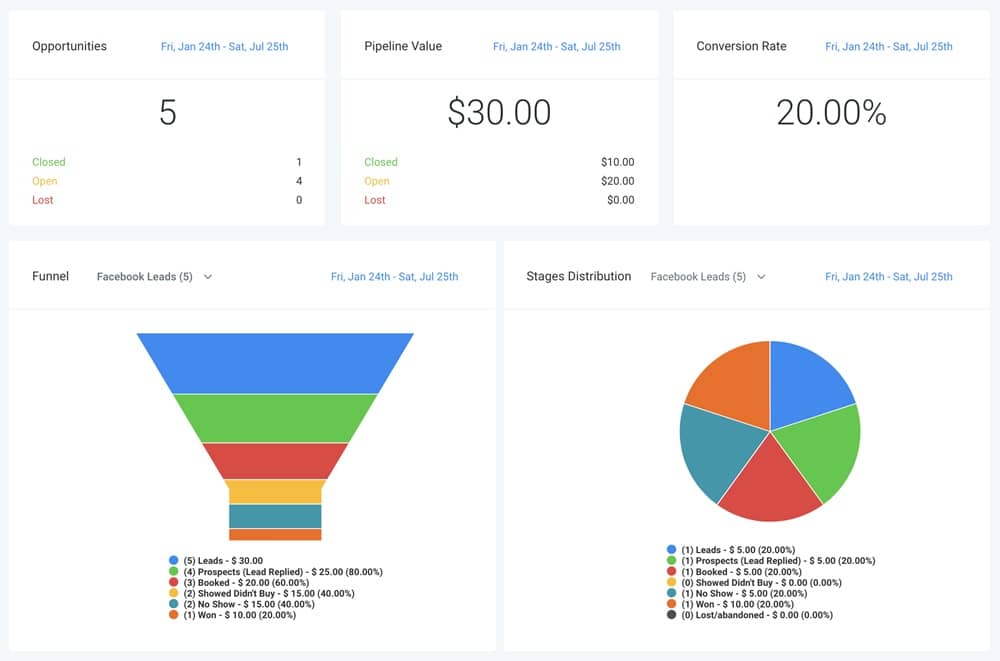
Keeping legal cases organized is one of the biggest challenges in a modern law practice.
Documents pile up. Clients forget to send required files. Important details get lost across emails, calls, and text messages.
And without a centralized system, it becomes harder to track conversations, deadlines, and case progress.
GoHighLevel solves these challenges by giving you a powerful, all-in-one CRM built to store client details, manage case files, document communication, and keep every matter organized from start to finish.
Here’s how to use GoHighLevel CRM to manage your entire legal practice efficiently 👇
📁 Centralize Every Client & Case in One Place
Each contact record becomes the “home” for a client and their entire case history.
Inside one view, you can store:
- Client’s personal information
- Case details
- Custom case fields (case type, court dates, deadlines, etc.)
- Uploaded documents
- Consultation notes
- Tasks assigned to staff
- Status updates
- Communication logs (calls, emails, SMS, WhatsApp)
- Payment activity
- Retainer history
No more scattered folders or lost messages – everything is in one easy-to-access profile.
🏷️ Organize Clients by Case Type, Priority & Stage
Tag clients for quick filtering and management.
Recommended categories include:
Case Type Tags:
- Family Law
- Criminal Defense
- Personal Injury
- Immigration
- Real Estate
- Business/Contracts
- Estate Planning
Priority Tags:
- High Priority
- Urgent Deadline
- Waiting on Client
- Needs Document Upload
- Retainer Pending
Pipeline Stage Tags:
- Consultation Booked
- Retainer Signed
- Active Case
- Ready for Court
- Case Completed
Tagging gives you lightning-fast insight into exactly where each client stands.
📂 Store All Case-Related Documents Efficiently
Upload and organize documents inside each client’s CRM record.
You can store:
- Retainer agreements
- Case evidence
- Court filings
- Identification documents
- Photos/videos (if needed)
- Intake forms
- Signed PDFs
- Attorney-client communication logs
This keeps your entire case file digital and accessible from anywhere.
Tip:
Create folders or naming conventions like:PI Case – Medical Records – 2026Family Law – Child Custody – Court Filings
📅 Track Case Deadlines, Tasks & Appointments – GoHighLevel for Lawyers
Inside the CRM, you can log critical legal dates such as:
- Court hearings
- Filing deadlines
- Document due dates
- Consultation appointments
- Evidence submission deadlines
- Settlement discussions
- Mediation sessions
Then assign tasks to team members:
- “Send document request to client”
- “Prepare for hearing”
- “Follow up on missing evidence”
- “Review intake form”
This ensures your team stays coordinated and nothing slips.
📞 Log All Communication Automatically
GoHighLevel keeps a complete communication history for each client:
- Incoming & outgoing SMS
- Emails
- Phone calls (with recordings)
- Missed calls
- Voicemails
- WhatsApp messages
- Manual notes
- Internal comments
This helps protect your practice, maintain professionalism, and quickly reference past conversations during case work.
📝 Use Notes for Detailed Case Tracking
Attach internal notes for:
- Court updates
- Meeting summaries
- Evidence review
- Opposing counsel interactions
- Strategy notes
- Settlement updates
Notes help your team stay aligned and keep the case moving smoothly.
📄 Collect Client Documents Automatically
Use automation + forms to collect:
- ID uploads
- Signed agreements
- Supporting documents
- Evidence
- Photos/videos
- Statements
- Financial records
GoHighLevel can:
- Send reminders until the client submits
- Confirm when documents are uploaded
- Add submissions directly to the CRM record
This eliminates follow-up chaos and repetitive manual chasing.
🔍 Quickly Search & Filter Cases
GoHighLevel’s search and filter tools allow you to:
- Find clients by name, case type, phone, or tag
- Filter by active, pending, or closed cases
- Sort by upcoming deadlines
- Identify overdue tasks
- Pull cases assigned to specific attorneys
This makes your law firm more organized and responsive.
📨 Use Pipelines to Track Case Progress Clearly
Move clients through your pipeline as their case progresses:
Lead → Consultation Booked → Retainer Signed → Active Case → Waiting on Client → Court/Processing → Completed → Archived
This lets you see:
- How many active cases you have
- Which cases need action
- Where bottlenecks exist
- What stage each client is in
- Case load by attorney
It’s one of the most valuable features for firm-wide clarity.
🗂️ Keep Client Information Updated Automatically
When clients submit forms or documents, GoHighLevel automatically updates:
- Custom fields
- Tags
- Pipelines
- Notes
- Attachments
Automation keeps your CRM organized without manual data entry.
💡 In Short
GoHighLevel CRM helps law firms manage clients and cases with ease by providing:
- One centralized location for all client/case information
- Organized documentation and communication history
- Custom fields and tags tailored to legal workflows
- Clear case tracking pipelines
- Automatic document uploads and reminders
- Task management for your team
- Search and filtering for instant clarity
With this setup, you run your law practice more professionally, reduce errors, and deliver a smoother client experience.
Automating Client Intake & Retainer Processes – GoHighLevel for Lawyers
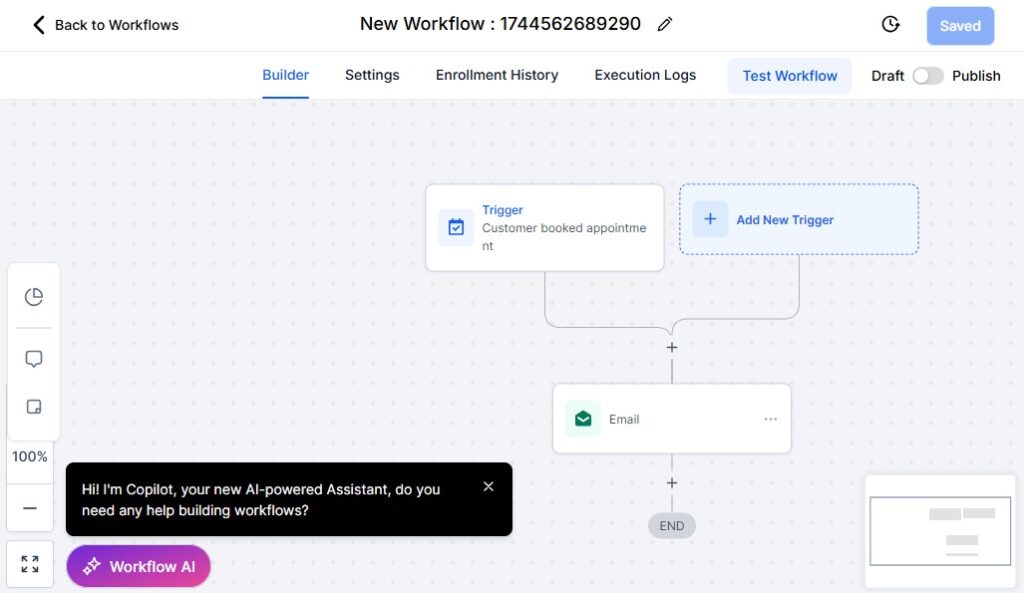
A law firm’s intake and retainer process can make or break the client experience.
Slow follow-ups, delayed document requests, or unclear next steps often cause potential clients to disappear – especially when they’re stressed, overwhelmed, or comparing multiple attorneys.
GoHighLevel allows you to automate the entire intake and retainer workflow so new clients move smoothly from initial inquiry → consultation → retainer signed → active case… without your team doing repetitive manual work.
Here’s how to automate these processes and create a law-firm intake system that feels professional, fast, and highly organized.
⚡ 1. Build a High-Converting Legal Intake Form
Start by creating a form that captures essential client and case details before you speak with them.
Your intake form may include:
- Full name & contact info
- Case type
- Brief description of the issue
- Court dates or deadlines (if applicable)
- Opposing party details
- Documents they can upload
- Preferred meeting time
- Budget or payment expectations
- Referral source
Once submitted, GoHighLevel can automatically:
- Create a new contact
- Add them to your pipeline
- Tag them by case type
- Trigger a follow-up workflow
No more manual entry.
⚙️ 2. Automate Consultation Booking Immediately After Intake
The moment someone completes your intake form, your automation should:
- Send a “Thank you – here’s your next step” message
- Redirect the client to a booking calendar
- Allow them to schedule their consultation instantly
- Trigger confirmation SMS + email
- Add the appointment to your calendar
This eliminates back-and-forth scheduling and captures hot leads immediately.
📝 3. Pre-Consultation Questionnaires & Document Requests
Before the consultation, GoHighLevel can automatically request:
- Case intake questionnaire
- Required documents (ID, contracts, evidence, photos, notices, etc.)
- Case background details
- A short “What are your goals?” form
- Payment (if charging for consultation)
This helps you prepare thoroughly and deliver a better consultation experience.
📩 4. Automated Reminders to Reduce No-Shows
Legal consultations have one of the highest no-show rates in professional services – unless reminders are automated.
Send reminders via:
- SMS
- WhatsApp (optional integration)
Recommended reminder sequence:
- Immediately after booking → Confirmation
- 24 hours before
- 3 hours before
- 30 minutes before
Add rescheduling links to reduce cancellations.
🖋️ 5. Automatically Send Retainer Agreements After the Consultation
If a lead becomes a potential client, GoHighLevel can automatically send:
- Retainer agreement (via DocuSign or HelloSign)
- Engagement letter
- Payment link (if applicable)
- Case onboarding form
- Document upload link
This keeps your post-consultation workflow consistent and fast.
🔁 6. Follow-Up Automation for Unsigned Retainers
Many potential clients don’t sign immediately – usually due to:
- Stress
- Confusion
- Comparing multiple attorneys
- Forgetting the next steps
Use an automated follow-up sequence to close more retainers:
Day 1:
“Hi [Name], here’s the retainer agreement we discussed.”
Day 2:
Short reminder + benefits of hiring you.
Day 3:
Offer help if they have questions or concerns.
Day 5–7:
Final follow-up + soft deadline / urgency message.
This improves conversion considerably.
📤 7. Automate Document Collection With Clear Instructions
Clients often delay sending required documents – not because they don’t want to, but because they’re unsure how to.
Use automation to:
- Send a checklist of required documents
- Provide upload links
- Send reminders until completed
- Notify staff when files arrive
- Tag the client as “Docs Received”
This prevents bottlenecks and keeps cases moving forward.
📬 8. Missed Call Text-Back for Immediate Client Capture
Legal clients often call multiple attorneys in one sitting.
GoHighLevel’s Missed Call Text-Back ensures you never lose a lead.
If your firm misses a call:
- Automatically send a text saying,
“Thanks for calling – how can we help you? You can also book a consultation here: [link]” - Capture the conversation instantly
- Add them to your pipeline
- Trigger the intake workflow
This alone can save thousands in lost consultations.
📌 9. Automatic Case Creation After Retainer Signing
Once a client signs the retainer:
GoHighLevel can automatically:
- Move them to the “Active Case” pipeline stage
- Assign tasks to attorneys/paralegals
- Create a client onboarding checklist
- Request remaining documents
- Schedule a case kickoff meeting
- Send welcome message + next steps
It becomes a smooth, predictable onboarding process.
📨 10. Internal Workflows for Your Team
Automation doesn’t only help clients – it helps your team stay organized.
Set internal alerts for:
- New lead
- New intake form submitted
- Retainer signed
- Documents uploaded
- Deadlines approaching
- Unanswered client message
- Missed calls
Your team never misses anything important again.
💡 In Short
Automating your intake and retainer processes helps your law firm:
- Convert more leads
- Onboard clients faster
- Reduce no-shows
- Eliminate manual follow-ups
- Improve client satisfaction
- Keep your team organized
- Move cases forward with fewer delays
A strong intake system sets the tone for a smooth client experience – and GoHighLevel makes it effortless.
Appointment Scheduling, Consultations & Court Date Reminders
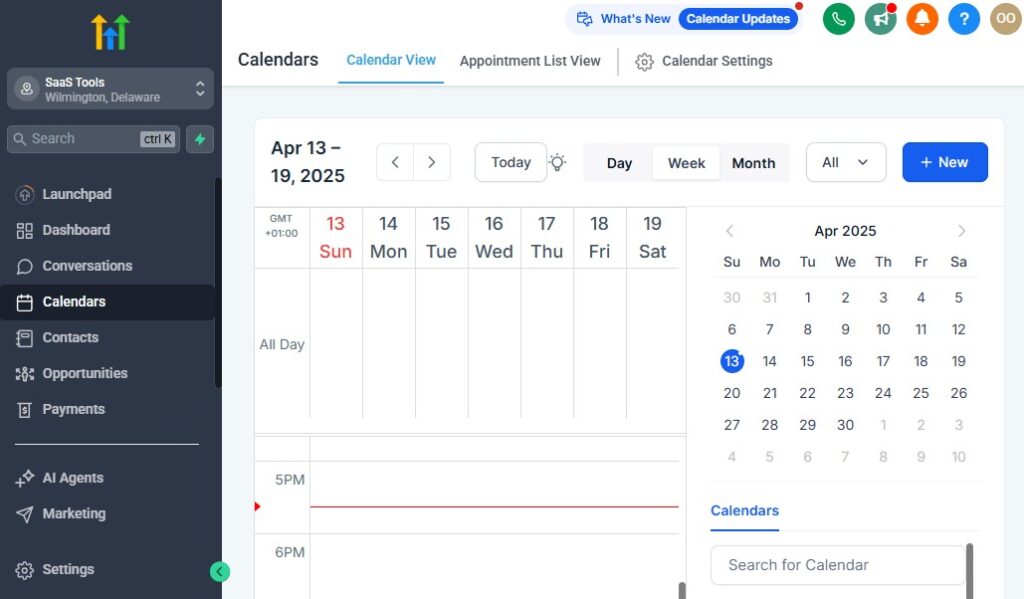
In a law firm, time is everything. Missed consultations, double-booked meetings, or forgotten court dates don’t just cause embarrassment – they can damage your reputation and even put cases at risk.
GoHighLevel helps you run your calendar like a well-oiled machine.
You can let clients book consultations online, automate reminders, keep your team’s availability in sync, and ensure no one forgets an important deadline or court appearance.
Here’s how to use GoHighLevel to manage your schedule and legal timelines properly 👇
🗓️ Let Clients Book Consultations Without Back-and-Forth
Instead of manually scheduling every call, you can give prospects and clients a link to your GoHighLevel calendar so they can book directly into available time slots.
You can:
- Create separate calendars for:
- New client consultations
- Existing client meetings
- Case strategy calls
- Mediation prep
- Witness prep
- Court prep meetings
- Control:
- Available days and hours
- Buffer times between meetings
- Maximum number of appointments per day
- Different calendars per attorney
This saves you (or your assistant) a lot of time and makes it easier for potential clients to take the next step.
📩 Automate Confirmation Messages for Every Booking
Once a client or prospect schedules a consultation, GoHighLevel can send automatic confirmations such as:
- Email confirmation:
Includes date, time, call link (Zoom/Meet), office address (for in-person), and what to bring. - SMS confirmation:
Short reminder with time + link or address.
This reassures clients their booking is locked in and reduces confusion.
⏰ Use Reminder Sequences to Reduce No-Shows
Legal consultations and follow-up calls are too valuable to lose to forgetfulness.
Set up a reminder sequence like:
- Immediately after booking → “Your consultation is confirmed for [date/time].”
- 24 hours before → Reminder + option to reschedule.
- 3 hours before → Quick reminder.
- 30–60 minutes before → Final nudge with directions/link.
You can send these via:
- SMS
- WhatsApp (via integration)
This alone can dramatically cut down on missed appointments.
👨⚖️ Manage Multi-Attorney Availability Without Chaos
If you run a multi-lawyer firm, GoHighLevel helps you:
- Assign each attorney their own calendar.
- Route new leads to specific attorneys or the next available lawyer.
- Offer different consultation types (e.g., 15-min free, 60-min paid).
- Automatically assign booked consultations to the right attorney.
You keep your team’s time organized and avoid internal scheduling clashes.
📅 Sync Calendars With Google or Outlook
To avoid double-booking, you can sync GoHighLevel with:
- Google Calendar
- Outlook
This ensures:
- Personal and firm events are considered when showing availability.
- Court dates and external commitments don’t clash with new bookings.
- Everyone sees one coherent schedule.
⚖️ Automate Court Date & Deadline Reminders
Missing a court date or legal deadline is not an option.
You can:
- Add court dates and important deadlines as appointments or tasks.
- Tag them with the case or client.
- Set multi-step reminder workflows for:
- The client
- The attorney
- Key staff (paralegal/legal assistant)
For example, for a court date you might set:
- 7 days before: Reminder + preparation checklist.
- 3 days before: Confirm attendance & logistics.
- 1 day before: Final reminder.
- Morning of: “Today is your court appearance at [time/location]. Please arrive early.”
This keeps both your team and your client fully prepared.
📲 Send Follow-Ups After Consultations Automatically
After a consultation, you shouldn’t have to manually follow up with every prospect.
GoHighLevel can automatically:
- Send a summary or “thank you for meeting” email.
- Include next steps (e.g., retainer, documents needed, payment link).
- Share a link to sign the retainer agreement.
- Trigger a nurture sequence if they didn’t sign immediately.
This helps you close more clients without chasing them manually.
📌 Use Appointment Outcomes to Drive Workflows
After a consultation or meeting, you (or your staff) can mark the outcome:
- Hired / Retainer Signed
- Thinking / Needs Time
- Not a Fit
- No-Show
Each outcome can trigger different automations, such as:
- Hired: Move to Active Case pipeline + onboarding workflow.
- Needs Time: Light follow-up sequence over a few days.
- No-Show: “Missed appointment” workflow with reschedule link.
Your calendar events become part of a smart system, not just static bookings.
☎️ Use Missed Call + “Book a Time” Automation
When someone calls your office and no one picks up:
- GoHighLevel can send an automatic SMS: “Sorry we missed your call. You can reply here or book a consultation directly: [booking link].”
This turns missed calls into scheduled appointments instead of lost opportunities.
💡 In Short
With GoHighLevel managing your scheduling, consultations, and court reminders, you can:
- Let clients book appointments without friction.
- Cut down no-shows with automated reminders.
- Sync calendars across attorneys and devices.
- Automate follow-ups after consultations.
- Protect your firm from missed court dates or deadlines.
- Turn missed calls into new consultations.
Your time becomes more controlled, your days become more predictable, and your clients get a smoother, more professional experience.
Client Communication & Case Updates Made Easy – GoHighLevel for Lawyers
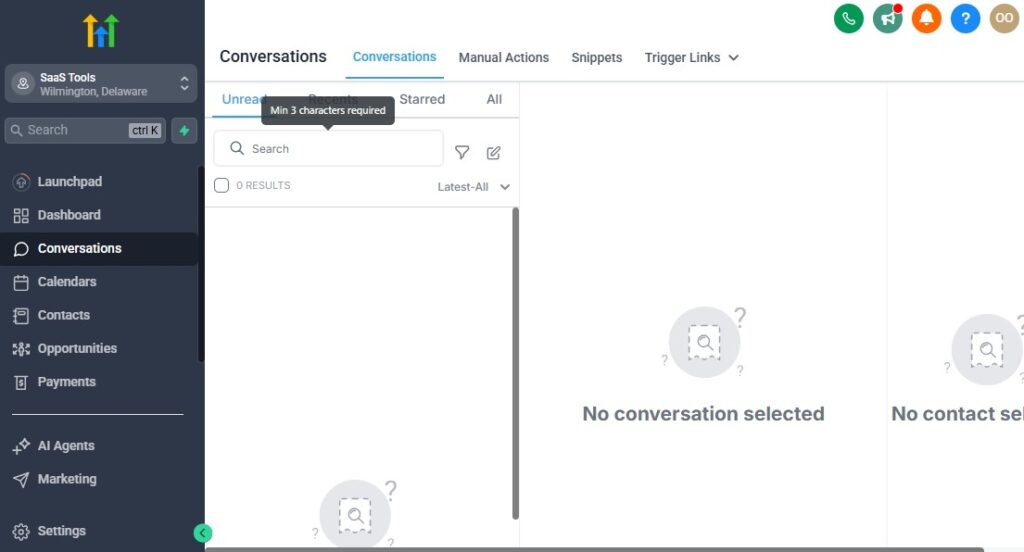
Clear, timely communication is the backbone of every successful law practice. Clients want reassurance.
They want updates.
They want to know you haven’t forgotten them.
When communication is slow or inconsistent, anxiety grows – and that’s when clients start calling repeatedly, complaining, or even looking for another lawyer.
GoHighLevel gives you a streamlined way to centralize every message, update clients automatically, and keep communication professional, fast, and organized.
With everything in one inbox and supported by smart automation, your firm becomes more responsive while reducing the time spent on routine communication.
Here’s how to use GoHighLevel to elevate your firm’s communication system 👇
💬 1. Use the Unified Conversations Inbox
Instead of juggling:
- SMS
- Missed call messages
- Voicemail
- Social media DMs
GoHighLevel puts all communication into one unified inbox.
You can:
- See every message from the client in one thread
- Reply instantly by SMS, email, or call
- Add internal notes for team members
- Tag conversations by priority or case type
- Assign messages to specific attorneys or staff
No more lost messages. No more scattered communication.
📣 2. Automate Case Status Updates – GoHighLevel for Lawyers
Clients often ask:
- “What’s the update?”
- “Has anything changed?”
- “Did you file the paperwork?”
- “Is my court date confirmed?”
With GoHighLevel, you can automate updates triggered by pipeline stages.
For example:
- When moved to “Retainer Signed” → Send welcome email + next steps
- When moved to “Active Case” → Send case prep checklist
- When moved to “Waiting on Client” → Send reminder to send documents
- When moved to “Court/Processing” → Send update and expectations
- When case is resolved → Send final message + testimonial request
Clients feel supported and informed without your team manually messaging them.
📩 3. Send Automated Document Reminders
Clients forgetting to submit documents is one of the biggest bottlenecks in legal cases.
GoHighLevel lets you automate:
- Document request messages
- Follow-up reminders
- “We still need these files” alerts
- Instructions on what to upload
- Upload confirmation notifications
Clients get clear guidance, and your staff stops chasing people manually.
📞 4. Handle Phone Calls Professionally & Without Stress
GoHighLevel includes powerful telephony features:
- Call clients directly from the CRM
- Auto-log the call inside their profile
- Record call audio for notes or compliance
- Forward calls to the right attorney
- Send instant “Missed Call Text-Back” messages
- Voice drops for follow-up calls
- Automated call routing for different practice areas
Every call becomes more efficient and documented.
📲 5. SMS & WhatsApp for Fast, High-Response Communication
Legal clients respond faster through text than email.
Use SMS/WhatsApp for:
- Appointment confirmations
- Document reminders
- Quick updates
- Urgent notifications
- Directions or links
- Last-minute changes
- Payment reminders
With GoHighLevel, every message stays linked to the client’s record.
📤 6. Follow-Up Sequences for Silent or Unresponsive Clients
Many legal delays happen because clients stop replying.
Automate gentle follow-ups like:
- “We need your documents to continue your case.”
- “Please confirm your next appointment.”
- “Your retainer agreement still needs signing.”
- “We haven’t heard from you – do you still want to proceed?”
This keeps cases moving and reduces long delays.
💼 7. Create Communication Templates for Repeat Messages
Law firms send the same kinds of messages daily.
Templates save time and maintain consistency.
Create templates for:
- Consultation confirmations
- Case status updates
- Document checklist
- Retainer instructions
- “Thank you for meeting with us”
- Court reminders
- Closure messages
Your staff will respond faster and more professionally.
📝 8. Add Internal Notes for Team Collaboration
Inside every client’s conversation thread, you can add notes like:
- “Client is very anxious – respond carefully.”
- “Follow up on medical reports by Friday.”
- “Attorney will review evidence today.”
Notes never get sent to the client.
They help your team stay organized and aligned.
📅 9. Automate Follow-Ups After Court Dates & Meetings
After any major milestone, GoHighLevel can automatically send:
- Follow-up recap
- Next steps
- Homework/document checklist
- Payment or retainer reminders (if applicable)
- A request to confirm their understanding or questions
This helps clients feel supported every step of the way.
📨 10. Keep All Communication Logged for Legal Protection
In legal work, documentation matters.
GoHighLevel automatically logs:
- SMS
- Emails
- Calls
- Voicemail
- Form submissions
- Uploaded documents
- Appointment details
This protects your firm from misunderstandings and ensures a complete case history.
💡 In Short
GoHighLevel makes legal communication:
- Organized
- Fast
- Professional
- Centralized
- Automated
- Documented
You build stronger relationships, reduce repetitive admin work, and keep clients informed without constant manual effort.
With a communication system this streamlined, your law firm becomes more responsive, more reliable, and more client-friendly.
Marketing & Lead Generation for Lawyers
Marketing is one of the most overlooked but essential parts of running a successful law firm. Clients don’t just appear – you attract them through visibility, trust-building, and strategic follow-up.
Whether you run a solo practice or manage a multi-attorney firm, GoHighLevel gives you the tools to generate more leads, nurture them effectively, and convert consultations into paying clients.
This section shows you exactly how to use GoHighLevel to attract new clients and build a predictable stream of legal inquiries for your practice.
🎯 1. Build High-Converting Legal Funnels for Your Practice Areas
GoHighLevel makes it easy to create beautiful, fast-loading funnels for every legal service you offer.
Examples of funnels you can build:
- Divorce Consultation Funnel
- Immigration Case Evaluation Funnel
- Personal Injury Claim Assessment Funnel
- Criminal Defense Emergency Consultation Funnel
- Real Estate Contract Review Funnel
- Business Formation / Contract Funnel
Each funnel can include:
- Landing page
- Case evaluation form
- Booking page
- Thank-you page
- Automated follow-up sequence
This helps convert visitors into booked consultations quickly.
📝 2. Capture Leads with Professional Intake Forms
Most legal websites lose leads because they don’t collect enough information.
GoHighLevel forms are customizable and can request:
- Case type
- Current situation
- Urgency level
- Important deadlines
- Required documents
- Contact information
- Preferred consultation time
Once submitted, automations handle the rest:
- Add the lead to the CRM
- Tag by case type
- Trigger an intake workflow
- Send a booking link
- Notify your team
This ensures no lead slips through the cracks.
📲 3. Automate Follow-Up Sequences to Convert Leads Into Clients
Most legal leads need multiple follow-ups before hiring an attorney.
GoHighLevel lets you automate:
- Email sequences
- SMS reminders
- Voicemail drops
- Appointment nudges
- Retainer reminders
Examples of follow-up messages:
- “We noticed you didn’t book your consultation – here’s the link.”
- “Do you need help understanding next steps?”
- “We can review your documents before your visit.”
Following up consistently increases your conversion rate significantly.
📅 4. Offer Instant Consultation Booking to Reduce Drop-Off
Law is a competitive field – if you make booking difficult, clients will move on.
GoHighLevel calendars allow:
- One-click booking
- On-page embedded scheduling
- Auto-confirmations
- Automated reminders
- Rescheduling options
- Payment collection for paid consultations
Frictionless booking = more consultations.
📣 5. Build Retargeting Audiences Automatically
GoHighLevel allows you to install tracking pixels for:
- Facebook / Instagram
- Google Ads
- TikTok
This lets you retarget:
- Website visitors
- Abandoned form submissions
- Abandoned bookings
- Past leads who didn’t hire you
Retargeting dramatically reduces marketing costs.
📧 6. Use Email & SMS Campaigns to Stay Top-of-Mind
Use GoHighLevel broadcasts for:
- Legal updates
- Policy changes
- Seasonal reminders (tax season, real estate cycles, etc.)
- Educational tips
- Case success stories
- Invitations to free consultations
Regular communication builds trust and increases conversions over time.
🔍 7. Track Lead Sources & ROI to Optimize Marketing
Inside GoHighLevel’s reporting dashboard, you can track:
- Which campaigns produce the most leads
- Lead-to-client conversion rates
- Cost per lead
- Appointment show rates
- Funnel performance
This helps you stop wasting money on bad campaigns and double down on what works.
📈 8. Use AI Chat Widgets to Capture Website Leads 24/7
GoHighLevel’s website chat widget helps you:
- Answer common questions
- Capture leads instantly
- Collect case details
- Offer consultation booking
- Respond even when your office is closed
This increases your lead capture rate around the clock.
🧲 9. Create Local SEO Funnels for “Near Me” Searches
Local searches like:
- “Divorce lawyer near me”
- “Immigration lawyer near me”
- “Criminal attorney near me”
Dominate local rankings by:
- Using GoHighLevel website builder
- Adding testimonials
- Creating location-specific pages
- Using the Reputation system to collect reviews
- Tracking leads from Google Business Profile
Strong local SEO = consistent inbound clients.
🎥 10. Use Video Funnels to Build Trust Faster
Video is extremely powerful for legal services.
Record short videos for:
- Introductions
- Explaining the legal process
- Addressing common fears
- What clients should expect
- Why your firm is different
Embed videos inside funnels and emails.
This humanizes your firm and boosts conversions.
🔁 11. Build Nurture Campaigns for “Not Ready Yet” Leads
Not every lead will be ready to hire you immediately.
Set up nurture sequences like:
- 21-day “education series”
- Weekly legal tips
- Client success stories
- Case process walkthroughs
- Deadline reminders (if applicable)
These warm up cold leads over time.
📲 12. Follow Up Instantly with Missed Call Text-Back
When someone calls your firm and you miss it:
- Auto-text:
“Sorry we missed your call – how can we help? You can also book time here: [link].”
This alone can recover 30–50% of missed opportunities.
💼 13. Automate Lawyer-Specific Lead Qualification
Filter out low-quality leads by automatically asking:
- Case type
- Budget
- Urgency
- Location
- Required documents
- Deadlines
This ensures attorneys only meet with qualified prospects.
💡 In Short
GoHighLevel turns your law firm into a client-generating machine by helping you:
- Build high-converting funnels for every practice area
- Automate follow-ups that convert more leads
- Capture every inquiry with forms, chat widgets & missed-call text-back
- Book consultations effortlessly
- Improve response time
- Track marketing performance in one dashboard
- Retarget visitors
- Stay top-of-mind with email & SMS nurturing
It’s everything a modern law firm needs to attract more clients consistently and grow sustainably.
Collecting Reviews & Building a Strong Online Reputation
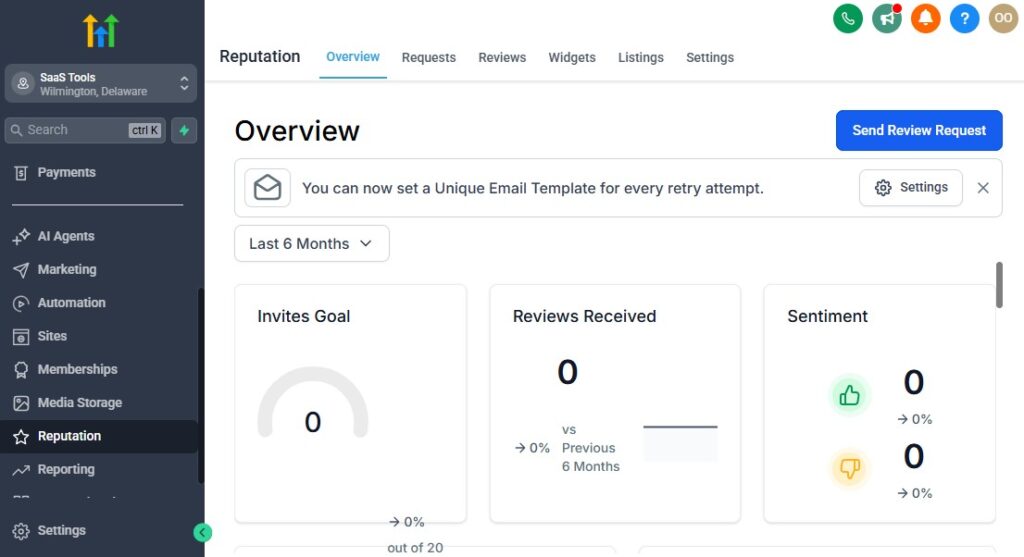
A strong online reputation is one of the most powerful assets a modern law firm can have.
When potential clients search for a lawyer, the first thing they check is reviews – especially on Google.
A handful of high-quality reviews can dramatically increase trust, improve local rankings, and convert more consultations.
GoHighLevel helps you automate the entire reputation-building process so you consistently collect more reviews, manage feedback professionally, and showcase social proof that strengthens your firm’s credibility.
Here’s how to use GoHighLevel to build a rock-solid online reputation for your law practice 👇
⭐ 1. Automate Review Requests After Case Milestones
Instead of hoping clients leave reviews, you can trigger automated requests at the perfect time – when a client feels satisfied and supported.
Recommended trigger points:
- After a consultation
- After a retainer is signed
- After a successful case outcome
- After settlement (PI cases)
- After closing a real estate deal
- After approval (immigration cases)
- After the final hearing
Each milestone can trigger a pre-written review request like:
“We’re glad we could assist you. If we’ve earned your trust, would you consider leaving a quick review? It really helps others find the legal support they need. [Link]”
This dramatically increases review volume.
📨 2. Request Reviews Through SMS, Email, or WhatsApp
Clients are busy – making it easy for them increases your success rate.
You can send review requests via:
- SMS (highest response rate)
- WhatsApp (via integration)
GoHighLevel’s message templates help you keep requests simple, friendly, and professional.
🔗 3. Send Direct Review Links to Your Google Business Profile
Reduce friction by sending clients directly to your review page.
GoHighLevel lets you embed:
- Google Business review links
- Facebook review links
- Yelp links (if needed)
When clients click, they arrive at the exact review window – no searching required.
📊 4. Monitor, Track & Respond to Reviews in One Dashboard
GoHighLevel’s Reputation Manager allows you to:
- View all new reviews
- Respond to reviews quickly
- Track ratings across platforms
- Identify trends in client satisfaction
- Monitor negative feedback early
Responding professionally boosts trust and signals reliability.
🛑 5. Filter Feedback to Catch Negative Reviews Before They Go Public
A powerful feature for law firms:
Feedback Gatekeeping
If you want, GoHighLevel can:
- First send clients to a private feedback form
- If they rate you positively → send them to public review link
- If they rate you poorly → direct them to internal support inbox
This protects your firm’s public image while still improving client satisfaction.
📥 6. Collect Testimonials for Your Website, Funnels & Social Media
You can build automated sequences to request:
- Written testimonials
- Audio testimonials
- Video testimonials
- Case success stories (anonymous if required)
- End-of-case satisfaction ratings
These can be showcased on:
- Your homepage
- Landing pages
- Consultation funnels
- Attorney bio pages
- Google Business Profile
- Social media ads
Testimonials bring credibility and influence client decisions.
🎯 7. Segment Review Requests by Case Type
Tailor your review messages depending on what service you provided.
Examples:
Family Law:
“We hope we helped you navigate a very important chapter of your life…”
Criminal Defense:
“Your privacy is important – your review can be anonymous…”
Immigration:
“We’re honored to have been part of your journey…”
Personal Injury:
“Glad we could help you recover and get your life back on track…”
Personalized requests lead to better emotional connection and more enthusiastic reviews.
📈 8. Use Review Automation to Strengthen Local SEO
Reviews dramatically affect your Google ranking, especially for legal searches like:
- “Divorce lawyer near me”
- “Immigration attorney near me”
- “Criminal lawyer near me”
- “Personal injury attorney near me”
GoHighLevel helps your firm appear more frequently by:
- Increasing review volume
- Improving overall rating
- Keeping reviews consistent
- Boosting your Google Business Profile engagement
Google rewards active, reputable firms with higher local visibility.
🧩 9. Showcase Reviews Using Widgets & Social Proof Sections
GoHighLevel allows you to embed review widgets on:
- Landing pages
- Website homepage
- Attorney profile pages
- Case specialty pages
- Funnel thank-you pages
This social proof increases conversions and consultation bookings.
💬 10. Use Negative Feedback to Improve Your Practice
Rather than avoiding criticism, use GoHighLevel to capture private feedback:
- Identify communication problems
- Fix delays or bottlenecks
- Improve onboarding
- Train staff
- Refine expectations for clients
Small improvements can create a better experience for future clients.
💡 In Short
GoHighLevel helps your law firm build a strong reputation by automating your entire review collection process and making it simple for happy clients to share their experience.
With the right setup, you can:
- Collect reviews automatically
- Increase your Google rating
- Strengthen local SEO
- Showcase testimonials across your site
- Catch negative feedback early
- Build trust with new clients
- Grow your practice with powerful social proof
Your online reputation becomes a competitive advantage – and GoHighLevel handles most of the heavy lifting for you.
Tracking Legal KPIs, Case Progress & Firm Performance
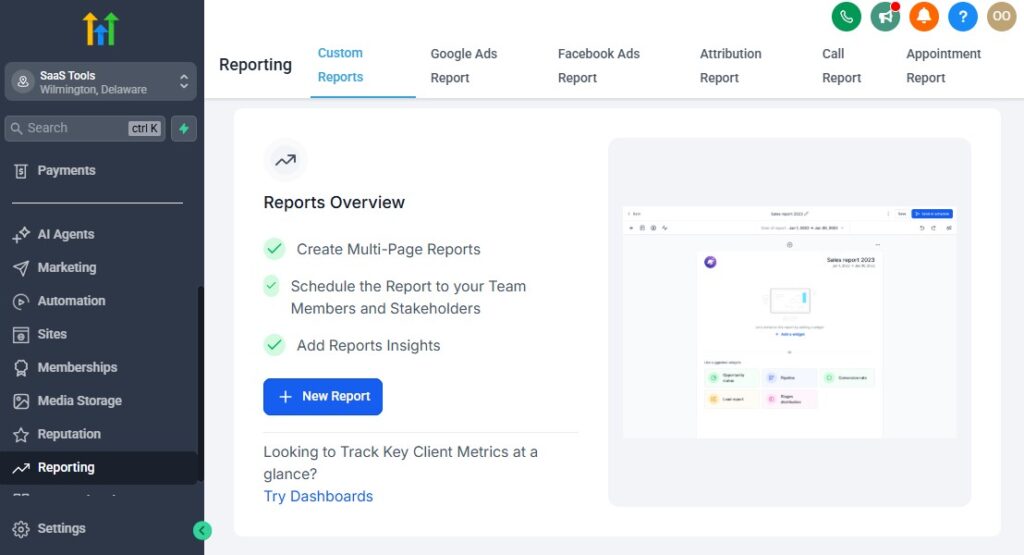
To run a highly efficient, profitable, and well-organized law firm, you need clarity – clarity about where each case stands, how clients are progressing, what your attorneys are doing, and which marketing efforts are producing real results.
Without proper tracking, you’re operating blind, and important opportunities or risks can easily slip through unnoticed.
GoHighLevel gives lawyers the dashboards, analytics, and reporting tools needed to make smarter decisions, improve efficiency, and ensure your firm stays on top of every case and client interaction.
Here’s how to use GoHighLevel to track the metrics that matter most in a legal practice 👇
📍 1. Track Case Progress With Pipelines
Your pipeline is your at-a-glance view of all cases and where they are in the legal process.
Recommended pipeline stages:
New Lead → Booked Consultation → Attended Consultation → Retainer Signed → Active Case → Waiting on Client → Court/Processing → Completed → Closed/Archived
From this view, you instantly see:
- How many cases are active
- Which clients are stuck
- Who is waiting for documents
- Which cases need follow-up
- Where bottlenecks exist
- How many retainers you’re closing weekly/monthly
It becomes your firm’s real-time control center.
📊 2. Monitor Lead-to-Client Conversion
GoHighLevel helps you track:
- Total leads
- Booked consultations
- Show rates
- Retainer sign rates
- Drop-off points
- Conversion percentage per practice area
This allows you to understand:
- Which services bring the best clients
- Where prospects lose interest
- Which attorneys convert consultations best
- Which funnels or ad campaigns produce quality leads
Better conversion tracking = higher revenue.
💼 3. Track Attorney & Staff Performance
Inside the reporting tools, you can monitor:
- Number of assigned cases per attorney
- Task completion speed
- Response times to clients
- Follow-up performance
- Consultation outcomes
- Communication logs
- Pipeline movement
This helps partners and firm owners evaluate productivity and allocate workload fairly.
📅 4. Track Deadlines, Court Dates & Required Follow-Ups
Legal work revolves around dates and obligations.
GoHighLevel helps you track:
- Filing deadlines
- Court dates
- Hearings
- Discovery deadlines
- Settlement meetings
- Client document due dates
You can set:
- Individual reminders
- Team notifications
- Automated client reminders
- Pre-hearing checklists
This protects your firm from costly mistakes and delays.
💬 5. Track Client Engagement & Communication History
GoHighLevel shows you:
- When a client last responded
- Whether they’ve opened your emails
- Whether they read your reminders
- How many times they’ve called
- What documents they’ve submitted
- All past communications
This helps you identify:
- Unresponsive clients
- Clients who need follow-up
- Cases stuck due to missing documents
- High-maintenance clients
- Opportunities to improve communication
Engagement insights help you move cases forward more smoothly.
💸 6. Track Retainers, Payments & Revenue Metrics
If you collect payments through GoHighLevel (Stripe, NMI, PayPal), you can monitor:
- Total retainers collected
- Consultation fees
- Payment status (paid, pending, failed)
- Revenue by practice area
- Revenue by attorney
- Recurring payments
- Refunds or disputes
- Lifetime value of clients
This gives firm owners clear visibility into financial health.
📈 7. Monitor Marketing Performance & Return on Investment
GoHighLevel analytics help you measure:
- Which campaigns bring the most leads
- Cost per lead
- Cost per booked consultation
- Conversion per funnel
- Landing page performance
- Email open/click rates
- SMS engagement
- Source-based conversions (Google Ads, Facebook, SEO, referrals)
This ensures you’re investing money in what actually works.
🔍 8. Track Case Load by Practice Area
You can set up dashboards that show:
- How many immigration cases are active
- How many PI cases are pending
- How many family law clients need follow-ups
- Which practice areas are most profitable
- Which areas are generating the most inquiries
This helps with strategic planning and resource allocation.
📘 9. Track Document Submission Status
GoHighLevel workflows allow you to monitor:
- Who has sent required documents
- Who still needs to upload files
- Which documents are missing
- Which clients are stalling their own cases
This increases efficiency and reduces delays caused by clients.
📝 10. Automated Weekly or Monthly Firm Reports
Automate reports sent to:
- Firm owners
- Senior attorneys
- Paralegals
- Intake managers
Reports can include:
- Pipeline overview
- Revenue summary
- New cases opened
- Cases closed
- Tasks completed
- Missed deadlines (if any)
- Client engagement levels
- Retainer conversion rates
Everyone stays aligned and accountable.
📌 11. Track Client Satisfaction & Post-Case Surveys
Use automation to send follow-up surveys after a case is completed:
- Rate your experience (1–5)
- How responsive was your attorney?
- Would you recommend us?
- What can we improve?
- Optional testimonial upload
This helps improve your firm while collecting social proof.
💡 In Short
GoHighLevel’s tracking and reporting features help you monitor every part of your law practice:
- Case progress
- Deadlines & milestones
- Staff performance
- Marketing ROI
- Lead conversion
- Client communication
- Retainers & revenue
- Document submissions
- Satisfaction scores
With this level of visibility, you run a more efficient, predictable, profitable, and client-centric firm – without spreadsheets or manual tracking.
Integrating GoHighLevel with Legal Tools (E-signing, Billing, Case Software)
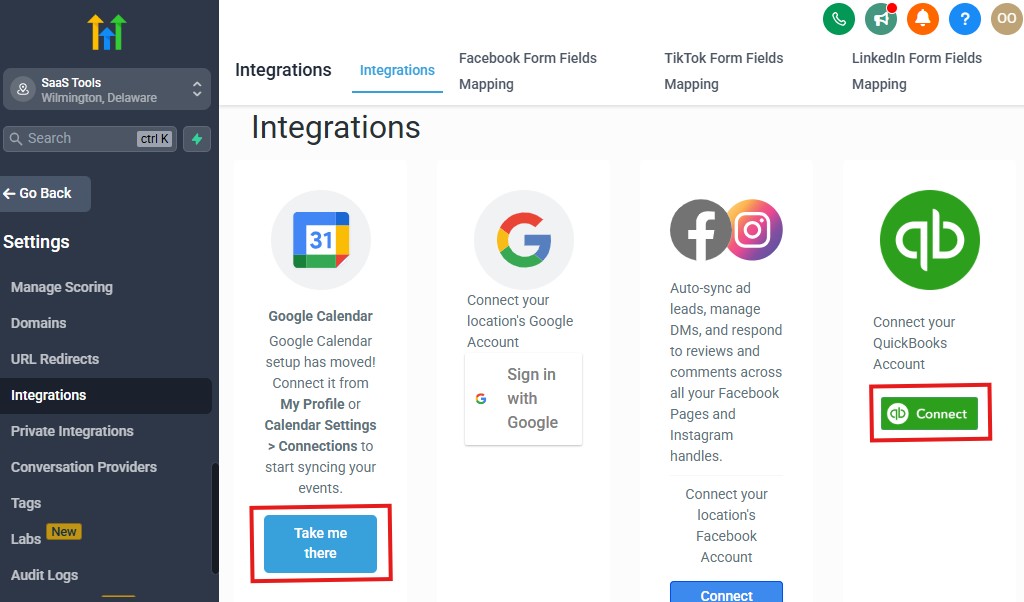
Legal practices rely heavily on tools for document signing, billing, accounting, case management, and secure file storage.
The good news?
GoHighLevel integrates smoothly with the tools lawyers use every day – helping you build a cohesive, automated workflow without jumping between disconnected platforms.
This section shows you exactly how to connect the right tools, streamline operations, and create a more efficient law firm tech stack.
🖋️ 1. Integrate E-Signing Tools for Retainers & Legal Documents
Law firms send and receive legal documents constantly, and e-signing makes the process fast and compliant.
GoHighLevel works with leading e-signature tools through Zapier, Make, or direct links:
- DocuSign
- HelloSign / Dropbox Sign
- Adobe Sign
- SignNow
With these integrations, you can automate:
- Sending retainer agreements
- Sending contracts and waivers
- Requesting signatures
- Triggering workflows once a document is signed
- Updating the client’s CRM record automatically
Example automation:
- Client signs retainer → Move to “Active Case” pipeline
- Notify attorney
- Send onboarding instructions
- Trigger document request workflow
This creates a smooth, fully digital onboarding experience.
💳 2. Connect Billing & Payment Tools
Most law firms handle:
- Consultation fees
- Retainers
- Payment plans
- Invoices
- Recurring charges
- Settlement-related payments (if applicable)
GoHighLevel integrates with major payment processors:
- Stripe (most popular for law firms)
- NMI
- PayPal
You can use these to:
- Collect retainers online
- Charge for consultations
- Offer payment plans
- Send automated payment reminders
- Detect failed payments
- Trigger follow-up workflows when payment succeeds or fails
This gives your firm a reliable, automated billing system.
📚 3. Integrate Accounting Tools for Bookkeeping & Reporting
Keeping finances organized is critical for firms.
GoHighLevel connects with accounting systems via Zapier or APIs:
- QuickBooks Online
- Xero
- FreshBooks
- Wave
These integrations can automate:
- Syncing invoices
- Syncing payments
- Logging retainers
- Tracking firm revenue
- Reconciling billing data
This eliminates manual bookkeeping and reduces accounting errors.
📁 4. Connect Document Storage Tools for Case Files & Evidence
Lawyers handle large amounts of files, such as:
- Evidence
- Photos/videos
- Contracts
- Court filings
- Declarations
- Client uploads
- Scanned documents
Use GoHighLevel with:
- Google Drive
- Dropbox
- OneDrive
Benefits:
- Automatic folder creation per client
- Document uploads stored instantly
- Easy team collaboration
- Secure cloud-based access
You can even automate folder generation when a retainer is signed.
⚖️ 5. Integrate With Legal Case Management Tools (Hybrid Setup)
Some law firms still prefer traditional case management systems like:
- Clio
- MyCase
- PracticePanther
- Filevine
- Smokeball
GoHighLevel can integrate with these tools through Zapier, Make, or API to create a “hybrid” workflow.
Examples:
- When a retainer is signed in GoHighLevel → Create a new matter in Clio
- When a client fills out an intake form → Send case details to MyCase
- When a document is uploaded → Add it to Filevine
- When a case updates in your CMS → Send client notifications in GoHighLevel
This lets firms retain their legacy case software while adding GoHighLevel’s automation and marketing power.
📅 6. Sync Calendars for Court Dates & Consultations
GoHighLevel syncs directly with:
- Google Calendar
- Outlook / Microsoft 365
- iCloud (via connected apps)
This synchronizes:
- Client consultations
- Internal meetings
- Court hearings
- Deadlines
- Attorney availability
- Task reminders
You avoid double-bookings and always see your complete schedule in one view.
📞 7. Integrate Phone, SMS & WhatsApp Systems
Communication is central to legal work, and GoHighLevel supports:
- Twilio
- LeadConnector (built-in)
- WhatsApp (via 360Dialog)
- VOIP phone systems
- Call tracking tools
These help you:
- Log all calls
- Send automated SMS/WhatsApp
- Manage outbound & inbound calls
- Use call routing
- Enable voicemail drops
- Trigger automations based on call outcomes
Every interaction is automatically stored in the client profile.
🔔 8. Integrate Notification Tools to Improve Team Collaboration
Integrate GoHighLevel with:
- Slack
- Microsoft Teams
- Email notifications
- SMS alerts
This keeps your team instantly informed about:
- New leads
- Signed retainers
- Document uploads
- Missed calls
- Client messages
- Deadline reminders
Your staff becomes more responsive and organized.
📊 9. Connect Reporting Tools for Firm-Wide Dashboards
GoHighLevel data can feed into:
- Google Sheets
- Databox
- Power BI
- Looker Studio
This helps law firms build advanced dashboards for:
- Firm-wide KPIs
- Case load per attorney
- Marketing ROI
- Revenue forecasting
- Intake conversion
Useful for larger firms or partners who want deeper analytics.
🤖 10. Use AI Integrations for Smarter Workflows
Emerging AI tools integrate easily with GoHighLevel to automate:
- Transcription
- Document drafting
- Preliminary case notes
- Lead qualification
- Email drafting
- FAQ chatbots on your website
AI + GoHighLevel = a highly efficient law practice.
💡 In Short
GoHighLevel integrates with all the essential tools lawyers rely on, helping you build a streamlined and automated legal tech ecosystem.
With the right integrations, you can:
- Digitally send and sign retainers
- Collect and track payments
- Sync case data to legal software
- Automate bookkeeping
- Store documents securely
- Keep calendars aligned
- Log all communication
- Enhance team collaboration
- Build powerful reporting dashboards
Everything becomes connected – reducing manual work, increasing accuracy, and improving how your firm operates day-to-day.
Advanced Automation for Law Firms
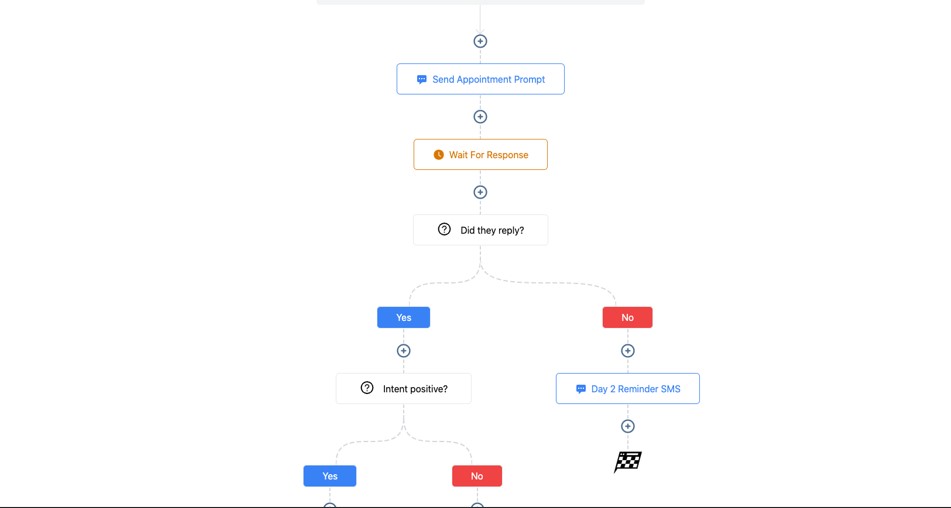
When your law firm starts using automation the right way, everything becomes more efficient.
Clients move through your process faster, attorneys spend less time on repetitive tasks, deadlines are rarely missed, and your intake system becomes a predictable conversion machine.
GoHighLevel gives law firms next-level automation capabilities that replace manual follow-ups, reduce administrative errors, and create smooth, professional workflows for every client.
Here’s how to implement advanced automations to streamline your entire legal practice 👇
⚖️ 1. Automated Client Journey From First Contact → Case Completion
Build an end-to-end automation that guides clients through every stage of their legal journey.
Example Client Automation Flow:
- Lead submits intake form
- Auto-send booking link
- Auto-confirmation + reminders
- After consultation → retainer sent
- After signing → move to Active Case
- Trigger onboarding checklist
- Request documents + reminders
- Notify attorney when documents arrive
- Send status updates during each stage
- At case completion → request review/testimonial
This creates a seamless, hands-off process that works 24/7.
🧩 2. Automated Qualification & Case-Type Routing
GoHighLevel can automatically filter and route new leads based on:
- Case type
- Location
- Budget
- Deadlines
- Urgency
- Practice area
- Attorney availability
Examples:
- All immigration leads → Attorney A
- All PI leads → Attorney B
- All family law cases → Assigned paralegal team
- Clients with immediate deadlines → High-priority pipeline
This ensures the right attorney gets the right case instantly.
📥 3. Automated Document Request Sequences
One of the biggest bottlenecks in law firms is clients failing to provide necessary documents.
Create automation that:
- Sends document checklists
- Provides upload links
- Sends reminders every 24–48 hours
- Flags overdue documents
- Notifies staff when files are submitted
- Updates CRM tags (e.g., “Docs: Received”)
This reduces manual chasing and speeds up case progress.
📅 4. Court Date, Filing Deadline & Appointment Automations
Missing a court date is catastrophic. Automate all date-related tasks:
For Clients:
- Court date reminders
- Preparation checklists
- What to bring/expect messages
- Day-before and day-of reminders
For Your Team:
- Internal reminders
- Attorney notifications
- Paralegal preparation tasks
- Escalation alerts if something is overdue
Automation protects your firm from costly mistakes.
📞 5. Missed Call → Instant Text-Back Automation
Law firms lose a huge number of leads when calls go unanswered.
Set up a Missed Call Text-Back:
“Sorry we missed your call – how can we help? You can also book a consultation here: [link].”
This alone can increase new consultations by 20–40%.
💬 6. Automated Client Update Messages Based on Case Stage
When you move a client through your pipeline, GoHighLevel can automatically send status updates like:
Examples:
- “Your retainer is ready to sign.”
- “We’re waiting on your documents.”
- “Your case is now active – here’s what happens next.”
- “Your filing is complete. We will update you soon.”
- “Your court date is scheduled for [date].”
This reduces client anxiety and prevents repeated “Any updates?” calls.
🤝 7. Multi-Step Follow-Up for Leads Who Don’t Convert Immediately
Most leads do not hire an attorney on the first touch.
Use a multi-channel follow-up sequence that includes:
- Emails
- SMS
- Voicemails
- Value-based legal tips
- Social proof stories
- Retainer reminders
- Urgency-based follow-ups
Follow-up sequences dramatically increase consultation bookings and retainer signings.
📝 8. Automate Intake for Different Case Types
Each practice area can have its own automation path.
Examples:
Family Law
- Send divorce/custody intake questionnaire
- Request financial documents
- Provide court checklist
Immigration
- Request passport scans
- Upload I-130/I-485 documents
- Guide client through required forms
Personal Injury
- Send medical records request
- Ask for accident photos
- Log insurance details
Criminal Defense
- Request court documents
- Ask for police report
- Provide “rights & next steps” guide
GoHighLevel tailors the workflow based on the practice area automatically.
📈 9. Automated Internal Workflows for Staff Coordination
Automation also supports your team, such as:
- Assigning tasks to attorneys/paralegals
- Sending reminders for overdue tasks
- Notifying when clients message
- Triggering updates when documents arrive
- Weekly case review reminders
- Staff accountability tracking
This creates a more disciplined, efficient law office.
✨ 10. Automated Review & Testimonial Requests
After closing a case – especially successful outcomes – automation can:
- Send review requests
- Request video/written testimonials
- Share a thank-you message
- Offer incentives (where allowed)
- Help clients post reviews on Google
This builds your online reputation without manual effort.
🧲 11. Re-Engagement Automations for Past Clients
Many law firms forget to reach out to past clients who could bring repeat business or referrals.
Create automations such as:
- Annual check-ins
- Status updates
- Referral requests
- Educational emails
- Anniversary outreach
- “Do you need additional legal help?” sequences
This strengthens lifetime relationships.
📬 12. Automated Communication Templates by Case Stage
Templates help you send consistent, clear messages.
Automate them for:
- Appointment confirmations
- Status updates
- Document requests
- Welcome/onboarding
- Case movement
- Closing messages
This improves both efficiency and professionalism.
💡 In Short
Advanced automation transforms your law firm into a modern, organized, and highly efficient practice.
With GoHighLevel, you can automate:
- Intake
- Consultation reminders
- Retainer follow-ups
- Case-stage updates
- Document requests
- Court date reminders
- Internal team coordination
- Client re-engagement
- Review generation
- Marketing and lead nurturing
Automation frees your attorneys and staff to focus on what matters most:
serving clients, preparing cases, and driving better legal outcomes.
Learn More:
- What is GoHighLevel? (Features, Use Cases, Pricing & More)
- GoHighLevel Review: (My Experience After 5 Years)
- GoHighLevel Pricing: (+ Discount Codes)
- GoHighLevel Features: (Full List of Tools)
- GoHighLevel Onboarding Checklist: (Complete Tutorial)
- GoHighLevel for Property Management: (Detailed Tutorial)
- GoHighLevel for Small Businesses: (2026 Helpful Tutorial)
- GoHighLevel for Service Businesses: (2026 Helpful Tutorial)
- GoHighLevel for Local Businesses: (2026 Helpful Tutorial)
Common Mistakes Law Firms Make in GoHighLevel
GoHighLevel can transform a law firm when used correctly – but many attorneys and legal teams fall into predictable mistakes that limit the platform’s effectiveness.
These errors often lead to dropped leads, missed follow-ups, inefficient case management, and a lack of clarity inside the practice.
Avoiding these mistakes helps you create a smoother intake process, deliver a better client experience, and run a more organized, profitable firm.
Here are the most common mistakes law firms make in GoHighLevel – and how to fix them 👇
❌ 1. Treating All Leads the Same (No Case-Type Segmentation)
Legal leads are NOT all equal.
Many firms make the mistake of throwing every new contact into one generic pipeline.
This leads to:
- Poor follow-up
- Bad qualification
- Unnecessary consultations
- Missed high-value cases
Fix:
Segment leads by:
- Case type (Family, Criminal, PI, Immigration, Real Estate, Business)
- Urgency
- Deadline
- Budget
- Practice area
This allows you to deliver targeted messages and assign leads to the right attorney instantly.
❌ 2. No Intake Automation (Relying on Manual Follow-Ups)
If your intake depends on someone manually texting or calling every lead, you’ll lose clients – especially after hours.
Fix:
Automate:
- Immediate response
- Booking link delivery
- Reminders
- Intake forms
- Qualification
- Pre-consultation instructions
Clients move themselves forward without waiting on your staff.
❌ 3. Over-Automation That Feels Robotic
While automation is powerful, lawyers must still maintain a human touch.
Some firms over-automate sensitive communication.
Fix:
Use automation for structure, but personalize:
- Client reassurance messages
- Legal updates
- Sensitive case outcome discussions
- High-stress situations
Automation should assist – never replace – empathy.
❌ 4. Not Using Pipelines Properly
Some law firms ignore pipeline updates, leading to:
- Lost track of case stages
- Missed follow-ups
- Confused staff
- Poor client updates
Fix:
Update pipelines daily and use:
- Triggers
- Automations
- Notifications
- Stage-based communication
Your pipeline becomes your case command center.
❌ 5. Failing to Track Deadlines & Court Dates
Law firms sometimes rely on memory, sticky notes, or separate calendars for critical dates – a major risk.
Fix:
Use GoHighLevel to:
- Track court dates
- Track filing deadlines
- Automate reminders
- Assign attorney/paralegal alerts
- Send client reminders
Never miss a deadline again.
❌ 6. Not Using Document Request Automations
Manually chasing clients for documents wastes hours and slows cases.
Fix:
Automate:
- Document checklists
- Upload links
- Reminder sequences
- Staff notifications upon upload
Your case files move forward faster.
❌ 7. Ignoring the Importance of Reviews
Law firms need reviews to rank locally and build trust – but many firms forget to request them.
Fix:
Trigger review requests:
- After consultations
- After retainers
- After case milestones
- After case completion
Automate your entire reputation-building workflow.
❌ 8. Not Personalizing Communication Templates
Generic messages can sound stiff and decrease client trust.
Fix:
Customize templates to include:
- Client name
- Case type
- Attorney name
- Key dates
- Personalized reassurance
These small touches dramatically improve client experience.
❌ 9. Not Qualifying Leads Before Booking a Consultation
This wastes attorney time with unqualified or irrelevant leads.
Fix:
Use:
- Smart intake forms
- Budget questions
- Case type filtering
- Automation-based routing
- Pre-consultation questionnaires
Let GoHighLevel filter out low-quality leads automatically.
❌ 10. Poor Internal Communication & Notification Setup
If your team doesn’t receive alerts, clients fall through the cracks.
Fix:
Set automatic team notifications for:
- New leads
- Missed calls
- New messages
- Signed retainers
- Document uploads
- Upcoming court dates
Your staff stays aligned and responsive.
❌ 11. Using Too Few Custom Fields for Case Details
Many firms rely on basic contact fields, which leads to missing key information.
Fix:
Add custom fields such as:
- Case number
- Court location
- Opposing counsel
- Filing deadlines
- Document status
- Retainer amount
- Case type specifics
Your CRM becomes a true case file.
❌ 12. Not Leveraging Internal Pipelines for Paralegals & Support Staff
Legal work involves multiple teams, but many firms only track clients.
Fix:
Create internal pipelines for:
- Paralegal tasks
- Document review
- Evidence checks
- Filing stages
- Case prep workflow
This improves coordination and prevents bottlenecks.
❌ 13. Not Keeping CRM Data Clean & Updated
Outdated or messy CRM data causes confusion and weak automation.
Fix:
Set monthly or quarterly data cleanup routines:
- Remove duplicates
- Update inactive clients
- Archive closed cases
- Review tags
- Update custom fields
- Clean up pipelines
A clean CRM = fast performance + smooth automation.
❌ 14. Ignoring Analytics & KPI Tracking
Many law firms fail to check:
- Lead sources
- Conversion rates
- Case progress
- Revenue trends
- Attorney performance
- Funnel data
Fix:
Review analytics weekly or monthly to ensure:
- Strong marketing ROI
- Efficient case movement
- Balanced staff workloads
- Consistent revenue growth
Data helps you run your practice like a business – not just a service.
💡 In Short
Avoiding these mistakes will help your firm unlock GoHighLevel’s full potential.
When used correctly, GoHighLevel helps you:
- Convert more leads
- Follow up consistently
- Stay organized
- Improve client satisfaction
- Track every deadline
- Reduce admin work
- Streamline communication
- Build stronger automation
- Grow your practice efficiently
You’ll run a smarter, more reliable, and more professional law firm.
Tips to Maximize Efficiency & Client Satisfaction with GoHighLevel for Lawyers
GoHighLevel becomes a true competitive advantage when you use it not just as a CRM, but as a complete legal operations system.
The key is combining smart automation with clear client communication and organized workflows.
These tips will help your law firm save time, deliver better client experiences, and operate with more structure and confidence.
Here’s how to get the most out of GoHighLevel in your legal practice 👇
⚡ 1. Use Automation to Remove Repetitive Admin Tasks
Attorneys and staff should not waste time on:
- Repeated follow-ups
- Scheduling coordination
- Document chasing
- Status update messages
- Intake reminders
Automate tasks like:
- Document request workflows
- Consultation confirmations
- Retainer follow-ups
- Court date reminders
- Unresponsive client sequences
This frees your team to focus on real case work.
🗂️ 2. Keep Your Pipelines Updated Daily
Treat your pipeline as your control center.
Updated pipelines help you:
- Track all active cases
- Spot bottlenecks
- See clients who need attention
- Manage attorney workload
- Predict upcoming deadlines
Make it a daily habit to move clients through the correct stages.
💬 3. Use Templates to Deliver Faster & More Consistent Communication
Templates cut down communication time dramatically while keeping tone professional.
Create templates for:
- Appointment reminders
- Case updates
- Document checklists
- Welcome messages
- Court reminders
- Post-case closure messages
Your responses become fast, clear, and consistent firm-wide.
📚 4. Create a Clear Client Onboarding Experience
Most legal stress happens at the beginning of a case. Make clients feel supported by setting up:
- Automated welcome message
- Retainer instructions
- “What happens next” guide
- Document upload checklist
- Contact information for your team
- Timeline of the case process
A strong onboarding experience increases trust and reduces client anxiety.
📞 5. Use Missed-Call Text-Back to Capture Lost Opportunities
People shopping for lawyers often contact multiple firms. If you miss a call, you may lose the client.
Use GoHighLevel’s Missed Call Text-Back:
“Sorry we missed your call – how can we help? You can also book a consultation here: [link].”
This saves countless leads that would have otherwise disappeared.
📝 6. Assign Tasks Clearly to Attorneys & Paralegals
Use tasks to keep internal workflows organized:
- Evidence review
- Document filing
- Client follow-up
- Court prep
- Discovery management
- Case research
Assign each task to a specific team member with deadlines.
Automation can trigger tasks automatically based on pipeline movement.
📨 7. Personalize Important Messages (Don’t Over-Automate)
While automation is powerful, legal clients still want human reassurance.
Personalize:
- Sensitive updates
- Complex case explanations
- Settlement discussions
- Strategy updates
- Bad news
Automation should assist your communication – not replace empathy.
📅 8. Create Separate Calendars for Different Case Types or Services
This helps with:
- Managing attorney availability
- Preventing double-bookings
- Scheduling court prep
- Handling free vs paid consultations
- Multi-attorney firms
Each calendar can have its own reminders and availability settings.
🏷️ 9. Use Tags & Custom Fields to Organize Case Details Properly
Tag clients by:
- Case type
- Urgency
- Retainer status
- Document status
- Assigned attorney
- Stage of pipeline
Custom fields help track:
- Court dates
- Case numbers
- Opposing counsel info
- Deadlines
- Retainer amount
This keeps your CRM organized and actionable.
⭐ 10. Build Review Automation Into Your Case Closure Process
A steady flow of reviews helps you dominate local search results.
Set automations that:
- Send review requests
- Share direct links to Google
- Ask for testimonials
- Encourage feedback privately
This strengthens your reputation without extra effort.
📊 11. Review Your KPIs Weekly
Your firm gets stronger when you consistently check:
- Consultation booking rates
- Retainer signing percentage
- Active vs closed cases
- Document submission status
- Attorney response times
- Marketing campaign performance
- Court date compliance
You can’t improve what you don’t track.
📈 12. Build Long-Term Nurture Campaigns for Past Clients
Past clients are one of your biggest referral sources.
Set up automations to send:
- Annual check-ins
- Educational updates
- Holiday greetings
- Referral requests
- “We can help with this area of law” messages
This keeps your firm top of mind and increases repeat business.
💼 13. Use AI Funnels & Chat Widgets to Engage Prospective Clients 24/7
Many legal prospects browse at night or during lunch breaks.
Your AI chat widget can:
- Answer common questions
- Capture lead details
- Offer consultation booking
- Qualify clients
- Trigger automations
This increases lead capture dramatically.
💡 In Short
To maximize efficiency and client satisfaction, your law firm should use GoHighLevel to:
- Automate repetitive tasks
- Organize clients with pipelines, tags, and custom fields
- Deliver faster and clearer communication
- Provide smooth onboarding
- Stay ahead of deadlines and court dates
- Improve internal coordination
- Build a strong online reputation
- Track KPIs for continuous optimization
- Nurture past clients to increase referrals
When combined, these strategies help your firm operate at a high level – with less stress, fewer mistakes, and better results for every client.
Frequently Asked Questions
FAQs about GoHighLevel for Lawyers
Is GoHighLevel safe and secure enough for legal clients?
Yes. GoHighLevel uses industry-standard security protocols, encryption, and secure data handling.
For additional protection, you can integrate with third-party secure storage tools such as Google Drive, Dropbox, OneDrive, or encrypted document systems already used by your firm.
You should still follow best practices:
- Limit staff permissions
- Use secure custom fields
- Avoid storing highly sensitive case files directly in the CRM
- Sync sensitive files to a secure storage location
With proper setup, GoHighLevel is highly safe for client communication and case management workflows.
Can I manage multiple attorneys or practice areas inside one GoHighLevel account?
Absolutely. GoHighLevel supports:
- Multiple pipelines
- Separate calendars
- Team roles and permissions
- Attorney-specific workflows
- Practice-area segmentation
- Department-level dashboards
It’s powerful enough for solo attorneys up to multi-attorney firms.
Can I use GoHighLevel to collect retainers or consultation fees?
Yes. GoHighLevel integrates with Stripe, PayPal, and NMI.
You can:
- Collect retainers online
- Charge for paid consultations
- Set up subscription or payment plans
- Send invoices
- Automate overdue payment reminders
It helps you streamline billing and reduce late payments.
Does GoHighLevel integrate with DocuSign, HelloSign, or Adobe Sign?
Yes. Through Zapier or direct links, you can connect:
- DocuSign
- Dropbox Sign (HelloSign)
- Adobe Sign
- SignNow
You can automate:
- Sending agreements
- Updating pipelines
- Triggering onboarding workflows
- Notifying attorneys when documents are signed
Perfect for retainer agreements and legal contracts.
Can GoHighLevel manage court dates and filing deadlines?
Yes. You can create:
- Calendar reminders
- Automated alerts
- Task assignments
- Internal notifications
- Client reminders
You can also track all deadlines using:
- Pipelines
- Custom fields
- Automated workflows
This helps prevent missed dates and keeps your team organized.
Can I build legal intake forms inside GoHighLevel?
Yes – and they’re customizable. You can build detailed forms that capture:
- Case type
- Urgency
- Deadlines
- Evidence
- Background details
- Contact information
- Supporting documents
When clients submit forms, workflows can trigger instantly.
Will GoHighLevel replace my existing case management software?
It depends on how your firm operates.
GoHighLevel CAN replace:
- Intake tools
- Email/SMS tools
- Phone/voicemail systems
- Calendar/scheduling apps
- Marketing platforms
- Review management tools
- Task automation systems
But it may NOT fully replace:
- Deep case management platforms like Clio, Filevine, or MyCase
Many firms use GoHighLevel + their existing case management tool together.
This hybrid setup works extremely well.
Can GoHighLevel automate status updates for clients?
Yes. When a client moves to a new pipeline stage, you can automatically send:
- Case updates
- Next-step instructions
- Appointment reminders
- Document requests
- Check-ins
This eliminates repeated “Any updates?” messages and improves client satisfaction.
Can I track attorney performance inside GoHighLevel?
Yes. You can track:
- Tasks completed
- Cases assigned
- Response times
- Consultation conversions
- Revenue generated
- Pipeline movement
- Client satisfaction metrics
It helps you run your firm with better oversight and accountability.
Is GoHighLevel good for small law firms or solo attorneys?
Definitely. In fact, GoHighLevel is ideal for:
- Solo attorneys
- Small firms
- Boutique practices
- Growing multi-attorney offices
You get enterprise-level tools without the complexity or cost of large legal software.
Does GoHighLevel support immigration, family law, criminal defense, or PI practices?
Yes – it works for all practice types, including:
- Immigration
- Family law
- Criminal defense
- Personal injury
- Real estate law
- Business law
- Estate planning
- Civil litigation
- Employment law
You simply build workflows and pipelines tailored to each case type.
Can GoHighLevel be used for multilingual clients?
Yes. You can:
- Translate funnels
- Create multilingual forms
- Personalize automated messages
- Build templates in any language
- Offer bilingual chat widgets
This is especially useful for immigration firms.
Can GoHighLevel help with marketing for law firms?
Absolutely. You can use it to:
- Build landing pages
- Run ad campaigns
- Track leads
- Create funnels
- Retarget visitors
- Send newsletters
- Automate follow-up sequences
It’s a full marketing and client acquisition engine.
Does GoHighLevel offer mobile access for Lawyers?
Yes. GoHighLevel has a mobile app where you can:
- View messages
- Check pipelines
- Respond to leads
- Manage tasks
- Take calls
- Review appointments
Perfect for lawyers who work remotely or travel frequently.
Final Thoughts
Running a law firm is demanding – clients need updates, documents need to be collected, deadlines must be tracked, cases must move forward, and leads must be converted quickly. Without the right systems, your practice becomes chaotic, stressful, and inefficient.
GoHighLevel for Lawyers changes that.
It gives you a single, powerful platform to manage clients, streamline intake, automate communication, organize documents, book consultations, and track every case from start to finish.
With smart workflows and a clear pipeline, your firm runs with far more structure, speed, and professionalism.
You serve clients better.
Your team works more efficiently.
Your intake becomes predictable.
Your communication becomes organized.
Your practice becomes easier to manage and scale.
GoHighLevel helps you operate like a modern law firm – one that’s responsive, reliable, and built on systems that support growth.
If you’re ready to take your legal practice to the next level, start by setting up:
- Your legal intake funnel
- Your case management pipeline
- Your automated reminders
- Your retainer onboarding flow
Those four steps alone can transform your client experience and operational flow.
And whenever you’re ready to build more (funnels, automations, onboarding systems, or advanced workflows), I’m here to help you every step of the way.