Running a successful salon depends on how well you manage your:
- appointments
- keep your clients coming back
- and run smooth, professional operations behind the scenes.
When your stylists are busy, your phone is ringing, and clients expect quick responses, you need a system that helps you stay organized without adding more work to your day.
GoHighLevel for Salons gives you exactly that.
You get one platform where you handle:
- bookings
- confirmations
- reminders
- client history
- payments
- upsells, reviews
- and marketing
All automated, all connected, and all designed to help your salon grow without chaos.
Whether you run a hair salon, nail studio, spa, barbershop, lash boutique, or multi-service beauty center.
GoHighLevel helps you book more appointments, increase client retention, reduce no-shows, and deliver a consistent 5-star experience.
This guide shows you exactly how to set up, automate, and scale your salon using GoHighLevel – step-by-step.
TL;DR (Quick Summary)
If you want your salon to run smoother and bring in more revenue without hiring more staff, GoHighLevel is your best tool. You can:
- Automate your bookings so clients schedule themselves 24/7.
- Send reminders automatically to reduce no-shows.
- Store client history (colors, styles, notes, allergies, preferences).
- Create online forms for new-client intake or consultations.
- Build funnels and booking pages for promotions and seasonal offers.
- Run email & SMS campaigns to bring clients back regularly.
- Sell packages, memberships, and prepaid bundles directly inside GoHighLevel.
- Collect reviews automatically after each visit.
- Track revenue, stylist performance & booking trends from one dashboard.
With GoHighLevel, you turn your salon into a smart, automated business where your systems handle the work – and you focus on giving clients an amazing beauty experience.
How to Set Up GoHighLevel for Salons – (Step-by-Step Tutorial)
Let’s keep it simple – we’ll both set up your account first, then follow the step-by-step strategies to put everything in place.
Below is a clear, practical walkthrough you can follow to set everything up correctly from day one:
Step 1: Create HighLevel Account for 30 Days Free
Since you’re just starting with GoHighLevel, you would need to properly set up your account.
And you can do that for free through our exclusive 30-Day Free Trial link here.
In order to start, head over to gohighlevel.com/30-day-free-tial free trial and click on “30 DAY FREE TRIAL” as you can see below.
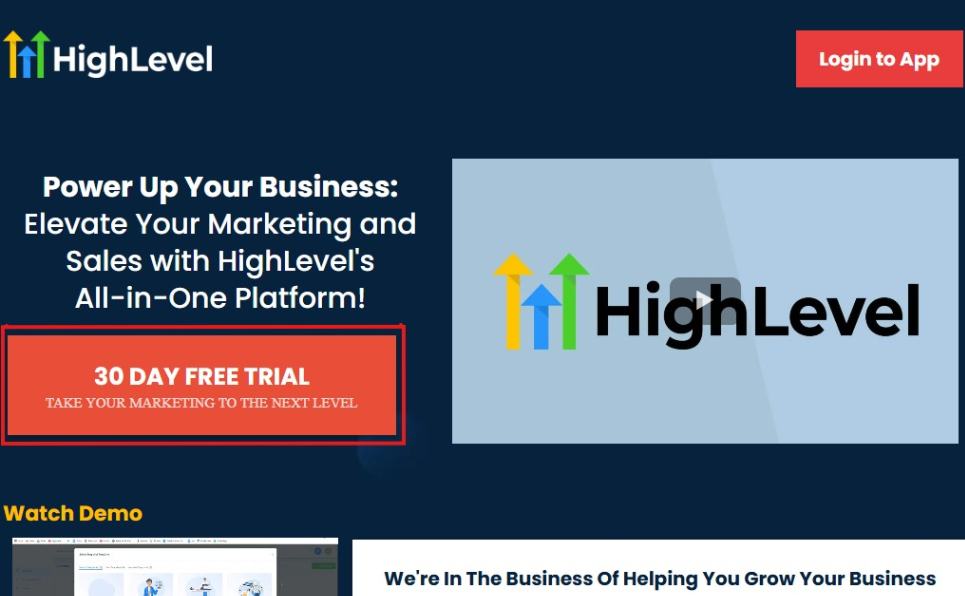
Upon clicking on “30 DAY FREE TRIAL“, a page will pop that looks exactly like the image below.
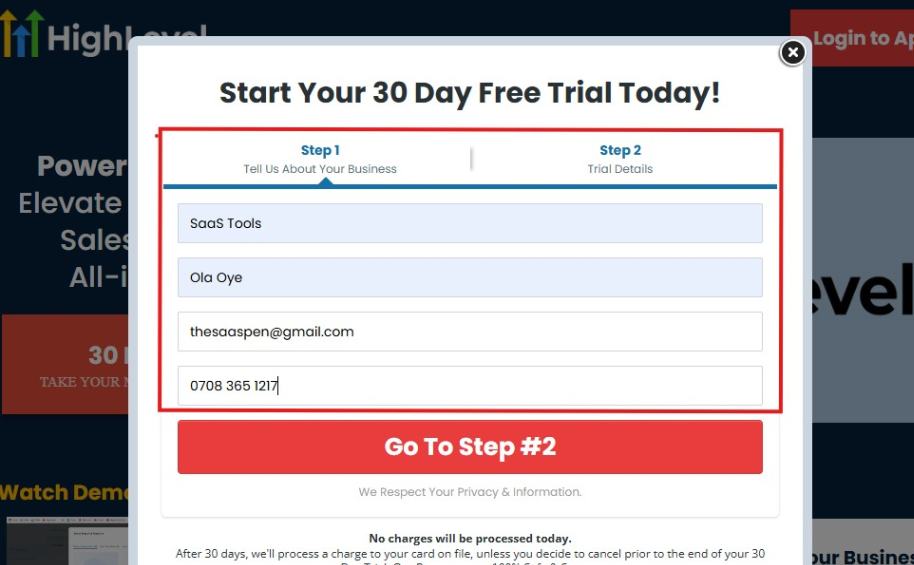
If you take a closer look at the image above, you will see that you need to supply your:
- Business name
- Company name
- Company email
- Phone number
Supply all the pieces of information and click on “Go To Step #2.”
On the next page, you will be required to select the plan you want to opt in for.
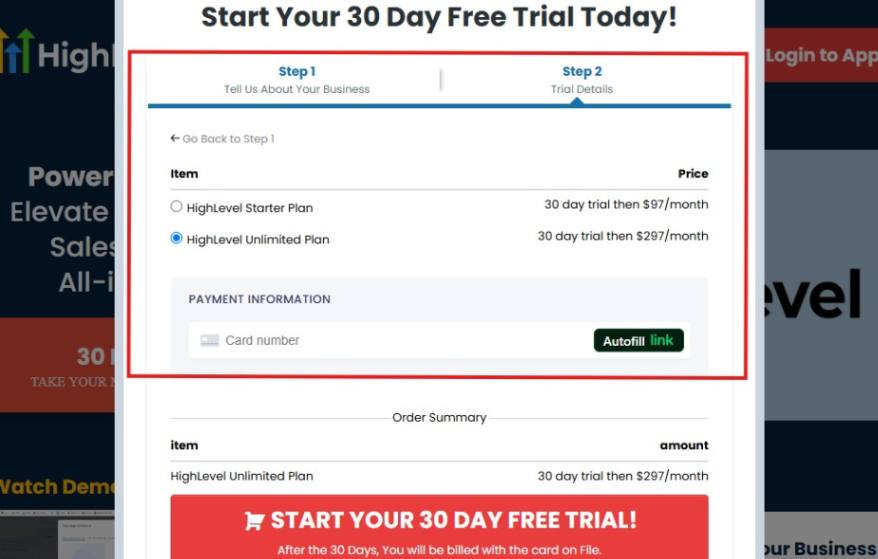
As you can see from the image above, you can either choose from:
- HighLevel Starter Plan
- HighLevel Unlimited Plan
Select the HighLevel Unlimited Plan and continue – you can always upgrade to the SaaS Mode later if you want that or downgrade.
The next thing you want to do is supply your credit card information.
Note: You will not be debited anything today until the end of your trail that is if you don’t cancel. Keep in mind that $1 will be debited and refunded back instantly into your account just to test your card is working.
After you have supplied the information accordingly, click on “START YOUR 30 DAY FREE TRIAL” and you will be asked to confirm you’re not a robot.
After that, the page below will pop up.
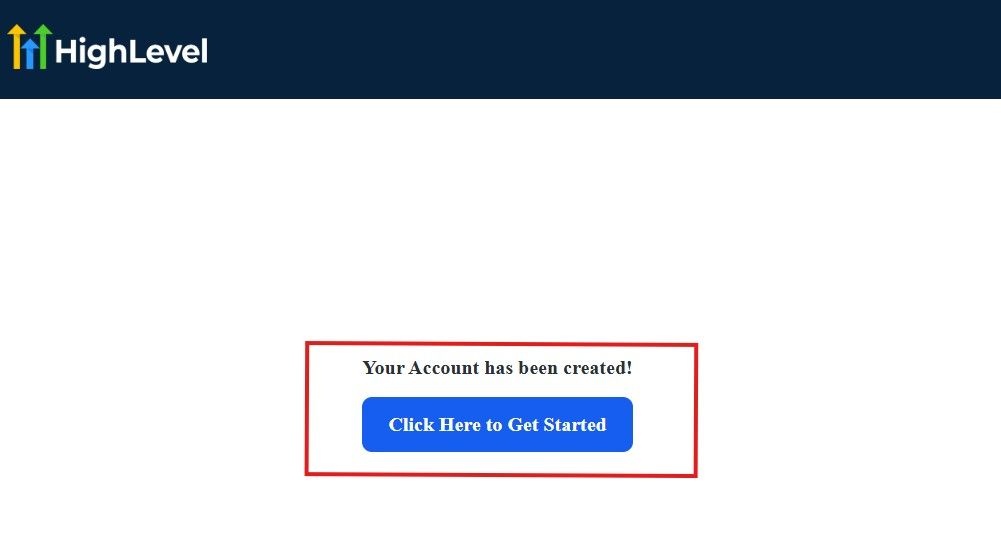
The image above says, “Your Account has been created!” Now, you need to click on the blue button that says “Click Here to Get Started.“
Click on the blue button to start your onboarding process.
Step 2: GoHighLevel Onboarding Process
The onboarding questions help GoHighLevel understand why you have signed up for the platform so that it can tailor your experience accordingly.
This is all you need to do:
After you click on the blue button above, the page below will pop up.
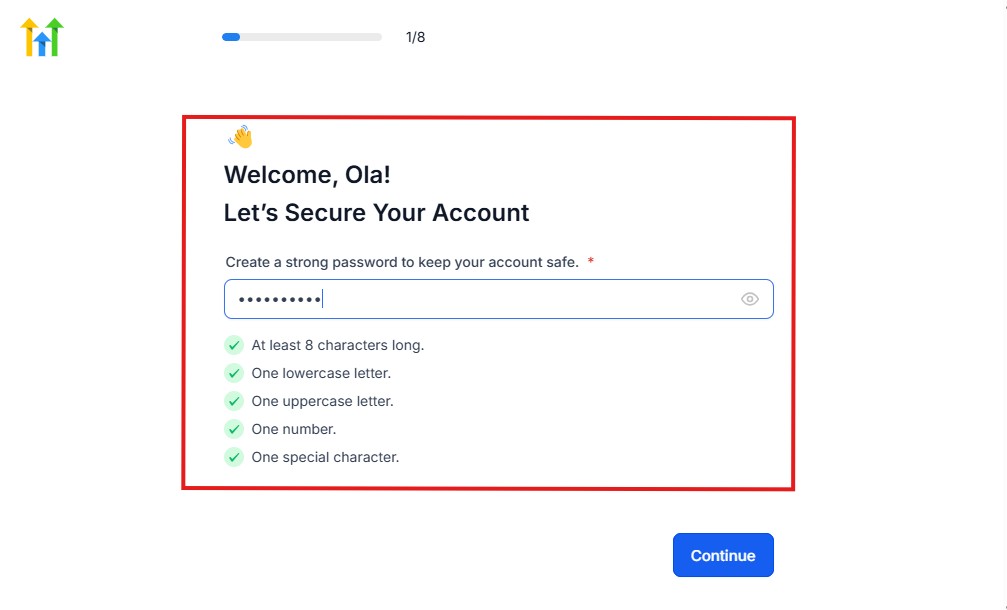
As you can see above, you need to set up your password, and the password has to be:
- At least 8 characters long
- One lowercase letter
- One uppercase letter
- One number
- One special character
If you have input the password and it matches all the description above, everything will be green just the way it’s in the image.
Click on “Continue” there after, and the image below will pop up.
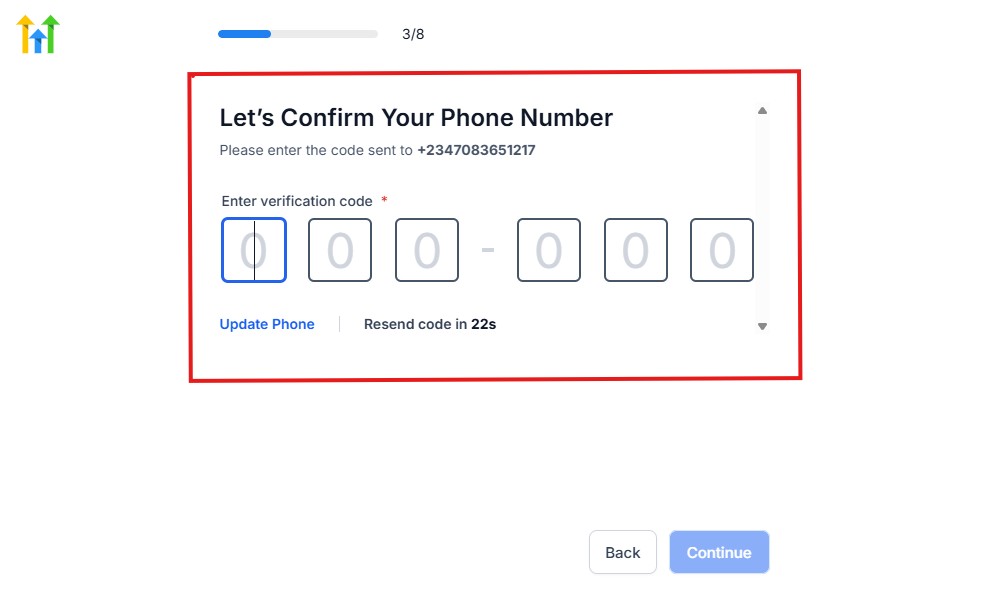
As you can see, a code will be sent to you to confirm your email address and phone number. The process is the same for the 2.
The next thing you need to do is to select how you plan to use GoHighLevel, as you can see below.
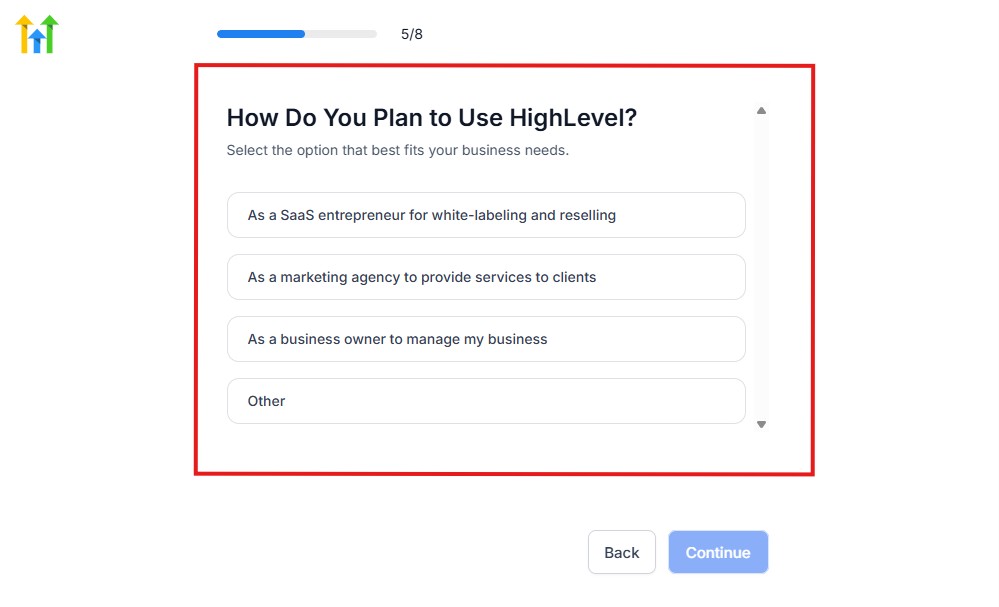
Select what best matches why you have signed up and click on Continue.
On the next page, you will be asked if you plan to resell GoHighLevel or not.
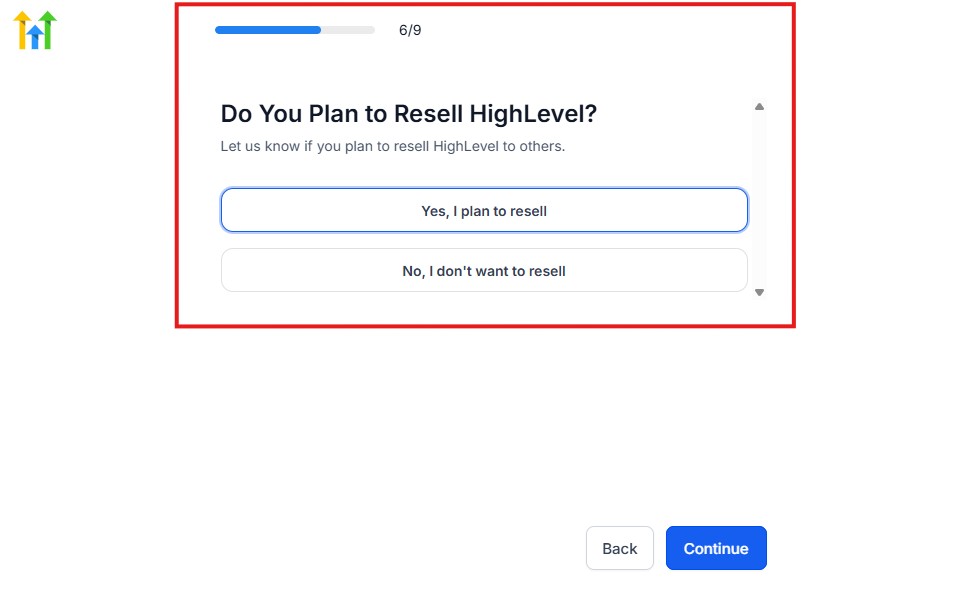
Select the answer based on the reason why you have signed up and click on “Continue”
Then, the page below will pop up.
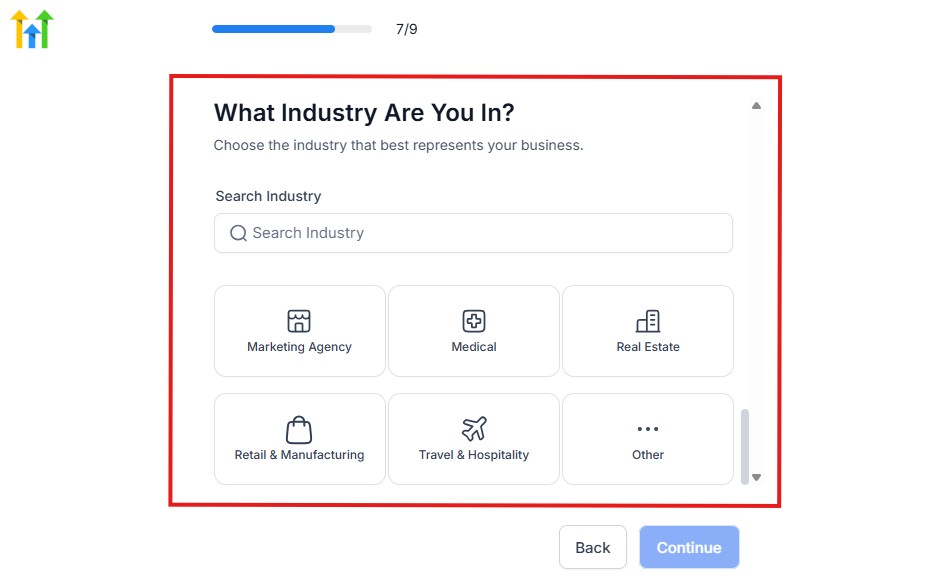
From the image above, you need to select the industry that you fall on. You can also make use of the search button if you can’t find it right away.
Then, click on continue after you select your industry.
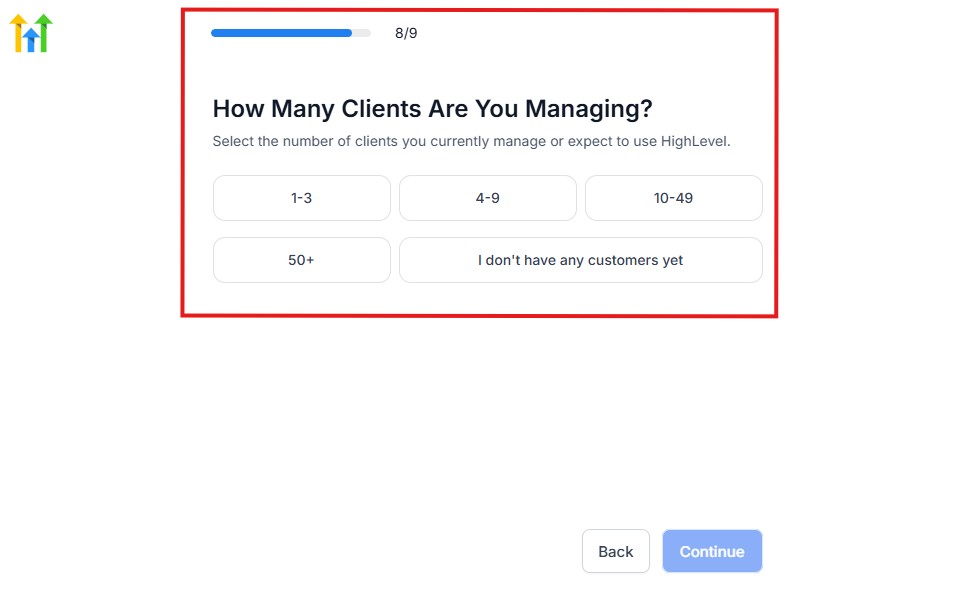
Then, the next thing you need to do is to select the number of clients that you currently have. Select “I don’t have any customers” yet if you currently don’t have one.
On the next page, you will be asked to select the platforms you currently use that you can integrate with GoHighLevel right away.
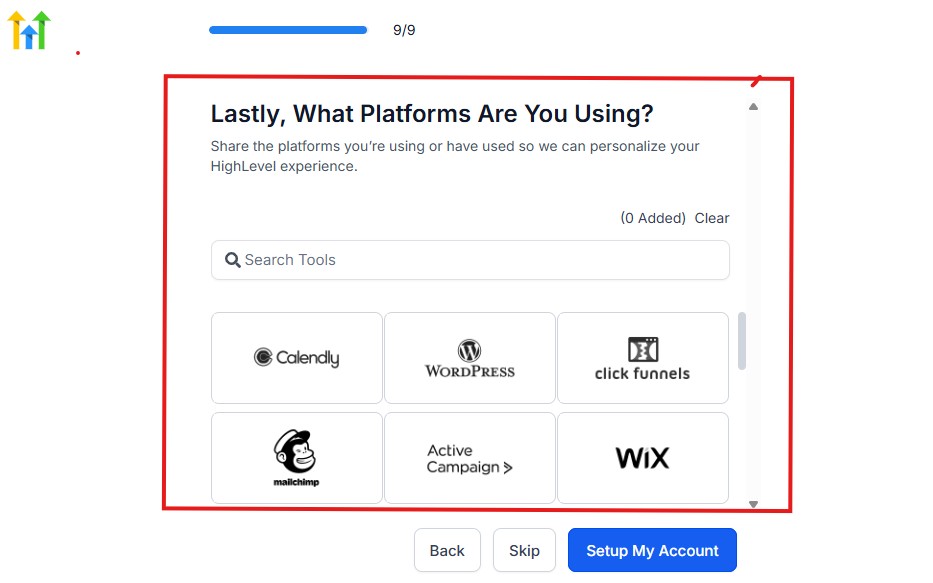
You can use the search button to search for any tools you want to add to your GoHighLevel account.
You can also skip this process and do it later if you want to.
After that, the page below will pop up.
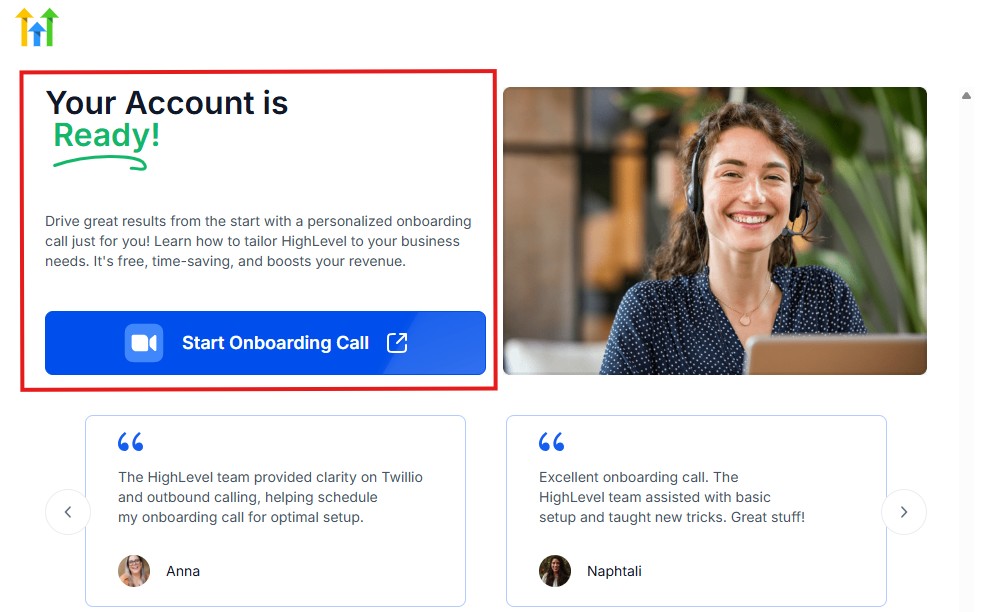
The page above says your account is ready and is asking you to “Start Onboarding Call.”
The “Onboarding Call” allows you to connect with the Go High Level team in order to discuss your account set-up process and everything regarding your plan in using HighLevel.
If you don’t want to start the “Onboarding Call” yet, just stroll down, and you will see the button in the image below.
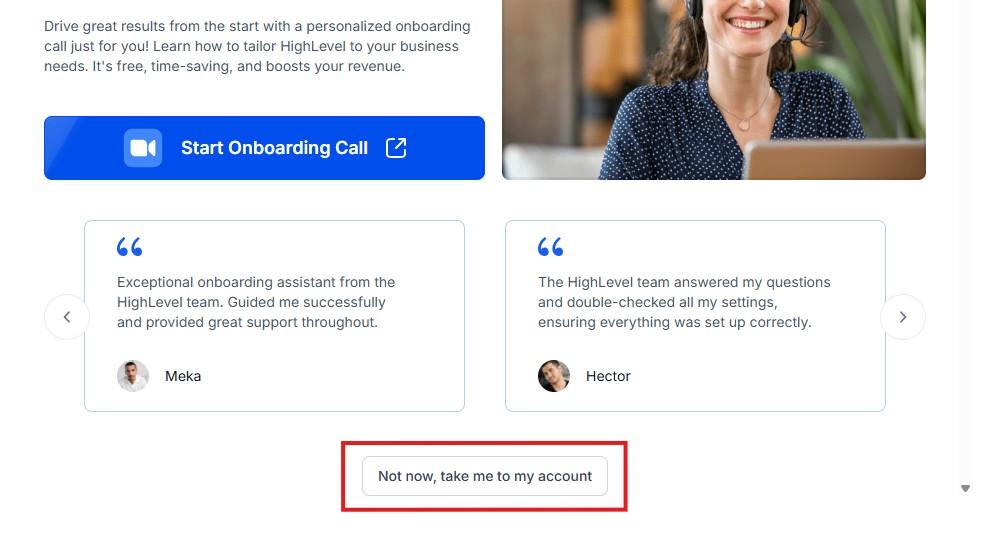
Simply click on “Not now, take me to my account“, and you will have access to your dashboard.
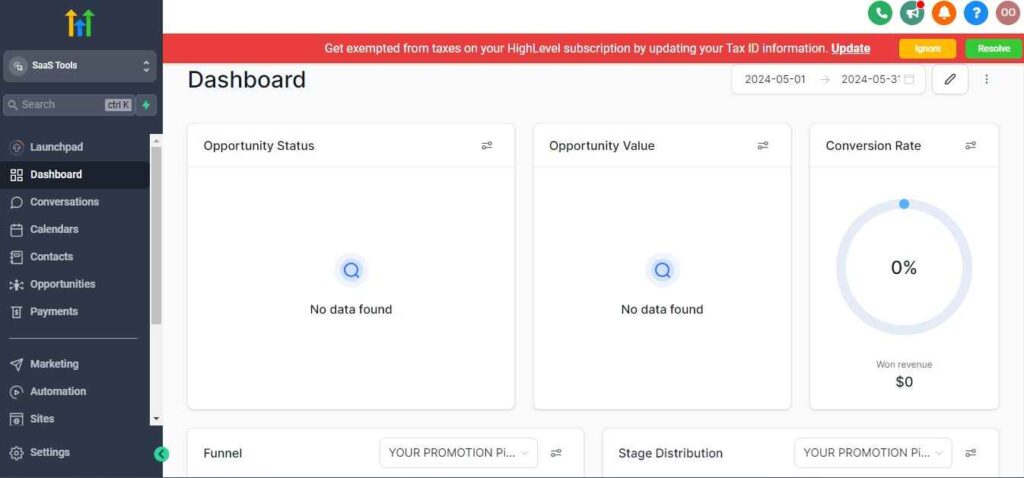
Note: If you have indicated that you want to resell HighLevel, you would have access to the agency dashboard by default, which looks like the image below.
But if you didn’t indicate interest in reselling GHL, your dashboard will look like the image below.
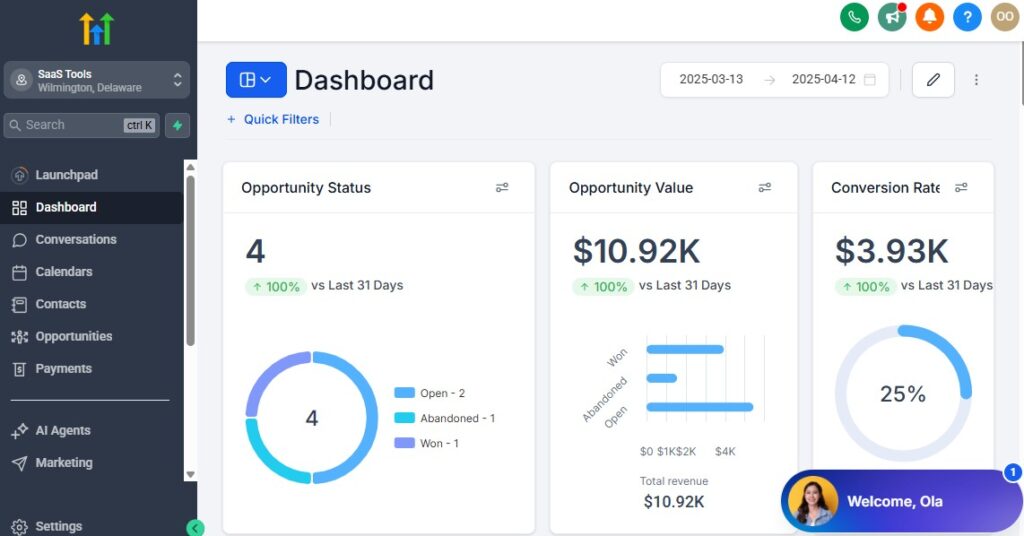
You can switch between these dashboards at any time.
The data you see on the dashboard above are not real data, they’re snapshots that you can use to kickstart your account setup process.
I want to say congratulations. You have successfully set up your Go High Level account.
Step 3: Add Your Salon Details & Business Profile
Start by setting up the foundation of your account.
You’ll do things like:
- Add your salon name and branding
- Upload your salon logo
- Set your business phone number and email
- Connect your custom domain if you plan to build landing pages
- Add your opening and closing hours
This ensures your booking system, messages, reminders, and automations display your salon identity everywhere.
Step 4: Create Staff Profiles for Stylists, Technicians & Assistants
Each staff member can have their own:
- Calendar
- Working hours
- Services they offer
- Permissions (full access or limited access)
This helps you:
- Assign appointments to the right stylist
- Prevent double-booking
- Track performance and revenue per staff
- Manage team availability
You can create separate user accounts or keep everything under one admin account with restrictions.
Step 5: Configure Your Salon Services
List every service your salon offers so clients can book them easily.
Examples:
- Haircuts
- Coloring
- Braiding
- Nails
- Lashes
- Facials
- Waxing
- Barber services
- Spa treatments
For each service, set:
- Duration
- Price
- Buffer time (cleanup/prep)
- Assigned staff
- Calendar category
This becomes the backbone of your booking automation.
Step 6: Set Up Your Salon Calendars
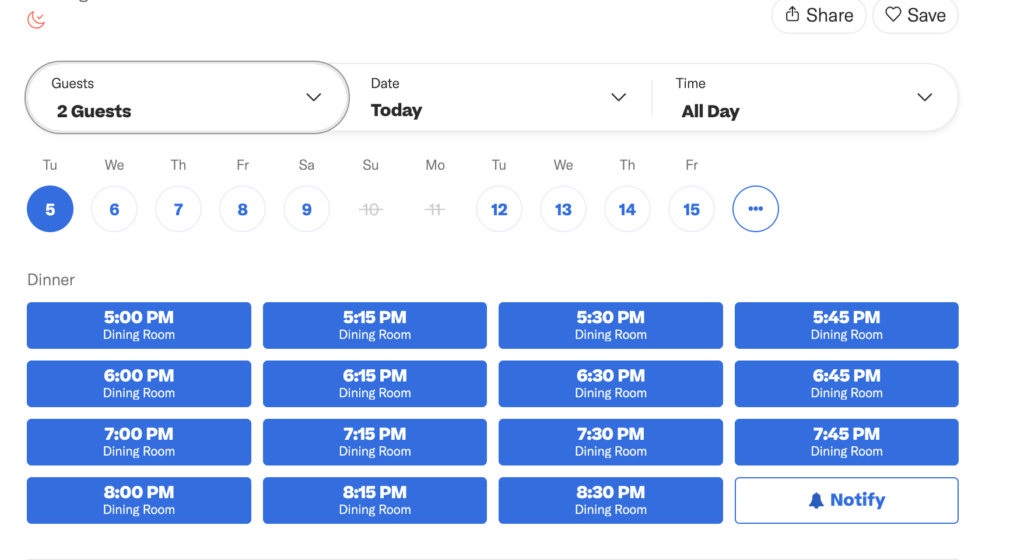
Calendars determine how clients book appointments.
You can create:
- A calendar for each stylist
- A calendar per service type (Hair, Nails, Spa, etc.)
- A master booking calendar for the front desk
Inside each calendar, configure:
- Available time slots
- Working hours
- Staff assignment
- Booking window limits
- Intake form requirements
Once these are set, clients can book online without calling the salon.
Step 7: Connect Your Phone & Email for Client Communication
GoHighLevel gives you a dedicated business number for:
- SMS reminders
- Missed call text-back
- Two-way texting with clients
You can also send email confirmations and marketing campaigns by connecting:
- Gmail
- Outlook
- Custom domain email
This allows your entire communication to flow in one place.
Step 8: Connect Your Payment Gateway
Your salon needs an easy way to collect money.
Connect:
- Stripe
- PayPal (optional)
- NMI
- Square via integrations
Once connected, you can accept:
- Deposits
- Prepaid packages
- Membership subscriptions
- Online product sales
- Upsells within booking funnels
Payments automatically sync with your client records.
Step 9: Add Your Custom Intake Forms
You can create forms for:
- New client intake
- Consultation questions
- Allergy or medical disclosure
- Hair color history
- Preference forms (style, length, products)
These forms can be attached directly to your booking calendar.
Step 10: Customize Your Automated Messages
Set your automated communication:
- Booking confirmation
- 24-hour appointment reminder
- 2-hour reminder
- No-show follow-up
- Post-visit review request
- Rebooking reminders
Everything runs without manual effort once it’s configured.
Step 11: Set Up Your CRM Pipeline for Client Flow
Your salon can track every client stage:
- New lead
- Booked
- In-service
- Completed
- No-show
- Follow-up
- Returning customer
This gives you a clean way to monitor clients and improve retention.
Step 12: Prepare Your Branding Templates
Create templates for:
- Email newsletters
- SMS campaigns
- Promotional landing pages
- Special offers
- Holiday campaigns
This saves time when you start your marketing.
Managing Clients, Appointments & Services With the CRM
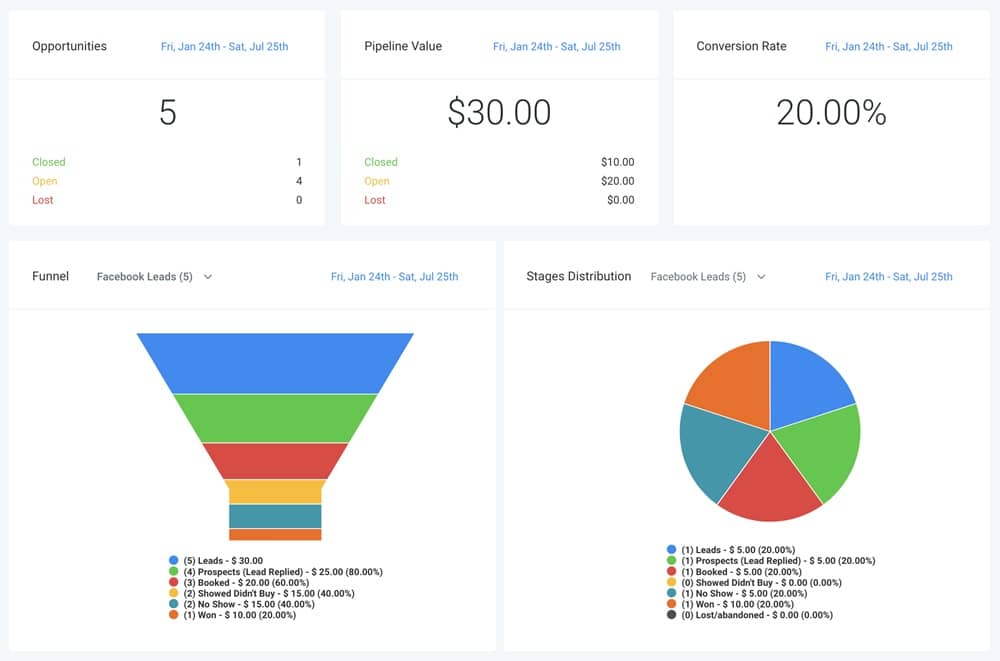
Once your salon is fully set up, the CRM becomes the heart of your daily operations.
This is where you track your clients, manage appointments, organize service history, monitor preferences, and keep your stylists aligned with every booking.
GoHighLevel’s CRM gives you a full picture of each client – what they booked, how often they visit, what styles they prefer, their spending patterns, and even how likely they are to return.
When you use it correctly, your salon runs smoother, your clients get a more personalized experience, and your team stays organized without extra work.
Below is exactly how to manage your salon clients using GoHighLevel’s CRM.
Create a Pipeline That Matches Your Salon Workflow
Your pipeline organizes every client interaction and helps you track what stage they’re in.
A simple salon pipeline might include:
- New Lead
- Booked Appointment
- In-Service
- Completed
- No-Show / Reschedule
- Follow-Up Needed
- Returning Client
Each time a new client books an appointment – or walks in – you move them through the appropriate stage.
This helps you:
- See how many bookings you have
- Identify clients who need follow-up
- Spot patterns in no-shows
- Track which services are in high demand
Store Detailed Client Profiles
Every client gets their own profile inside the CRM, and you can store anything you want there.
Useful details include:
- Service history
- Preferred stylist
- Allergies
- Hair color formula
- Before/after images
- Product preferences
- Frequency of visit
- Notes from previous treatments
- Payment records
This creates a seamless customer experience where your team always knows what your client needs – even months later.
Manage Appointments Inside the CRM
Every appointment automatically logs inside the CRM, including:
- Date and time
- Assigned stylist or technician
- Service type
- Duration
- Cost
- Booking source
- Notes left by the client
You can also:
- Reschedule with one click
- Add additional services
- Mark completed appointments
- Add notes or images after the service
- Track cancellations and no-shows
This keeps your team organized and ensures nothing falls through the cracks.
Segment Your Clients for Better Salon Marketing
Segmentation helps you create targeted lists based on behavior.
You can build smart lists like:
- First-time clients
- VIP customers
- Clients who haven’t returned in 30, 60, or 90 days
- Clients who spend above a certain amount
- Clients with specific service preferences (haircut, nails, facials, etc.)
- Birthday month clients
- Clients who frequently no-show
This makes your campaigns more effective and personalized.
For example:
- Send promotions to clients who haven’t visited in 6 weeks.
- Offer birthday discounts.
- Run a loyalty reward campaign for your top clients.
Track Service Preferences & Client History
Your stylists and technicians can quickly see:
- Past services
- Style choices
- Hair treatments used
- Nail polish colors
- Lash lengths and curls
- Skin treatments
- Notes or allergies
This builds trust because your clients feel remembered and valued.
Manage Walk-Ins Quickly & Professionally
The CRM also works for walk-ins.
You can:
- Create a new contact in seconds
- Add them to the pipeline
- Assign them to the next available stylist
- Add their service notes immediately
- Follow up automatically after their visit
Walk-in clients become long-term clients faster when the follow-up process is automated.
Keep Your Stylists Organized With Task Assignments
Stylists can receive:
- Notes for their next client
- Alerts about upcoming appointments
- Tasks for follow-ups
- Notifications about special client requests
The CRM ensures your entire team is aligned and avoids miscommunication.
Track Client Lifetime Value (CLV)
Inside the CRM, you can also monitor:
- Total amount spent by each client
- Frequency of visits
- Upsells purchased
- Memberships or packages
- Products bought
This helps you identify high-value clients and tailor exclusive offers to them.
Monitor Your Salon’s Booking Pattern
Use your CRM reports to see:
- Peak service days
- Most requested stylists
- Most popular services
- Repeat vs new clients
- Slow weeks (so you can run promotions)
This helps you make smarter business decisions.
Automating Client Intake, Reminders & Follow-Up
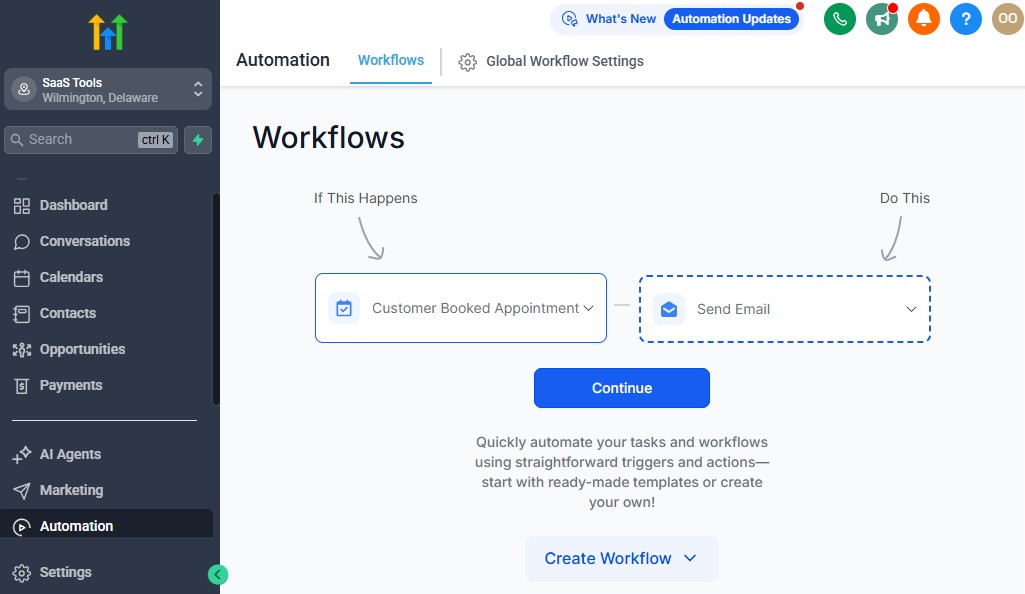
Automation is one of the biggest advantages you get when you use GoHighLevel in your salon. Instead of manually sending reminders, calling clients to confirm appointments, or chasing no-shows, your system handles everything for you.
These automations save you time, reduce stress, increase bookings, and create a consistent client experience – every single day.
Below is a clear and practical breakdown of the exact automations your salon needs and how you can set them up inside GoHighLevel.
Automate New Client Intake
When a new client books for the first time, GoHighLevel can automatically collect their information and prepare your stylists.
You can automate:
- Client welcome message
- Intake or consultation forms
- Allergy or skin sensitivity questions
- Style preference questions
- Pre-treatment guidelines (lashes, facials, waxing, etc.)
This helps you deliver a professional experience before the client ever steps into your salon.
Steps to set it up:
- Create a form with key questions
- Attach it to your booking calendar
- Build a workflow that sends the form instantly after booking
- Add conditional logic for different services
Automate Appointment Confirmations
Every client should receive an instant confirmation when they book.
You can send:
- SMS
- WhatsApp (if integrated)
This message includes:
- Time & date
- Assigned stylist
- Service booked
- Location & directions
- Salon policies
It reduces confusion and supports smooth onboarding.
Automated Reminders to Reduce No-Shows
No-shows cost salons a lot of money. GoHighLevel solves this with timely reminders.
You can set:
- 24-hour reminder
- 2–3 hour reminder
- Morning-of appointment reminder
Each reminder helps ensure your clients stay committed to their appointment.
You can even add conditions such as:
- If they don’t confirm → send a follow-up reminder
- If they cancel → send an automated reschedule link
This can reduce no-shows by 40–60%.
Automate Pre-Appointment Instructions
For some services, clients need to prepare before their visit.
Examples:
- Lash extensions → come with clean lashes
- Hair coloring → avoid washing hair 24 hours before
- Waxing → exfoliate the day before
- Facials → avoid makeup or sun exposure
You can send these instructions automatically based on the service booked.
How:
- Create different “service-specific” instruction messages
- Add conditions inside workflows
- Trigger the correct message based on service selection
Automate Post-Appointment Follow-Ups
Once a client completes their service, GoHighLevel can automatically reach out.
Send:
- Thank-you message
- Care instructions (hair, skin, nails, lashes)
- Product recommendations
- Upsell suggestions
- Rebooking link
This is how you turn a one-time client into a repeat customer.
Automate Review & Testimonial Requests
Social proof grows your salon quickly.
Set an automation that sends:
- A review request 1–3 hours after their visit
- A follow-up if they don’t respond
- Options to leave reviews on Google, Facebook, Yelp, etc.
Your reputation grows consistently without you lifting a finger.
Automate “Time to Come Back” Reminders
This is one of the most powerful salon automations.
You can set GoHighLevel to remind clients automatically when they’re due for another appointment.
Examples:
- Hair coloring → every 6–8 weeks
- Nail refill → every 2 weeks
- Lash refill → every 2–3 weeks
- Facial treatments → every 4 weeks
Automation setup:
- Track the date of the last service
- Create a workflow that waits the correct duration
- Send a reminder with a booking link
This turns your salon into a predictable, recurring-revenue business.
Automate No-Show Follow-Up
If a client misses their appointment, a friendly follow-up goes out automatically.
Examples:
- “Sorry we missed you!” message
- Reschedule link
- Policy reminder (if needed)
- Option to prepay next time
This keeps the relationship positive while maintaining your professionalism.
Automate Service-Specific Upsells
GoHighLevel can suggest add-ons automatically.
Examples:
- Haircut → add deep conditioning
- Color service → add Olaplex treatment
- Facial → add microdermabrasion
- Nails → add gel upgrade
Your revenue increases with no manual effort.
Automate Birthday & Anniversary Messages
Send:
- Personalized birthday SMS
- Anniversary or “loyal client” messages
- Special salon offers or discounts
This makes your clients feel valued and boosts retention.
Appointment Scheduling for Stylists, Technicians & Beauty Services
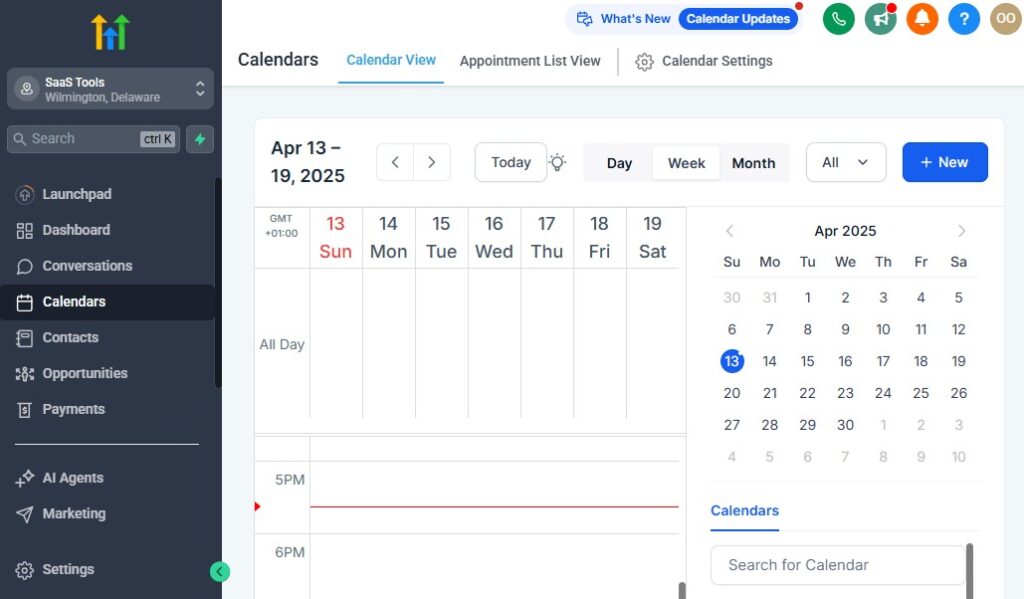
Your appointment scheduling system is the engine that keeps your salon running smoothly.
When it works well, you avoid double-booking, reduce chaos at the front desk, and give clients a convenient way to book anytime – without calling or messaging repeatedly.
GoHighLevel gives you a flexible, automated booking system that works for any type of salon: hair, nails, lashes, spa, skincare, barbers, or mixed beauty services.
This section walks you through how to structure your calendars, manage staff availability, and create a seamless scheduling experience for your clients.
Create Multiple Calendars Based on Your Salon’s Needs
You can set up calendars in three main ways:
A. Calendar per Stylist or Technician
Ideal for salons where each person has a unique schedule.
For each stylist, set:
- Working hours
- Break times
- Services they offer
- Max clients per day
- Appointment duration
- Online/offline availability
This ensures that clients book directly with the right professional.
B. Calendar per Service Category
Useful when multiple team members can perform the same service.
Examples:
- Hair
- Nails
- Lashes
- Facials
- Spa
- Barber services
The system automatically assigns the next available staff member.
C. Combined Salon Calendar
For small salons or solo operators.
Clients see:
- Available time slots
- Available services
- Instant booking with no confusion
Set Accurate Working Hours & Staff Availability
Inside GoHighLevel, you can customize:
- Working days and hours
- Break periods (lunch, rest times)
- Off days and vacations
- Service-specific availability
For example:
A stylist may offer:
- Haircuts Monday–Friday
- Color services only on Tuesday & Thursday
Your clients will only see the correct availability online, preventing scheduling conflicts.
Enable 24/7 Online Booking
Your booking calendar becomes available on:
- Your website
- Your Instagram bio
- Google listing
- Facebook page
- Text and email links
Clients can book anytime – even during off-hours – which reduces manual work and increases appointments.
Add Buffers Between Appointments
Buffers are essential for:
- Cleaning up
- Sanitizing tools
- Preparing the station
- Allowing stylists to reset between clients
Examples:
- 10 minutes between nail clients
- 15 minutes after hair coloring
- 5 minutes after beard trim
Set buffers automatically so your schedule stays realistic and stress-free.
Prevent Double-Booking Automatically
GoHighLevel ensures a stylist cannot be booked for two clients at once.
But if you offer multi-step services – like coloring plus processing time – you can create calendar logic that:
- Blocks stylist time only when needed
- Opens availability during processing periods
This maximizes productivity without overloading your team.
Allow Clients to Choose Their Preferred Stylist
If a client has a favorite stylist, they can select them during booking.
You can also:
- Highlight top stylists
- Promote new stylists
- Show who is available soonest
This creates a personalized booking experience.
Manage Walk-Ins and Last-Minute Bookings
Not all salon bookings happen online.
You can quickly add walk-ins by:
- Opening the calendar
- Selecting the service
- Assigning a stylist
- Adding client info to the CRM automatically
This keeps your records complete and helps you trigger follow-up automations for these clients too.
Control Booking Window Limits
These settings help you stay organized.
You can set:
- Minimum notice required before booking
- Maximum days ahead a client can book
- Same-day booking rules
- Lead time between booking and appointment
Example:
- No same-day bookings after 3 PM
- Clients must book at least 2 hours in advance
Add Required Intake Forms to Bookings
You can attach forms that clients must complete before confirming the appointment.
Useful for:
- Lashes
- Facials
- Chemical hair treatments
- Skin consultations
- Waxing
- Bridal packages
This helps you prepare correctly for every appointment.
Enable Automated Appointment Notifications
GoHighLevel sends:
- Immediate confirmation
- Reminder 24 hours before
- Reminder 2 hours before
- Follow-up after the appointment
Clients stay informed, and your team stays organized.
Build a Smooth Rescheduling System
Clients can reschedule themselves without calling you.
They get:
- A reschedule link in their reminder
- Instant access to available time slots
- Automatic updates in your calendar
This frees up your front desk and prevents appointment gaps.
Create Seasonal & Promotional Booking Links
You can generate dedicated booking links for:
- Holiday discounts
- New client specials
- Bridal packages
- Valentine’s Day deals
- Mother’s Day promotions
- “Glow-up” seasonal treatments
Each link can lead to a unique funnel, calendar, or landing page.
Building High-Converting Salon Funnels & Booking Pages
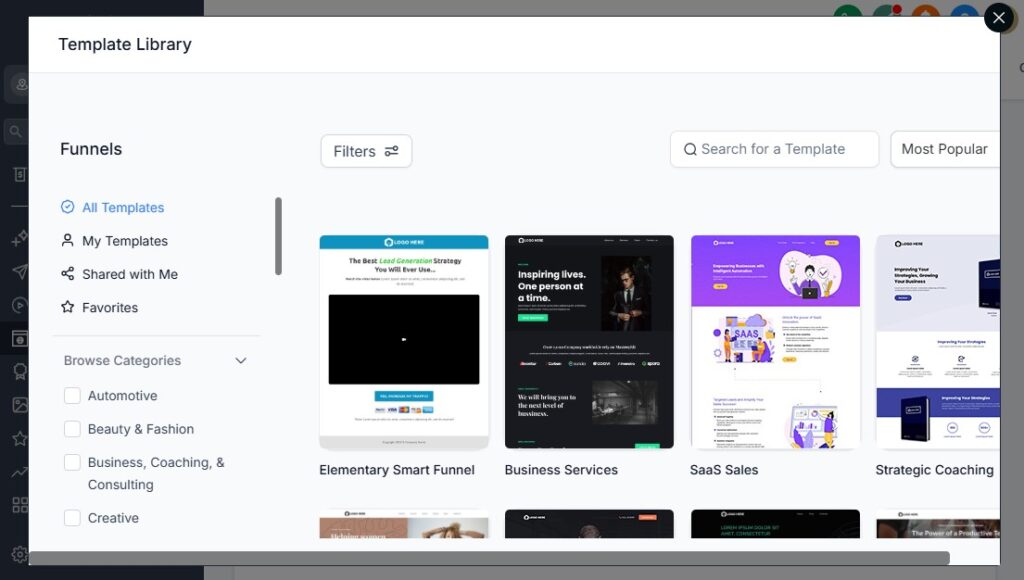
Your booking page is often the first real interaction a potential client has with your salon.
When it looks clean, professional, and designed to convert, you get more appointments – especially from people discovering you through Instagram, Facebook, Google search, or referrals.
GoHighLevel gives you the tools to build high-converting funnels and booking pages for your salon without hiring a designer.
These funnels help you promote your services, collect leads, run seasonal offers, and drive more online bookings.
Here’s how to build salon funnels that attract clients, convert them, and grow your revenue.
Start With a High-Converting Salon Landing Page
Your landing page should help the client make a quick decision. Keep it simple, clean, and focused on getting the booking.
Your page should include:
- Clear headline
- Salon value proposition
- Photos of your work
- Service categories
- Pricing (optional)
- “Book Now” button above the fold
- Testimonials or reviews
- Before/after photos
- Social media links
This creates trust and motivates clients to take action immediately.
Create a “New Client Special” Funnel
This is one of the most profitable salon funnels you can build.
Examples:
- 20% off first visit
- Free deep conditioning with haircut
- Discounted color package for first-timers
- New-client spa bundle
The funnel flow:
- Landing page promoting the offer
- Calendar with limited spots
- Confirmation page
- Automated email/SMS follow-up
This funnel helps you attract new clients consistently.
Build “Hair Transformation” or “Makeover” Funnels
Perfect for clients looking for:
- Color corrections
- Full-color transformation
- Highlights + treatment packages
- Bridal hair prep
- Special event styling
Steps:
- Showcase your portfolio
- Add before/after comparisons
- Add stylist expertise
- Add a “Book Consultation” button
- Add a form to collect service preferences
These funnels help you convert high-value clients.
Create Category-Based Booking Pages
You can build pages dedicated to:
- Nails
- Lashes
- Facials
- Barber services
- Spa treatments
- Waxing
Each page can highlight:
- Service descriptions
- Price range
- Estimated duration
- Gallery
- Booking link
Clients love clarity, and this increases conversion rates.
Add Upsells & Add-Ons Inside Your Funnel
Use GoHighLevel’s built-in upsell features to increase your average order value.
Examples:
- Haircut → add hot oil treatment
- Color service → add Olaplex
- Facial → add LED therapy
- Manicure → add gel polish
- Lashes → add brow shaping
- Barber → add beard treatment
Just one upsell can increase your revenue by 20% or more per appointment.
Add Social Proof to Build Trust Quickly
Trusted salons convert more visitors into paying clients.
Add:
- Google reviews
- Facebook reviews
- Before/after photos
- Client testimonials
- Awards or recognitions
- “As seen on” mentions
- Portfolio gallery
This instantly builds confidence.
Use Scarcity and Urgency to Increase Bookings
Examples:
- “Only 5 spots left this week”
- “Offer ends Sunday night”
- “Limited to the first 30 clients only”
- Countdown timers on your funnel
These elements encourage faster action and reduce hesitation.
Add a Clear, Compelling Call to Action (CTA)
Your CTA could be:
- Book Your Appointment
- Claim Your Discount
- Schedule Your Consultation
- Reserve Your Spot
- Get Your Makeover Offer
Use the CTA in multiple sections of your page for higher conversions.
Build Seasonal Promotion Funnels
Create funnels for:
- Valentine’s Day
- Mother’s Day
- Christmas glow-up
- Back-to-school offers
- Summer body care
- December holiday bundles
Seasonal funnels consistently drive new traffic and new clients.
Create a “Bridal & Events” Funnel
This is a premium salon funnel.
Include:
- Bridal hair packages
- Engagement shoot glam
- Bridesmaids styling
- Pre-wedding beauty timeline
- Consultation booking form
- Portfolio album of bridal work
This positions your salon as a high-value choice.
Add a Professional Booking Calendar to Each Funnel
Every funnel should connect directly to your salon calendars.
Your calendar can display:
- Available services
- Available stylists
- Time slots
- Duration
- Price
The fewer steps the client takes, the higher your booking rate.
A/B Test Your Funnel for Better Results
Test:
- Different headlines
- Different photos
- Different offers
- Different colors
- Short vs long pages
GoHighLevel lets you track performance and pick the winning version.
Embed Your Funnel Everywhere
Share your booking links on:
- Instagram bio
- Facebook page
- Google Business profile
- SMS broadcasts
- Email newsletters
- QR codes inside your salon
This ensures clients always have a simple path to booking.
Running Email & SMS Campaigns for Client Retention
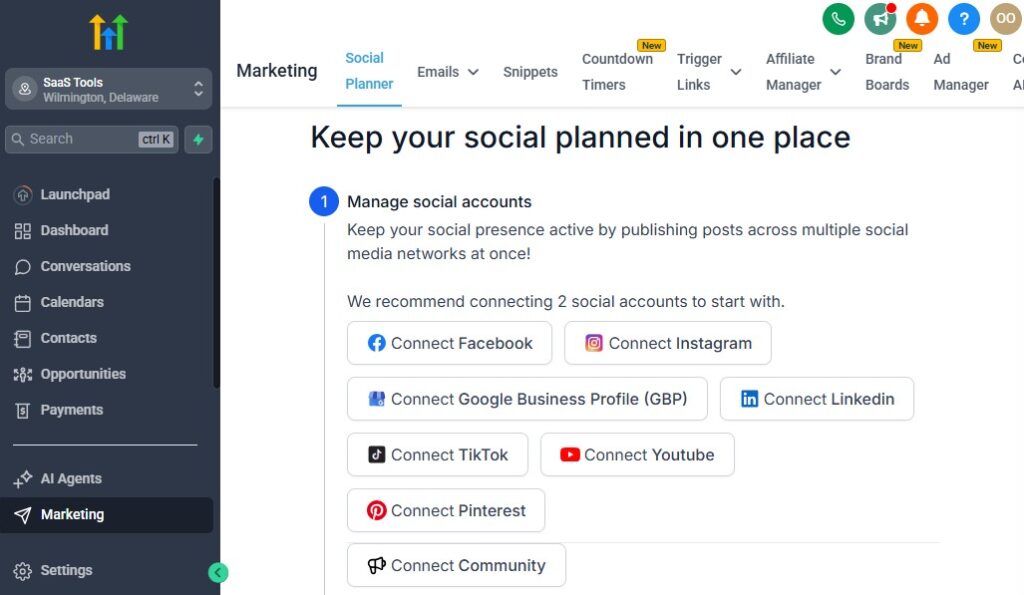
Your salon grows when clients keep coming back regularly – not just when they visit once. That’s why retention is the most powerful part of your marketing.
GoHighLevel gives you email and SMS tools that help you stay connected with clients, build trust, and inspire them to book again and again.
In this section, you’ll see how to use GoHighLevel to run campaigns that keep your salon fully booked, increase client loyalty, and turn casual visitors into long-term customers.
Create a New Client Welcome Sequence
When someone visits your salon for the first time, they should feel appreciated and guided on what to expect next.
Your welcome sequence can include:
- A thank-you message
- A “what to expect on your next visit” guide
- A link to join your loyalty program
- A discount for rebooking within 7–14 days
- Product recommendations
- Social media follow links
This sequence makes new clients feel connected and increases the chance they return quickly.
Send Birthday & Anniversary Messages
Clients love personalized messages – and GoHighLevel automates this for you.
Your birthday message can include:
- A simple birthday greeting
- A discount on any service
- A special treatment upgrade
- A limited-time booking link
For salon anniversaries (e.g., “1 year since your first visit”), send a friendly note with an incentive.
These small touches build strong loyalty.
Build Monthly Promo Email Campaigns
Each month, create a promotional theme and send it to your client list.
Examples include:
- January glow-up
- Valentine’s glam packages
- Summer beauty prep
- Back-to-school specials
- Holiday season looks
Your message should include:
- Eye-catching photos
- Clear pricing or offer details
- A strong call to action
- Your booking link
This keeps your salon top-of-mind.
Send Service-Specific Follow-Up Campaigns
After a client receives a service, follow up with relevant messages that guide their next visit.
Examples:
- Hair coloring → “Time to refresh your color in 6 weeks”
- Lash extensions → “Book your 2-week refill now”
- Nails → “Your nails are due for a refill”
- Facials → “Your next treatment is recommended in 4 weeks”
These reminders help clients maintain their look – and keep your schedule full.
Create Win-Back Campaigns for Inactive Clients
Some clients go quiet. You can bring them back using smart automation.
Set a trigger for clients who haven’t visited in:
- 30 days
- 60 days
- 90 days
Send messages like:
“We miss you! Come in for a little self-care – here’s a special offer.”
Include a limited-time discount or a free add-on.
This campaign helps you recover lost clients without doing manual outreach.
Build Exclusive VIP & Loyalty Campaigns
If you want to retain high-value clients, build special campaigns for:
- VIP clients
- Frequent visitors
- Big spenders
- Members with active plans
Offer:
- Priority booking
- Early access to promos
- Free upgrades
- Exclusive monthly treatments
This creates a loyal group of clients who feel connected to your salon.
Send Product Upsell Messages
If your salon sells products, you can run email/SMS campaigns to increase retail sales.
Send:
- Haircare product bundles
- Lash aftercare kits
- Nail cuticle oils
- Skincare products
- Gift boxes during holidays
Clients who love your service will often buy products you recommend.
Automate Appointment Reminders That Include Rebooking Links
Don’t just remind clients about appointments – give them a link to book their next one.
For example:
“Don’t forget your appointment tomorrow at 2 PM. Want to book your next visit now? Click here.”
This simple strategy increases rebooking rates effortlessly.
Build Seasonal Campaigns That Match Client Needs
You can run campaigns during:
- Valentine’s Day
- Mother’s Day
- Ramadan/Eid
- Christmas holidays
- Black Friday
- Summer relaxation season
Include special offers or bundles clients won’t want to miss.
Run Flash Sales via SMS
SMS drives instant bookings.
Examples:
- Last-minute cancellations
- Same-day openings
- “Happy hour” salon deals
- Weekend promo blast
- Limited 24-hour discount
Clients act fast when they know spots are limited.
Send Review Requests Automatically
Your reputation grows when clients leave positive reviews.
Set an SMS/email that goes out:
- 2–3 hours after their appointment
- With links to Google and Facebook
- Including a simple, friendly message
More reviews = more clients.
Track Campaign Performance Inside GoHighLevel
Monitor:
- Open rates
- Click rates
- Booking conversions
- Popular campaigns
- Best-performing offers
This helps you refine your marketing and double down on what works.
Managing Payments, Packages, Memberships & Upsells
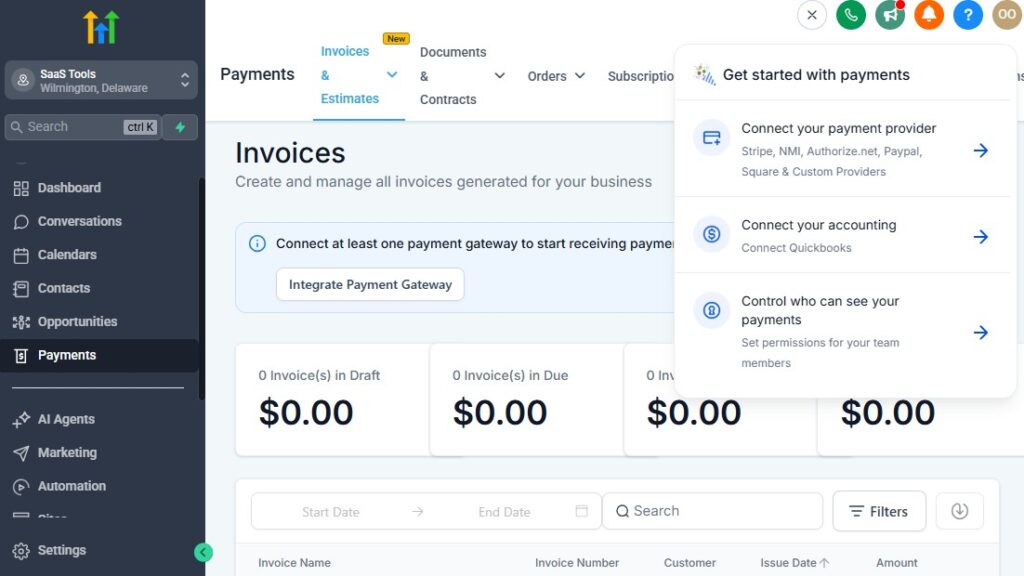
Your salon makes more money when your payment system is simple, flexible, and built to support recurring revenue.
GoHighLevel gives you everything you need to collect payments, sell prepaid packages, manage memberships, and increase your average order value through automated upsells.
This section shows you exactly how to set up and manage payments inside GoHighLevel so you earn more per client – without adding extra work to your day.
Connect Your Payment Gateway
Start by integrating your preferred payment provider.
GoHighLevel supports:
- Stripe (most recommended)
- PayPal (optional)
- NMI
- Square via integration routes
Once connected, you can collect:
- Online payments
- Deposits
- Prepaid packages
- Membership subscription payments
- Product sales
- Upsells and add-ons
All transactions automatically sync with client profiles for easy tracking.
Collect Deposits to Reduce No-Shows
Deposits immediately cut no-shows and cancellations because clients commit financially.
Examples:
- Hair color deposit
- Bridal package deposit
- “New client” deposit
- Nail or lash appointment deposit
- Weekend/peak hours deposit
GoHighLevel lets you:
- Set a fixed deposit amount
- Charge a percentage of the service
- Require deposit before booking is confirmed
Your calendar becomes more reliable instantly.
Sell Prepaid Service Packages
Packages encourage clients to commit long-term and prepay for multiple visits.
Examples:
- 4 facials package
- 10 nail refill package
- 6 lash refill bundle
- 3–6 hair treatment series
Clients love packages because they save money.
You benefit from guaranteed revenue and higher client retention.
You can:
- Create package products
- Set discounted rates
- Track how many sessions a client has left
- Automate reminders when their package is almost used up
This keeps clients coming back regularly.
Create Salon Memberships for Monthly Recurring Revenue
Memberships turn your salon into a predictable, recurring-income business.
Examples:
- Monthly hair maintenance membership
- VIP lash membership
- Unlimited blowouts membership
- Monthly facial plan
- Barber monthly grooming subscription
Your membership can include:
- Discounts
- Priority booking
- Free upgrades
- Set number of services per month
- Product discounts
GoHighLevel automates:
- Monthly billing
- Failed payment follow-up
- Member-only content or offers
- Renewal reminders
This gives your salon a consistent revenue base.
Sell Products Inside GoHighLevel
If you sell retail products, you can create a simple online store inside GoHighLevel or add products to your funnels.
Examples:
- Shampoos & conditioners
- Styling products
- Lash aftercare
- Nail oils
- Skincare products
- Salon kits and bundles
You can automate:
- Product upsell messages
- Reorder reminders
- Promo campaigns for new items
Retail sales increase your salon revenue without taking extra time.
Offer Add-Ons & Upsells During Booking
One of the easiest ways to increase your average service value is through upsells.
GoHighLevel allows you to offer add-ons during booking or as post-booking offers.
Examples:
Hair Services
- Deep conditioning
- Olaplex treatment
- Scalp detox
- Silk press add-on
Nail Services
- Gel upgrade
- French tips
- Paraffin treatment
Lash Services
- Lash tint
- Brow shaping
- Lash bath
Facials
- LED therapy
- Microdermabrasion
- Neck & shoulder massage
You can add upsells:
- On the booking page
- Inside funnels
- After appointment confirmation
- Through automated SMS or email
This increases your revenue without increasing workload.
Create Payment Links for Quick Checkout
You can create custom payment links for:
- Limited-time promos
- Holiday packages
- Bridal bundles
- Memberships
- Prepaid deals
- Retail products
Clients can pay instantly through:
- SMS
- Instagram DMs
- QR codes inside your salon
No POS device required.
Automate Payment Receipts & Invoices
GoHighLevel can automatically send:
- Payment receipts
- Booking confirmations with payment details
- Monthly member invoices
- Failed payment alerts
- Renewal notifications
Everything is tracked and stored in the CRM.
Track Revenue by Client, Service & Stylist
Use the dashboard to monitor:
- Total revenue
- Revenue by service type
- Revenue by stylist
- Prepaid packages sold
- Memberships sold
- Upsells performance
This helps you make smarter business decisions and scale your highest-performing services.
Automate Upsell Campaigns to Increase Client Spend
You can send automated messages like:
- After haircut: “Add a hydration treatment next time for only $X – book here.”
- After facial: “Your next glow-up upgrade is available at 20% off.”
- After lash appointment: “Book a brow shaping add-on for your next visit.”
Your clients appreciate the suggestions, and your revenue grows naturally.
Delivering Consultations, Style Guides & Client Documentation
The quality of your consultations and aftercare communication directly affects client satisfaction, retention, and results.
When you deliver clear instructions, personalized recommendations, and professional documentation, your clients trust you more – and they come back more often.
GoHighLevel makes this entire process smooth and automated. You can collect consultation details, send personalized style guides, store service history, and deliver important documents without manual effort.
Here’s how to use GoHighLevel to elevate your salon’s client experience from start to finish.
Send Pre-Consultation Forms Automatically
Before the appointment, your client should fill out a form that helps your stylist prepare.
Your form can collect:
- Hair history
- Lash/brow history
- Skin type & concerns
- Allergies or sensitivities
- Preferred styles
- Past treatments
- Medications (if relevant for facials)
- Event date (bridal, photoshoot, etc.)
Once the client books:
- The form is sent instantly
- Their answers are stored in the CRM
- Your stylist knows exactly what to expect
This improves service accuracy and reduces surprises during appointments.
Collect Photos Before the Appointment
Images help your stylists and technicians plan better.
You can request:
- Current photos
- Inspiration photos (“what you want”)
- Past service photos
- Problem areas (skin, hair, nails)
Use a simple form with file upload fields, and GoHighLevel saves everything under the client’s profile.
Use Consultations Pages to Pre-Sell Clients
For premium services like:
- Hair transformations
- Bridal packages
- Corrective color
- Skin treatments
- Lash extensions
- Barber grooming programs
You can create a consultation landing page that:
- Shows your expertise
- Displays before/after results
- Explains how the service works
- Sets expectations
- Includes a short consultation form
- Leads clients directly to booking
This positions your salon as a professional, high-value brand.
Deliver Personalized Style Guides After Each Visit
After clients receive your service, send them a customized style or care guide automatically.
Examples:
Hair Services
- Color aftercare instructions
- Recommended shampoo/conditioner
- Heat protection tips
- How to maintain curls, color, or silk press
Lashes
- Lash aftercare
- Cleaning instructions
- Avoiding oil-based products
- Refill schedule
Skin
- Post-facial care
- Product routine suggestions
- Sun protection reminders
Nails
- Tips for long-lasting polish
- Cuticle care
- Refill schedule
Send these via email or SMS, and attach them as PDFs if needed.
Your clients feel cared for – and they trust your expertise.
Store Before/After Photos in the Client’s Profile
For every service, you can add photos to the client record:
- Before service
- After service
- Side-by-side comparison
- Color formulas
- Lash lengths, curl type, thickness
- Nail design reference
This helps your team deliver consistent results every time.
Provide Digital Contracts or Consent Forms
For services that require consent, GoHighLevel allows you to send and store digital agreements.
Useful for:
- Chemical hair treatments
- Lash extensions
- Microblading
- Facials & skin treatments
- Waxing
- Bridal agreements
- Packages or memberships
Clients can sign them electronically, and you keep everything organized in the CRM.
Send Post-Appointment Check-In Messages
A few hours after their service, send:
- A thank-you message
- A check-in question (“How are you feeling after your treatment?”)
- Care tips
- Rebooking suggestions
Clients appreciate the follow-up, and it helps build long-term relationships.
Deliver Product Recommendations Automatically
Use automation to send personalized product suggestions based on the service they received.
Examples:
- Hair treatment → hydration mask
- Lash appointment → lash shampoo
- Facial → SPF or moisturizer
- Nails → cuticle oil
This increases your product sales effortlessly.
Keep All Documentation in One Place
Inside GoHighLevel, you can store:
- Forms
- Photos
- Notes
- Treatment history
- Agreements
- Product purchases
- Style preferences
This gives you a complete record of each client – perfect for repeat visits and personalized recommendations.
Collecting Reviews, Testimonials & Building Salon Reputation
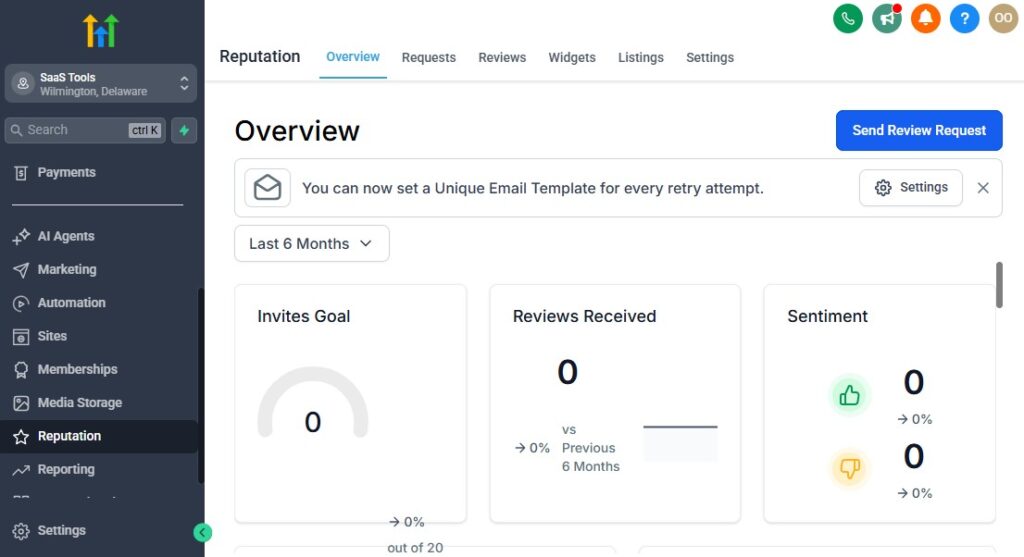
Your salon’s reputation is one of your most valuable assets. When potential clients search for beauty services online, they rely heavily on reviews, photos, and social proof before choosing a salon.
GoHighLevel helps you automate the entire reputation-building process so your salon consistently attracts new clients and stands out in a competitive industry.
Here’s how to use GoHighLevel to collect more reviews, gather testimonials, and build a strong, trustworthy brand image.
Automate Review Requests After Every Appointment
Right after a client finishes their service, GoHighLevel can send a friendly message asking for feedback.
Your automation can send:
- A review request SMS
- A follow-up email
- Links to Google, Facebook, Yelp, or Instagram
Your message can be simple:
“Thank you for visiting! If you loved your service, would you mind leaving us a quick review? It helps more amazing clients like you find us.”
This creates a constant flow of new reviews without manual effort.
Send Review Links With One Click
GoHighLevel allows you to build a dedicated “Review Page” with:
- Google review link
- Facebook review link
- Website testimonial form
- Rating buttons (1–5 stars)
You can send this link through:
- Text
- QR codes inside your salon
- Receipts
- Social media DMs
Clients love the simplicity, and your review count grows much faster.
Filter Negative Feedback Automatically (Optional)
If a client rates their experience poorly (1–3 stars), you can trigger:
- A follow-up message
- A personal outreach workflow
- A satisfaction survey
- A private apology email
Instead of posting a negative review publicly, the client shares their concern privately.
Your salon maintains a positive public image while you fix issues behind the scenes.
Collect Photo Testimonials and Before/After Shots
Visual proof increases conversions dramatically.
Use GoHighLevel forms to request:
- Before/after photos
- Selfie after their service
- Social media-style beauty shots
- Hairstyle results
- Nail or lash transformation photos
You can add these images to:
- Landing pages
- Booking funnels
- Your portfolio
- Instagram or Facebook
- Website gallery
This builds strong trust with potential clients.
Display Reviews on Your Salon Funnels and Booking Pages
GoHighLevel lets you embed reviews directly on:
- Booking pages
- Service landing pages
- Special offer funnels
- Salon homepage
- Testimonials section
Displaying testimonials increases booking conversions instantly because prospective clients see real results and real feedback.
Automate a “Happy Client” Photo Request
Send a message like:
“Hi [Name], we’d love to feature you on our salon page! If you’re comfortable, please send a quick selfie of your new look 💖”
Clients often love being featured.
This gives you:
- Organic content
- Social proof
- More engagement online
Turn Reviews Into Social Media Content Automatically
You can build workflows that:
- Capture testimonials
- Create branded review graphics
- Schedule posts on social media
- Share client before/after transformations
Your salon appears active, professional, and full of happy clients.
Manage Your Reputation From a Single Dashboard
GoHighLevel’s reputation management tools help you monitor:
- New reviews
- Response rate
- Average rating
- Review trends
- Team performance based on feedback
This lets you quickly respond to reviews and maintain a positive image.
Encourage Referrals Through Review-Based Campaigns
Example campaign:
After a positive review, send:
“Thank you so much for your review! As a thank-you, here’s 10% off your next visit. Feel free to share this link with a friend who might love our salon too.”
This turns good feedback into referrals.
Build a 5-Star Brand Presence on Google
More reviews help you:
- Rank higher in Google Maps
- Appear more often in local searches
- Beat competing salons
- Look trustworthy to new clients
Your salon becomes the first choice when people search for:
- “hair salon near me”
- “lashes near me”
- “nail salon near me”
- “facials near me”
Reputation drives organic growth.
Reporting & Analytics for Salons – GoHighLevel for Salon
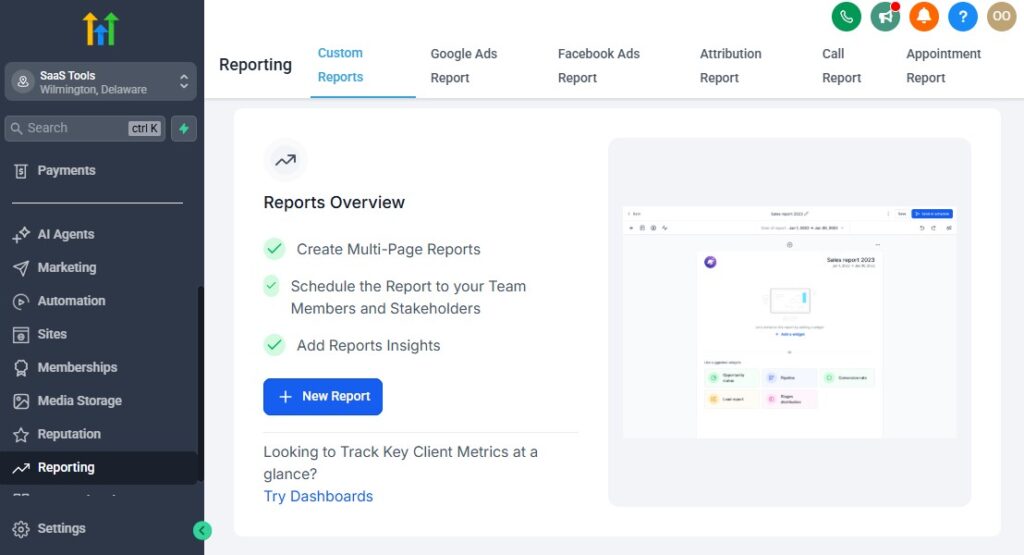
To grow your salon consistently, you need clear insight into what’s working, what’s not, and where your best opportunities are.
GoHighLevel gives you powerful reporting tools that help you monitor bookings, revenue, stylist performance, client retention, and overall business health – all from one dashboard.
This section shows you exactly how to use GoHighLevel’s analytics to make smarter decisions and run a more profitable salon.
Track Appointment Volume & Booking Trends
Your dashboard gives you a breakdown of:
- How many bookings you receive daily, weekly, and monthly
- Which days or times are busiest
- Slow periods that need promotions
- How many new vs. returning clients you’ve serviced
This helps you schedule staff effectively and prepare for peak hours.
For example:
- If Saturdays are always full → increase availability
- If Mondays are slow → run a “Monday Glow-Up” promo
Monitor Revenue by Service Type
GoHighLevel shows you which services are making the most money and which ones need improvement.
You can track revenue from:
- Haircuts
- Coloring
- Nail services
- Facials
- Lashes
- Waxing
- Spa treatments
This helps you:
- Highlight top-performing services in your marketing
- Adjust pricing confidently
- Remove low-performing services
- Introduce more profitable add-ons
Track Revenue by Stylist or Technician
This is essential if you manage a team.
You’ll see:
- Total income generated by each stylist
- Number of appointments
- Average service value
- Average tips (if tracked)
- Client retention rate per stylist
This helps you:
- Reward high performers
- Train stylists who need improvement
- Assign clients more strategically
- Understand staffing needs
Measure Client Retention vs New Client Acquisition
Your salon’s long-term success depends on how many clients return.
GoHighLevel tracks:
- First-time clients
- Returning clients
- Frequency of repeat visits
- Time between appointments
- Churn rate (clients who never returned)
If retention is low, you can improve:
- Follow-up automations
- Loyalty programs
- Personalized offers
- Stylist training
Analyze Calendar Utilization
Calendar utilization tells you how much of your available time is actually booked.
For example:
- 90% utilization → your salon is operating efficiently
- 40% utilization → you need marketing push or pricing adjustment
You can view this by:
- Stylist
- Service type
- Day of the week
- Peak hours
Evaluate Campaign Performance (Email & SMS)
Your marketing campaigns are only effective if they generate bookings.
GoHighLevel shows:
- Open rates
- Click-through rates
- Booking conversions
- Revenue from each campaign
- Best-performing messages
- Underperforming promotions
This tells you exactly what type of content your clients respond to.
Review Funnel & Landing Page Performance
You can track:
- Page visits
- Conversion rates
- Lead vs. booking ratio
- Drop-off points
- Sales from funnel upsells
With this insight, you can improve your:
- Booking page design
- Offer structure
- Call-to-action placement
- Service descriptions
A small improvement in funnel conversion can lead to many more appointments.
Monitor Membership & Package Performance
If your salon offers:
- Monthly memberships
- Prepaid packages
- VIP plans
- Subscription services
GoHighLevel shows:
- Active members
- Cancellations
- Renewals
- Failed payments
- Revenue per membership tier
- Package usage
This helps you refine your recurring revenue strategy.
Track Reviews & Reputation Metrics
Inside the reputation dashboard, you can monitor:
- New reviews
- Average star rating
- Review sources
- Team member mentions
- Positive vs negative feedback trends
Better reputation = more bookings.
Monitor Lead Sources & Marketing ROI
GoHighLevel helps you see where your best clients come from.
Tracking sources may include:
- Google Business Profile
- Paid ads
- TikTok
- Website
- Referral campaigns
This helps you invest more in high-performing channels and reduce wasted spend.
View Pipeline Metrics for Client Flow
Your CRM pipeline shows:
- How many leads are in each stage
- How many converted to bookings
- Where clients drop off
- How long it takes to move from “New Lead” to “Booked Appointment”
This helps you tighten your funnel and improve your follow-up automation.
Integrating GoHighLevel With Salon Tools (POS, Booking, Inventory, etc.)
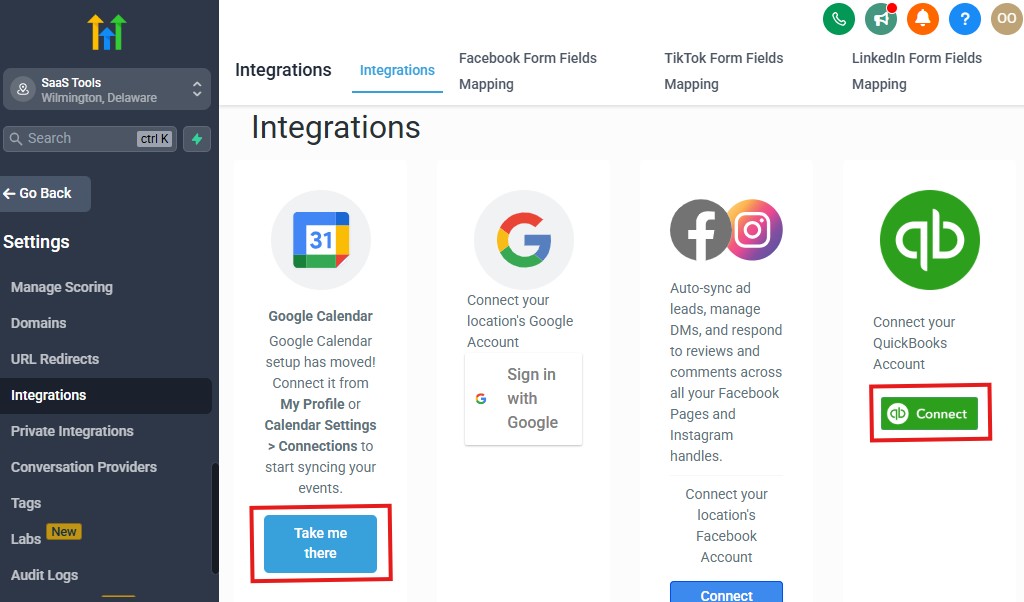
Your salon becomes even more powerful when GoHighLevel connects seamlessly with the tools you already use – from POS systems to accounting software, calendars, social media platforms, and marketing tools.
Integrations help you automate more tasks, streamline operations, and keep all your business data in one place.
This section shows you exactly how to integrate GoHighLevel with the most common salon tools so your daily workflow becomes smooth, connected, and efficient.
1. Connect Your Salon POS System (Square, Clover, Stripe Terminal)
Your payment processing should work effortlessly with your booking system.
A. Square
Many salons use Square for in-person payments.
You can integrate Square through Zapier or Make to sync:
- Payment records
- Customer details
- Product sales
- Appointment confirmations
B. Clover
Clover is another popular POS for salons.
Use integrations to sync:
- Customer records
- Sales transactions
- Inventory updates
C. Stripe Terminal
If you want a modern, easy-to-use POS, Stripe Terminal pairs perfectly with GoHighLevel.
You can:
- Collect in-person payments
- Sync receipts
- Connect all payments to the CRM
This gives you a clean record of every client’s spending across online and offline channels.
Integrate With Salon Inventory & Retail Tools
If your salon sells products in-store or online, integration helps you track everything efficiently.
You can connect GoHighLevel with:
- Inventory management tools
- Retail POS systems
- Product order systems
This helps you manage:
- Stock levels
- Product sales
- Reorder alerts
- Retail revenue reporting
Your salon runs more smoothly when your inventory syncs with your client data.
Connect Accounting Tools (QuickBooks, Xero, Zoho Books)
Your financial reporting becomes effortless when GoHighLevel syncs with accounting tools.
QuickBooks
Send data automatically:
- Payments
- Membership charges
- Package purchases
- Deposits
- Refunds
Xero & Zoho Books
Use Make/Zapier to:
- Create invoices
- Record transactions
- Track income per service
This keeps your bookkeeping organized and error-free.
Sync GoHighLevel With Google Calendar or Apple Calendar
If you or your stylists prefer to see appointments inside your personal calendar, GoHighLevel can sync every booking automatically.
You can:
- Display appointment details
- Sync availability
- Prevent double-booking
- Manage schedules from any device
This is especially helpful for busy stylists who want quick access to their day.
Integrate With Social Media Platforms
Your salon’s marketing becomes easier when GoHighLevel connects with your social channels.
Instagram & Facebook
- Capture leads from DMs
- Collect leads from ads
- Run automated replies
- Add booking links to profiles
- Track lead source performance
TikTok
Use lead forms or link-in-bio tools to push traffic into GoHighLevel funnels instantly.
Your social media engagement becomes part of your salon’s automated marketing system.
Connect Online Booking Tools (if you’re switching)
If you’re moving from tools like:
- Booksy
- Fresha
- Vagaro
- GlossGenius
- Acuity
You can integrate or migrate your data into GoHighLevel.
This includes:
- Client contacts
- Service list
- Staff profiles
- Appointment history
This helps you transition with zero disruption.
Integrate GoHighLevel With Review Platforms
Reputation management becomes easier when GoHighLevel connects with:
- Google Business Profile
- Facebook Reviews
- Yelp
- Trustpilot (optional)
This allows you to:
- Send automated review requests
- Collect all reviews in one dashboard
- Respond quickly
- Track overall reputation score
Your salon stays visible and trusted.
Connect E-Commerce Tools for Product Sales
If you run an online shop for retail items, integrate GoHighLevel with:
- Shopify
- WooCommerce
- BigCommerce
This allows you to:
- Sync customers
- Send purchase follow-ups
- Automate upsell campaigns
- Track product sales
You turn your salon into a hybrid beauty + retail business.
Connect Communication Platforms – GoHighLevel for Salons
GoHighLevel integrates with:
- Twilio (SMS)
- Mailgun (email)
- WhatsApp (via third-party tools)
This helps you deliver:
- Appointment reminders
- Promotions
- Follow-up messages
- Chat conversations
- Support tickets
A unified communication system keeps your team efficient and your clients informed.
Use Zapier or Make for Advanced Integrations
You can automate almost anything using Zapier or Make.
Examples:
- Add new clients to Google Sheets
- Trigger Slack notifications for bookings
- Sync sign-ups with your email list
- Track campaigns in Google Analytics
- Automate social media posts
- Save client forms to external storage
This gives your salon limitless automation possibilities.
Connect Lead Sources & Advertising Tools
Your marketing becomes stronger when you integrate:
- Facebook Ads
- Instagram Ads
- Google Ads
- TikTok Ads
- LinkedIn Ads (if you offer luxury services)
All leads go directly into:
- The CRM
- A nurture workflow
- A booking funnel
- A stylist assignment system
No more leads slipping through the cracks.
Advanced Automation for Salons
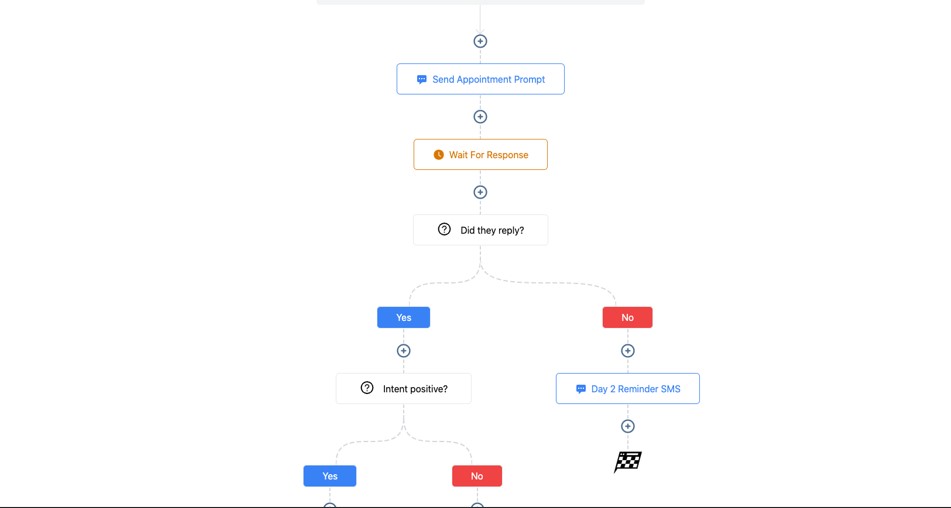
This is where your salon truly transforms into a smart, automated, high-efficiency business. Advanced automations help you eliminate repetitive tasks, streamline client experience, maximize revenue, and reduce human errors.
With GoHighLevel, you can build systems that run your salon reliably – even when you’re not actively managing them.
Below are the most powerful automation strategies your salon can implement to operate at a higher level.
Auto-Assign Stylists Based on Service Type
If multiple stylists offer the same service, you can automate who gets assigned based on:
- Availability
- Specialty
- Experience level
- Service complexity
Examples:
- Color correction → assign senior stylist
- Standard haircut → assign any available stylist
- Lash volume set → assign certified lash tech
GoHighLevel distributes bookings intelligently and prevents scheduling conflicts.
Automate Upsells After Booking – GoHighLevel for Salons
After a client books, you can send automated SMS or email with add-ons they may want.
Examples:
- Haircut → deep conditioning treatment
- Color appointment → Olaplex treatment
- Lash extension → lash shampoo or brow shaping
- Nail appointment → gel upgrade or paraffin treatment
- Facial → LED therapy or microdermabrasion
Your revenue increases naturally without extra effort.
Create Loyalty Point Automations
Reward your clients automatically when they:
- Complete a service
- Purchase products
- Leave a review
- Refer a friend
- Join a membership
You can send:
- Point balance updates
- Rewards notifications
- Loyalty milestones (e.g., “You reached 100 points!”)
Loyal clients spend more and stay longer.
Create VIP Automations for High-Value Clients
Treat your top clients with exclusive benefits.
Trigger VIP workflows for clients who spend above a certain amount or visit frequently.
Your automation can:
- Send priority booking opportunities
- Offer exclusive add-ons
- Provide early access to promotions
- Assign them to senior stylists
- Offer personalized service recommendations
This creates a luxury experience without manual work.
Automate “Client Win-Back” Campaigns
Clients who haven’t visited in 30, 60, or 90 days can be triggered into win-back workflows.
Examples:
- Soft reminder (“We miss you!”)
- Special return offer
- Personalized suggestion based on last service
- Direct link to book again
This reconnects lost clients and recovers revenue.
Create Referral Automations
Encourage referrals by automating:
- Referral codes
- Thank-you messages
- Rewards for successful referrals
- Friend-discount workflows
Example:
“Give your friend 10% off and get 20% off your next visit when they book!”
The system tracks everything automatically.
Automate Stylist Workflows and Notifications
Stylists can get notifications for:
- New bookings
- Cancellations
- Rescheduled appointments
- Client notes or preferences
- Pre-consultation form submissions
- VIP client arrivals
This keeps everyone aligned instantly.
Build a Smart Waitlist Automation
If your salon is fully booked, create a waitlist workflow.
Clients receive:
- A form to join the waitlist
- Automatic notifications when a spot opens
- Direct booking link to secure an available slot
This allows you to fill empty spots fast and reduce revenue loss.
Automate Client Segmentation Based on Behavior
GoHighLevel can segment clients automatically according to:
- Frequency of visits
- Total spending
- Preferred services
- No-show behavior
- Membership status
Each segment can receive its own personalized campaigns.
Build a Dynamic Pricing Automation (Optional)
You can increase prices automatically during:
- Peak hours
- Weekends
- Holidays
- Special demand seasons
Or decrease prices during slow periods to stimulate bookings.
Automate Consultation Workflows
For high-value services, create a full consultation journey:
- Client fills a pre-consultation form
- AI assistant reviews info and sends personalized response
- Stylist receives the form
- Client receives prep instructions
- Booking link is sent automatically
This creates a premium experience.
Automate Product Reorder Reminders
If clients buy products from your salon, automate refill reminders:
- Lash shampoo → every 4 weeks
- Hair mask → every 8 weeks
- Skincare → every 30 days
This boosts retail sales effortlessly.
Create Cross-Sell Automations
Promote additional services based on what clients already booked.
Examples:
- Hair color clients → offer scalp treatment
- Facial clients → offer brow shaping
- Lash clients → offer tinting or brow lamination
- Nail clients → offer pedicure add-on
Your campaigns become smarter and more profitable.
Build “Review Boost” Automation Flows
If a client leaves a 5-star review, you can automatically:
- Thank them
- Offer a loyalty reward
- Invite them to share photos
- Ask for permission to feature them
- Send referral offer
This leverages social proof beautifully.
Create Multi-Step Service Automations
For complex services like color transformations or bridal packages, automate:
- Scheduled follow-ups
- Second session reminders
- Care instructions between sessions
- Payment plan reminders (if applicable)
This keeps clients informed and engaged.
Automate Membership Management
If you offer memberships, automate:
- Monthly charges
- Failed payment recovery
- Member reminders
- Exclusive updates
- Perks and rewards
This builds a reliable recurring revenue system for your salon.
Learn More:
- What is GoHighLevel? (Features, Use Cases, Pricing & More)
- GoHighLevel Review: (My Experience After 5 Years)
- GoHighLevel Pricing: (+ Discount Codes)
- GoHighLevel Features: (Full List of Tools)
- GoHighLevel Onboarding Checklist: (Complete Tutorial)
- GoHighLevel for Property Management: (Detailed Tutorial)
- GoHighLevel for Small Businesses: (2026 Helpful Tutorial)
- GoHighLevel for Service Businesses: (2026 Helpful Tutorial)
- GoHighLevel for Local Businesses: (2026 Helpful Tutorial)
Frequently Asked Questions
FAQs about GoHighLevel for Salons
Can GoHighLevel handle bookings for multiple stylists and service types?
Yes. You can create individual calendars for each stylist or set up calendars for specific service categories like hair, nails, lashes, facials, or spa treatments. Each calendar can have its own availability, working hours, and booking rules. This ensures clients always book the right service with the right professional without confusion.
Can I reduce no-shows using GoHighLevel?
Absolutely. GoHighLevel helps you reduce no-shows significantly by automating:
- Appointment confirmations
- 24-hour reminders
- 2-hour reminders
- Last-minute notifications
- Deposit collection during booking
These automations create accountability and make clients more likely to honor their appointments.
Does GoHighLevel support salon memberships and service packages?
Yes. You can sell:
- Monthly memberships
- Prepaid packages
- VIP plans
- Treatment bundles
- Subscription-based beauty services
GoHighLevel manages billing, renewal reminders, failed payments, and access to member-only benefits automatically.
Can clients book online without contacting the salon directly?
Yes. Clients can book 24/7 using your:
- Booking link
- Salon website
- Social media bio links
- Google Business Profile
- SMS/email booking pages
No phone calls are required, and every booking flows into the salon calendar and CRM instantly.
Is GoHighLevel good for small salons, big salons, and solo stylists?
Yes. GoHighLevel works for everyone:
- Solo stylists
- Small boutique salons
- Multi-stylist salons
- Multi-location salons
- Lash or nail techs
- Mobile beauty providers
Because the system is flexible, you can scale up or streamline your workflow without switching platforms.
Final Thoughts
GoHighLevel gives your salon everything you need to run a smooth, modern, and fully automated beauty business.
Instead of juggling multiple apps for bookings, reminders, payments, marketing, and client records, you manage everything from one simple dashboard.
When you use GoHighLevel correctly, you create a salon experience that feels professional, organized, and personal – the kind of experience that keeps clients coming back and referring their friends.
You’re able to:
- Streamline your booking process
- Reduce no-shows and cancellations
- Store detailed client history and preferences
- Automate reminders, follow-ups, and marketing
- Increase revenue with upsells, packages, and memberships
- Collect more reviews to build your reputation
- Track performance and improve your operations
- Run your salon with less stress and more predictability
Whether you’re a solo stylist, a growing beauty team, or a multi-location salon, GoHighLevel helps you run your business like a high-end brand – even if you’re just starting.
With the right automations and systems in place, your salon becomes more profitable, more efficient, and much easier to scale.
And as you continue building your beauty business, GoHighLevel grows with you, supporting every new stylist, service, and expansion you add.