Running a cleaning business takes more than providing great service. You’re constantly:
- managing leads
- sending quotes
- booking appointments
- scheduling teams
- reminding clients
- collecting payments
- and keeping your calendar organised
All while trying to deliver a smooth and professional experience.
Without the right system, things get messy fast.
GoHighLevel for Cleaning Businesses gives you a simple, all-in-one platform to run your entire cleaning business.
From capturing leads to sending cleaning checklists, confirming bookings, automating reminders, and collecting reviews, everything becomes easier, faster, and more organised.
Whether you run:
- house cleaning
- commercial cleaning
- maid services
- janitorial cleaning
- move-in/move-out
- short-term rental cleanings
- or carpet cleaning
GoHighLevel helps you:
- Book more jobs
- Respond faster
- Reduce cancellations
- Keep clients informed
- Increase repeat cleaning
- Grow with automation instead of stress
This guide walks you through how to set up GoHighLevel specifically for cleaning businesses so you can deliver a reliable, friendly, and highly efficient experience that keeps clients coming back.
TL;DR: How GoHighLevel Transforms Your Cleaning Business
- GoHighLevel helps you manage cleaning leads, quotes, bookings, calendars, reminders, and customer communication in one place.
- You can automate your entire workflow: follow-ups, quotes, confirmations, team scheduling, service reminders, and review requests.
- Cleaning funnels, forms, and booking pages help you attract more clients and convert them faster.
- This guide shows you exactly how to use GoHighLevel to run and scale your cleaning business smoothly and professionally.
How to Set Up GoHighLevel for Cleaning Businesses: (Step-by-Step Guide)
Let’s get straight to the point – first, we’ll set up your account, then I’ll walk you through all the strategies you can use.
Below is a simple and practical breakdown of what to set up, why it matters, and how to do it so your cleaning business runs smoothly every day.
Step 1: Create HighLevel Account for 30 Days Free
Since you’re just starting with GoHighLevel, you would need to properly set up your account.
And you can do that for free through our exclusive 30-Day Free Trial link here.
In order to start, head over to gohighlevel.com/30-day-free-tial free trial and click on “30 DAY FREE TRIAL” as you can see below.

Upon clicking on “30 DAY FREE TRIAL“, a page will pop that looks exactly like the image below.
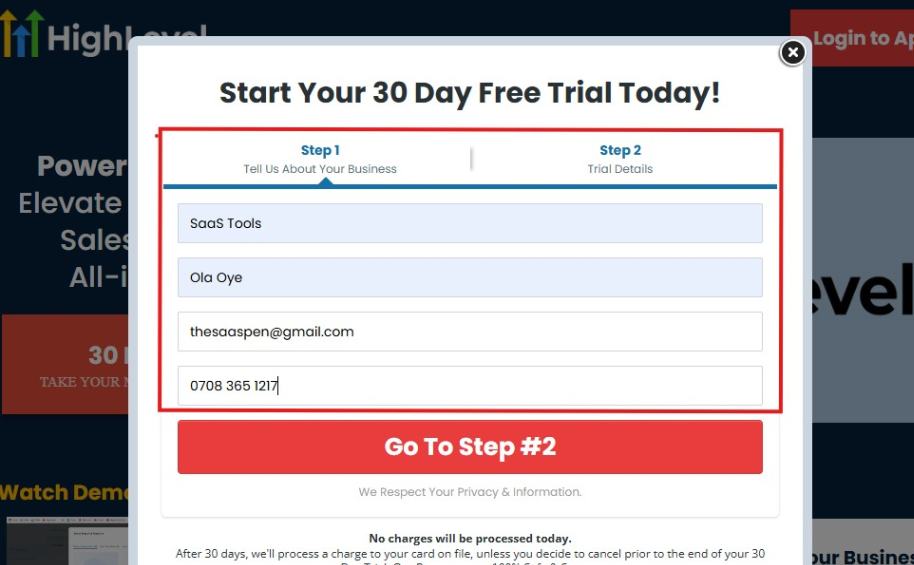
If you take a closer look at the image above, you will see that you need to supply your:
- Business name
- Company name
- Company email
- Phone number
Supply all the pieces of information and click on “Go To Step #2.”
On the next page, you will be required to select the plan you want to opt in for.
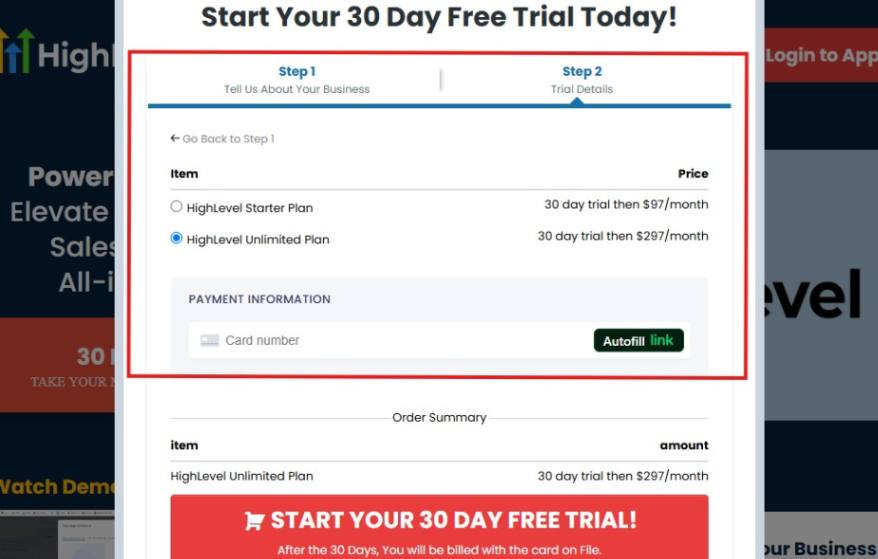
As you can see from the image above, you can either choose from:
- HighLevel Starter Plan
- HighLevel Unlimited Plan
Select the HighLevel Unlimited Plan and continue – you can always upgrade to the SaaS Mode later if you want that or downgrade.
The next thing you want to do is supply your credit card information.
Note: You will not be debited anything today until the end of your trail that is if you don’t cancel. Keep in mind that $1 will be debited and refunded back instantly into your account just to test your card is working.
After you have supplied the information accordingly, click on “START YOUR 30 DAY FREE TRIAL” and you will be asked to confirm you’re not a robot.
After that, the page below will pop up.
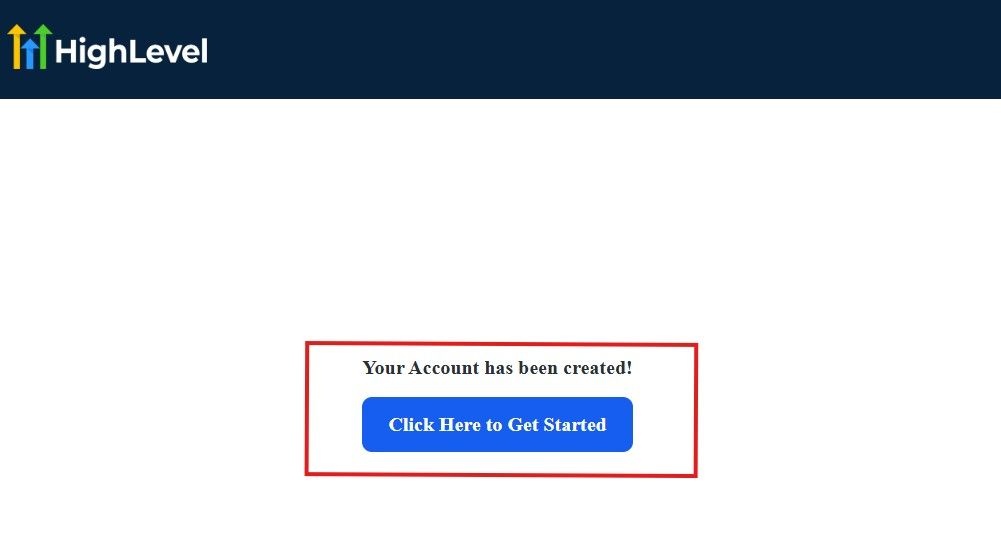
The image above says, “Your Account has been created!” Now, you need to click on the blue button that says “Click Here to Get Started.“
Click on the blue button to start your onboarding process.
Step 2: GoHighLevel Onboarding Process
The onboarding questions help GoHighLevel understand why you have signed up for the platform so that it can tailor your experience accordingly.
This is all you need to do:
After you click on the blue button above, the page below will pop up.
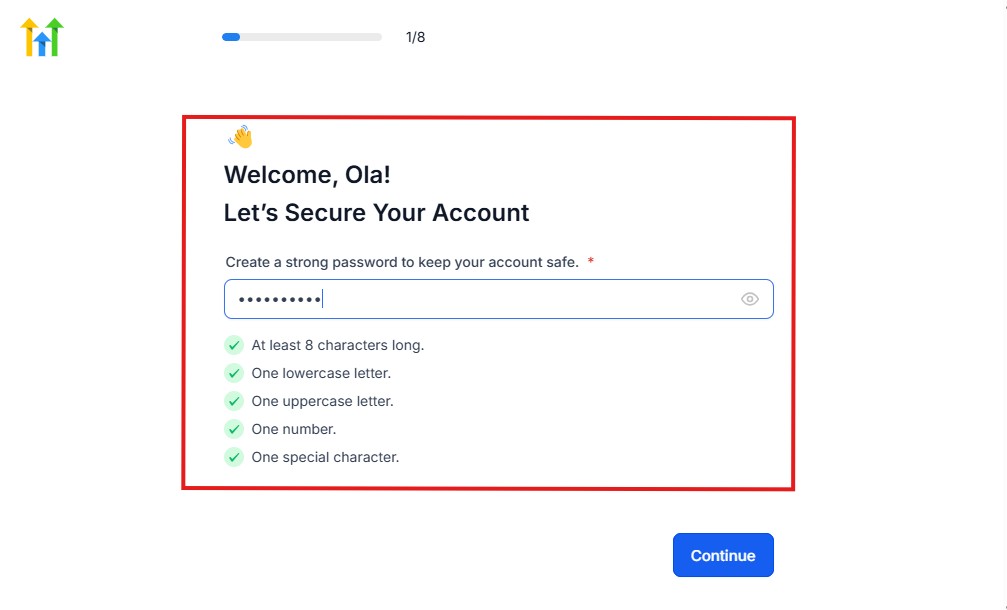
As you can see above, you need to set up your password, and the password has to be:
- At least 8 characters long
- One lowercase letter
- One uppercase letter
- One number
- One special character
If you have input the password and it matches all the description above, everything will be green just the way it’s in the image.
Click on “Continue” there after, and the image below will pop up.
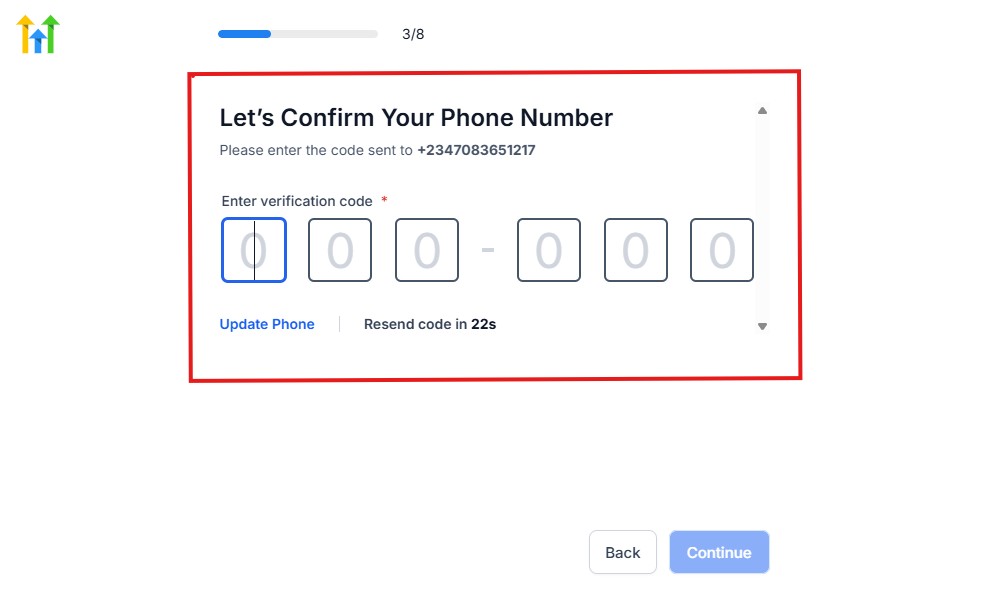
As you can see, a code will be sent to you to confirm your email address and phone number. The process is the same for the 2.
The next thing you need to do is to select how you plan to use GoHighLevel, as you can see below.
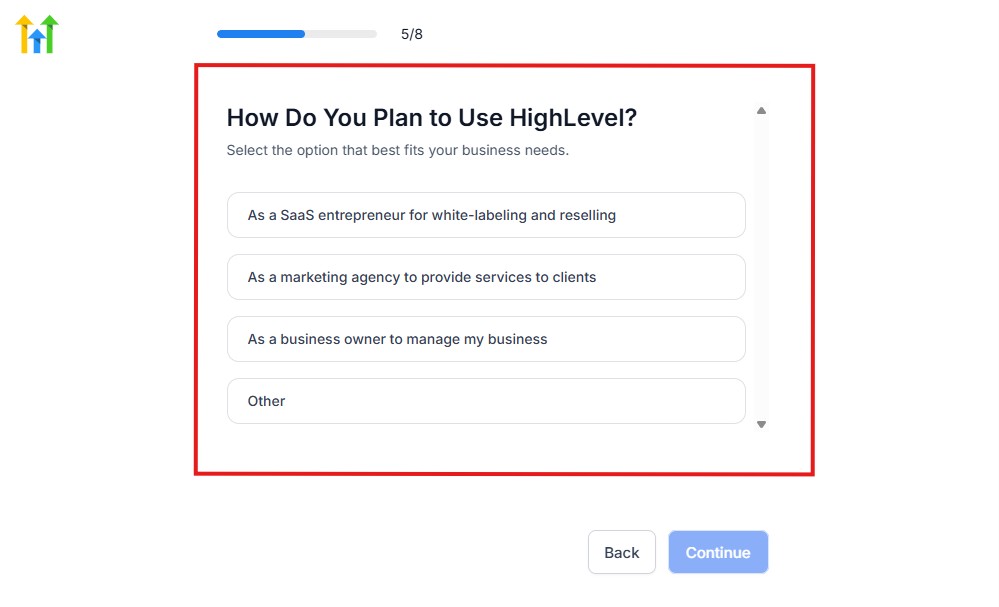
Select what best matches why you have signed up and click on Continue.
On the next page, you will be asked if you plan to resell GoHighLevel or not.
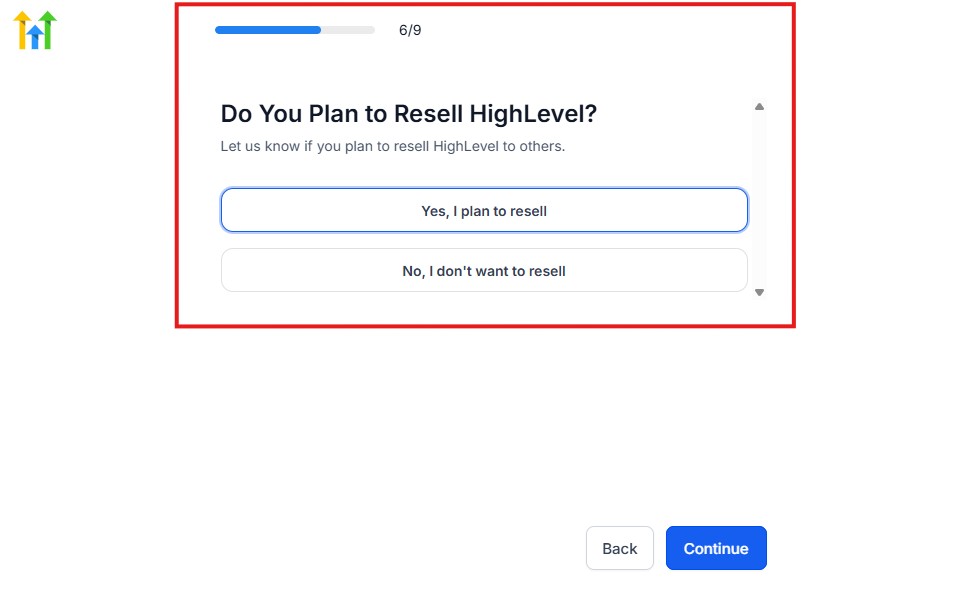
Select the answer based on the reason why you have signed up and click on “Continue”
Then, the page below will pop up.
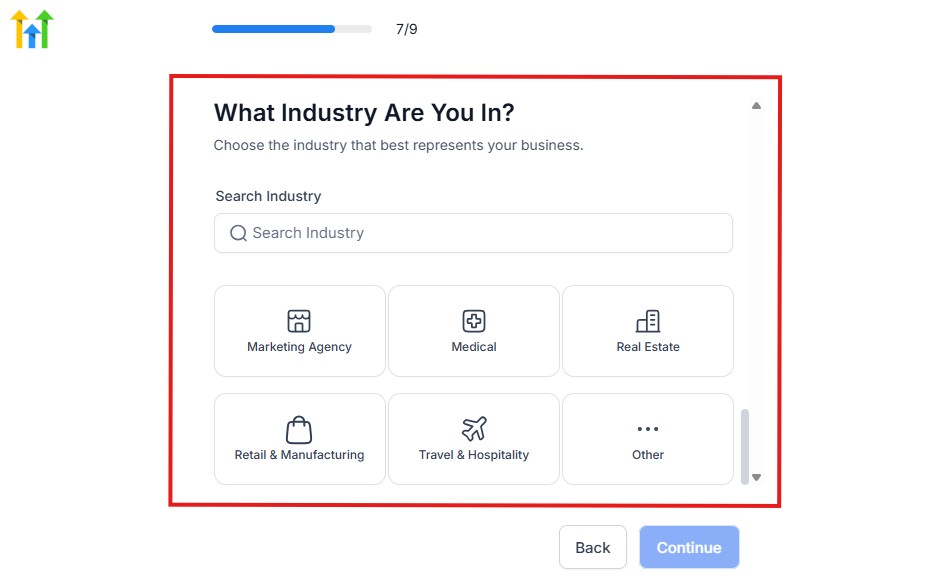
From the image above, you need to select the industry that you fall on. You can also make use of the search button if you can’t find it right away.
Then, click on continue after you select your industry.
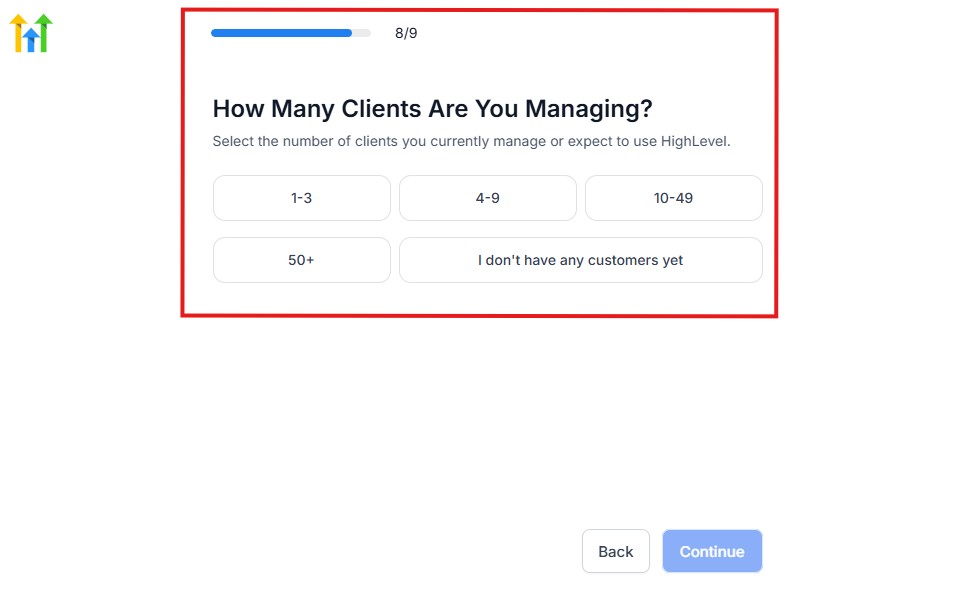
Then, the next thing you need to do is to select the number of clients that you currently have. Select “I don’t have any customers” yet if you currently don’t have one.
On the next page, you will be asked to select the platforms you currently use that you can integrate with GoHighLevel right away.
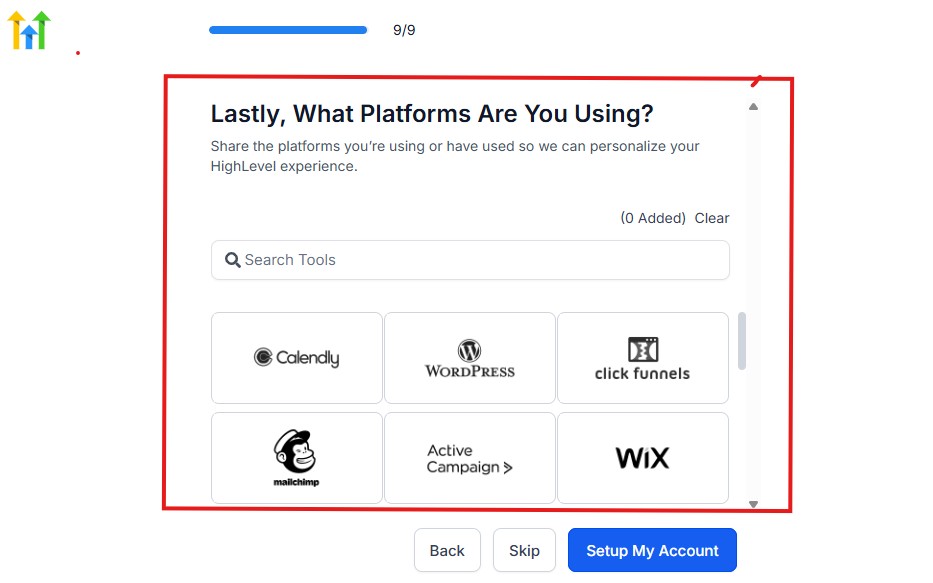
You can use the search button to search for any tools you want to add to your GoHighLevel account.
You can also skip this process and do it later if you want to.
After that, the page below will pop up.
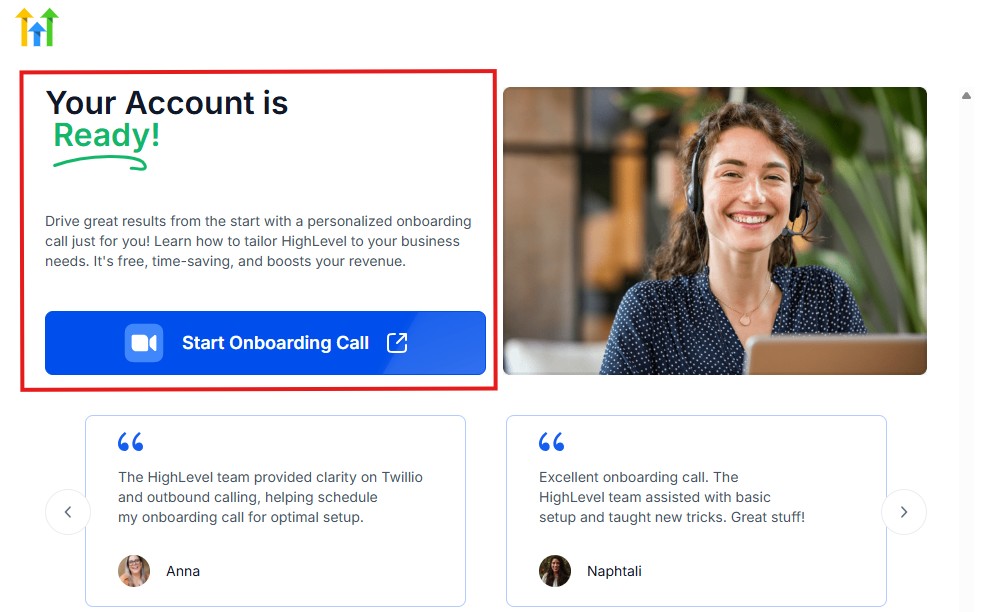
The page above says your account is ready and is asking you to “Start Onboarding Call.”
The “Onboarding Call” allows you to connect with the Go High Level team in order to discuss your account set-up process and everything regarding your plan in using HighLevel.
If you don’t want to start the “Onboarding Call” yet, just stroll down, and you will see the button in the image below.
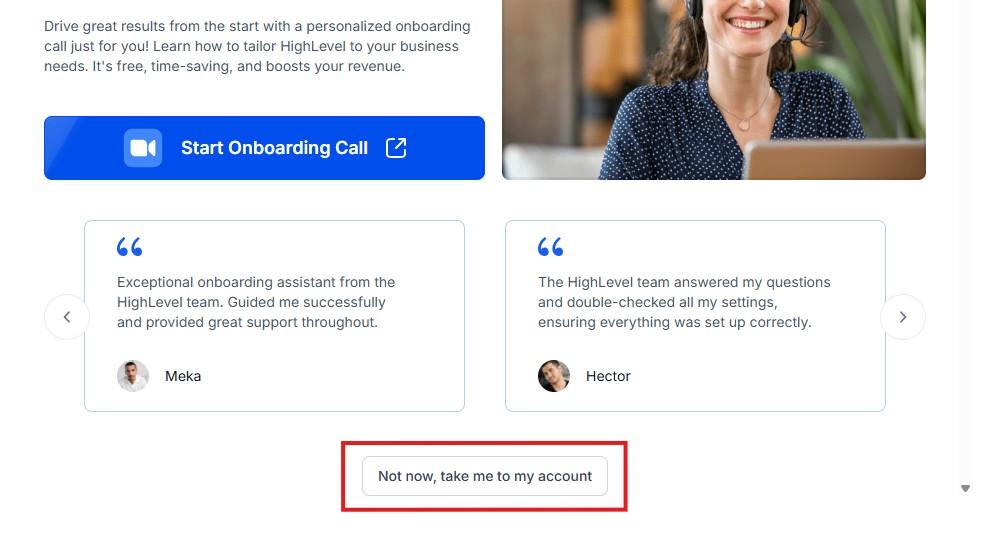
Simply click on “Not now, take me to my account“, and you will have access to your dashboard.
Note: If you have indicated that you want to resell HighLevel, you would have access to the agency dashboard by default, which looks like the image below.
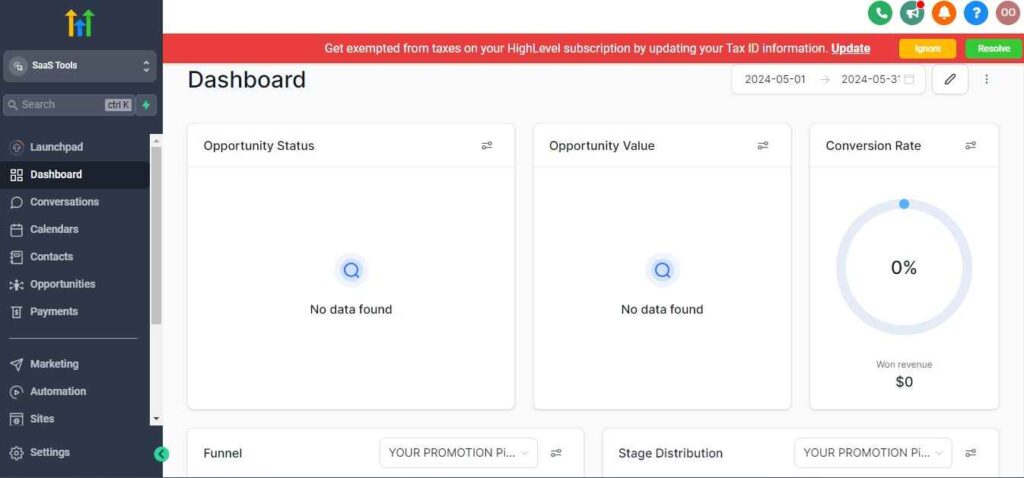
But if you didn’t indicate interest in reselling GHL, your dashboard will look like the image below.
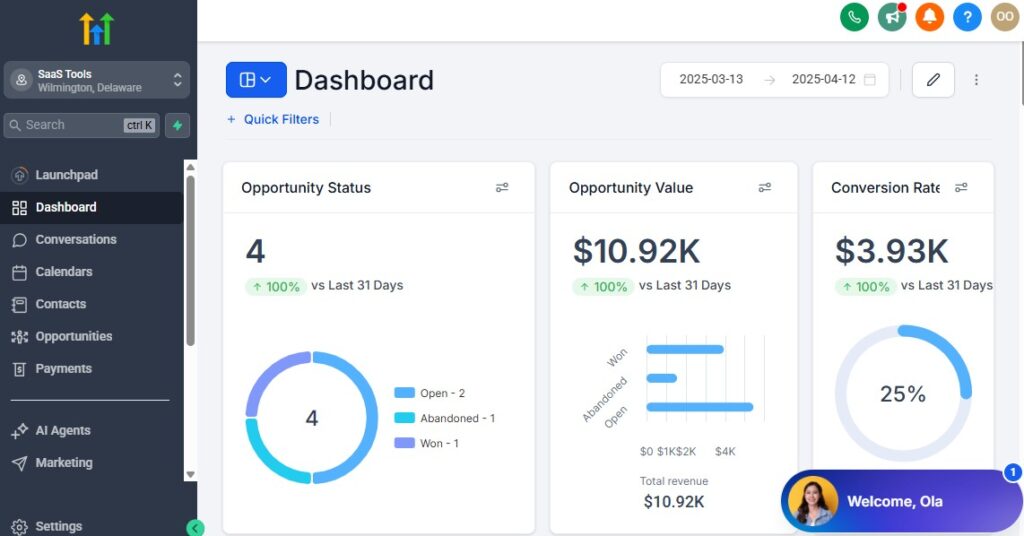
You can switch between these dashboards at any time.
The data you see on the dashboard above are not real data, they’re snapshots that you can use to kickstart your account setup process.
I want to say congratulations. You have successfully set up your Go High Level account.
Step 3: Create Your Cleaning Pipelines
Different cleaning jobs have different sales cycles. Creating pipelines for each service keeps your CRM tidy and your follow-up consistent.
Recommended pipelines
- House Cleaning
- Deep Cleaning
- Move-In/Move-Out Cleaning
- Commercial Cleaning
- Carpet Cleaning
- Recurring Cleaning (Weekly/Bi-weekly/Monthly)
How to set it up
Go to Opportunities → Pipelines → Create Pipeline
Add stages like:
- New Lead
- Quote Requested
- Quote Sent
- Follow-Up Needed
- Booking Scheduled
- Job Completed
Save and link these pipelines to your workflows
This makes it easy to track every customer from first inquiry to completed cleaning.
Step 4: Create Tags for Quick Segmentation
Tags help you instantly identify what each lead needs.
Useful tags
- House Cleaning Lead
- Deep Cleaning Lead
- Move-Out Lead
- Commercial Cleaning Lead
- Recurring Client
- Quote Sent
- New Booking
- Job Completed
How to create them
- Go to Contacts → Tags → Add Tag
- Apply them automatically through forms or workflows
This helps you send the right messages to the right people.
Step 5: Add Custom Fields for Cleaning-Specific Data
Cleaning services often require extra details to provide accurate quotes and scheduling.
Recommended custom fields
- Property Type (Apartment, House, Office)
- Number of Bedrooms
- Number of Bathrooms
- Square Footage (optional)
- Type of Cleaning Requested
- Preferred Date
- Address
- Recurring Frequency
- Notes/Special Requests
How to add them
- Go to Settings → Custom Fields
- Choose field type (text, dropdown, date, number)
- Add them to your forms and funnels
These fields help you automate quotes, reminders, and follow-ups effectively.
Step 6: Set Up Service-Specific Calendars
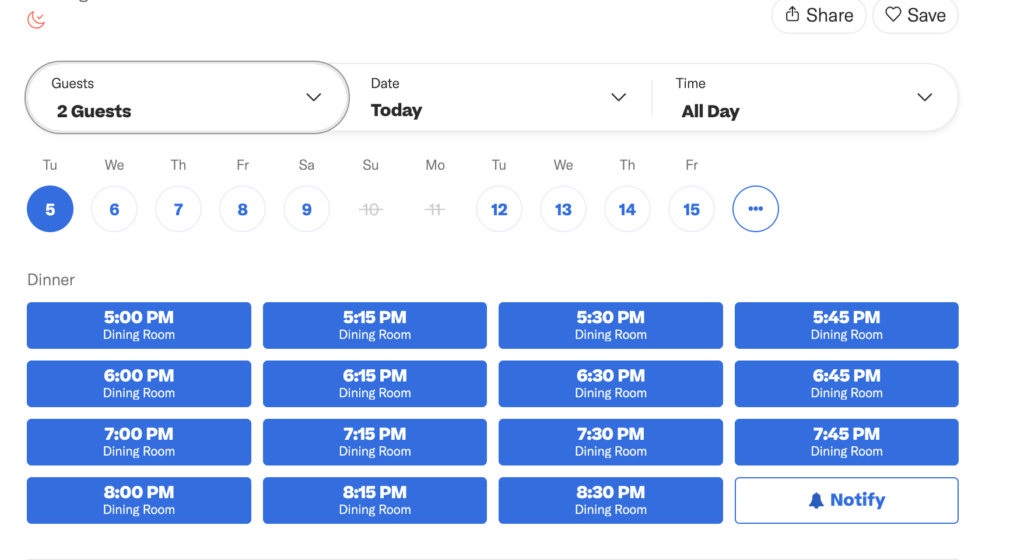
Cleaning businesses rely heavily on scheduled appointments. Separate calendars keep everything organized.
Recommended calendars
- House Cleaning Calendar
- Deep Cleaning Calendar
- Move-In/Move-Out Calendar
- Commercial Cleaning Estimate Calendar
- Recurring Cleaning Calendar
How to set it up
- Go to Calendars → Create Calendar
- Add service-specific availability
- Add buffer time between jobs
- Set SMS + email reminders
- Connect Zoom/location details if necessary
Clients can now book the exact cleaning service they want without back-and-forth messaging.
Step 7: Add Team Members & Assign Roles
If you have cleaners, supervisors, or admin staff, set up proper permissions so everyone sees only what they need.
Roles you can create
- Admin (you)
- Cleaning Staff
- Operations Manager
- Scheduler
- Sales/Estimates Team
How to do it
- Go to Settings → My Staff
- Add team members
- Assign role permissions
- Connect their calendars if they manage bookings
This helps keep your business organised and secure.
Step 8: Connect Communication Channels
All messages should flow into one place for easy tracking.
Connect these channels
- Phone/SMS
- Facebook Messages
- Instagram DMs
- Website chat widget
How to connect
- Go to Conversations → Settings → Channels
- Integrate each channel
This creates a unified inbox for your entire cleaning business.
Step 9: Set Up Your Lead Capture System – – GoHighLevel for Cleaning Businesses
Every cleaning business needs a reliable way to capture leads from multiple sources.
Where your leads may come from
- Facebook ads
- Google ads
- Website forms
- Landing pages
- Referral partners
- Yelp
- Google Business Profile
How to connect lead capture – GoHighLevel for Cleaning Businesses
- Add GHL forms to your website
- Create funnels for each cleaning service
- Integrate Facebook/Google Leads under Integrations
- Trigger workflows on every form submission
Every lead enters your CRM instantly and triggers an automated response.
Step 10: Build Core Automations for Cleaning Workflows
These automations form the backbone of your cleaning business system.
Must-have workflows
- New Lead Follow-Up
- Quote Sent Follow-Up
- Booking Confirmation
- Appointment Reminders
- Post-Service Follow-Up
- Review Requests
- Recurring Cleaning Reminders
- Missed Call Text-Back
How to create one
Go to Automation → Workflows → Create Workflow
Choose trigger (form submission, tag, pipeline stage, etc.)
Add:
- SMS
- Task assignment
- Pipeline movement
- Internal notifications
These workflows save hours and keep your business running smoothly.
Step 11: Brand Your Account (Important for Trust)
Cleaning clients judge professionalism quickly.
How to set branding
- Upload your logo
- Add your brand colours
- Set your business name
- Customise your email templates
- Add branded SMS signatures
- Add your booking links everywhere
A clean brand creates instant trust and increases conversions.
The Result: A Clean, Professional, Automated Setup
When GoHighLevel is set up properly, your cleaning business becomes:
- More organized
- Faster to respond
- Easier to manage
- Better at converting leads
- More professional
- More automated
- More scalable
You’re now ready to move into the next section.
Managing Leads, Quotes & Cleaning Appointments with the CRM
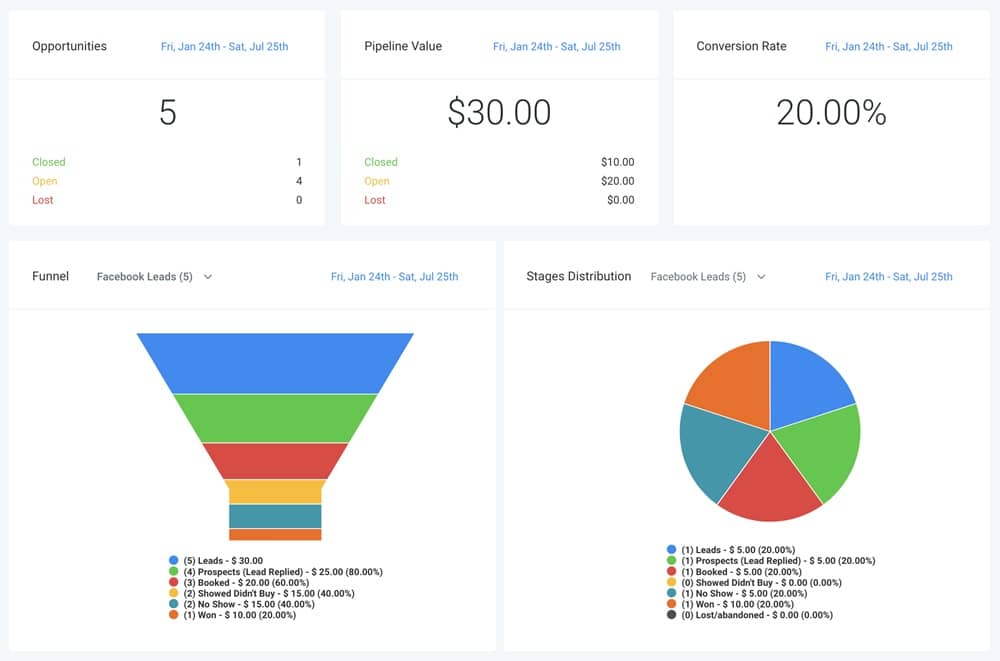
Your CRM is the backbone of your cleaning business. It’s where you track every lead, send quotes, manage bookings, assign jobs, and keep communication organised.
With GoHighLevel, you can do all of this inside one clean dashboard – without juggling spreadsheets, phone notes, or scattered messages.
Below is a clear, practical breakdown of how to manage cleaning leads, how to track quotes, and how to stay organised with appointments so you never miss a booking or lose a potential client again.
Organise Every Lead With Tags, Pipelines & Smart Lists
Cleaning leads come from different sources and request different services. Organising them properly helps you follow up quickly and accurately.
Use tags to identify lead type
- House Cleaning Lead
- Deep Cleaning Lead
- Move-In/Move-Out Lead
- Commercial Cleaning Lead
- Carpet Cleaning Lead
- Recurring Lead
How to automate tagging
- Go to Workflows → Create Workflow
- Trigger: Form Submitted or Facebook Lead Form Submitted
- Add action → Add Tag
- Add tag based on the service selected
This ensures your CRM stays clean and categorized.
Place Leads Into the Right Pipeline Automatically
Pipelines help you visually track each lead’s journey – from new inquiry to completed cleaning.
Suggested pipeline stages
- New Lead
- Contacted
- Quote Requested
- Quote Sent
- Follow-Up Required
- Booking Scheduled
- Job Completed
How to automate pipeline placement
- Create a workflow
- Trigger: form submission
- Action: Create Opportunity in the correct pipeline
- Move the opportunity to the next stage as actions happen (e.g., quote sent, call booked)
With pipelines, you instantly see who needs attention and what stage they’re in.
Store All Cleaning Job Details Using Custom Fields
Cleaning jobs often require detailed information. Custom fields keep everything in one organized place.
Useful fields for cleaning jobs
- Number of bedrooms
- Number of bathrooms
- Square footage
- Cleaning type
- Address
- Preferred date
- Recurring frequency
- Pet presence
- Special instructions
How to use them effectively
- Collect through booking forms
- Auto-fill into the contact profile
- Use in quotes, reminders, and workflow messages
This helps you personalize communication and avoid mistakes on the job.
Track Quotes Easily to Improve Conversions
Quotes are a big part of cleaning businesses, especially when clients compare multiple companies. GoHighLevel helps you track quote status so no client falls through the cracks.
What to track
- Quote amount
- Quote sent date
- Quote type (One-time, recurring, deep cleaning)
- Status (Pending, Sent, Accepted, Declined)
How to track through the CRM
- Add custom fields for Quote Amount and Quote Status
- Move leads into “Quote Sent” pipeline stage
- Add “Quote Sent” tag to trigger follow-up automations
With quote tracking, you can follow up consistently and close more jobs.
Use the Unified Inbox to Manage All Conversations
GoHighLevel keeps all your communication channels in one place.
Channels you can manage inside the CRM
- SMS
- Phone calls
- Voicemails
- Facebook messages
- Instagram DMs
- Website chat widget
How this helps your cleaning business
- Faster replies
- No lost messages
- Complete history of interactions
- Professional, organized communication
Clients love quick responses – this boosts your booking rate immediately.
Assign Tasks to Keep Your Team on Track
Tasks help you stay organized and ensure nothing gets missed.
Tasks you may assign
- Send quote
- Follow up with lead
- Confirm appointment
- Prepare cleaning team schedule
- Collect missing information
- Review special requests
How to create a task
- Open client record
- Go to Tasks → Add Task
- Set due date & assign to yourself/team member
Tasks keep your workflow consistent and predictable.
Use Smart Lists to Quickly Filter & Prioritise Leads – GoHighLevel for Cleaning Businesses
Smart Lists help you segment clients based on status or interest.
Helpful Smart Lists for cleaning businesses
- Leads waiting for quotes
- Leads who opened your email but didn’t book
- New leads this week
- Recurring clients
- Upcoming appointments
- Clients due for follow-up
How to create Smart Lists
- Go to Contacts → Smart Lists
- Add filters based on tags, fields, or pipeline stage
- Save the list for ongoing use
These lists help you focus on leads that are closest to booking.
Manage Cleaning Appointments Directly From the CRM
GoHighLevel makes it easy to control your cleaning schedule.
What you can manage
- New appointments
- Team assignment
- Service location
- Arrival window
- Special requests
- Pre-visit reminders
How to manage appointments
- Check the Calendars tab
- View daily, weekly, or monthly jobs
- Assign cleaners to each appointment
- Update appointment status from the dashboard
This keeps operations flowing smoothly.
Sync All Appointments With Your External Calendar
To avoid double-booking, sync your personal or business calendar.
How to sync
- Go to Settings → Profile → Calendar Sync
- Connect Google or Outlook
- Enable 2-way sync
Every booking updates instantly across your devices.
Automatically Update CRM When a Job Is Completed
Once a cleaning job is done, your CRM should reflect it.
How to automate this
Trigger: Appointment Status = Completed
Actions:
- Add tag: Job Completed
- Move lead to “Job Completed” stage
- Send “Thank You” message
- Trigger review request
- Add client to upsell sequence (e.g., recurring cleaning offer)
This completes the client journey and sets up future business automatically.
The Result: A Clean, Organized CRM That Boosts Growth
When you manage leads, quotes, and appointments correctly, you get:
- Better customer organization
- Faster follow-ups
- Higher quote acceptance rates
- Fewer missed bookings
- Stronger client relationships
- A more efficient cleaning business overall
Your CRM becomes your most powerful tool – keeping everything simple, structured, and profitable.
Automating Lead Follow-Up, Estimates & Booking Confirmation
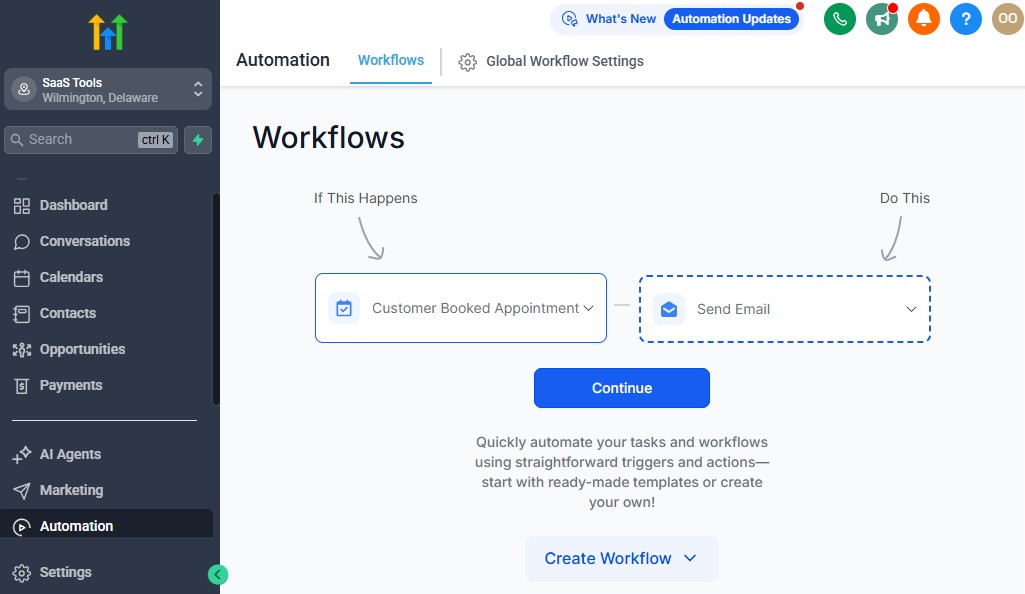
Cleaning leads expect fast responses. When someone wants their home or office cleaned, they don’t want to wait hours for a reply – they move on to the next company.
Automation solves this by helping you follow up instantly, deliver estimates quickly, confirm bookings smoothly, and keep clients informed without doing everything manually.
Below is the practical breakdown of what to automate, why it matters, and how to set it up step-by-step inside GoHighLevel so your cleaning business runs with speed and efficiency.
Automate Instant Responses When a Lead Inquires
Your first message sets the tone. An immediate reply increases your chances of booking the job.
What to automate instantly
- Thank-you SMS
- Welcome email
- Add tag (e.g., “New Lead”)
- Add to pipeline
- Notify you or your sales team
- Share booking link or service information
How to set it up – GoHighLevel for Cleaning Businesses
Go to Workflows → Create Workflow
Trigger: Form Submitted or Facebook Lead Form
Add actions:
- Send SMS: “Thanks for reaching out! Here’s the next step…”
- Send Email: more details + calendar link
- Create Opportunity in the right pipeline
- Add Tag: New Lead
This ensures every lead feels acknowledged immediately.
Create a 5–10 Step Follow-Up Sequence for Leads Who Don’t Respond
Most cleaning leads need reminders. Automation helps you stay top-of-mind without being pushy.
What to include in your follow-up sequence
- A short intro
- Booking link
- List of services
- Quick pricing explanation
- Testimonials
- Before/after photos
- “Still interested?” reminders
How to build it
- Add Wait steps between messages (1–3 days)
- Send a mix of SMS and email
- Add Stop on Response conditions
- Add different follow-ups for each cleaning service
This increases conversions and reduces lead waste.
Automate Estimate Requests & Quote Delivery
Many cleaning jobs require an estimate. You can automate the entire process to make it fast and stress-free.
How the estimate workflow should work
- Lead submits form → tagged as the right cleaning type
- Workflow collects required details
- You (or your estimator) get notified
- Quote field updated
- Quote delivery email + SMS sent
- Quote follow-up automated
How to set it up
- Inside Workflows, trigger Form Submitted → Type of Cleaning
- Add an internal notification for you to prepare the estimate
- Use email templates to send the quote with pricing
- Add tag Quote Sent to trigger quote follow-up automation
This creates a smooth experience for both you and the client.
Send Automated Quote Follow-Up Messages
Sending a quote is only half the job – most people don’t respond immediately.
Follow-up sequence should include
- Reminder SMS after 24–48 hours
- “Did you have any questions?” email
- A comparison between cleaning packages
- Testimonials to build trust
- Final reminder after 3–5 days
How to set it up
- Trigger: Tag Added → Quote Sent
- Add:
- Email + SMS follow-ups
- A link to book
- Optional: special offer for recurring cleanings
These follow-ups increase quote acceptance dramatically.
Automate Appointment Scheduling & Confirmation
Once a client is ready to book, the process should feel quick and professional.
What to automate
- Booking confirmation email
- SMS confirmation
- Add job to pipeline
- Add job to your calendar
- Send pre-cleaning instructions (important!)
- Notify your cleaning team
How to implement
Trigger: Appointment Booked
Add steps:
- Send Confirmation Email
- Send SMS with arrival window
- Add Tag: Booking Confirmed
- Create Task for planning
- Notify team if needed
Clients appreciate immediate confirmation and clear instructions.
Automate Pre-Cleaning Reminders to Reduce No-Shows & Cancellations
Reminders prevent missed appointments and keep your schedule full.
Recommended reminder schedule
- 24 hours before
- Morning of the appointment
- 1 hour before arrival
How to set it up
Go to your cleaning service calendar
Enable reminders in Email + SMS
Or create a workflow with:
- Date/time triggers
- Multiple reminders
- Cleaning prep instructions
This dramatically reduces last-minute cancellations.
Automate Document & Information Requests
For commercial jobs or big residential cleanings, you may need extra details.
Automate requests like
- Access instructions
- Alarm codes
- Parking instructions
- Pet details
- Special cleaning needs
- Move-out requirements
How to do it
- Trigger: Booking Confirmed
- Send a short form asking for missing info
- Auto-update the client record with custom fields
This helps your cleaning team arrive prepared.
Automate Post-Cleaning Follow-Up Messages
Good follow-up builds loyalty and increases repeat business.
What to automate after job completion
- “Thank you” message
- “How did we do?” feedback form
- Review request
- Recurring cleaning offer
- Next cleaning reminder
How to implement
Trigger: Appointment Status = Completed
Send:
- SMS + email
- Review link
- Offer for weekly/bi-weekly/monthly plans
This encourages repeat bookings and strong customer reviews.
Automate No-Show & Cancellation Recovery
Not every lead shows up or goes through with the booking.
Automate reactions like
- “Sorry we missed you – want to reschedule?”
- A discount or offer to bring them back
- A simple rebooking link
How to activate
- Trigger: Appointment Status = No Show / Cancelled
- Add follow-up SMS + email
Recovering even 10–20% of lost appointments means more revenue.
Make “Missed Call Text-Back” Your Secret Weapon
Cleaning businesses get tons of calls – especially from ads.
Missing these calls = lost bookings.
Enable it
- Go to Phone → Missed Call Text Back
- Turn it ON
- Add message: “Sorry we missed you! How can we help you today?”
Your response becomes instant, even when you’re busy.
The Result: A High-Speed Cleaning Business That Runs Smoothly
When your follow-up, estimate delivery, and booking confirmation run automatically:
- You respond faster
- You close more estimates
- You book more clients
- You reduce cancellations
- You deliver a professional customer experience
- You save hours of daily manual work
Your cleaning business becomes more efficient, consistent, and profitable – without increasing your workload.
Appointment Scheduling for One-Time, Weekly & Monthly Cleaning Jobs
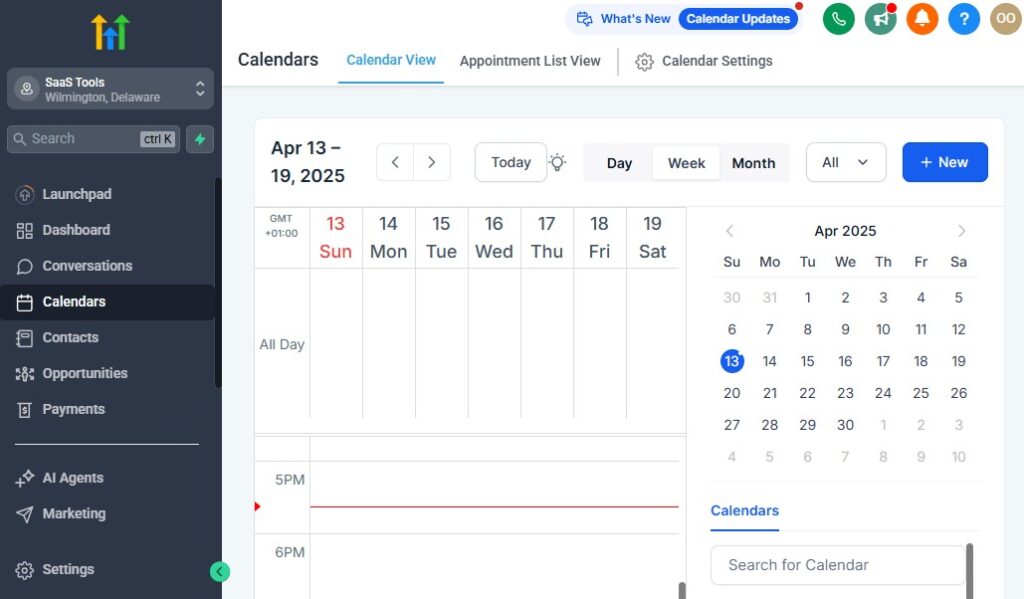
Scheduling is one of the most important parts of running a cleaning business.
Whether you’re booking a one-time deep clean, a weekly maid service, a monthly commercial cleaning, or a move-in/move-out project – everything must be organized, predictable, and easy for both you and your client.
GoHighLevel gives you a clean, automated scheduling system that keeps your calendars full, reduces cancellations, and creates a smooth experience from booking to job completion.
Here’s what to set up, why it matters, and how to configure each part inside GoHighLevel.
Create Separate Calendars for Different Cleaning Services
Each cleaning service has different needs, durations, and team requirements. Having separate calendars helps you manage time and expectations without confusion.
Recommended calendars
- Standard House Cleaning Calendar
- Deep Cleaning Calendar
- Move-In/Move-Out Cleaning Calendar
- Commercial Cleaning Estimate Calendar
- Carpet Cleaning Calendar
- Recurring Cleaning Calendar (Weekly/Bi-Weekly/Monthly)
How to create them
- Go to Calendars → Create Calendar
- Select Single User or Team Calendar
- Add service duration (1 hr, 3 hrs, etc.)
- Set cleaning availability
- Add buffer time between jobs
- Enable email + SMS reminders
Your clients can now book the exact type of cleaning they need without back-and-forth messages.
Allow Clients to Book Recurring Cleanings Automatically
Recurring cleanings are your most consistent revenue stream.
GoHighLevel helps you automate these bookings so clients stay on a predictable schedule.
How to offer recurring options
Add a dropdown on your booking form:
- Weekly
- Bi-weekly
- Monthly
- One-time
How to automate recurring bookings
- Trigger: Appointment Booked
- If frequency = “Weekly” → create internal task to add recurring schedule
- Add tag: Recurring Cleaning Client
- Add them to a “Recurring Cleaning Reminder” workflow
Bonus tip
For bigger teams, use automations to assign cleaners based on:
- Location
- Availability
- Service type
This keeps your recurring clients organized and consistent.
Use Buffer Times to Keep Your Team on Schedule
Cleaning jobs often finish earlier or later than expected. Buffers help prevent delays and rushed jobs.
Why buffers matter
- Protects schedule from overlap
- Gives cleaners travel time
- Helps manage heavy cleaning days
- Reduces stress and scheduling mistakes
How to set buffers
- Inside calendar settings → enable Buffer Before/After
- Recommended: 10–20 minutes before, 20–30 minutes after
Your cleaners will appreciate this, and your clients will notice improved reliability.
Send Automated Appointment Confirmations
Clients should instantly receive clear details when they book.
What confirmations should include
- Date & time
- Service type
- Estimated duration
- Address
- Arrival window
- Instructions (pets, parking, access)
- Option to reschedule
How to automate confirmations
- Open calendar settings
- Enable Send Confirmation Email & SMS
- Customize messaging under Marketing → Templates
This creates a professional booking experience and reduces confusion.
Automate Pre-Cleaning Reminders
These reminders drastically reduce cancellations and forgotten appointments.
Best reminder schedule
- 24 hours before the cleaning
- Morning of the appointment
- 1 hour before arrival
How to set them up
Go to Calendars → Settings → Reminders
Add email + SMS reminders
OR create a workflow:
- Trigger: Appointment Date/Time
- Time-based actions (24h, 2h, 1h)
- Include cleaning prep instructions
Clients stay prepared and show-up rates increase.
Use Intake & Pre-Visit Forms to Collect Key Details
Cleaning jobs often require extra details – collecting them beforehand helps your cleaners arrive fully prepared.
Examples of pre-cleaning questions
- “How should cleaners access the home?”
- “Are there pets inside the property?”
- “Any rooms we should NOT clean?”
- “Any special requests?”
- “Is there clutter we should know about?”
How to set this up
- Create form under Sites → Forms
- Attach form to confirmation email
- Trigger reminders if not completed
- Automatically update client custom fields
This eliminates guesswork and improves service quality.
Use Team Assignment to Keep Jobs Organized
If you have multiple cleaners or crews, you can assign jobs easily.
How to manage team assignments
- Add each cleaner as a Staff User
- Connect each user to a calendar
- Assign cleaners manually or via workflow
How to automate assignment
Use a workflow:
- Trigger: Appointment Created
- Condition: service type
- Action: Assign to Cleaner A/B/C
Perfect for businesses handling multiple daily jobs.
Enable Easy Rescheduling for Clients
Clients love flexibility.
Allowing easy rescheduling reduces cancellations and keeps clients happy.
How to enable
Inside the calendar → turn ON Allow Rescheduling
Add:
- Minimum notice period
- Cancellation policy
- Automatic notification to you and the client
This helps you maintain control without limiting client flexibility.
Sync Cleaning Appointments to Your Personal or Business Calendar
Double-booking is a common problem for service-based businesses.
How to avoid it
- Go to Settings → Profile → Calendar Sync
- Connect Google or Outlook
- Enable 2-way sync
Now your personal calendar and GoHighLevel calendar always match.
Automate Post-Cleaning Notifications to Keep Operations Smooth
Once a job is done, GoHighLevel should update the client’s journey automatically.
What to automate after completion
- Mark appointment as completed
- Move opportunity to “Job Completed”
- Send “Thank you” SMS
- Send “How did we do?” feedback link
- Send review request
- Suggest recurring cleaning plans
- Add client to retention sequence
How to do it
- Trigger: Appointment Status = Completed
- Add email + SMS
- Move client to next stage
- Optional: trigger recurring offers
This builds loyalty and keeps your schedule full long-term.
The Result: A Professional, Fully Automated Scheduling System
When your scheduling system is set up correctly, you’ll enjoy:
- Less manual booking
- Fewer no-shows
- Faster scheduling
- Better client communication
- Happier cleaning teams
- More recurring customers
- A smoother calendar every day
Your cleaning business becomes easier to run, more professional, and far more profitable.
Building High-Converting Cleaning Service Funnels
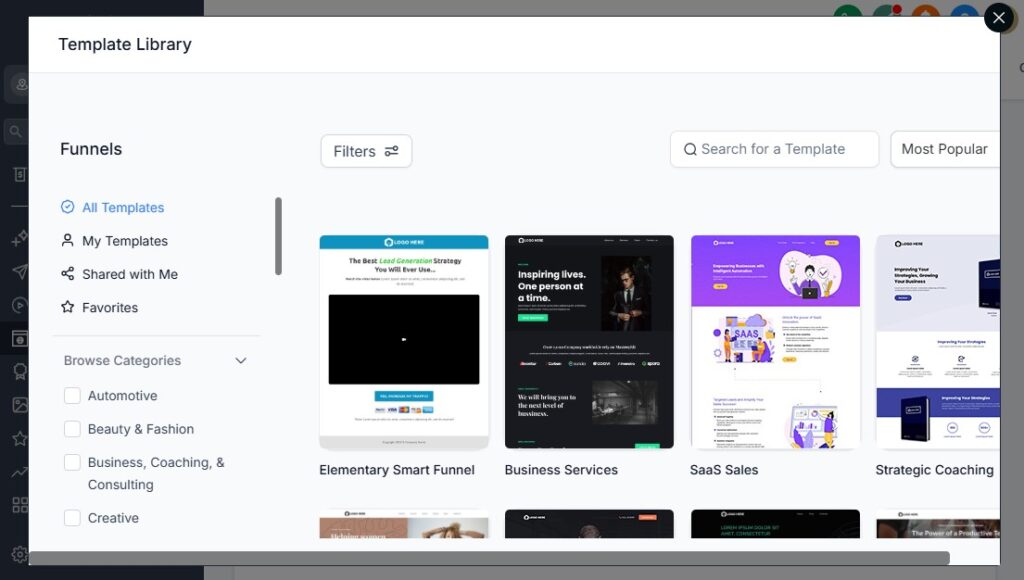
Your cleaning business needs funnels that convert visitors into booked appointments fast.
People searching for cleaning services are usually ready to take action – they just need a clean, simple page that makes it easy to request a quote or schedule a cleaning.
GoHighLevel gives you everything you need to build professional funnels that look great, load fast, and drive bookings on autopilot.
Below is a practical, step-by-step guide to creating funnels for each cleaning service you offer.
Start With a Simple, Clean Funnel Structure
Cleaning funnels convert best when they’re simple, clear, and straight to the point.
Use this high-converting structure
- Strong headline (e.g., “Fast, Reliable House Cleaning You Can Trust”)
- Short benefit-heavy subheadline
- Trust elements (⭐ reviews, badges, photos)
- Short form (name, phone, email, service type)
- Clear CTA (“Get a Free Quote” or “Book Now”)
- Before/after gallery or proof section
- FAQ section for objections
Keeping the page simple improves conversions significantly.
Build Service-Specific Funnels for Each Cleaning Category
Different cleaning jobs require different messaging.
Instead of one general funnel, create funnels tailored to each service.
Highly effective cleaning funnels
- House Cleaning Funnel
- Deep Cleaning Funnel
- Move-In/Move-Out Cleaning Funnel
- Commercial Cleaning Funnel
- Carpet/Upholstery Cleaning Funnel
- Recurring Cleaning Funnel
- Airbnb/Short-Term Rental Cleaning Funnel
Each funnel should speak directly to the customer’s needs to increase conversions.
Use Short, High-Intent Forms to Capture Leads Quickly
Clients hate long forms. Keep it simple, then collect more details later through automation.
Best form fields for first contact
- Name
- Phone
- Service Type
- Zip Code
- Preferred Date
How to add more details later
After submission → send a follow-up form asking for:
- Number of bedrooms
- Bathrooms
- Square footage
- Pets
- Special requests
This increases your conversion rate while still giving you the details you need.
Include Powerful Trust-Building Elements
Cleaning clients need proof that you’re reliable, safe, and trustworthy.
Add these trust boosters
- ⭐ Google reviews
- Before/after photos
- “Licensed & Insured” badge
- Staff background-checked icon
- Satisfaction guarantee badge
- “Trusted by 500+ homeowners”
- Professional cleaning checklist preview
Why it works
These elements build confidence and reduce hesitation.
Add a Clear Call-to-Action That Drives Bookings
Your CTA should be simple and action-oriented.
CTA examples
- Get Your Free Quote
- Book Your Cleaning Today
- Get an Instant Estimate
- Schedule Your Cleaning
Placement
- Top of funnel
- Middle (after benefits)
- Bottom (after Social Proof)
Repetition helps increase conversions.
Use a Follow-Up Page That Moves Clients to the Next Step
After form submission, you should guide the client into the next immediate action.
Thank You Page Should Include
- Confirmation message
- “Next Steps” instructions
- Option to book a call or cleaning appointment
- Special offer for recurring services
- Contact details
- “Add to Calendar” button for scheduled consults
This keeps momentum going.
Add Upsell Options for Recurring Cleanings
Recurring cleanings mean predictable income.
Add upsell offers directly inside the funnel.
Upsell ideas
Weekly cleaning discount
Bi-weekly cleaning offer
Add-on services:
- Fridge cleaning
- Oven cleaning
- Cabinet cleaning
- Carpet treatment
How to implement
- Add an Upsell Page after the form
- Add a Yes/No CTA
- Use automation to tag and follow up
This increases revenue from new customers.
Build a Funnel for Commercial Cleaning Estimates
Commercial prospects need a different approach than homeowners.
Commercial cleaning funnel elements
- “Request a Free On-Site Estimate” CTA
- Services offered (office cleaning, janitorial, industrial)
- Business hours
- List of industries served
- Portfolio images
- Testimonials from business clients
- Form fields for business name, square footage, and cleaning frequency
This helps you attract higher-value commercial contracts.
Use Before/After Galleries to Increase Conversions
Photos are extremely powerful for cleaning businesses.
Add galleries for
- Deep cleaning
- Move-in/move-out
- Kitchen cleaning
- Bathroom cleaning
- Carpet cleaning
Where to place them
- Mid-section of the page
- Near your CTA
- Inside testimonial section
These images instantly build trust.
Connect Your Funnel to Automated Workflows
This step is crucial – the funnel is only half the system.
The automation behind it is what closes the sale.
Workflow should
- Tag the lead
- Add them to the correct pipeline
- Send SMS + email confirmation
- Deliver upsell offers
- Ask for more details
- Offer an estimate call
- Trigger follow-up if no response
This turns your funnel into a fully automated conversion machine.
Add Exit Pop-Ups to Recover Visitors Before They Leave
Many visitors leave before submitting the form – exit pop-ups help catch them.
Exit pop-up ideas
- “Get 10% Off Your First Cleaning”
- “Still Interested? Request a Free Quote”
- “See Our Cleaning Checklist”
This recaptures leads you would have otherwise lost.
Optimize Your Funnel for Mobile (Very Important)
Most cleaning clients browse on their phone.
Your funnel must be mobile-friendly.
Mobile optimizations
- Large buttons
- Short sections
- Simple layout
- Minimal text
- Fast loading
- Compress images
A mobile-first funnel can increase your conversion rate by 30–50%.
A High-Converting Funnel Brings You More Bookings, Automatically
When your cleaning funnels are built correctly, you get:
- More leads
- Higher quote requests
- Faster conversions
- More scheduled cleanings
- More commercial clients
- More recurring revenue
- Lower ad costs
- Better customer experience
Your cleaning business becomes easier to grow, more organised, and more profitable.
Running Email & SMS Marketing Campaigns for Your Cleaning Business
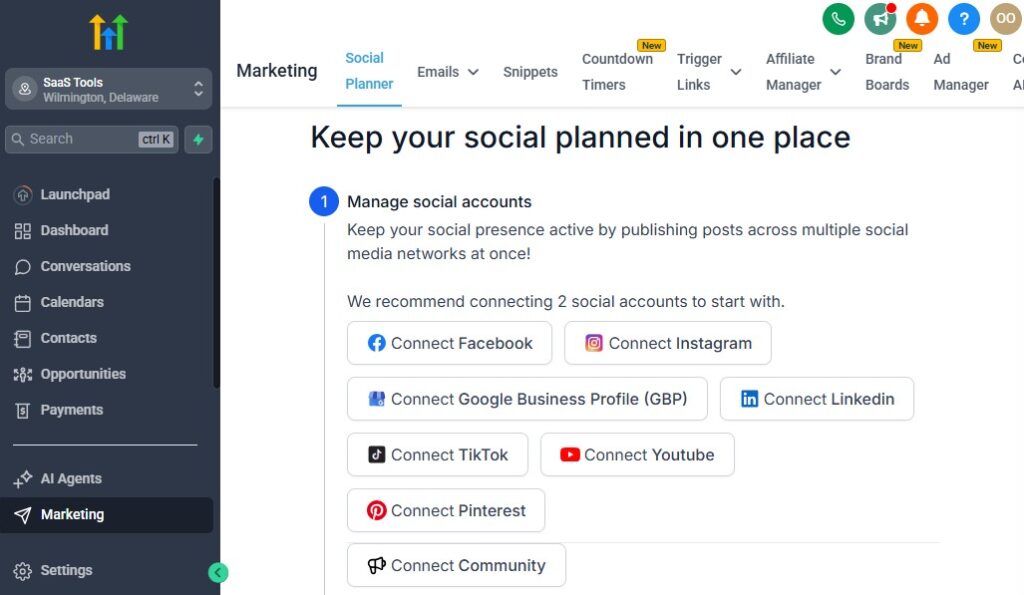
Your cleaning business grows faster when you stay in touch with prospects and clients consistently.
Email and SMS marketing help you follow up immediately, nurture leads, encourage repeat cleanings, promote seasonal offers, and build long-term customer loyalty – all without doing the work manually.
GoHighLevel makes this easy by allowing you to send automated campaigns, personalized messages, and targeted promotions that keep your cleaning schedule full year-round.
Below is a practical, step-by-step guide to using email and SMS effectively.
Use Email & SMS Together for Maximum Results
Email is great for information.
SMS is great for fast responses.
When you use both together, you get:
- Higher open rates
- Faster bookings
- More engagement
- More repeat clients
How to combine them
- Send detailed info via email
- Send quick reminders via SMS
- Trigger SMS when email goes unopened
- Follow emails with short “nudge” texts
This boosts your conversion rate instantly.
Build Automated Nurture Sequences for New Leads
When someone requests a quote, they’re usually comparing different cleaning companies. Your job is to stay top-of-mind until they make a decision.
Your nurture sequence should include
- Welcome message
- Overview of your cleaning services
- Before/after photos
- Testimonials
- Pricing explanation or quote follow-up
- Why clients trust your business
- Booking link
How to set it up
- Go to Workflows → Create Workflow
- Add 5–10 well-timed emails and SMS
- Use Wait steps between messages
- Add “Stop on Response” to prevent overcontact
You build trust automatically while encouraging them to book.
Send Appointment Reminders to Reduce No-Shows
Cleaning cancellations hurt your schedule and your income.
Automated reminders reduce this drastically.
Recommended reminder schedule
- 24 hours before
- Morning of the appointment
- 1 hour before
What reminders should include
- Service date & time
- Address
- Arrival window
- Preparation steps
- Reschedule link
Where to create them
- Inside your Calendar Settings
- Or inside a workflow triggered by Appointment Booked
Fewer no-shows = more consistent revenue.
Create Promotional Campaigns for Seasonal Cleaning Offers
Seasonal campaigns boost demand during high and low seasons.
Great times to promote cleaning services
- New Year deep cleaning
- Spring cleaning
- Pre-holiday cleaning
- Back-to-school
- Move-out season
- Black Friday cleaning deals
How to promote them
- Send broadcast emails
- Send broadcast SMS
- Add countdown timers to your funnel
- Use limited-time discounts
These promotions keep your schedule full all year.
Send Upsell & Cross-Sell Campaigns to Increase Revenue
Once someone books, don’t stop there.
Upsells and cross-sells increase your profit per customer.
Upsell ideas
- Inside fridge
- Inside oven
- Window cleaning
- Carpet shampoo
- Garage cleaning
- Deep cleaning upgrade
Cross-sell ideas
- Weekly/bi-weekly cleaning
- Monthly maintenance clean
- Move-out cleaning after regular service
How to automate this
- Trigger after job completion
- Add SMS + email with upgrade options
- Redirect to a booking page
Small upsells can increase revenue by 20–40% per job.
Send Cleaning Tips & Useful Content to Build Trust
Not every message should be promotional.
Helpful content builds brand loyalty.
Content ideas
- Cleaning hacks
- Stain removal tips
- Home organization tips
- Allergy-friendly cleaning suggestions
- Seasonal cleaning checklists
Why this works
Value-driven content builds trust and keeps your brand at the top of their mind.
Create Reactivation Campaigns for Inactive Clients
Not all clients book regularly.
Reactivation campaigns bring them back.
Who to target
- Clients who haven’t booked in 30–90 days
- Old one-time cleaning clients
- Seasonal customers
How to implement
- Create Smart List: “Last Appointment > 60 days”
- Send SMS like:
“Hey {{contact.name}}, ready for your next cleaning? We have openings this week!” - Offer a small incentive
- Link to your booking calendar
This keeps your schedule filled with returning customers.
Send Review Requests to Boost Your Online Reputation
Reviews are one of the most powerful marketing tools for cleaning companies.
How to automate
- Trigger: Appointment Completed
- Send SMS + email with your Google Review link
- Add a reminder 48 hours later
Why reviews matter
- Higher Google ranking
- More trust
- More bookings from local customers
More reviews = more clients.
Use Personalised Variables to Increase Response Rates
Personalisation makes every message feel more human.
Use variables like
- {{contact.name}}
- {{custom_value.cleaning_type}}
- {{appointment.start_time}}
- {{custom_value.bedrooms}}
Where to use them
- Nurture emails
- Estimate follow-ups
- Reminder SMS
- Upsell campaigns
Personal messages get higher engagement.
Build a Referral Campaign to Get More Customers for Free
Cleaning businesses grow fast when clients refer friends.
How to automate referrals
- Trigger: Job Completed
- Send SMS/email requesting a referral
- Provide a referral link or coupon
- Reward clients when they refer someone
Referrals reduce your marketing cost and bring high-quality leads.
The Result: A Fully Automated Marketing Engine
With well-organized email and SMS campaigns, your cleaning business benefits from:
- More booked appointments
- Higher quote conversions
- Fewer cancellations
- More repeat customers
- A stronger online presence
- Increased revenue with upsells and seasonal promos
- A loyal customer base
Your communication becomes predictable, powerful, and scalable – without extra work from you.
Managing Payments, Quotes & Service Agreements
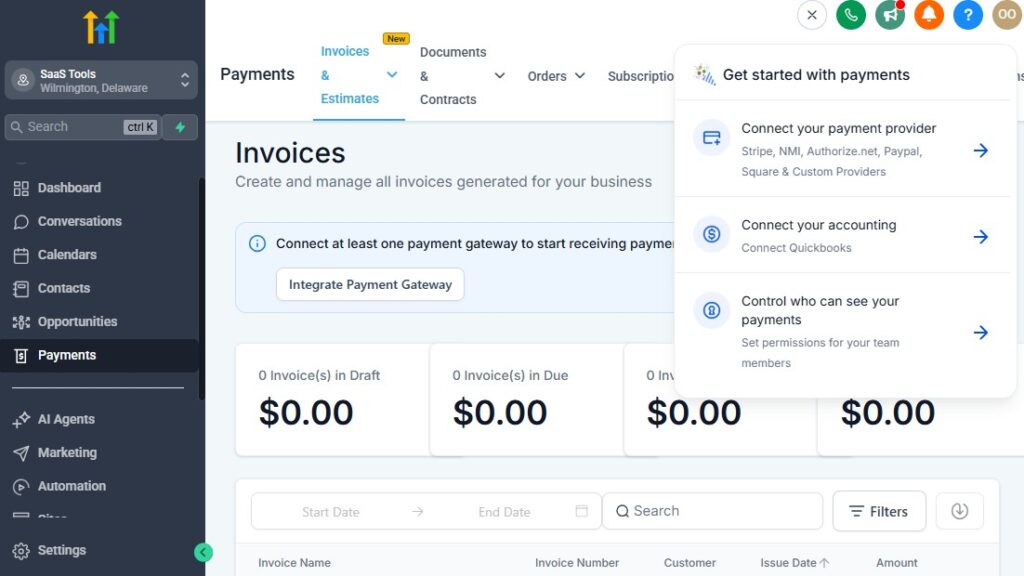
Handling payments, sending quotes, and managing service agreements are some of the most important parts of running a cleaning business.
When these processes are slow or manual, you lose clients, create confusion, and spend unnecessary time following up.
GoHighLevel helps you simplify all three so your business feels professional, organized, and easy for clients to work with.
Below is a clear, practical guide to managing payments, quotes, and service agreements using GoHighLevel – along with how to automate each part.
Use GoHighLevel to Collect Payments Quickly & Professionally
Cleaning clients expect fast, easy payment options.
GoHighLevel makes this simple by letting you collect payments right inside your funnels, invoices, and booking pages.
What you can collect
- Deposits for cleanings
- Full-service payments
- Move-in/move-out cleaning fees
- Deep cleaning payments
- Add-on services (fridge, oven, windows, carpets)
- Commercial cleaning fees
- Recurring cleaning subscriptions
Payment processors you can connect
- Stripe (recommended)
- NMI
- Authorize.net
How to set it up
- Go to Settings → Payments
- Connect your Stripe account
- Create payment links for each cleaning service
- Add payment buttons to your funnels and booking pages
- Enable automated receipts
Clients can now pay instantly without waiting for you to send an invoice manually.
Create Professional Quotes & Estimates
Cleaning estimates are a huge part of your sales process.
GoHighLevel helps you send fast, consistent, and branded estimates that convert.
What your quote should include
- Cleaning type (standard, deep, commercial, move-out)
- Property size
- Number of bedrooms/bathrooms
- Add-on services
- Service date
- Price breakdown
- Custom notes or special conditions
- Link to book the cleaning
How to create and send quotes
Build a template inside Email Builder
Add variables like:
- {{custom_value.bedrooms}}
- {{custom_value.cleaning_type}}
- {{custom_value.quote_amount}}
Trigger quote email when:
- You update the quote field
- You add the “Quote Sent” tag
Optional
Attach a PDF or include a button to “Approve & Book Now.”
Quotes become quick, consistent, and easy to manage.
Automate Quote Follow-Up to Increase Conversion Rates
Most clients don’t respond to your first quote – they forget, get busy, or compare other options.
You can automate follow-up so you stay top-of-mind.
Follow-up sequence should include
- 24-hour reminder
- “Any questions?” message
- Small promotion or incentive
- Social proof (reviews, before/after photos)
- A simple booking link
How to automate
Trigger: Tag Added → Quote Sent
Add:
- SMS + email follow-ups
- Wait steps
- “Stop on Response” logic
You close more jobs without chasing anyone.
Use GoHighLevel to Manage Service Agreements & Contracts
Cleaning jobs – especially recurring or commercial ones – often require agreements.
What you can include in a service agreement
- Cleaning frequency
- Pricing structure
- Cancellation policy
- Scope of work
- Pet policies
- Special requests
- Security/access instructions
- Payment terms
Tools to use
Built-in GoHighLevel contracts
PDF uploads
E-sign integrations:
- DocuSign
- HelloSign
- PandaDoc
How to automate
- Trigger: Appointment Booked / Quote Approved
- Automatically send the agreement for signing
- Add tag: Agreement Sent
- When signed → update client to “Active Cleaning Client”
This eliminates back-and-forth paperwork.
Collect Deposits Automatically Before Appointments
Deposits reduce cancellations and no-shows drastically.
How to require deposits
- Add payment step inside your funnel
- Add deposit option on booking pages
- Add “Pay Deposit” button inside email or SMS
- Use Stripe checkout links
How to automate
- Trigger: Payment Received
- Send confirmation email
- Add tag: Deposit Paid
- Start pre-cleaning reminder workflow
Clients who pay a deposit are more committed and reliable.
Track Payment Status for Smooth Operations
You should always know who paid, who hasn’t, and who is overdue.
Use custom fields to track
- Deposit Paid (Yes/No)
- Total Amount
- Amount Due
- Payment Method
- Invoice Number
- Next Payment Date (for recurring clients)
How to keep it organised
Add tags:
- Payment Pending
- Deposit Paid
- Fully Paid
Move clients to different pipeline stages based on payment status
You never lose track of who owes what.
Automate Receipts & Confirmation Messages
Clients appreciate immediate confirmation of payments.
Automate after a payment is made
- Send SMS: “Thanks for your payment!”
- Send receipt email
- Confirm service date
- Share pre-cleaning instructions
How to implement
Trigger: Payment Received
Actions:
- Send Email
- Send SMS
- Add tag: Payment Completed
It’s simple, helpful, and fully automated.
Use Invoicing for Commercial & Large Cleaning Projects
Commercial cleaning contracts often require invoices instead of online checkout links.
You can automate
- Monthly invoicing
- Weekly invoicing
- Payment reminders
- Overdue alerts
How to do it
- Use Stripe invoice templates
- Trigger reminders inside GHL
- Update pipeline stage when paid
This keeps your business cash flow smooth.
Renew Service Agreements Automatically for Recurring Clients
Recurring cleaning clients don’t want to sign new agreements every month.
How to automate renewals
- Use a Date-Based Trigger
- 30 days before renewal → send reminder
- Attach renewal agreement
- After signing → confirm next cleaning cycle
This protects your revenue and reduces repetitive admin work.
The Result: A Smooth, Professional Payment & Quote System
When you manage payments, quotes, and agreements inside GoHighLevel, your cleaning business becomes:
- More professional
- Easier to manage
- Faster at closing clients
- More secure
- More automated
- More profitable
Clients feel confident, you feel organized, and your business becomes more predictable.
Delivering Cleaning Checklists, Service Reports & Follow-Up Communication
How you communicate after a job is just as important as how well you clean. Clients want reassurance, clarity, and proof that the work was completed the way they expected.
GoHighLevel helps you deliver professional checklists, service reports, before/after photos, and follow-up messages – all automatically.
This improves trust, increases repeat bookings, and makes your cleaning business look polished and organized.
Here’s exactly how to deliver everything smoothly and professionally.
Deliver Cleaning Checklists to Show Transparency & Professionalism
Cleaning checklists help clients see exactly what your team did. They reduce complaints, build trust, and remind clients how thorough your service is.
What your checklist should include
- Areas cleaned (kitchen, bathroom, living room, bedrooms)
- Items cleaned (counters, floors, windows, appliances, etc.)
- Add-on services completed
- Notes from the cleaning team
- Next recommended service date
How to deliver checklists using GoHighLevel
Create a checklist template using Forms or Surveys
Have your team fill it out after each job
Automatically attach it to the client’s profile
Send it via:
- SMS
- Client portal link
Why this matters
Clients feel confident that they got exactly what they paid for.
Send Before & After Photos for Instant Trust
Before/after photos are powerful proof of your work – especially for deep cleaning and move-in/move-out jobs.
How to manage photos
- Let your cleaners upload photos directly through a form
- Sync uploads to the client’s CRM record
- Add them to your service report
- Use photos in:
- Email confirmation
- Testimonials
- Marketing campaigns
How to automate photo delivery
- Create a workflow triggered by Job Completed
- Attach the photos or link to a gallery
- Send the final report to the client automatically
Clients love receiving visual proof – it boosts trust and repeat business.
Create a Professional Cleaning Service Report
Think of your service report as the “final handover document.”
It shows clients exactly what was done and adds a professional touch.
What to include
- Cleaning type
- Team name/cleaner name
- Arrival & completion time
- Checklist results
- Before/after photos
- Notes or recommendations
- Next appointment date (if recurring)
How to deliver service reports
- Use a pre-made template inside GHL
- Auto-populate fields using custom values
- Send it via email immediately after marking the job as completed
Automation example
Trigger: Appointment Status = Completed
Actions:
- Send Service Report Email
- Send Thank You SMS
- Add Tag: Job Completed
This makes your cleaning brand look high-end.
Send “Job Completed” Notifications Automatically
Clients appreciate a quick update when the cleaning is finished.
What to send
- A simple SMS
- A summary of what was done
- A link to the service report
- Any recommendations
How to automate
- Trigger: Appointment completed
- Add SMS: “Your cleaning is done! Tap here to see your report.”
- Add email with full details
This adds a delightful finishing touch to the experience.
Automate Satisfaction Surveys to Improve Quality
Feedback helps you improve your services and prevent recurring issues.
How to collect feedback
Use a short survey form
Ask:
- “How satisfied were you?”
- “What can we do better?”
- “Any additional services needed?”
Trigger this right after the service report
Why it works
Happy clients feel valued, and unhappy clients give you a chance to fix issues quickly.
Trigger Review Requests Automatically
Now that clients are happy with the service, ask them to leave a review.
Best timing
- 1–2 hours after the job
- Or next morning if cleaning happens late in the day
How to set it up
- Trigger: Job Completed
- Add delay of 90 minutes
- Send SMS + email with Google Review link
- Add a reminder after 48 hours if no response
Reviews help you dominate your local market and get more bookings.
Automate Follow-Up Offers to Drive Repeat Cleanings
Once a job is completed, follow up with the right next offer.
Great follow-up offers
- Weekly cleaning discount
- Bi-weekly cleaning plan
- Monthly touch-up cleaning
- Add-on services like oven, fridge, or window cleaning
How to automate
- Trigger: Job Completed
- Add delay (1–3 days)
- Send upsell email + SMS
- Link to booking page
This increases long-term revenue without extra effort.
Send “Next Cleaning Reminder” for Recurring Clients
Recurring clients appreciate reminders – it keeps your schedule full and organized.
How to set it up
- Use custom field: Next Cleaning Date
- Trigger date-based workflow
- Send reminder 7 days + 24 hours before
Include
- Date & time
- Cleaning type
- Access instructions
- Option to reschedule
This helps clients stay consistent and reduces cancellations.
Organise All Reports, Checklists & Photos in the CRM
Every document should be easy to find.
Use GoHighLevel’s file storage to store
- Service reports
- Photos
- Signed agreements
- Payment receipts
- Checklist forms
Why this matters
You can quickly resolve complaints or reference past service history.
The Result: A Professional & Automated Post-Service Workflow
When you use GoHighLevel to deliver checklists, reports, and follow-ups:
- Clients feel reassured
- Your brand looks professional
- You get more great reviews
- You boost repeat bookings
- You reduce misunderstandings
- You save hours of manual work
This stage completes your client’s experience and sets up the next opportunity for your cleaning business.
Collecting Reviews, Photos & Building Online Trust
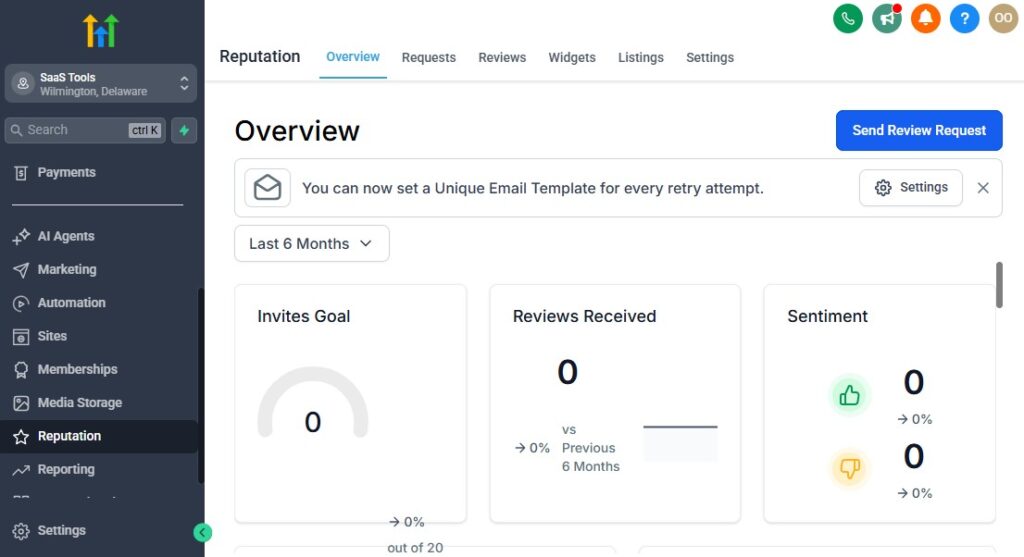
Cleaning is a trust-based business. People need to feel confident that you’re reliable, professional, and capable of delivering great results before inviting you into their homes or offices.
Strong reviews and visual proof make that decision easier – and GoHighLevel helps you automate the entire process so your online reputation grows on its own.
Below is a practical guide to collecting reviews, showcasing photos, and building trust using GoHighLevel.
Automate Review Requests After Every Cleaning Job
Reviews are one of the strongest growth tools for cleaning companies.
GoHighLevel lets you ask for reviews automatically, without reminding your clients manually.
When to ask for reviews
- 1–2 hours after job completion
- Next morning for late appointments
- After recurring clients complete their cleaning
How to automate
- Trigger: Appointment Completed
- Add a 60–90 minute delay
- Send SMS: “Thanks for choosing us! Can you leave a quick review?”
- Include your Google Review link
- Send a reminder after 48 hours if no review
Why this works
Clients are happiest right after the service – that’s when they’re most likely to leave a review.
Use Personalised Review Messages for Higher Response Rates
Personal touches encourage more clients to take action.
Use variables like
- {{contact.name}}
- {{custom_value.cleaning_type}}
- {{appointment.start_time}}
Example SMS
“Hi {{contact.name}}, your {{custom_value.cleaning_type}} is complete! If you loved the service, can you leave us a quick ⭐ review?”
The more personal it feels, the better the response.
Showcase Before & After Photos to Build Instant Trust
Nothing sells your cleaning services faster than visual proof.
Before/after photos boost conversions, increase trust, and make your brand look professional.
How to collect photos
- Use a form for cleaners to upload photos after each job
- Store images directly inside the client’s CRM profile
- Tag them for easy organization (e.g., “Deep Clean Photos,” “Move-Out Photos”)
Where to showcase photos
- Your website
- Your funnels
- Marketing emails
- Social media
- Google Business Profile
- Testimonial pages
Pro tip:
Feature your best before/after photos in your cleaning funnels – they dramatically increase quote requests.
Create a ‘Proof Page’ to Build Authority
A proof page is a single webpage that shows your best results, reviews, and trust signals.
What to include
- ⭐ Google reviews
- Before/after galleries
- Cleaning certifications
- Trust badges (“Licensed & Insured”)
- Testimonials
- Screenshots of happy clients’ messages
- Short videos of cleaning transformations
How to build it in GoHighLevel
- Go to Sites → New Page
- Add a gallery block for photos
- Embed your Google reviews widget
- Add CTA button: Get a Free Quote
Use this page for paid ads – it converts extremely well.
Embed Google Reviews on Your Funnels & Website
Social proof boosts conversion instantly.
How to embed reviews
- Copy Google review widget code
- Paste it into your GHL funnel using Custom Code element
- Add a “⭐⭐⭐⭐⭐ Rated by Local Clients” header
Where to place it
- Near your CTA
- On service pages
- On your homepage
- On your pricing page
Clients feel safer when they see recent positive reviews.
Collect Video Testimonials Automatically
Text reviews are powerful – video reviews are even better.
How to collect them with GHL
- Create a “Video Testimonial” form
- Add a file upload field
- Send link automatically after great feedback
- Offer a small reward (discount, free add-on)
Where to use video testimonials
- Funnels
- Facebook ads
- Instagram Reels
- Website homepage
- Emails
Video testimonials build extreme trust.
Use Reputation Management to Track & Respond to Reviews
GoHighLevel’s reputation dashboard helps you manage all reviews in one place.
What you can track
- New reviews
- Review sources
- Google ranking changes
- Unresponded reviews
- Overall rating
Why responding matters
Clients notice when businesses reply – it shows professionalism and care.
Build Trust With Consistency & Transparency
Everything you show online should match the experience clients receive in real life.
Add trust signals everywhere
- “Licensed & Insured” badge
- Professional team photos
- Cleaning checklist examples
- Satisfaction guarantee icon
- “Background-checked cleaners” badge
These small details help clients feel safe choosing you.
Encourage Clients to Share Photos & Results
User-generated content is extremely powerful.
How to use it
- Ask clients to share before/after posts
- Offer discounts for sharing your work
- Feature client photos (with permission)
- Build a gallery of real client transformations
This strengthens your brand and attracts more customers.
The Result: A Strong, Trustworthy Online Presence
When you automate reviews, showcase real cleaning results, and build trust across every platform, you’ll enjoy:
- Higher booking rates
- More recurring clients
- Better online visibility
- Stronger Google rankings
- Lower advertising costs
- A brand people trust instantly
Your cleaning business becomes the go-to choice in your area – without extra effort from you.
Reporting & Analytics for Cleaning Businesses
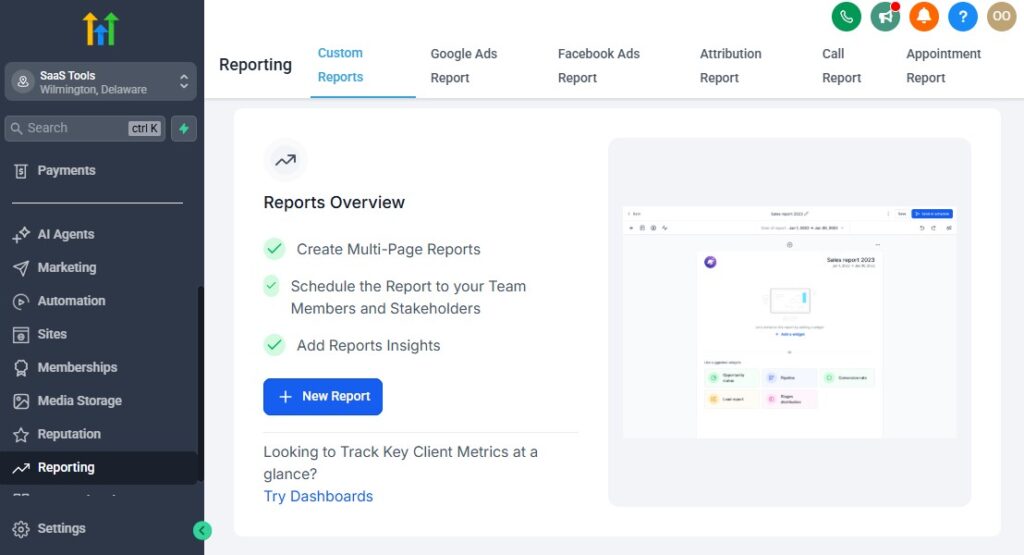
To grow a cleaning business efficiently, you need to know what’s working, what’s not, and where your time and money are going.
GoHighLevel makes this easy by giving you clear dashboards, reports, and automation insights that help you understand your leads, bookings, revenue, and team performance.
This section shows you exactly what to track, why it matters, and how to measure it using GoHighLevel’s reporting tools – so you can make smarter decisions and scale your cleaning business with confidence.
Track Your Lead Sources to See Where Your Best Clients Come From
Every cleaning company needs to know which marketing channels bring the highest-quality leads.
Key sources to track
- Google Ads
- Facebook & Instagram Ads
- Google Business Profile
- Organic website visitors
- Referrals
- Yelp
- Direct calls
Why this matters
You stop guessing which ads work and start investing in the channels that bring the best customers.
How to track lead sources
Add hidden fields in your funnels (UTM tracking).
Use GHL’s Attribution Reporting.
Add tags like:
- “Google Lead”
- “Facebook Lead”
- “Referral Lead”
Compare conversion rates across platforms.
This helps you spend money only where it produces results.
Monitor Pipeline Performance to Understand Your Sales Flow
Your pipeline shows exactly how leads move from inquiry → booking → completed job.
What to track
- Number of new leads
- Leads contacted
- Quotes sent
- Bookings scheduled
- Jobs completed
- Recurring clients added
Why this matters
It tells you where potential customers drop off – so you can fix weak points.
How to use it
- Go to Opportunities → Pipeline
- Analyze conversion rate from one stage to the next
- Identify bottlenecks (e.g., “many leads, few bookings”)
A clean pipeline equals predictable bookings.
Track Quote Conversion Rates to Improve Profitability
Quotes are the point where clients decide if they’ll use your cleaning service or not.
Metrics to watch
- Quote Sent → Quote Accepted %
- Quote Sent → No Response %
- Quote Sent → Rejected %
- Quote Sent per Service Type
How to track it
- Add a custom field: Quote Status
- Use a pipeline stage for “Quote Sent”
- Track acceptance manually or with automations
Why it matters
If your quotes aren’t converting, you may need:
- Better follow-up
- Improved pricing communication
- More social proof
- Simplified booking process
Small improvements here lead to big revenue gains.
Analyze Appointment Booking Data to Optimize Scheduling
You should always know how full your schedule is and how often clients are booking.
Metrics to review
- Daily/weekly/monthly appointment count
- Booking rate from funnel submissions
- Peak cleaning days
- Missed appointments
- Last-minute cancellations
- Recurring bookings vs one-time bookings
How to track
- Go to Calendars → Reports
- Review weekly and monthly appointment volumes
- Create Smart Lists for recurring vs one-time clients
This helps you plan staff availability, travel routes, and service times.
Track Recurring Cleaning Retention to Increase Long-Term Revenue
Recurring clients are the backbone of your cleaning business.
Metrics to watch
- Weekly retention rate
- Bi-weekly retention rate
- Monthly retention rate
- Churn rate (clients who stop recurring services)
- Upsells from one-time to recurring
How to measure it
Use tags like:
- Weekly Client
- Bi-Weekly Client
- Monthly Client
Add “Last Cleaning Date” as a custom field
Track how long clients stay subscribed
Increasing retention by just 10% can significantly grow revenue.
Monitor Revenue Reports to Understand Financial Performance
GoHighLevel integrates with Stripe, NMI, or Authorize.net to show clear revenue tracking.
What to analyze
- Total revenue
- Deposits collected
- Add-on service revenue
- Recurring service revenue
- Commercial contract payments
- Outstanding invoices
- Average job value
How to track
- Go to Payments → Transactions/Analytics
- Review revenue by service type
- Group revenue by month for trends
This helps you make data-driven decisions about pricing and promotions.
Analyze Staff & Team Performance
If you run a multi-cleaner operation, you need visibility into how your team performs.
Track
- Jobs completed by each cleaner
- Average job rating
- On-time arrival rate
- Client feedback per cleaner/team
- Upsells completed
- Complaints per cleaner
How to measure
- Add a custom field for “Cleaner Assigned”
- Use job completion workflows to log cleaner performance
- Track ratings from feedback forms
This helps you reward top performers and support underperforming staff.
Review Campaign Stats to Improve Your Marketing
Your email and SMS campaigns should also be analyzed.
Metrics to check
- Open rates
- Click-through rates
- Response rates
- Booking rate from email/SMS
- Unsubscribe rate
- Best-performing messages
Where to find them
- Inside Marketing → Emails → Statistics
- Marketing → SMS
- Workflow performance dashboards
Better-performing campaigns = more customers and more recurring bookings.
Use Funnel Analytics to Improve Conversions
Every funnel should be optimized for maximum conversion.
Look at
- Page views
- Form submissions
- Step-by-step drop-off
- Mobile vs desktop performance
- Variation tests (A/B tests)
How to use it
- Go to Sites → Funnels → Stats
- Identify where users drop off
- Simplify or adjust that part of the funnel
Even small improvements can lead to huge conversion increases.
Use Automation Reports to Keep Your Workflows Running Smoothly
Workflow analytics help you understand which automations work well and which need improvement.
Monitor
- Total workflow enrollments
- Steps skipped
- Steps failed
- % of people completing workflows
- Time delays
- Automation-triggered actions (bookings, quote requests, upsells)
Why it matters
If an automation fails, clients may not receive:
- Quotes
- Reminders
- Reviews
- Upsells
- Appointment confirmations
Fixing these issues keeps your business running smoothly.
The Result: A Data-Driven Cleaning Business That Scales Easily
When you use GoHighLevel’s reporting and analytics tools correctly, you can:
- Identify your best marketing channels
- Improve quote conversions
- Increase client retention
- Avoid scheduling bottlenecks
- Boost business revenue
- Scale your cleaning operations with confidence
- Make smarter decisions every day
Data helps you grow without guessing, and GoHighLevel gives you everything you need in one organized system.
Integrating GoHighLevel With Cleaning Tools & Local Platforms
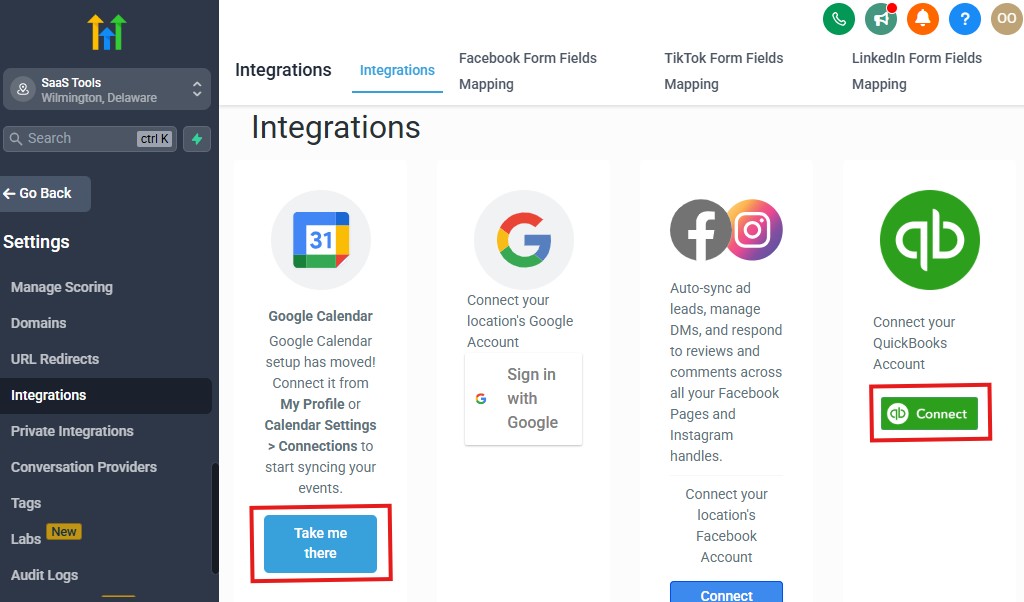
Integrations help your cleaning business run smoothly by connecting GoHighLevel with the platforms you already use – from your calendar to your accounting tools to marketing channels like Google Business Profile.
When everything is connected, your workflows become faster, more accurate, and more automated.
Here’s a practical breakdown of the most useful integrations for cleaning businesses – what they do, why you need them, and how to set them up inside GoHighLevel.
Integrate Your Calendar to Keep Scheduling Organized
Your cleaning schedule must stay tight and error-free.
Syncing your external calendar prevents double bookings and keeps your team on track.
Supported calendars
- Google Calendar
- Outlook/Microsoft 365
How to connect
- Go to Settings → Profile → Calendar Sync
- Choose Google or Outlook
- Enable 2-way sync
- Connect team calendars for multi-cleaner operations
How this helps
- All bookings sync instantly
- You avoid overlapping schedules
- Your team always sees their assigned jobs
Integrate Payment Processors for Smooth Transactions
Cleaning clients expect easy online payments.
GoHighLevel integrates seamlessly with major payment gateways.
Payment tools you can connect
- Stripe (recommended)
- NMI
- Authorize.net
How to integrate
- Go to Settings → Payments
- Select your payment provider
- Connect your account
- Create product links for cleaning services
Why this matters
- Faster payments
- Automatic receipts
- Recurring billing for weekly/bi-weekly clients
- Better cash flow
Connect QuickBooks for Accounting & Bookkeeping
Many cleaning companies use QuickBooks to manage income, expenses, and payroll.
How to integrate
- Use Zapier to sync payments from GoHighLevel to QuickBooks
- Sync client details and invoices
- Automate bookkeeping entries for each cleaning job
Why this matters
- Prevents manual bookkeeping
- Keeps your financial records clean
- Helps with tax preparation
- Makes monthly reporting easier
Integrate Google Business Profile for Reviews & Local SEO
Google Business Profile (GBP) is critical for local cleaning companies.
GoHighLevel helps you automate review collection to boost your ranking.
How to connect it
- Go to Integrations → Google
- Connect your business account
- Enable review monitoring
What you can do
- Request Google reviews automatically
- Track new reviews inside GHL
- Respond quickly
- Improve local search ranking
Your cleaning business becomes more visible in local searches.
Connect Facebook & Instagram for Lead Generation
Most cleaning businesses get reliable leads from social media ads.
How to integrate
- Go to Integrations → Facebook
- Connect your Facebook page + ad account
- Enable Instagram messaging
- Sync Facebook Lead Ads directly to workflows
Why this matters
- Every lead goes straight into your CRM
- Triggers instant SMS/email follow-up
- Reduces manual input
- Increases lead-to-booking conversions
Connect Airbnb/Short-Term Rental Tools for STR Cleaning
If you clean Airbnb, Vrbo, or STR properties, you can automate bookings and reminders.
How to integrate
Use Zapier triggers from:
- Airbnb iCal
- Hostaway
- Guesty
- Lodgify
- Smoobu
You can automate
- Cleaning schedules
- Check-out reminders
- Check-in alerts
- Task assignment for cleaners
- Calendar updates
This is essential for STR cleaning businesses.
Integrate Jobber, Housecall Pro & Other Field Service Tools (Indirectly)
Some cleaning businesses use additional field service platforms.
GoHighLevel doesn’t replace these tools, but it can integrate with them.
How to connect
Use Zapier, webhooks, or API
Sync:
- Client info
- Job details
- Appointment updates
- Payments
Why connect them
You can use GoHighLevel as the marketing + scheduling engine, while keeping your operational tools intact.
Use Zapier to Connect Hundreds of Local & Business Apps
Zapier acts as a bridge between GoHighLevel and the tools you can’t connect natively.
Useful Zapier automations
- New lead → Add to CRM
- Paid invoice → Update pipeline stage
- Cleaning job completed → Send feedback request
- New review posted → Trigger thank-you email
- New calendar event → Assign cleaning team
- Client adds special notes → Update GHL fields
Zapier turns GoHighLevel into a fully connected operating system.
Connect Email Platforms for Better Deliverability
Although GHL can send emails directly, connecting your main business email improves deliverability.
Connect
- Gmail
- Outlook
- Custom SMTP
How to do it
Go to Settings → Email Services and authenticate your domain.
Benefits
- Inbox placement improves
- Emails look more professional
- No spam issues
Integrate Cloud Storage for Organizing Photos & Reports
Cleaning companies often collect lots of photos.
Connect
- Google Drive
- Dropbox
- OneDrive
How to automate
- Use Zapier to auto-save photos uploaded through GHL forms
- Create per-client folders automatically
- Sync service reports to cloud storage
This keeps your client media organized and accessible.
Connect Google Maps for Location & Travel Efficiency
If your cleaners travel to multiple locations daily, this helps reduce travel time.
What you can do
- Integrate Google Maps links into appointment confirmations
- Send location details directly to cleaners
- Optimize travel routes
Result
Your team moves efficiently and arrives on time.
Integrate Your Phone System for Better Communication
GoHighLevel already includes built-in phone and SMS, but you can connect more options.
Integrate with
- Twilio
- RingCentral
- JustCall
- Aircall
Benefits
- Centralized call logs
- Voicemail drops
- Automated call forwarding
- Missed call text-back
Your communication becomes fast and organized.
The Result: A Fully Connected Cleaning Business System
When GoHighLevel is integrated with your tools and local platforms, your business becomes:
- More automated
- Easier to manage
- Better at capturing leads
- More accurate with scheduling
- Stronger at follow-up
- More consistent with payments
- Simpler for your team to operate
- Better at delivering great customer service
Your entire cleaning operation feels smoother and more efficient – with less effort from you.
Advanced Automation for Cleaning Companies
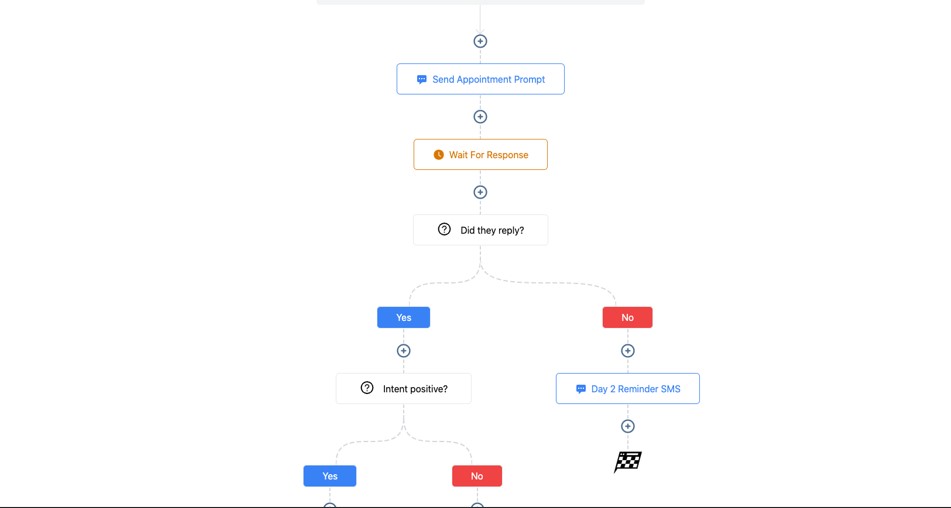
Advanced automation is where your cleaning business becomes truly scalable.
Instead of manually chasing leads, sending reminders, assigning cleaners, or following up after jobs, GoHighLevel lets you set up systems that run everything automatically.
This gives your business a smooth, organized flow – and frees you to focus on growth instead of repetitive admin tasks.
Below is a practical, powerful breakdown of the most effective advanced automations for cleaning companies, how they work, and how to set them up step-by-step.
Automate Recurring Cleaning Schedules for Weekly/Bi-Weekly/Monthly Clients
Recurring clients are your most valuable customers, and automating their schedule keeps your calendar full year-round.
How this automation works
- Client books recurring service
- Workflow assigns the correct frequency tag
- A “next cleaning date” custom field is updated
- Automated reminders go out
- Team assignments trigger automatically
How to set it up
- Trigger: Appointment Booked
- Condition: If frequency = weekly/bi-weekly/monthly
- Update “Next Cleaning Date”
- Send reminders as date approaches
- Assign cleaners automatically
This reduces manual scheduling significantly.
Create a “Smart Lead Routing” System for Faster Response Times
Instead of manually deciding who handles leads, automate routing based on service type, location, or team availability.
Example routing
- House cleaning ➝ Team A
- Move-out cleaning ➝ Team B
- Commercial cleaning ➝ Estimator or manager
How to set up
- Trigger: Form Submitted
- If/Else conditions based on cleaning type
- Assign team or user
- Send internal notifications
Every lead goes to the correct specialist instantly.
Automate Price Estimate Follow-Up with Behaviour-Based Logic
Clients often open quotes but never respond.
Advanced follow-up increases your close rate.
Trigger conditions
- Lead opens quote but doesn’t reply
- Lead clicks booking link but doesn’t book
- Lead ignores the first reminder
Automated responses
- Instant SMS: “Any questions about your estimate?”
- Email with offer or testimonial
- Second reminder after 48 hours
- Final “last chance” follow-up
How to set it up
Use “Email Opened,” “Link Clicked,” and “Goal” actions inside your workflow.
Automate Cleaner Assignment Based on Availability & Location
Perfect for businesses with multiple cleaners or teams.
How it works
- Client books a job
- Workflow checks service type
- Workflow checks location (zip code or area)
- Assigns the cleaner/team responsible for that location
How to set it up
Add custom field: “Service Area”
Add cleaners as users with assigned locations
Build workflow:
- Trigger: Appointment Created
- If/Else: Location-based
- Assign to correct cleaner/team
This ensures the correct team is always deployed.
Automate Upsell & Cross-Sell Offers After Cleaning Jobs
Clients are most receptive to add-ons right after a successful cleaning.
Upsell ideas
- Inside fridge
- Inside oven
- Baseboard deep clean
- Window cleaning
- Carpet shampoo
- Garage clean-out
Automation example
- Trigger: Job Completed
- Wait 24 hours
- Send upsell SMS:
“Want your oven or fridge cleaned next time? We can add it for just $XX!” - Link to booking page
These small upsells significantly increase revenue per customer.
Automate Review & Reputation Workflows with Escalation Logic
Reviews build trust – but unhappy clients need special attention.
How to manage this
Trigger: Job Completed
Send review request
If client leaves a positive score ≥4
- Ask for Google Review
If score ≤3
- Notify manager
- Send apology message
- Offer to fix the issue
Why this works
You protect your reputation while improving customer satisfaction.
Automate Missed Call Text-Back for Maximum Lead Capture
Cleaning businesses get lots of phone calls during busy hours.
Missing these calls means losing bookings.
How to set it up
- Go to Phone → Missed Call Text Back
- Turn on
- Add message:
“Sorry we missed you! How can we help with your cleaning today?”
Result
Instant engagement even when you can’t answer.
Automate Inactive Client Reactivation Campaigns
Don’t let old clients drift away. Bring them back with a simple automated system.
How to target inactive clients
- Last cleaning date > 30, 60, or 90 days
- Clients with no response after quote
- One-time cleaning clients
Automation flow
- Trigger by Smart List
- Send SMS:
“We’re in your area this week – want us to clean for you?” - Send special offer
- Link to booking calendar
Reactivation campaigns are extremely profitable.
Automate Commercial Cleaning Follow-Up & Contract Renewals
Commercial cleaning jobs often require:
- Monthly follow-ups
- Checklist validation
- Contract renewals
- Invoices
- Quality control surveys
How to set it up
- Trigger: Commercial Job Completed
- Send monthly report
- Send satisfaction survey
- Automate invoice reminders
- Automate annual contract renewal notices
This creates a professional and consistent system for commercial clients.
Automate Supply Reminders for Cleaners
If your cleaners use supplies or equipment, you can automate reminders.
How to do it
Create recurring workflows:
- “Weekly stock check”
- “Monthly supply refill”
Send internal SMS or email to team leads
Track supply notes in custom fields
This keeps operations smoother and avoids last-minute shortages.
Automate Client Education & Seasonal Campaigns
Proactive education builds trust and increases bookings.
Automations to create
- Spring cleaning reminders
- Holiday cleaning promos
- Allergy-season cleaning tips
- Move-out cleaning season
- Deep clean reminders every 90 days
How to set this up
- Create date-based triggers for seasonal campaigns
- Add educational content
- Add soft CTAs to book or request a quote
Keeping your brand visible = more repeat business.
Automate Claim/Complaint Handling to Improve Satisfaction
Even great cleaning businesses occasionally receive complaints.
How to automate it
- Trigger: Tag → Complaint Filed
- Internal notification to manager
- Auto-send apology email/text
- Ask for details with a form
- Assign task to resolve issue
- Send follow-up: “Is everything resolved now?”
This shows clients you care and handle issues professionally.
Automate Referral Campaigns for Word-of-Mouth Growth
Happy clients are your best promoters. Automate referral requests.
Referral workflow example
- Trigger: Job Completed
- Wait 24 hours
- Send SMS/email:
“Loved your cleaning? Refer a friend and get 10% off your next service!” - Add a referral link
- Notify you when a referral is submitted
Referral campaigns can bring in tons of high-quality clients for free.
The Result: A Cleaning Business That Practically Runs Itself
With advanced automation in place, your cleaning business becomes:
- Faster
- More organized
- More consistent
- Less stressful
- Easier to scale
- More profitable
You eliminate manual work, reduce mistakes, and create a premium customer experience – every single time.
Learn More:
- What is GoHighLevel? (Features, Use Cases, Pricing & More)
- GoHighLevel Review: (My Experience After 5 Years)
- GoHighLevel Pricing: (+ Discount Codes)
- GoHighLevel Features: (Full List of Tools)
- GoHighLevel Onboarding Checklist: (Complete Tutorial)
- GoHighLevel for Property Management: (Detailed Tutorial)
- GoHighLevel for Small Businesses: (2026 Helpful Tutorial)
- GoHighLevel for Service Businesses: (2026 Helpful Tutorial)
- GoHighLevel for Local Businesses: (2026 Helpful Tutorial)
Common Mistakes Cleaning Businesses Make in GoHighLevel
GoHighLevel can transform your cleaning business – but only when it’s set up correctly.
Many cleaning businesses fall into the same avoidable mistakes that lead to missed bookings, poor follow-up, messy CRM systems, and unreliable automations.
Below are the most common mistakes cleaning companies make in GoHighLevel, why they hurt your business, and simple ways to fix each one so your system runs smoothly, professionally, and profitably.
Using Only One Pipeline for All Cleaning Services
Not all cleaning jobs follow the same workflow. Mixing every lead into one pipeline creates confusion.
What goes wrong
- House cleaning leads mix with commercial cleaning
- Move-out jobs get buried under recurring clients
- You lose track of who requires a quote
- Follow-up becomes inconsistent
Fix it
Create separate pipelines for:
- House Cleaning
- Deep Cleaning
- Move-In/Move-Out
- Carpet Cleaning
- Commercial Cleaning
- Recurring Cleaning
Clear pipelines = cleaner operations.
Not Tagging Leads Properly
Tags make automation work. If your tagging system is sloppy, everything breaks.
What goes wrong
- Wrong workflows get triggered
- Clients receive irrelevant messages
- Upsells don’t send
- Harder to track lead quality
Fix it
Use tags like:
- House Cleaning Lead
- Move-Out Lead
- Deep Clean Lead
- Quote Sent
- Booking Confirmed
- Recurring Client
Add tags automatically through workflows and forms.
Making Forms Too Long
Clients don’t want to fill out 20 fields before requesting a quote.
What goes wrong
- High form abandonment rate
- Fewer quote requests
- Fewer bookings
Fix it
Use a short form first:
- Name
- Phone
- Service type
Collect more details later in follow-up forms.
Not Automating the First Follow-Up
Speed matters. Cleaning leads often choose whoever replies first.
Fix it
Set up instantly:
- SMS
- Pipeline placement
- Team notifications
Leads feel taken care of right away.
Poor Calendar Setup
If your calendar isn’t configured well, your schedule becomes chaotic.
What goes wrong
- Double bookings
- Confusion about service types
- No buffer time
- Wrong duration for certain jobs
Fix it
- Create separate calendars for each service
- Add buffers between jobs
- Set clear business hours
- Add reminders
A clean calendar = a smooth cleaning operation.
No Automated Quote Follow-Up
Most people who get a cleaning quote won’t respond immediately.
Fix it
Create a 3–5 step follow-up flow:
- Reminder SMS
- “Any questions?” email
- Testimonials
- Limited-time offer
- Final check-in
This significantly increases conversions.
Ignoring Before/After Photos & Checklists
Photos and checklists prove the quality of your cleaning.
What goes wrong
- Clients doubt the work quality
- Harder to justify pricing
- Lower trust
Fix it
- Upload photos using a GHL form
- Attach them to service reports
- Add checklist results
- Use them in follow-up messages
Visual proof boosts your reputation.
Not Requesting Reviews Automatically
Reviews are everything for local cleaning businesses.
Fix it
Trigger review requests when:
- Appointment marked completed
- After deep cleaning
- After recurring service
Send SMS + email with your Google review link.
Overcomplicating Funnels
Cleaning customers want quick, simple funnels.
What goes wrong
- Too many sections
- Too much text
- No clear CTA
- Too many form fields
Fix it
Use a minimal funnel:
- Strong headline
- 3–4 benefits
- Short form
- Before/after photos
- Trust badges
- CTA: “Get a Free Quote”
Simple converts better.
Not Using SMS Enough
SMS gets much higher response rates than email.
What goes wrong
- Slow booking
- Missed follow-up
- Low engagement
Fix it
Use SMS for:
- Quotes
- Reminders
- Upsells
- Review requests
- No-show recovery
- Appointment confirmations
This boosts lead-to-booking speed dramatically.
Not Keeping the CRM Clean & Updated
A cluttered CRM leads to mistakes, repeated outreach, and missed tasks.
Fix it
- Update pipeline stages daily
- Add notes after calls
- Use tags consistently
- Remove duplicates
- Close lost leads
A clean CRM = a streamlined business.
Skipping Staff Assignment Automation
If you have multiple cleaners, manual assignment creates mistakes.
What goes wrong
- Wrong cleaner assigned
- Overlapping bookings
- Last-minute confusion
Fix it
- Add cleaners as staff
- Assign based on location or service type
- Use workflows to auto-assign
Better organization means happier staff and clients.
No Reactivation System for Inactive Clients
Old clients are your easiest repeat bookings – but many cleaning companies ignore them.
Fix it
Send automatic reactivation campaigns:
- “We miss you!”
- “We’re in your area this week.”
- “Special discount just for you.”
This fills slow weeks with extra revenue.
Not Reviewing Automation Performance
Workflows don’t always work perfectly – you need to check them.
Fix it
Review:
- Automation stats
- Steps skipped
- Failed messages
- Low-converting funnels
- Calendar issues
Fixing automation errors increases performance quickly.
Forgetting to Personalize Messages
Generic messages feel robotic and untrustworthy.
Fix it
Use variables:
- {{contact.name}}
- {{custom_value.cleaning_type}}
- {{appointment.start_time}}
Personal messages improve response and booking rates.
The Result: A Cleaner, Smarter GoHighLevel Setup
When you avoid these mistakes, your cleaning business becomes:
- More organized
- Faster at follow-up
- Better at converting leads
- Stronger at building trust
- Easier to manage
- More profitable
You get more bookings, happier clients, and smoother operations – all with less effort.
Tips to Maximize Efficiency & Client Satisfaction with GoHighLevel
To run a successful cleaning business, you need a smooth system that’s fast, organized, and reliable.
GoHighLevel gives you the tools to streamline operations, keep clients happy, and deliver a consistent experience from the moment someone becomes a lead to long after their home or office is cleaned.
Below are simple, practical, and highly effective tips to help you boost efficiency, save time, and increase satisfaction – all using GoHighLevel.
Respond to Leads Instantly With Automated SMS
Speed is everything in the cleaning industry.
Most clients choose the company that replies first.
Tip
Set up a workflow that sends an instant SMS when a lead fills out a form or calls your business.
Why this works
- Shows professionalism
- Boosts trust
- Increases booking conversions
- Prevents leads from going to competitors
A fast response sets the tone for a great customer experience.
Keep Your Pipeline Organized Daily
Your pipeline is the heart of your cleaning business.
A messy pipeline equals missed opportunities.
Tip
Spend 5–10 minutes each day updating:
- Lead status
- Quote sent
- Booking confirmed
- Job completed
- Follow-up needed
Why this works
A clean pipeline helps you plan better and respond to clients faster.
Use SMS Reminders to Reduce No-Shows
Cleaning cancellations waste time and drain revenue.
Tip
Send reminders:
- 24 hours before
- Morning of
- 1 hour before
Why this works
Clients remember the appointment, prepare properly, and rarely cancel last minute.
Make Your Forms Simple & Short
Long forms cause drop-offs.
Short forms increase quote requests and bookings.
Tip
Use a short “quick quote” form first:
- Name
- Phone
- Cleaning type
Collect more details later after they respond.
Send Before/After Photos to Build Trust
Clients love seeing the results of your work.
Tip
Create a workflow where your cleaners upload before/after images through a GoHighLevel form.
Why this works
- Builds credibility
- Encourages repeat cleanings
- Adds value to service reports
This small effort dramatically improves satisfaction.
Automate Review Requests After Every Job
Reviews help you dominate local search results.
Tip
Set a workflow to send:
- SMS review request (1–2 hours after job)
- Email reminder (48 hours later)
Why this works
More reviews attract more clients and improve your Google rankings.
Personalize Every Message You Send
Nobody likes generic messages.
Personalization increases response rates.
Tip
Use variables like:
- {{contact.name}}
- {{custom_value.cleaning_type}}
- {{appointment.start_time}}
Why this works
Small details make your communication feel more human and trustworthy.
Automate Recurring Cleanings
Recurring cleanings give your business predictable revenue.
Tip
Create a workflow for:
- Weekly
- Bi-weekly
- Monthly
Why this works
- Reduces manual scheduling
- Keeps clients consistent
- Improves organization
Recurring clients = stable, long-term income.
Upsell Add-On Services Automatically
Don’t rely on cleaners to offer upgrades manually.
Tip
Trigger an upsell message after job completion:
- Fridge cleaning
- Oven cleaning
- Windows
- Carpet cleaning
- Garage cleaning
Why this works
Add-ons increase revenue without extra marketing.
Use a Dedicated Booking Page for Each Service
Different cleaning jobs require different information.
Tip
Create dedicated booking pages for:
- House Cleaning
- Deep Cleaning
- Move-Out Cleaning
- Commercial Cleaning
- Carpet Cleaning
Why this works
Clients find what they need faster, leading to more bookings and fewer questions.
Offer Instant Quotes Through Automated Workflows
Clients love quick pricing.
Tip
Use conditional logic to send estimated quotes based on:
- Bedrooms
- Bathrooms
- Property type
- Service type
Why this works
You remove friction and close more jobs.
Track Cleaner Performance Using Custom Fields
Cleaner performance affects client satisfaction.
Tip
Track:
- Job rating
- Arrival time
- Client feedback
- Number of complaints
Why this works
You identify top performers and support those who need improvement.
Keep All Client Notes Inside CRM Records
Avoid losing important details like:
- Access instructions
- Pet notes
- Gate codes
- Special requests
- Allergies
Tip
Use custom fields or the notes section inside each contact profile.
Why this works
Cleaners arrive better prepared, boosting satisfaction.
Send a “Preparation Checklist” Before Every Cleaning
Clients appreciate knowing what to do before cleaners arrive.
Tip
Send an automated email with a preparation checklist:
- Clear surfaces
- Pick up personal items
- Secure pets
- Provide access instructions
Why this works
It prevents misunderstandings and speeds up cleaning time.
Create a Professional Post-Cleaning Service Report
Reports make your business look polished.
Tip
Include:
- Checklist
- Before/after photos
- Notes
- Next recommended cleaning date
Why this works
Clients feel valued and trust your service more.
Use Reactivation Campaigns to Bring Back Old Clients
Inactive clients represent easy revenue.
Tip
Automate:
- 30-day “We miss you” message
- 60-day reactivation offer
- 90-day special discount
Why this works
It keeps your cleaning calendar full during slow periods.
Build a Strong Reputation Page for Social Proof
A single page with:
- Reviews
- Before/after photos
- Testimonials
can dramatically improve conversions.
Tip
Add this page to your menus and use it in ads.
Why this works
Clients trust social proof more than marketing claims.
Stay Consistent – the Real Secret to Success
GoHighLevel only works when you keep your system organized.
Tip
Review your:
- Pipelines
- Workflows
- Calendars
- Reports
every week.
Why this works
Consistency keeps your business efficient, predictable, and scalable.
The Result: A Cleaner, Faster, More Profitable Business
When you apply these tips, you’ll:
- Reduce admin work
- Improve client communication
- Boost customer satisfaction
- Increase bookings
- Strengthen your brand
- Grow your cleaning business effortlessly
Your system becomes predictable, your clients stay loyal, and your business becomes easier to run every single day.
Frequently Asked Questions
FAQs about GoHighLevel for Cleaning Business.
Can GoHighLevel help me manage bookings for different cleaning services?
Yes. GoHighLevel lets you create separate calendars for each service – house cleaning, deep cleaning, move-out cleaning, carpet cleaning, commercial jobs, and more. Each calendar can have unique availability, time buffers, and automated reminders.
This keeps your schedule organized and prevents double bookings.
Can I automate cleaning reminders for weekly and monthly clients?
Absolutely. You can build workflows that automatically send reminders based on the client’s cleaning frequency. You can also create a “Next Cleaning Date” custom field so reminders trigger on the exact dates you choose.
How do I send quotes to potential cleaning clients?
You can send quotes by:
- SMS
- Funnel page
- PDF attachment
GoHighLevel allows you to create quote templates and automate follow-up so you never forget to remind a client about their estimate.
Can I use GoHighLevel to collect deposits or full payments?
Yes. GoHighLevel integrates with Stripe, NMI, and Authorize.net.
You can collect:
- Deposits
- One-time payments
- Recurring payments
- Add-on service fees
You can also automate payment confirmations and receipts.
Can my cleaners upload before/after photos into the system?
Yes. You can create a form that your cleaners fill out after each job. They can upload photos, complete checklists, and add notes – all of which get stored inside the client’s CRM record.
Can GoHighLevel request reviews automatically after a cleaning job?
Yes. You can trigger automated review requests 1–2 hours after job completion. These messages can be sent via SMS and email, with direct links to your Google Business Profile review page.
Can GoHighLevel help me manage commercial cleaning clients?
Definitely. You can create:
- Monthly cleaning calendars
- Recurring invoice workflows
- Commercial cleaning pipelines
- Satisfaction survey automations
- Contract renewal reminders
It works extremely well for both residential and commercial cleaning businesses.
Can GoHighLevel help me manage multiple cleaners?
Yes. You can:
- Add team members
- Assign roles and permissions
- Create location-based routing
- Auto-assign cleaners based on job type
- Send reminders and task notifications
Perfect for growing cleaning teams.
Is GoHighLevel good for small cleaning businesses?
Yes. Whether you’re solo or running a large team, GoHighLevel helps you:
- Stay organized
- Automate communication
- Look professional
- Increase bookings
- Reduce admin work
Small cleaning businesses benefit just as much as large ones.
Can GoHighLevel replace other software I use?
Often, yes.
GoHighLevel can replace:
- Scheduling apps
- CRM systems
- Phone/SMS platforms
- Marketing software
- Email tools
- Funnel builders
- Review request tools
It helps consolidate everything into one simple dashboard.
Can I manage both residential and commercial cleaning in one GoHighLevel account?
Yes. You can create separate pipelines, tags, calendars, and workflows for each – keeping everything organised in one place.
Final Thoughts
Running a cleaning business becomes far easier, more organised, and more profitable when you have the right systems in place.
GoHighLevel gives you everything you need to manage leads, send quotes, book appointments, automate follow-up, collect payments, deliver service reports, and build a strong reputation – all from one platform.
When you put the right workflows, calendars, pipelines, and automations in place, your cleaning business stops feeling chaotic.
You respond to leads faster, schedule jobs with confidence, deliver a better client experience, and keep your team on the same page.
Most importantly, you create a predictable, repeatable system that brings in bookings consistently – without extra manual work.
Using GoHighLevel the right way helps you:
- Attract more local clients
- Close more quotes
- Reduce cancellations
- Improve communication
- Deliver a more professional service
- Increase repeat cleanings
- Automate daily operations
- Grow without stress
At the end of the day, success in the cleaning industry comes from efficiency, reliability, and trust. GoHighLevel gives you all the tools to deliver that experience every single day.
If you’d like, we can start the next guide in your series now. Just tell me the topic, and we’ll continue building high-quality, SEO-optimised content.