As a contractor, you deal with constant moving parts – new inquiries coming in, site visits to schedule, estimates to send, materials to track, and ongoing projects that need updates.
You’re also expected to answer calls, follow up with leads, and keep your team aligned while still delivering quality work on-site.
Keeping everything organized can be overwhelming, especially when your processes still rely on scattered apps, manual follow-ups, or paper-based systems.
GoHighLevel for Contractors changes that completely.
It gives you an all-in-one platform to manage your leads, automate your follow-ups, send estimates, collect payments, schedule site visits, assign tasks, deliver project updates, and even collect reviews – all from one dashboard.
Whether you run a:
- roofing company
- HVAC business
- plumbing service
- electrical team
- landscaping business
- renovation firm
- or any type of contracting service
You’ll be able to run your operations smoothly, close more jobs, and deliver a better customer experience across every stage.
This guide walks you through exactly how to use GoHighLevel to streamline your contracting business, step-by-step.
TL;DR: How GoHighLevel Transforms Your Contracting Business
- GoHighLevel helps you manage contractor leads, estimates, site visits, bookings, calendars, reminders, and client communication in one place.
- You can automate your entire workflow: lead follow-ups, estimate delivery, job reminders, project updates, team scheduling, and review requests.
- Contractor funnels, forms, and landing pages help you attract more clients and convert more quote requests into paid jobs.
- This guide shows you exactly how to use GoHighLevel to run and scale your contracting business smoothly, professionally, and with less manual work.
How to Set Up GoHighLevel for Contractors – (Step-by-Step Tutorial)
Let’s keep it simple – we’ll both set up your account first, then follow the step-by-step strategies to put everything in place.
Here’s exactly how to do it:
Step 1: Create HighLevel Account for 30 Days Free
Since you’re just starting with GoHighLevel, you would need to properly set up your account.
And you can do that for free through our exclusive 30-Day Free Trial link here.
In order to start, head over to gohighlevel.com/30-day-free-tial free trial and click on “30 DAY FREE TRIAL” as you can see below.

Upon clicking on “30 DAY FREE TRIAL“, a page will pop that looks exactly like the image below.
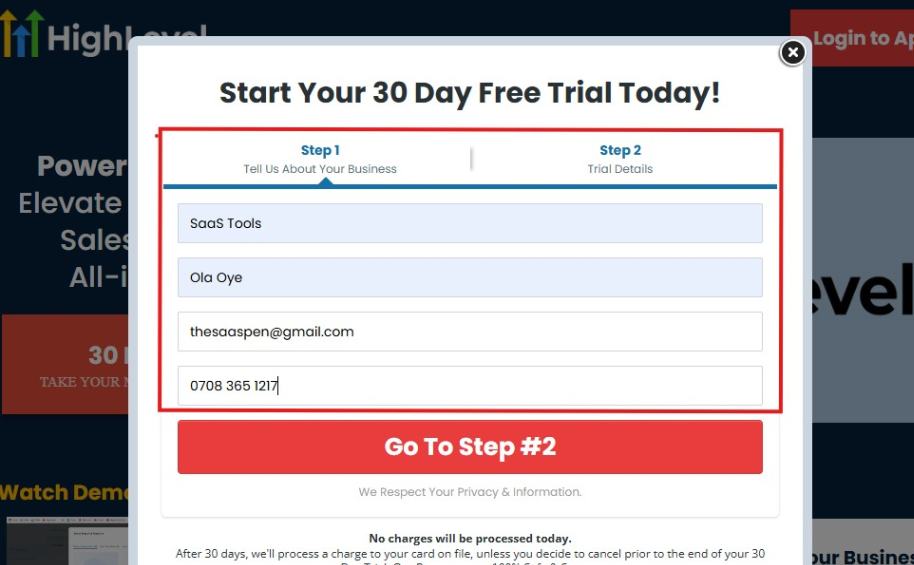
If you take a closer look at the image above, you will see that you need to supply your:
- Business name
- Company name
- Company email
- Phone number
Supply all the pieces of information and click on “Go To Step #2.”
On the next page, you will be required to select the plan you want to opt in for.
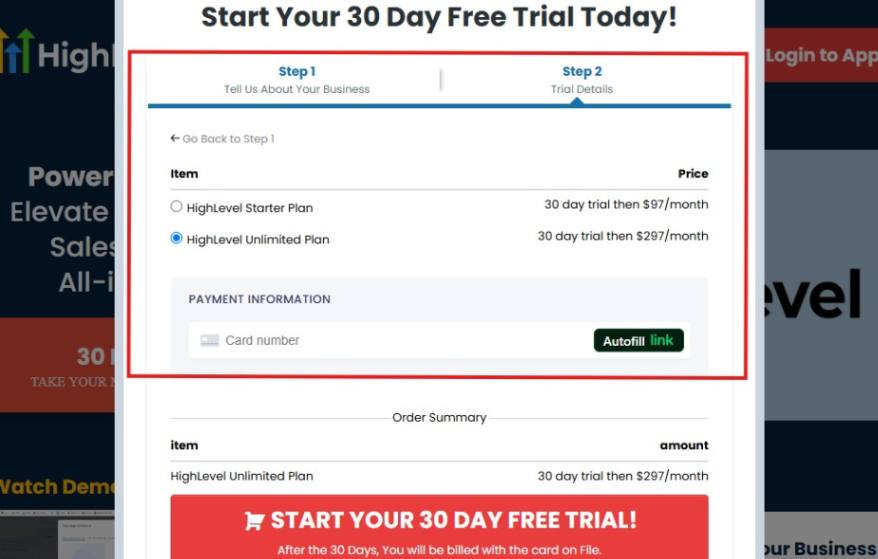
As you can see from the image above, you can either choose from:
- HighLevel Starter Plan
- HighLevel Unlimited Plan
Select the HighLevel Unlimited Plan and continue – you can always upgrade to the SaaS Mode later if you want that or downgrade.
The next thing you want to do is supply your credit card information.
Note: You will not be debited anything today until the end of your trail that is if you don’t cancel. Keep in mind that $1 will be debited and refunded back instantly into your account just to test your card is working.
After you have supplied the information accordingly, click on “START YOUR 30 DAY FREE TRIAL” and you will be asked to confirm you’re not a robot.
After that, the page below will pop up.
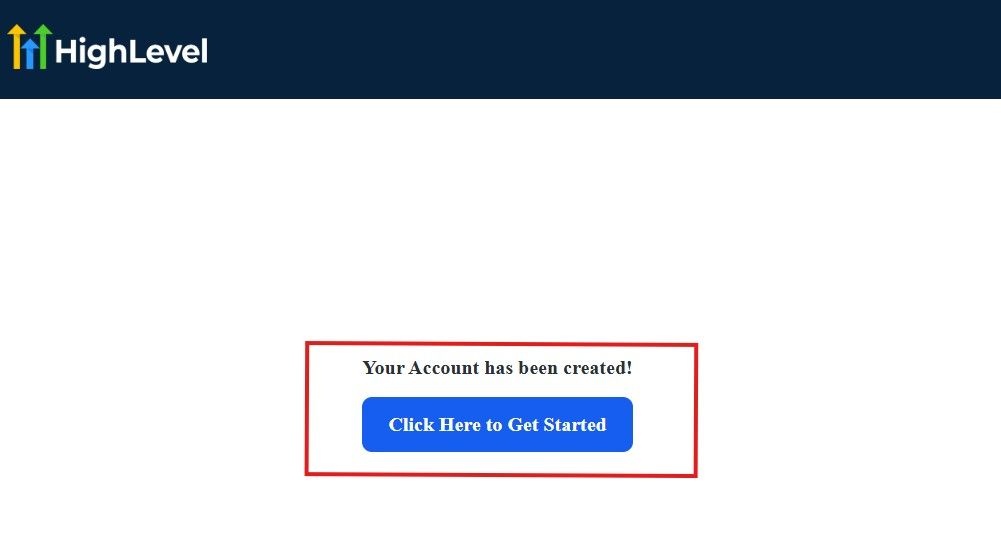
The image above says, “Your Account has been created!” Now, you need to click on the blue button that says “Click Here to Get Started.“
Click on the blue button to start your onboarding process.
Step 2: GoHighLevel Onboarding Process
The onboarding questions help GoHighLevel understand why you have signed up for the platform so that it can tailor your experience accordingly.
This is all you need to do:
After you click on the blue button above, the page below will pop up.
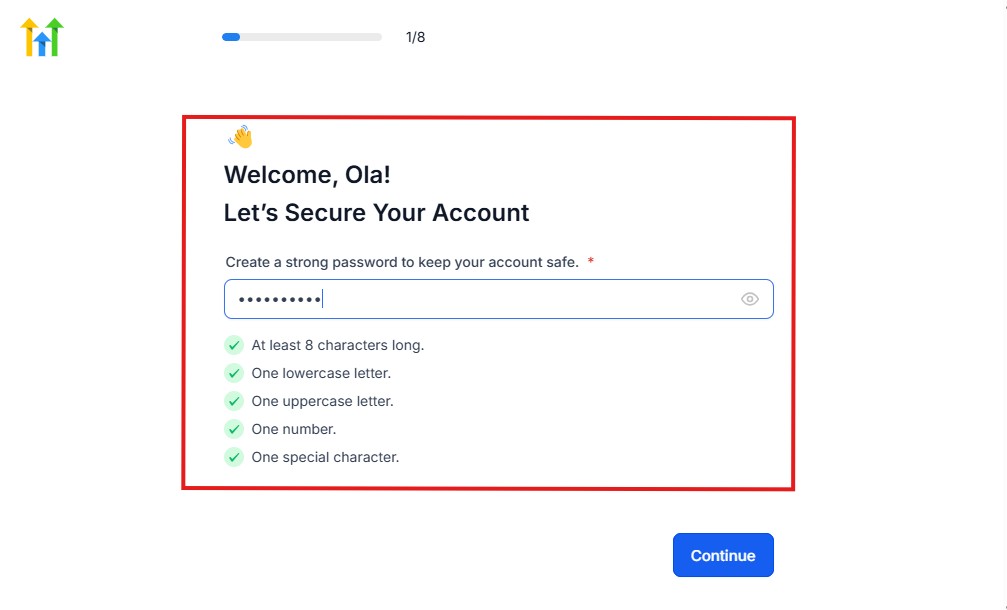
As you can see above, you need to set up your password, and the password has to be:
- At least 8 characters long
- One lowercase letter
- One uppercase letter
- One number
- One special character
If you have input the password and it matches all the description above, everything will be green just the way it’s in the image.
Click on “Continue” there after, and the image below will pop up.
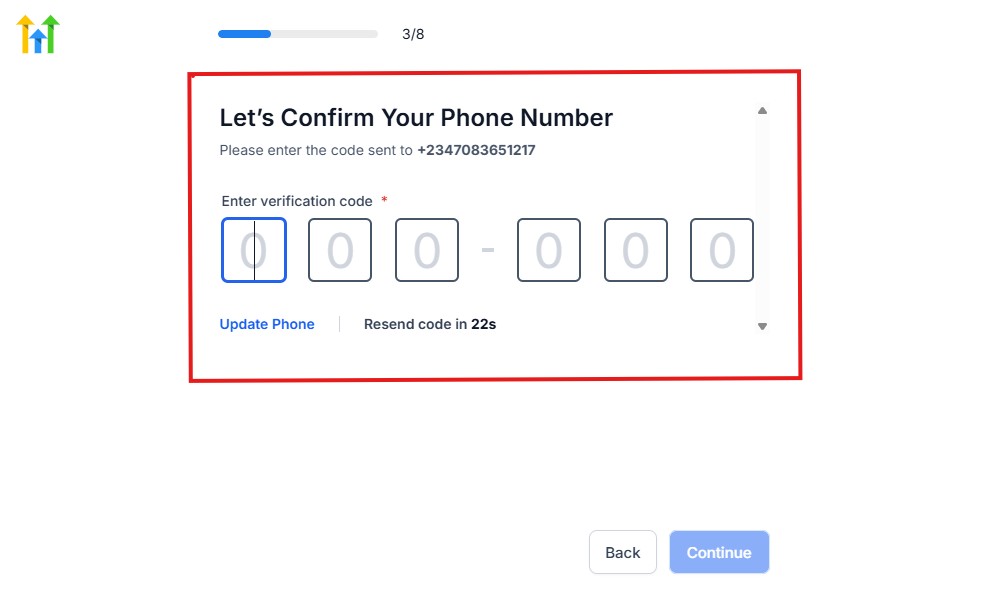
As you can see, a code will be sent to you to confirm your email address and phone number. The process is the same for the 2.
The next thing you need to do is to select how you plan to use GoHighLevel, as you can see below.
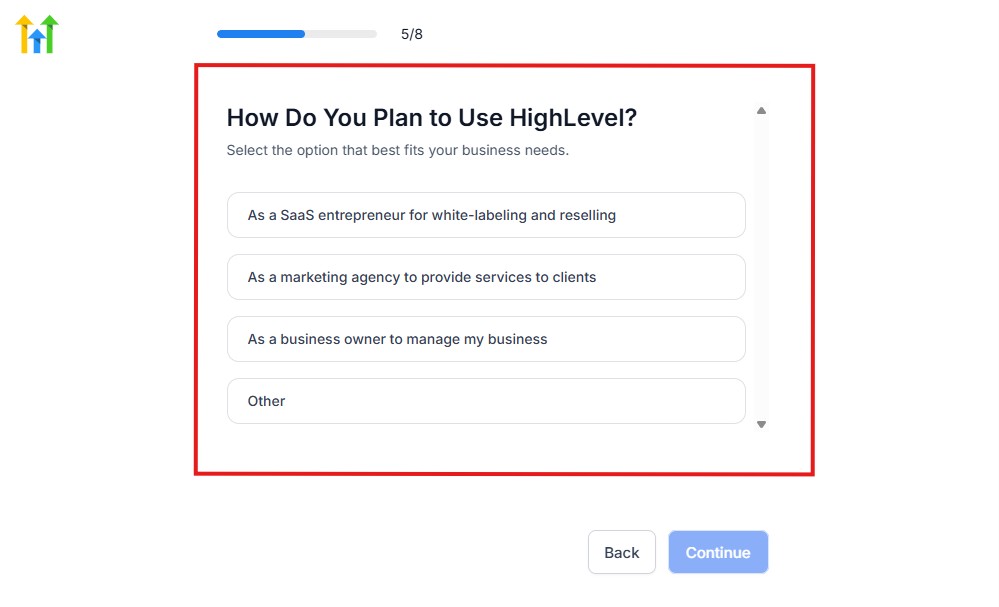
Select what best matches why you have signed up and click on Continue.
On the next page, you will be asked if you plan to resell GoHighLevel or not.
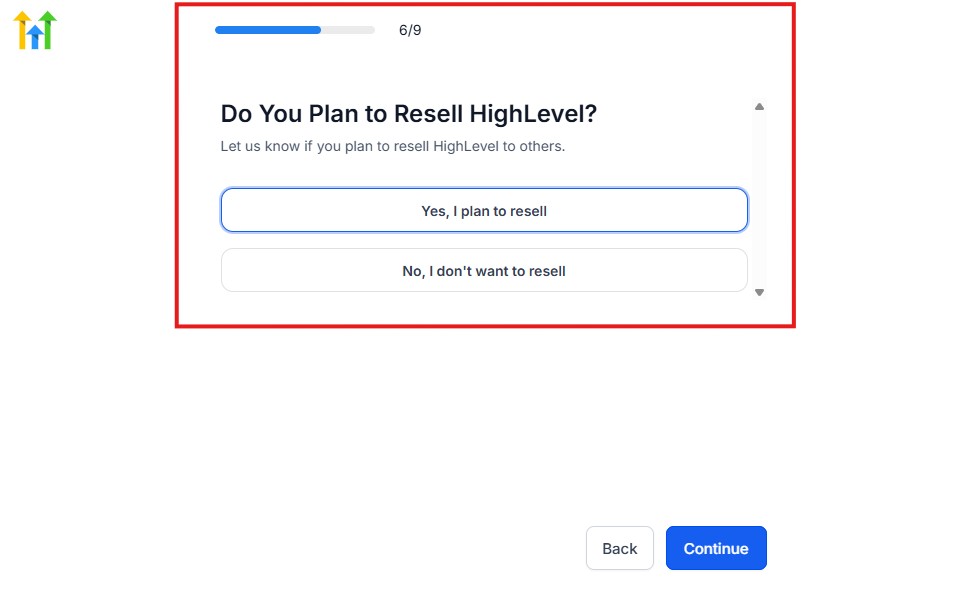
Select the answer based on the reason why you have signed up and click on “Continue”
Then, the page below will pop up.
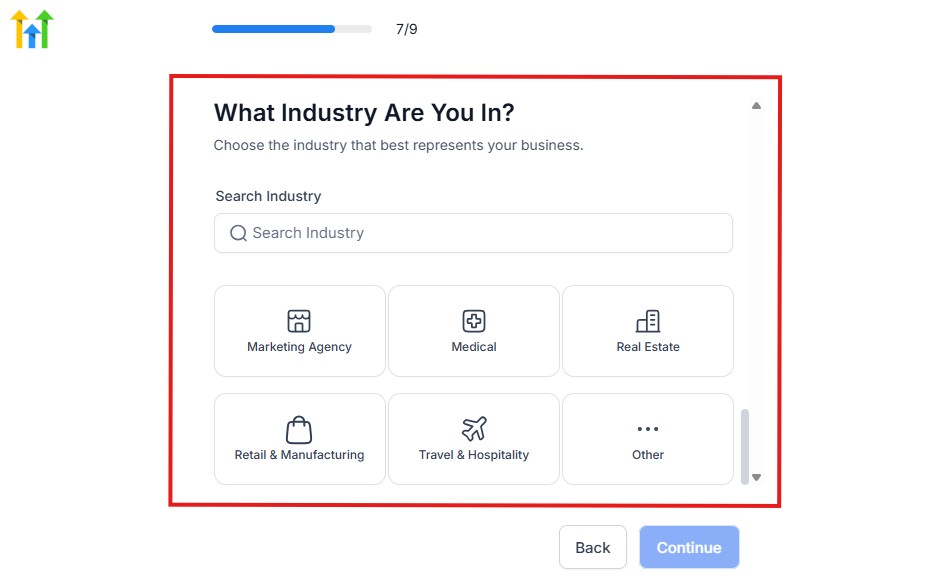
From the image above, you need to select the industry that you fall on. You can also make use of the search button if you can’t find it right away.
Then, click on continue after you select your industry.
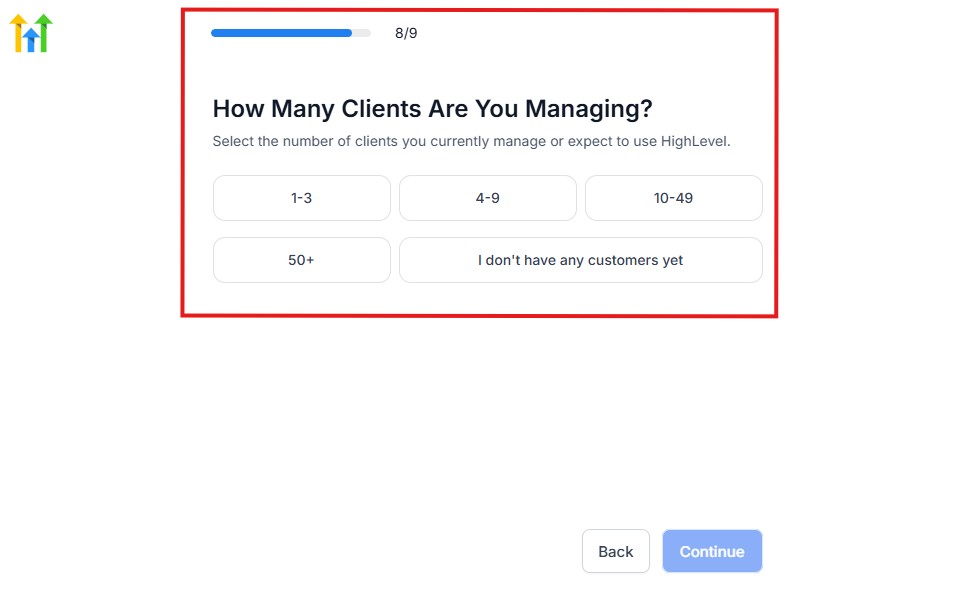
Then, the next thing you need to do is to select the number of clients that you currently have. Select “I don’t have any customers” yet if you currently don’t have one.
On the next page, you will be asked to select the platforms you currently use that you can integrate with GoHighLevel right away.
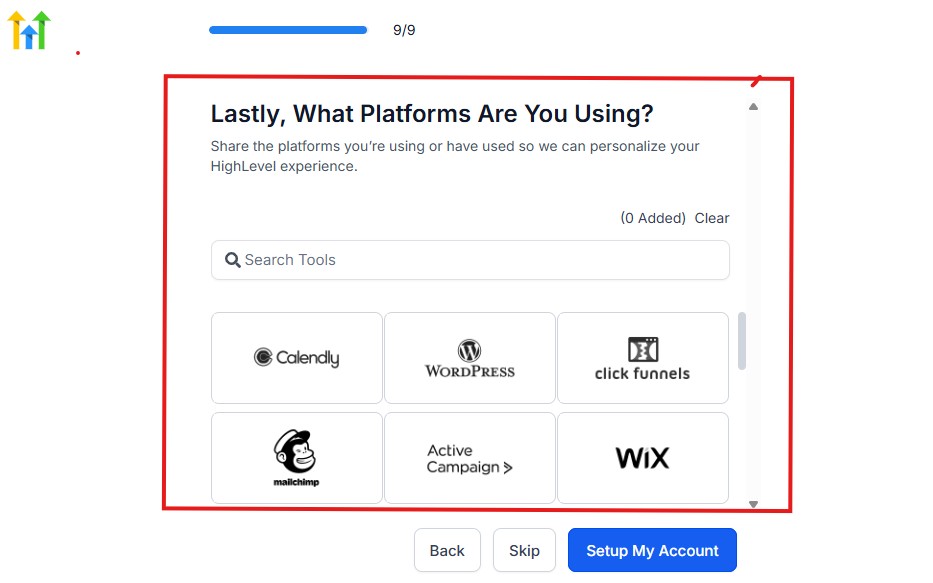
You can use the search button to search for any tools you want to add to your GoHighLevel account.
You can also skip this process and do it later if you want to.
After that, the page below will pop up.
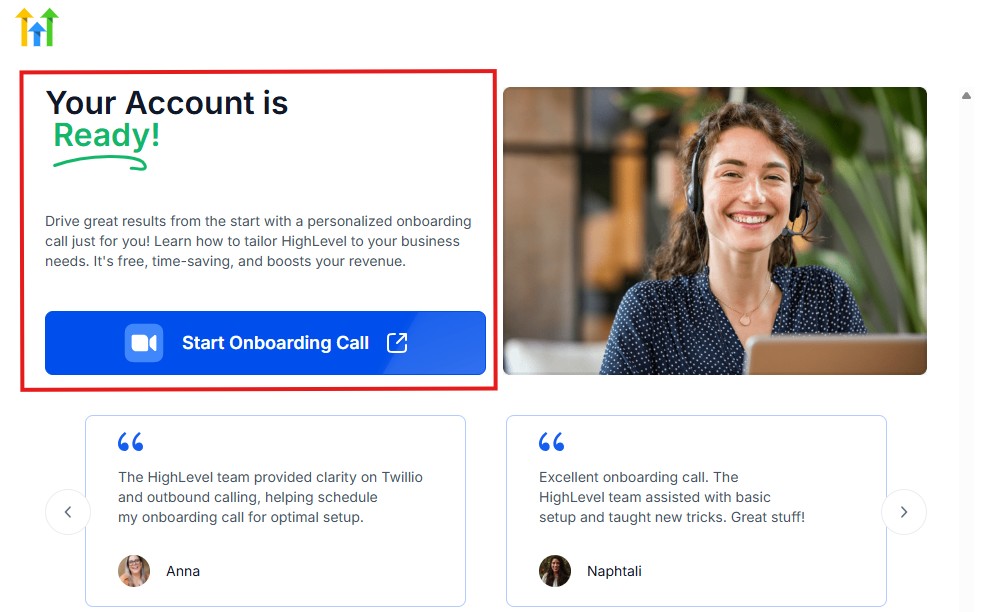
The page above says your account is ready and is asking you to “Start Onboarding Call.”
The “Onboarding Call” allows you to connect with the Go High Level team in order to discuss your account set-up process and everything regarding your plan in using HighLevel.
If you don’t want to start the “Onboarding Call” yet, just stroll down, and you will see the button in the image below.
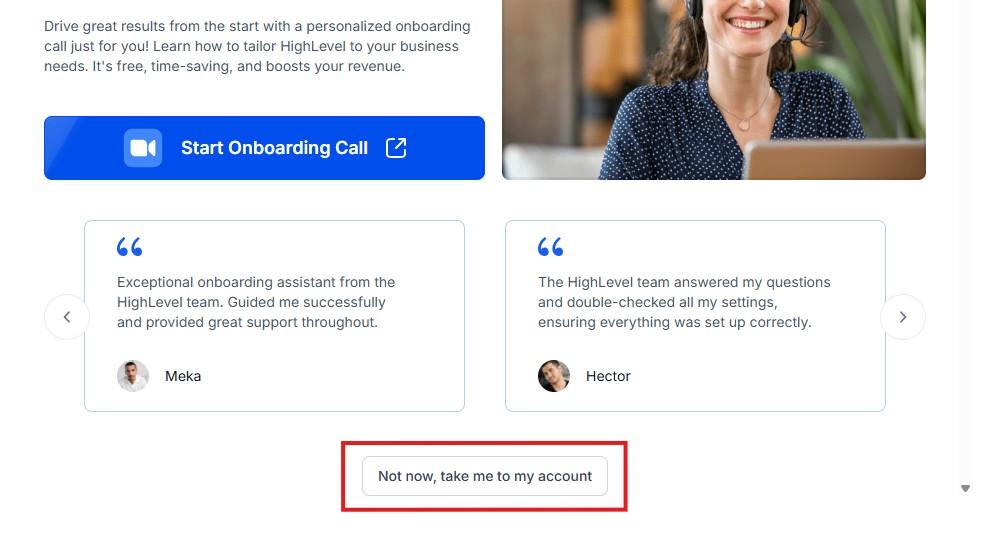
Simply click on “Not now, take me to my account“, and you will have access to your dashboard.
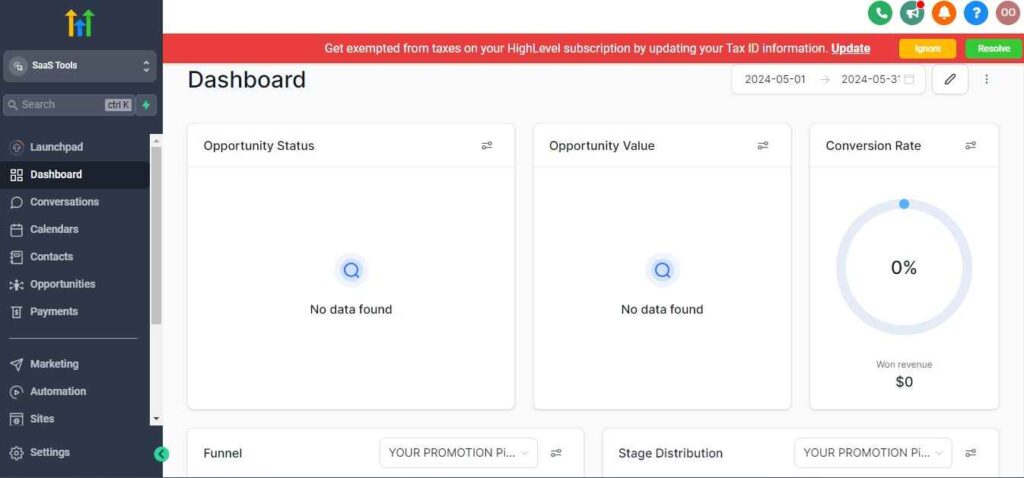
Note: If you have indicated that you want to resell HighLevel, you would have access to the agency dashboard by default, which looks like the image below.
But if you didn’t indicate interest in reselling GHL, your dashboard will look like the image below.
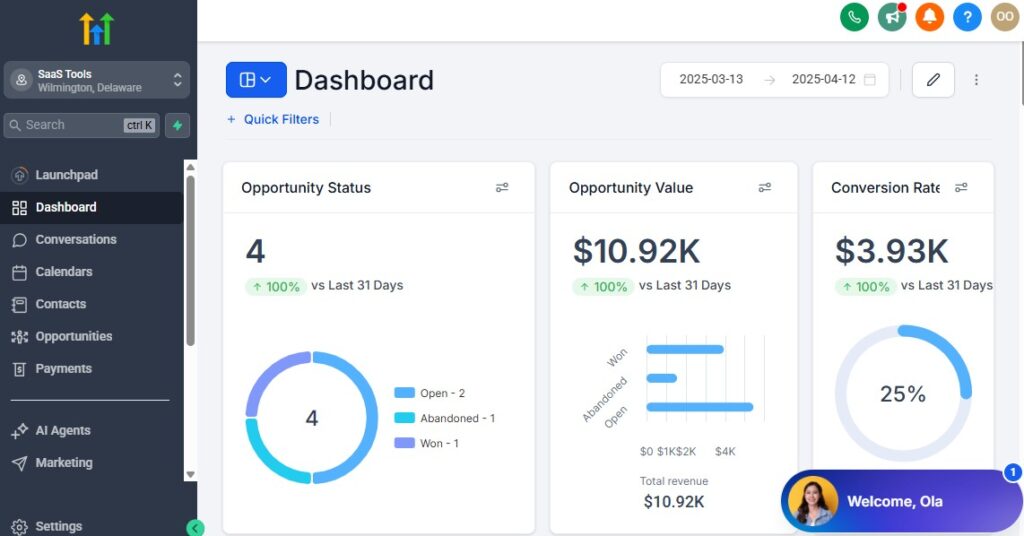
You can switch between these dashboards at any time.
The data you see on the dashboard above are not real data, they’re snapshots that you can use to kickstart your account setup process.
I want to say congratulations. You have successfully set up your Go High Level account.
Step 3: Create Your Contractor Workspace
You start by creating your dedicated GoHighLevel account and setting it up as your central HQ.
Inside your workspace, you can manage:
- Leads
- Jobs and estimates
- Team members
- Client messages
- Automations
- Invoices and payments
- Scheduling
- Funnels and landing pages
Everything lives in one platform – no more switching between multiple apps.
Step 4: Set Up Your CRM for Leads, Jobs & Pipeline Stages
Your CRM becomes the heart of your contracting business.
You’ll organize your pipeline around the steps a client must take before the job is completed.
Common contractor pipelines include:
- New Lead / New Job Request
- Contacted
- Site Visit Scheduled
- Estimate Sent
- Estimate Approved
- Job In Progress
- Job Completed
- Payment Collected
- Review Requested
You can customize this however you want for your specific trade.
Step 5: Import Your Contacts
If you already have leads or customers in spreadsheets, emails, or other tools, bring them into GoHighLevel.
You can import:
- Past clients
- Ongoing projects
- Old leads
- Email contacts
- Referral contacts
Once imported, you can tag and segment them based on job type, service area, or status.
Step 6: Add Your Team Members & Permissions
If you run a team, you can add technicians, sales reps, office staff, or subcontractors.
You can control what each person sees:
- CRM access
- Pipeline access
- Calendar access
- Conversations
- Projects
- Payments
- Reporting
This keeps your system organized and secure.
Step 7: Set Up Phone Numbers & Messaging
You’ll need a dedicated business number for:
- SMS reminders
- Job confirmations
- Automated follow-ups
- Client communication
- Missed-call text-back
This helps you respond instantly and never lose a job because of missed calls.
Step 8: Create Contractor Calendars
Depending on your services, you might set up:
- Site visit calendar
- Inspection calendar
- Walk-through calendar
- Consultation calendar
- Team or technician calendars
Each calendar can automatically send reminders and confirmations to reduce no-shows.
Managing Leads, Clients & Projects With the CRM
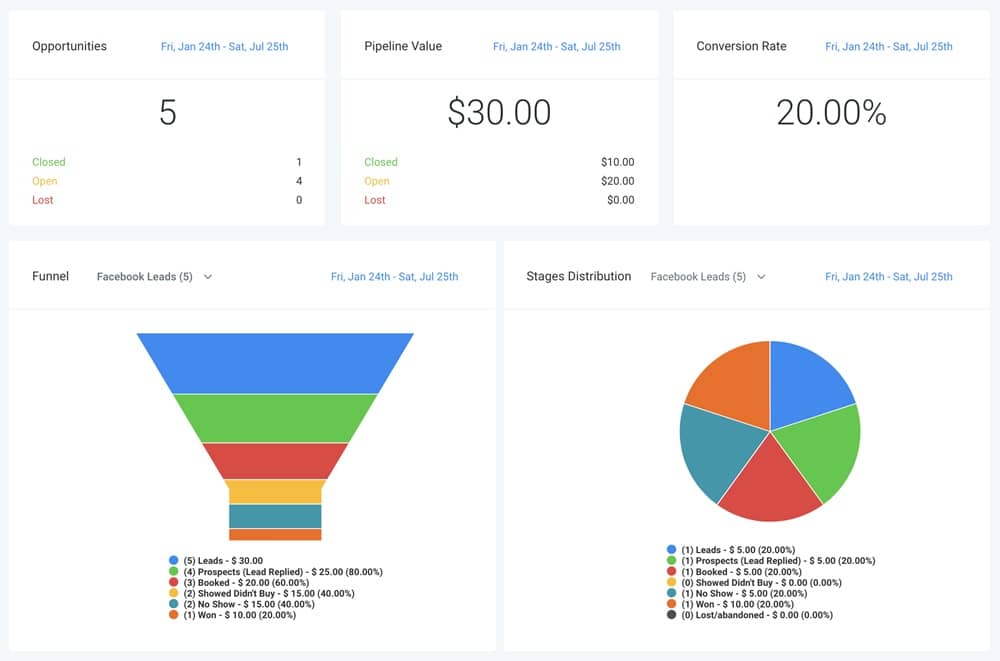
Your CRM is where you manage every lead, every client, and every project from the first inquiry to the final payment.
When you use it correctly, you always know who needs a follow-up, which job is in progress, who is waiting for an estimate, and which projects are ready for invoicing.
Here’s how you use GoHighLevel’s CRM to keep your contracting business organized and running smoothly.
Organize Every Lead & Job Request in One Place
The CRM collects all incoming leads automatically from:
- Your website
- Facebook ads
- Google ads
- Landing pages
- Contact forms
- Phone calls
- Missed-call text-back
- Social media messages
This means you never lose a lead again, and every inquiry enters the exact pipeline stage you choose.
Build a Contractor-Specific Pipeline
Your pipeline helps you track every job from the first contact to completion.
You can build a simple or advanced version depending on your business.
A typical contractor pipeline looks like this:
- New Lead
- Contacted
- Site Visit Scheduled
- Estimate Sent
- Estimate Approved / Waiting for Approval
- Job Scheduled
- Job In Progress
- Job Completed
- Payment Collected
- Review Requested
This gives you full visibility of your workflow so nothing slips through the cracks.
Use Custom Fields to Track Project Details
Contractors often need more information than basic contact fields.
You can add custom fields for:
- Job type (roof repair, electrical, plumbing, HVAC, etc.)
- Project address
- Scope of work
- Materials needed
- Estimated cost
- Job deadline
- Technician assigned
- Property access instructions
- Warranty details
- Photos or videos from the site
These custom fields help you keep every project organized and easy to reference.
Assign Leads & Projects to Your Team
You can assign leads manually or automatically.
This helps you route incoming jobs to:
- Sales reps
- Technicians
- Inspectors
- Estimators
- Subcontractors
Each person sees only the tasks or clients assigned to them, keeping things clean and organized.
Manage Conversations in One Unified Inbox
Instead of switching between apps, GoHighLevel pulls every message into one place:
- SMS
- Phone calls
- Voicemails
- Facebook messages
- Instagram messages
- Website chat
You can reply from the CRM directly, making communication with clients fast and professional.
Track Job Progress & Status
Inside each contact record, you can track:
- Stage of the job
- Notes from site visits
- Uploaded photos
- Sent estimates
- Invoices issued
- Payments received
- Follow-up reminders
- Tasks assigned to your team
Everything is documented and centralized, so your business runs on real data, not memory.
Automatically Prioritize Hot Leads
You can use smart lists and filters to highlight leads who are:
- Unreplied
- Close to approving an estimate
- Waiting for a site visit
- Ready for scheduling
- Past clients due for maintenance
This ensures you focus on the leads most likely to convert first.
Automating Workflows for Contractors
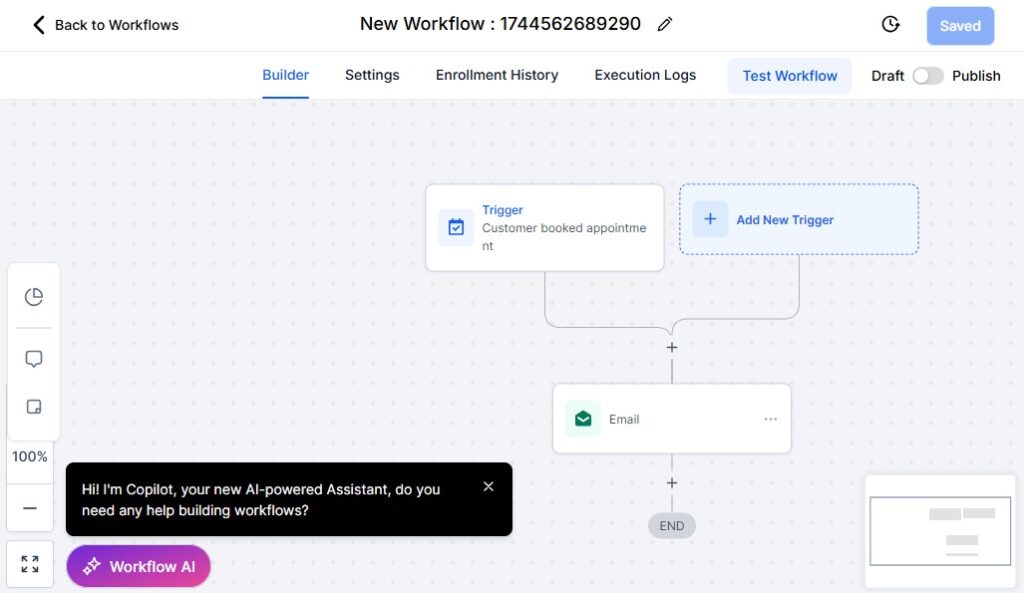
Automation is where GoHighLevel becomes a real game-changer for contractors.
Instead of manually following up, sending reminders, or chasing clients for approvals, GoHighLevel handles it all for you automatically, saving you time, reducing mistakes, and helping you close more jobs.
Here’s how to build smart automations that keep your contracting business running smoothly, even when you’re onsite.
Automate Your Lead Follow-Up
Most contractors lose jobs simply because they don’t follow up fast enough.
GoHighLevel fixes this instantly.
You can automate:
- Instant SMS reply when a new lead comes in
- Email follow-ups over several days
- Missed-call text-back
- Auto-reminders to schedule a site visit
- Automatic follow-up when estimates aren’t opened
This helps you stay top-of-mind and win more jobs without lifting a finger.
Auto-Assign Leads to Team Members
You can route incoming leads automatically based on:
- Job type
- Location
- Technician availability
- Service category (plumbing, electrical, roofing, HVAC)
- Urgency
Every lead goes to the right person instantly, which speeds up response times and improves customer experience.
Automate Estimate Delivery & Follow-Up
As soon as you send an estimate, you can trigger:
- A confirmation message saying it’s sent
- A reminder if the estimate wasn’t opened
- Follow-up messages after 24–72 hours
- A prompt asking if they’re ready to move forward
- A workflow that moves them to “Won” when they approve it
This dramatically increases how many estimates you convert to paying jobs.
Job Reminders & Project Notifications
You can automate reminders for:
- Site visits
- Inspections
- Job start dates
- Job updates
- Required documents
- Final walk-through
Your clients stay informed at every step, and your team stays on schedule.
After-Service Follow-Up & Maintenance Reminders
Once the job is completed, automation keeps the relationship alive.
You can set up workflows that send:
- Thank-you messages
- Job completion confirmations
- Warranty information
- Maintenance reminders
- Follow-up offers
- Service renewal notifications
This increases repeat business and strengthens customer loyalty.
Automate Review Requests After Each Job
Once you mark a job as “Completed,” GoHighLevel can automatically:
- Send a text asking for a review
- Send a follow-up reminder if they don’t respond
- Direct customers to Google, Yelp, or Facebook
- Capture testimonials for your website
This helps you build a strong online reputation effortlessly.
Document & Photo Request Automations
Contracting jobs often require documents or site photos.
You can automate reminders for:
- Before/after pictures
- Permit documents
- Inspection forms
- Access details
- Payment confirmations
Clients receive simple prompts to send what you need – no more chasing.
Automated Upsell & Cross-Sell Campaigns
After completing a job, you can trigger targeted offers such as:
- Seasonal maintenance
- Annual service checks
- Upgraded materials
- Add-ons (gutters, insulation, wiring upgrades, etc.)
This increases your revenue per client without additional marketing.
Automate Internal Tasks
GoHighLevel can automatically create tasks for your team when:
- A lead books a site visit
- An estimate is approved
- A job moves to the next stage
- Materials need ordering
- A payment is received
This ensures your team always knows what to do next.
Appointment Scheduling for Site Visits, Inspections & Consultations
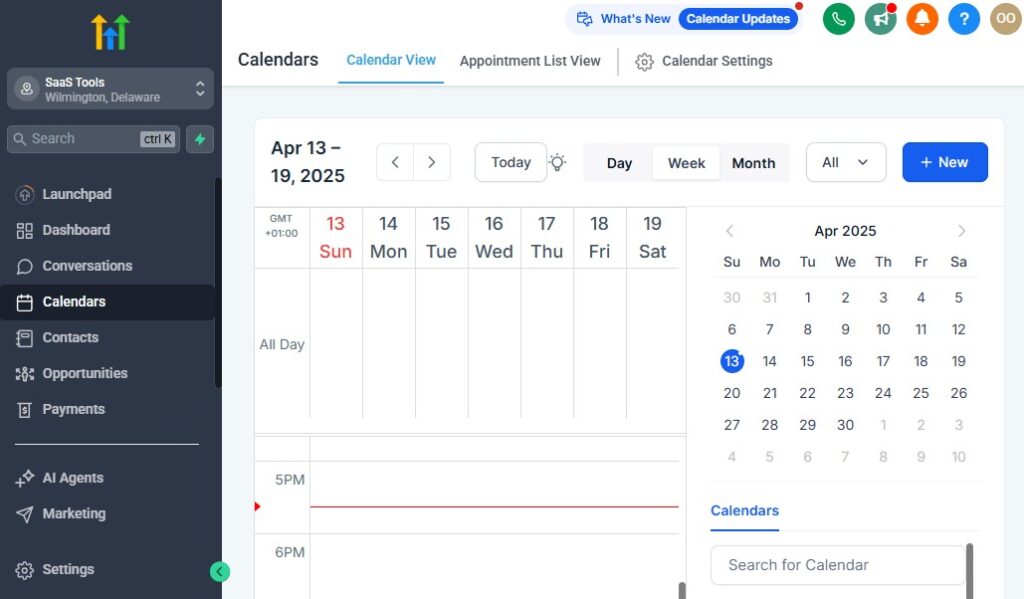
Scheduling is one of the most important parts of your contracting business.
If appointments aren’t organized, you deal with missed site visits, double bookings, confused clients, and teams that arrive at the wrong time or wrong address.
GoHighLevel simplifies everything. You can manage all your site visits, inspections, consultations, and walk-throughs in one system – with automated reminders, clean calendars, and easy booking that your clients will appreciate.
Here’s how to set it up the right way.
Create Dedicated Contractor Calendars
You want separate calendars for each service or technician so your scheduling stays clean and predictable.
Examples include:
- Site Visit Calendar
- Inspection Calendar
- Free Consultation Calendar
- Technician-Specific Calendars
- Follow-Up Visit Calendar
- Final Walk-Through Calendar
This allows clients (and your team) to book the correct type of service without confusion.
Let Clients Book Appointments Automatically
Instead of manually scheduling every visit, GoHighLevel lets clients book themselves.
They can book from:
- Your website
- Landing pages
- Quote funnels
- Google ads
- Facebook ads
- Your social media pages
- SMS links you send them
This eliminates back-and-forth messages and ensures every new inquiry gets into your calendar immediately.
Send Automatic Appointment Confirmations
After a client books a visit, GoHighLevel sends automatic:
- Confirmation emails
- Confirmation texts
- Calendar invites
- Appointment details (address, instructions, etc.)
This makes your communication look clean and professional while improving client trust from the first interaction.
Reduce No-Shows With Automated Reminders
Missed appointments cost contractors time and money.
GoHighLevel solves this with reminders sent:
- 24 hours before
- 3 hours before
- 1 hour before
You can also send reminders to your team so technicians never miss a scheduled visit.
Add Custom Questions Before Booking
You can collect important information before the appointment is confirmed:
- Project type
- Property address
- Preferred contact method
- Budget estimate
- Project urgency
- Description of the issue
- Photos or videos of the site
This helps your team arrive fully prepared – saving time and speeding up estimates.
Route Appointments Based on Service Type
If you handle multiple services (roofing, plumbing, HVAC, electrical, etc.), GoHighLevel can automatically route appointments to the correct technician.
For example:
- Electrical issues → Electrician calendar
- Roof inspections → Roofing team
- HVAC maintenance → HVAC technician
- Plumbing emergencies → Emergency tech
This ensures every job goes to someone qualified to handle it.
Use Multi-Staff Calendars for Large Teams
If you run a busy team, GoHighLevel’s multi-staff calendars help you:
- Assign appointments based on availability
- Avoid double bookings
- Rotate appointments fairly
- Track technician workloads
- See everyone’s schedule in one view
This keeps your operations flowing smoothly throughout the day.
Auto-Fill Your Calendar From Paid Ads
If you run Google or Facebook ads, you can connect your landing pages directly to your calendars so leads instantly book a visit.
This turns your ads into real booked jobs, not just inquiries.
Send Post-Visit Follow-Up Automatically
Once your technician completes the site visit, you can trigger:
- Thank-you messages
- Estimate reminders
- Review requests
- Follow-up recommendations
- Next-step instructions
Every appointment leads to the next action automatically.
Building High-Converting Landing Pages & Funnels for Contractors
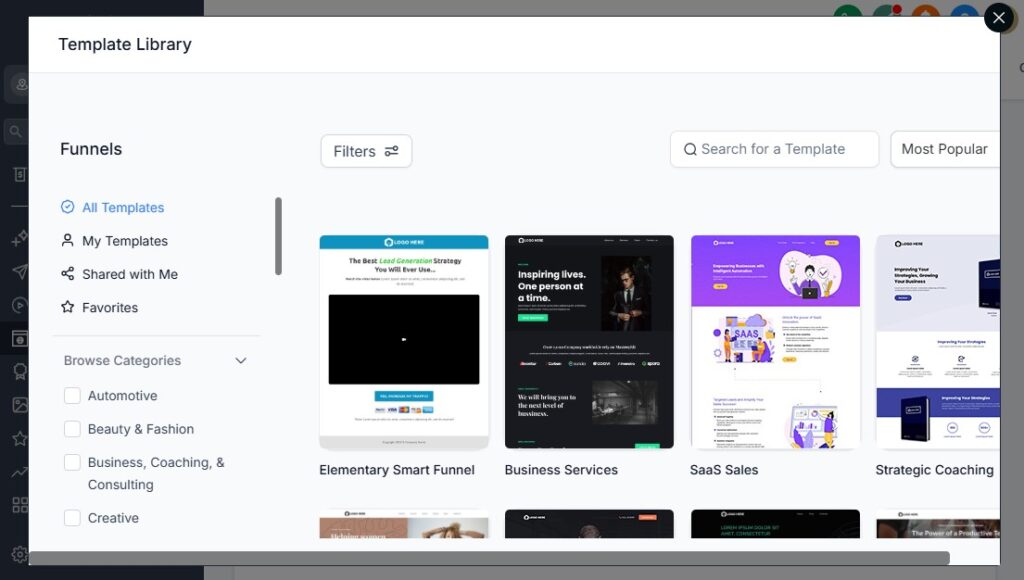
Your landing pages and funnels play a huge role in how many leads you generate and how many of those leads convert into real jobs.
As a contractor, you need pages that build trust, collect the right information, showcase your expertise, and make it easy for prospects to request quotes or book site visits.
GoHighLevel gives you everything you need to build these pages quickly – with templates, drag-and-drop blocks, and automation built in.
Here’s how to create high-converting contractor funnels that turn visitors into paying clients.
Create Contractor-Specific Landing Pages
Start by building dedicated pages for each service you offer.
This helps prospects see exactly what they need, without confusion.
Examples include:
- Roofing repair/installation landing page
- Plumbing emergency service page
- Electrical troubleshooting page
- HVAC maintenance or installation page
- Renovation project quote page
- Landscaping or lawn care service page
- Solar installation page
- Handyman service page
When each service has its own page, your conversions increase dramatically.
Use Strong, Clear Contractor Headlines
Your headline should instantly tell visitors:
- What you do
- Who you help
- What problem you solve
- Why they should choose you
Examples:
- “Fast, Reliable Roofing Inspections – Book a Visit Today”
- “24/7 Emergency Plumbing – We Arrive in 45 Minutes or Less”
- “Professional Electrical Repairs for Homes & Offices”
The clearer the headline, the higher the conversion rate.
Add a Simple, High-Converting Quote or Booking Form
Your form is the most important part of your funnel.
Keep it simple but collect the essentials.
Great form fields for contractors include:
- Name
- Phone number
- Job type
- Service address
- Description of the problem
- Upload photos (optional but powerful)
- Preferred time for a site visit
Shorter forms convert more leads, while forms with photos help you qualify leads better.
Use Before & After Photos to Build Trust
Contracting is visual.
People trust what they can see.
Your landing pages should include:
- Before and after photos
- Progress pictures
- Completed project galleries
- Certifications
- Licenses
- Safety badges
These elements increase trust and move prospects closer to booking.
Add Social Proof & Real Reviews
Social proof helps prospects feel confident in choosing you.
Include:
- Google reviews
- Facebook reviews
- Video testimonials
- Case studies
- “Featured on…” or “Certified by…” badges
GoHighLevel even allows you to embed real-time reviews from your reputation dashboard.
Create Service-Based Funnels for Paid Ads
If you’re running Google or Facebook ads, you’ll want specialized funnels such as:
- Emergency plumbing funnel
- Roofing inspection funnel
- HVAC tune-up funnel
- Electrical safety check funnel
- Free quote funnel
- Storm repair funnel
These funnels focus on one service, one action, and one outcome – that’s why they convert so well.
Use Upsell and Cross-Sell Pages
Once someone requests a quote or books a visit, you can add:
- Confirmation pages
- Thank-you pages
- Upsell pages (“Would you like to add gutter maintenance?”)
- Additional service offers
- Seasonal maintenance deal pages
This increases your revenue per lead without any extra work.
Add a Strong Call-to-Action (CTA)
Every page should push visitors toward one action:
- “Request a Free Quote”
- “Book Your Inspection”
- “Schedule a Site Visit”
- “Get Immediate Help”
- “Check Availability”
Use clear buttons and repeat your CTA several times throughout the page.
Connect Your Funnels to Automations
Once your funnel is launched, you can automate what happens next:
- Instant follow-up SMS
- Auto-email with next steps
- Auto-add to CRM
- Auto-tag based on job type
- Auto-assignment to your team
- Auto-create tasks
- Auto-book calendar appointments
This creates a complete, hands-free lead conversion system.
Running Email & SMS Campaigns for Engagement & Client Retention
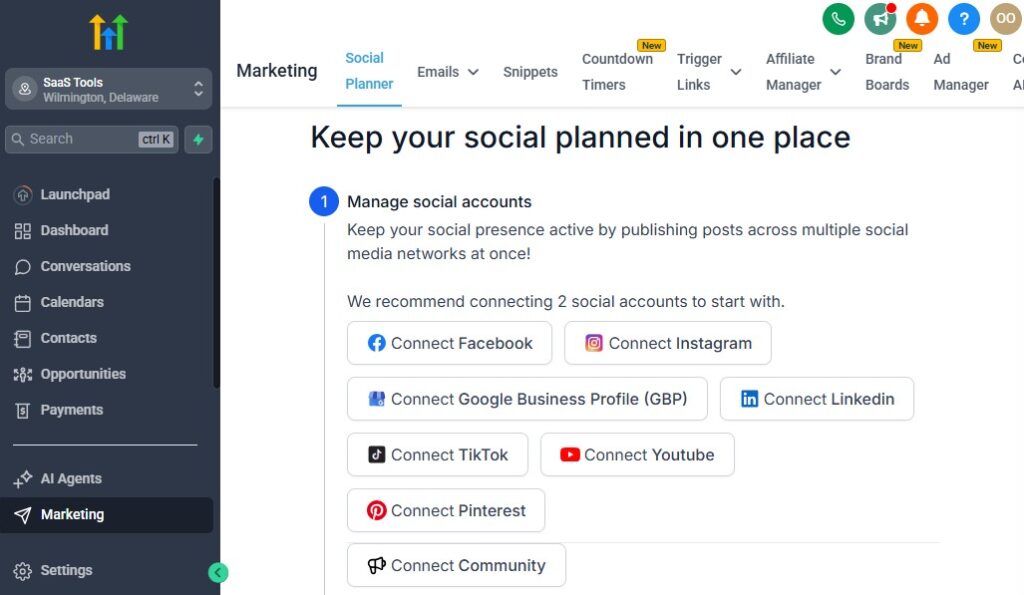
Staying connected with your leads and past clients is one of the most reliable ways to increase your job bookings.
Most contractors only communicate when a client reaches out – which means they’re leaving a lot of money on the table.
GoHighLevel helps you automate your communication through targeted email and SMS campaigns that keep your pipeline full, strengthen trust, and bring clients back whenever they need your services again.
Here’s how to use it effectively.
Use Email & SMS to Nurture New Leads
When someone requests a quote or books a site visit, they’re often comparing multiple contractors.
Your follow-up determines whether you win the job.
Your campaigns can include:
- A welcome message introducing your company
- A quick overview of what happens next
- A reminder about the upcoming site visit
- A follow-up message asking if they have questions
- A photo or profile of the technician coming
- A link to your reviews or portfolio
These small touches make you look more professional and trustworthy than your competitors.
Send Job Follow-Up Campaigns
After a site visit or consultation, you can automate:
- “Thanks for meeting with us” messages
- Estimate reminders
- “Do you have any questions before approving?”
- “We’re ready to begin when you are” messages
- Follow-up calls to action
Most contractors forget to follow up. You won’t – because GoHighLevel does it for you.
Seasonal Service Campaigns
Contracting work often has strong seasonal patterns.
You can take advantage of this by sending targeted campaigns at the right time.
Examples:
- Rainy season: roofing inspections, gutter cleaning, waterproofing
- Heat season: HVAC maintenance or installation
- Cold season: insulation upgrades, heating system checks
- Holiday season: electrical upgrades or interior remodeling
- Storm season: emergency roof and siding repairs
These campaigns bring in predictable extra revenue every year.
Reactivation Campaigns for Old Leads
If you have leads that went cold or clients you haven’t heard from in a while, GoHighLevel can bring them back.
Your reactivation messages may include:
- “Are you still needing help with your project?”
- “We’re running a seasonal discount this month.”
- “We noticed you requested a quote – ready to move forward?”
- “We fixed similar jobs in your area recently. Want us to stop by?”
Reactivation campaigns often generate work quickly without any ads.
Maintenance & Warranty Reminder Campaigns
Contractors who offer recurring services or warranty checks can automate:
- Annual maintenance reminders
- Warranty follow-up
- Safety inspection reminders
- System tune-up reminders
- Filter replacement reminders (HVAC)
- Leak check reminders (plumbing)
These reminders turn one-time customers into long-term clients.
Build Targeted Campaigns for Different Services
Instead of sending the same message to everyone, GoHighLevel lets you segment your audience.
Create segmented campaigns for:
- Roofing clients
- Plumbing clients
- Electrical clients
- HVAC clients
- Renovation clients
- Landscaping clients
- Solar clients
- Handyman clients
When your messages match their exact needs, your engagement goes up – and so do conversions.
Promotional Campaigns for Slow Months
If you want to boost bookings during slow periods, send time-sensitive offers such as:
- Off-season discounts
- Free inspections
- Free service upgrades
- Limited-time packages
- Referral rewards
- “Book this week” deals
These campaigns can fill your schedule fast when work slows down.
Use SMS for Faster Response & Higher Engagement
SMS is perfect for contractors because clients respond quickly.
SMS works great for:
- Confirmations
- Reminders
- Estimate follow-ups
- Quick check-ins
- Payment prompts
- Review requests
- Urgent notifications
Text messages often get replies within minutes – helping you close jobs faster.
Keep Your Brand Top-of-Mind With Regular Campaigns
Your clients may not need your services today, but when they eventually do, they should think of you first.
Consistent campaigns help you:
- Stay visible
- Build trust
- Show expertise
- Educate clients
- Promote your services
- Drive repeat business
This turns your email/SMS list into one of your most valuable assets.
Managing Payments, Estimates & Invoices – GoHighLevel for Contractors
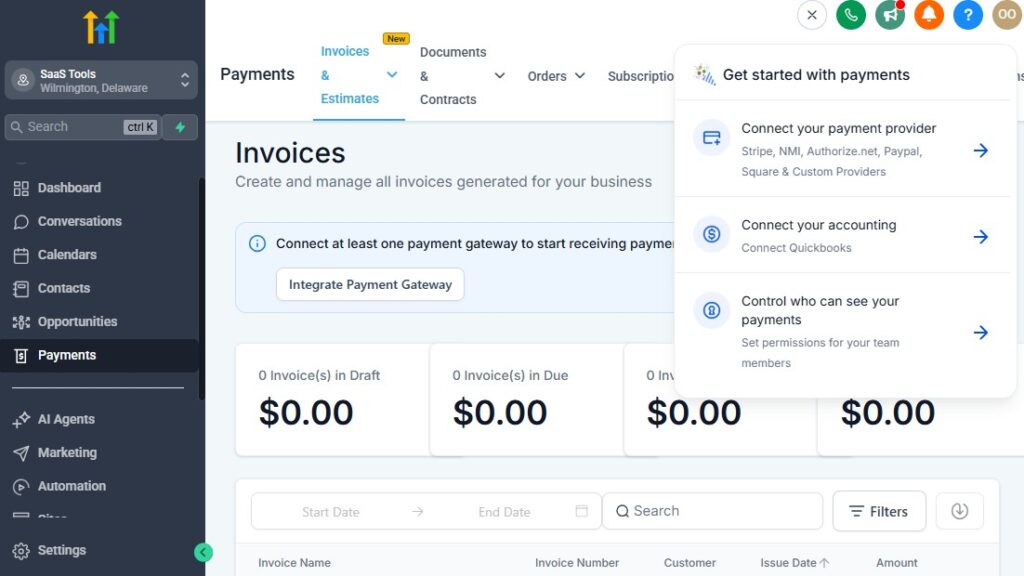
Handling payments, sending estimates, and managing invoices is where many contractors lose time – and money.
Clients delay approvals, invoices get forgotten, and payments come in late.
GoHighLevel helps you fix all of this by putting everything in one place and automating the process from estimate to final payment.
Here’s how to simplify your payment workflow and get paid faster.
Create Clear, Professional Estimates
GoHighLevel lets you build clean, branded estimates that clients can approve with a click.
Your estimate can include:
- Project description
- Itemized materials
- Labor costs
- Total cost
- Deposit amount
- Photos or diagrams
- Warranty details
- Terms & conditions
Every estimate looks professional, which increases trust and improves approval rates.
Send Estimates Instantly After Site Visits
Once you finish a consultation or inspection, you can:
- Send an estimate directly from the CRM
- Trigger an automation to send it
- Attach photos from the site
- Include next-step instructions
No delays. No back-and-forth. Clients get your estimate fast – while competitors are still drafting theirs.
Track Estimate Approvals in Real Time
Inside the CRM, you can see:
- Who opened the estimate
- When they opened it
- Whether they approved it
- Whether they requested changes
- How long the approval is taking
This gives you the perfect timing to follow up and close the job.
Automate Estimate Follow-Up
If a client doesn’t approve the estimate, GoHighLevel can automatically send:
- A reminder message
- A quick question (“Any updates on this project?”)
- A phone call task for your team
- A deadline countdown
- A final nudge message (“Ready when you are.”)
Automated follow-up closes more jobs without extra work.
Collect Deposits & Job Payments Easily
Once a client approves the estimate, you can request payment immediately.
GoHighLevel lets you collect:
- Deposits
- Milestone payments
- Final balances
- Full payments upfront
Clients can pay through:
- Credit/debit cards
- Stripe
- PayPal
- Bank transfer (if enabled)
This reduces payment delays and speeds up your cash flow.
Create & Send Professional Invoices
Invoices can be generated automatically when:
- An estimate is approved
- A job is completed
- A milestone is reached
Each invoice includes:
- Project details
- Payment link
- Due date
- Tax information
- Your company branding
Clients can pay directly from the invoice with one click.
Automate Payment Reminders
Late payments hurt your business.
GoHighLevel helps you prevent this with automatic reminders such as:
- “Your invoice is due soon.”
- “Your invoice is now due.”
- “Your payment is overdue.”
- “Here’s a link to complete your payment.”
These reminders go out automatically, saving you time and reducing awkward conversations.
Track All Payments Inside Your Dashboard
You can see:
- Paid invoices
- Unpaid invoices
- Pending payments
- Deposits collected
- Jobs waiting for payment
- Total revenue
This gives you a clear picture of your finances and job profitability.
Send Receipts & Job Completion Documents Automatically
Once payment is completed, GoHighLevel can send:
- Thank-you messages
- Official receipts
- Warranty documents
- Job completion reports
- Before-and-after photos
- Next-step instructions
This creates a smooth, professional experience for every client.
Delivering Job Reports, Photos & Project Documents
Delivering job reports, sharing before/after photos, and sending important project documents are essential parts of your contracting workflow.
Clients want clear communication, visual proof of work, and easy access to all files related to their project.
GoHighLevel makes this simple by giving you organized tools to deliver everything professionally and automatically – without juggling emails, WhatsApp, and PDF attachments.
Here’s how to streamline your document and project delivery process.
Store All Project Files in One Place
Each client record in GoHighLevel becomes a mini project folder where you can upload:
- Before/after photos
- Site visit photos
- Inspection videos
- Project contracts
- Warranties
- Receipts
- Updated quotes
- Change orders
- Material lists
- Permit documents
Everything stays organized and easy to access whenever you or your team needs it.
Send Job Reports With Photos
Clients appreciate clear job reports, especially when work happens in areas they can’t see (roofs, attics, crawlspaces, underground plumbing, etc.).
You can send clean project reports that include:
- Before photos
- After photos
- Notes from the technician
- Materials used
- Work completed
- Recommendations
- Warranty details
These reports help build trust and reduce customer questions.
Deliver Documents Automatically After Job Completion
When you mark a job as “Completed,” GoHighLevel can automatically send:
- A job completion summary
- Warranty information
- Maintenance tips
- Final invoice (if needed)
- Receipt of payment
- Review request
- Your contact details
This ensures your client receives everything at the right time without manual effort.
Use the Client Portal for Professional File Delivery
GoHighLevel includes a client portal where clients can log in and access:
- Project updates
- Documents
- Photos
- Upcoming appointments
- Invoices
- Estimates
- Messages
This makes your business look more professional and keeps everything in one secure location.
Share Large Files Easily – GoHighLevel for Contractors
If you handle renovation, landscaping, solar installations, or large projects that require many photos or large documents, GoHighLevel makes it easy to send everything in a structured format.
You can share:
- Full project photo albums
- Progress updates
- Drone footage
- Blueprint PDFs
- Inspection reports
No need for third-party apps.
Automate Requests for Needed Documents
If you require clients to send documents like:
- Property photos
- Access instructions
- Permits
- Identification
- Approval signatures
You can set up workflows that automatically remind them until they upload the required files.
Keep Your Team Aligned Internally
Your team can view and upload:
- Job photos
- Notes
- Material shortages
- Change requests
- Issues found during inspection
Everything updates in real time, so your staff always knows the latest details.
Create Branded Document Templates
To maintain a professional look, you can create branded templates for:
- Project reports
- Contracts
- Inspection summaries
- Completion certificates
- Change orders
- Estimates and invoices
Every file you send reinforces your brand and builds trust.
Collecting Reviews, Testimonials & Building Trust
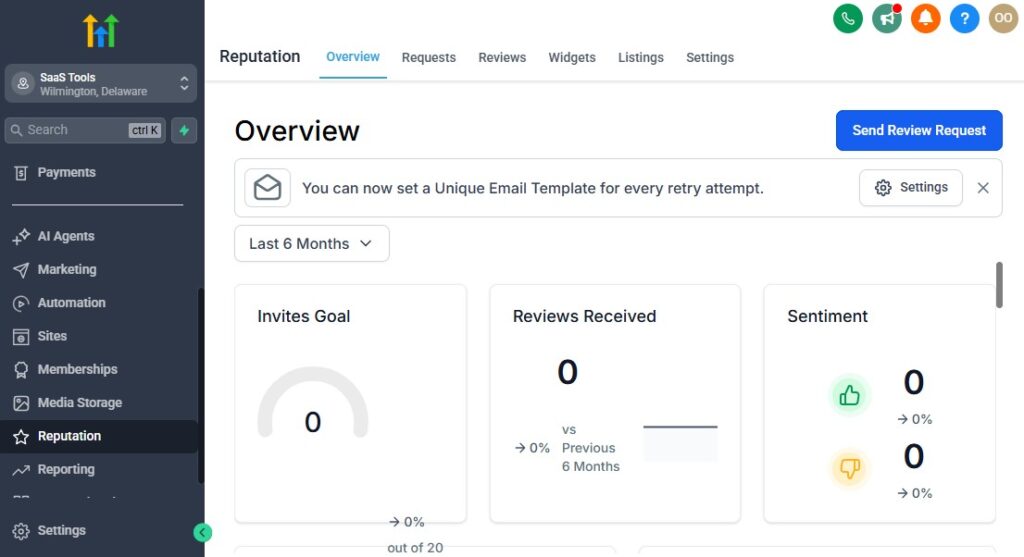
For contractors, trust is everything. Clients want to know you’re reliable, skilled, and capable of delivering quality work – and the fastest way to prove that is through reviews, testimonials, and real customer feedback.
GoHighLevel helps you automate the entire process so you collect more reviews, display stronger proof, and build a reputation that makes prospects choose you over competitors.
Here’s how to use it to boost your credibility and win more jobs.
Automate Review Requests After Every Job
As soon as a job is marked “Completed,” GoHighLevel can automatically send:
- A text message asking for a review
- A follow-up email with your review link
- A reminder if they don’t respond
- A link to Google, Yelp, or Facebook
This ensures every satisfied customer has a chance to leave positive feedback without you manually asking.
Send Follow-Up Reminders for Unsubmitted Reviews
Most people need a reminder – not because they didn’t like your work, but because they forget.
GoHighLevel can send:
- A gentle reminder after 24 hours
- A second follow-up after 3 days
- A final request after a week
These simple nudges help you collect significantly more 5-star reviews over time.
Direct Customers to the Right Review Platforms
Your review link can point clients to:
- Google Business Profile
- Yelp
- Angi
- Houzz
- HomeAdvisor
- Trustpilot
Choose the platform that provides the most visibility for your trade in your local area.
Build a Review Funnel for Higher Conversions
A review funnel allows you to filter feedback and guide happy clients toward public reviews while giving unsatisfied clients a private way to share concerns.
Here’s how it works:
- Step 1: Ask the client if they’re satisfied (“Yes” or “No”)
- Step 2:
- If “Yes,” send them to your review platform
- If “No,” send them to a private feedback form
- Step 3: Notify your team privately if there’s an issue
- Step 4: Follow up automatically to fix the problem
This helps you maintain a positive online reputation while catching issues early.
Showcase Reviews on Your Landing Pages & Website
Strong reviews increase conversions dramatically.
You can display:
- Real-time Google reviews
- Client photos
- Star ratings
- Before/after project testimonials
- Video testimonials
- Written quotes
- Case studies
GoHighLevel’s widgets make it easy to embed reviews on:
- Landing pages
- Service pages
- Quote funnels
- Your homepage
This builds immediate trust when prospects visit your website.
Use Testimonials Inside Your Emails & Funnels
You can add testimonials inside:
- Email nurture campaigns
- Estimate follow-up emails
- Booking confirmation pages
- Project update emails
- Seasonal promotions
- Re-engagement campaigns
Seeing proof from real clients boosts confidence and increases conversions.
Respond to Reviews Professionally
GoHighLevel helps you monitor incoming reviews so you can respond quickly.
You should:
- Thank clients for positive reviews
- Address concerns in negative reviews
- Show appreciation
- Keep messages simple and polite
Responding improves your credibility and signals reliability to future clients.
Turn Reviews Into Case Studies
For bigger contracting jobs (renovations, roofing, landscaping, solar installations), you can build simple case studies using:
- Project summary
- Photos
- Problem → Solution breakdown
- Client testimonial
- Key results
These can be used in ads, landing pages, and your portfolio.
Use Social Proof to Strengthen Your Brand
The more proof you share, the faster clients trust you.
GoHighLevel helps you create:
- Review highlight reels
- Testimonial pages
- Industry badges
- Award graphics
- “Verified Contractor” trust sections
- Carousel sliders for your website
This positions your business as the professional, reliable choice in your area.
Reporting & Analytics for Contractors
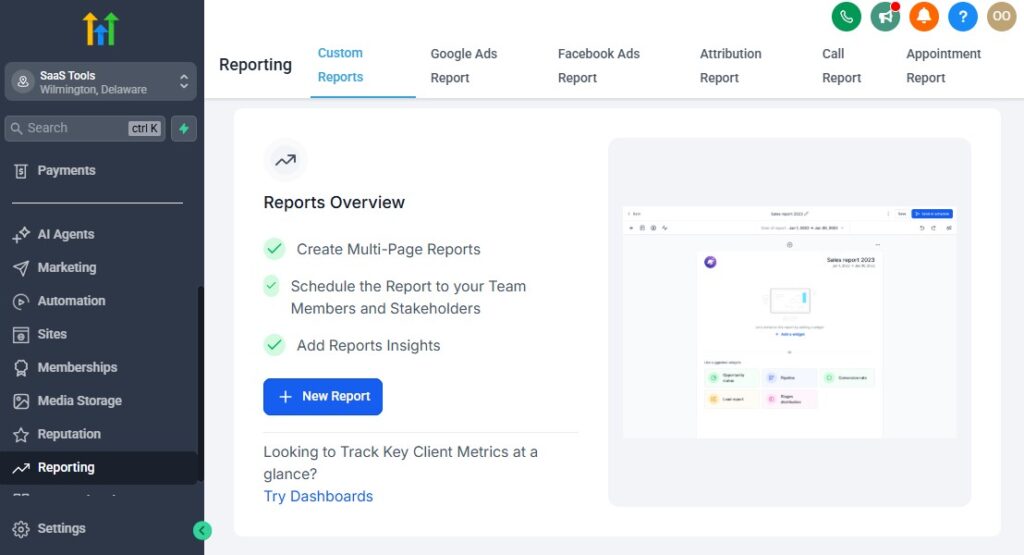
To run a contracting business efficiently, you need to know what’s working, what’s not, and where you’re losing money or opportunities.
GoHighLevel gives you clear, real-time reporting so you can track your leads, jobs, team activity, revenue, and marketing performance – all in one dashboard.
This helps you make smarter decisions, improve your operations, and grow faster with accurate data, not guesswork.
Track Every Lead From First Contact to Job Completion
GoHighLevel shows you exactly how leads move through your pipeline:
- New leads
- Contacted
- Site visits
- Estimates sent
- Estimates approved
- Jobs in progress
- Jobs completed
- Payments collected
You’ll see where leads stop, where delays happen, and where you can improve your conversions.
Monitor Your Job Conversion Rate
Your conversion rate tells you how many leads turn into paying clients.
You can track:
- Number of estimates sent
- Number of estimates approved
- Win/loss ratio
- Source of your best jobs
- Average time to approval
This helps you improve your close rate and identify which campaigns bring in quality clients.
View Revenue & Payment Insights
GoHighLevel gives you a full overview of your finances, including:
- Total revenue
- Deposits collected
- Pending payments
- Invoices paid/unpaid
- Average job value
- Revenue by service type
- Revenue by technician
- Revenue by location
This gives you a full financial dashboard without external spreadsheets.
Track Technician & Team Performance
If you run a team, you can see how each person is performing.
You can track:
- Site visits completed
- Estimates sent
- Jobs closed
- Job duration
- Customer satisfaction
- Task completion
- Response times
This helps you reward high performers and support those who need improvement.
Analyze Marketing Performance Across All Channels
You can track exactly where your best leads come from:
- Facebook ads
- Google ads
- SEO
- Landing pages
- Word of mouth
- Social media
- Referral partners
You’ll know which campaigns are worth scaling and which ones to stop.
Measure Campaign Engagement (Email & SMS)
GoHighLevel shows engagement data for every message you send.
Track:
- Open rates
- Click rates
- Reply rates
- Unsubscribes
- Conversions
- Link tracking
This helps you fine-tune your follow-ups and improve communication.
Monitor Funnel & Landing Page Performance
If you run multiple funnels, you’ll see which ones bring the best results.
You can track:
- Page views
- Conversion rates
- Form submissions
- Abandoned forms
- Booking rates
- Cost per lead (if ads are connected)
This lets you optimize pages that underperform and double down on winners.
Identify Bottlenecks in Your Workflow
With pipeline analytics, you can see exactly where your leads get stuck.
Common bottlenecks include:
- No follow-up after site visits
- Estimates delayed
- Slow approval process
- No reminders
- Poor team response times
Once you identify these issues, you can fix them with automations or better processes.
Compare Performance Month-by-Month
GoHighLevel lets you view trends over time, such as:
- Monthly revenue
- Monthly jobs completed
- Monthly leads generated
- Monthly approval rates
- Seasonal performance changes
This helps you plan staffing, inventory, and marketing more strategically.
Create Custom Dashboards for Your Business
You can build dashboards that show exactly what matters to your contracting company.
Examples include:
- Revenue dashboard
- Team performance dashboard
- Job status dashboard
- Lead source dashboard
- Marketing dashboard
- Service-type analytics dashboard
Custom dashboards give you instant clarity every time you log in.
Integrating GoHighLevel With Tools Contractors Use
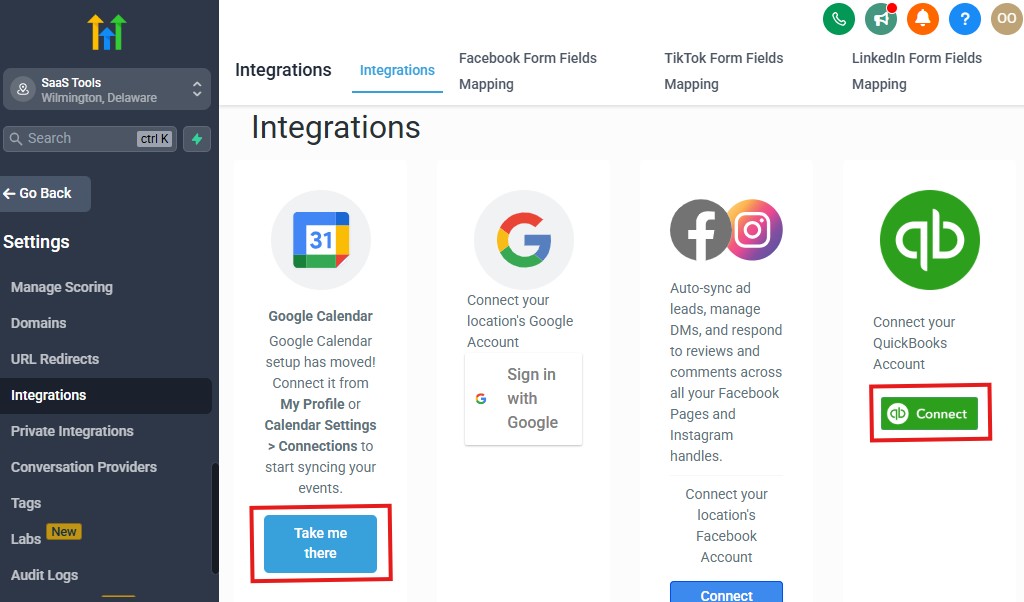
As a contractor, you likely rely on several tools – accounting software, e-signature apps, project management tools, file storage, and sometimes industry-specific platforms.
GoHighLevel allows you to connect all of these so your workflow stays smooth, data stays synced, and your team doesn’t waste time switching between different apps.
Here’s how to integrate GoHighLevel with the tools that keep your contracting business running.
Connect Accounting & Bookkeeping Tools
Managing finances becomes easier when GoHighLevel syncs with your accounting platform.
You can integrate:
- QuickBooks
- Xero
- FreshBooks
This helps you:
- Sync invoices
- Track payments
- Categorize transactions
- Maintain clean financial records
- Avoid double entry
Your accountant will thank you.
Integrate E-Signature Tools for Quick Approvals
Contracting work often requires signatures for:
- Estimates
- Contracts
- Change orders
- Project scopes
- Maintenance agreements
- Warranty confirmations
GoHighLevel connects with e-signature tools like:
- DocuSign
- PandaDoc
- HelloSign
This allows clients to sign directly from their phone in seconds.
Connect File Storage Tools
If you store photos, videos, reports, or project documents externally, you can integrate:
- Google Drive
- Dropbox
- OneDrive
This allows you to:
- Share folders instantly
- Sync files automatically
- Deliver media to clients
- Keep job documentation organized
Perfect for roofing, HVAC, electrical, and renovation projects that involve lots of images.
Link Industry-Specific Contractor Tools
Some contractors use specialized platforms for project management or field service.
You can integrate these using Zapier, Make, or native connections when available.
Common tools include:
- Jobber
- Buildertrend
- ServiceTitan
- Housecall Pro
- Trello / Asana
You can automate tasks like:
- Updating job status
- Syncing customer data
- Sending appointment details
- Creating new work orders
This keeps your workflow connected and reduces manual work.
Integrate Communication Tools
You can connect messaging and communication platforms to GoHighLevel, such as:
- WhatsApp (via approved integrations)
- Google Business Messages
- Facebook Messenger
- Instagram DMs
This means all your customer communication flows into one inbox – easier to track and respond.
Connect Email & Calendar Tools
Sync your email and schedules seamlessly with:
- Google Calendar
- Outlook Calendar
- Microsoft 365
- Gmail
- Outlook email
This keeps all appointments and emails aligned across platforms.
Integrate Payment Gateways
For smooth, fast payment collection, GoHighLevel integrates with:
- Stripe
- PayPal
- NMI
- Local payment gateways (via webhooks/Zapier)
This lets you accept deposits, milestone payments, and full payments easily.
Sync Ad Platforms for Better Tracking
If you run ads, integrate:
- Google Ads
- Facebook Ads
- TikTok Ads
This gives you accurate tracking for:
- Cost per lead
- Cost per booked job
- ROI on campaigns
- Lead attribution
You’ll know exactly which ads bring in profitable jobs.
Integrate With Automation Tools for Advanced Workflows
For contractors who want deeper automation, connect:
- Zapier
- Make (Integromat)
- Pabbly Connect
- Webhooks
You can automate advanced tasks like:
- Creating tasks in other software
- Sending data to external systems
- Updating spreadsheets
- Notifying team members
- Triggering workflows in multiple apps
This turns GoHighLevel into the central command center for your entire tech stack.
Advanced Automation for Contractors
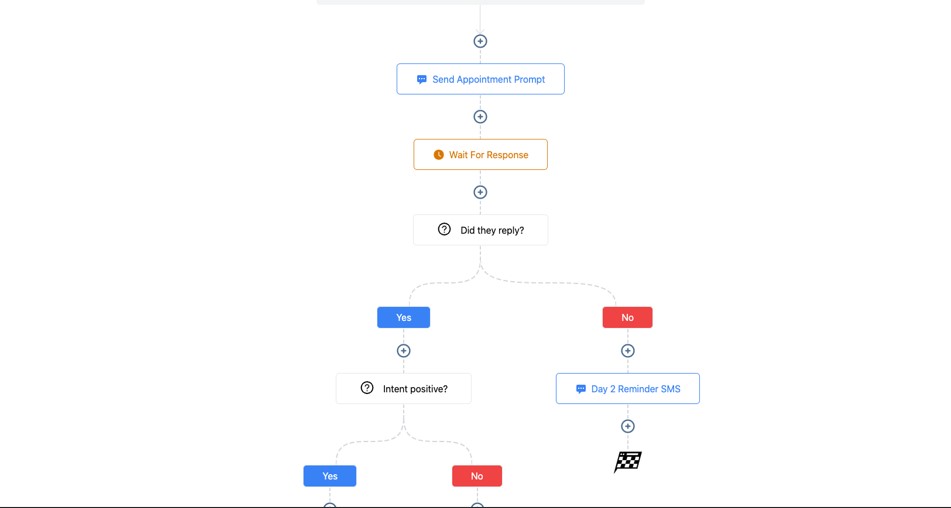
Once you have your basic workflows in place, you can take things even further with advanced automations that streamline your operations, speed up your response times, and help you close more jobs without manual effort.
This is where GoHighLevel becomes a true powerhouse for contractors.
These automations help you handle emergencies faster, keep your team organized, manage recurring services, and maintain consistent communication with clients throughout the entire project lifecycle.
Here’s how to take your contracting business to the next level.
Smart Lead Routing Based on Job Type or Location
Instead of manually assigning leads, GoHighLevel can automatically route inquiries based on:
- Service type (plumbing, roofing, HVAC, electrical, etc.)
- Zip code or service area
- Technician availability
- Emergency vs non-emergency jobs
- Type of project (repair, installation, maintenance)
This ensures the right team member gets the right job immediately.
Emergency Job Automations – GoHighLevel for Contractors
Emergency contractors (plumbing, electrical, HVAC, roofing) need fast response times.
You can create automations that:
- Tag a lead as “Emergency”
- Notify your on-call technician instantly
- Send the client an immediate SMS
- Move the job to the emergency pipeline
- Trigger priority scheduling
- Send the client your ETA
This creates a smooth, fast process for urgent calls.
Automated Client Onboarding Sequences
Once a client approves an estimate, you can automatically send:
- A welcome message
- Project overview
- next steps
- Required documents
- A timeline of the job
- Assigned technician details
- Access instructions (if needed)
This sets clear expectations and reduces confusion.
Automate Internal Job Task Creation
When a job changes stages, GoHighLevel can automatically create tasks for your team, such as:
- Order materials
- Confirm permits
- Prepare equipment
- Assign technician
- Schedule inspection
- Send project update
- Mark job ready to start
No more forgetting important steps.
Recurring Maintenance Automations
If your business offers recurring services, GoHighLevel can automate:
- Annual HVAC checks
- Seasonal roofing inspections
- Landscaping schedules
- Electrical safety inspections
- Plumbing maintenance
- Solar system performance checks
You can send reminders at:
- 3 months
- 6 months
- 12 months
- Or on any schedule you choose
These automations turn one-time clients into long-term recurring clients.
Warranty Tracking & Renewal Automations
For services that include warranties, you can automate:
- Warranty registration
- Warranty reminders
- Renewal notices
- Expiration warnings
- Inspection follow-ups
This protects your clients and drives repeat work.
Automated Upsell & Cross-Sell Workflows
After completing a job, you can trigger automations that offer related services:
- Roofing job → add gutter cleaning or attic insulation
- HVAC installation → add maintenance plan
- Plumbing repair → offer whole-home inspection
- Landscaping project → add weekly maintenance
- Electrical upgrade → offer safety inspection
These suggestions feel natural and increase your revenue per client.
Automated Project Progress Updates
For long-term projects, GoHighLevel can automatically update clients when:
- A stage is completed
- Materials are delivered
- Inspections are scheduled
- Work begins
- Work is delayed
- Work is completed
This gives clients peace of mind and reduces the number of calls you get asking for updates.
Auto-Generate Job Completion Workflows
When a job is marked “Completed,” GoHighLevel can instantly fire off:
- Thank-you message
- Final invoice
- Payment link
- Warranty documents
- Job report
- Before/after photos
- Review request
- Referral request
This creates a perfect end-of-project experience.
Track & Automate Follow-Ups for Unfinished Jobs
GoHighLevel can automatically remind your team or clients when:
- An estimate hasn’t been approved
- A job is waiting for a part
- A site visit needs to be rescheduled
- A required document hasn’t been uploaded
- A payment is pending
Nothing gets stuck or forgotten in the process.
Use Conditional Logic for Smart Automation
Advanced workflows allow you to create logic such as:
- “If client doesn’t reply in 24 hours, send a reminder.”
- “If estimate is approved, assign technician.”
- “If invoice is unpaid after 3 days, send a reminder.”
- “If job is marked completed, send review request.”
This gives you a fully automated job lifecycle without manual input.
Learn More:
- What is GoHighLevel? (Features, Use Cases, Pricing & More)
- GoHighLevel Review: (My Experience After 5 Years)
- GoHighLevel Pricing: (+ Discount Codes)
- GoHighLevel Features: (Full List of Tools)
- GoHighLevel Onboarding Checklist: (Complete Tutorial)
- GoHighLevel for Property Management: (Detailed Tutorial)
- GoHighLevel for Small Businesses: (2026 Helpful Tutorial)
- GoHighLevel for Service Businesses: (2026 Helpful Tutorial)
- GoHighLevel for Local Businesses: (2026 Helpful Tutorial)
- GoHighLevel for Construction Companies: (2026 Helpful Guide)
Frequently Asked Questions
FAQs about GoHighLevel for Contractors.
Can GoHighLevel work for all types of contractors?
Yes. GoHighLevel works for roofing, plumbing, HVAC, electrical, landscaping, renovation, solar installation, and general contracting. You can customize pipelines, forms, automations, and calendars to match any service you offer.
Can clients approve estimates and make payments inside GoHighLevel?
Absolutely. Clients can open your estimate, approve it, and pay deposits or full payments directly through the built-in payment links. Everything updates instantly inside your CRM.
How does GoHighLevel help you schedule site visits and inspections?
You can create dedicated calendars for different services or technicians. Clients can book appointments online, and GoHighLevel automatically sends confirmations and reminders to reduce no-shows.
Can GoHighLevel automate follow-ups for estimates, payments, and job updates?
Yes. You can automate follow-up messages for pending estimates, overdue invoices, job reminders, post-job reviews, and project updates. This saves time and helps you close more jobs consistently.
Does GoHighLevel help with collecting reviews for your contracting business?
Yes. After each job, GoHighLevel automatically sends a review request to your clients with links to Google, Yelp, Facebook, or any review platform you choose. It also sends reminders to increase your chances of getting 5-star reviews.
Final Thoughts
GoHighLevel gives you everything you need to run your contracting business with more speed, more organization, and more professionalism.
Instead of juggling multiple apps for leads, scheduling, estimates, payments, communication, and reviews, you manage everything from one simple dashboard.
By setting up your CRM, automating your follow-ups, organizing your calendars, building high-converting funnels, collecting payments faster, delivering job documents professionally, and keeping clients informed at every step, you create a streamlined system that works even when you’re busy on-site.
With GoHighLevel, you’re not just improving your operations – you’re creating a business that runs smoothly, delivers a better experience, converts more jobs, and grows consistently.
Your contracting company becomes more efficient, more profitable, and more scalable.