Running a plumbing business means dealing with:
- constant calls
- emergency requests
- follow-ups
- invoices
- quotes
- technician scheduling
- and customer questions.
When your team is out in the field, you need a system that keeps everything organized without slowing you down.
GoHighLevel for Plumbers gives you one platform where you manage all your plumbing operations.
From handling:
- new service requests to sending quotes
- collecting payments
- dispatching technicians
- automating reminders
- following up on jobs
- and keeping customers coming back.
Instead of juggling multiple apps, you get a streamlined workflow that helps you respond faster, book more jobs, and deliver a better experience to homeowners and commercial clients.
Whether you run a solo plumbing business or a full team with multiple technicians, GoHighLevel helps you reduce missed opportunities, improve client communication, and build predictable revenue with smart automation.
This guide shows you exactly how to use GoHighLevel to streamline your plumbing operations step-by-step.
TL;DR (Quick Summary)
If you want to organize your plumbing business, book more service calls, and respond faster without hiring extra staff, GoHighLevel is the tool you need. You can:
- Capture service requests instantly
- Automate responses for emergency calls
- Schedule appointments for repairs, installations, and inspections
- Send quotes, invoices, and payment links from one place
- Assign leads and jobs to technicians automatically
- Collect reviews after every job
- Run email and SMS campaigns that bring customers back
- Track job performance, revenue, and lead sources in real time
GoHighLevel turns your plumbing business into a system – predictable, efficient, and easy to scale.
How to Set Up GoHighLevel for Plumbers – (Step-by-Step Tutorial)
Let’s keep it simple – we’ll both set up your account first, then follow the step-by-step strategies to put everything in place.
This section walks you through a simple, practical setup so your plumbing business is ready to handle service calls, respond faster, and organize your workflow:
Step 1: Create HighLevel Account for 30 Days Free
Since you’re just starting with GoHighLevel, you would need to properly set up your account.
And you can do that for free through our exclusive 30-Day Free Trial link here.
In order to start, head over to gohighlevel.com/30-day-free-tial free trial and click on “30 DAY FREE TRIAL” as you can see below.

Upon clicking on “30 DAY FREE TRIAL“, a page will pop that looks exactly like the image below.
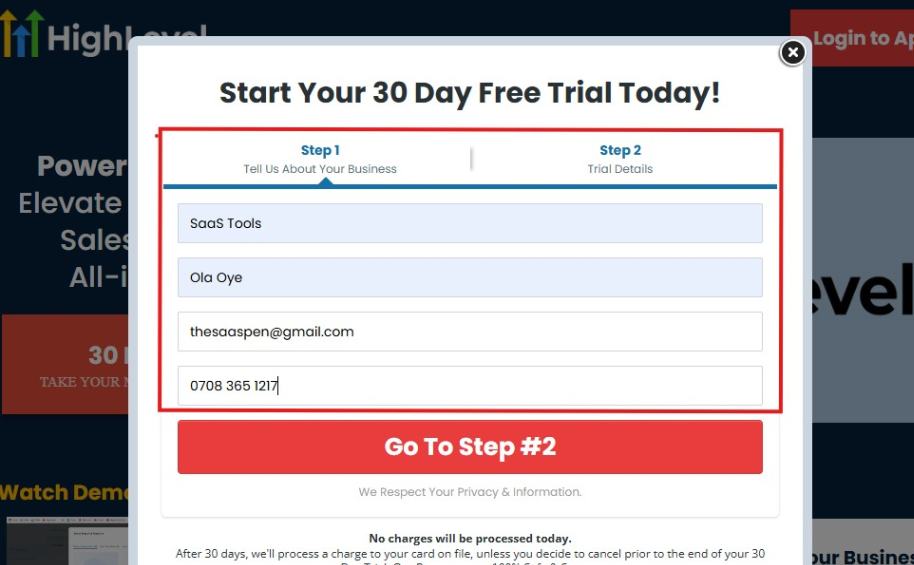
If you take a closer look at the image above, you will see that you need to supply your:
- Business name
- Company name
- Company email
- Phone number
Supply all the pieces of information and click on “Go To Step #2.”
On the next page, you will be required to select the plan you want to opt in for.
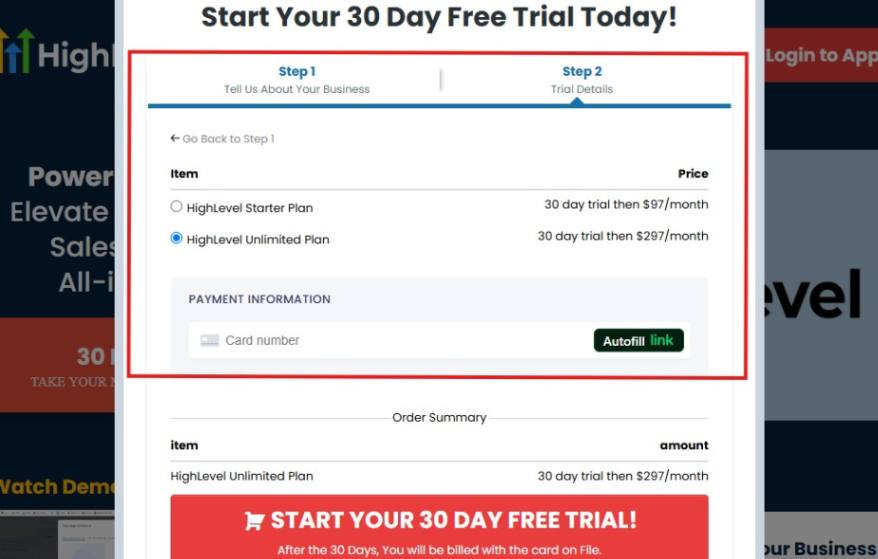
As you can see from the image above, you can either choose from:
- HighLevel Starter Plan
- HighLevel Unlimited Plan
Select the HighLevel Unlimited Plan and continue – you can always upgrade to the SaaS Mode later if you want that or downgrade.
The next thing you want to do is supply your credit card information.
Note: You will not be debited anything today until the end of your trail that is if you don’t cancel. Keep in mind that $1 will be debited and refunded back instantly into your account just to test your card is working.
After you have supplied the information accordingly, click on “START YOUR 30 DAY FREE TRIAL” and you will be asked to confirm you’re not a robot.
After that, the page below will pop up.
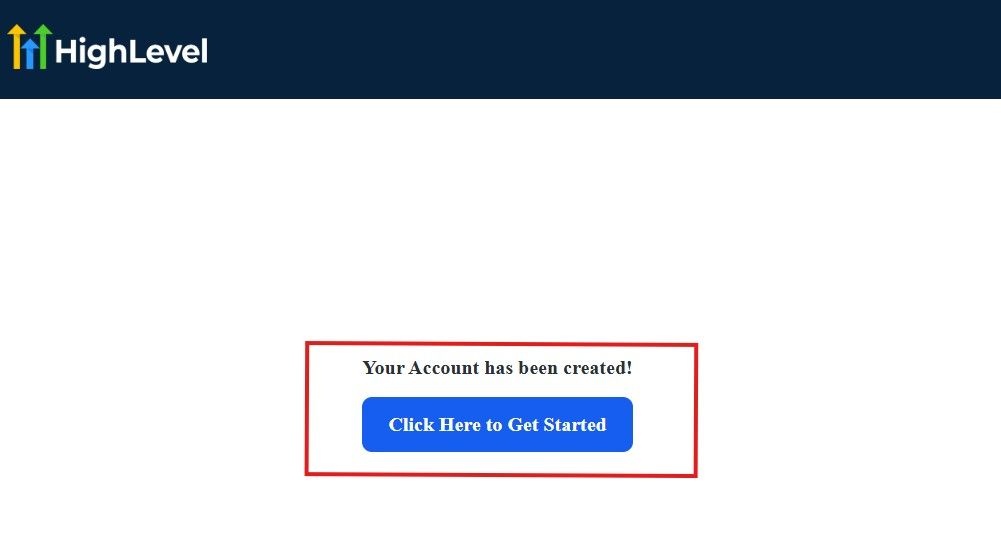
The image above says, “Your Account has been created!” Now, you need to click on the blue button that says “Click Here to Get Started.“
Click on the blue button to start your onboarding process.
Step 2: GoHighLevel Onboarding Process
The onboarding questions help GoHighLevel understand why you have signed up for the platform so that it can tailor your experience accordingly.
This is all you need to do:
After you click on the blue button above, the page below will pop up.
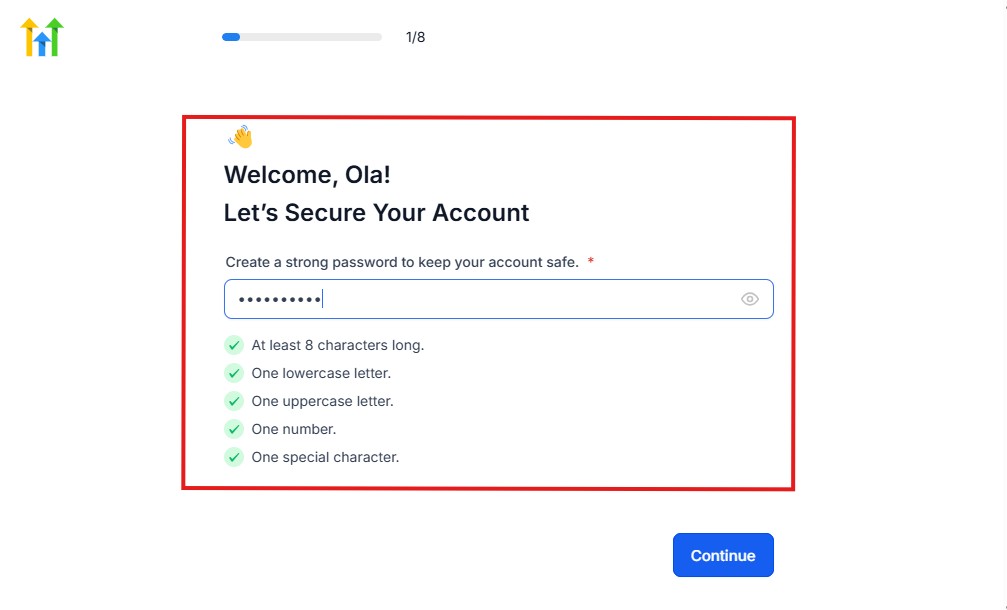
As you can see above, you need to set up your password, and the password has to be:
- At least 8 characters long
- One lowercase letter
- One uppercase letter
- One number
- One special character
If you have input the password and it matches all the description above, everything will be green just the way it’s in the image.
Click on “Continue” there after, and the image below will pop up.
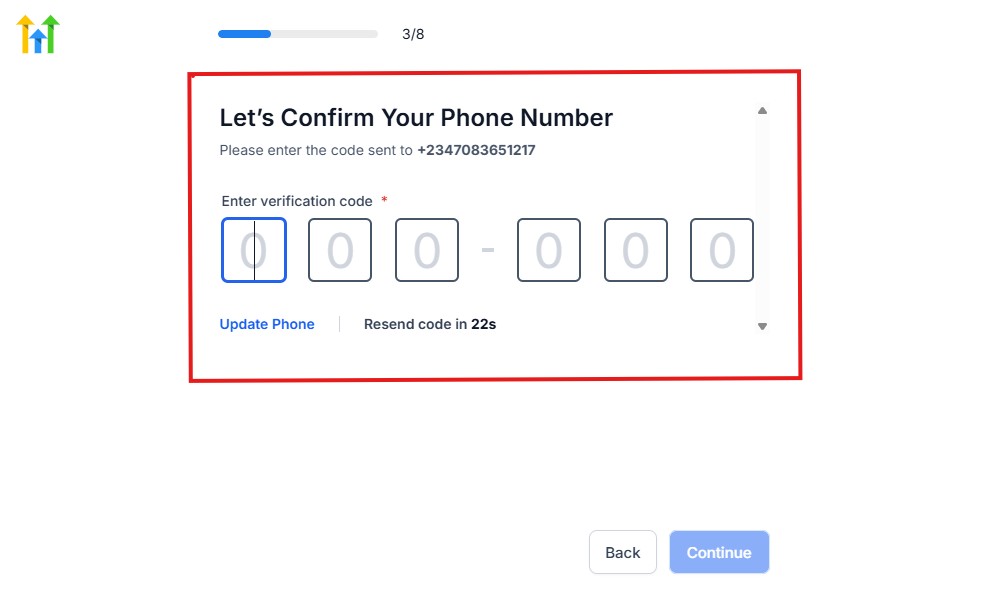
As you can see, a code will be sent to you to confirm your email address and phone number. The process is the same for the 2.
The next thing you need to do is to select how you plan to use GoHighLevel, as you can see below.
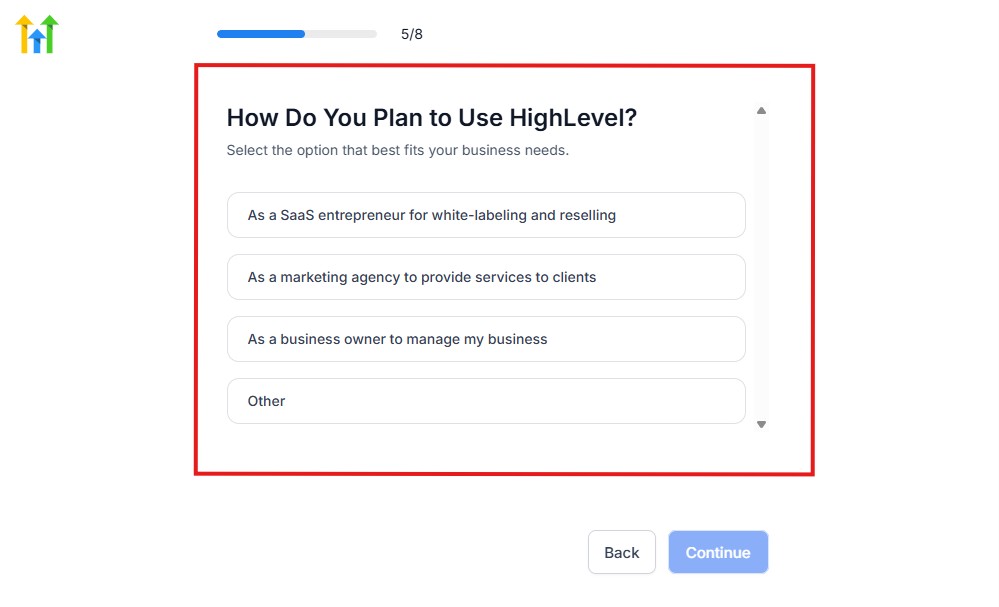
Select what best matches why you have signed up and click on Continue.
On the next page, you will be asked if you plan to resell GoHighLevel or not.
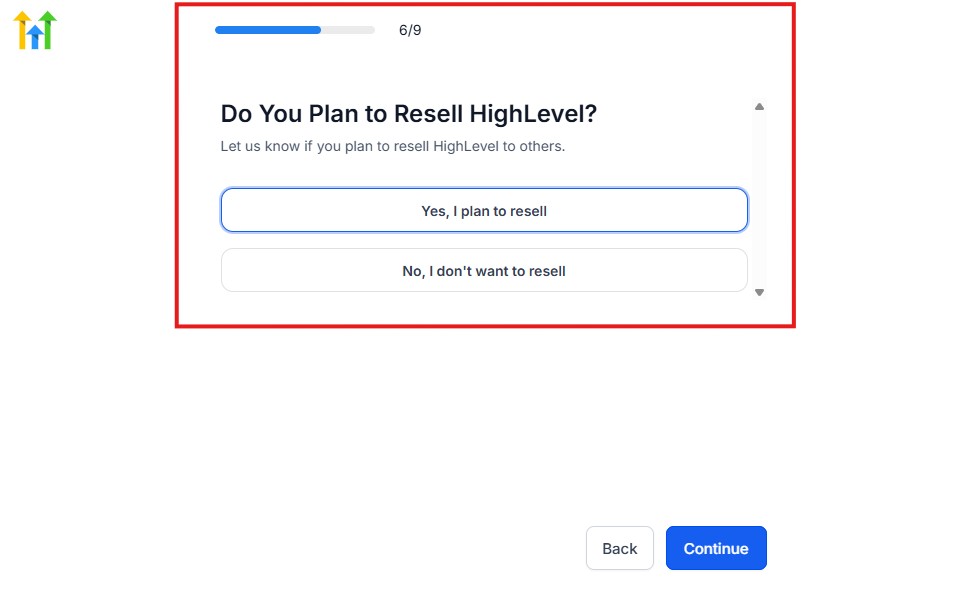
Select the answer based on the reason why you have signed up and click on “Continue”
Then, the page below will pop up.
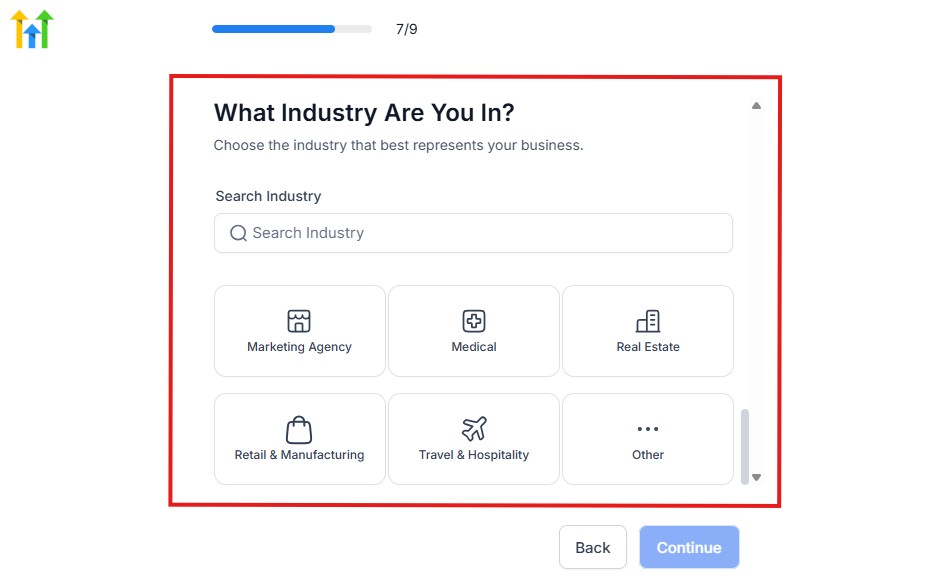
From the image above, you need to select the industry that you fall on. You can also make use of the search button if you can’t find it right away.
Then, click on continue after you select your industry.
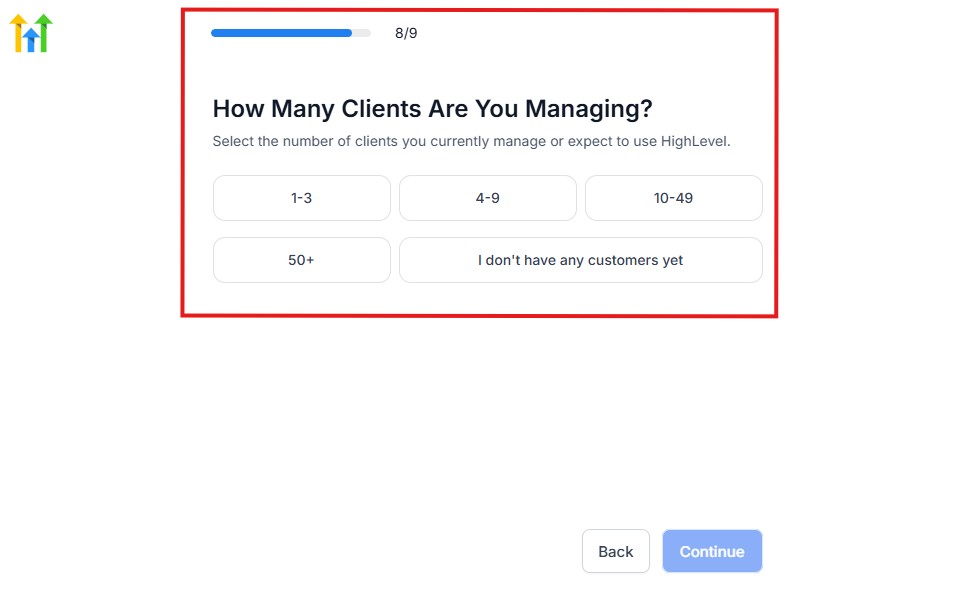
Then, the next thing you need to do is to select the number of clients that you currently have. Select “I don’t have any customers” yet if you currently don’t have one.
On the next page, you will be asked to select the platforms you currently use that you can integrate with GoHighLevel right away.
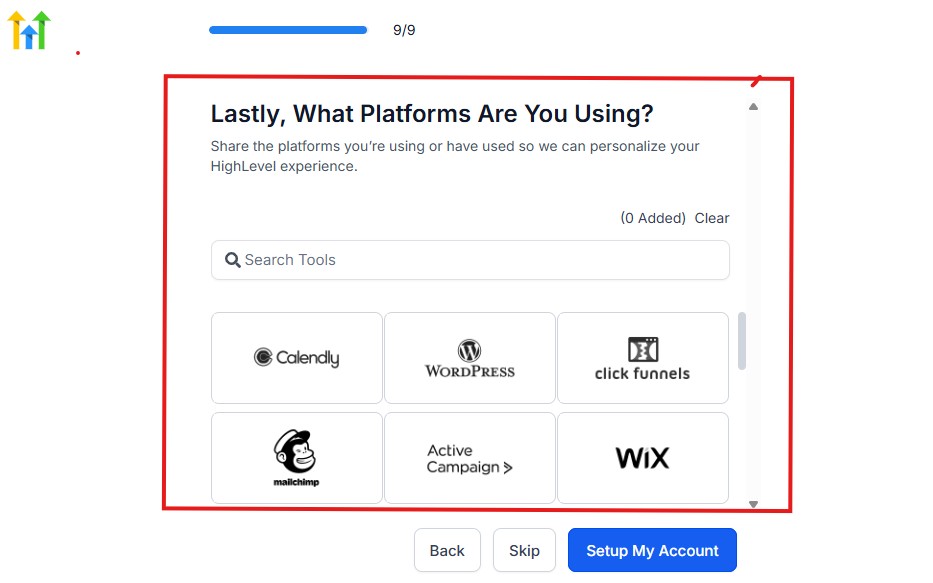
You can use the search button to search for any tools you want to add to your GoHighLevel account.
You can also skip this process and do it later if you want to.
After that, the page below will pop up.
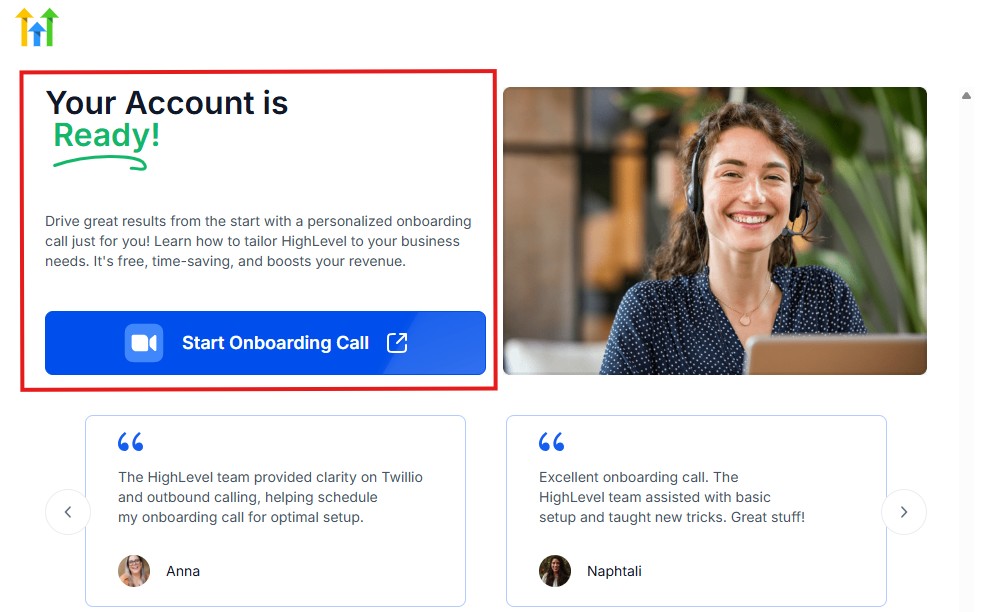
The page above says your account is ready and is asking you to “Start Onboarding Call.”
The “Onboarding Call” allows you to connect with the Go High Level team in order to discuss your account set-up process and everything regarding your plan in using HighLevel.
If you don’t want to start the “Onboarding Call” yet, just stroll down, and you will see the button in the image below.
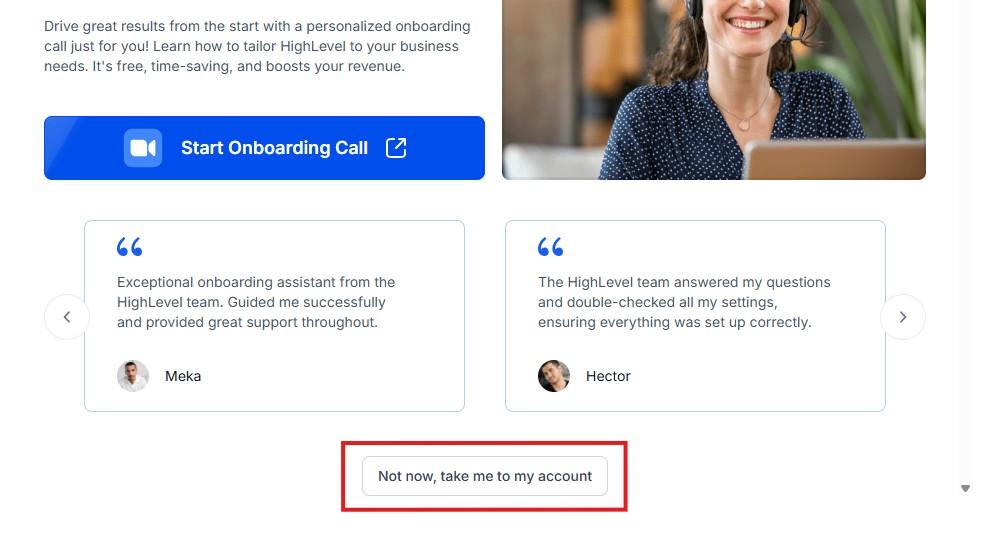
Simply click on “Not now, take me to my account“, and you will have access to your dashboard.
Note: If you have indicated that you want to resell HighLevel, you would have access to the agency dashboard by default, which looks like the image below.
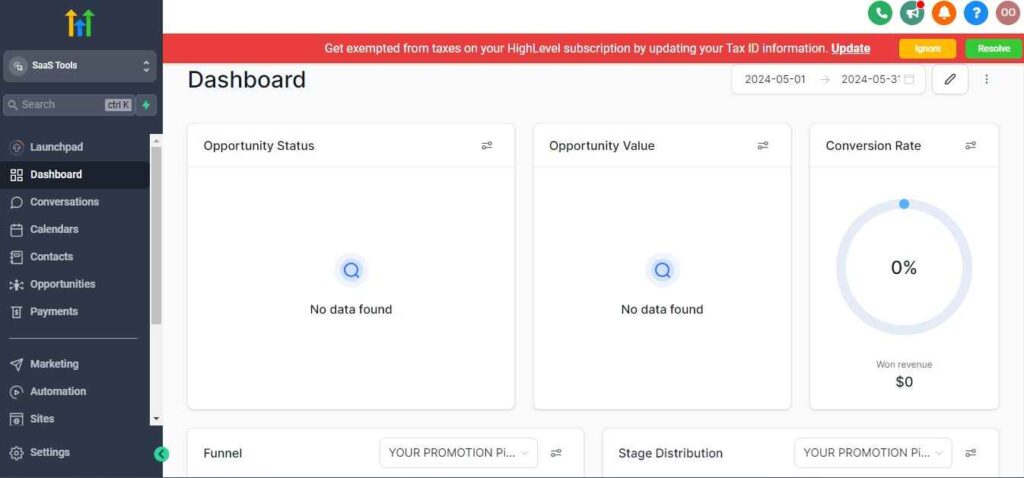
But if you didn’t indicate interest in reselling GHL, your dashboard will look like the image below.
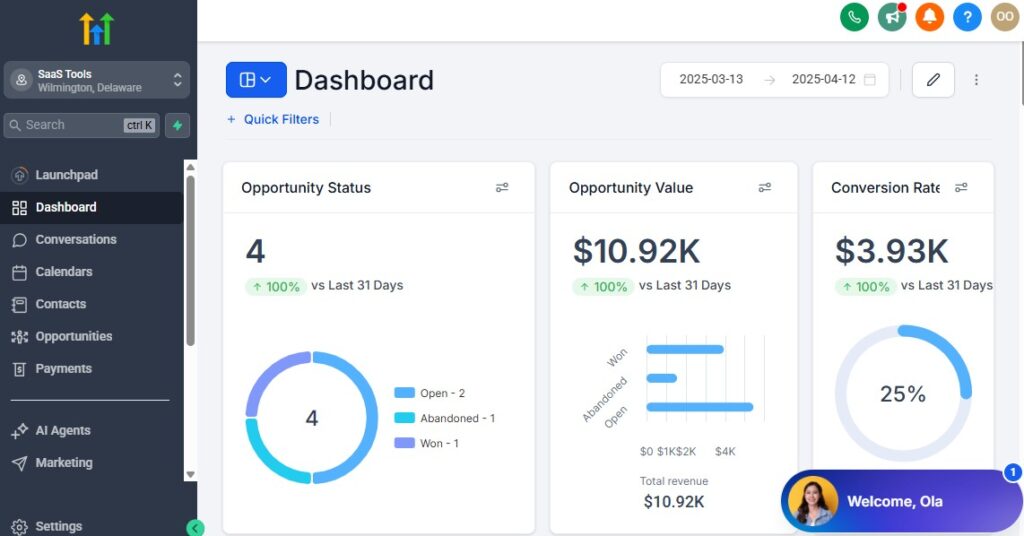
You can switch between these dashboards at any time.
The data you see on the dashboard above are not real data, they’re snapshots that you can use to kickstart your account setup process.
I want to say congratulations. You have successfully set up your Go High Level account.
Step 3: Add Your Plumbing Business Information
Start by setting up your core business details inside GoHighLevel:
- Business name and logo
- Service areas (cities, regions, zip codes)
- Operating hours
- Emergency service hours (if applicable)
- Contact email and phone numbers
- Custom domain (optional but recommended)
This helps ensure your booking pages, reminders, and forms look professional and reflect your plumbing brand.
Step 4: Create Technician and Office Staff Profiles
Every technician should have their own profile so you can assign calls, track job performance, and manage availability.
For each team member, set:
- Name and role (technician, apprentice, admin, dispatcher)
- Work hours
- Service expertise (e.g., water heaters, pipe repair, sewer line work)
- Service area or radius
- Calendar availability
- Permissions (access levels)
This helps GoHighLevel route leads and schedule jobs accurately.
Step 5: Set Up Your Plumbing Service Categories
Break your services into categories to keep your funnels, calendars, and automations organized.
Examples:
- Emergency plumbing
- Leak detection
- Drain cleaning
- Water heater repair/installation
- Pipe replacement
- Toilet & sink repair
- Sewer line issues
- Annual plumbing inspection
- Commercial plumbing services
Each service can include:
- Description
- Estimated duration
- Price or starting price
- Technician assignment
This ensures clients know exactly what they’re booking.
Step 6: Build Your Plumbing Calendars
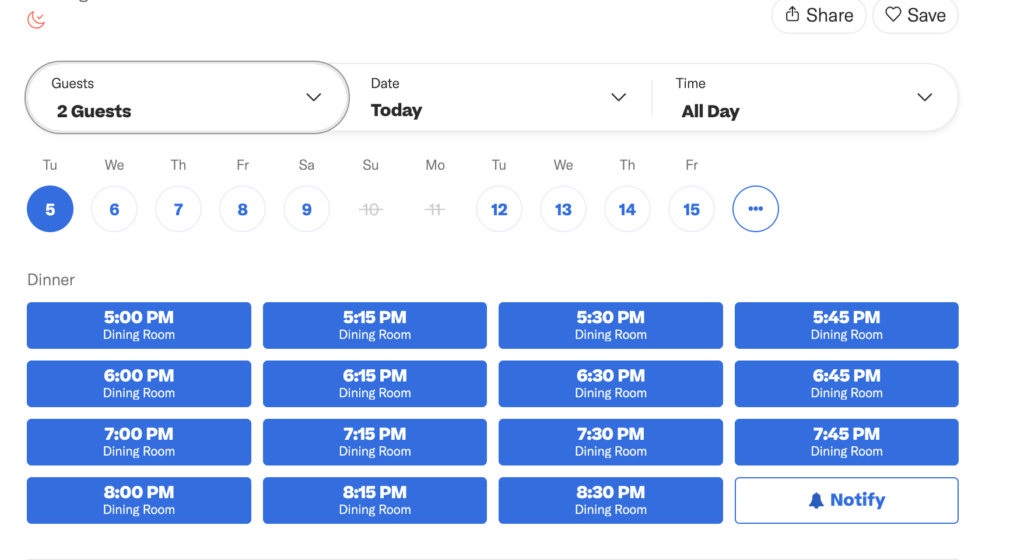
Your scheduling system should match how your business operates.
You can create calendars for:
A. Emergency Service Calls
- Same-day priority
- Shorter time slots
- Auto-assign nearest technician
B. Standard Service Calls
- Repairs
- Installations
- Follow-up visits
C. Inspections & Maintenance
- Annual plumbing checks
- Water heater safety inspections
- Commercial contracts
Calendars should reflect:
- Technician availability
- Travel time buffers
- Service duration
- Location-based scheduling
Step 7: Connect Your Phone System & Missed-Call Text-Back
Plumbers lose a lot of business when calls go unanswered – especially emergencies.
GoHighLevel provides a business number you can use for:
- Incoming service calls
- Outgoing SMS
- Automated responses
- Missed-call text-back
When someone calls and you’re unavailable, GoHighLevel can instantly send:
“Sorry we missed your call. How can we help? Reply here to get immediate assistance.”
This prevents you from losing leads during busy hours.
Step 8: Connect Your Email & Communication Channels
Link your:
- Gmail
- Outlook
- Custom domain email
This allows you to send:
- Quotes
- Invoices
- Follow-ups
- Appointment confirmations
Everything flows into one communication dashboard.
Step 9: Connect Your Payment Gateway
Plumbing jobs often require deposits, partial payments, or full payment on completion.
Integrate:
- Stripe
- PayPal (optional)
- NMI
- Square (via integrations)
Once connected, you can:
- Send payment links
- Collect deposits before dispatch
- Create invoices
- Offer maintenance plan subscriptions
Payments sync automatically into client profiles.
Step 10: Add Custom Intake Forms for Service Requests
Create forms that gather details before dispatching a technician.
Include fields like:
- Problem type
- Severity
- Photos or videos of the issue
- Address
- Access instructions
- Preferred time
- Warranty or past repair info
This helps you diagnose issues faster and prepare the right tools before arriving on-site.
Step 11: Set Up Your CRM Pipelines for Plumbing Jobs
Your pipeline organizes every service request from start to finish.
Example pipeline:
- New Service Request
- Contacted
- Scheduled
- Technician Dispatched
- Job Completed
- Follow-Up Needed
- Invoice Sent
- Paid
- Repeat Customer
This gives you a clear overview of your plumbing operations.
Step 12: Prepare Your Automation Templates
Set up templates for:
- Emergency response SMS
- Standard job confirmations
- Follow-up messages
- Quote reminders
- Review requests
- Maintenance plan promotions
- Seasonal campaigns
These templates save time when building automations later.
Your GoHighLevel system is now properly set up for plumbing operations.
Managing Leads, Homeowners & Plumbing Jobs With the CRM
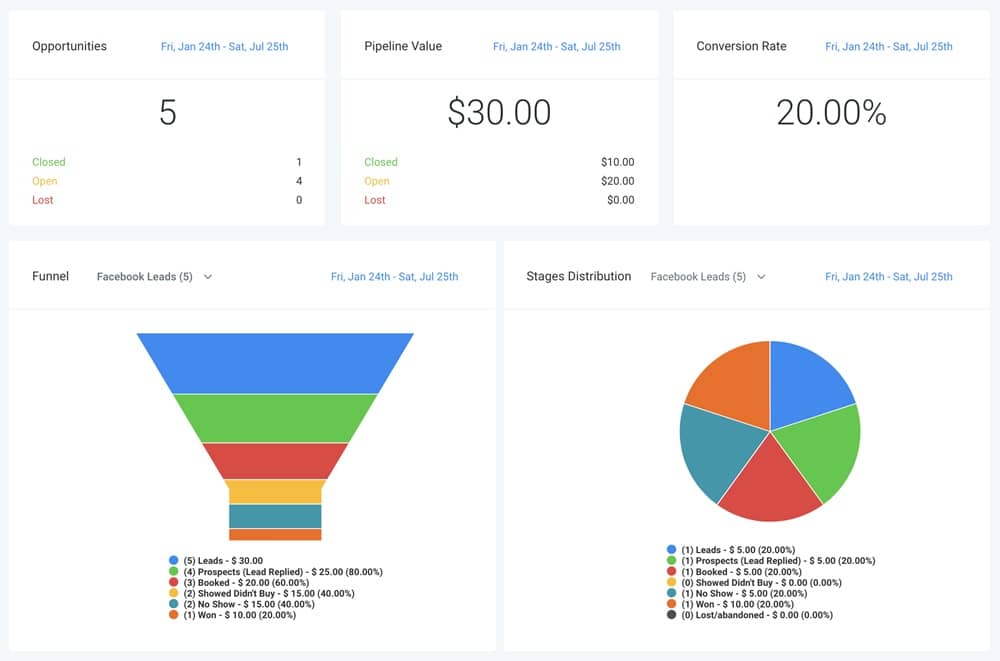
The CRM is where your entire plumbing workflow comes together. Every homeowner, commercial client, service request, quote, and job update lives here.
When you organize your CRM correctly, your plumbing business becomes easier to manage, your response times improve, and you never lose track of a job again.
Below is exactly how to use GoHighLevel’s CRM to manage leads, dispatch technicians, store job details, and create a smooth end-to-end service experience.
Build a Plumbing Pipeline That Matches Your Job Flow
Your CRM pipeline should reflect how your plumbing jobs move through your business.
A simple, effective pipeline might include:
- New Lead
- Needs Response
- Quoted
- Scheduled
- Dispatched to Technician
- Job in Progress
- Completed
- Invoice Sent
- Paid
- Follow-Up
- Repeat Customer
Each stage helps you:
- Track every opportunity
- See which jobs need attention
- Keep technicians and office staff aligned
- Improve efficiency and prevent bottlenecks
Store Detailed Client Information for Faster Job Handling
Every homeowner or commercial client gets their own profile inside the CRM. You can store:
- Contact details
- Property address
- Type of property (residential or commercial)
- Job history
- Photos or videos of past issues
- Technician notes
- Warranty details
- Preferred appointment times
- Payment history
- Maintenance plan status (if subscribed)
This makes every future interaction smoother for both your clients and your technicians.
Track Service Requests & Plumbing Job Details
Each job can include:
- Problem description
- Severity level
- Photos of the issue
- Job category (leak, pipe, heater, drain, sewer line, etc.)
- Service location
- Required parts or tools
- Estimated cost
- Technician assignment
- Scheduled date and time
All the information is in one place so your team knows exactly what to expect before arriving on-site.
Assign Jobs to Technicians Directly From the CRM
You can assign based on:
- Skill level
- Service type
- Technician availability
- Location or zone
- Current workload
Once assigned:
- The technician gets a notification
- Job details appear instantly in their dashboard
- Any updates sync in real time
This prevents miscommunication and speeds up dispatching.
Use Tags to Organize Clients & Jobs
Tags help you sort and categorize clients quickly.
Examples:
- “Emergency”
- “Water heater”
- “Commercial client”
- “Maintenance plan member”
- “High value”
- “Pending invoice”
- “Repeat customer”
Tags make it easy to trigger automations or filter clients for targeted campaigns.
Manage Photos, Videos & Job Notes Easily
Technicians can upload:
- Before/after photos
- Videos of problems
- Repair progress
- Parts used
- Notes from the job
- Recommendations for future service
Everything stays linked to the client record for future reference.
Track Quote Status & Conversion Rates
Every quote can be tracked through the pipeline.
You can see:
- Who viewed the quote
- Who accepted or declined
- Who needs follow-up
- How long clients take to decide
This helps you improve your quoting process and close more jobs.
Set Follow-Up Tasks for Office Staff or Technicians
Inside the CRM, you can assign tasks like:
- Call customer back
- Send updated quote
- Order parts
- Confirm appointment
- Schedule reinspection
- Upload service report
This keeps your team organized and accountable.
Segment Clients Based on Service Type, Frequency & Value
You can build smart lists such as:
- Clients with water heaters over 10 years old
- Customers who booked emergency service
- Commercial clients needing annual inspections
- High-value residential clients
- Clients who haven’t booked in 6–12 months
- Maintenance plan members
These lists help you send targeted campaigns and improve customer retention.
Track Job Performance & Revenue From the CRM
You can monitor:
- Number of jobs completed
- Types of jobs most frequently requested
- Revenue per client
- Revenue per service category
- Technician performance
- Job completion times
- Conversion rates from lead → job
This data helps you understand what’s working and where you can improve.
Your CRM becomes the control center of your plumbing company – helping you track every job, respond faster, and keep your business running smoothly.
Automating Client Intake, Service Requests & Follow-Up
Automation is one of the biggest advantages GoHighLevel brings to your plumbing business.
Instead of manually responding to new service requests, chasing quotes, or reminding clients about scheduled jobs, your system handles it automatically.
This helps you respond faster, reduce lost opportunities, and keep your technicians busy without overwhelming your office staff.
Below is exactly how to automate intake, service requests, and follow-up for plumbers.
Automate Responses to New Service Requests
When a homeowner submits a request – through your website, landing page, form, or phone call – GoHighLevel can respond instantly.
Your automation can send:
- A confirmation message
- A “We received your request” SMS
- An intake form link for more details
- Estimated response time
- Emergency instructions (if needed)
This builds trust and prevents leads from slipping away, especially during busy hours.
Automate Emergency Plumbing Responses
Emergency jobs need immediate attention, and GoHighLevel can prioritize them.
Your automation can:
- Detect when “emergency” is selected
- Send a fast-response message
- Ask key questions (photos, severity, leak location)
- Notify the nearest available technician
- Alert your office team instantly
This ensures you handle high-priority jobs quickly.
Create Smart Routing Based on Job Type or Location
Automate lead assignment based on:
- Technician skill
- Job category
- Client location
- Technician availability
Examples:
- Water heater issues → send to heater specialist
- Sewer backups → dispatch drain technician
- Jobs within a 10-mile radius → assign to nearest tech
Your response time improves dramatically.
Automate Pre-Service Intake Questions
Before dispatching a technician, gather the right details automatically.
Your intake workflow can ask:
- What problem are you experiencing?
- When did it start?
- Are there photos you can upload?
- Is water leaking continuously?
- Did you shut off the main valve?
- What is your address?
- Preferred time for service?
This reduces diagnosis time and helps techs arrive prepared.
Automate Quote Follow-Ups (Huge for Conversions)
Many plumbing quotes go cold simply because customers get distracted.
Your system can follow up automatically:
After 1 hour: “Did you have any questions about your quote?”
After 24 hours: “We still have an opening today if you’re ready.”
After 48 hours: “This is a quick reminder about your plumbing quote – let us know how we can help.”
This alone increases your quote conversion rates significantly.
Send Automated Appointment Confirmations
Once a job is scheduled, GoHighLevel sends:
- Confirmation email
- SMS with appointment details
- Technician’s name and arrival window
- Instructions to prepare (e.g., clear access to water heater)
Clients feel prepared, and your team looks more professional.
Reduce No-Shows With Automated Reminders
Send reminders:
- 24 hours before
- 2–3 hours before
- When the technician is on the way (optional with GPS tools)
This reduces cancellations and missed appointments.
Automate Technician Dispatch Notifications
Once a job is assigned:
- The technician receives job details instantly
- They can see notes, photos, and client history
- They can update the job status on-site
This eliminates back-and-forth communication with office staff.
Automate Post-Job Follow-Up Messages
After the job is completed, send:
- A thank-you message
- Job summary or service report
- Recommendations for future maintenance
- A link to request another service
- Warranty information (if applicable)
This creates a polished customer experience.
Automate Review Requests
Reviews help plumbing companies grow, especially on Google.
Your system automatically sends:
- Review request SMS
- Email with review links
- Follow-up reminder if no review is left
Higher reviews → more bookings → more revenue.
Automate Maintenance & Annual Service Reminders
Use automations to schedule:
- Annual plumbing inspections
- Water heater maintenance
- Sewer line checks
- Seasonal winterization
- Filter replacements
For example:
“It’s been 12 months since your last plumbing inspection – schedule now to avoid costly issues.”
This increases repeat business and builds long-term client relationships.
Automate Win-Back Messages for Inactive Clients
Create triggers for clients who haven’t booked in:
- 6 months
- 12 months
- 18 months
Send:
- Special offers
- Maintenance reminders
- Personalized messages
This helps you recover lost customers with minimal effort.
Your automations ensure you never miss a lead, never forget a follow-up, and never lose a repeat customer opportunity.
Appointment Scheduling for Service Calls, Inspections & Emergencies
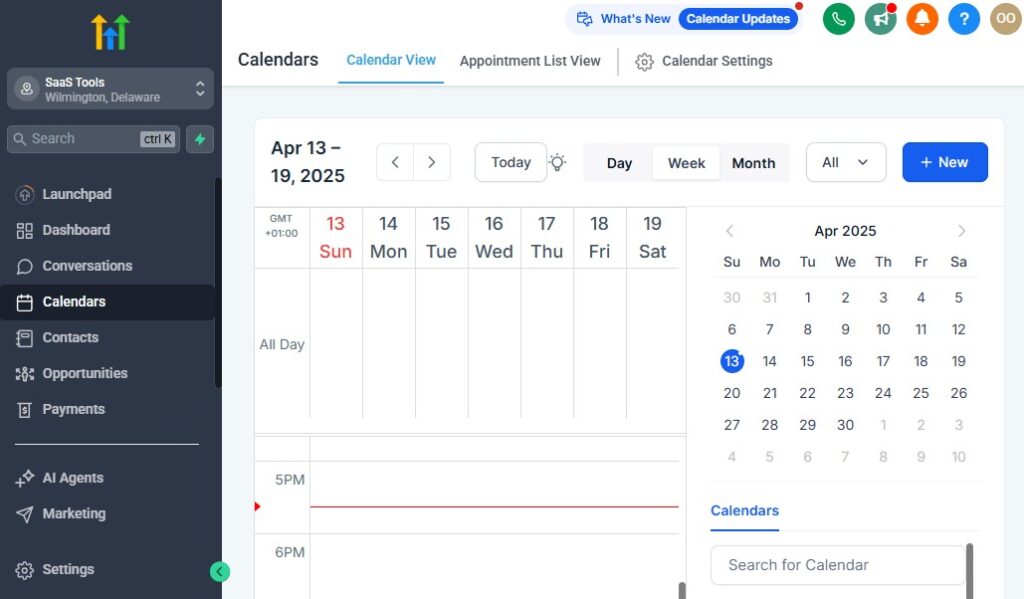
Plumbing businesses rely heavily on fast, accurate scheduling.
Homeowners expect quick responses, businesses need reliable appointments, and emergencies require immediate attention.
GoHighLevel gives you a flexible scheduling system that helps you manage all types of plumbing jobs – from routine inspections to urgent repairs – without confusion or double-booking.
This section shows you how to set up scheduling that keeps your technicians organized, reduces back-and-forth communication, and improves response time.
Create Different Calendars for Different Job Types
Your plumbing business can benefit from using separate calendars for each service category.
A. Emergency Plumbing Calendar
For urgent jobs like burst pipes, sewer backups, or major leaks.
Features you can set:
- Same-day or 2-hour priority slots
- Shorter appointment windows
- Auto-assign nearest available technician
B. Standard Service Calendar
For regular jobs like:
- Leak repair
- Drain cleaning
- Toilet replacement
- Fixture installation
- Water heater maintenance
Clients choose available time slots with no need to call the office.
C. Inspection & Maintenance Calendar
For recurring or pre-scheduled work:
- Annual inspections
- Water heater checks
- Commercial maintenance visits
- Real estate plumbing inspections
Organizing calendars this way keeps your operations clean and predictable.
Set Technician Availability and Working Hours
Each technician has different working hours, specialties, and service areas.
Inside GoHighLevel you can configure:
- Days and times they are available
- Breaks and travel time
- Specific skills (e.g., water heater specialist)
- Regions they cover (North, Central, South)
When clients book online, the system shows only available technicians for that job type.
Offer 24/7 Online Scheduling for Homeowners
You can place your booking link on:
- Your website
- Google Business Profile
- Facebook page
- Instagram bio
- Email signature
- SMS campaigns
- Local ads
Clients can schedule:
- Repair services
- Estimates
- Inspections
- Consultations
This reduces phone calls and frees your office staff to focus on more important tasks.
Add Travel Time Buffers Between Jobs
To avoid technician delays, GoHighLevel lets you add buffers between appointments.
Examples:
- 15-minute buffer for local jobs
- 30-minute buffer for city-wide jobs
- Custom buffer based on technician route
This prevents overlapping time slots and keeps your schedule accurate all day.
Enable Priority Booking for High-Value Clients
Your best customers – commercial clients or maintenance plan members – can get:
- Reserved time blocks
- Faster scheduling
- Dedicated technician availability
You can create special calendar rules just for them.
Allow Self-Serve Rescheduling
Clients can reschedule their service appointment without calling the office.
They receive:
- A reschedule link
- Access to available times
- Automatic calendar updates
This reduces admin work and keeps your schedule organized.
Automate Appointment Confirmations & Reminders
Once a job is booked, GoHighLevel sends:
- Confirmation email
- SMS confirmation
- Directions or instructions
- Technician name and arrival window
Reminder automations include:
- 24-hour reminder
- 2–3 hour reminder
- Day-of reminder
This reduces cancellations and ensures clients are ready when the technician arrives.
Route Emergency Leads Automatically
When the system detects keywords like “leak,” “flood,” “burst pipe,” “urgent,” or “emergency,” it can:
- Notify your office immediately
- Assign the closest available technician
- Move the job to priority calendar
- Trigger emergency response messages
This helps you respond faster without manual sorting.
Use Dynamic Appointment Windows
Plumbing jobs can vary in length, so dynamic scheduling helps you avoid bottlenecks.
Examples:
- Inspections = 30 min
- Minor repairs = 60 min
- Installations = 2–3 hours
- Commercial jobs = custom time
GoHighLevel adjusts the schedule automatically based on the selected service.
Manage Commercial Appointments Efficiently
For commercial plumbing jobs, you can:
- Block out half-day or full-day time slots
- Assign multiple technicians
- Send automated pre-job instructions
- Attach building access codes, maps, or permits
This keeps big jobs organized and professional.
Track Appointment Status in Real Time
Technicians or staff can update:
- “On the way”
- “Arrived”
- “Job started”
- “Waiting for parts”
- “Job complete”
These updates help your office team stay informed without constantly calling technicians.
GoHighLevel gives you a fast, accurate, and automated scheduling system that keeps your plumbing business running smoothly and minimizes scheduling mistakes.
Building High-Converting Plumbing Funnels & Service Pages
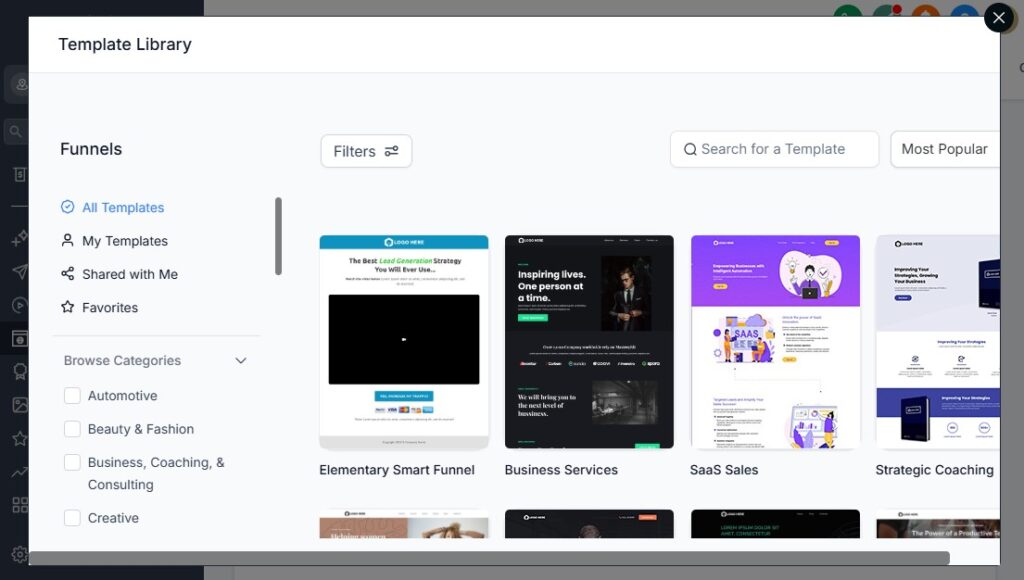
Your plumbing business grows when homeowners can quickly understand what you offer and book a service without confusion. High-converting funnels and service pages make this easy.
They turn visitors into booked jobs, guide emergency leads to fast contact, and help you promote specific services like drain cleaning, water heater installations, or maintenance plans.
GoHighLevel allows you to build clean, simple, and effective plumbing funnels that help your business capture more service requests and convert them into paying customers fast.
Start With a Clear, Trust-Building Plumbing Landing Page
Your main service page should include:
- A strong headline (“Fast, Reliable Plumbing Services Near You”)
- Short description of your services
- Emergency contact button
- “Book a Service” button above the fold
- Homeowner testimonials
- Before/after photos
- Certifications and licenses
- Service area coverage
- Guarantees (e.g., “Same-Day Service” or “Upfront Pricing”)
The goal is to build trust quickly and make booking easy.
Create an Emergency Plumbing Funnel (High-Converting)
Emergency plumbing is one of the highest-value funnels in the industry.
Your funnel should include:
- Urgency-driven headline (“Burst Pipe? Fast Emergency Plumbing Available Now”)
- Short form requesting immediate details
- 24/7 hotline button
- SMS auto-response with instructions
- Technician dispatch step
This funnel helps you capture leads instantly during panic moments.
Build a Drain Cleaning Funnel
Drain cleaning is a high-volume service and great for lead generation.
Your funnel should include:
- Clear overview of drain cleaning services
- Symptoms checklist (slow drains, gurgling sounds, bad odors)
- Fixed-price or “starting at” offer
- Before/after service photos
- Simple booking form
This funnel consistently attracts local homeowners.
Create a Water Heater Repair & Installation Funnel
This is a high-ticket service for plumbers.
Include:
- Pros and cons of repair vs. replacement
- Types of water heaters (tank/tankless)
- Transparent pricing or average cost
- Financing options (if available)
- Service warranty details
- “Book a Free Estimate” button
Leads from this funnel often convert into profitable installation jobs.
Build Inspection & Maintenance Plan Pages
Recurring services create predictable revenue.
Your funnel should highlight:
- Annual plumbing checkups
- Water heater tune-ups
- Leak prevention
- Discounted rates for members
- Priority scheduling benefits
Include a simple “Join Our Maintenance Plan” signup form.
Use Service-Specific Pages for SEO & Ads
You can create dedicated pages for:
- Toilets & sink repair
- Sewer line repair
- Leak detection
- Pipe replacement
- Garbage disposal installation
- Bathroom or kitchen plumbing
Each page targets homeowners searching for those specific problems.
Add Lead Capture Forms With Key Questions
Your form should gather essential information:
- Name and contact information
- Address
- Problem type
- Severity level
- Ability to upload photos or videos
- Preferred times
This allows you to qualify and respond to leads faster.
Add Trust Elements to Boost Conversions
Trust is critical in home services.
Include:
- Google review badges
- Licenses and insurance badges
- Before/after project images
- Customer testimonials
- Emergency service availability
- “100% Satisfaction Guarantee” or similar promise
The more trust signals, the higher the conversion rate.
Include Strong Calls to Action (CTAs)
Your CTAs may include:
- “Book a Service Call”
- “Request a Free Estimate”
- “Call Now for Emergency Service”
- “Schedule Your Annual Inspection”
- “Get Same-Day Plumbing Help”
Use clear, action-focused language.
Build Thank-You Pages That Push the Next Step
After a homeowner submits a request, your thank-you page should:
- Confirm someone will contact them shortly
- Offer them to upload more photos
- Provide a link to book a preferred time
- Show emergency hotline for urgent needs
- Introduce maintenance plans
This increases conversion and helps you collect more information upfront.
Use A/B Testing to Improve Conversions
Test different:
- Headlines
- Form lengths
- Colors
- Pricing displays
- Images vs. no images
- CTA wording
Small improvements can significantly increase booked jobs.
Connect Your Funnels to Google & Facebook Ads
For plumbers, local ads work extremely well.
Your funnels should be connected directly to:
- Google Local Ads
- Google Search Ads
- Facebook Lead Ads
- Instagram Ads
Every lead flows into GoHighLevel automatically, triggering automations.
High-converting funnels help you book more plumbing jobs by making your services easy to understand, easy to trust, and easy to request.
Running Email & SMS Campaigns for Plumbing Lead Nurturing
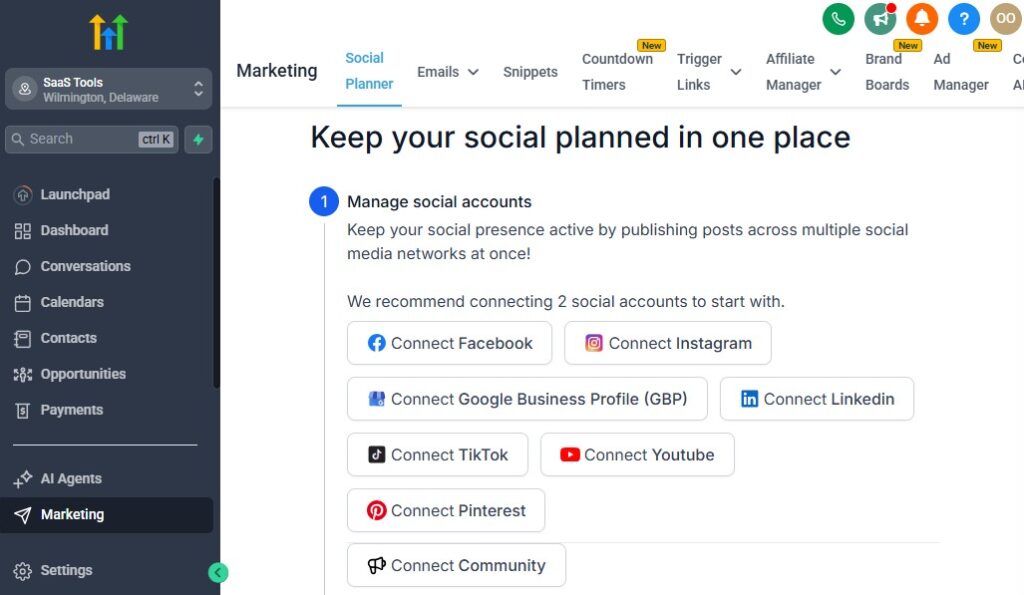
Your plumbing business becomes far more profitable when you keep leads engaged, follow up automatically, and stay top-of-mind for future plumbing needs.
Most homeowners don’t hire a plumber the moment they visit your website – they compare options, wait for the right time, or forget to follow up.
GoHighLevel solves this by letting you run automated email and SMS campaigns that nurture leads, convert estimates into jobs, and keep customers returning for recurring services and future repairs.
Below is how to use GoHighLevel to run high-performing campaigns for your plumbing business.
Build a New Lead Nurture Sequence
When someone requests a quote or service, don’t wait for them to call back.
Your nurture sequence can include:
- A welcome message
- A quick breakdown of services
- Why homeowners trust your plumbing company
- Before/after repair photos
- A reminder to schedule service
- A link to book immediately
This builds trust and keeps your brand in front of the homeowner until they’re ready.
Send Automated Quote Follow-Up Messages
Plumbing quotes often go unanswered because people get distracted.
You can automate follow-ups like:
After 1 hour: “Just checking in – let me know if you have any questions about your estimate.”
After 24 hours: “We still have availability today if you’d like to schedule.”
After 48 hours: “Here’s your quote again – happy to help anytime.”
Simple follow-ups dramatically increase conversion rates.
Create Seasonal Plumbing Campaigns
Throughout the year, homeowners face different plumbing challenges.
You can send campaigns for:
- Winterization (before cold months)
- Spring drain cleaning
- Summer pipe expansion checks
- Annual water heater maintenance
- Holiday plumbing preparation
These campaigns position your business as proactive and helpful.
Use SMS for Fast Response and Urgent Situations
SMS gets faster responses than email – especially for plumbing issues.
Use SMS for:
- Emergency alerts
- Same-day openings
- Quick quote reminders
- Technician arrival notifications
- “Reply YES to confirm your appointment”
- Last-minute schedule changes
Homeowners appreciate fast communication.
Build Maintenance Plan Renewal Campaigns
If your company offers maintenance plans, GoHighLevel can automate:
- Renewal reminders
- Upcoming inspection notifications
- Contract expiration alerts
- Annual service recommendations
This creates consistent recurring revenue for your plumbing business.
Create Reactivation Campaigns for Inactive Clients
Your CRM contains past customers who may need plumbing work again.
Target:
- Clients who haven’t booked in 6 months
- Clients who haven’t received annual inspections
- Homeowners who only called for emergencies
Your reactivation message might say:
“It’s been a while since your last plumbing service. Want us to take a quick look and make sure everything is running smoothly?”
This simple message often brings back repeat business.
Send Review Request Campaigns Automatically
Reviews help you rank in local searches and attract more plumbing jobs.
Your automation might send:
- A “thank you for choosing us” message
- A link to leave a review
- A follow-up reminder if needed
Higher ratings → more calls → more booked jobs.
Create Cross-Sell Campaigns Based on Previous Work
Example automations:
- If someone received drain cleaning → send water heater maintenance offer
- If someone installed a new heater → send annual inspection reminders
- If someone had a pipe repair → send leak-prevention tips and a maintenance discount
Cross-selling increases lifetime value without additional marketing costs.
Use Educational Campaigns to Build Trust
You can send helpful tips such as:
- “How to shut off your water during an emergency”
- “Signs your water heater is failing”
- “What causes sewer line backups”
- “Preventing winter pipe bursts”
Useful content builds authority and gets more homeowners to trust your plumbing company.
Run Promotional Campaigns During Slow Seasons
Plumbing businesses typically slow down during certain months.
Run promotions like:
- $79 drain cleaning
- Discounted inspections
- Free leak check with repair
- Water heater installation specials
Use SMS or email blasts to fill your schedule when demand is low.
Track Campaign Performance Inside GoHighLevel
You can monitor:
- Open rates
- Click-through rates
- Responses
- Conversions
- Booked jobs
- Revenue per campaign
This helps you refine your messaging and improve results over time.
Smart nurturing ensures your plumbing business stays booked, builds trust, and turns one-time leads into long-term customers.
Managing Quotes, Invoices, Service Agreements & Payments
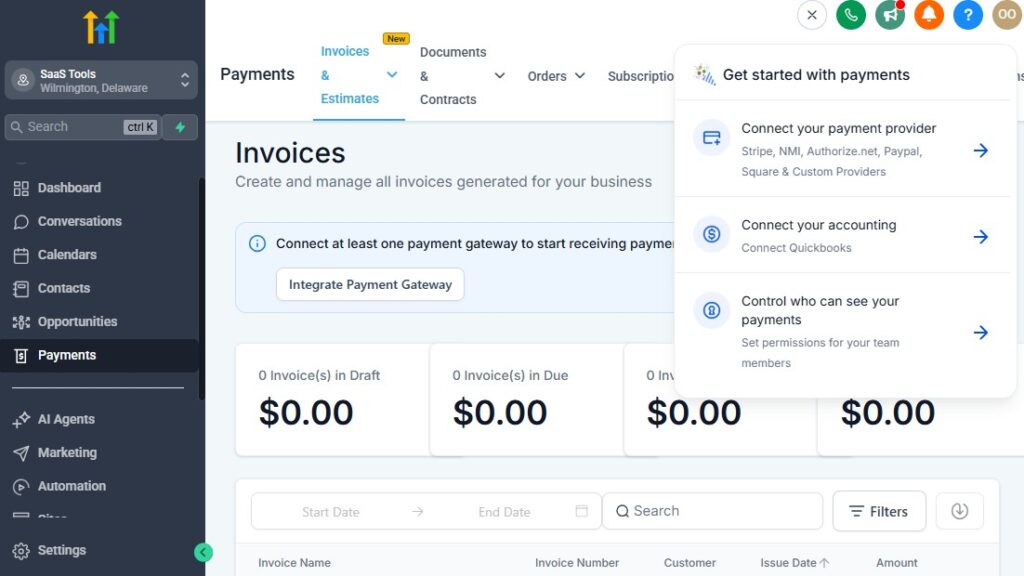
Plumbing jobs often require quick quoting, clear invoicing, secure payment collection, and smooth handling of service agreements.
When you manage all these processes manually, things slip through the cracks – quotes go unanswered, invoices get delayed, and payment follow-up becomes stressful.
GoHighLevel brings everything into one place so you can send quotes faster, get paid faster, and maintain a clean, organized workflow for every job.
Here’s how to handle quotes, invoices, service agreements, and payments with GoHighLevel efficiently.
Create and Send Plumbing Quotes Directly Inside GoHighLevel
Quotes are essential for plumbing jobs – especially high-ticket work like:
- Water heater installation
- Sewer line repair
- Pipe replacement
- Commercial plumbing projects
You can create quotes that include:
- Job description
- Labor cost
- Parts or materials
- Estimated time
- Taxes and fees
- Terms and conditions
With one click, you send the quote via SMS or email.
Clients can approve it instantly, which moves them to the next pipeline stage.
Automate Quote Follow-Up to Increase Approvals
Most homeowners don’t approve quotes immediately, so follow-up matters.
GoHighLevel can automate:
- Gentle reminders
- “Still thinking about it?” messages
- Links to approve or ask questions
- Deadline prompts (“This quote expires in 48 hours”)
Automated follow-up dramatically increases quote conversions without manual chasing.
Convert Approved Quotes Into Scheduled Jobs Instantly
When clients approve the quote:
- A workflow moves them into “Scheduled”
- You can assign a technician
- The system sends confirmation details to the homeowner
- A payment link (deposit or full payment) can be attached
This eliminates the delay between quote approval and actual job scheduling.
Send Invoices Through Email or SMS
Invoices can be created inside GoHighLevel and sent directly to customers.
Each invoice can include:
- Job summary
- Technician notes
- Parts used
- Labor breakdown
- Warranty details
- Payment instructions
This makes payment collection clean and transparent.
Collect Deposits Before Dispatching a Technician
Many plumbers collect deposits to secure a booking, especially for:
- Water heater replacements
- Pipe rerouting
- Remodel plumbing
- Large commercial jobs
- Emergency services
GoHighLevel supports:
- Fixed deposits
- Percentage-based deposits
- Prepayment before dispatch
Your technicians only go out when the job is financially secure.
Accept Payments Through Multiple Gateways
You can connect:
- Stripe
- PayPal (optional)
- NMI
- Square (via integration tools)
Once connected, you can accept:
- Card payments
- ACH (Bank transfers)
- Digital wallet payments
- Subscription or recurring payments
Clients pay online easily, and everything syncs into their CRM profile.
Offer Secure, Click-to-Pay Links – GoHighLevel for Plumbers
Instead of reading payment info over the phone, you send:
- A simple payment link
- Straight to SMS or email
- With auto-updating status
This speeds up payment collection and reduces errors.
Use Service Agreements to Build Recurring Revenue
If your plumbing company offers yearly or seasonal maintenance plans, GoHighLevel can help you manage:
- Contract creation
- Automated renewal reminders
- Monthly or annual billing
- Discounted service packages
- Exclusive member benefits
Examples of maintenance plans:
- Yearly plumbing system check
- Water heater flush + inspection
- Drain cleaning plan
- Commercial plumbing service contracts
These plans give you predictable, recurring revenue.
Automate Payment Reminders and Past Due Notices
Never chase payments manually again.
Automations can send:
- Gentle reminders
- Overdue notices
- Final payment alerts
- “Thank you for your payment” messages
You stay professional while collecting money faster.
Track Payments and Job Revenue Inside GoHighLevel
You can see:
- Payments collected
- Outstanding invoices
- Revenue by job type
- Revenue by technician
- Deposits vs. full payments
- Refunds
- Quotes approved vs. declined
This helps you understand your business cash flow clearly.
Send Service Reports and Attach Them to Invoices
After completing a plumbing job, technicians can upload:
- Photos
- Videos
- Notes
- Diagnostic summaries
- Part lists
You can attach these to the invoice or send them separately.
This level of professionalism builds trust and reduces disputes.
Speed Up Commercial Billing With Automated Workflows
For commercial clients, you can automate:
- Monthly invoice generation
- Service agreement renewals
- Payment tracking
- Maintenance inspection reminders
This keeps your commercial plumbing division organized and efficient.
Managing quotes, invoices, payments, and agreements through GoHighLevel helps you run a more organized and profitable plumbing business – without relying on multiple tools or manual admin work.
Delivering Service Reports, Photos, Documentation & Job Summaries
Clear, professional documentation is a major trust factor in the plumbing industry.
Homeowners want to know what was done, what was found, and what they should expect next.
Commercial clients require detailed records for compliance, budgeting, and maintenance planning.
GoHighLevel helps you deliver high-quality service reports, job summaries, photos, and important documentation – all automatically organized inside each client’s CRM profile.
This makes your plumbing business look more professional, improves communication, and reduces customer questions after the job.
Here’s how to use GoHighLevel to deliver clean, organized plumbing documentation every time.
Capture Before-and-After Photos for Every Job
Technicians can upload:
- Photos of leaks, damaged pipes, corroded parts
- Before/after drain cleaning results
- Water heater installation photos
- Sewer line repairs
- Any repair work that shows visible improvement
These photos become part of the client record and can be sent to customers to build transparency.
Add Technician Notes and Repair Details
Inside GoHighLevel, technicians can log:
- What caused the issue
- Steps taken to repair it
- Parts used
- Time spent
- Additional recommendations
- Safety notes
This gives the homeowner or business a clear explanation of the work completed.
Generate Digital Service Reports Automatically
After completing a job, GoHighLevel can automatically generate a report summarizing:
- Job details
- Photos
- Technician notes
- Parts and labor breakdown
- Warranties included
- Recommendations for future service
This document can be sent via SMS or email immediately after the visit.
Deliver Inspection Reports for Annual or Seasonal Checks
For maintenance services, you can create standardized digital inspection templates.
Reports may include:
- Water heater condition
- Pipe integrity
- Drain flow efficiency
- Sewer line inspection notes
- Pressure test results
- Recommendations and urgency levels
Templates ensure every technician follows the same reporting standard.
Attach Documentation to Invoices or Follow-Up Messages
Service reports can be:
- Added directly to invoices
- Attached inside client emails
- Sent separately as PDFs
- Linked inside SMS confirmations
Clients appreciate having everything in one place.
Store Documentation in Each Client’s CRM Profile
Every file you upload is automatically stored under the customer record:
- Photos
- Videos
- Reports
- Signed agreements
- Warranty information
- Quotes and invoices
- Job history
You never lose important information, and technicians can access past work instantly.
Provide Warranty Documentation Seamlessly
If a job includes a warranty, GoHighLevel lets you:
- Deliver warranty certificates
- Store the warranty file
- Automate warranty expiration reminders
- Track which jobs are still under coverage
This reduces confusion and protects both you and the customer.
Use Job Summary Templates to Maintain Consistency
Create templates that technicians fill out after each type of job.
For example:
Drain Cleaning Template
- Issue identified
- Tools used
- Length of drain cleared
- Before/after photos
- Recommendations
Water Heater Installation Template
- Model installed
- Serial number
- Safety checks
- Warranty notes
- Maintenance instructions
Templates ensure your documentation is clean, consistent, and professional.
Send Recommendations for Future Repairs or Upgrades
After the job, you can automatically send:
- Recommended next steps
- Maintenance advice
- Replacement timelines
- Upgrade opportunities (e.g., tankless water heater)
This builds trust and encourages clients to hire you again.
Professional documentation helps you deliver a more transparent, trustworthy, and organized plumbing service. It gives homeowners clarity, satisfies commercial requirements, and improves your team’s efficiency.
Collecting Reviews, Testimonials & Building Trust for Plumbing Services
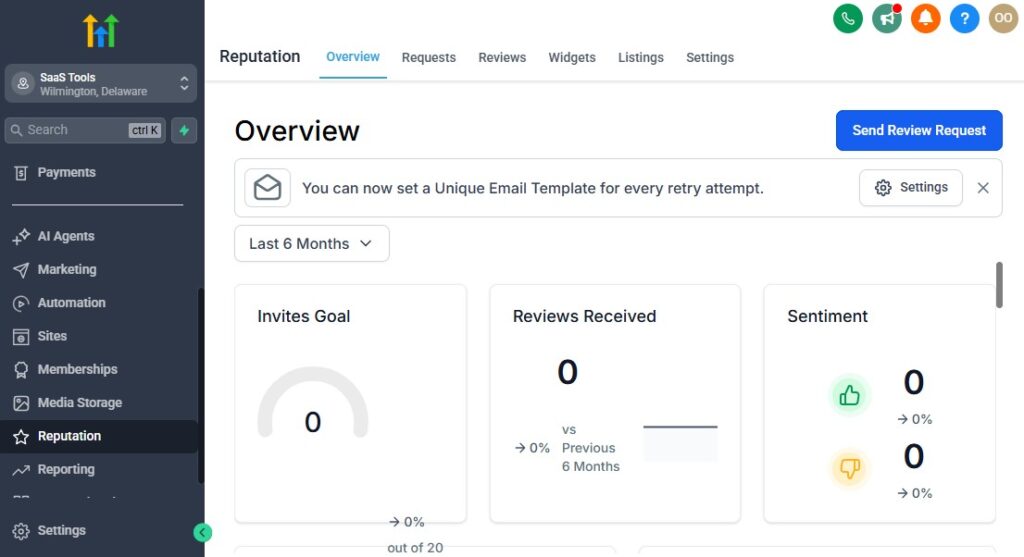
Trust is everything in the plumbing industry. Homeowners don’t choose a plumber randomly – they look for proof.
They search Google, read reviews, check ratings, and look for real customer experiences before making a decision.
GoHighLevel helps you collect reviews consistently, manage your online reputation, and showcase your best work across your funnels, website, and booking pages.
When done right, this creates a steady flow of new plumbing jobs from people who trust your business before you even speak to them.
Here’s how to build and automate a strong reputation system using GoHighLevel.
Send Automatic Review Requests After Every Job
Right after a job is marked as completed, GoHighLevel can send a friendly message asking for a review.
You can send:
- SMS review request
- Email review request
- Google review link
- Facebook review link
- Yelp link (optional)
The message can be simple:
“Thanks for choosing us! If we delivered great service, would you mind leaving a quick review? It really helps local homeowners find us.”
The easier you make it, the more reviews you get.
Follow Up Automatically If No Review Is Left
Most people don’t leave reviews the first time you ask.
A short reminder 24–48 hours later can double your review count.
Your automation can send:
- A gentle nudge
- A second link
- A thank-you message once the review is received
This keeps your reputation growing consistently.
Filter Feedback Before It Goes Public (Optional)
If someone is unhappy, you can route their feedback privately instead of pushing them to Google.
Example automation:
- If they rate 1–3 stars → send private feedback form
- If they rate 4–5 stars → send Google review link
This helps you avoid public negative reviews while addressing concerns respectfully.
Collect Photo Testimonials for Your Funnels & Website
Plumbing work often has strong before-and-after visuals.
Use GoHighLevel forms to collect:
- Images of leaks before repair
- Water heater replacements
- Drain cleaning results
- Pipe replacements
- Bathroom renovation plumbing
You can request photos with:
- A link in SMS
- A simple upload form
- QR codes on invoices or service reports
Visual proof increases conversions dramatically.
Showcase Reviews on Your Funnels and Service Pages
GoHighLevel lets you embed testimonials directly on:
- Emergency service funnels
- Water heater installation funnels
- Drain cleaning pages
- Your main website
- Booking pages
Showing real reviews increases trust and makes it easier for homeowners to choose your plumbing service.
Use Customer Stories and Case Studies for High-Ticket Jobs
For commercial or large residential jobs, you can build:
- Short case studies
- Job summaries with photos
- “Problem → Solution → Result” examples
This helps you close bigger contracts and stand out from competitors.
Automate Referral Requests From Happy Customers
After a positive experience, trigger a referral message.
For example:
“Thank you for trusting us! If you know someone who needs plumbing help, feel free to share this link – they’ll get 10% off, and you’ll receive a discount on your next service.”
Referral systems expand your customer base organically.
Monitor Your Reputation Across Platforms
Inside the GoHighLevel reputation dashboard, you can track:
- New reviews
- Star ratings
- Review sources
- Customer sentiment
- Technician mentions
- Review trends over time
This helps you see where your reputation is growing and where you can improve.
Display Trust Badges and Achievements
To build extra credibility, include on your pages:
- “Licensed & Insured” badge
- Years in business
- Service area coverage
- Google rating badge
- Emergency 24/7 availability
- Warranty badges
These small elements significantly boost homeowner confidence.
Turn Reviews Into Marketing Content Automatically
Use automations to:
- Turn reviews into social media posts
- Send reviews to your email list
- Add testimonials to funnels
- Highlight technician performance
- Share before/after photos with new leads
Your best customer stories continue working for you long after the job is done.
A strong reputation system gives your plumbing business credibility, drives more inbound calls, and helps you win more high-value jobs. With GoHighLevel managing your review process automatically, you build trust while focusing on delivering great service.
Reporting & Analytics for Plumbing Companies
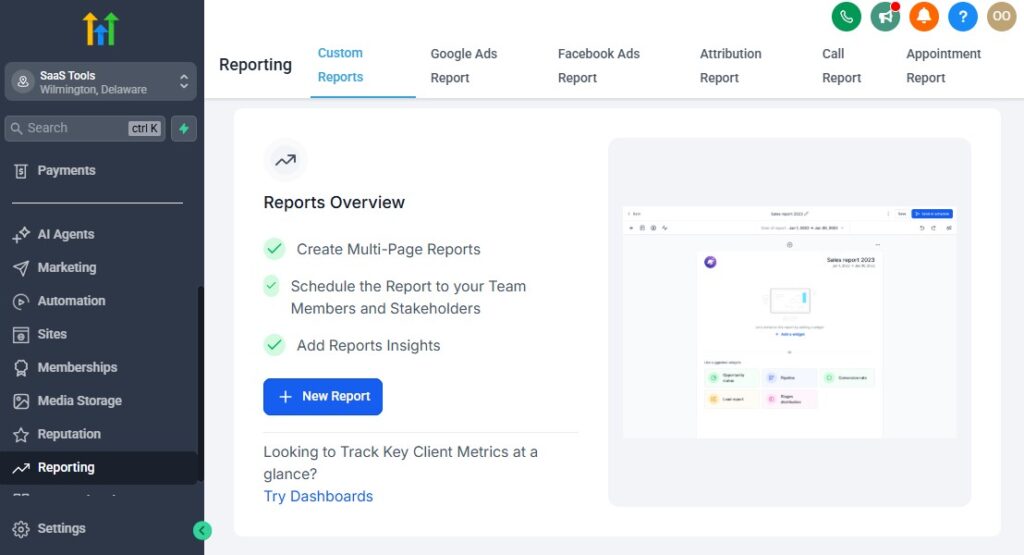
To run a profitable plumbing business, you need clear insight into how your leads, jobs, technicians, and campaigns are performing.
GoHighLevel gives you powerful reporting tools that help you track everything in real time – so you can make smarter decisions, improve efficiency, and grow with confidence.
This section breaks down the essential analytics your plumbing company should monitor and how GoHighLevel makes it easy.
Track Job Volume and Service Request Trends
See exactly how many plumbing jobs you’re getting:
- Daily, weekly, or monthly job volume
- Which services are most requested
- Seasonal spikes or slowdowns
- Emergency vs. standard service ratios
This helps you predict staffing needs and schedule marketing campaigns at the right time.
Monitor Revenue by Service Type
GoHighLevel shows you which jobs bring in the most money.
Examples:
- Water heater installations
- Sewer line repairs
- Pipe replacements
- Drain cleaning
- Leak repairs
- Commercial maintenance contracts
This data helps you focus on high-profit services and refine your pricing strategy.
Track Technician Performance
If you have multiple technicians, you can measure:
- Number of jobs completed
- Average job value
- Upsells or add-ons
- Customer satisfaction (based on review requests)
- Time spent per job
- Quote approval rates (if they provide estimates)
This helps you identify top performers, spot training opportunities, and assign jobs more efficiently.
Analyze Lead Sources and Marketing ROI
GoHighLevel helps you understand where your leads come from:
- Google Local Ads
- Google Search
- Facebook & Instagram Ads
- Social media organic
- Referrals
- Website traffic
- Email or SMS campaigns
- Existing customers
With accurate tracking, you can invest more in what works – and stop wasting money on what doesn’t.
View Funnel & Landing Page Conversion Rates
Every plumbing funnel you build can be measured for:
- Page visits
- Form submissions
- Quote requests
- Booked jobs
- Drop-off points
If your emergency plumbing funnel converts well, you can scale it with ads.
If your drain cleaning page underperforms, you can update copy, images, or the offer.
Track Pipeline Movement and Job Progress
Your CRM pipeline gives you a snapshot of:
- New service requests
- Quotes sent
- Jobs scheduled
- Dispatched technicians
- Jobs completed
- Invoices sent
- Payments collected
You can instantly see where clients are getting stuck and fix bottlenecks in your workflow.
Monitor Customer Retention & Repeat Booking Rates
Your analytics panel shows:
- How many clients return
- Time between visits
- Recurring service contract performance
- Lifetime value per customer
- Churn rate (clients who don’t return)
Retention is where plumbing companies build long-term profit, so this data is critical.
Evaluate Quote Approval Rates
With GoHighLevel, you can track:
- How many quotes were viewed
- How many were approved
- Average response time
- Highest-performing technicians or services
- Follow-up effectiveness
If you notice a low approval rate, you can adjust the pricing structure or improve the messaging.
Analyze Payment Data
GoHighLevel gives insight into:
- Paid invoices
- Outstanding invoices
- Deposits collected
- Failed payments
- Refunds
- Recurring subscription revenue (maintenance plans)
This helps you maintain healthy cash flow.
Track Review Performance and Reputation Metrics
Monitor:
- Number of new reviews
- Average star rating
- Review source (Google, Facebook, Yelp)
- Sentiment insights
- Technician mentions
- Trends over time
A strong reputation leads to more inbound calls – and the dashboard tells you exactly how you’re performing.
Measure Campaign Performance (Email & SMS)
Your marketing campaigns can be analyzed for:
- Open rates
- Click-through rates
- Replies
- Conversion into booked jobs
- Revenue generated
- Best-performing templates
- Seasonal campaign effectiveness
This helps you improve communication and maximize lead nurturing.
Get Insights Into Emergency vs. Scheduled Jobs
You can compare:
- Volume of emergency calls
- Revenue generated
- Average response time
- Technician distribution
- Customer satisfaction
This helps you optimize staffing and pricing for emergency services.
Identify Service Trends & Opportunities
Your reports help you spot patterns like:
- Rising demand for water heater replacements
- Frequent issues in specific neighborhoods
- Increased drain-related calls during rainy seasons
- Popular maintenance plan features
This allows you to adjust offers, pricing, and marketing strategies proactively.
GoHighLevel’s reporting and analytics ensure you always know what’s happening in your plumbing business: what’s working, what needs improvement, and where the biggest growth opportunities are.
Integrating GoHighLevel With Plumbing Tools & Platforms
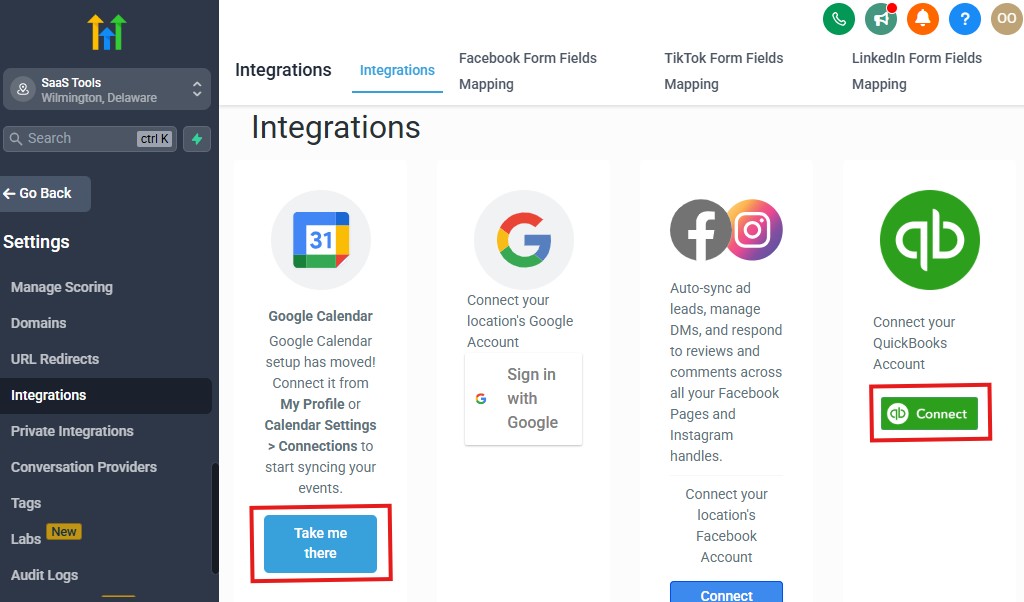
Your plumbing business becomes significantly more efficient when GoHighLevel connects seamlessly with the tools you already use – payment systems, accounting software, dispatching apps, inventory tools, and communication platforms.
Integrations help you automate more of your workflow, eliminate manual data entry, and keep your operations organized.
Here’s how to integrate GoHighLevel with the essential tools plumbers rely on every day.
Connect Your Accounting Tools (QuickBooks, Xero, Zoho Books)
Accurate financial tracking is critical for plumbing companies.
GoHighLevel integrates with popular accounting tools through Zapier or Make.
You can automate:
- Invoice creation
- Payment recording
- Expense tracking
- Job revenue reporting
- Recurring billing for maintenance plans
QuickBooks Integration
Perfect for tracking:
- Parts and materials
- Labor invoices
- Technician payouts
- Profit per job
Xero & Zoho Books
Also supported through integrations for:
- Invoice syncing
- Payment reconciliation
- Customer record management
This reduces errors and helps you keep clean financial records.
Connect Payment Gateways for Easy Online Payments
Plumbers often need fast payment processing – especially for emergency calls or deposits.
GoHighLevel supports:
- Stripe
- PayPal (optional)
- NMI
- Square (via integration tools)
This allows you to collect:
- Deposits
- Full payments
- Subscription payments for maintenance plans
- Commercial contract billing
Every transaction syncs into the customer’s CRM profile.
Integrate With GPS & Technician Dispatching Tools
If your plumbing business uses external dispatching or fleet management tools, you can integrate them with GoHighLevel.
Examples:
- Google Maps for routing
- GPS tracking tools for technicians
- Dispatch apps that send real-time location updates
Technicians receive job details instantly, and office staff can monitor progress.
Sync GoHighLevel With Your Website & Online Booking Tools
Your website can push leads directly into your GoHighLevel CRM and workflows.
You can integrate:
- WordPress
- Wix
- Webflow
- Shopify (if you sell plumbing products)
Every form submission, booking, or quote request flows into your pipelines automatically.
Connect Your Phone System & Communication Tools
GoHighLevel supports:
- Voice calls
- SMS
- MMS
- Voicemail drops
- Missed-call text-back
- Call tracking
You can also integrate:
- Twilio (for advanced SMS routing)
- Mailgun (email delivery)
- WhatsApp (via approved third-party providers)
This gives you a unified communication system for both office staff and technicians.
Integrate With Review Platforms for Better Reputation Management
GoHighLevel connects with:
- Google Business Profile
- Facebook Reviews
- Yelp
- Trustpilot (via integrations)
This allows you to:
- Auto-generate review links
- Collect reviews after every job
- Display reviews on landing pages
- Track your online reputation
A strong review system directly boosts inbound plumbing calls.
Connect E-Commerce Platforms (If You Sell Plumbing Products)
If your business sells products like:
- Water filters
- Replacement parts
- Maintenance kits
- Leak detection devices
You can integrate:
- Shopify
- WooCommerce
- BigCommerce
This allows you to:
- Sync customers
- Track purchases
- Automate product-based follow-ups
- Upsell maintenance services
Link GoHighLevel to Advertising Platforms
Your ads can push new plumbing leads directly into your CRM.
Supported platforms:
- Google Ads
- Google Local Service Ads
- Facebook Ads
- Instagram Ads
- TikTok Ads
Once connected, GoHighLevel can:
- Capture leads instantly
- Trigger automations
- Send confirmation messages
- Route leads to the right pipeline
This eliminates manual lead handling.
Use Zapier or Make for Advanced Integrations
With Zapier or Make, you can connect GoHighLevel to thousands of external tools.
Examples:
- Send new leads to a Google Sheet
- Add customers to a project management tool
- Trigger slack notifications for new bookings
- Sync invoices to accounting apps
- Automate warranty registration
- Connect to third-party dispatching tools
This gives you endless automation possibilities.
Integrate With Inventory & Parts Management Tools
For plumbing companies tracking tools and materials, integrations help you:
- Monitor stock levels
- Track parts used per job
- Sync materials to invoices
- Trigger reorder alerts
This improves efficiency and reduces lost inventory.
Connect GoHighLevel With Client Portals (Optional)
If you want clients to view:
- Service reports
- Invoices
- Photos
- Quotes
- Scheduled jobs
You can integrate external portal systems or use GoHighLevel’s built-in portal features.
This creates a more premium and transparent customer experience.
Integrating GoHighLevel with your plumbing tools and platforms helps your business operate smoothly from first contact to final payment. Everything stays connected, automated, and easy for your team to manage.
Advanced Automation for Plumbing Businesses
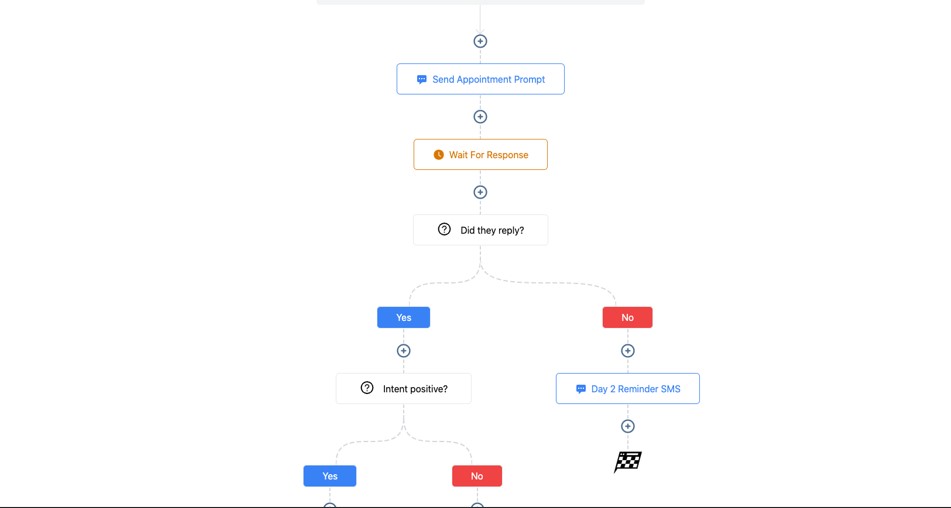
Advanced automation is where your plumbing business becomes faster, smarter, and more efficient – without adding extra staff.
With GoHighLevel, you can automate tasks that normally take hours every week: lead routing, emergency responses, technician assignments, follow-ups, maintenance reminders, and more.
This section shows you powerful automation workflows that help you run a predictable, well-organized plumbing company.
Auto-Routing Leads Based on Job Type or Category
Different plumbing issues require different skill sets.
GoHighLevel can automatically route leads based on the problem selected.
Examples:
- “Water heater issue” → assign to heater specialist
- “Sewer line backup” → send to drain technician
- “Leak detection” → route to senior tech
This speeds up dispatching and improves job accuracy.
Route Leads by Location or Service Area
If your team covers multiple regions, GoHighLevel can assign leads to the technician closest to the job.
Your automation can check:
- Zip code
- City
- Radius around service area
- Technician availability
This prevents long travel times and maximizes efficiency.
Automate Emergency Plumbing Responses
Emergency calls often come during off-hours or busy periods.
Automations can:
- Detect keywords like “urgent,” “burst,” “flood,” “emergency”
- Trigger priority workflows
- Notify technicians instantly
- Send instructions to the homeowner
- Move the job into the emergency calendar
This ensures your business responds fast, even when your office is closed.
Automate Technician Dispatch Notifications
Once a job is assigned:
- The technician receives full job details
- Photos and notes appear instantly on their phone
- They can update job status in real time
- Office staff stays informed without calling
This keeps projects moving and eliminates communication delays.
Build Automated Pre-Service Diagnostic Workflows
Before dispatching a technician, you can automatically ask:
- “What problem are you having?”
- “When did it start?”
- “Upload photos or videos”
- “Is water shut off?”
- “Where is the leak located?”
Technicians arrive better prepared, reducing guesswork and repeat visits.
Send Automated Upsell & Add-On Offers
Based on job type, the system can suggest:
- Water heater flush
- Drain cleaning
- Leak prevention inspection
- Sump pump installation
- Pipe insulation (winterizing)
Smart upsells automatically increase revenue per job.
Automate Quote Approval Follow-Ups
When a quote is sent:
- An SMS reminder goes out after 1 hour
- A follow-up email goes out after 24 hours
- A final reminder goes out after 48 hours
This increases approval rates and keeps your pipeline full.
Automate Post-Job Follow-Up Messages
After job completion, GoHighLevel can send:
- A thank-you message
- A service summary
- Recommended next steps
- Offers for upcoming maintenance
- A link to book additional services
This boosts repeat business and customer satisfaction.
Automate Review Requests
Once a job is marked complete:
- A text message requests a Google review
- A follow-up reminder sends if no review is left
- Positive reviewers receive referral offers
This builds your online reputation on autopilot.
Automate Warranty Reminders
If you offer warranties on:
- Parts
- Water heater replacements
- Pipe repairs
- Sewer line installations
You can trigger reminders:
- 30 days before expiration
- On expiration date
- Follow-up maintenance recommendations
This builds trust and creates return service opportunities.
Automate Annual & Seasonal Maintenance Reminders
Homeowners often forget about routine plumbing needs.
Automate reminders for:
- Water heater inspections
- Whole-home plumbing checks
- Winter pipe protection
- Drain cleaning
- Backflow testing
- Commercial maintenance contracts
This creates predictable recurring revenue.
Build “Missed-Call Text-Back” Automations
Missed calls = missed plumbing jobs.
GoHighLevel automatically sends:
“Sorry we missed your call – how can we help?”
Many plumbing businesses recover 30–40% of missed calls with this automation alone.
Create Win-Back Automations for Inactive Customers
Trigger workflows for customers who haven’t booked in:
- 6 months
- 12 months
- 18 months
Send:
- Friendly “check-in” messages
- Discounts
- Annual inspection offers
This brings old customers back with minimal effort.
Automate Commercial Service Contract Workflows
For commercial clients, automate:
- Quarterly or monthly inspections
- Invoice reminders
- Work order summaries
- Contract renewals
- Priority scheduling
This simplifies recurring commercial work.
Build AI-Powered Chat & Booking Responses
Use AI to:
- Answer plumbing questions
- Diagnose common issues
- Schedule appointments
- Direct emergency leads
- Collect job details
AI reduces admin labor and provides fast responses.
Advanced automation helps your plumbing business stay organized, respond faster, reduce administrative overhead, and scale without stress.
Learn More:
- What is GoHighLevel? (Features, Use Cases, Pricing & More)
- GoHighLevel Review: (My Experience After 5 Years)
- GoHighLevel Pricing: (+ Discount Codes)
- GoHighLevel Features: (Full List of Tools)
- GoHighLevel Onboarding Checklist: (Complete Tutorial)
- GoHighLevel for Property Management: (Detailed Tutorial)
- GoHighLevel for Small Businesses: (2026 Helpful Tutorial)
- GoHighLevel for Service Businesses: (2026 Helpful Tutorial)
- GoHighLevel for Local Businesses: (2026 Helpful Tutorial)
Frequently Asked Questions
Below are the five key FAQs plumbers consistently ask when adopting GoHighLevel. Each answer is designed to be clear, practical, and directly useful for your operations.
Can GoHighLevel help manage emergency plumbing calls?
Yes. GoHighLevel allows you to automate emergency responses, route leads to the nearest available technician, send instant SMS replies, and place emergency jobs into a dedicated priority calendar. This helps you respond faster and close more urgent jobs without manual handling.
Can I dispatch technicians using GoHighLevel?
Absolutely. You can assign jobs directly to technicians, send them job details instantly, track status updates, and automate dispatch notifications. Technicians can also upload photos, notes, and job updates right into the CRM from their mobile device.
Does GoHighLevel support plumbing quotes and invoices?
Yes. You can create plumbing quotes, send them through SMS or email, track whether clients viewed them, automate follow-up reminders, and convert them into scheduled jobs. You can also generate invoices, collect payments online, and attach service reports – all from one dashboard.
Can GoHighLevel reduce missed appointments or cancellations?
Yes. Automated reminders significantly decrease no-shows. You can send confirmations, 24-hour reminders, 2-hour reminders, and technician “on the way” notifications. Clients can reschedule easily from a link, keeping your schedule accurate and organized.
Can I automate annual inspections and maintenance reminders?
Yes. GoHighLevel is excellent for recurring plumbing services. You can automate reminders for:
- Annual plumbing inspections
- Water heater maintenance
- Drain cleaning
- Commercial service contracts
- Warranty expiration notices
This helps you build predictable recurring revenue with minimal effort.
Final Thoughts
GoHighLevel gives your plumbing business everything you need to operate more efficiently, respond faster, and create a smoother experience for both homeowners and commercial clients.
Instead of managing multiple tools for scheduling, quoting, dispatching, payments, follow-ups, and reviews, you control your entire workflow from a single platform.
With the right setup, GoHighLevel helps you:
- Capture leads instantly
- Respond to emergency calls without delay
- Automate scheduling and follow-up
- Keep technicians organized and informed
- Deliver professional service reports
- Collect payments quickly and reliably
- Build a strong online reputation
- Keep customers returning year after year
Whether you’re a solo plumber, run a full team, or manage commercial contracts, GoHighLevel gives you the systems you need to grow without increasing stress or administrative work.
When your operations are automated and your customer journey is consistent, your plumbing business becomes easier to manage, more profitable, and far more scalable.