Running an accounting firm means constantly juggling:
- leads
- client communication
- deadlines
- document collection
- tax filings
- compliance updates
- and recurring monthly work.
Without the right system, it’s easy for tasks to slip through the cracks – especially during tax season or the month-end rush.
GoHighLevel for Accountants helps you simplify and automate all the moving parts of your accounting workflow.
You can:
- manage leads
- onboard clients
- request documents
- collect payments
- schedule meetings
- track monthly deliverables
- and automate follow-ups from one centralized platform.
Whether you handle bookkeeping, taxes, payroll, audits, or financial consulting, GoHighLevel gives you a clear, structured, and automated way to manage your daily work.
This guide shows you exactly how to set up GoHighLevel for your accounting business so you can save more time, reduce stress, and give your clients fast, reliable, and professional service every time.
TL;DR: How GoHighLevel Transforms Your Accounting Firm
- GoHighLevel helps accountants automate onboarding, document collection, payment reminders, compliance follow-ups, and monthly/quarterly deliverables.
- You can build pipelines for bookkeeping, taxes, payroll, audits, and advisory services.
- Email + SMS automation keeps clients responsive, organized, and on track with deadlines.
- The CRM stores every client’s details, tasks, communication, and files in one place.
- This guide walks you step-by-step through how to use GoHighLevel to streamline your accounting workflow and deliver an excellent client experience.
How to Set Up GoHighLevel for Accountants – (Step by Step Tutorial)
Let’s get straight to the point – first, we’ll set up your account, then I’ll walk you through all the strategies you can use.
This is how to set it up:
Step 1: Create HighLevel Account for 30 Days Free
Since you’re just starting with GoHighLevel, you would need to properly set up your account.
And you can do that for free through our exclusive 30-Day Free Trial link here.
In order to start, head over to gohighlevel.com/30-day-free-tial free trial and click on “30 DAY FREE TRIAL” as you can see below.

Upon clicking on “30 DAY FREE TRIAL“, a page will pop that looks exactly like the image below.
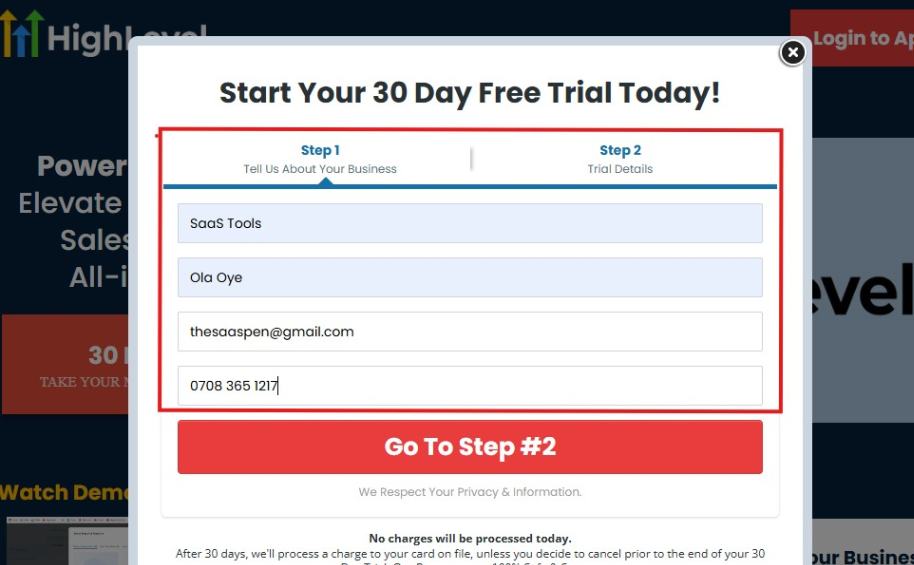
If you take a closer look at the image above, you will see that you need to supply your:
- Business name
- Company name
- Company email
- Phone number
Supply all the pieces of information and click on “Go To Step #2.”
On the next page, you will be required to select the plan you want to opt in for.
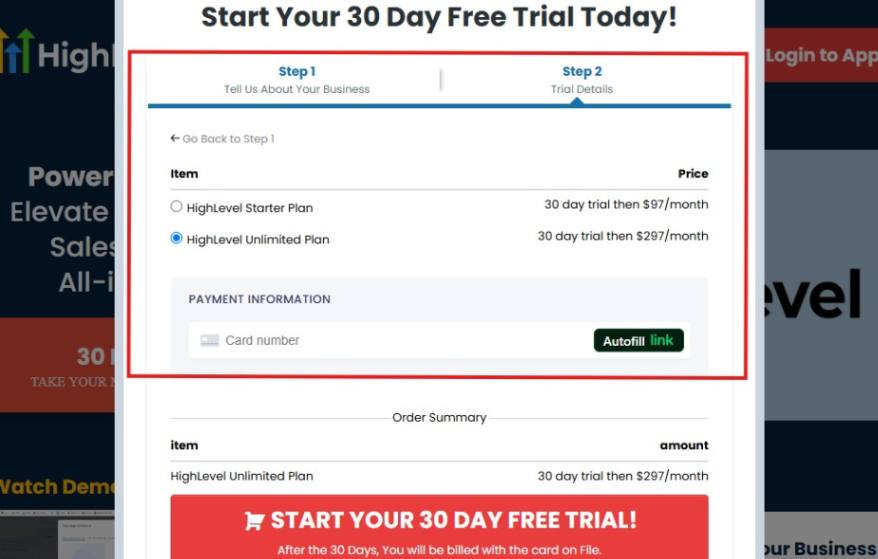
As you can see from the image above, you can either choose from:
- HighLevel Starter Plan
- HighLevel Unlimited Plan
Select the HighLevel Unlimited Plan and continue – you can always upgrade to the SaaS Mode later if you want that or downgrade.
The next thing you want to do is supply your credit card information.
Note: You will not be debited anything today until the end of your trail that is if you don’t cancel. Keep in mind that $1 will be debited and refunded back instantly into your account just to test your card is working.
After you have supplied the information accordingly, click on “START YOUR 30 DAY FREE TRIAL” and you will be asked to confirm you’re not a robot.
After that, the page below will pop up.
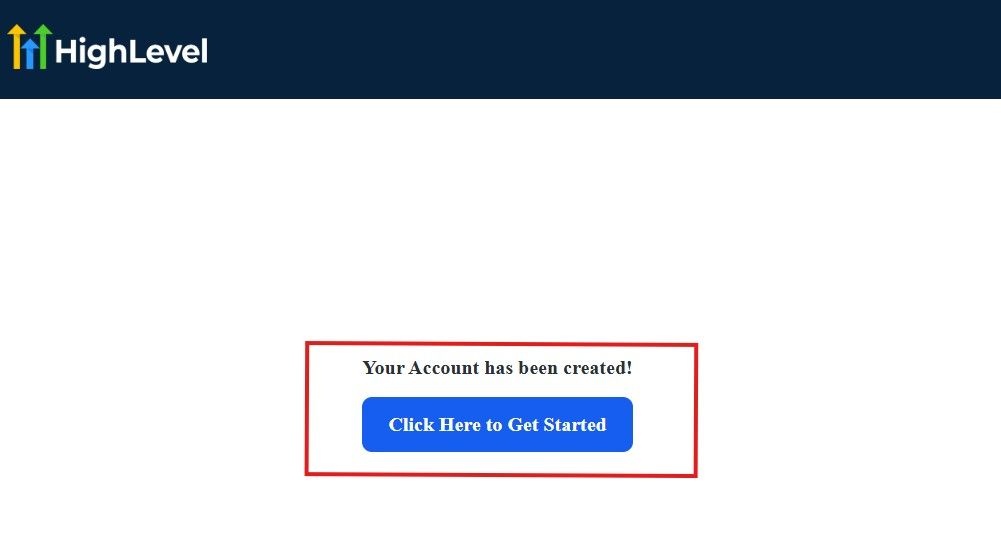
The image above says, “Your Account has been created!” Now, you need to click on the blue button that says “Click Here to Get Started.“
Click on the blue button to start your onboarding process.
Step 2: GoHighLevel Onboarding Process
The onboarding questions help GoHighLevel understand why you have signed up for the platform so that it can tailor your experience accordingly.
This is all you need to do:
After you click on the blue button above, the page below will pop up.
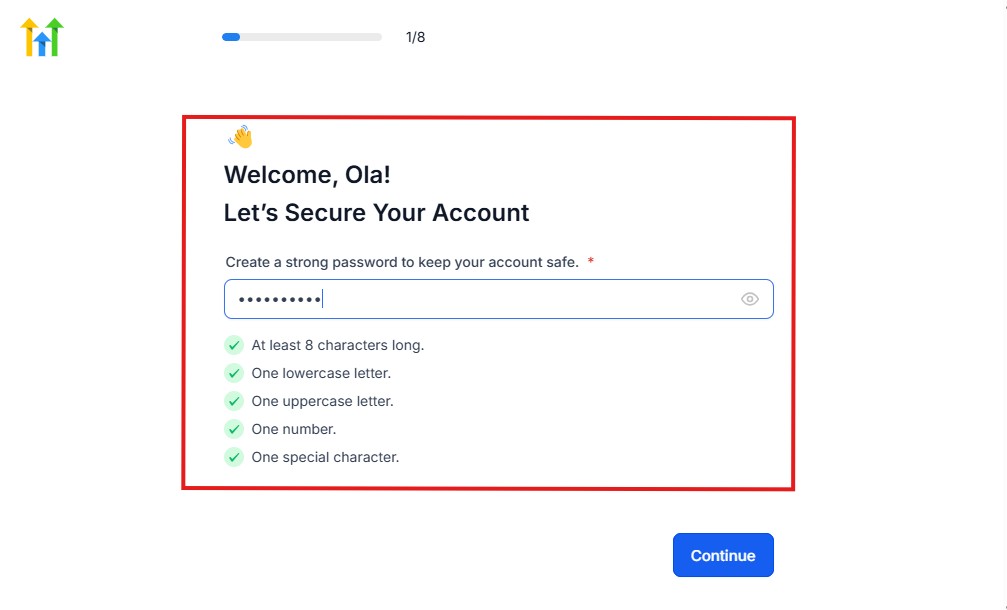
As you can see above, you need to set up your password, and the password has to be:
- At least 8 characters long
- One lowercase letter
- One uppercase letter
- One number
- One special character
If you have input the password and it matches all the description above, everything will be green just the way it’s in the image.
Click on “Continue” there after, and the image below will pop up.
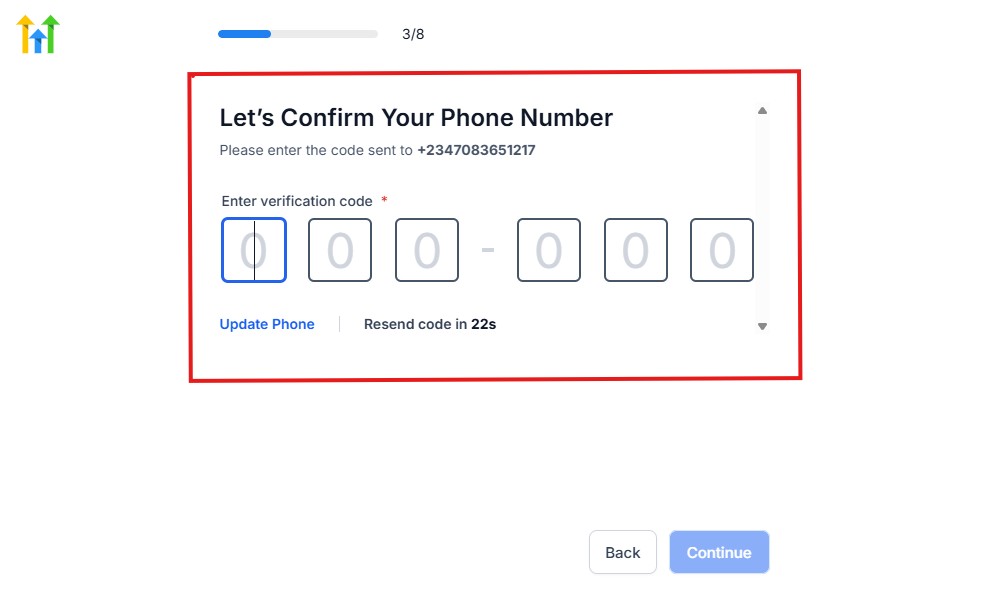
As you can see, a code will be sent to you to confirm your email address and phone number. The process is the same for the 2.
The next thing you need to do is to select how you plan to use GoHighLevel, as you can see below.
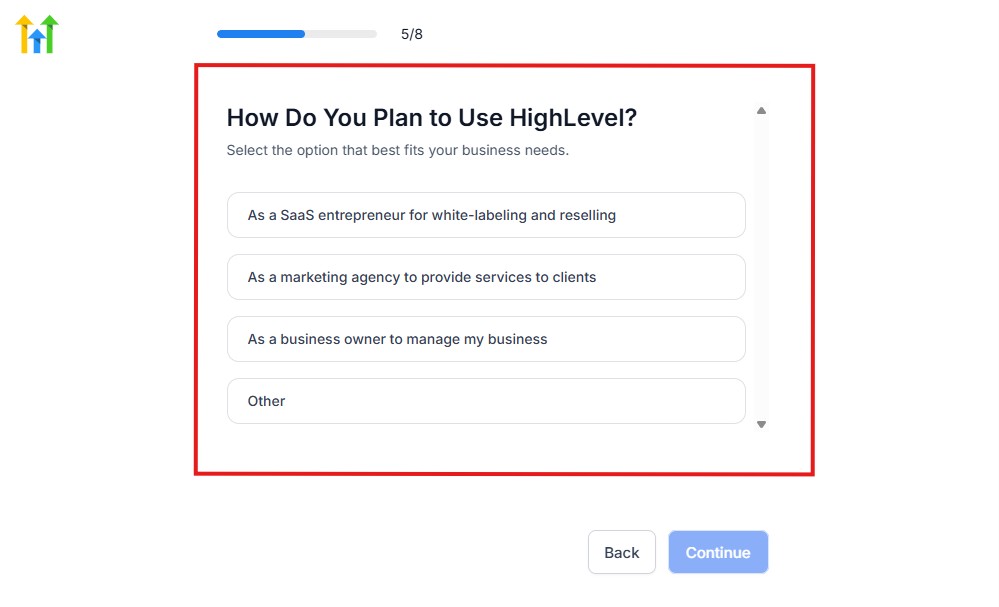
Select what best matches why you have signed up and click on Continue.
On the next page, you will be asked if you plan to resell GoHighLevel or not.
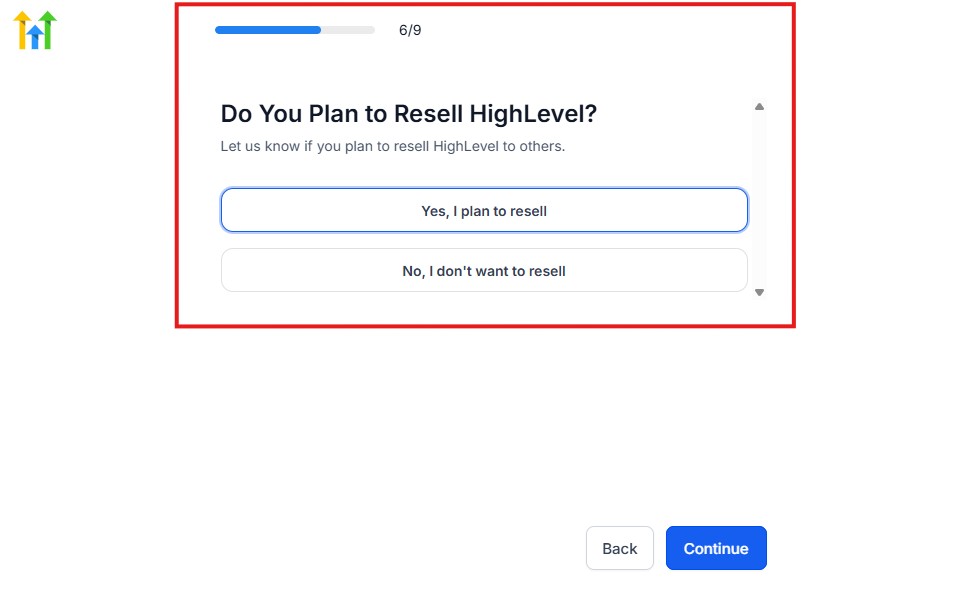
Select the answer based on the reason why you have signed up and click on “Continue”
Then, the page below will pop up.
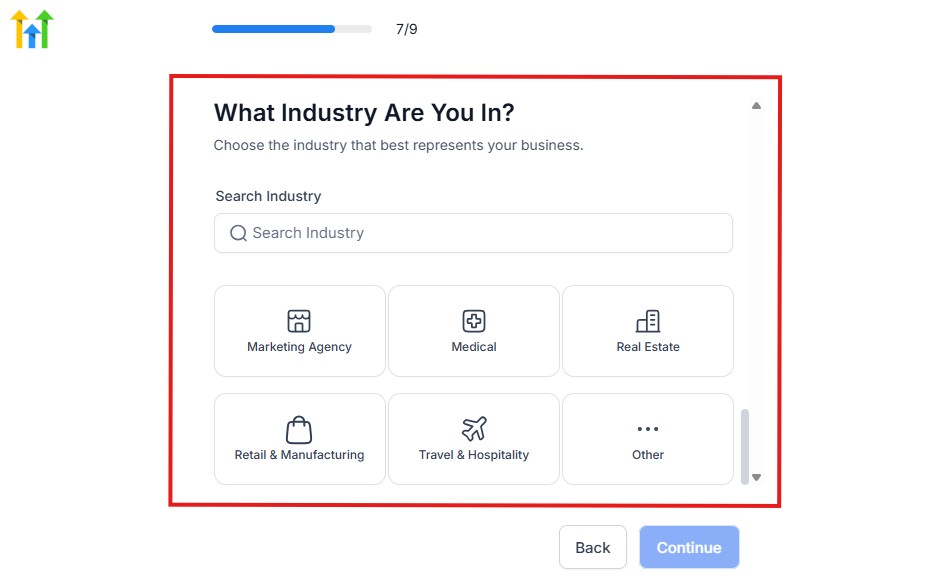
From the image above, you need to select the industry that you fall on. You can also make use of the search button if you can’t find it right away.
Then, click on continue after you select your industry.
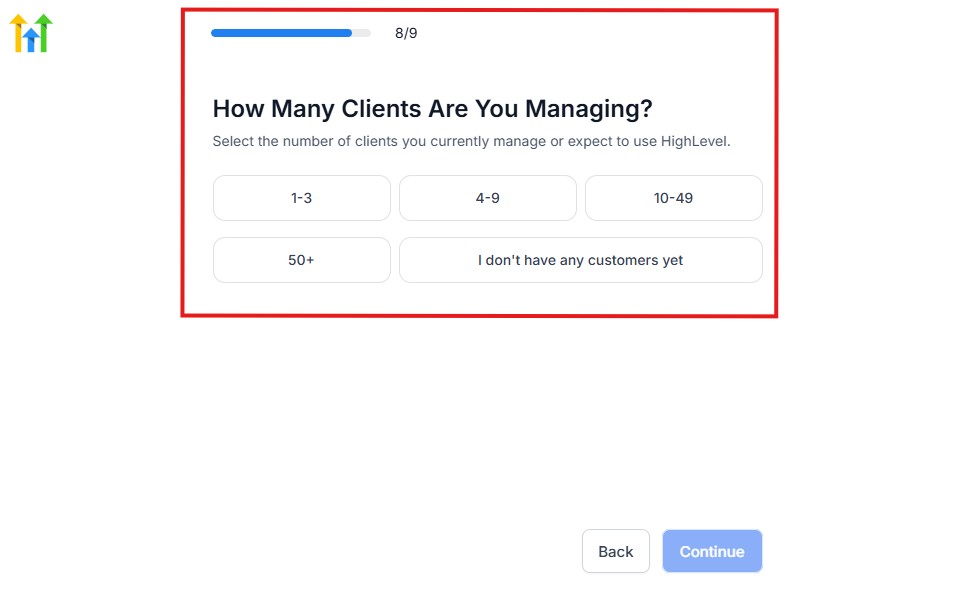
Then, the next thing you need to do is to select the number of clients that you currently have. Select “I don’t have any customers” yet if you currently don’t have one.
On the next page, you will be asked to select the platforms you currently use that you can integrate with GoHighLevel right away.
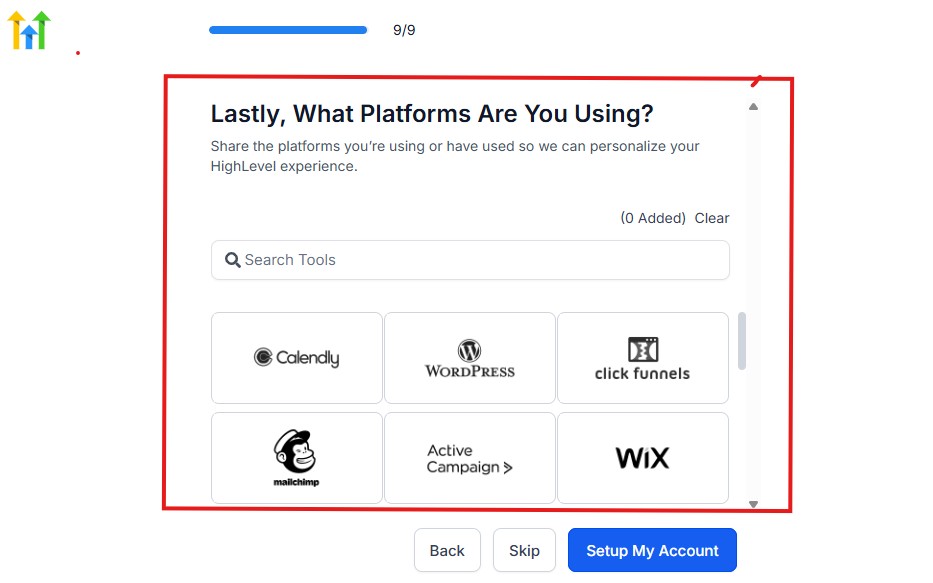
You can use the search button to search for any tools you want to add to your GoHighLevel account.
You can also skip this process and do it later if you want to.
After that, the page below will pop up.
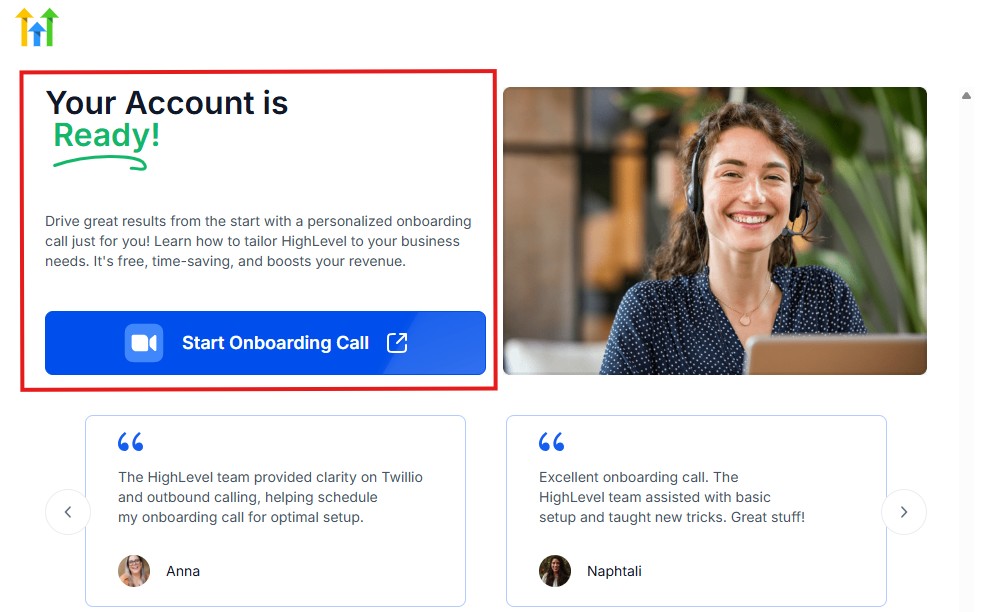
The page above says your account is ready and is asking you to “Start Onboarding Call.”
The “Onboarding Call” allows you to connect with the Go High Level team in order to discuss your account set-up process and everything regarding your plan in using HighLevel.
If you don’t want to start the “Onboarding Call” yet, just stroll down, and you will see the button in the image below.
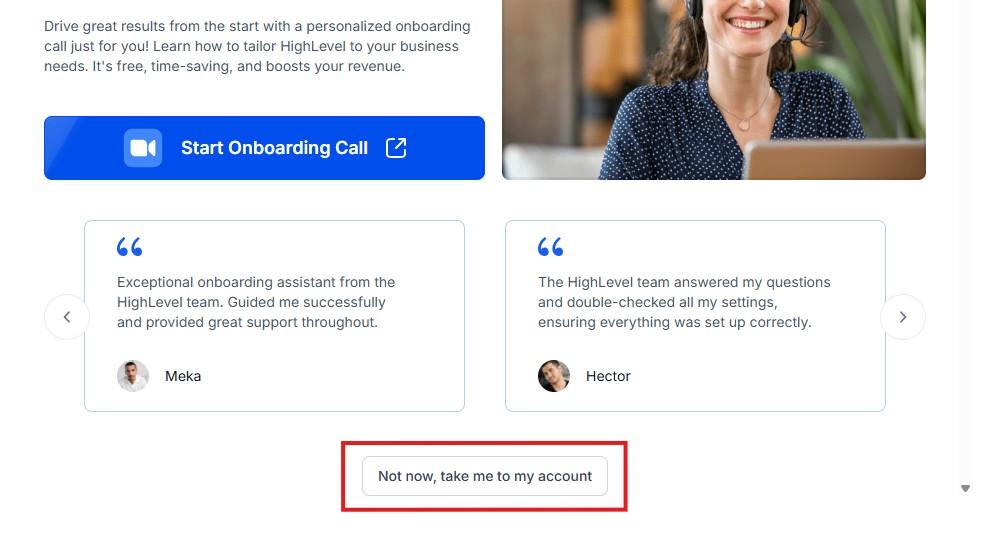
Simply click on “Not now, take me to my account“, and you will have access to your dashboard.
Note: If you have indicated that you want to resell HighLevel, you would have access to the agency dashboard by default, which looks like the image below.
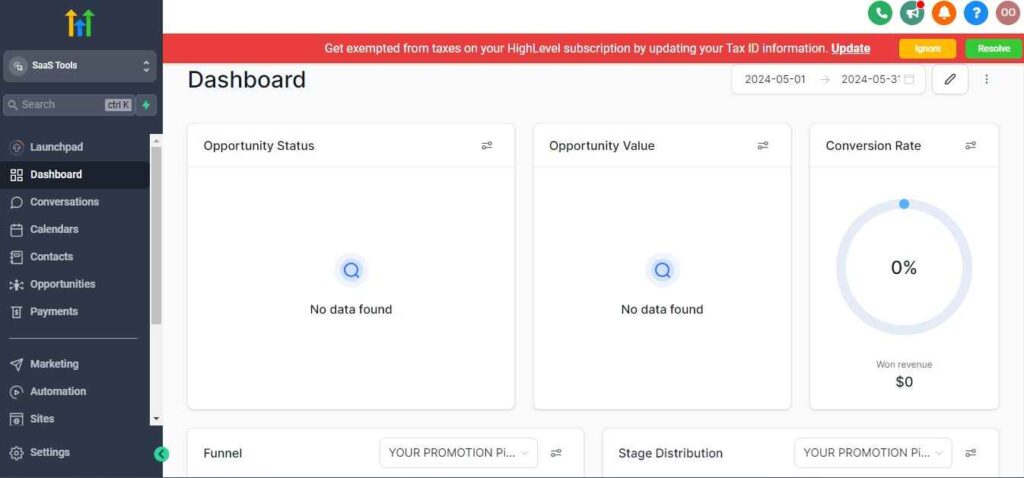
But if you didn’t indicate interest in reselling GHL, your dashboard will look like the image below.
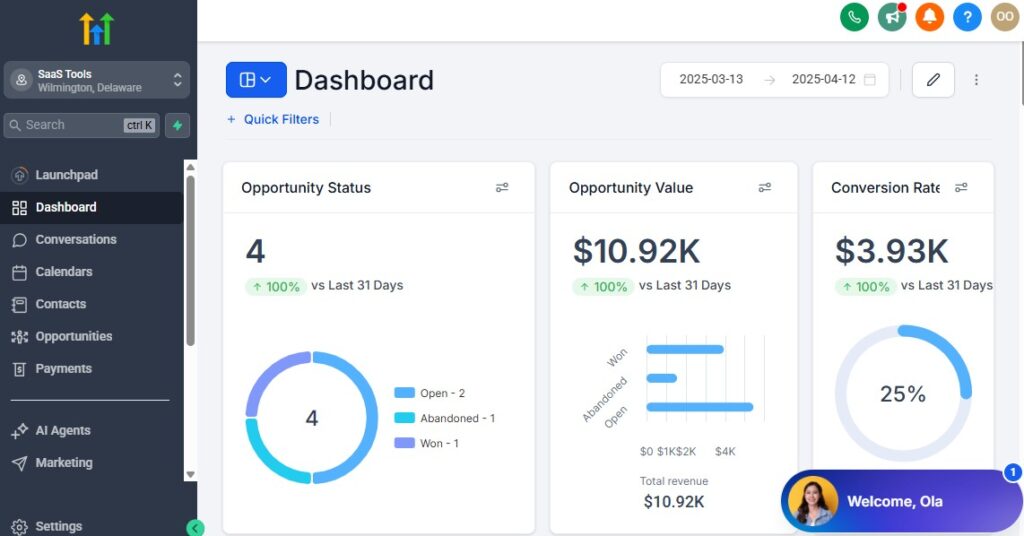
You can switch between these dashboards at any time.
The data you see on the dashboard above are not real data, they’re snapshots that you can use to kickstart your account setup process.
I want to say congratulations. You have successfully set up your Go High Level account.
Step 3: Branding & Professional Firm Setup
Your accounting firm should look polished and trustworthy everywhere your clients interact with you. Set up your brand identity so every email, page, and message feels professional.
What to set up:
- Upload your firm logo
- Choose your brand colors
- Add your business name and address
- Set up your professional email signature
How to do it in GoHighLevel
- Go to Settings → Company Settings
- Upload your logo and color scheme
- Update your business contact details
- Add a custom email signature under Profile
A strong brand presence instantly builds trust with new clients.
Step 4: Set Up Your Domain & Professional Email
Accountants often deal with sensitive financial documents, so credibility matters. Using a custom domain and verified email protects your deliverability and improves trust.
What to set up:
- Custom domain (e.g., yourfirm.com)
- Subdomains for portals (e.g., clients.yourfirm.com)
- Verified sending email (you@yourfirm.com*)
How to do it
- Go to Settings → Domains and connect your domain
- Verify DNS (SPF, DKIM, DMARC) to improve email deliverability
- Go to Settings → Email Services to verify your sending email
This helps ensure your reminders and document requests never land in spam.
Step 5: Build CRM Foundations for Accounting Clients
Accountants manage various client types – monthly bookkeeping, annual tax clients, payroll clients, and business advisory clients. Structure your CRM so each client type is easy to track.
What to set up:
- Custom fields for tax info, business type, deadlines, financial year-end, etc.
- Tags for service type (Bookkeeping, Payroll, Tax Prep, etc.)
- Custom client categories (Business, Individual, SME, Corporate)
How to create them
Go to Settings → Custom Fields
Add fields like:
- EIN/Tax ID
- Financial year-end
- Entity type (LLC, S Corp, etc.)
- Payroll frequency
- Bookkeeping cycle (monthly, quarterly)
Go to Contacts → Bulk Actions → Add Tags to create segmentation tags
This structure helps you automate communication accurately.
Step 6: Create Pipelines for All Your Accounting Services
Instead of mixing all clients together, create separate pipelines for each service category.
Suggested pipelines:
- Tax Preparation Pipeline
- Bookkeeping Cycle Pipeline
- Payroll Services Pipeline
- Audit Engagement Pipeline
- CFO/Advisory Services Pipeline
Each pipeline should include stages like:
- New Lead
- Discovery Call Booked
- Engagement Letter Sent
- Documents Requested
- Work in Progress
- Review Stage
- Completed
- Retainer/Recurring Client
How to build them
- Go to Opportunities → Pipelines → Create New Pipeline
- Add all stages for each service type
- Use triggers later to move clients between stages automatically
This makes your workflow cleaner and easier to manage.
Step 7: Set Up Segmentation With Tags & Custom Fields
Segmentation ensures your automations stay relevant and accurate.
Useful tags include:
- Individual tax client
- Business tax client
- Monthly bookkeeping
- Quarterly bookkeeping
- Payroll client
- High-priority
- Deadline approaching
- Requires document submission
How to tag clients automatically
- Use Workflows → Triggers → Form Submitted / Calendar Booked / Tag Added
- Add auto-tagging steps based on the service they choose
This helps you personalize your automation and follow-up messages.
Step 8: Add Your Core Workflows for Client Management
Before building advanced automation, set up your essential workflows.
Essential workflows include:
- New client onboarding
- Document request automation
- Tax season reminders
- Recurring monthly bookkeeping tasks
- Payment reminder workflow
- Engagement letter + contract automation
How to get started
Go to Automation → Workflows → Create Workflow
Choose a trigger (Form Submitted, Tag Added, Stage Changed)
Add steps like:
- “Send Email”
- “Send SMS”
- “Wait Timer”
- “If/Else Condition”
- “Move to Pipeline Stage”
This builds a powerful system that handles client management automatically.
Step 9: Prepare Your Calendar System
Accountants need clear scheduling for:
- Discovery calls
- Tax review sessions
- Quarterly planning
- Monthly bookkeeping check-ins
- Corporate meetings
How to set it up
- Go to Calendars → Create Calendar
- Create a calendar for each type of meeting
- Add availability, buffers, and rescheduling rules
- Connect to Google or Outlook calendar
A clean calendar setup prevents double-bookings and improves client experience.
Step 10: Secure Your Communication Channels
Accountants handle sensitive financial information, so choose secure communication paths.
Enable:
- SMS
- Call forwarding
- Voicemail drops
- WhatsApp (if needed)
How to activate them
- Go to Settings → Phone Numbers to buy/select a number
- Connect WhatsApp or FB Messenger under Integrations
- Toggle communication channels inside your workflows
This ensures every message is logged and trackable for compliance.
By setting up these foundational elements correctly, you prepare your accounting firm for a smoother, automated, and highly professional client journey.
Managing Clients, Leads & Accounting Work with the CRM
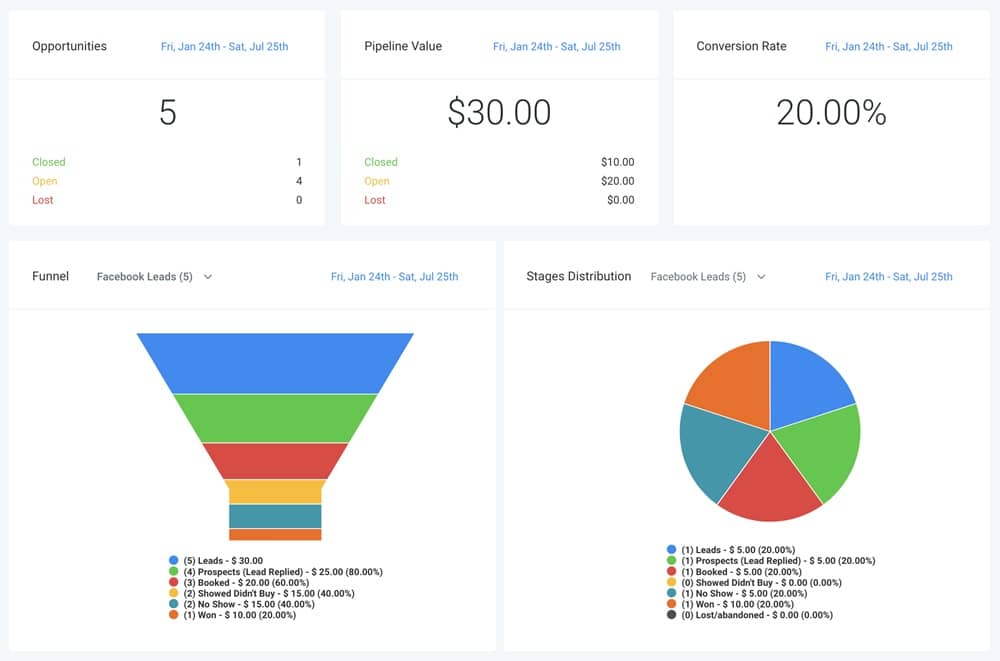
Your CRM is the heart of your accounting workflow. When it’s organized properly, you’ll always know which clients need attention, which deliverables are due, and which leads are ready to convert.
This section shows you how to manage accounting clients inside GoHighLevel and gives you practical steps to implement everything smoothly.
Organize All Clients & Leads in One Central Dashboard
As an accountant, you manage multiple client types – individual taxpayers, small businesses, corporations, payroll clients, and monthly bookkeeping clients. Keeping everything in one CRM helps you avoid missed deadlines and communication gaps.
What this helps you do
- Track where every lead or client stands
- Instantly recall tax info, business details, or deadlines
- See all conversations in one place
- Keep financial notes or compliance logs attached to each profile
How to do it
Go to Contacts → Smart Lists
Create lists like:
- “Tax Clients”
- “Bookkeeping Clients”
- “Payroll Clients”
- “Prospects – Not Converted”
- “Quarterly Filers”
Use tags (created earlier) to auto-sort contacts into the correct list
Add custom fields to store accounting-specific information
This becomes your “command center” for all accounting work.
Build Detailed Client Profiles for Faster Work
Every client needs a profile filled with important data so you never have to dig through emails or spreadsheets.
What to store
- Contact details
- Business name + entity type
- Tax ID/EIN
- Financial year-end
- Filing deadlines
- Bookkeeping frequency
- Payroll schedule
- Compliance obligations
- Meeting notes
- Document links
- Engagement letter status
How to set it up
- Open any contact
- Click Custom Fields
- Add fields like:
- “Financial Year End”
- “Tax Client Type”
- “Business Type”
- “Required Documents Received?”
- Use the Notes tab for compliance-critical information
- Upload relevant documents under the Files tab
A fully detailed profile saves you hours during tax season and monthly cycles.
Use Pipelines to Track Client Work From Start to Finish
Accounting work is process-driven. Pipelines help you clearly see what’s pending, what’s in review, and what’s completed.
Examples of pipelines for accountants
Tax Preparation Pipeline
- New Inquiry
- Discovery Call Booked
- Engagement Letter Sent
- Documents Requested
- Reviewing
- Ready for Filing
- Filed/Completed
Bookkeeping Pipeline
- New Client
- Waiting on Documents
- Monthly Bookkeeping Started
- Reconciliation
- Review
- Sent to Client
- Completed
Payroll Pipeline
- New Hire Setup
- Payroll Pending
- Processing
- Approved
- Delivered
How to build them
- Go to Opportunities → Pipelines → Create Pipeline
- Add each stage in order
- Assign automatic stage changes inside workflows:
- e.g., when a client uploads documents → move to next stage
- e.g., when engagement letter is signed → move to “Onboarding”
This pipeline visibility ensures nothing slips through the cracks.
Track Monthly, Quarterly & Annual Deliverables Easily
Accounting runs on cycles – monthly reconciliations, quarterly tax tasks, annual filings. GoHighLevel lets you track them cleanly.
What to track
- Monthly bookkeeping tasks
- Quarterly estimated tax deadlines
- Sales tax filings
- Financial statement reviews
- Payroll cycles
- Year-end closeouts
How to do it
- Use Custom Smart Lists to filter clients based on due dates
- Set workflow triggers based on date fields like “Financial Year End”
- Use Recurring tasks inside workflows to remind you or your client
For example:
- Automatically send “Quarterly Tax Reminder” 15 days before due date
- Automatically notify you when monthly bookkeeping is due
This keeps everything running consistently.
Centralize All Communication for Better Compliance
Accountants must document communication for audit trails.
What centralizing communication does
- Stores all email
- Stores SMS
- Stores call logs
- Stores voice messages
- Stores WhatsApp/Facebook messages (if connected)
- Keeps a clean audit record for every client
How to use it
- Go to Conversations → Inbox
- Connect messaging channels via Settings → Integrations
- Send all client messages through GHL to keep communication logged
This helps you stay compliant and makes record-keeping painless.
Use Lead Scoring to Prioritize High-Value Prospects
Not all leads are equal – GoHighLevel helps you prioritize.
Why this matters
- High-value business clients
- Seasonal tax clients
- Recurring monthly retainer clients
- Corporate advisory clients
Lead scoring helps you focus on the most profitable opportunities.
How to do it
Inside Workflows, add conditions like:
- “If lead visited funnel page → +10 points”
- “If they booked a call → +20 points”
- “If they opened 3+ emails → +5 points”
Create tags like “Hot Lead,” “Warm Lead,” “Cold Lead”
Route hot leads to your call calendar automatically
This helps you close more leads faster.
Log Tasks & Deadlines Inside Each Client Profile
Accounting involves strict deadlines. Use GoHighLevel to never miss them.
What to track
- Tax filing deadlines
- Document due dates
- Payroll submission deadlines
- Bookkeeping delivery dates
- Meeting reminders
- Compliance follow-ups
How to set it up
- Open a contact
- Go to Tasks → Add Task
- Add deadline
- Assign to yourself or a team member
- Add automation to trigger follow-up reminders
This turns GHL into your deadline management system.
Automate Stage-Based Email & SMS Updates
Whenever a client moves to a new stage, GoHighLevel can send automatic updates.
Examples
- When documents are received → “Thanks! We’ll review shortly.”
- When tax return is ready for review → “Your filing is ready for approval.”
- When payroll is processed → “Payroll completed for this cycle.”
How to do it
Go to Workflows → Create Workflow
Choose trigger: When Opportunity Stage Changes
Add actions like:
- “Send Email”
- “Send SMS”
- “Add Task”
- “Update Field”
- “Notify staff member”
This keeps clients informed automatically and reduces back-and-forth messaging.
With your CRM set up this way, your accounting workflow becomes organized, predictable, and easy to manage – even during tax season.
Automating Client Onboarding, Document Requests & Tax Preparation
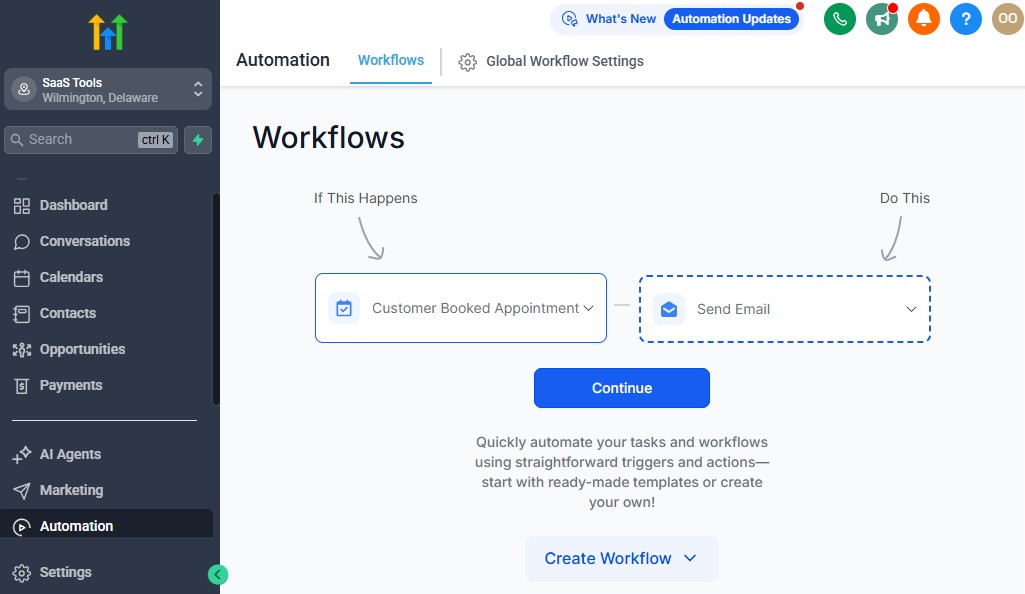
Accounting work depends heavily on deadlines, documents, communication, and consistency.
If you try to manage everything manually, clients will delay uploads, deadlines will sneak up on you, and bottlenecks will form – especially during tax season.
GoHighLevel helps you automate these critical steps so you stay organized, your clients stay responsive, and your workflow stays predictable.
This section explains exactly what to automate and how to set it up inside GoHighLevel.
Automate New Client Onboarding
A smooth onboarding experience builds trust from the very beginning. Instead of manually sending welcome emails or chasing clients for basic information, GoHighLevel can handle all of it automatically.
What your onboarding workflow should include
- Welcome email + introduction
- Instructions on next steps
- Link to complete an intake form
- Calendar link for a kickoff call
- Engagement letter or contract
- Payment/deposit (if applicable)
- Document checklist
How to automate onboarding in GoHighLevel
Go to Automation → Workflows → Create Workflow
Choose the trigger: Form Submitted, Tag Added, or Pipeline Stage Changed
Add steps:
- “Send Email: Welcome + Next Steps”
- “Send SMS: Thanks for joining our firm!”
- “Wait Step: 1 hour”
- “Send Form: Intake Questionnaire”
- “Send Link: Contract/Engagement Letter”
- “Move to Pipeline Stage: Onboarding”
Save and activate the workflow
This creates a consistent experience for every new client – even when you’re busy.
Automate Document Requests
Document chasing is one of the most time-consuming tasks for accountants. You need W-2s, 1099s, receipts, bank statements, payroll reports, and financial records – all submitted on time.
GoHighLevel can request, follow up, and remind clients automatically.
What to automate
- Initial document checklist
- Secure file upload link
- Weekly reminders
- Deadline notifications
- Alerts when documents are missing
- “Thanks, we received your file!” confirmation messages
How to automate document requests
Create a “Document Checklist” email template
Use a file upload tool (Google Drive, Dropbox, Jotform, etc.)
Inside Workflows, create triggers:
- Tag Added: Documents Needed
- Form Not Completed
- No reply after 3 days
Add steps:
- “Send Email: Please upload the following documents…”
- “Wait 3 days”
- “If/Else: Documents Uploaded?”
- If NO → send reminder
- If YES → move to next pipeline stage
How to help the reader implement this
Tell them to:
- Create a “Documents Needed” tag for each service type
- Build separate checklists for tax clients, bookkeeping clients, and business clients
- Connect their upload forms to GoHighLevel so notifications and workflow steps fire automatically
This eliminates 80–90% of manual document chasing.
Automate Engagement Letter & Contract Signing
Every accounting engagement requires agreements. Instead of sending them manually, GoHighLevel can handle the process from start to finish.
What to automate
- Engagement letter delivery
- Signature reminders
- Signed document confirmation
- Move client to next pipeline stage
- Trigger payment request once signed
How to do it
Prepare your contract in PandaDoc, DocuSign, or Jotform Sign
Create a workflow with trigger: Tag Added: Engagement Letter Sent
Add steps:
- “Send Email: Please review and sign your engagement letter”
- “Wait 2 days”
- “If/Else: Contract Signed?”
- If NO → send reminder
- If YES → move to “Documents Requested” stage
This ensures your contracts are signed quickly without chasing clients.
Automate Tax Preparation Workflows
Tax preparation is deadline-driven and repetitive. Automation ensures each client gets the right reminders, on time, every year.
What to automate for tax prep
- Pre-season reminders
- Intake questionnaire
- Document uploads
- Signature requests
- Payment reminders
- “Your return is ready for review” email
- Filing confirmation
- Post-filing follow-up
- Next-year reminders
How to build a tax-prep workflow
Trigger:
- Tag Added: Tax Client
- OR Date-Based Trigger: January 1
Add steps:
- Send “Tax Season Begins” notification
- Send intake form
- Send document checklist
- Send reminders every 3–5 days
- Move to “Ready for Review” when files are received
- Send “Your return is ready” message
- Move to “Filed/Completed” when done
Add a long-term reminder:
- “Wait 11 months → Send: It’s almost time for next year’s tax prep”
Why this helps
Your clients stay on track, deadlines don’t get missed, and your team works more efficiently.
Automate Recurring Bookkeeping Cycles
Monthly bookkeeping is repetitive – but predictable. Automation keeps your workflow consistent every month.
What to automate
- Month-end reminders
- Bank statement requests
- Reconciliation alerts
- Review stage updates
- Monthly financial report delivery
- “Next month’s cycle begins” notification
How to automate it
Use a Date-Based Trigger tied to “Bookkeeping Frequency”
Add steps for:
- Document request
- Workflow pause
- Reconciliation stage
- Review stage
- Delivery email
- Follow-up scheduling
This automates your monthly bookkeeping cycle from start to finish.
Automate Payment Requests & Reminders
Clients forget invoices – automation solves that.
What to automate
- Payment links
- Overdue reminders
- Subscription renewals
- Retainer renewal reminders
How to set it up
Connect Stripe
Create a workflow triggered by:
- “Invoice Created”
- “Invoice Overdue”
Add payment reminders:
- “Your invoice is due today”
- “Invoice overdue by 3 days”
- “Final reminder”
You collect payments faster and eliminate uncomfortable follow-ups.
Automate Client Status Updates
Accounting clients love regular updates because the process is often invisible. Automations help keep them informed without adding extra work for you.
What to automate
- “Documents received”
- “Bookkeeping in progress”
- “Tax return being prepared”
- “Return ready for review”
- “Filed successfully”
How to implement it
- Use Stage Change triggers inside workflows
- Add personalized SMS or email updates at each stage
Clients feel supported and confident throughout the journey.
The Result: A Fully Automated Accounting Workflow
When you automate onboarding, document collection, contracts, tax prep, and bookkeeping cycles, your firm becomes:
- Faster
- More organized
- Less stressful
- More profitable
- More client-friendly
You eliminate repetitive tasks, reduce bottlenecks, and deliver a world-class accounting experience – from onboarding to year-end filing.
Appointment Scheduling for Consultations, Reviews & Tax Meetings
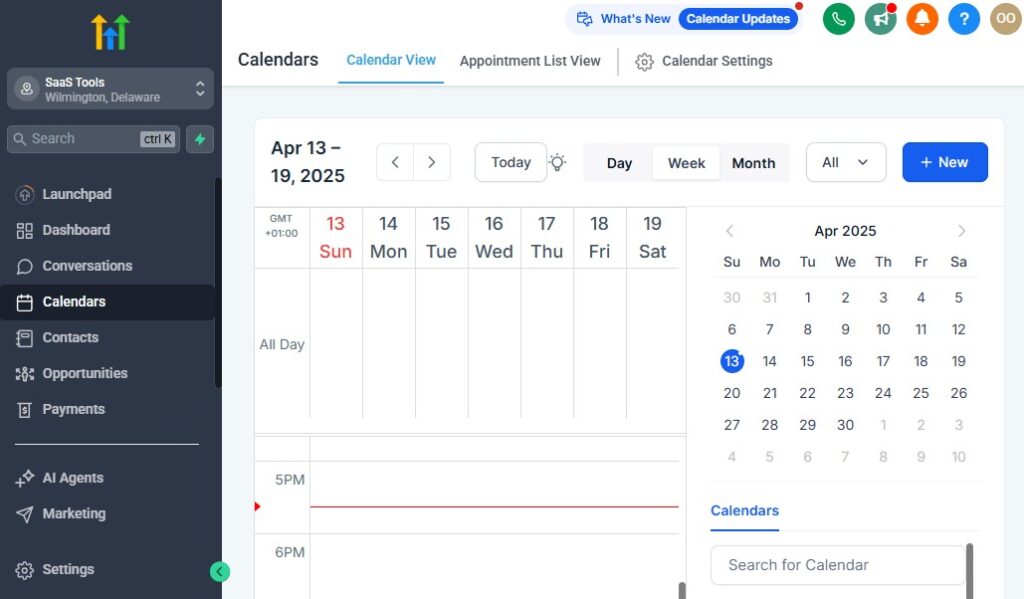
Scheduling is one of the most important parts of running an accounting firm.
Clients need consultations, tax reviews, quarterly planning, payroll discussions, and year-end meetings – often during tight deadlines.
GoHighLevel helps you eliminate back-and-forth messaging and keeps your calendar organized so every appointment feels smooth and professional.
This section explains exactly what to schedule, and how to set it up inside GoHighLevel so clients can book appointments easily while you stay in control of your availability.
Create Dedicated Calendars for Each Accounting Service
Instead of putting all meetings into one calendar, create separate calendars for each type of appointment. This gives clients clarity and prevents scheduling conflicts.
Useful calendars for accountants
- Discovery/consultation calls
- Tax preparation meetings
- Annual tax reviews
- Quarterly planning sessions
- Monthly bookkeeping check-ins
- Payroll meetings
- Corporate advisory sessions
How to set them up
- Go to Calendars → Create Calendar
- Choose Round Robin (for teams) or Single User
- Name the calendar (e.g., Tax Review Call)
- Set location: Zoom, Google Meet, phone call, or office visit
- Add availability blocks
- Add buffers before/after appointments
- Connect your Google or Outlook calendar
This gives each service its own space and reduces booking mistakes.
Use Time Buffers to Avoid Overlapping Meetings
Accounting meetings often require preparation or follow-up work. Buffers ensure you’re never rushed.
Why buffers matter
- You get time to prepare documents
- You avoid back-to-back calls
- You reduce meeting fatigue
- You leave room for overruns
How to add buffers
- Open your calendar settings
- Add “15-minute before” and “15-minute after” buffers
- Increase it to 30–45 minutes for complex sessions like tax planning
This creates a healthier, more manageable schedule.
Automate Booking Confirmations
Once a client books, GoHighLevel can immediately send a full confirmation with every detail they need.
What the confirmation should include
- Meeting date & time
- Meeting type (tax review, bookkeeping, planning call, etc.)
- Location or video link
- Preparation instructions
- Required documents
- Rescheduling link
How to automate it
- Inside the calendar settings, enable “Send Confirmation Email/SMS”
- Customize the templates under Marketing → Templates → Emails/SMS
- Add a workflow trigger:
- Trigger: Appointment Booked
- Send additional instructions automatically
This helps clients arrive ready and reduces confusion.
Use Automated Reminders to Reduce No-Shows
Reminders keep your schedule tight, especially during tax season.
Recommended reminder schedule
- 24 hours before
- 2 hours before
- 15 minutes before
How to automate reminders
- Go to your calendar
- Enable built-in reminders
- Create a workflow with trigger:
- Appointment Reminder
- Add SMS + email reminder messages
This dramatically reduces missed meetings and protects your time.
Give Clients Easy Rescheduling Options
Clients occasionally need to change meeting times. GoHighLevel lets them reschedule without contacting you.
Why this matters
- Clients appreciate flexibility
- You avoid back-and-forth messages
- Your schedule stays accurate
How to enable this
In Calendar → Settings, toggle “Allow Rescheduling”
Add rules:
- Minimum notice (e.g., 12–24 hours before)
- Limit same-day changes
- Block last-minute cancellations
This keeps your calendar predictable.
Use Multi-Location Calendars for Firms With Offices
If your firm works across locations or you meet clients in different cities, set up multi-location calendars.
How to use them
- Create a new location under Settings → Business Info → Locations
- Assign each calendar a specific address
- Let clients choose their preferred location during booking
Great for firms with multiple branches or service areas.
Sync GoHighLevel With Google or Outlook Calendars
Calendar syncing ensures your accounting schedule doesn’t conflict with personal events or other meetings.
How to sync
- Go to Settings → Profile → Calendar Sync
- Connect Google or Outlook
- Select which calendars to sync
- Enable two-way sync
Now all your meetings stay consistent everywhere.
Use Intake Forms Before the Meeting
You can make calls more productive by collecting information before the appointment.
What to include
- Business type
- Financial year-end
- Filing needs
- Challenges or questions
- Required documents
- Service they’re interested in
How to implement it
- Create a form under Sites → Forms
- Add it to your booking confirmation workflow
- Send automatically after booking
This helps every meeting start with clarity.
Route Appointments Automatically in Teams
For firms with multiple accountants or tax preparers:
Use round-robin scheduling
- Distribute leads across your team evenly
- Assign specific services to specific team members
- Automatically notify the assigned accountant
How to set it up
- Go to Calendars → Create Calendar → Round Robin
- Add team members
- Set weights (equal or priority-based)
- Connect to workflows for notifications
This keeps your team efficient and eliminates manual assignment.
Automate Follow-Up Tasks After the Meeting
After the consultation, GoHighLevel can automatically trigger tasks.
What to automate
- Document checklists
- Proposal/engagement letter
- Payment link
- Pipeline stage update
- Reminder for next meeting
- Assign internal tasks to your team
How to implement it
Create a workflow
Trigger: Appointment Status = Completed
Add steps for:
- Email/SMS follow-up
- Add internal tasks
- Move to next stage in pipeline
This ensures every meeting leads to action.
The Result: A Stress-Free, Organized Accounting Schedule
With a proper scheduling system inside GoHighLevel, you get:
- Fewer missed meetings
- Faster onboarding
- More organized client communication
- A predictable workflow
- A professional experience your clients appreciate
- More time for actual accounting work
Your calendar becomes your automated assistant – handling booking, reminders, preparation, and follow-ups while you stay focused on client results.
Building High-Converting Funnels for Accounting Services
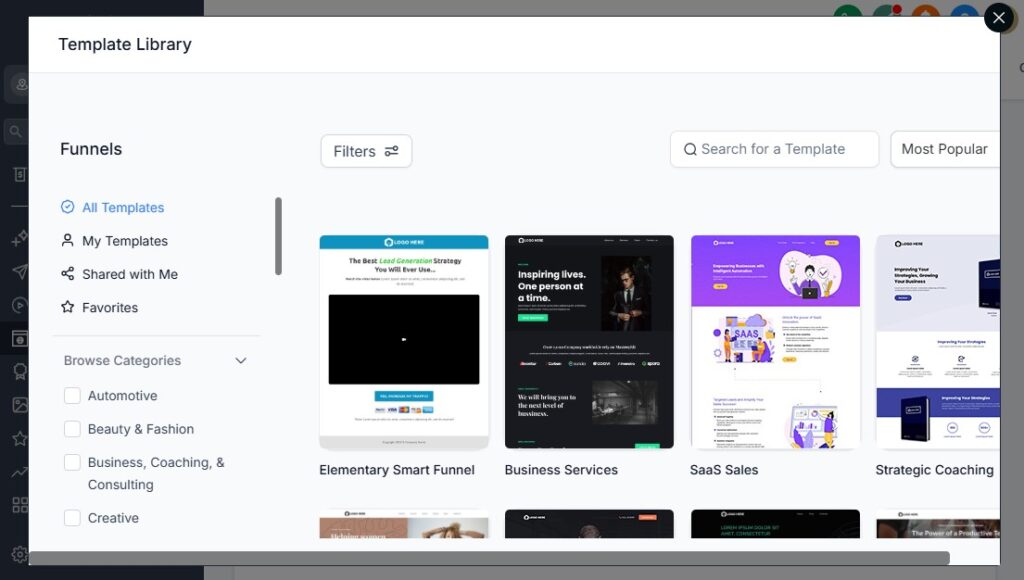
Your accounting services become much easier to sell when prospects travel through a focused, distraction-free funnel that guides them from interest → trust → booking → onboarding.
Instead of sending people to a busy homepage, GoHighLevel lets you build simple, high-converting funnels tailored to each accounting service you offer.
This section explains what funnels to build, why they matter, and how to create them step-by-step inside GoHighLevel so your firm consistently attracts quality clients.
Create Separate Funnels for Each Accounting Service
Different services attract different types of clients, so each service needs its own dedicated funnel.
High-converting funnels accountants should create
- Tax Preparation Funnel (individual or business)
- Monthly Bookkeeping Funnel
- Payroll Services Funnel
- CFO/Financial Advisory Funnel
- Audit & Compliance Funnel
- New Business Setup Funnel
- Corporate Tax Planning Funnel
Each funnel speaks directly to the client’s problem and offers the next step clearly.
How to build separate funnels
Go to Sites → Funnels → Create Funnel
Name it based on service (e.g., “Business Tax Funnel”)
Add funnel steps:
- Landing page
- Lead magnet / checklist
- Booking page
- Thank-you page
Connect the funnel to the correct workflow
Add tags to segment leads coming from each funnel
This ensures every visitor enters the right sales path and receives relevant follow-up.
Use Strong Landing Pages That Speak to Your Client’s Pain Points
Accounting clients are often stressed about:
- Taxes
- Cash flow
- Deadlines
- Payroll compliance
- Mismanaged books
Your landing pages should speak directly to these issues.
What to include on each landing page
- Clear headline (“Get Professional Tax Filing Without Stress”)
- Quick explanation of what you do
- Benefits in bullet points
- Your unique value (fast turnaround, fixed fees, accuracy)
- Client reviews or trust badges
- A simple call to action (“Book a Free Consultation”)
How to build it in GoHighLevel
- Go to Sites → Funnels → Select Funnel → Edit Page
- Use the drag-and-drop builder
- Add your headline, list of services, and CTA button
- Insert social proof or reviews
- Add your form or calendar link
The simpler your landing page, the higher your conversions.
Add Lead Magnets to Capture High-Quality Prospects
Accounting is trust-based. A lead magnet helps you capture leads even if they aren’t ready to book immediately.
Effective lead magnets for accountants
- “Small Business Tax Deduction Checklist”
- “Top 10 Bookkeeping Mistakes to Avoid”
- “Quarterly Tax Prep Guide”
- “Payroll Compliance Checklist”
- “Year-End Financial Prep Template”
How to implement this
Create the lead magnet as a PDF
Upload it to GoHighLevel under Sites → Media
Build a two-step funnel:
- Step 1: Opt-in for the guide
- Step 2: Thank-you + booking CTA
Automate delivery using a workflow
Add the lead to your nurture sequence
This turns cold traffic into warm leads automatically.
Include a Strong, Simple Contact Form
Forms should be short so more people complete them.
What to include
- Name
- Phone
- Business name (optional)
- Service interested in
How to create your form
- Go to Sites → Forms → Create Form
- Add your fields
- Add hidden tags like “Tax Lead” or “Bookkeeping Lead”
- Embed the form on your landing page
This feeds leads directly into your CRM with correct segmentation.
Use Calendar Booking Pages for Direct Consultations
Many accounting clients are ready to book immediately. Sending them to a calendar increases conversion dramatically.
How to set it up
Create a calendar for your consultation call
Insert it as the final step in your funnel
Add automation that triggers after a booking:
- Confirmation email
- SMS reminder
- Intake form
- Pipeline stage change
This removes friction and helps clients move forward fast.
Add Trust Elements to Increase Conversions
Accounting is a credibility-heavy industry. Strengthen your funnel with trust signals.
Add elements such as
- Reviews and testimonials
- Certifications (CPA, EA, CMA, etc.)
- Company awards
- “Serving clients since…” badges
- Case studies
- Client logos (if applicable)
- Compliance statements (e.g., “Your data is secure and encrypted”)
How to add them
- Add a Testimonials section in the funnel builder
- Embed Google reviews
- Add logos from trusted partners
The more trust you display, the easier it is for leads to convert.
Use Upsells for Additional Accounting Services
Once someone downloads a guide or books a call, show them related offers.
Examples
- Add “Payroll Setup” upsell after Tax Prep funnel
- Add “Monthly Bookkeeping Discount” after a consultation booking
- Add “Corporate Tax Planning Session” after a guide download
How to add this
- Create a new funnel step (Upsell page)
- Add a special offer
- Add a CTA linking to a booking calendar or payment page
- Create a tag-based workflow trigger
This increases your revenue per lead.
Attach Each Funnel to an Automation Workflow
The funnel collects the lead – your workflow converts them.
What your workflow should do
- Send a confirmation email
- Deliver lead magnets
- Send follow-up messages
- Remind them to book a call
- Tag leads correctly
- Notify you or your team
- Move leads to the correct pipeline stage
How to attach it
- Open your funnel
- Go to the step with the form
- Select “Automation: Add to Workflow”
- Choose the correct workflow
This ensures every lead receives consistent, automated communication.
Test Your Funnel Before Going Live
Always test your funnel end-to-end.
What to check
- Form submissions
- Calendar booking
- Email/SMS automation
- Thank-you pages
- Funnel links
- Mobile responsiveness
How to test it
- Open your funnel
- Preview it
- Submit a test form
- Check your inbox and CRM
Fix any broken steps before launching.
The Result: A Funnel System That Attracts and Converts Accounting Clients
With high-converting funnels in place, you get:
- More qualified leads
- Higher consultation bookings
- Better service segmentation
- Faster conversions
- A predictable pipeline of accounting clients
- A fully automated lead-to-client journey
Your firm becomes easier to scale because your marketing and lead capture run on autopilot.
Running Email & SMS Marketing Campaigns for Accounting Clients
Marketing is what keeps your accounting pipeline full year-round.
The challenge is that most prospects don’t convert immediately – especially business owners, busy executives, or individual taxpayers who wait until deadlines get close.
This is where GoHighLevel becomes powerful.
It helps you automate email and SMS campaigns that nurture prospects, educate clients, share reminders, and move leads toward booking or submitting documents.
This section explains what campaigns to run, why they matter, and exactly how to build them inside GoHighLevel so your firm stays top-of-mind all year.
Use Email & SMS as Your Core Accounting Communication Channels
Email works well for detailed messages, reports, and educational content. SMS works best for reminders, deadlines, and quick prompts – especially during tax season.
Why both channels matter
- Email helps you educate and share value
- SMS boosts responsiveness and eliminates delays
- Using both increases conversions dramatically
How to set them up
- Verify your sending domain under Settings → Email Services
- Buy a phone number under Settings → Phone Numbers
- Connect business email (Gmail or Outlook) under Integrations
Now your campaigns avoid spam issues and reach clients quickly.
Create a 5–10 Step Nurture Sequence for New Leads
New leads need education and reassurance before they trust an accountant.
A nurture sequence helps you build credibility from day one.
What to include
- Introduction to your firm
- What makes your services different
- Common mistakes clients make
- Tax tips or bookkeeping advice
- Invitation to book a consultation
- Success stories or case studies
- Clear call-to-action to move forward
How to build it in GoHighLevel
Go to Workflows → Create Workflow
Trigger: Form Submitted, Funnel Viewed, or Tag Added
Add steps:
- Day 0: Welcome email
- Day 1: SMS – “Thanks for reaching out!”
- Day 3: Educational email
- Day 5: Case study
- Day 7: Offer consultation
Finish with a reminder email + booking link
This sequence warms cold leads into ready clients.
Run Tax Season Campaigns to Increase Bookings
Tax season is your busiest period – use automation to make it predictable and profitable.
Campaigns to set up
- “Tax Season Is Open” announcement
- Document checklist email
- Missing document reminders
- Filing deadline countdown
- Late-filer reminders
- Extension filing reminders
How to implement
Create date-based triggers:
- Trigger: Date = Jan 1
- Trigger: Date = March 1
- Trigger: One month before tax deadline
Add reminders:
- Email + SMS: “Upload your documents today.”
- Email: “Deadline approaching – don’t risk penalties.”
This keeps clients moving without you manually chasing anyone.
Build Quarterly Tax Planning & Compliance Campaigns
Business clients require year-round communication – not just at tax time.
Send quarterly:
- Estimated tax payment reminders
- Sales tax deadlines
- Payroll tax notices
- Quarterly financial review invites
How to build it
Use a Date-Based Workflow tied to client’s fiscal year
Add steps:
- “Send Email: Quarter 1 Tax Reminder”
- Wait 90 days
- “Send Email: Quarter 2 Reminder”
Add SMS nudges for critical deadlines
This builds trust and reduces compliance problems for your clients.
Create Campaigns for Monthly Bookkeeping Clients
Recurring bookkeeping clients appreciate structure and predictability.
Monthly campaigns to automate
- Bank statement reminders
- Transaction review reminders
- Payroll submission alerts
- “Your monthly bookkeeping is complete” updates
- Monthly financial summary or video recap
How to do it
Use Trigger: Date Based → Every Month
Add:
- Email requesting statements
- SMS reminder if no response
- “Work completed” email once done
Your workload becomes more consistent and clients stay engaged.
Use Educational Campaigns to Build Trust
Most prospects don’t understand accounting – they need guidance.
Educational campaign topics
- Deduction strategies
- Bookkeeping best practices
- Tax law changes
- Payroll compliance tips
- End-of-year checklist
- Business financial planning
- Audit preparation
- Expense categorization
How to build it
- Create a 6–12 month drip sequence
- Send 1 email every 2–4 weeks
- Add soft calls to action:
- “Need help? Book a consultation.”
This positions you as their go-to advisor.
Launch Reactivation Campaigns for Old Leads & Past Clients
Old clients = easiest clients to convert. Many simply forgot.
What to include
- “Are you still working on your taxes/bookkeeping?”
- “We noticed you didn’t finish your documents.”
- “Last-year clients get early access to tax prep slots.”
- “We can help you catch up on past financials.”
How to build it
- Create a Smart List for “Inactive Clients”
- Tag them with “Reactivation”
- Run a 3–7 message sequence (email + SMS)
This can bring back 5–20% of old clients easily.
Use SMS for High-Priority Deadlines
SMS has a 90%+ open rate. Use it for urgent messages.
Best uses
- Tax deadline reminders
- Missing document alerts
- Meeting reminders
- Compliance notices
- Payment reminders
How to implement
- Inside workflows, add “Send SMS” at key steps
- Keep messages short and direct
- Add booking or upload links
This improves client responsiveness immediately.
Add Personalization to Increase Conversion
Personalized emails convert better.
What to personalize
- Client name
- Business name
- Service type
- Deadlines
- Previous work done
- Relevant tax reminders
How to do it
Use Custom Fields with placeholders like:
- {{contact.name}}
- {{custom_value.tax_deadline}}
- {{custom_value.business_type}}
Clients feel like you’re speaking directly to them.
Trigger Marketing Based on Client Behavior
GoHighLevel lets you create dynamic campaigns based on actions:
Useful behavior triggers
- Opened an email
- Clicked a link
- Didn’t respond
- Didn’t upload documents
- Didn’t book a call
- Abandoned a funnel
- Viewed rates page
How to build behavioral marketing
Create workflow triggers:
- “Email Opened”
- “Link Clicked”
- “Form Not Completed”
Add appropriate follow-ups:
- SMS reminder
- Second offer
- Another CTA
This makes your marketing smarter and more effective.
Promote Seasonal Offers & Value-Added Services
Throughout the year, run campaigns for seasonal opportunities.
Examples
- Year-end financial review
- “Catch-Up Bookkeeping” promotion
- Sales tax season
- Payroll setup discounts
- Tax strategy consultations
- New business setup/LLC formation
How to implement
- Create a short 3–5 step email/SMS sequence
- Add urgency & scarcity (limited slots/dates)
- Link to your service funnel
These campaigns fill your calendar during quieter months.
The Result: Marketing That Runs Automatically & Brings Predictable Clients
When your email and SMS campaigns run smoothly, you get:
- More consistent leads
- More consultations booked
- More organized clients
- Faster document submission
- Higher retention rates
- Higher lifetime value
- A more scalable firm
Your accounting firm becomes a marketing machine – constantly attracting, educating, nurturing, and converting clients with very little manual effort.
Managing Payments, Engagement Letters & Contracts
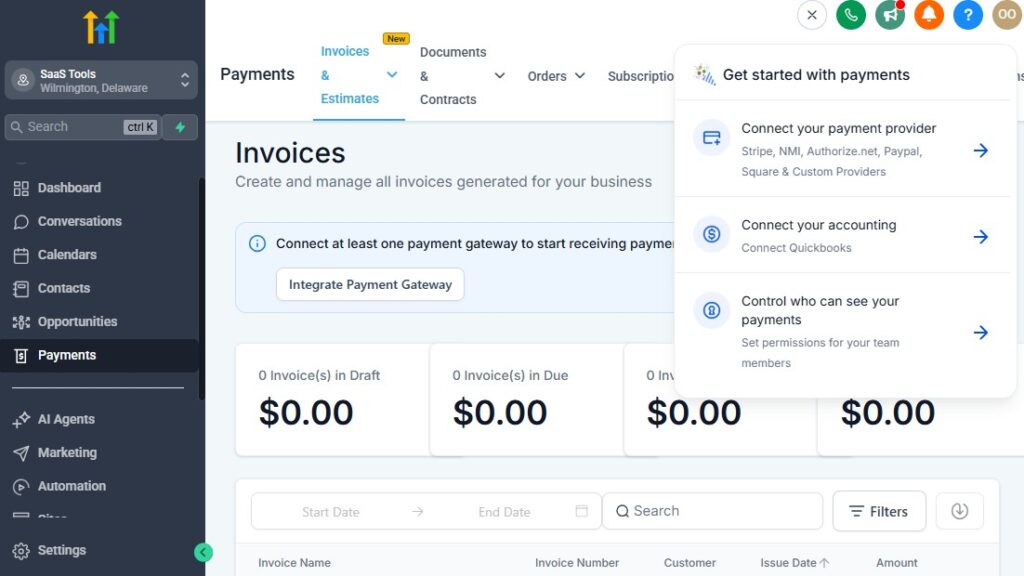
Managing payments and contracts is one of the most sensitive parts of running an accounting firm.
You deal with retainers, recurring subscriptions, one-time tax filing fees, payroll services, advisory packages, and engagement letters for every client.
If you try to handle all this manually, you’ll waste time chasing signatures, reminding clients about overdue invoices, and tracking payments across multiple platforms.
GoHighLevel helps you automate the entire process – so clients sign faster, pay on time, and stay organized. This section covers what to set up, why it matters, and exactly how to implement each step inside GoHighLevel.
Collect Service Payments Seamlessly Through GoHighLevel
GoHighLevel lets you accept payments for:
- Tax preparation
- Monthly bookkeeping
- Payroll processing
- Corporate advisory services
- Year-end cleanup
- Catch-up bookkeeping
- New business setup
- One-time consulting calls
Why this matters
- Faster cash flow
- Fewer overdue invoices
- Less admin work
- Clients can pay anytime, anywhere
How to set it up
- Go to Settings → Payments
- Connect Stripe (recommended) or PayPal
- Create products (e.g., “Individual Tax Filing – $350”)
- Add checkout pages or payment links to funnels
- Add a workflow trigger:
- “Invoice Created” → send payment request
- “Invoice Overdue” → send reminder
This creates a system where payments flow in smoothly with minimal intervention.
Offer Subscriptions for Monthly & Quarterly Accounting Services
For recurring services like bookkeeping, payroll, or advisory retainers, subscriptions give you stable, predictable income.
What services should be subscription-based
- Monthly bookkeeping
- Quarterly bookkeeping
- Payroll services
- CFO/advisory packages
- Monthly tax compliance
How to create a subscription in GHL
- Go to Payments → Products
- Click Create Product
- Choose Subscription
- Set billing frequency (monthly, quarterly, yearly)
- Add this subscription to your funnels or invoices
Your clients enroll once and are billed automatically – no manual follow-ups.
Automate Payment Reminders for Overdue Invoices
Accountants shouldn’t chase clients for money. Automation handles it.
What to automate
- Invoice sent
- Payment due reminders
- Overdue alerts
- Final 3-day reminder
How to automate reminders
Create a workflow with trigger:
- “Invoice Due Date” or “Invoice Overdue”
Add steps:
- “Send Email: Your invoice is due today”
- Wait 3 days
- If unpaid → “Send SMS: Please complete your payment”
This protects your cash flow without uncomfortable conversations.
Send Engagement Letters Automatically
Every new accounting client must sign an engagement letter before work begins. GoHighLevel integrates easily with e-signing platforms so you can automate this entire step.
Popular tools you can connect
- PandaDoc
- DocuSign
- Jotform Sign
- Adobe Sign
What to include in an engagement letter
- Scope of services
- Terms & conditions
- Fees and billing cycles
- Confidentiality agreement
- Tax compliance policy
- Client responsibilities
How to automate sending engagement letters
Build your contract in PandaDoc or DocuSign
In GoHighLevel, create a workflow with trigger:
- “Tag Added: Engagement Letter Needed”
Add steps:
- Email: “Please sign your engagement letter”
- Wait 2 days
- If not signed → send reminder
Add a “Contract Signed” webhook or trigger
Move the client automatically to the “Onboarding” stage
This ensures no client begins work without signing.
Automate Contract Follow-Ups & Tracking
Most firms lose time manually checking who signed what. GoHighLevel eliminates this.
What to automate
- Track contract status
- Alert your team when contract is signed
- Move client to next pipeline stage
- Trigger payment link after signing
- Add onboarding tasks
How to do it
Use webhook triggers from PandaDoc/DocuSign
Inside the workflow:
- “If contract is signed → move to next step”
- Assign internal tasks automatically
No more guessing who’s signed or who hasn’t.
Use a Dedicated “Contracts & Compliance” Pipeline
Instead of mixing contract-related clients into your service pipelines, create a separate pipeline just for agreement handling.
Suggested pipeline stages
- Engagement letter sent
- Waiting for signature
- Signature overdue
- Contract signed
- Ready for onboarding
How to build it
- Go to Opportunities → Pipelines → Create Pipeline
- Name it Contracts & Compliance
- Add the above stages
- Create a workflow so clients move stages based on signature status
This gives you instant clarity on who needs follow-up.
Send Payment Links Automatically After Contract Signing
Once your client signs, they’re ready to pay. Automate this step to secure revenue faster.
How to set it up
- Trigger: Contract Signed
- Add “Send Email: Your next step – Complete payment”
- Insert payment link or checkout page
- Add reminder sequences if unpaid
By combining signature automation + payment automation, you create a frictionless onboarding flow.
Use Pre-Built Templates for Efficiency
You can save dozens of hours by creating templates for:
- Service invoices
- Engagement letters
- Proposal documents
- Payment request emails
- Subscription confirmations
How to implement
- Build templates in Marketing → Email/SMS Templates
- Build contract templates in PandaDoc or DocuSign
- Save invoice templates inside Stripe
Templates make your firm feel more professional and consistent.
Secure Your Compliance & Documentation Trail
Accounting firms need strong documentation for audits and legal protection.
What GoHighLevel helps you store
- Signed contracts
- Payment receipts
- Client correspondence
- Uploaded documents
- Timeline logs of actions
How to secure your record-keeping
- Store signed contracts in Contact Files
- Add internal notes after every key interaction
- Use workflows to create time-stamped logs
This builds a reliable audit trail automatically.
The Result: A Smooth, Automated Payments & Contracts System
Once your engagement letters, payments, and reminders are automated, your firm becomes:
- More professional
- More organized
- More efficient
- Less stressed
- More profitable
- Better positioned to scale
Clients sign faster, pay on time, and move through your workflow without friction.
Integrating GoHighLevel With Accounting Tools
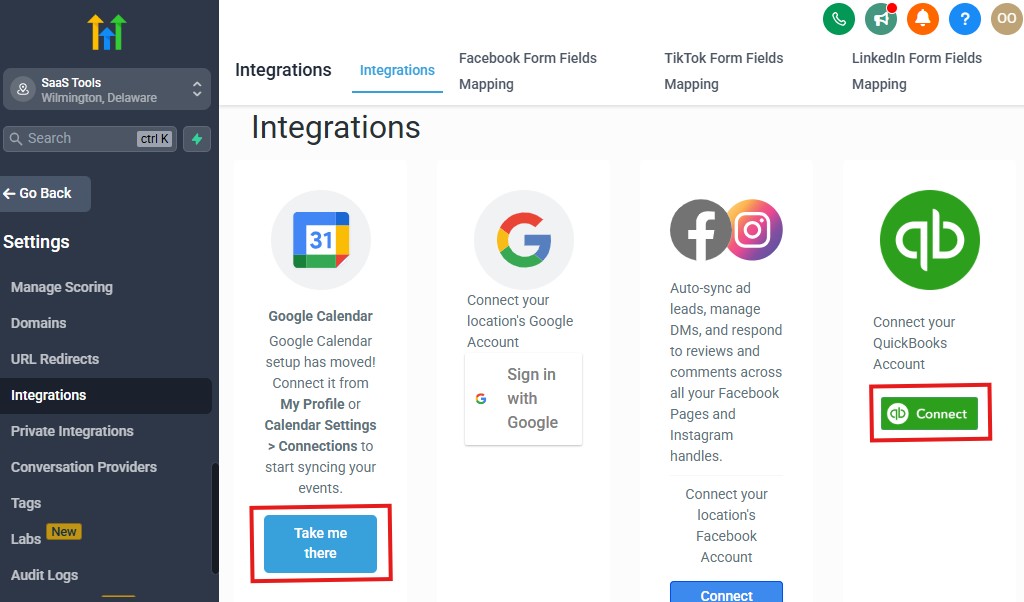
Your accounting firm already relies on multiple tools – tax software, bookkeeping platforms, e-signing solutions, document storage, payroll systems, and communication apps.
The goal of integrating GoHighLevel with these tools is simple: connect everything so your workflows run smoothly without switching between platforms all day.
This section breaks down the most important tools to integrate, why they matter, and exactly how to set up each integration so your accounting operations stay fast, secure, and organized.
Integrate GoHighLevel With Your Bookkeeping & Accounting Software
Your bookkeeping and accounting apps hold financial data your CRM can’t store. Integrating them helps automate workflows and reduce administrative work.
Popular platforms accountants use
- QuickBooks Online
- Xero
- FreshBooks
- Wave Accounting
- Zoho Books
Why integrate them
- Sync client billing info
- Automate invoice creation
- Keep payment status updated
- Trigger workflows when invoices are paid
- Send reminders automatically
- Reduce duplicate data entry
How to integrate
Most accounting tools connect through Zapier, Make (Integromat), or direct API.
Steps to integrate via Zapier
Go to Zapier.com and create a new Zap
Choose GoHighLevel (LeadConnector) as the trigger
Choose QuickBooks/Xero/etc. as the action
Map fields like:
- Client name
- Invoice amount
- Payment status
Turn on the Zap
Example automation:
“When a bookkeeping client signs an engagement letter → automatically create a customer in QuickBooks and generate an invoice.”
This keeps your billing system updated without manual entry.
Connect GoHighLevel With E-Signing Tools for Contracts & Engagement Letters
Every accountant needs contracts signed efficiently.
E-signing tools help automate this legally sensitive step.
Trusted tools
- PandaDoc
- DocuSign
- Jotform Sign
- Adobe Sign
- HelloSign
Why integrate
- Automatically send contracts to new clients
- Receive signature status updates
- Trigger onboarding workflows after signing
- Keep contracts stored in client profiles
How to integrate
Create a contract template in your e-sign tool
Use webhooks or Zapier to trigger delivery when:
- A lead fills a form
- A tag like “Engagement Letter Needed” is applied
Add the webhook URL inside GoHighLevel workflows
Add a second automation for “Contract Signed” status
Example:
“When a contract is signed → add tag ‘Signed’, move client to Onboarding, and send payment link.”
This saves hours every week and eliminates follow-up hassles.
Integrate Cloud Storage Tools for Document Collection
Accountants handle sensitive tax forms, receipts, payroll logs, bank statements, and year-end reports.
Integrating storage tools helps automate document management.
Common tools
- Google Drive
- Dropbox
- OneDrive
- Box
- Jotform Uploads
- File Request Pro
Why integrate
- Collect documents securely
- Automatically organize folders by client
- Trigger workflows when files are uploaded
- Store links inside client profiles
- Save time during tax season
How to integrate
- Create a document upload form (Jotform, Drive upload link, etc.)
- Add the link in your onboarding workflow
- Use Zapier to organize files automatically:
- “When a new client is created → create a folder in Google Drive”
- Add the folder link to the client’s custom field
Your document workflow becomes cleaner and more secure.
Integrate GoHighLevel With Payroll Systems
For payroll clients, accuracy and timing are critical. Integrations help automate reminders and data syncs.
Payroll tools accountants use
- Gusto
- ADP
- Paychex
- QuickBooks Payroll
- Patriot
Why integrate
- Automate payroll-cycle reminders
- Track employee changes
- Trigger workflows when payroll is approved
- Notify clients automatically
How to integrate
Use Zapier to connect:
- “Payroll submitted” → trigger internal task
- “New employee added” → send onboarding checklist
Add calendar reminders for payroll deadlines
Store payroll documents in client profiles
This keeps payroll delivery smooth and error-free.
Integrate GoHighLevel With Tax Software
Direct integration with tax software is rare, but you can automate key status updates.
Common tax software
- TaxAct
- Drake
- ProSeries
- UltraTax
- TaxSlayer Pro
How to integrate (practical method)
Use Zapier or folders to trigger updatesSet up status tags like:
- “Ready for Prep”
- “In Progress”
- “Ready for Filing”
- “Filed Successfully”
Build workflows that send client updates based on these statuses
While tax software doesn’t plug directly into GHL, you can still automate the communication part beautifully.
Integrate Your Phone, SMS & Communication Channels
All client communication should live inside GoHighLevel for compliance.
Connect these tools
- Gmail
- Outlook
- Facebook Messenger
- Instagram DMs
- Zoom / Google Meet
How to integrate
- Connect Gmail/Outlook under Integrations
- Connect social channels under Conversations → Channels
- Connect Zoom/Meet when setting up calendars
This keeps your message history clean and audit-ready.
Integrate With Productivity & Team Management Tools
For firms with a team, workflow collaboration is critical.
Useful tools
- Slack
- Trello
- Asana
- Notion
- Monday.com
- ClickUp
Why integrate
- Assign tasks automatically
- Notify team members when documents arrive
- Move jobs through a task board
- Log internal communication
How to integrate
Use Zapier to connect GoHighLevel → Task platform
Create rules like:
- “When pipeline stage changes → add task for accounting team”
- “When documents uploaded → notify Slack channel”
This keeps your internal workflow organized.
Integrate With BI & Reporting Tools for Financial Insights
If you want deeper analytics than GoHighLevel’s default metrics:
Tools you can connect
- Google Sheets
- Microsoft Excel
- Power BI
- Looker Studio
- Databox
How to integrate
Use Zapier to export CRM or pipeline data
Build visual dashboards for:
- Revenue per service
- Client LTV
- Tax-season performance
- Conversion rates
- Monthly bookkeeping workload
This gives your firm richer insights for decision-making.
The Result: A Fully Connected Accounting Tech Ecosystem
Once all your systems are integrated, your firm operates with:
- Less manual work
- More reliable automation
- Faster onboarding
- Better compliance
- Cleaner workflows
- Stronger communication
- Higher accuracy
- Increased client satisfaction
GoHighLevel becomes the central hub that ties your entire accounting tech stack together – saving time and helping your firm scale seamlessly.
Advanced Automation for Accounting Firms
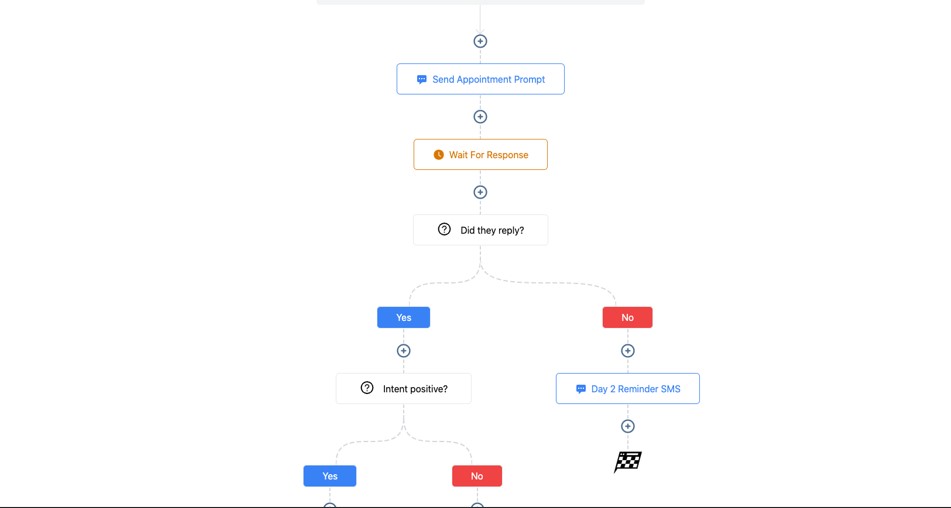
Advanced automation is where GoHighLevel truly becomes a powerhouse for accountants.
Once your basic processes – onboarding, document requests, payments, and scheduling – are automated, you can build deeper systems that manage your entire workflow with minimal manual effort.
These automations help you stay ahead of deadlines, streamline recurring tasks, and give clients a premium, organized experience year-round.
This section breaks down what advanced automations accountants should use, why they matter, and exactly how to implement each one inside GoHighLevel.
Automate Monthly Bookkeeping Cycles From Start to Finish
Monthly bookkeeping is repetitive but predictable – perfect for automation.
What to automate
- Statement request reminders
- Upload confirmations
- “Bookkeeping started” messages
- Reconciliation stage updates
- Review notifications
- “Bookkeeping complete” delivery
- Tasks assigned to your team
- Follow-up messages for missing documents
How to build a complete monthly cycle
Create a Date-Based Trigger tied to each client’s bookkeeping start date
Add steps:
- Send monthly document request
- Wait 3 days → SMS reminder
- Move to “In Progress” stage
- Notify team via Slack/email
- After reconciliation → move to “Review”
- Send review message or report
End with:
- “Bookkeeping completed” message
- Pipeline stage = Completed
This automates an entire month of bookkeeping without manual chasing.
Automate Quarterly Tax Obligations & Compliance Checks
Quarterly reminders help business clients stay compliant with estimated taxes, sales taxes, and payroll filings.
Quarterly tasks to automate
- Estimated tax payment reminders
- Sales tax deadlines
- 941/945 payroll filings
- Quarterly financial review invitation
How to do it
Create a Date-Based Workflow
Trigger it based on a custom field like:
- {{custom_value.fiscal_year_end}}
Add steps every 90 days:
- Send email reminder
- Send SMS with deadline
- Add task for internal review
- Move client to “Quarterly Review” pipeline stage
Your clients stay compliant and less stressed.
Automate Year-End Accounting & Tax Preparation Cycles
Year-end is chaotic. Automation organizes the entire process.
What to automate
- Year-end document checklist
- Start-of-season announcements
- Missing document reminders
- “Tax return ready for review” messages
- Filing completion notifications
- Post-tax-season follow-ups
How to implement
Trigger workflow using Date = Jan 1 or tag “Tax Client”
Add steps:
- Send yearly checklist
- Reminder sequence (every 3–5 days)
- Move to “Ready for Review” after uploads
- Send “Return ready” message
- Move to “Filed/Completed” stage
This removes 90% of the chaos from tax season.
Use Conditional Logic to Create Smart, Personalized Workflows
Not all clients need the same messages. Conditional logic adjusts communication based on behavior.
Examples
- If client opens email → send next steps
- If they don’t open → send SMS
- If documents uploaded → move to next stage
- If overdue → send reminder or alert team
- If business client → send payroll/tax reminders
- If individual → send W-2/1099 reminders
How to add conditional logic
In your workflow, add “If/Else” condition
Choose triggers like:
- Email opened
- Field value
- Tag present
- Form completed
Branch the workflow into different actions
This creates a personalized experience that feels human.
Automate Internal Team Workflows to Improve Efficiency
Automation isn’t only for clients – you can also automate internal tasks.
What to automate internally
- Assign tasks when documents arrive
- Notify preparers when tax returns are ready
- Alert reviewers when bookkeeping is complete
- Create Slack or email notifications for pipeline changes
- Assign clients to specific team members
How to set it up
Use triggers like:
- Document upload
- Pipeline stage changed
- Appointment completed
Add actions:
- “Assign Task to User”
- “Send internal email”
- “Send Slack notification”
- “Update opportunity owner”
This keeps your team organized automatically.
Build Multi-Step Onboarding Journeys Based on Client Type
Different service types need different onboarding journeys.
Examples of onboarding variations
- Tax clients → document checklist + intake questionnaire
- Monthly bookkeeping → bank access + software setup + statements
- Payroll clients → employee info + onboarding forms
- Corporate advisory → financial review + planning session
How to implement it
Use a trigger:
- Tag = “Bookkeeping Client”
Build the onboarding workflow for that service type
Add:
- Email instructions
- Form links
- Upload reminders
- Payment links
- Stage changes
This customizes onboarding while keeping it automated.
Automate Follow-Ups for Missing Documents or Incomplete Tasks
Don’t manually remind clients – they’re busy and forget.
What to automate
- Missing tax documents
- Missing payroll info
- Missing receipts
- Outstanding approvals
- Incomplete intake forms
How to do it
Trigger: “Form Not Completed” or “Document Missing”
Add a reminder sequence:
- Email reminder
- SMS reminder
- Soft deadline message
If still no response:
- Notify your team
- Move client to “Waiting on Client” stage
This keeps clients accountable without manual effort.
Create Workflow Paths for Every Pipeline Stage
Each pipeline stage should trigger its own automation.
Examples
- When client moves to “Review Stage” → send reviewer checklist
- When moved to “Ready for Filing” → notify preparer
- When moved to “Filed” → send confirmation + next steps
- When moved to “Completed” → request review
How to build it
- For each pipeline stage, create a Stage Change Trigger
- Add messages, tasks, and notifications
- Move clients through automated steps
This turns your pipeline into a fully automated engine.
Automate Client Retention & Renewal Cycles
Accountants often lose clients simply because they forget to follow up.
Retention workflows to automate
- Monthly retainer renewal messages
- Annual tax prep renewal
- Yearly financial review invite
- “It’s been a while” messages for inactive clients
How to automate
Use wait timers (e.g., 1 year)
Add reminders:
- “It’s time to renew your services”
- “Book your annual review session”
This keeps clients with you longer and stabilizes revenue.
Run Upsell & Cross-Sell Automations
Automations can help promote additional services.
Examples
- Bookkeeping client → payroll offer
- Tax client → monthly bookkeeping proposal
- Business client → CFO advisory services
- Payroll client → year-end tax planning
How to build it
- Add trigger: “Service Completed”
- Add a short upsell sequence
- Add booking links or payment links
This increases revenue without extra effort.
Build a Post-Tax Season Engagement System
After tax season ends, most firms go quiet – this is a mistake.
Automation keeps clients engaged.
What to automate
- Thank-you message
- Next-year checklist
- Bookkeeping services offer
- Quarterly business planning invite
- Google review request
How to implement
- Create a workflow with trigger “Filed/Completed Stage”
- Add follow-up messages over 30–60 days
This strengthens client relationships and improves long-term retention.
The Result: An Accounting Firm That Runs Smoothly at Scale
With advanced automation, your firm becomes:
- Faster and more efficient
- Better at meeting deadlines
- Highly organized
- Less stressful during tax season
- More consistent with communication
- More professional and client-friendly
You spend less time chasing clients and more time delivering real financial value.
Learn More:
- What is GoHighLevel? (Features, Use Cases, Pricing & More)
- GoHighLevel Review: (My Experience After 5 Years)
- GoHighLevel Pricing: (+ Discount Codes)
- GoHighLevel Features: (Full List of Tools)
- GoHighLevel Onboarding Checklist: (Complete Tutorial)
- GoHighLevel for Property Management: (Detailed Tutorial)
- GoHighLevel for Small Businesses: (2026 Helpful Tutorial)
- GoHighLevel for Service Businesses: (2026 Helpful Tutorial)
- GoHighLevel for Local Businesses: (2026 Helpful Tutorial)
Common Mistakes Accountants Make in GoHighLevel
Even though GoHighLevel is powerful, many accountants still use it in a way that slows them down, creates duplicate work, or leaves clients confused.
Avoiding these mistakes will help your accounting firm operate smoothly, stay organized, and deliver a consistent client experience – especially during busy months like tax season.
Below are the most common mistakes accountants make, why they matter, and how to fix them so your system works flawlessly.
Using One Pipeline for All Services Instead of Separate Pipelines
Most accountants try to manage taxes, bookkeeping, payroll, and advisory work inside a single pipeline. This quickly becomes chaotic.
Why this is a mistake
- No clarity on which services clients are receiving
- Harder to track deadlines
- Stages become overloaded
- You lose visibility into each workflow
How to fix it
Create separate pipelines:
- Tax preparation
- Monthly bookkeeping
- Payroll
- Advisory/CFO
- Engagement letters
How to do it:
Go to Opportunities → Pipelines → Create Pipeline, then divide your stages clearly.
Not Using Tags or Custom Fields to Segment Clients
Accounting clients have different needs. Without segmentation, your automations become messy and irrelevant.
Why this is a mistake
- Wrong messages go to wrong clients
- Deadlines don’t match
- Compliance reminders get mixed up
- Leads don’t convert because follow-ups aren’t tailored
How to fix it
Use tags such as:
- “Bookkeeping Client”
- “Business Tax Client”
- “Individual Tax Client”
- “Payroll Client”
How to implement:
Use Workflows → Triggers → Form Submitted to auto-tag clients based on what they request.
Overcomplicating Workflows Too Early
Some accountants build overly complex workflows with too many conditions before understanding the basics.
Why this is a mistake
- Causes workflow errors
- Hard to troubleshoot
- Clients get duplicate or wrong messages
How to fix it
Start with simple workflows like:
- Document request
- Onboarding
- Payment reminders
- Appointment reminders
Then add conditional logic slowly once the basics work flawlessly.
Not Automating Document Requests
Document collection is one of the most manual parts of accounting, yet many accountants don’t automate it.
Why this is a mistake
- Constant back-and-forth
- Missed deadlines
- Clients forget to upload files
- You waste hours sending reminders manually
How to fix it
Create a workflow triggered by:
- Tag “Documents Needed”
- Form submission
- Stage change
Add timed reminders until the client uploads everything.
Failing to Automate Payment Reminders
Manually following up on unpaid invoices drains your time and feels awkward.
Why this is a mistake
- Causes cash flow delays
- Leads to uncomfortable conversations
- Creates inconsistent billing
How to fix it
Use workflow triggers:
- Invoice created
- Invoice overdue
Then automate email + SMS reminders with payment links.
Not Using Date-Based Automations for Deadlines
Accounting is driven by dates – monthly, quarterly, and annual.
Without date-based automations, your reminders fall apart.
Why this is a mistake
- Clients miss quarterly obligations
- Tax season becomes chaotic
- Your team is overwhelmed
How to fix it
Use Date-Based Triggers tied to:
- Fiscal year-end
- Payroll cycle
- Tax deadlines
- Monthly bookkeeping schedules
This ensures consistent communication.
Not Leveraging Appointment Automations
Many accountants manually schedule calls, reminders, and follow-ups. This leads to confusion or missed meetings.
Why this is a mistake
- Manual scheduling = wasted time
- Clients forget meeting times
- No-shows increase
- You handle too much admin work
How to fix it
- Create separate calendars
- Enable automated reminders
- Add post-meeting workflows
- Make rescheduling automatic
Let GoHighLevel handle everything after the client selects a time.
Ignoring Long-Term Nurture Campaigns
Most accountants only engage clients during tax season. This means they lose clients who could have become retained monthly or quarterly customers.
Why this is a mistake
- Lost revenue opportunities
- Low client retention
- Leads “go cold” for 11 months
How to fix it
Create nurture sequences:
- 30-day
- 90-day
- Quarterly newsletter
- Annual review invite
This keeps you top-of-mind all year.
Not Tracking Client Communication in One Place
Many accountants still use emails, WhatsApp, SMS, and social messages separately.
Why this is a mistake
- Communication gets scattered
- Hard to find records when needed
- Compliance becomes risky
- Team members lack visibility
How to fix it
Use GHL’s unified inbox:
- Connect email accounts
- Connect WhatsApp & Facebook
- Keep all client messages inside CRM
This builds a clean audit trail.
Not Using Templates for Repetitive Tasks
Accountants send the same emails repeatedly – statements, reminders, updates, instructions – but many still type them manually.
Why this is a mistake
- Inconsistent communication
- Wasted time
- Harder onboarding
How to fix it
Create templates for:
- Document checklists
- Engagement letters
- Payment reminders
- Monthly reports
- Tax updates
Use them inside workflows to stay consistent.
Letting Clients Drift Through the Workflow Without Status Updates
Clients want reassurance and clarity throughout the process.
Why this is a mistake
- Clients email or call asking for updates
- You spend time answering basic questions
- Clients feel anxious or uninformed
How to fix it
Use pipeline-based automations:
- When stage changes → send a status update
- Include next steps and expected timelines
This gives clients confidence and reduces support requests.
Not Reviewing Automation Performance Regularly
Even good workflows need maintenance.
Why this is a mistake
- Outdated templates stay active
- Wrong triggers cause errors
- Reminders send at the wrong time
- You lose clients due to broken automation
How to fix it
Review workflows every quarter:
- Check broken steps
- Update email/SMS templates
- Adjust timings based on feedback
- Remove outdated content
Automation improves when it’s maintained.
The Result: A Cleaner, More Efficient Accounting System
By avoiding these mistakes, your accounting firm becomes:
- More organized
- More responsive
- More accurate
- Less stressful
- More professional
- More scalable
Your clients experience a smooth, predictable workflow – and your firm gains the operational clarity it needs to grow.
Tips to Maximize Efficiency & Client Satisfaction With GoHighLevel for Accountants
The real power of GoHighLevel comes from using it as a system – not just a CRM.
When you combine automation, smart organization, personalized communication, and clear processes, you build an accounting experience that feels smooth, professional, and trustworthy for your clients.
Below are practical, accountant-focused tips that help you get more done in less time and give clients an exceptional experience.
For every tip, you’ll also see how to implement it inside GoHighLevel so you can apply it immediately.
Create a Clear, Predictable Client Journey
Clients should always know what will happen next – especially in accounting, where deadlines and compliance matter.
Why this works
- Reduces confusion
- Builds trust
- Cuts down on repetitive questions
- Makes your service feel premium
How to implement
- Map out your main client journey (Onboarding → Work in Progress → Review → Completed).
- Create corresponding pipelines inside Opportunities → Pipelines.
- Use workflows to trigger automated messages at each stage.
This gives every client a consistent, reliable experience.
Use Templates for All Repetitive Communication
Templates save time and keep your messaging professional.
What to template
- Document checklists
- Tax reminders
- Onboarding instructions
- Payment requests
- Monthly bookkeeping updates
- Year-end review invites
How to implement
- Go to Marketing → Templates
- Create email and SMS templates
- Insert variables like {{contact.name}} for personalization
- Use these templates in your workflows
This ensures every message is polished and ready to send instantly.
Set Up Automated Status Updates at Each Pipeline Stage
Clients appreciate being kept in the loop without having to ask.
Why this matters
- Reduces client anxiety
- Cuts down on calls and emails
- Makes your firm look organized
How to implement
Create workflows with trigger: Opportunity Stage Changed
For each stage, send:
- Status update email
- Next-step instructions
- Expectations about turnaround times
Your clients will feel guided every step of the way.
Use Smart Tags & Segmentation for Personalized Messaging
Not every client needs the same message. Segmentation helps you send the right content to the right people.
Useful segmentation tags
- “Tax Client – Individual”
- “Tax Client – Business”
- “Monthly Bookkeeping”
- “Quarterly Bookkeeping”
- “Payroll Client”
- “High Priority”
How to implement
- In your intake forms, use hidden fields to auto-tag clients
- Use workflows to add tags based on service selection
- Create Smart Lists for each segment
This makes your marketing and reminders accurate and relevant.
Automate Document Collection & Reminders
Document chasing wastes countless hours. Automate it.
Why this works
- Clients submit documents faster
- Fewer delays
- Less back-and-forth communication
How to implement
Trigger: Tag Added: Documents Needed
Add steps:
- Send document checklist email
- Send secure upload link
- Wait 3 days
- If incomplete → send SMS reminder
- If complete → move to next stage
This keeps your workflow moving without manual follow-ups.
Use SMS for Time-Sensitive Updates
SMS has a 90%+ open rate – perfect for urgent accounting deadlines.
What to send via SMS
- Missing document alerts
- Meeting reminders
- Tax deadlines
- Payroll reminders
- Payment overdue notices
How to implement
- Add “Send SMS” steps in key workflows
- Keep messages short and action-based
- Include links when needed
This boosts client responsiveness dramatically.
Use Appointment Buffers & Automation for Organized Scheduling
Good scheduling keeps your day calm and predictable.
How to implement
- Go to Calendars → Settings
- Add 10–30 minute buffers before and after appointments
- Enable automated reminders
- Add “post-meeting workflows” to trigger follow-ups
Your schedule becomes easier to manage, especially during tax season.
Automate Internal Task Assignment for Your Team
Your team should automatically know what to work on.
Why this helps
- Eliminates confusion
- Ensures accountability
- Keeps work moving smoothly
How to implement
Use triggers like:
- Document upload
- Appointment completed
- Pipeline stage changed
Add actions:
- Assign task to team member
- Send internal notification
- Add due dates automatically
This ensures nothing gets overlooked.
Use Long-Term Nurture Campaigns to Stay Top-of-Mind
Clients often forget about you outside of tax season. Nurture campaigns keep your firm relevant year-round.
What to send
- Quarterly tax tips
- Bookkeeping best practices
- Business financial insights
- Year-end preparation reminders
- Advisory offers
How to implement
- Create a 6–12 month drip sequence
- Send 1 email every 2–4 weeks
- Add subtle calls to action (“Book your review session”)
This increases retention and recurring revenue.
Review & Update Your Workflows Quarterly
Your business evolves – your systems must evolve too.
Why this matters
- Templates may become outdated
- Tax laws change
- Client expectations shift
- Your workflow gets more efficient over time
How to implement
- Schedule a quarterly workflow audit
- Update templates, timing, and messaging
- Fix broken automations or outdated steps
- Add improvements based on client feedback
This keeps your automation fresh and accurate.
Collect Client Feedback Automatically
Use automation to gather feedback and improve your processes.
How to implement
Trigger: Pipeline Stage = Completed
Send a feedback form or quick survey
Ask:
- How was your experience?
- Was communication clear?
- What can we improve?
Use feedback to improve future workflows
This builds trust and helps you refine your client experience.
Use a Review Request Workflow to Build a Strong Online Reputation
Reviews help you attract new clients effortlessly.
How to implement
- Trigger: After tax filing or project completion
- Send:
- Email: “Would you mind leaving us a review?”
- SMS with Google review link
- Add a second reminder after 3 days
A strong review profile increases credibility and conversions.
The Result: A Faster, Smarter, More Client-Friendly Accounting System
When you apply these tips, your accounting firm becomes:
- Efficient and systemized
- Communication-driven and responsive
- Organized and deadline-proof
- Professional and trustworthy
- Client-friendly at every touchpoint
- Capable of scaling without overwhelm
These improvements don’t just make your workflow easier – they make your clients happier, more loyal, and more likely to refer others to your firm.
Frequently Asked Questions
FAQs about GoHighLevel for Accountants
Can GoHighLevel really manage my entire accounting workflow?
Yes. GoHighLevel can manage lead capture, onboarding, document requests, payments, client communication, appointment scheduling, pipeline tracking, and marketing automation. With the right setup, it becomes a complete operations system for bookkeeping, tax preparation, payroll, and advisory services.
Can I use GoHighLevel for different types of accounting clients?
Absolutely. You can create:
- Separate pipelines
- Separate tags
- Custom fields
- Unique onboarding flows
- Service-specific automations
This makes it easy to manage individuals, small businesses, corporations, payroll clients, and long-term retainers inside one platform.
Does GoHighLevel integrate with QuickBooks or Xero?
Yes – indirectly. While there’s no built-in native integration, you can sync GoHighLevel with QuickBooks, Xero, and other accounting tools using Zapier, Make (Integromat), or API connections. You can automate invoice creation, client setup, payment tracking, and billing workflows.
Can I collect tax documents or bookkeeping files inside GoHighLevel?
Yes. You can integrate forms, upload portals, or cloud storage tools like:
- Google Drive
- Dropbox
- OneDrive
- Jotform
- File Request Pro
GoHighLevel can automate reminders and track when documents are missing, uploaded, or overdue.
Does GoHighLevel support secure document delivery?
Yes. You can store documents inside client profiles, send secure links, automate checklist reminders, and log every communication for compliance. Many accountants pair GHL with encrypted upload forms for extra security.
Does GoHighLevel support recurring payments for monthly bookkeeping clients?
Yes. You can create subscriptions for:
- Monthly bookkeeping
- Quarterly bookkeeping
- Payroll services
- CFO advisory retainers
Clients are billed automatically through Stripe or PayPal.
Can I automate tax season reminders?
Absolutely. You can create date-based automations for:
- Document requests
- Filing reminders
- Intake questionnaires
- Missing information follow-ups
- Filing confirmation messages
This is one of the biggest time-savers for accountants.
Can GoHighLevel help reduce missed meetings?
Yes. With automated appointment confirmations, rescheduling options, and SMS reminders, no-shows drop significantly. You can also automate follow-up tasks after meetings.
Is GoHighLevel compliance-friendly for accountants?
Yes. All communication – emails, SMS, calls, notes, and file links – can be logged. You can also store time-stamped notes, signed contracts, and message histories, which helps maintain compliance and audit readiness.
Can I run an accounting advisory or CFO service using GoHighLevel?
Yes. You can build:
- Advisory funnels
- Recurring payment plans
- Monthly strategy session workflows
- KPI review reminders
- Financial report delivery sequences
Ideal for firms expanding beyond basic bookkeeping.
Is GoHighLevel suitable for small accounting firms and solo CPAs?
Yes. Whether you’re a solo accountant or managing a team, GoHighLevel gives you:
- Professional automation
- Better organization
- Faster onboarding
- Consistent workflow
- Improved client satisfaction
It scales with your business.
Final Thoughts
GoHighLevel gives your accounting firm something that traditional CRMs and accounting tools can’t – a single system to manage your clients, automate your workflows, streamline communication, and keep every part of your operations running smoothly.
Whether you handle tax preparation, bookkeeping, payroll, or advisory services, you get one platform that simplifies your work and elevates your client experience.
When you set up your pipelines, automations, reminders, document workflows, and payment systems the right way, your firm becomes more predictable, more profitable, and far less stressful.
You stop chasing clients for documents, you reduce missed deadlines, and you create a professional, organized journey your clients appreciate.
With GoHighLevel working in the background, you get more time to focus on what matters most – delivering accurate financial work, supporting your clients, and growing your firm.
Your accounting practice doesn’t just become more efficient.
It becomes easier to run, easier to scale, and far more enjoyable.