Running a construction company means juggling nonstop moving parts:
- new project inquiries
- site visits
- estimates
- material planning
- subcontractor coordination
- permits
- inspections
- invoices
- and constant client updates
If you’re still relying on spreadsheets, scattered apps, WhatsApp messages, or handwritten notes, things quickly become disorganized, slow, and stressful.
GoHighLevel for Construction Companies changes that completely.
It brings all your construction operations together in one platform where you can manage:
- leads
- schedule site visits
- send estimates
- automate follow-ups
- track projects
- assign tasks to subcontractors
- deliver project documents
- collect payments
- and keep clients informed
…all from a single dashboard.
Whether you handle:
- home building
- renovations
- roofing
- electrical work
- general contracting
- remodeling
- maintenance
- or commercial projects
GoHighLevel helps you stay organized, communicate clearly, and complete projects more efficiently.
This guide shows you exactly how to use GoHighLevel to streamline your construction business from the first inquiry to project completion.
TL;DR: How GoHighLevel Transforms Your Construction Company
- GoHighLevel helps you manage leads, site visits, estimates, project communication, contractors, and client updates in one organized system.
- You can automate your entire construction workflow: estimate follow-ups, project updates, task assignments, permit reminders, payment reminders, and review requests.
- Construction funnels and landing pages help you generate more project leads, book more site visits, and convert inquiries into approved estimates.
- This guide shows you how to use GoHighLevel to run your construction company more efficiently, communicate better, deliver projects faster, and give clients a smoother experience.
How to Set Up GoHighLevel for Construction Companies – (Step-by-Step Tutorial)
Let’s keep it simple – we’ll both set up your account first, then follow the step-by-step strategies to put everything in place.
Here’s exactly how to set up your GoHighLevel system for construction success:
Step 1: Create HighLevel Account for 30 Days Free
Since you’re just starting with GoHighLevel, you would need to properly set up your account.
And you can do that for free through our exclusive 30-Day Free Trial link here.
In order to start, head over to gohighlevel.com/30-day-free-tial free trial and click on “30 DAY FREE TRIAL” as you can see below.

Upon clicking on “30 DAY FREE TRIAL“, a page will pop that looks exactly like the image below.
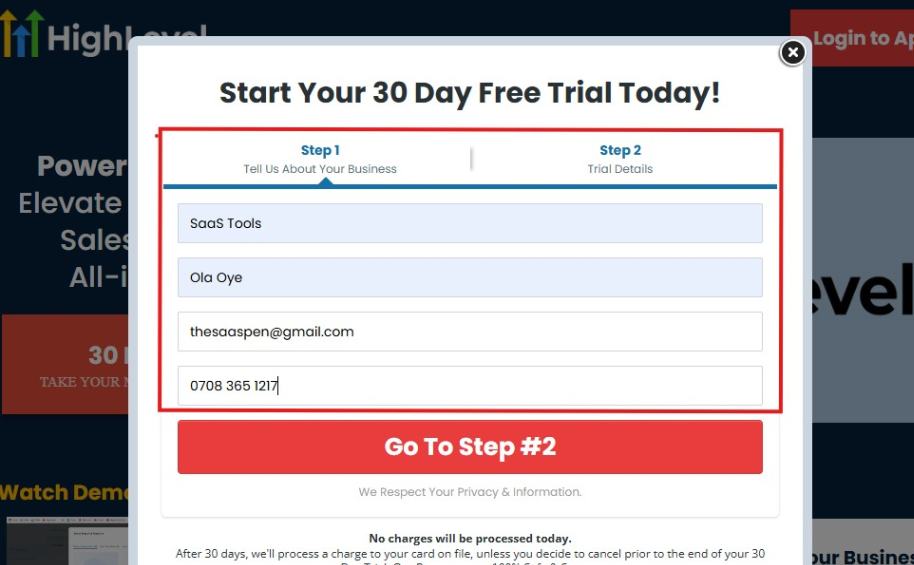
If you take a closer look at the image above, you will see that you need to supply your:
- Business name
- Company name
- Company email
- Phone number
Supply all the pieces of information and click on “Go To Step #2.”
On the next page, you will be required to select the plan you want to opt in for.
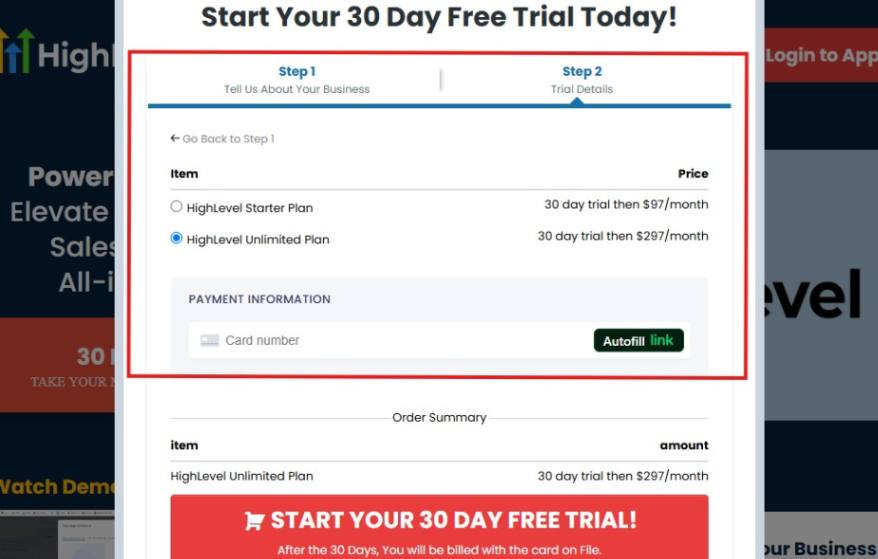
As you can see from the image above, you can either choose from:
- HighLevel Starter Plan
- HighLevel Unlimited Plan
Select the HighLevel Unlimited Plan and continue – you can always upgrade to the SaaS Mode later if you want that or downgrade.
The next thing you want to do is supply your credit card information.
Note: You will not be debited anything today until the end of your trail that is if you don’t cancel. Keep in mind that $1 will be debited and refunded back instantly into your account just to test your card is working.
After you have supplied the information accordingly, click on “START YOUR 30 DAY FREE TRIAL” and you will be asked to confirm you’re not a robot.
After that, the page below will pop up.
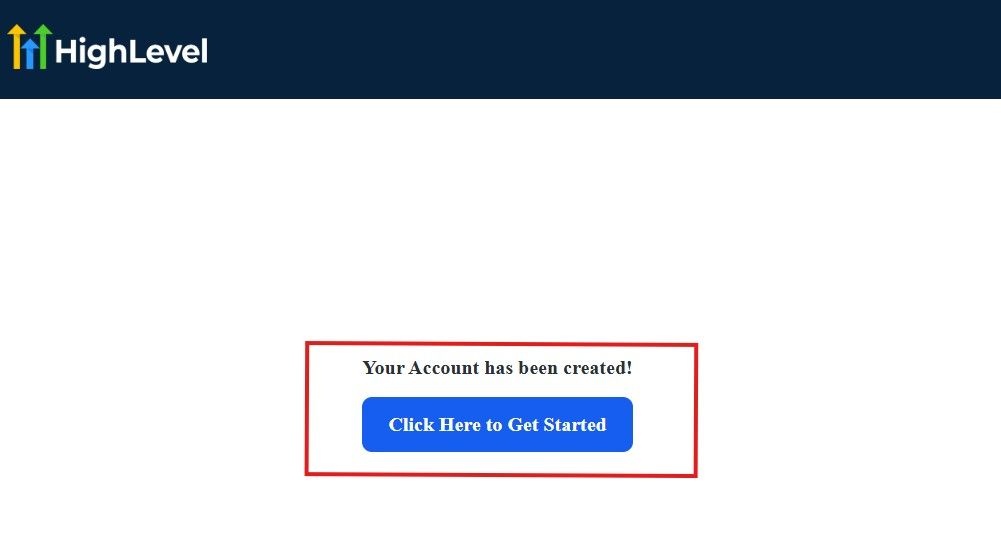
The image above says, “Your Account has been created!” Now, you need to click on the blue button that says “Click Here to Get Started.“
Click on the blue button to start your onboarding process.
Step 2: GoHighLevel Onboarding Process
The onboarding questions help GoHighLevel understand why you have signed up for the platform so that it can tailor your experience accordingly.
This is all you need to do:
After you click on the blue button above, the page below will pop up.
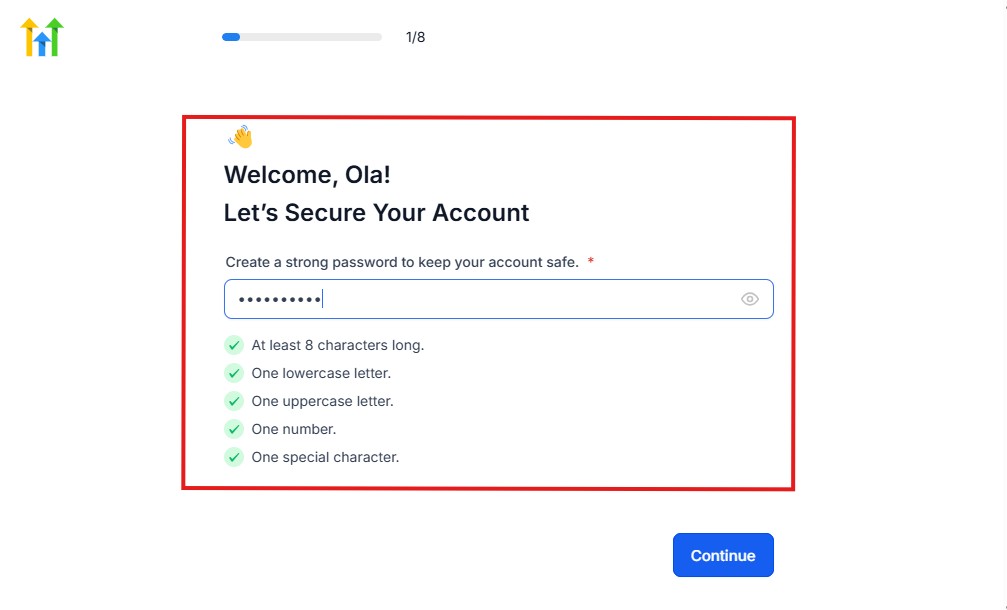
As you can see above, you need to set up your password, and the password has to be:
- At least 8 characters long
- One lowercase letter
- One uppercase letter
- One number
- One special character
If you have input the password and it matches all the description above, everything will be green just the way it’s in the image.
Click on “Continue” there after, and the image below will pop up.
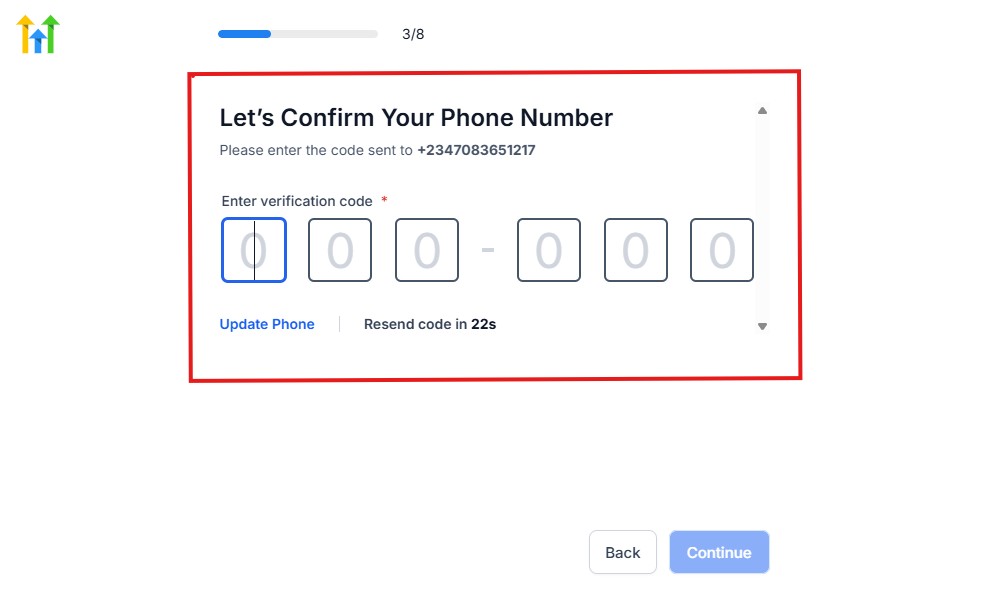
As you can see, a code will be sent to you to confirm your email address and phone number. The process is the same for the 2.
The next thing you need to do is to select how you plan to use GoHighLevel, as you can see below.
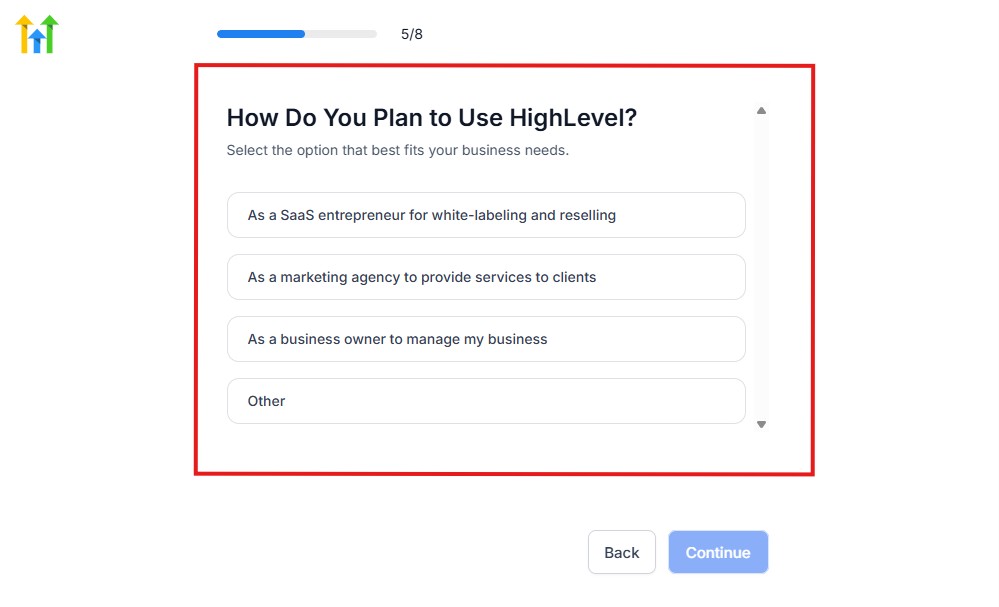
Select what best matches why you have signed up and click on Continue.
On the next page, you will be asked if you plan to resell GoHighLevel or not.
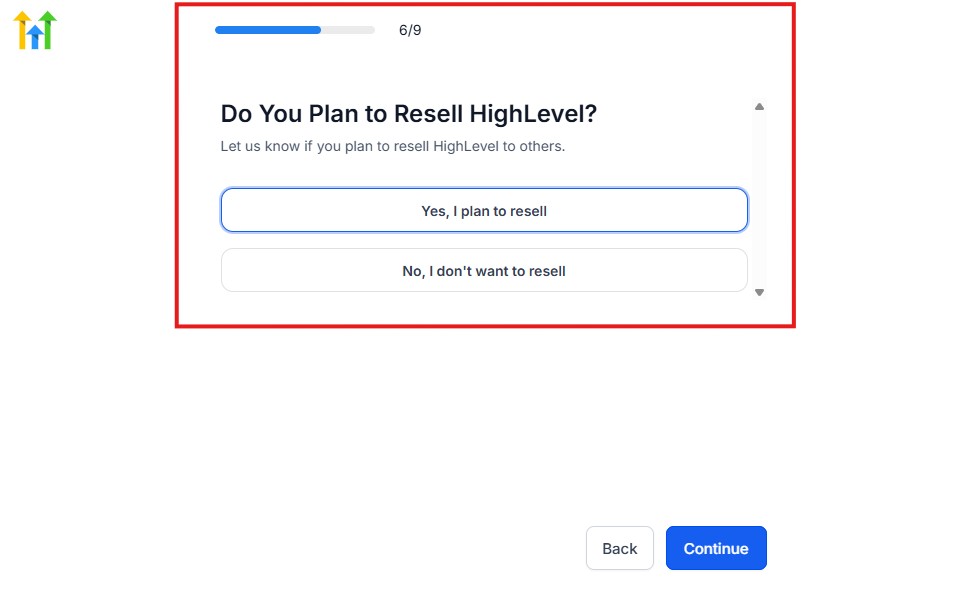
Select the answer based on the reason why you have signed up and click on “Continue”
Then, the page below will pop up.
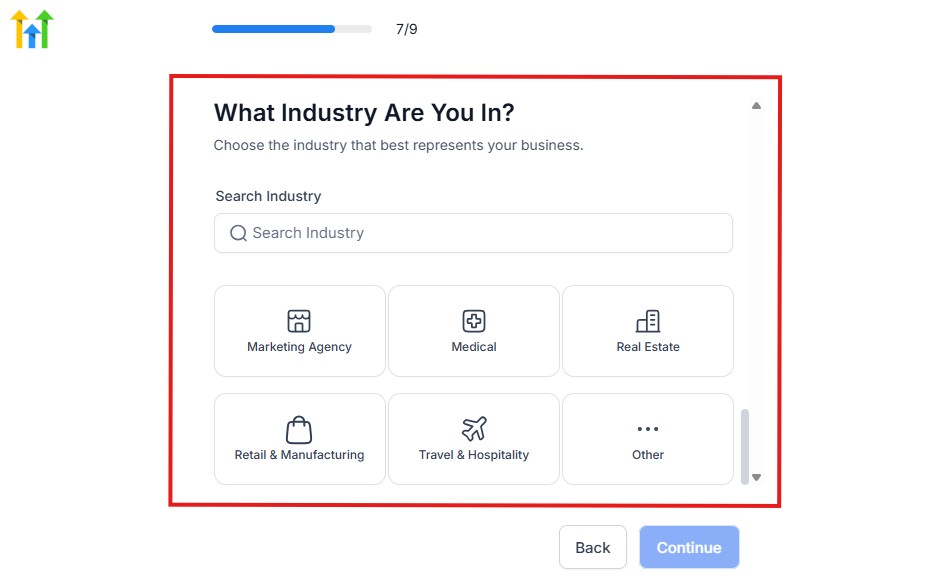
From the image above, you need to select the industry that you fall on. You can also make use of the search button if you can’t find it right away.
Then, click on continue after you select your industry.
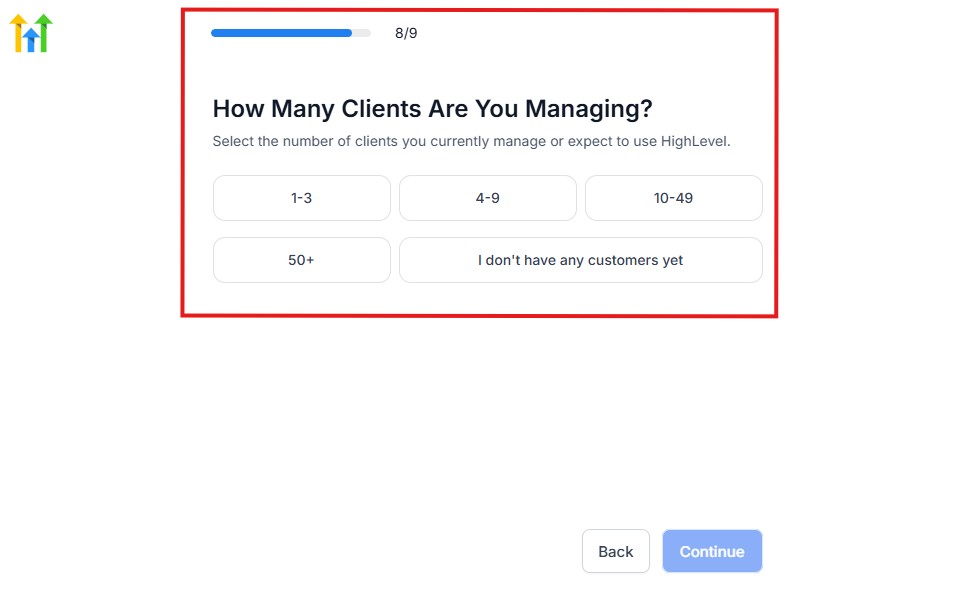
Then, the next thing you need to do is to select the number of clients that you currently have. Select “I don’t have any customers” yet if you currently don’t have one.
On the next page, you will be asked to select the platforms you currently use that you can integrate with GoHighLevel right away.
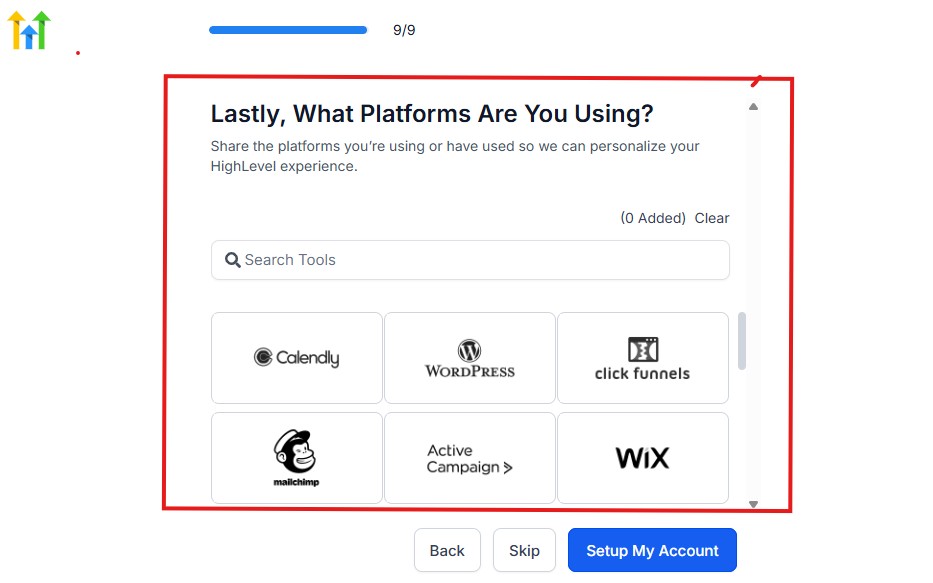
You can use the search button to search for any tools you want to add to your GoHighLevel account.
You can also skip this process and do it later if you want to.
After that, the page below will pop up.
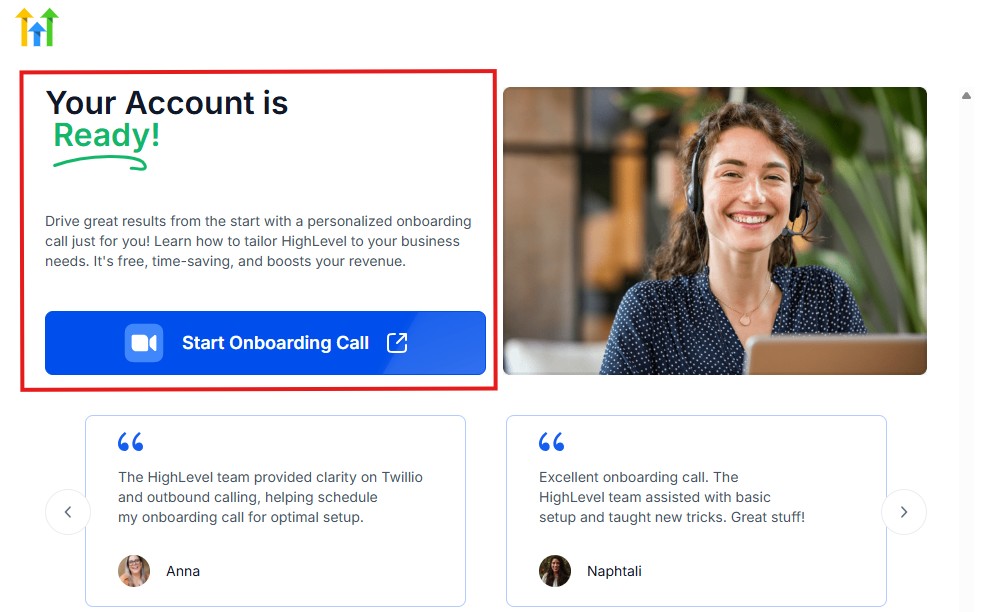
The page above says your account is ready and is asking you to “Start Onboarding Call.”
The “Onboarding Call” allows you to connect with the Go High Level team in order to discuss your account set-up process and everything regarding your plan in using HighLevel.
If you don’t want to start the “Onboarding Call” yet, just stroll down, and you will see the button in the image below.
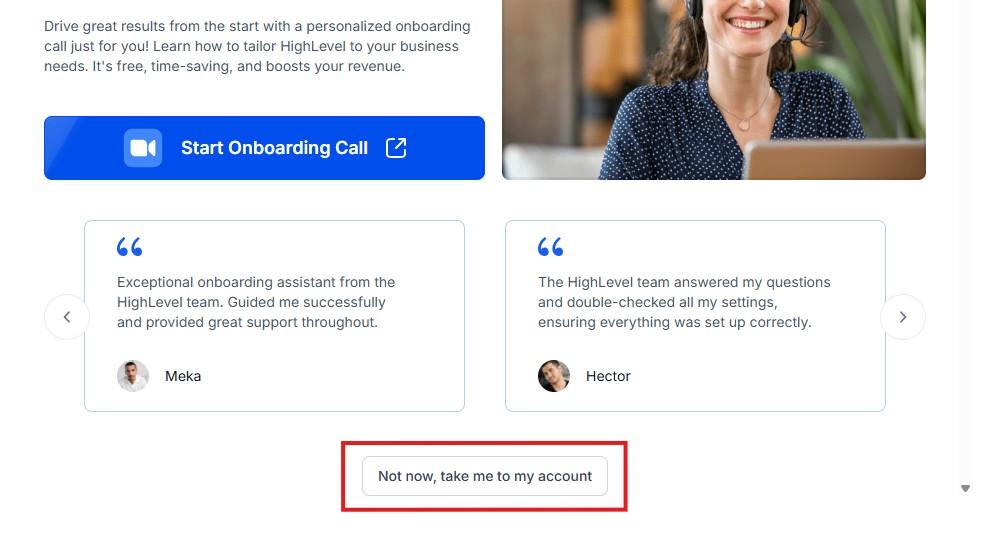
Simply click on “Not now, take me to my account“, and you will have access to your dashboard.
Note: If you have indicated that you want to resell HighLevel, you would have access to the agency dashboard by default, which looks like the image below.
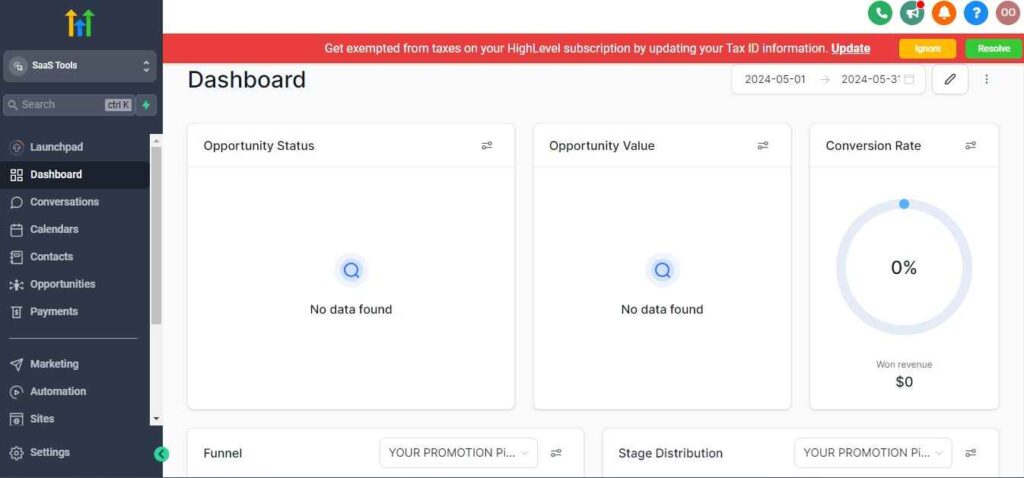
But if you didn’t indicate interest in reselling GHL, your dashboard will look like the image below.
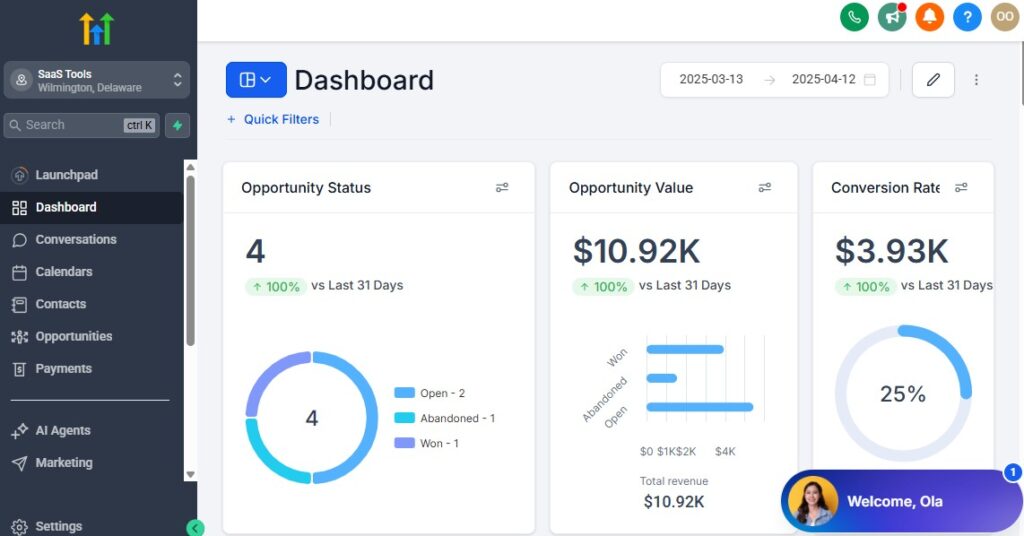
You can switch between these dashboards at any time.
The data you see on the dashboard above are not real data, they’re snapshots that you can use to kickstart your account setup process.
I want to say congratulations. You have successfully set up your Go High Level account.
Step 3: Create Your Construction Workspace
Start by creating your dedicated GoHighLevel workspace. This becomes your central control center for:
- New project inquiries
- Ongoing client communication
- Site visit scheduling
- Estimates and proposals
- Project timelines
- Subcontractor tasks
- Invoices and payments
- Document delivery
- Project updates
This single system replaces spreadsheets, multiple apps, and scattered communication tools.
Step 4: Set Up Your CRM for Leads, Projects & Clients
Your CRM organizes every lead and project from start to finish.
You want a pipeline that matches the natural flow of construction work.
A recommended construction pipeline looks like this:
- New Lead
- Contacted
- Site Visit Scheduled
- Site Visit Completed
- Estimate Sent
- Estimate Follow-Up
- Estimate Approved
- Project Scheduled
- Project In Progress
- Inspection & Finalization
- Project Completed
- Review Requested
This ensures every stage of the client journey is covered.
Step 5: Import Leads, Clients & Ongoing Projects
If you have past or ongoing construction projects stored in spreadsheets or other tools, import them into GoHighLevel and organize them with:
- Tags (Project Type: Roofing, Electrical, Renovation, etc.)
- Status (Active, Pending Approval, Completed)
- Budget category
- Location
- Project manager assigned
This makes it easier to track everything inside one clean system.
Step 6: Add Your Entire Team + Subcontractors
GoHighLevel lets you add:
- Office staff
- Estimators
- Project managers
- Foremen
- Field technicians
- Subcontractors
- Inspectors
- Sales reps
You can assign permissions so each person sees only what they need – keeping your system secure and clutter-free.
Step 7: Set Up Business Phone Numbers & Messaging
Communication is critical in construction.
Set up:
- A dedicated business number
- SMS communication
- Missed-call text-back
- Shared team inbox
- Automated responses to new leads
This ensures you never lose inquiries and always respond quickly.
Step 8: Create Construction-Specific Calendars
Different roles in your construction company need different calendars.
Examples include:
- Estimator calendar
- Project manager calendar
- Site visit calendar
- Inspection calendar
- Subcontractor availability calendar
- Office appointment calendar
Clients can book directly, and your system automatically sends reminders to everyone involved.
Step 9: Set Up Custom Fields for Construction Projects
Construction requires detailed information beyond basic contact info.
Add custom fields like:
- Project type (roofing, renovation, electrical, etc.)
- Property address
- Budget range
- Materials needed
- Permit status
- Project size (sq. ft.)
- Job start date
- Deadline or timeline
- Subcontractors involved
- Blueprint/document upload
These fields make project tracking much easier.
Step 10: Enable Key Automations From Day One
Start with foundational workflows such as:
- New lead auto-response
- Missed-call text-back
- Estimate follow-up
- Site visit reminders
- Project update notifications
- Payment reminders
- Review request sequence
These automations help you save time and keep clients informed automatically.
Managing Leads, Clients & Projects With the CRM
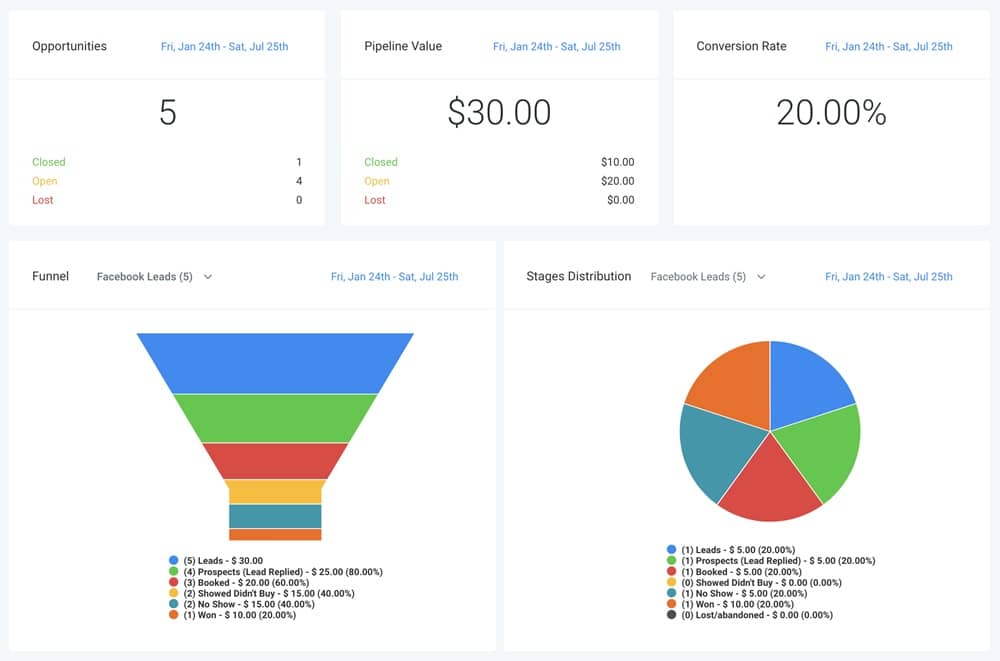
Your CRM is the backbone of your construction business inside GoHighLevel.
It’s where every lead comes in, every site visit is tracked, every estimate is managed, and every project moves from planning to completion.
When you use it correctly, you always know what stage each client is in – and what needs to happen next.
Here’s how to manage leads, clients, and construction projects effectively with GoHighLevel’s CRM.
Organize All Leads in One Central Dashboard
GoHighLevel collects leads from all your sources:
- Website forms
- Facebook ads
- Google ads
- Landing pages
- Referral partners
- Phone calls & missed-call text-back
- Instagram/Facebook messages
- QR codes on job sites
- Email inquiries
- Walk-ins
Every inquiry enters the CRM automatically and gets added to the correct pipeline stage.
No more scattered messages or lost project requests.
Build a Construction-Focused Project Pipeline
Your pipeline shows the entire journey from first contact to project completion.
A recommended construction pipeline:
- New Lead
- Contacted
- Site Visit Scheduled
- Site Visit Completed
- Estimate Sent
- Estimate Approved
- Project Scheduled
- Project In Progress
- Inspection & Finalization
- Project Completed
- Review Requested
This helps your team stay organized and ensures no lead or task is forgotten.
Track Client & Project Details Clearly
Inside each contact profile, you can track:
- Project type (renovation, roofing, electrical, etc.)
- Property address
- Project size (sq. ft.)
- Budget range
- Client preferences
- Notes from site visits
- Photos and videos
- Permit requirements
- Project timeline
- Materials needed
- Subcontractors assigned
Every detail lives in one place – visible to your entire team.
Use Custom Fields to Capture Critical Construction Information
Construction work requires specific details that go beyond basic contact info.
Add custom fields such as:
- Blueprint files
- Permit status (Pending/Approved/Not Needed)
- Material list
- Estimated start date
- Estimated completion date
- Project priority (High/Medium/Low)
- Project phase
- Assigned project manager
- Required inspections
- Safety requirements
These fields make project tracking and management simple.
Assign Leads & Projects to Your Team Automatically
You can route new leads to:
- Estimators
- Project managers
- Office staff
- Subcontractors (when relevant)
Assignments can be done automatically based on:
- Job type
- Location
- Project size
- Team availability
- Round-robin distribution
This makes sure every lead gets attention fast.
Manage All Client Conversations in One Unified Inbox
No more scattered communication across email, WhatsApp, and SMS.
GoHighLevel pulls everything into one easy-to-use inbox:
- SMS
- Phone calls
- Voicemails
- Facebook messages
- Instagram messages
- Website chat
You can respond directly from one dashboard.
Track Site Visits & Follow-Up Steps
For every site visit, you can log:
- Date and time
- Address
- Notes
- On-site photos
- Measurements
- Issues discovered
- Next steps
- Assigned estimator or project manager
GoHighLevel automatically reminds you to send estimates or follow up after each site visit.
Monitor Estimate Status & Client Decisions
Inside the CRM, you can see:
- Whether the client opened the estimate
- How many times they viewed it
- If they requested changes
- Whether they approved or declined
- How long approval is taking
This helps you follow up at the perfect moment.
Track Project Progress From Start to Finish
GoHighLevel lets you update a project’s stage in real time:
- Approved
- Materials ordered
- Subcontractor assigned
- Project kickoff
- In progress
- Inspection scheduled
- Completion
- Payment received
- Warranty details shared
Everyone on your team stays updated.
Use Smart Lists to Prioritize High-Value Projects
Create dynamic lists such as:
- Leads waiting for follow-up
- Estimates not opened
- Projects needing approval
- Clients who viewed the estimate multiple times
- Projects nearing completion
- Maintenance or warranty reminders
- Cold leads ready for reactivation
Smart lists help you focus on revenue-driving tasks.
Automating Workflows for Construction Businesses
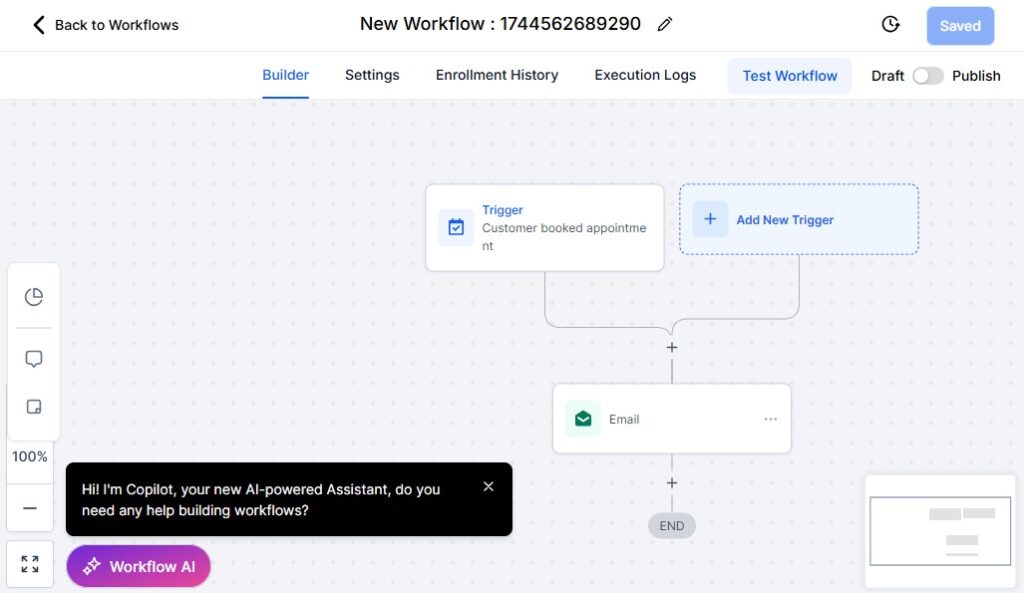
Automation is one of the biggest time-savers for construction companies.
Instead of manually chasing clients, reminding them about documents, scheduling site visits, or following up on estimates, GoHighLevel handles these repetitive tasks automatically.
This keeps your projects moving faster, reduces errors, and gives your clients a smoother experience.
Here’s how to use automation to streamline operations across your construction business.
Automate Fast Responses to New Project Inquiries
When someone submits a form or contacts you, GoHighLevel can instantly send:
- A welcome SMS
- A confirmation email
- A link to book a site visit
- Your business hours
- A short introduction about your company
Fast responses build trust and prevent you from losing leads to competitors.
Automate Lead Assignment to Estimators or Project Managers
Create smart routing rules based on:
- Project type (roofing, renovation, plumbing, electrical)
- Location
- Budget range
- Team availability
- Round-robin distribution
This ensures the right team member responds immediately.
Automate Site Visit Scheduling & Reminders
Once a lead is qualified, GoHighLevel can:
- Send a booking link
- Assign the correct estimator
- Send SMS and email confirmations
- Send reminders 24 hours, 3 hours, and 1 hour before
- Provide directions and what to expect
This reduces no-shows and keeps clients prepared.
Automate Estimate Follow-Ups
Most clients don’t approve estimates right away – follow-ups are essential.
GoHighLevel can automatically send:
- “Just checking in…” messages
- “Did you have any questions about the estimate?”
- “Ready to move forward?” prompts
- Limited-time pricing reminders
- Material cost increase alerts
These follow-ups dramatically increase approval rates.
Automate Project Kickoff Workflows
Once an estimate is approved, GoHighLevel can trigger:
- A welcome message
- A project overview
- Project timeline details
- Required documents
- Permit instructions
- Contractor assignment
- Material ordering tasks
- A link to the client portal
This creates a smooth transition from approval to execution.
Automate Permit & Document Reminders
Construction projects often require:
- Permits
- Property approvals
- HOA documents
- Engineering reports
- Photo uploads
- Signed agreements
GoHighLevel can automatically request and remind clients until they submit everything.
Automate Subcontractor Task Assignment
When a project enters a new stage, workflows can automatically:
- Notify subcontractors
- Assign tasks (electrical, plumbing, roofing, etc.)
- Share project details or documents
- Send updates and deadlines
- Request completion confirmation
This keeps your field team aligned without constant phone calls.
Automate Material Ordering Notifications
You can set automations to:
- Alert project managers when it’s time to order materials
- Notify suppliers automatically
- Send reminders about material delivery timelines
- Update project stages based on delivery status
This helps prevent delays in construction timelines.
Automate Progress Updates for Clients
Clients want to be kept in the loop – automation makes this easy.
Send updates when:
- A project begins
- Materials arrive
- A stage is completed
- Inspections are scheduled
- Delays occur
- The project is completed
Clients stay informed without needing to call you constantly.
Automate Inspection & Finalization Processes
You can create workflows for:
- Scheduling inspections
- Sending inspection reminders
- Requesting final documents
- Sharing inspection reports
- Scheduling final walkthroughs
This ensures smooth, organized project finalization.
Automate Payment Reminders & Milestone Billing
For milestone-based billing, GoHighLevel can:
- Send invoice links
- Remind clients about upcoming payments
- Notify clients when a milestone is complete
- Send overdue reminders
- Confirm receipt of payment
This stabilizes cash flow and reduces financial delays.
Automate Post-Project Communication
Once a project is completed, GoHighLevel can automatically send:
- Thank-you message
- Final documents
- Before/after photos
- Warranty details
- Maintenance tips
- Review request
- Referral offer
- Follow-up sequence for future projects
This improves client satisfaction and drives repeat business.
Automate Recurring Maintenance & Warranty Reminders
If you offer ongoing maintenance or warranties, automate:
- Annual maintenance reminders
- Warranty expiration alerts
- Seasonal service checkups
- Inspection reminders
These follow-ups turn past clients into long-term revenue.
Appointment Scheduling for Site Visits, Walkthroughs & Consultations
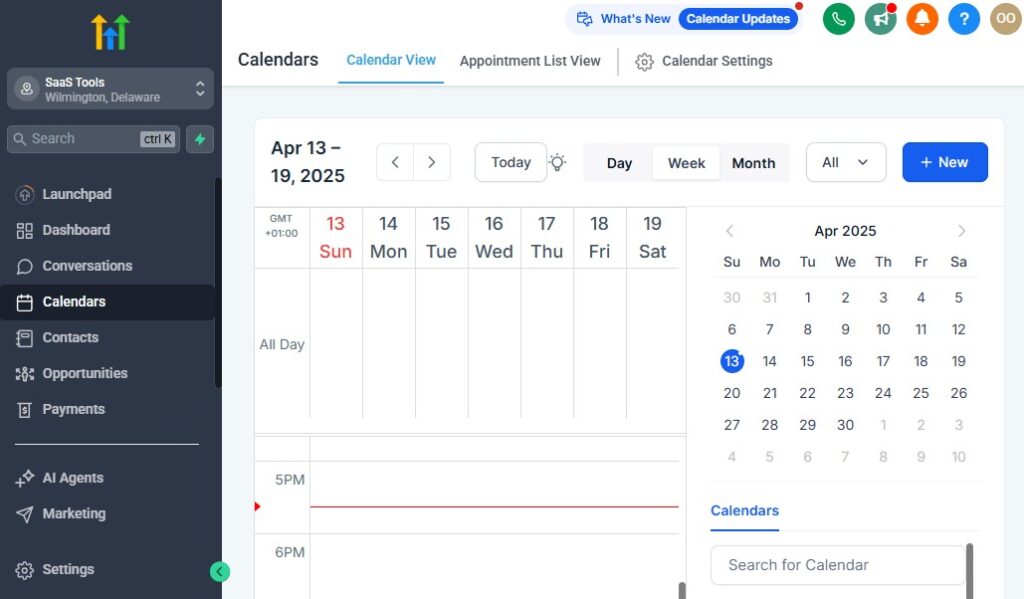
Scheduling is one of the most important parts of running a construction business.
Whether it’s a site visit, project walkthrough, consultation, inspection, or contractor meeting, you need a clean system that keeps everyone organized and eliminates back-and-forth communication.
GoHighLevel gives you a simple, automated scheduling system that helps clients book appointments easily, keeps your team organized, reduces no-shows, and ensures every visit runs smoothly.
Here’s how to handle all your construction scheduling inside GoHighLevel.
Create Dedicated Calendars for Your Team
Construction companies rely on different specialists.
Set up separate calendars for:
- Estimators
- Project managers
- Foremen
- Inspection teams
- Office consultations
- Subcontractor coordination
- Emergency repair teams
This ensures clients always book with the right person.
Let Clients Book Appointments Online Instantly
Instead of going back and forth on WhatsApp or calls, clients can:
- Book site visits
- Schedule consultations
- Request inspections
- Choose available time slots
- Pick the right team member
They can book from:
- Your website
- Landing pages
- SMS links
- Email signatures
- QR codes on job sites
- Facebook/Instagram pages
Instant booking improves client experience and increases appointment volume.
Send Automatic Appointment Confirmations
Once a client books a visit, GoHighLevel sends:
- A confirmation SMS
- A confirmation email
- Calendar invite
- Property access instructions (optional)
- What to expect during the visit
- Team member assigned
This makes your construction company look organized and professional.
Reduce No-Shows With Automated Reminders
Construction appointments often involve travel and preparation – no-shows waste time and money.
GoHighLevel automatically sends reminders:
- 24 hours before
- 3 hours before
- 1 hour before
You can also include:
- Directions to the property
- Checklist of needed documents
- Safety or access instructions
- Request to confirm attendance
These reminders drastically reduce missed appointments.
Collect Important Project Details Before the Visit
You can add custom questions to gather details ahead of time, such as:
- Project type (roofing, renovation, electrical, plumbing, etc.)
- Property address
- Budget range
- Timeline expectations
- Photos of the issue or property
- Access instructions
- Permit status
- Preferred materials
This ensures your estimator or project manager arrives prepared.
Automated Routing to the Right Team Member
GoHighLevel can route bookings based on:
- Location of the project
- Project type
- Team availability
- Round-robin rules
- Calendar conditions
This prevents double booking and ensures every appointment is assigned correctly.
Sync With Google Calendar, Outlook & Mobile Devices
All team calendars sync instantly with:
- Google Calendar
- Outlook
- Microsoft 365
- Apple Calendar
This ensures your field team always knows where they need to be – even on the go.
Send Logistics & Access Instructions Automatically
For construction projects, access instructions matter.
You can automatically send:
- Gate codes
- Parking instructions
- Safety requirements
- On-site contact person
- Weather-related notes
- Tools or documents to bring
Clients appreciate this clarity, and your team avoids delays.
Use Rescheduling & Cancellation Automations
When a client cancels or reschedules:
- The calendar updates instantly
- Your team gets notified
- GoHighLevel suggests new available times
- A follow-up workflow can re-engage the client
This keeps your project pipeline moving.
Trigger Follow-Up Sequences After Every Visit
Once a visit is marked as completed, GoHighLevel can automatically send:
- A thank-you message
- Recap of the visit
- Request for documents or photos
- Next-step instructions
- Estimate delivery timeline
- Project preparation checklist
This “post-visit” sequence improves professionalism and closes more deals.
Building High-Converting Construction Funnels & Landing Pages
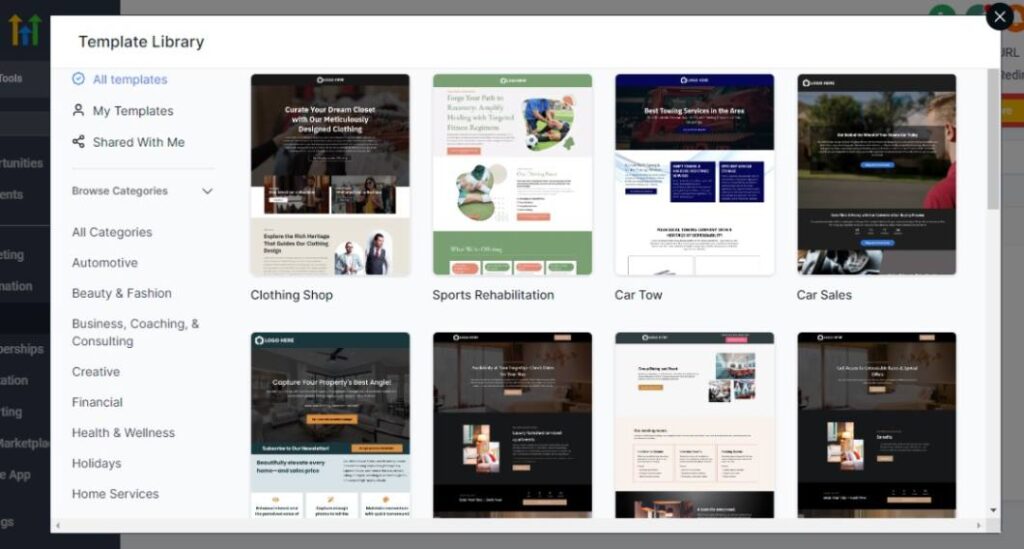
Your construction funnels and landing pages play a huge role in converting visitors into booked site visits, approved estimates, and completed projects.
When built correctly, they showcase your expertise, prove your credibility, and make it easy for potential clients to request quotes or consultations with confidence.
GoHighLevel gives you the tools to build clean, professional, high-converting pages specifically for construction services – without needing a web designer.
Here’s how to build landing pages and funnels that drive real results for your construction company.
Create Service-Specific Landing Pages
Construction is diverse, and each service deserves its own page to increase conversions.
Examples include:
- Roofing installation & repair
- Home renovation
- Kitchen remodeling
- Electrical services
- Plumbing repair
- Painting & finishing
- Flooring installation
- Deck & patio construction
- Commercial construction
- Emergency repair services
Each service-focused page helps buyers know exactly what you offer.
Showcase Your Best Work With High-Quality Visuals
Construction buyers trust what they can see.
Your landing pages should include:
- Before and after photos
- Project galleries
- Drone shots (if available)
- 3D designs or renders
- On-site photos
- Short project walkthrough videos
Real visuals instantly increase trust and credibility.
Add Strong, Benefit-Driven Headlines
Your headline should communicate exactly what the visitor will get.
Examples:
- “Get a Free Construction Estimate for Your Home Project”
- “Fast, Reliable Roofing Installation – Book Your Inspection Today”
- “Transform Your Kitchen With Our Expert Remodeling Team”
- “Licensed & Insured Electricians Ready to Assist”
Clear, direct messaging leads to higher conversions.
Use Simple, High-Converting Quote Request Forms
Your form should be easy to fill out and ask only for essential information such as:
- Name
- Phone number
- Project type
- Project location
- Budget range
- Description of work
- Photo upload (optional)
Shorter forms increase leads; longer forms qualify serious clients. Choose based on your goals.
Build Estimate Request Funnels
GoHighLevel lets you build automated funnels that:
- Capture the client’s project details
- Send confirmation
- Route the lead to the right estimator
- Offer a link to schedule a site visit
- Trigger follow-up sequences
Estimate request funnels are one of the strongest lead-generation tools for construction companies.
Create Free Inspection & Consultation Funnels
These funnels encourage clients to book:
- Roofing inspections
- Electrical inspections
- Plumbing checks
- Renovation consultations
- Maintenance walkthroughs
- Damage assessments
These entry points generate high-quality leads that convert into paid projects.
Use Emergency Repair Funnels for Fast Conversions
Emergency construction services require speed.
Create funnels for:
- Roof leaks
- Burst pipes
- Electrical issues
- Foundation problems
- Storm damage
These pages should highlight:
- Fast response
- 24/7 availability
- Licensed professionals
- Immediate booking options
Urgent funnels often produce some of the highest conversion rates.
Add Trust Elements & Credibility Boosters
Strong social proof improves conversion dramatically.
Include:
- Google reviews
- Testimonial videos
- Case studies
- Before/after sliders
- Certification badges (licensed, insured, bonded)
- Partner logos (materials suppliers, trade associations)
- “Years in business” and experience stats
These elements reassure visitors they’re choosing a reliable construction company.
Use Industry-Specific Copy That Speaks to Clients’ Needs
Explain your process clearly:
- How you inspect the site
- What happens during the consultation
- What the estimate includes
- Your construction timeline
- Safety and compliance guarantees
- Warranty details
- Cleanup and disposal practices
Clients feel confident when they understand your workflow.
Create Niche Pages for Residential & Commercial Projects
Separate funnels help you target both markets effectively.
Residential pages:
- Home renovations
- Extensions
- Roofing
- Painting
- Kitchen and bathroom remodeling
Commercial pages:
- Office renovations
- Retail construction
- Warehouse buildouts
- Commercial maintenance services
Focused messaging = better conversions.
Guide Visitors With a Clear Call-to-Action
Your CTA should be simple and action-driven.
Examples:
- “Request a Free Estimate”
- “Book a Site Visit”
- “Schedule Your Inspection”
- “Upload Photos for a Quick Quote”
Place CTAs in multiple locations throughout the page.
Connect Your Pages Directly to Automations
Every form submission can automatically trigger:
- SMS confirmation
- Email confirmation
- Lead tagging
- Calendar booking link
- Estimator assignment
- Follow-up sequence
- Project qualification workflow
This turns your funnel into a complete automated lead engine.
Running Email & SMS Campaigns for Engagement & Project Updates
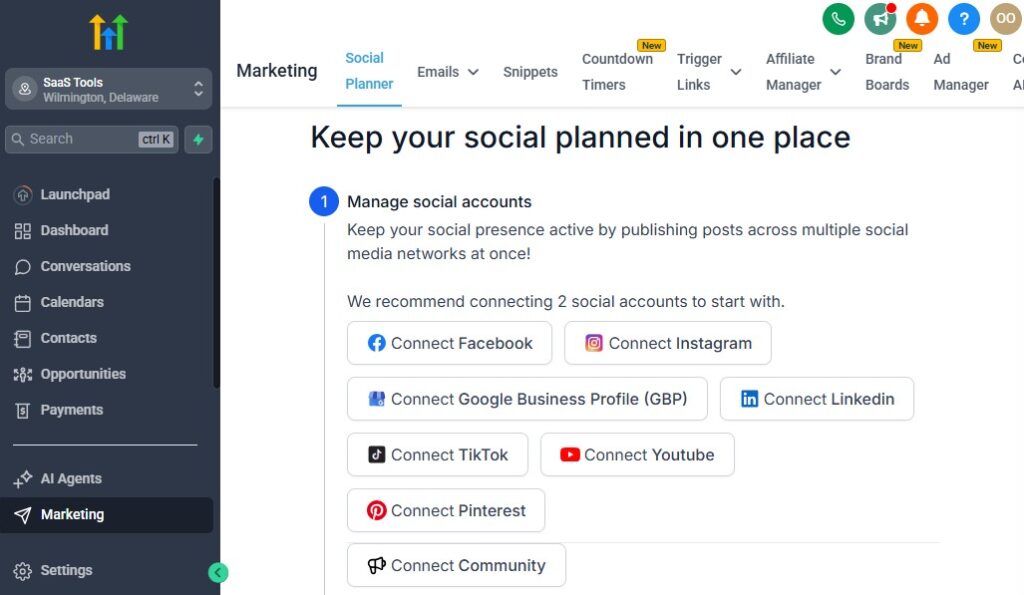
Communication is the backbone of every successful construction company. Your clients want updates, clarity, reminders, and reassurance – especially during long projects.
GoHighLevel helps you automate communication so clients always feel informed, while you generate more approvals, close more estimates, and keep your pipeline full.
Here’s how to use email and SMS campaigns to improve engagement, build trust, and move projects forward faster.
Nurture New Leads Automatically
When a new prospect submits a form or requests an estimate, GoHighLevel can send an automated nurture sequence to build trust and keep them engaged.
Your sequence can include:
- A welcome message
- Introduction to your construction services
- Examples of past projects
- Before/after photos
- Testimonials and reviews
- A link to book a site visit
- FAQ breakdown
- What to expect during the consultation
This positions you as professional and reliable before you even speak to the client.
Follow Up on Estimates Automatically
Most clients don’t approve estimates immediately – they need reminders and answers.
GoHighLevel can send:
- “Did you get a chance to review your estimate?”
- “Any questions before we start?”
- “Ready to move forward?”
- “Our schedule fills up quickly – secure your slot now.”
- Limited-time pricing updates (e.g., material cost changes)
Automated estimate follow-ups increase approval rates significantly.
Send Project Updates to Keep Clients Informed
Construction projects take time, and clients want to know what’s happening.
GoHighLevel lets you automate updates such as:
- Project kickoff message
- Material arrival update
- Work stage completion
- Inspection scheduled
- Weather or delay notice
- Next steps for the project
- Completion notification
These updates reduce client anxiety and minimize calls asking for updates.
Send Appointment Reminders & Confirmations
For site visits, inspections, walkthroughs, or consultations, GoHighLevel can send:
- Instant booking confirmation
- 24-hour reminder
- 3-hour reminder
- 1-hour reminder
These reminders reduce no-shows and show your business is organized.
Use SMS for Fast, High-Engagement Communication
SMS is perfect for:
- Quick questions
- Urgent updates
- Contractor coordination
- Reminder messages
- Estimate approvals
- On-site directions
- Scheduling adjustments
Because SMS has higher open rates, it keeps your workflow moving quickly.
Send Seasonal & Promotional Campaigns
Construction companies benefit from seasonal outreach.
Campaign ideas include:
- “Book your spring renovation now.”
- “Winter roofing inspections available.”
- “Holiday discount on remodeling projects.”
- “Storm season coming – protect your home.”
- “End-of-year maintenance specials.”
These campaigns generate inbound leads consistently.
Run Re-Engagement Campaigns for Old Leads
Old leads don’t mean dead leads – many clients come back later.
Create campaigns that say:
- “Are you still planning your renovation?”
- “We have openings this month – want to revisit your project?”
- “Material costs have dropped – this might be the right time.”
- “We saw you viewed your estimate. Need help deciding?”
Reactivation campaigns convert clients who delayed their decisions.
Automate Document & Approval Requests
Construction requires a lot of documentation.
GoHighLevel can automate requests for:
- Permits
- Blueprints
- Design preferences
- Material approvals
- Contract signatures
- Change order confirmations
Clients receive reminders until everything is completed.
Send Warranty & Maintenance Reminders
After a project is done, you can keep clients engaged with:
- Annual maintenance reminders
- Warranty expiration notices
- Seasonal inspection reminders
- Home care tips
- New service promotions
This builds long-term relationships and repeat business.
Run Referral Campaigns to Generate Warm Leads
Satisfied clients can help you get more business.
Send automated referral campaigns offering:
- Gift cards
- Discounts on future projects
- Free inspections
- Maintenance perks
Referral leads convert at the highest rate – and cost you nothing.
Segment Clients for Personalized Messaging
You can segment your list based on:
- Project type
- Budget
- Location
- Stage in the pipeline
- Past clients
- Commercial vs residential
- Emergency vs planned projects
Personalized campaigns increase engagement and conversions.
Managing Payments, Estimates & Invoices – GoHighLevel for Construction Companies
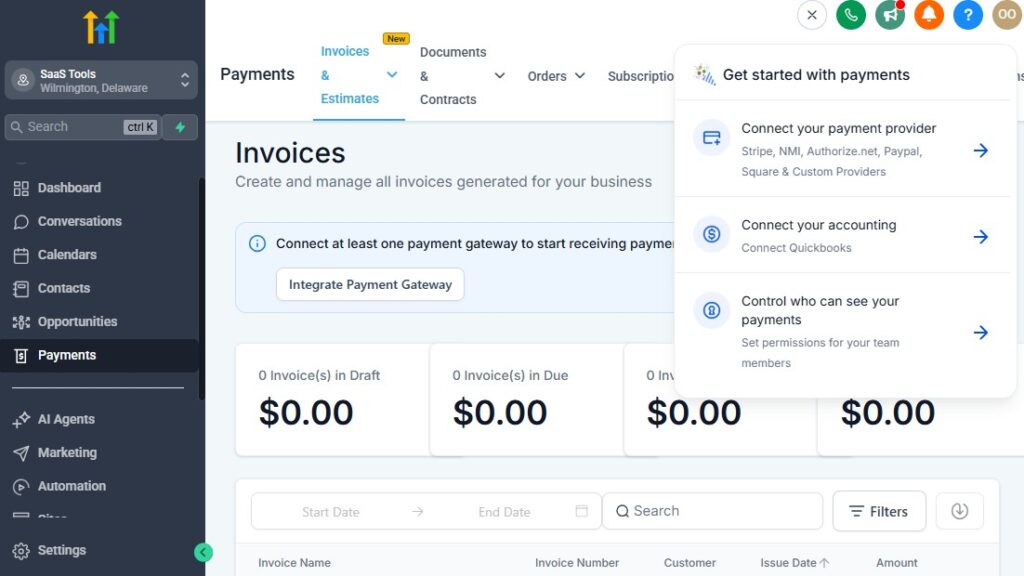
Handling estimates, payments, and invoices is a major part of running a construction company.
Clients want clarity, transparency, and simple ways to approve estimates or make payments. You want a smooth workflow that keeps cash flowing, reduces delays, and ensures every financial step is handled professionally.
GoHighLevel helps you streamline everything – from sending estimates to collecting deposits, milestone payments, and final invoices – all in one organized system.
Here’s how to manage your entire financial workflow with GoHighLevel.
Create and Send Professional Construction Estimates
GoHighLevel allows you to build clean, detailed estimates that clients can view and approve online.
Your estimates can include:
- Project scope
- Line-by-line pricing
- Material costs
- Labor costs
- Permits and inspections
- Timeline overview
- Warranty or add-on options
- Terms & conditions
- Before/after photos or sketches
- Project manager contact details
These estimates look professional and help clients feel confident in your proposal.
Send Estimates Instantly After a Site Visit
Instead of sending estimates days later – which often kills momentum – GoHighLevel allows:
- On-site estimate creation (mobile friendly)
- Sending estimates from the CRM
- Automated estimate delivery
- Pre-built templates for repeated job types
The faster clients receive an estimate, the higher your closing rate.
Track Estimate Views & Engagement in Real Time
Inside the CRM, you can see:
- When a client opens the estimate
- How many times they viewed it
- Whether they responded
- Where they hesitated (based on follow-up questions)
- What stage the estimate is currently in
This helps your team follow up at the perfect time.
Automate Estimate Follow-Ups
Clients often need reminders and clarification.
GoHighLevel can automatically send:
- “Did you get a chance to review your estimate?”
- “Let me know if you have questions.”
- “Ready to move forward with the project?”
- “We can secure your project date once approved.”
- “Material prices may increase soon – lock in your pricing.”
Consistent follow-up dramatically increases approval rates.
Collect Deposits & Milestone Payments Digitally
Construction projects often require staged payments.
GoHighLevel lets clients pay:
- Deposits
- Material fees
- Milestone payments
- Final balances
- Change order charges
Payment methods can include:
- Credit/debit card
- Stripe
- PayPal
- Bank transfer (via connected tools)
This eliminates the hassle of cash, checks, or manual tracking.
Send Digital Invoices With One Click
Invoices can be generated automatically when:
- An estimate is approved
- A milestone is reached
- A change order is issued
- A project is completed
Each invoice includes:
- Work completed
- Payment link
- Due date
- Balance remaining
Everything is tracked inside the CRM for your team’s visibility.
Automate Payment Reminders – GoHighLevel for Construction Companies
To reduce late payments, GoHighLevel sends reminders like:
- “Your invoice is due soon.”
- “Here’s your payment link.”
- “Your payment is now overdue.”
- “Final reminder – please complete payment.”
Automated reminders keep your cash flow healthy.
Manage Change Orders Easily
Construction projects often evolve.
Inside GoHighLevel, you can:
- Send updated pricing
- Track change order approvals
- Add new work items
- Request additional payments
- Keep clients informed with clear breakdowns
This prevents misunderstandings and keeps your workflow transparent.
Store All Financial Documents in One Place
You can upload and deliver:
- Contracts
- Permits
- Receipts
- Inspection reports
- Material lists
- Payment proof
- Signed agreements
Each client’s financial history is neatly organized in their CRM profile.
Integrate Accounting & Bookkeeping Tools
Connect GoHighLevel to accounting platforms like:
- QuickBooks
- Xero
- FreshBooks
(Directly or through Zapier/Make.)
This prevents double entry and keeps your records aligned.
Send Final Payment Requests & Completion Documents
Once a project is completed, GoHighLevel can automatically send:
- Final invoice
- Payment confirmation
- Project completion certificate
- Warranty information
- Maintenance reminders
- Review request
This creates a clean, professional project closeout process.
Delivering Project Photos, Plans, Permits & Reports
Delivering documents and visual updates is a major part of running a construction company. Clients need to see progress, understand what’s happening, and receive all required documents in an organized, professional manner.
GoHighLevel makes this easy by centralizing everything in one place – from photos to blueprints, permits, inspection reports, and final project documentation.
Here’s how to deliver all project files and updates smoothly using GoHighLevel.
Store All Project Files in One Clean, Organized Workspace
Inside each client’s CRM profile, you can store every file related to their project, including:
- Before and after photos
- Progress photos
- Drone footage
- Blueprints and plans
- Permit documents
- Inspection reports
- Material lists
- Scope of work
- Contract agreements
- Change order documents
- Safety reports
Everything stays organized and accessible whenever your team or the client needs it.
Send Before/After and Progress Photos Easily
Clients love to see progress – especially during long projects.
You can send:
- Weekly progress photos
- Stage-by-stage updates
- Before/after comparisons
- On-site snapshots
- Issue documentation for transparency
These visual updates build trust and reduce unnecessary client check-ins.
Deliver Blueprints, Plans & Design Files Professionally
Construction projects often involve:
- Architectural drawings
- Engineering plans
- 3D renderings
- Interior design concepts
- Measurement files
GoHighLevel lets you upload and deliver these files through direct links, email, SMS, or the client portal.
No more sending large files via WhatsApp or email chains.
Use the Client Portal for Secure Document Access
GoHighLevel includes a professional client portal where clients can log in to access:
- Project plans
- Permits
- Inspection results
- Updated timelines
- Photo updates
- Contracts
- Change orders
- Payment history
- Final reports
This gives clients a premium experience and keeps everything secure and accessible.
Share Permit Documents Clearly
Permits are a sensitive part of construction workflows.
GoHighLevel helps you share:
- Permit requirements
- Permit submission documents
- Approval or rejection notices
- Updated permit statuses
- Inspection requests and schedules
Keeping clients updated prevents confusion and delays.
Deliver Inspection Reports
When inspections happen, clients expect clarity.
You can send:
- Pre-construction inspection reports
- Mid-project inspection notes
- Safety inspection results
- Final inspection certificates
These documents help clients understand the quality and compliance behind your work.
Send Project Schedules & Timelines
You can share:
- Work schedules
- Material delivery timelines
- Stage-by-stage breakdowns
- Estimated completion dates
- Project timeline changes
Clients appreciate seeing how their project is progressing.
Share Change Orders & Updated Work Scopes
When changes occur:
- Upload the change order document
- Send a digital signature request
- Share updated pricing
- Provide a new scope of work
- Notify the project manager automatically
Everything stays documented, transparent, and easy to reference.
Send Completion Reports & Final Documents Automatically
When the project is done, GoHighLevel can automatically deliver:
- Completion photos
- Final inspection reports
- Warranty documents
- Maintenance guidelines
- Cleanup details
- Certificate of completion
- Final invoice
- Review request link
This creates a polished, premium closeout experience.
Track Document Views & Client Engagement
GoHighLevel shows:
- When clients open documents
- Which files they viewed
- Which documents are pending
- Who downloaded what
- Whether signatures are completed
This helps you stay ahead of delays and bottlenecks.
Automate Delivery of Required Project Files
You can automate sending documents based on project stages:
- When estimate is approved → send contract
- When materials arrive → send timeline update
- When installation begins → send project details
- When inspection is scheduled → send checklist
- When project is completed → send final documents
These automations save time and keep clients informed without manual effort.
Collecting Reviews, Testimonials & Building Trust
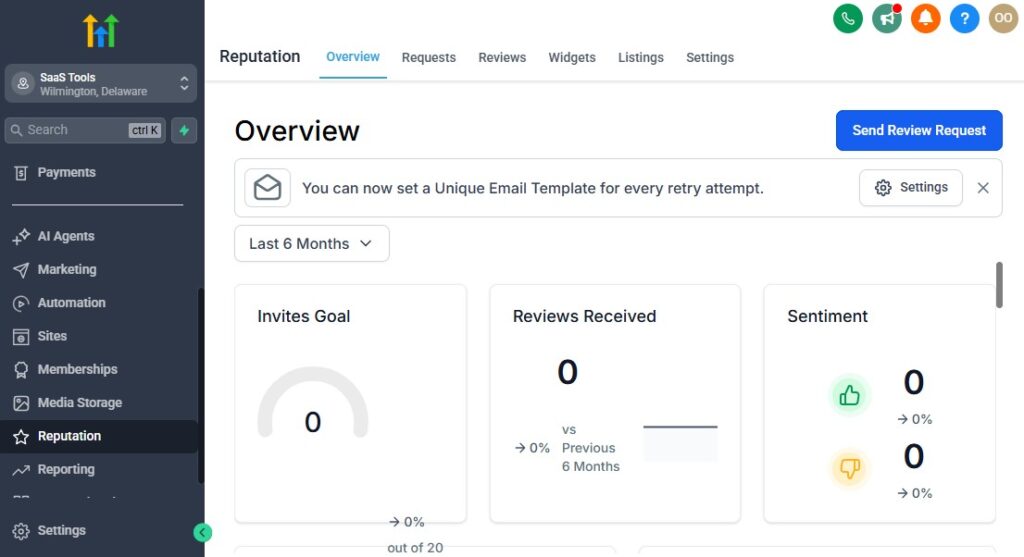
In the construction industry, trust is everything. Clients want proof that you deliver quality work, finish on time, communicate clearly, and stand behind your projects.
Strong reviews, testimonials, photos, and case studies help you stand out and win more jobs – especially when prospects compare multiple contractors.
GoHighLevel makes it easy to automate review collection, display social proof, and build a reputation that consistently brings in new clients.
Here’s how to use it to strengthen your construction company’s credibility.
Automate Review Requests After Every Completed Project
The moment a project is marked as completed, GoHighLevel can automatically send:
- A thank-you message
- A friendly review request
- Direct links to your review platforms
- Reminders for clients who forget
This ensures you consistently collect fresh reviews without chasing clients manually.
Send Follow-Up Review Reminders Automatically
Most clients simply forget to leave a review – reminders help.
GoHighLevel can send:
- A reminder 24 hours later
- Another after 3 days
- A final reminder after 7 days
These gentle, friendly touchpoints triple review collection rates.
Direct Happy Clients to Your Public Review Platforms
Your review request can direct clients to:
- Google Business Profile
- Yelp
- HomeAdvisor
- Angi (Angie’s List)
- Houzz
- Thumbtack
- Trustpilot
Choose the platforms that matter most in your market.
Use a Review Filter to Protect Your Reputation
A review funnel helps you control negative feedback.
It works like this:
- Client clicks your review link
- They choose “Happy” or “Not satisfied”
- “Happy” clients → go to Google or public reviews
- “Not satisfied” clients → go to a private feedback form
This helps you address issues before they appear online.
Showcase Testimonials on Your Landing Pages & Website
Social proof is powerful – especially in construction.
Display:
- Written testimonials
- Before/after photos
- Video testimonials
- Case studies
- “Happy homeowner” photos
- Proof-of-work galleries
Add these to:
- Service page funnels
- Estimate request funnels
- Inspection funnels
- Renovation landing pages
- Website homepage
- Project showcase sections
This dramatically increases your conversion rates.
Use Project Case Studies to Build Authority
A strong case study includes:
- Before and after photos
- Project scope
- Budget category
- Timeline
- Materials used
- Client testimonial
- Challenges + solutions
Case studies help prospects visualize what you can achieve.
Collect Video Testimonials Easily
GoHighLevel lets you send a link where clients can record and upload:
- Short testimonial videos
- Project walkthrough reviews
- “Before and after” reactions
- Quick feedback clips
Video testimonials are incredibly persuasive on landing pages and ads.
Show Off Your Certifications & Licenses
Clients trust licensed, insured, and certified contractors.
Show your:
- License number
- Insurance information
- Contractor board certifications
- Partner or supplier logos
- Awards & industry recognitions
These badges make your company look more professional.
Use Progress Photos to Build Transparency
By sharing:
- Weekly updates
- Stage-by-stage visuals
- Drone shots
- Problem discovery photos
- On-site progress
- Final results
You create transparency, which builds trust instantly.
Respond to All Reviews Professionally
GoHighLevel helps you track incoming reviews so you can:
- Thank happy clients
- Address negative experiences
- Clarify misunderstandings
- Show professionalism
Responding well improves your public image significantly.
Use Testimonials in Email & SMS Campaigns
Integrate social proof into:
- Estimate follow-ups
- Nurture sequences
- Seasonal promotions
- Review requests
- Client reactivation campaigns
- Referral campaigns
Seeing other satisfied clients boosts confidence.
Reporting & Analytics for Construction Companies
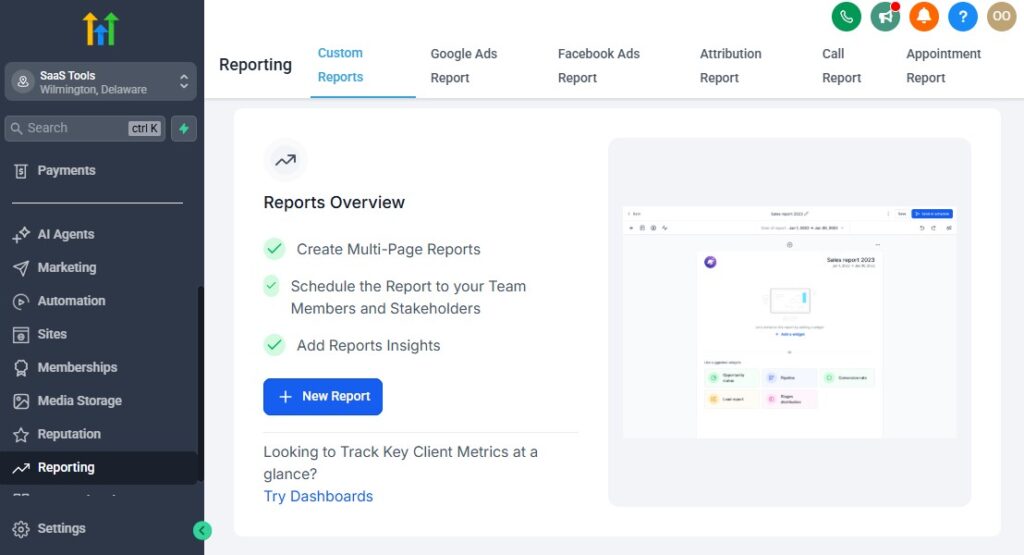
To run a successful construction company, you need clear visibility into what’s working, what’s slowing down your workflow, and where you’re losing opportunities.
GoHighLevel gives you powerful reporting and analytics that help you track leads, estimate performance, project timelines, revenue, team productivity, and marketing results – all in one place.
Here’s how to use these insights to make smarter decisions and grow your construction business with confidence.
Track Every Lead From Source to Project Completion
GoHighLevel shows exactly where your leads are coming from, such as:
- Website forms
- Google ads
- Facebook ads
- Landing pages
- Referrals
- Repeat clients
- Email campaigns
- Missed-call text-back
- Social media DMs
You can see which channels bring in the most qualified construction leads – not just the highest volume.
Monitor Your Construction Pipeline Performance
Your pipeline lets you evaluate how leads move through your workflow.
Track metrics for each stage:
- New Lead
- Contacted
- Site Visit Scheduled
- Estimate Sent
- Estimate Approved
- Project Scheduled
- Project In Progress
- Inspection & Finalization
- Project Completed
From this, you can identify:
- Bottlenecks
- Drop-off points
- Slow follow-ups
- Stages that need attention
- Stages that cause delays
This visibility helps optimize your operations.
Measure, Estimate, Performance & Approval Rates
With GoHighLevel, you can track:
- Total estimates sent
- Number of estimates approved
- Number of estimates declined
- Approval percentage
- Time to approval
- Highest-performing services
You can also see how often clients view your estimate – a strong indicator of interest.
Track Revenue Across Projects & Services
GoHighLevel helps you break down revenue by:
- Project type (roofing, plumbing, renovation, etc.)
- Individual projects
- Client segments
- Subcontractor involvement
- Sales reps or estimators
- Monthly/quarterly performance
- Service profitability
This helps you understand which jobs generate the best returns.
Monitor Project Workflow & Timeline Analytics
Track the status of every project, including:
- Scheduled start date
- Project stage
- Delays or stalled phases
- Inspection status
- Timeline overruns
- Completion rates
You can quickly identify which projects need attention to avoid costly delays.
Analyze Marketing Performance & ROI
GoHighLevel integrates your marketing results, showing:
- Cost per lead
- Cost per estimate
- Cost per approved estimate
- Conversion rates
- Campaign performance
- Landing page conversions
- Ad-to-project attribution
This helps you invest more in the channels producing profitable projects.
Track Email & SMS Campaign Engagement
You can measure:
- Open rates
- Click-through rates
- Reply rates
- Engagement by segment
- Unsubscribe rate
- Best-performing messages
- Automation performance
This helps you refine communication and increase engagement.
Monitor Subcontractor & Team Performance
For each team member or subcontractor, you can track:
- Number of projects handled
- On-time delivery rates
- Task completion speed
- Communication responsiveness
- Inspection success rate
This helps you reward top performers and support underperforming team members.
Measure Client Satisfaction & Review Trends
Use GoHighLevel’s reputation tools to monitor:
- Total reviews collected
- Average star rating
- Review frequency
- Feedback themes
- Satisfaction scores
- Locations or services with highest reviews
This helps you maintain a strong reputation and identify service areas to improve.
Track Funnel & Landing Page Conversions
For your construction funnels, GoHighLevel shows:
- Page views
- Form submissions
- Conversion percentages
- Bounce rate
- Average time on page
- Funnel drop-off points
- Lead source breakdown
These insights help you optimize funnels for higher conversions.
Compare Performance Month-to-Month
Monthly performance tracking helps you understand:
- Seasonal trends
- Busy vs slow periods
- Average project size changes
- Estimate closing patterns
- Overall business growth
- Marketing improvements
- Team efficiency
This data improves forecasting and planning.
Build Custom Dashboards for Full Visibility
You can build dashboards for:
- Project status
- Estimate approvals
- Revenue per service
- Team performance
- Marketing ROI
- Lead conversion
- Client satisfaction
- Pipeline stages
- Financial metrics
These dashboards help your office staff, estimators, and project managers stay aligned.
Integrating GoHighLevel With Tools Construction Companies Use
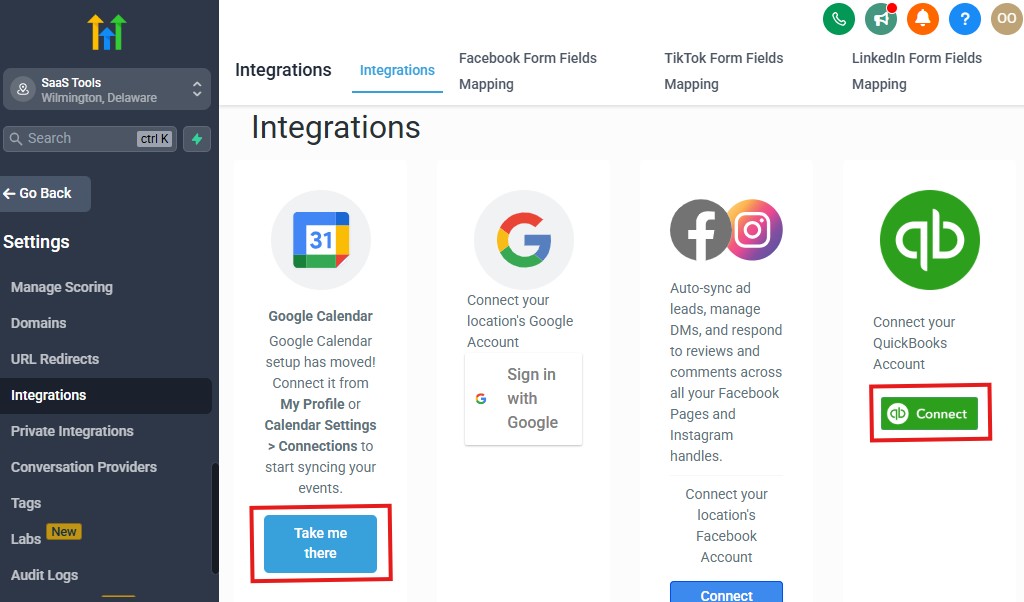
Construction companies rely on multiple tools – for scheduling, project management, accounting, file storage, e-signatures, communication, and team coordination.
Integrating these tools with GoHighLevel creates a smooth, unified workflow where everything works together instead of operating in separate systems.
Here’s how to connect the tools your construction business already uses and make GoHighLevel the central control hub for your operations.
Integrate Project Management Tools for Seamless Job Tracking
If you use external project management apps, you can sync them with GoHighLevel through Zapier, Make, or webhooks.
Common tools construction companies use:
- Buildertrend
- Jobber
- Monday.com
- Trello
- Asana
- Basecamp
- Procore (API/webhook setup)
Integrations allow you to automate:
- New project creation
- Task assignments
- Status updates
- Subcontractor notifications
- Document syncing
- Completion tracking
This ensures your sales and project teams stay fully coordinated.
Connect Accounting & Bookkeeping Platforms
To keep your financial data clean and avoid manual double-entry, integrate:
- QuickBooks
- Xero
- FreshBooks
With automation tools, you can sync:
- Invoices
- Payments
- Client details
- Project cost breakdowns
This simplifies your financial workflow and improves accuracy.
Integrate File & Document Storage
Construction projects involve large files such as:
- Blueprints
- Plans
- Bids
- Engineering reports
- Photos and videos
GoHighLevel can connect with:
- Google Drive
- Dropbox
- OneDrive
- SharePoint
This allows you to store and deliver large files through the CRM or client portal easily.
Connect E-Signature Tools for Fast Approvals
Digital signing eliminates delays in estimate and contract approvals.
Integrate tools like:
- DocuSign
- PandaDoc
- HelloSign
This lets clients sign:
- Estimates
- Construction contracts
- Change orders
- Permits
- Inspection reports
- Completion certificates
You save time and speed up project start dates.
Sync Communication Channels to a Unified Inbox
Construction companies get messages everywhere – GoHighLevel brings them together.
Integrate:
- Facebook Messenger
- Instagram DMs
- WhatsApp (via approved connectors)
- Google Business Messages
- Website live chat
Instead of checking five different apps, your team replies from one dashboard.
Connect Scheduling & Calendar Tools
Sync team calendars automatically with:
- Google Calendar
- Outlook
- Microsoft 365
- Apple Calendar
This prevents double-booking and ensures your estimators, project managers, and subcontractors see updated schedules instantly.
Pipeline & Job Updates With Zapier, Make & Webhooks
For advanced automation, use:
- Zapier
- Make (Integromat)
- Pabbly Connect
- Custom webhooks
- API requests
You can automate tasks like:
- Creating new projects in Buildertrend
- Updating inspection status
- Moving tasks between departments
- Sending updates to subcontractors
- Syncing material orders
- Triggering client notifications
This helps you build a fully automated construction system.
Connect Payment Gateways for Smooth Transactions
To collect deposits, milestone payments, or final invoices easily, integrate:
- Stripe
- PayPal
- Square (via Zapier)
- Local bank processors (via API/webhooks)
Payments sync back to GoHighLevel instantly for easy tracking.
Integrate Customer Support & Ticketing Systems
If your company handles maintenance or warranty requests, integrate tools like:
- Zendesk
- Freshdesk
- Help Scout
This helps you manage:
- Repair requests
- Warranty issues
- Maintenance tickets
- Post-project questions
All communication still flows through GoHighLevel.
Link Marketing & Advertising Tools
Integrate:
- Google Ads
- Facebook/Instagram ads
- TikTok Ads
- YouTube Ads
You can track:
- Lead source performance
- Cost per lead
- Cost per booked site visit
- Cost per approved estimate
- Full ad-to-project attribution
This helps you spend your marketing budget where it delivers real results.
Sync CRM Data With Design Tools
For architects, engineers, and design-build firms, you can sync GoHighLevel with:
- Figma
- SketchUp
- Autodesk tools (via API/Zapier)
This keeps design updates aligned with client communication.
Advanced Automation for Construction Companies
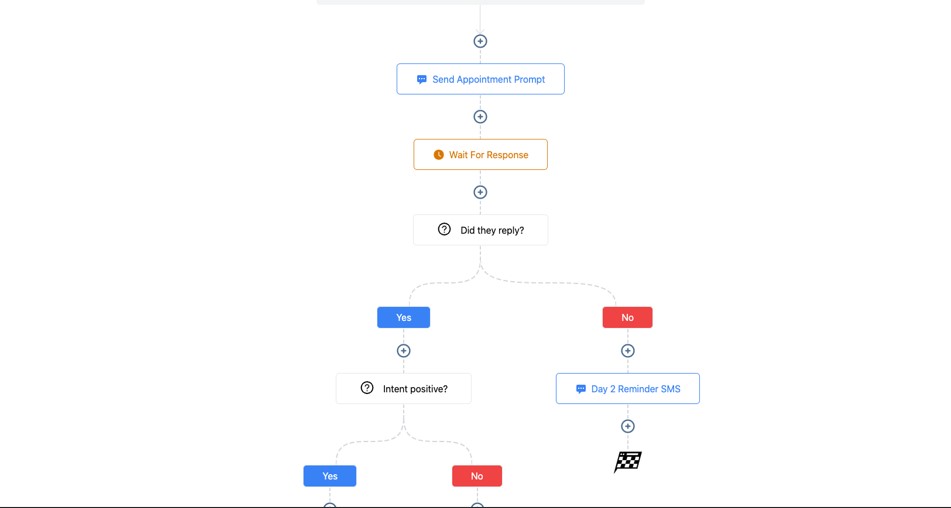
Once you’ve set up your basic workflows, you can unlock the true power of GoHighLevel with advanced automations.
These automations help you eliminate delays, reduce manual work, speed up communication, keep subcontractors aligned, and ensure every project moves smoothly from start to finish.
This is where your construction business becomes more efficient, more predictable, and far easier to manage.
Here’s how to take your automation strategy to the next level.
Smart Lead Routing Based on Project Type, Budget & Location
Instead of assigning leads manually, GoHighLevel can route inquiries instantly based on:
- Project type (roofing, renovation, electrical, plumbing, remodeling, etc.)
- Budget range
- Client location
- Estimated project size
- Timeline urgency
- Subcontractor specialization
- Estimator availability
This ensures the right person handles the lead immediately – increasing your close rate.
Automated Site Visit Preparation Workflows
Before a site visit, GoHighLevel can automatically:
- Send property access instructions
- Request photos or videos of the project area
- Confirm date/time with the client
- Assign tasks to estimators
- Provide safety reminders to your team
- Share weather updates (optional via Zapier integration)
This keeps your team prepared and reduces delays.
Change Order Approval Automations
Change orders can slow down projects when communication is inconsistent.
Automate the entire process:
- Notify the client when a change order is created
- Send a digital approval link
- Trigger payment requests
- Update the project pipeline
- Notify the project manager once approved
This speeds up changes and keeps everything documented.
Automated Material Request & Delivery Workflows
Construction depends heavily on accurate material timing.
You can automate:
- Material order reminders
- Notifications when materials arrive
- Alerts when supplies are running low
- Communication between suppliers and project managers
- Timeline adjustments based on material delivery status
This reduces delays caused by missing materials.
Automated Subcontractor Task Assignment
When a project enters a new phase, GoHighLevel can:
- Assign tasks to subcontractors
- Send project details and documentation
- Notify them of deadlines
- Request progress updates
- Trigger reminders for overdue tasks
This keeps all subcontractors aligned without endless calls or texts.
Project Stage Automations – GoHighLevel for Construction Companies
Each time the project moves to a new stage, GoHighLevel can trigger:
- Internal team notifications
- Client update messages
- Task creation for the next stage
- Document delivery
- Scheduled inspections
- Payment reminders (if milestone-based)
This creates a hands-free project management flow.
Automated Inspection Scheduling & Notifications
For inspections, GoHighLevel can:
- Notify the client about inspection requirements
- Send a checklist of documents needed
- Assign inspection tasks
- Send date/time reminders
- Notify subcontractors about access instructions
- Record inspection outcomes
This keeps inspections organized and on time.
Progress Update Sequences for Long Projects
Clients want transparency during construction.
Automate:
- Weekly progress updates
- Stage updates (foundation complete, framing complete, roofing done)
- Photo updates
- Next-stage timelines
- Expected completion dates
- Weather delay updates
This reduces client anxiety and improves satisfaction.
Automated Payment & Milestone Billing Workflows
Instead of manually requesting payments, GoHighLevel can:
- Trigger a payment request when a stage is completed
- Send invoices automatically
- Send reminders until payment is received
- Notify accounting and project managers
- Confirm payment to the client
This keeps cash flow consistent and reduces late payments.
Warranty & Maintenance Reminder Automations
After project completion, you can automate:
- Warranty expiration notices
- Annual maintenance reminders
- Seasonal service offers
- Home check-up reminders
- Inspection renewal alerts
This turns one-time project clients into long-term customers.
Client Satisfaction & Review Automation
After completion, GoHighLevel can:
- Send a thank-you message
- Share final project photos
- Deliver warranties and documents
- Request a review on Google or Yelp
- Collect private feedback
- Trigger referral campaigns
This strengthens your reputation and generates more leads.
Cold Lead & Past Client Reactivation
Automate re-engagement for:
- Old leads who never approved estimates
- Clients who paused a project
- Seasonal home improvement campaigns
- Price drop or promotion alerts
- “Are you still planning this project?” messages
These automations revive leads that would otherwise be lost.
Conditional Logic for Smarter Workflows
GoHighLevel lets you build advanced conditional flows such as:
- If estimate is viewed → send follow-up
- If estimate not approved in 3 days → send reminder
- If project delayed → send update
- If subcontractor misses a deadline → notify manager
- If file not uploaded → send document request
- If payment is overdue → trigger automated reminders
This creates a complete automated construction system.
Learn More:
- What is GoHighLevel? (Features, Use Cases, Pricing & More)
- GoHighLevel Review: (My Experience After 5 Years)
- GoHighLevel Pricing: (+ Discount Codes)
- GoHighLevel Features: (Full List of Tools)
- GoHighLevel Onboarding Checklist: (Complete Tutorial)
- GoHighLevel for Property Management: (Detailed Tutorial)
- GoHighLevel for Small Businesses: (2026 Helpful Tutorial)
- GoHighLevel for Service Businesses: (2026 Helpful Tutorial)
- GoHighLevel for Local Businesses: (2026 Helpful Tutorial)
Frequently Asked Questions
FAQs about GoHighLevel for construction companies using GoHighLevel.
Can GoHighLevel manage both residential and commercial construction projects?
Yes. You can customize pipelines, workflows, templates, and automations to support any type of construction work – residential, commercial, renovation, roofing, electrical, plumbing, design-build, or maintenance projects.
Can clients view project updates, documents, and photos inside GoHighLevel?
Absolutely. GoHighLevel’s client portal allows clients to access project photos, plans, permits, reports, contracts, invoices, and updates securely in one place.
Does GoHighLevel support estimates, invoices, and staged payments?
Yes. GoHighLevel lets you create estimates, send digital invoices, collect deposits and milestone payments, automate follow-ups, and track all payment activity inside the CRM.
Can I manage subcontractors and internal team tasks inside GoHighLevel?
Yes. You can assign tasks, automate notifications, update project stages, track progress, and route leads to the correct team members or subcontractors automatically.
Can GoHighLevel automate construction project workflows?
Definitely. You can automate the entire lifecycle: lead responses, site visit scheduling, estimate follow-ups, project kickoff, subcontractor assignments, inspection reminders, payment workflows, progress updates, and post-completion review requests.
Final Thoughts
GoHighLevel gives your construction company everything you need to run smoother, communicate better, and complete projects faster – all from one powerful system.
Instead of juggling apps for estimates, scheduling, client communication, subcontractor coordination, document delivery, and follow-ups, you manage everything in one connected workflow.
With GoHighLevel, you can:
- Capture and organize every construction lead in one CRM
- Automate follow-ups, estimates, approvals, and project updates
- Schedule site visits, inspections, and walkthroughs effortlessly
- Keep clients informed with clear communication and progress photos
- Assign tasks to subcontractors and track each project stage
- Manage payments, invoices, documents, and permits professionally
- Collect more reviews and build a stronger reputation
- Analyze performance to grow with confidence
When your operations run through one streamlined platform, your projects finish faster, your clients feel more supported, and your business becomes more profitable – without adding more tools, more admin work, or more stress.