Solar companies handle a lot:
- lead generation
- homeowner qualification
- appointment scheduling
- roof inspections
- site surveys
- proposals
- financing applications
- contract signing
- installation updates
- and post-install follow-ups.
When these tasks are spread across spreadsheets, WhatsApp messages, scattered software, and manual processes, it slows your sales cycle and kills momentum.
GoHighLevel for Solar Companies brings everything into one simple, powerful system.
Whether you’re selling:
- residential solar
- commercial solar
- off-grid systems
- roofing + solar packages
- or financing-based installations.
GoHighLevel helps you automate your solar sales pipeline, manage projects, and convert more leads into completed installs.
This guide shows you exactly how to use GoHighLevel to run your solar business more efficiently – from capturing leads to closing deals and earning 5-star reviews.
TL;DR: How GoHighLevel Helps Solar Companies Grow Faster
- GoHighLevel helps you manage solar leads, roof inspections, appointments, proposals, financing, contracts, and installation updates in one unified system.
- You can automate your entire solar workflow – lead qualification, appointment reminders, proposal delivery, financing follow-up, installation notifications, and review requests.
- Solar funnels, forms, and landing pages help you attract more homeowners and convert more consultations into paid installations.
- This guide walks you step-by-step through using GoHighLevel to streamline your solar sales process and scale your business with predictability.
How to Set Up GoHighLevel for Solar Companies – (Step-by-Step Tutorial)
Let’s keep it simple – we’ll both set up your account first, then follow the step-by-step strategies to put everything in place.
Here’s how to set everything up correctly from the start:
Step 1: Create HighLevel Account for 30 Days Free
Since you’re just starting with GoHighLevel, you would need to properly set up your account.
And you can do that for free through our exclusive 30-Day Free Trial link here.
In order to start, head over to gohighlevel.com/30-day-free-tial free trial and click on “30 DAY FREE TRIAL” as you can see below.

Upon clicking on “30 DAY FREE TRIAL“, a page will pop that looks exactly like the image below.
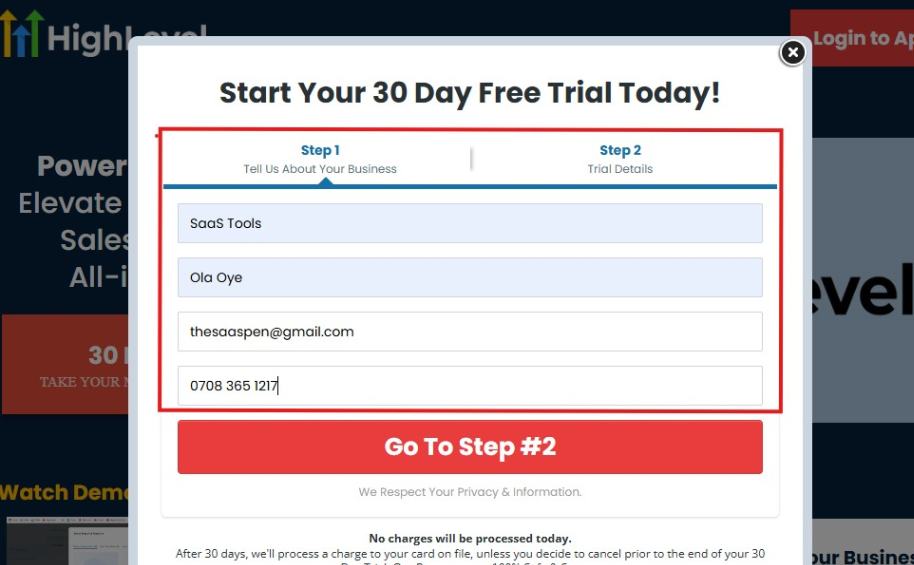
If you take a closer look at the image above, you will see that you need to supply your:
- Business name
- Company name
- Company email
- Phone number
Supply all the pieces of information and click on “Go To Step #2.”
On the next page, you will be required to select the plan you want to opt in for.
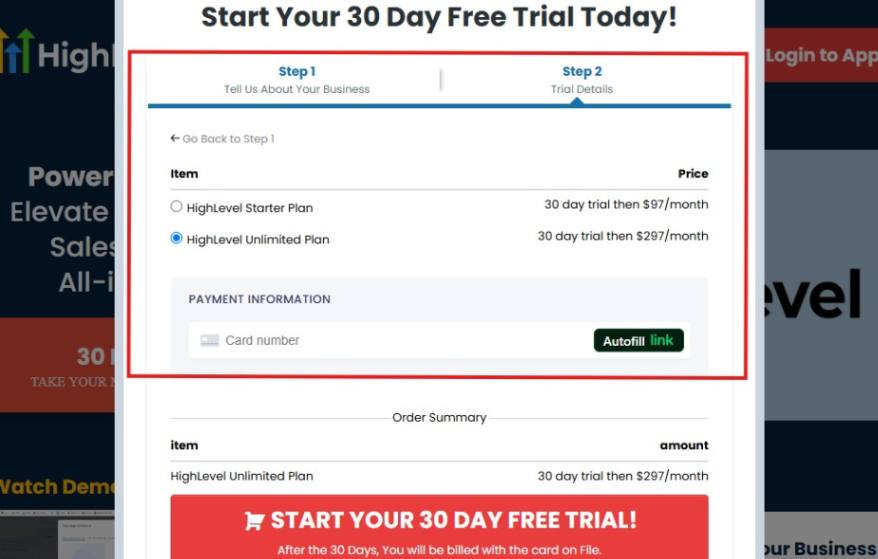
As you can see from the image above, you can either choose from:
- HighLevel Starter Plan
- HighLevel Unlimited Plan
Select the HighLevel Unlimited Plan and continue – you can always upgrade to the SaaS Mode later if you want that or downgrade.
The next thing you want to do is supply your credit card information.
Note: You will not be debited anything today until the end of your trail that is if you don’t cancel. Keep in mind that $1 will be debited and refunded back instantly into your account just to test your card is working.
After you have supplied the information accordingly, click on “START YOUR 30 DAY FREE TRIAL” and you will be asked to confirm you’re not a robot.
After that, the page below will pop up.
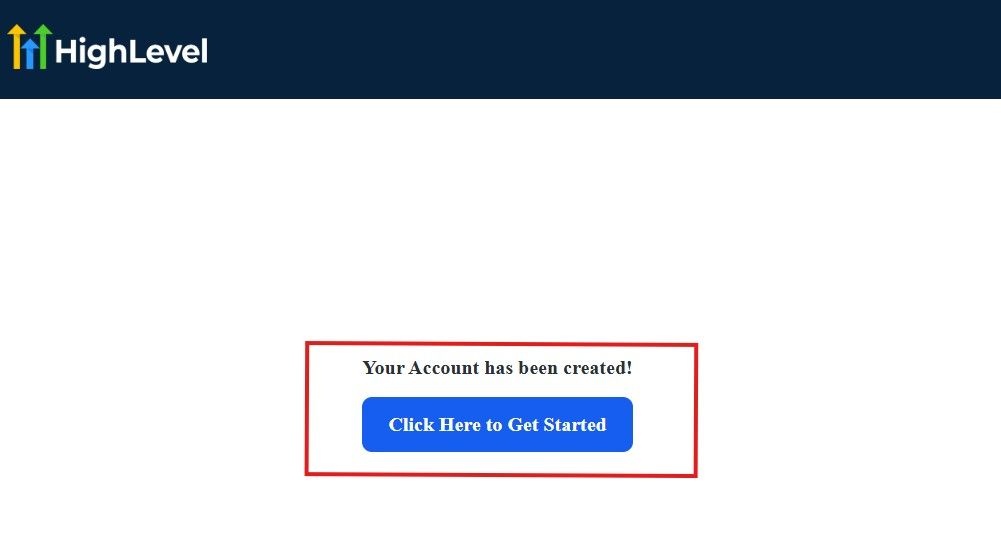
The image above says, “Your Account has been created!” Now, you need to click on the blue button that says “Click Here to Get Started.“
Click on the blue button to start your onboarding process.
Step 2: GoHighLevel Onboarding Process
The onboarding questions help GoHighLevel understand why you have signed up for the platform so that it can tailor your experience accordingly.
This is all you need to do:
After you click on the blue button above, the page below will pop up.
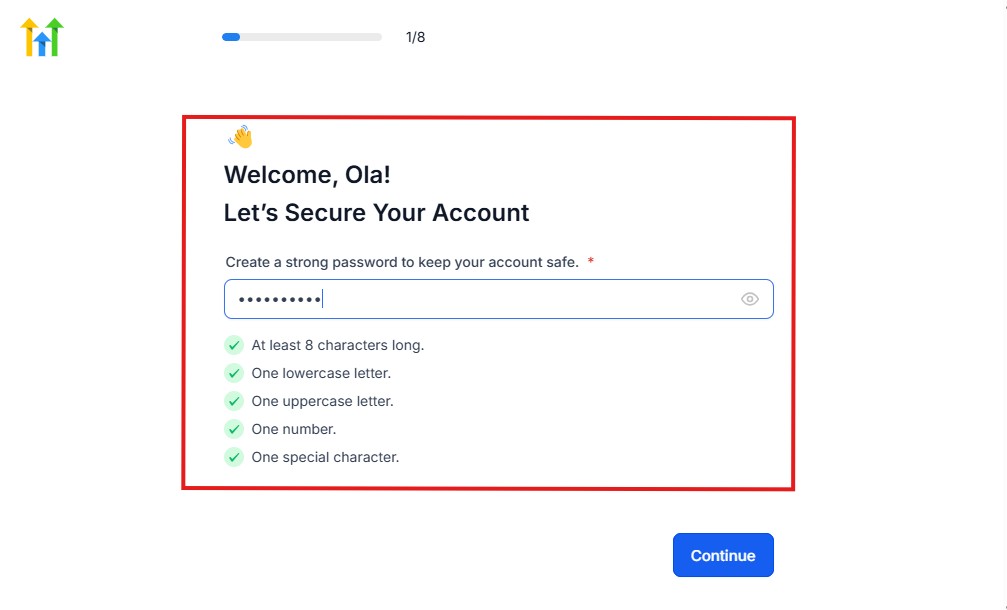
As you can see above, you need to set up your password, and the password has to be:
- At least 8 characters long
- One lowercase letter
- One uppercase letter
- One number
- One special character
If you have input the password and it matches all the description above, everything will be green just the way it’s in the image.
Click on “Continue” there after, and the image below will pop up.
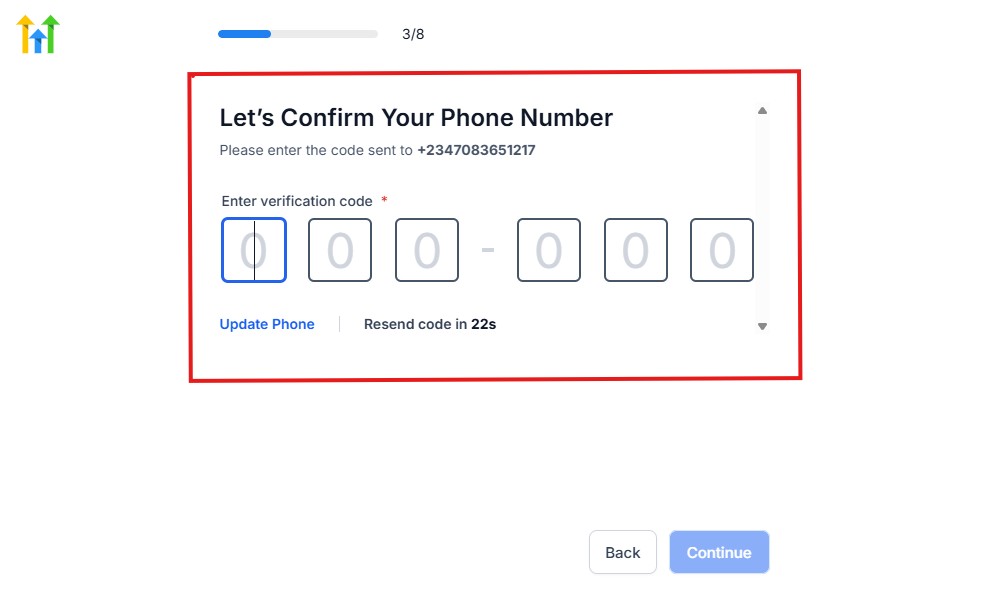
As you can see, a code will be sent to you to confirm your email address and phone number. The process is the same for the 2.
The next thing you need to do is to select how you plan to use GoHighLevel, as you can see below.
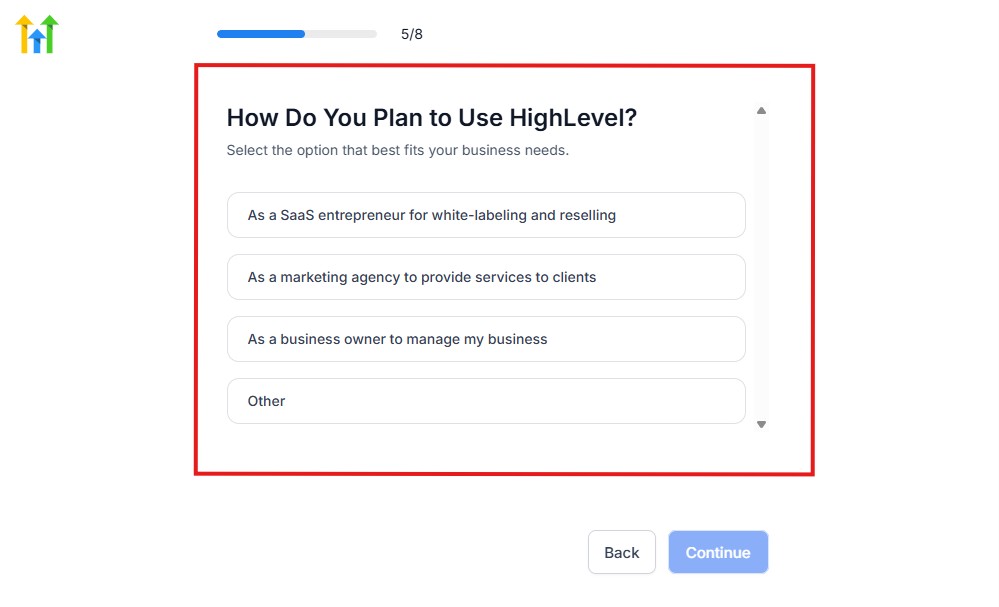
Select what best matches why you have signed up and click on Continue.
On the next page, you will be asked if you plan to resell GoHighLevel or not.
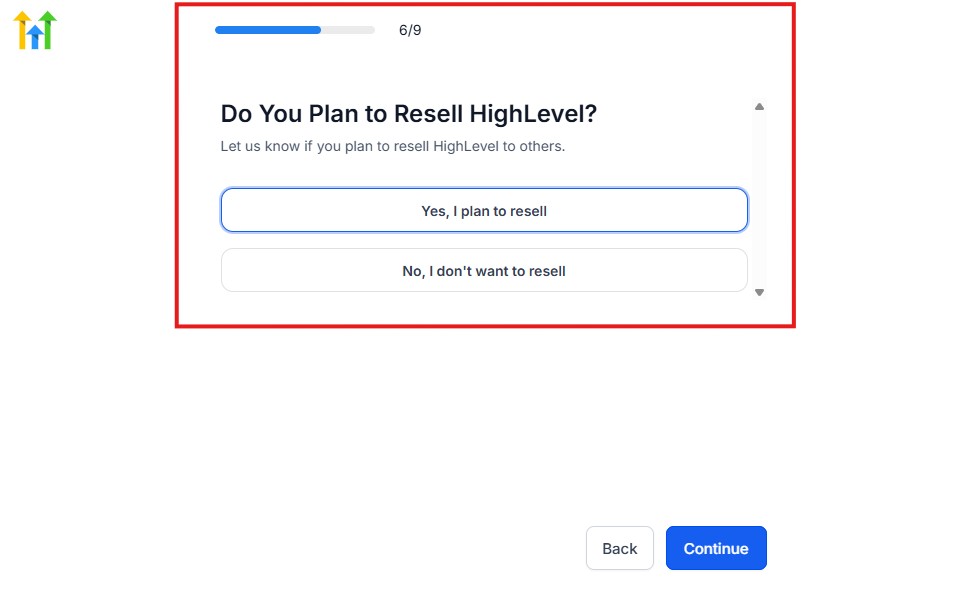
Select the answer based on the reason why you have signed up and click on “Continue”
Then, the page below will pop up.
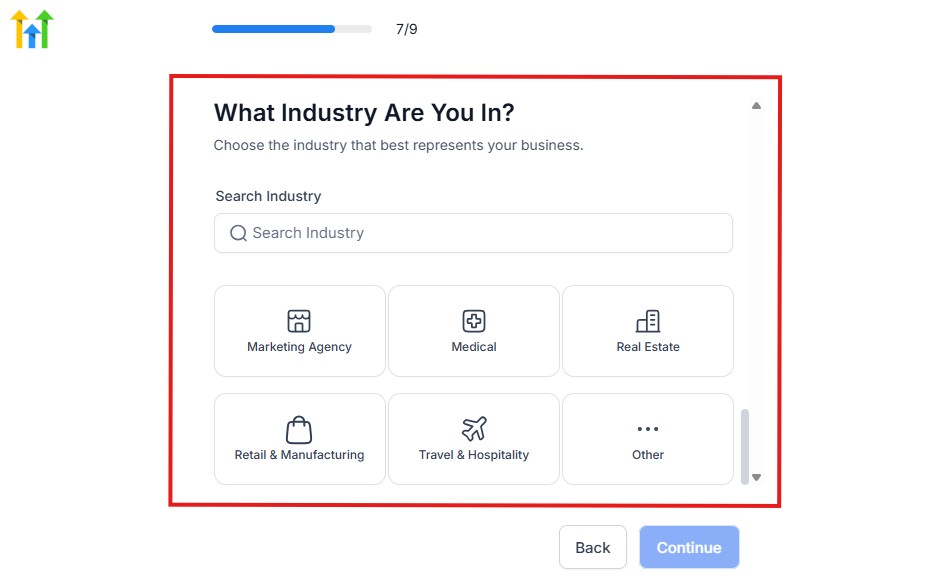
From the image above, you need to select the industry that you fall on. You can also make use of the search button if you can’t find it right away.
Then, click on continue after you select your industry.
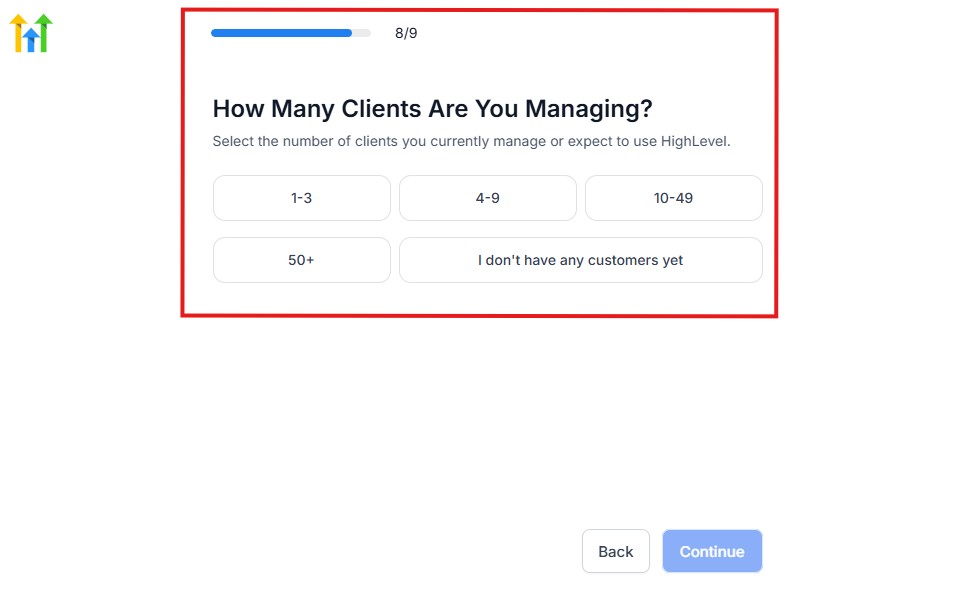
Then, the next thing you need to do is to select the number of clients that you currently have. Select “I don’t have any customers” yet if you currently don’t have one.
On the next page, you will be asked to select the platforms you currently use that you can integrate with GoHighLevel right away.
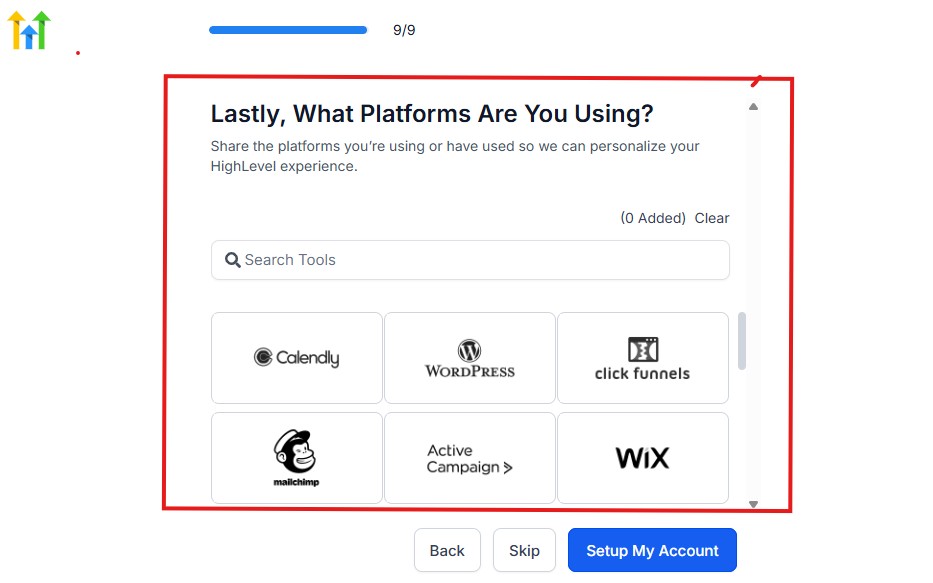
You can use the search button to search for any tools you want to add to your GoHighLevel account.
You can also skip this process and do it later if you want to.
After that, the page below will pop up.
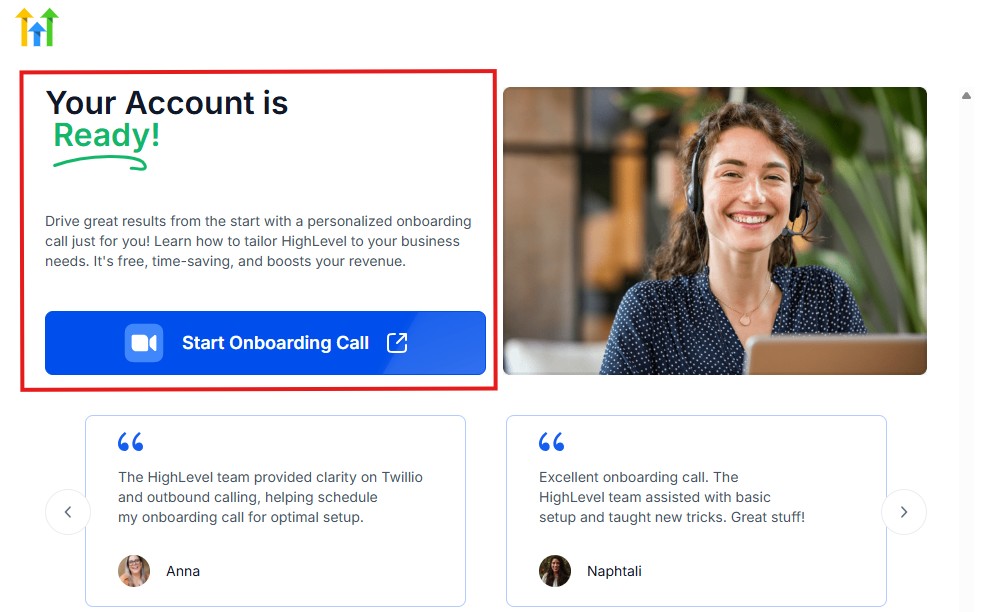
The page above says your account is ready and is asking you to “Start Onboarding Call.”
The “Onboarding Call” allows you to connect with the Go High Level team in order to discuss your account set-up process and everything regarding your plan in using HighLevel.
If you don’t want to start the “Onboarding Call” yet, just stroll down, and you will see the button in the image below.
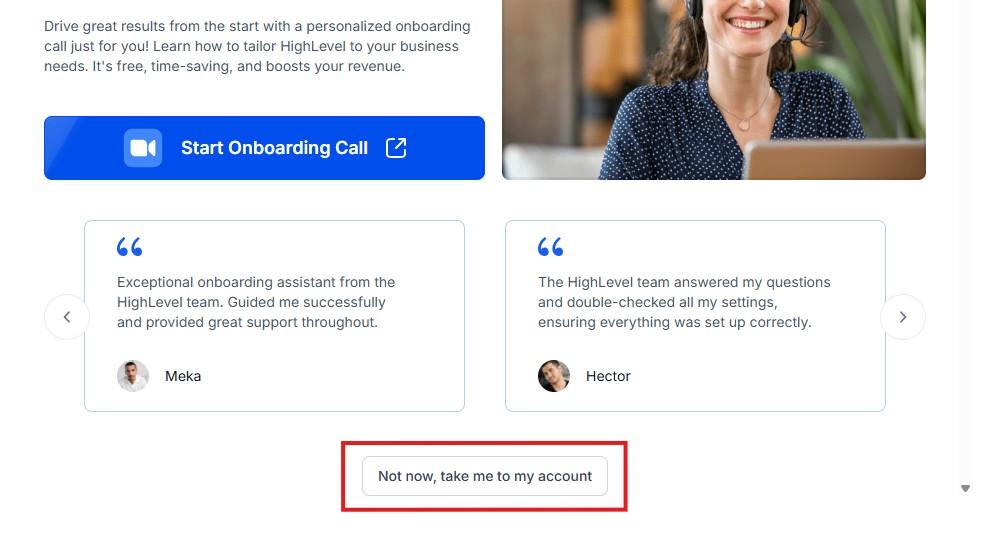
Simply click on “Not now, take me to my account“, and you will have access to your dashboard.
Note: If you have indicated that you want to resell HighLevel, you would have access to the agency dashboard by default, which looks like the image below.
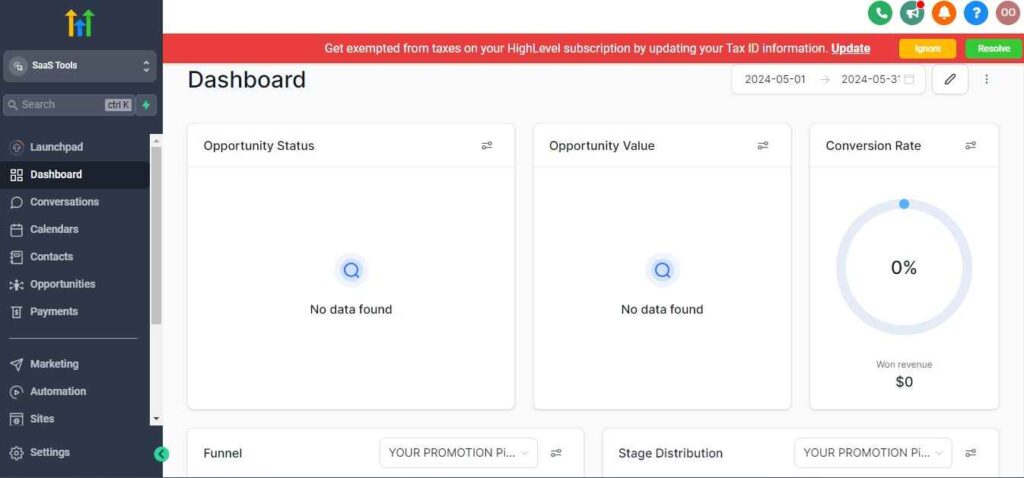
But if you didn’t indicate interest in reselling GHL, your dashboard will look like the image below.
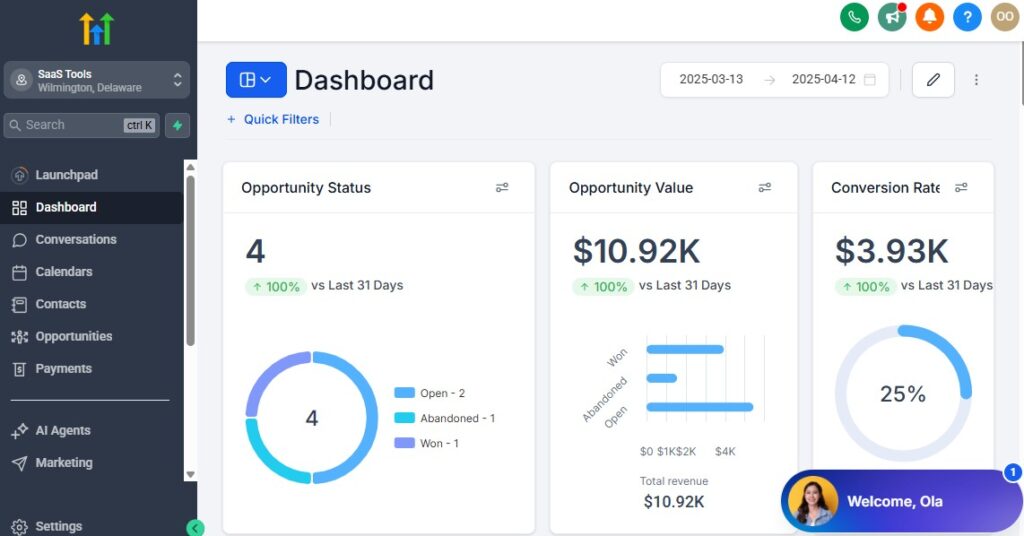
You can switch between these dashboards at any time.
The data you see on the dashboard above are not real data, they’re snapshots that you can use to kickstart your account setup process.
I want to say congratulations. You have successfully set up your Go High Level account.
Step 3: Connect Your Essential Solar Business Tools
Start by integrating the core tools you already use:
- Your solar domain (for landing pages & forms)
- Google or Outlook email (for proposals & updates)
- Dedicated solar SMS number (for appointment reminders)
- Google or Outlook calendars (for consultations & site surveys)
- Stripe or PayPal (for deposits or engineering fees)
This creates the foundation for your complete solar system.
Step 4: Build Your Solar Sales Pipelines
Create clear, easy-to-follow pipelines for managing the entire solar process:
Lead-to-Consultation Pipeline
- New Lead
- Contacted
- Qualified
- Booked Consultation
- Consultation Completed
Proposal Pipeline
- Roof Report Ordered
- Solar Design Created
- Proposal Sent
- Proposal Viewed
- Negotiation / Financing Discussion
Contract & Installation Pipeline
- Contract Sent
- Contract Signed
- Financing Approved
- Permit Application Submitted
- Installation Scheduled
- Installation Completed
- Final Inspection Passed
- Project Closed
These pipelines keep your solar team organized and focused.
Step 5: Set Up Calendars for Solar Appointments
Create separate calendars for:
- Discovery calls
- Virtual consultations
- In-home consultations
- Roof inspections
- Drone inspections
- Site surveys
- Follow-up financing meetings
- Installation dates
- Final inspections
Each calendar can have its own availability, travel buffers, and automation rules.
Step 6: Create Lead Capture & Qualification Forms
Use GoHighLevel forms to capture:
- Homeowner name
- Phone number
- Home address
- Monthly electricity bill
- Roof type
- Homeownership status
- Interest level
- Preferred consultation time
These forms instantly populate your CRM and trigger qualification workflows.
Step 7: Upload Your Solar Sales Assets
Add your core documents and files:
- Solar proposal templates
- Sample system designs
- Panel brochures
- Inverter brochures
- Warranty documents
- Financing options
- Roof reports
- Installation checklists
You’ll automate delivery later in workflows.
Step 8: Set Up SMS & Email Templates for Your Solar Sales Team
Create templates for:
- Lead confirmation messages
- Appointment reminders
- Proposal notifications
- Financing follow-up
- Contract instructions
- Installation updates
- Post-install thank-you messages
- Review requests
Having these ready saves your team countless hours.
Step 9: Assign Roles for Your Solar Team
Give appropriate access to:
- Solar sales reps
- Appointment setters
- Designers & engineers
- Installation team
- Project managers
- Admin staff
- Owner / operations manager
Everyone gets the access they need – nothing more.
Step 10: Turn On Lead & Appointment Notifications
Set alert notifications for:
- New solar leads
- Qualified leads
- Booked consultations
- Proposal viewed
- Contract signed
- Financing approved
- Installation scheduled
Your team stays informed instantly, preventing missed opportunities.
Step 11: Customize Your Solar Dashboard
Configure your dashboard to show:
- Total leads
- Qualified leads
- Booked appointments
- Proposals sent
- Contracts signed
- Installations scheduled
- Revenue generated
- Pipeline stage breakdown
This gives you a real-time view of your solar business performance.
Managing Leads, Homeowners & Solar Projects With the CRM
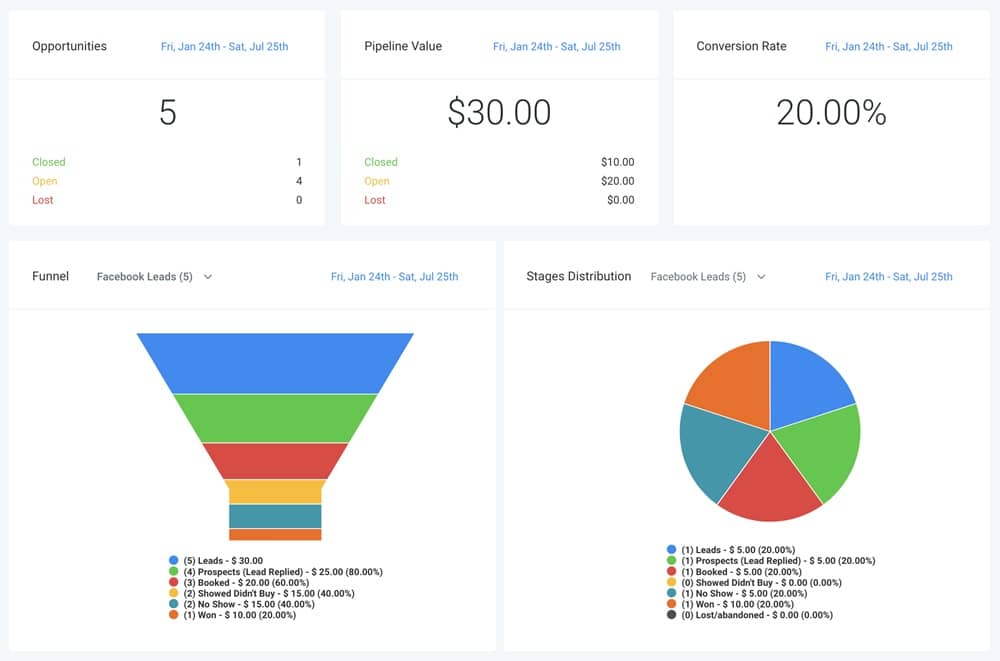
Your CRM is the engine of your solar business. It’s where you track every homeowner, follow every project, manage every appointment, and store every important detail.
When set up correctly, GoHighLevel becomes your complete solar operating system – helping you qualify leads faster, close more deals, and manage installations with total visibility.
Here’s how to manage your solar pipeline using the CRM in the most efficient, organized way.
Create Complete Homeowner Profiles
Every lead or customer gets a dedicated profile with:
- Contact information
- Home address
- Monthly electricity bill
- Roof type (metal, shingles, flat, tile, etc.)
- Homeownership status
- Energy usage history
- Consultation notes
- Proposal status
- Financing details
- Contract updates
- Installation progress
- System details (panel count, inverter type, kW size)
- Warranty information
- Communication history
Everything you need is in one place.
Segment Leads Using Tags & Filters
Organize your solar leads with clear tags such as:
- Hot lead
- Warm lead
- Cold lead
- Qualified homeowner
- Roof unsuitable
- Financing needed
- Commercial solar lead
- Off-grid lead
- Battery storage lead
- Referral
- Past client
Tags help you run smarter follow-ups and targeted campaigns.
Move Homeowners Through Your Solar Pipelines Smoothly
Use simple drag-and-drop stages to track:
Lead Sales Pipeline
- New Lead
- Contacted
- Qualified
- Consultation Booked
- Consultation Completed
Proposal Pipeline
- Roof Report Ordered
- Solar Design Created
- Proposal Sent
- Proposal Viewed
- Negotiation
Project Pipeline
- Contract Sent
- Contract Signed
- Financing Approved
- Permit Submitted
- Installation Scheduled
- Installation Completed
- Final Inspection Passed
- PTO (Permission to Operate)
- Project Closed
This gives your team full visibility from lead capture to installation.
Track Every Call, SMS & Email Automatically
Inside each homeowner’s profile you’ll see:
- Outgoing calls
- SMS messages
- Email sequences
- Appointment confirmations
- Proposal delivery
- Follow-up messages
- Notes from sales reps
- Voicemails
- File attachments
This ensures no communication gets lost.
Store Solar Documents Directly in the CRM
Attach or upload:
- Roof reports
- Satellite images
- Drone photos
- System designs (PDF)
- Proposals
- Financing documents
- Contracts
- Permits
- Installation checklists
- Warranty documents
Everything stays organized and easy to find.
Use Smart Lists to Monitor Lead Behavior
Smart Lists update automatically based on conditions like:
- Viewed design
- Clicked proposal link
- Missed consultation
- Requested financing
- Stopped responding
- Engaged with SMS
- Booked installation
This helps you follow up at the perfect time.
Keep Your Sales Reps Organized with Tasks & Notes
Assign tasks for:
- Follow-up calls
- Proposal delivery
- Financing education
- Contract meetings
- Installation preparation
- Inspection reminders
You can also log notes like:
- Homeowner concerns
- Objections
- Roof issues
- Financing delays
- Decision-making timeline
Notes keep your team in sync.
Track Project Progress for Each Installation
Use custom fields to track:
- Install date
- Permit status
- Equipment ordered
- Installation completed
- Final inspection details
- PTO approval
- Warranty start date
You always know which projects are on schedule.
View Homeowner Lifetime Value & Referral Potential
The CRM shows:
- Total revenue
- Additional upgrades (battery storage, EV chargers)
- Referral history
- Engagement over time
- Open leads or upsell opportunities
This helps you maximize profit from each customer.
Use Custom Fields to Capture Solar-Specific Data
Add fields such as:
- Sun exposure (good/average/poor)
- Roof pitch
- Roof material
- Energy provider
- HOA restrictions
- Solar capacity needed
- Estimated savings
- Financing type
- Credit score range
These help your team qualify leads faster.
Automating Workflows for Solar Sales, Inspections & Installations
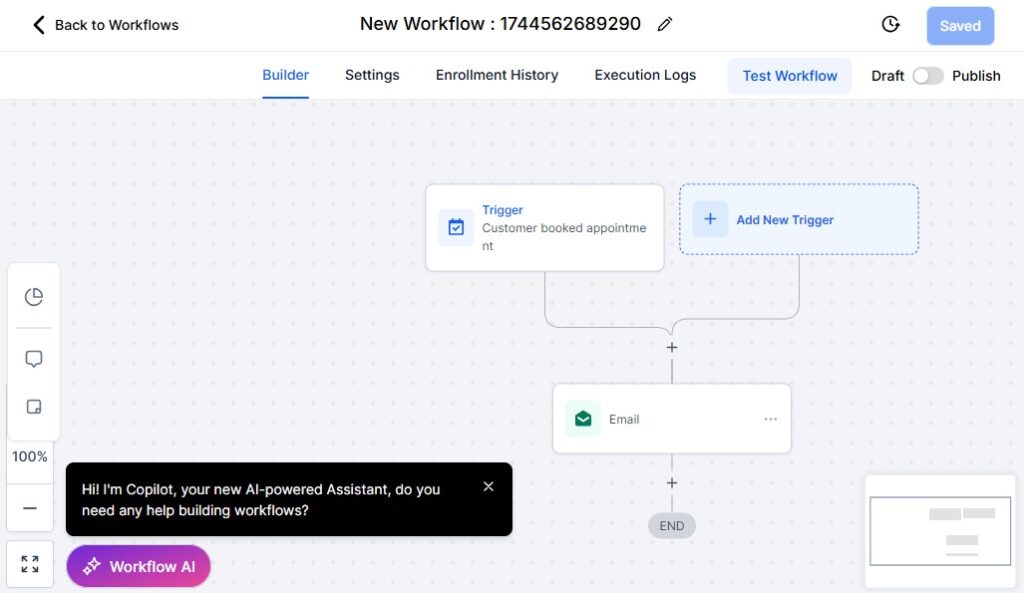
Automation is where GoHighLevel becomes a game-changer for solar companies.
Your sales cycle is long and requires multiple touchpoints – lead qualification, consultations, proposal delivery, financing steps, contract signing, installation scheduling, and post-install follow-up.
Automating these steps saves your team hours each week and dramatically increases your closing rate.
Here’s how to automate your entire solar operation from lead capture to project completion.
Automate Lead Response & Qualification
When a new lead enters your system, trigger:
- Instant SMS: “Thanks for your interest in solar! When can we schedule your consultation?”
- Email with next steps
- Lead assignment to a rep
- Add tags (Facebook lead, website lead, referral, etc.)
- Trigger a qualification form (monthly bill, roof type, homeownership)
Fast follow-up = more appointments booked.
Automate Appointment Scheduling for Consultations & Inspections
Once a homeowner qualifies:
- Send link to book consultation
- Add them to your consultation calendar
- Send confirmation email & SMS
- 24-hour & 2-hour reminders
- Directions or video-call instructions
This reduces no-shows and keeps your team efficient.
Trigger Roof Report & Solar Design Workflows Automatically
When a consultation is completed:
- Notify the design/engineering team
- Automatically request roof report
- Assign task for system design
- Email homeowner that their proposal is being prepared
- Move the homeowner into the “Design in Progress” stage
Your internal process becomes smooth and predictable.
Automate Proposal Delivery & Follow-Up
When the proposal is ready:
- Send proposal with a personalized message
- Trigger SMS notification
- Track when proposal is viewed
- Start a follow-up sequence
- Automatically schedule a financing discussion if needed
This dramatically increases proposal engagement and conversions.
Automate Financing Workflows – GoHighLevel for Solar Companies
If the homeowner needs financing:
- Send financing link
- Deliver lender options
- Trigger credit qualification reminders
- Notify sales rep when financing is approved
- Move homeowner to “Contract Stage” automatically
No more manual reminders or forgotten steps.
Trigger Contract Signing & Follow-Up Automatically
When homeowner reaches contract stage:
- Send contract via e-sign platform (DocuSign, PandaDoc, etc.)
- Notify rep when the contract is opened
- Send gentle reminders until signed
- Move them to “Installation Preparation” stage
Your sales cycle speeds up with less effort.
Automate Installation Scheduling & Notifications
Upon contract signing:
- Email customer with next steps
- Notify installation team
- Assign installation tasks
- Send homeowner installation date confirmation
- Send installation reminders (24 hours & same day)
- Move them into “Installation Scheduled” pipeline stage
Your installation process becomes clean and professional.
Automate Post-Installation Follow-Up
Once installation is completed:
- Send congratulatory message
- Provide system activation instructions
- Deliver warranty documents
- Add customer to referral program workflow
- Send inspection date or PTO update
- Move to “Final Inspection” or “PTO Stage”
Consistent communication increases satisfaction.
Automate PTO (Permission to Operate) Updates
When waiting for utility approval:
- Send periodic status updates
- Notify team when approval is received
- Send “Your system is now active!” message
- Invite customer to leave a review
This keeps customers informed and reduces support calls.
Create Lost Lead or Dormant Lead Automation
If a lead stops responding:
- Send re-engagement SMS
- Deliver solar savings calculator
- Share testimonials or case studies
- Offer limited-time consultation spots
Many leads come back when the timing is right.
Automate Referral Campaigns to Generate More Solar Leads
After installation:
- Send referral promotion
- Provide shareable link
- Track referral submissions
- Send reward after referral converts
Solar referrals convert extremely well – automation boosts this further.
Automate Internal Team Notifications & Tasks
For your operations team:
- Notify design team of new jobs
- Notify install team of scheduled installs
- Notify sales reps of proposal openings
- Assign tasks automatically
- Send overdue task reminders
This keeps every department aligned without manual communication.
Appointment Scheduling for Site Surveys, Inspections & Consultations
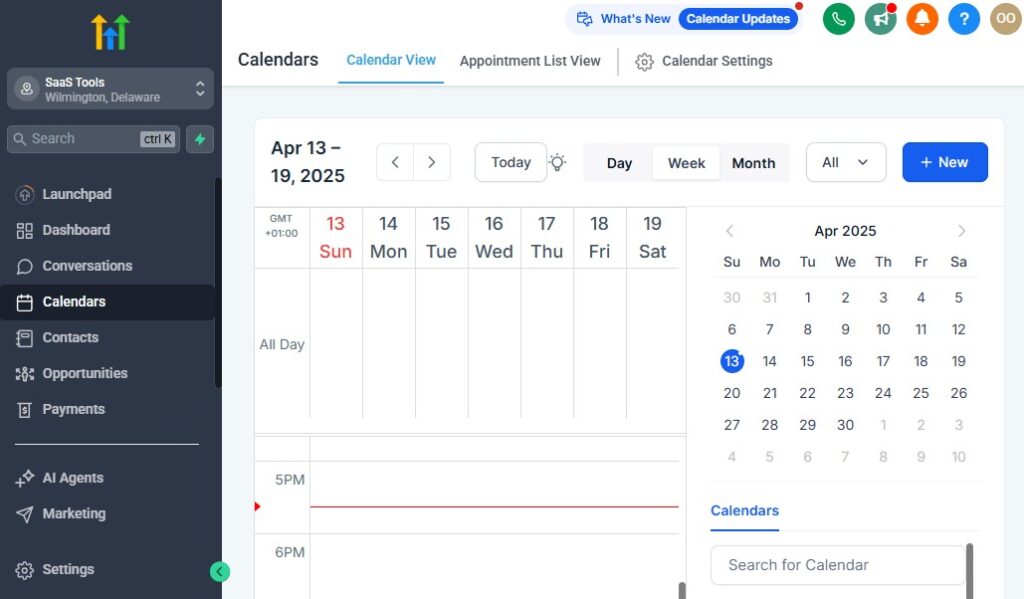
Solar companies rely heavily on accurate scheduling – consultations, roof inspections, virtual assessments, drone surveys, financing meetings, installation date bookings, and final inspections.
When scheduling is scattered or manual, you lose leads, miss appointments, and frustrate homeowners.
GoHighLevel gives you a clean, automated system to manage every appointment type from one place. Here’s how to set it up the right way.
Create Separate Calendars for Each Solar Appointment Type
Organize your scheduling by creating dedicated calendars for:
- Virtual solar consultations
- In-home consultations
- Roof inspections
- Drone surveys
- Site assessments
- Financing review meetings
- Contract-signing sessions
- Installation dates
- Final utility inspections
- PTO activation walkthroughs
Each calendar can have its own rules, availability, and automation triggers.
Customize Availability to Match Your Team’s Schedule
Set specific time blocks for:
- Sales reps’ working hours
- Engineering or inspection teams
- Travel time between appointments
- Weekend or after-hours availability
- Buffer time before and after meetings
This ensures you only show time slots you can actually fulfill.
Add Travel Buffers for In-Home Consultations & Roof Inspections
For field appointments, add buffer times:
- 15–30 minutes before
- 15–30 minutes after
- Longer travel buffers for rural or outside-city jobs
This prevents back-to-back scheduling conflicts.
Allow Homeowners to Book Appointments Online
Use booking pages for:
- Free solar consultation
- Home energy audit
- Roof inspection
- Proposal review call
- Financing walkthrough
- Installation date selection (optional)
Homeowners book instantly without calling your office – reducing friction and speeding up the process.
Use Qualification Questions Before Booking
Add form questions such as:
- Monthly electricity bill
- Homeownership status
- Home address
- Roof type
- Whether shade covers the roof
- Interest level (price, savings, financing)
Only qualified homeowners can proceed to scheduling.
Send Automatic Appointment Confirmations
Once someone books, trigger:
- Confirmation SMS
- Confirmation email
- Calendar invite
- Link to reschedule or cancel
- Preparation instructions (utility bill, attic access, etc.)
Clear communication = fewer no-shows.
Add Reminder Sequences to Reduce Missed Appointments
Send reminders:
- 24 hours before
- 3 hours before
- 1 hour before
- “We’re on the way” (manual or automated)
These drastically improve show-up rates.
Assign Appointments Automatically Based on Location
Use automation to route leads to the right rep:
- By zip code
- By territory
- By availability
- By lead type (virtual or in-home)
This helps large solar teams stay organized and efficient.
Use Round-Robin Assignment for Sales Teams
If multiple reps take consultations, use:
- Equal distribution
- Skill-based assignment
- Rotation scheduling
This keeps your sales pipeline fair and balanced.
Send Homeowners Pre-Consultation Resources Automatically
After booking, send:
- Solar overview video
- Savings calculator
- Brochure or guide
- FAQ sheet
- “What to expect during your consultation”
- Financing options
This warms up the homeowner before the meeting, increasing close rates.
Create Rescheduling & No-Show Automations
If someone misses a meeting:
- Send a polite message
- Allow them to select a new time
- Notify the assigned rep
- Move them into a “Missed Appointment” pipeline stage
This salvages lost opportunities.
Track Appointment Outcomes for Better Pipeline Visibility
After each appointment, reps mark:
- Completed
- No-show
- Needs follow-up
- Needs financing discussion
- Proposal in progress
Pipeline accuracy = more predictable revenue.
Coordinate Installation Scheduling the Same Way
Use GoHighLevel calendars to schedule:
- Panel delivery
- Installation team arrival
- Electrician visit
- Final inspection
- Utility activation (PTO)
You can also automate homeowner notifications at each step.
Building High-Converting Solar Funnels & Landing Pages
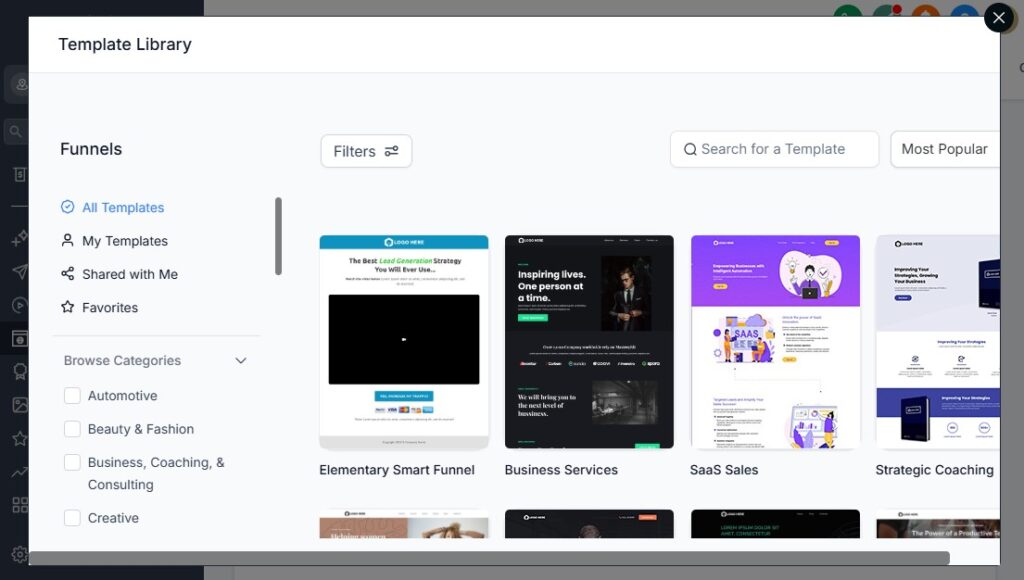
Your landing pages and funnels are the engine of your solar lead generation.
When built correctly, they attract high-quality homeowners, pre-qualify them, and guide them smoothly toward booking a consultation – without needing endless manual follow-up.
GoHighLevel gives you everything you need to create powerful, professional solar funnels that convert cold traffic into ready-to-talk buyers.
Here’s how to build high-converting solar funnels the right way.
Start With a Strong Solar Lead Generation Funnel Structure
A high-performing solar funnel usually includes:
- Landing Page – explains solar benefits, builds trust, and captures homeowner info
- Qualification Form – filters by electricity bill, roof type, and address
- Appointment Page – lets homeowners book their consultation
- Thank-You Page – explains next steps and warms up the lead
- Follow-Up Automation – SMS + email sequence that confirms and reminds them
This structure works for both paid ads and organic traffic.
Create High-Converting Solar Landing Pages
Your landing page should focus on:
Clear Headline
Examples:
- “Cut Your Electricity Bill by Up to 60% With Solar”
- “See If Your Home Qualifies for Solar Savings”
- “Switch to Solar With $0 Upfront Costs”
Strong Subheadline
Explain the key benefit in one sentence.
Simple Call-to-Action
- “Check Your Solar Eligibility”
- “Book a Free Solar Consultation”
Benefit-Focused Sections
Highlight:
- Lower energy bills
- Federal & local incentives
- $0 down financing options
- Increased home value
- Eco-friendly power
- Fast installation timelines
Trust-Building Elements
Add:
- Customer testimonials
- Before/after photos
- Case studies
- Certifications (NABCEP, etc.)
- Warranty badges
- Partner logos
Lead Capture Form
Ask only essential questions (you’ll qualify later).
Use Solar-Specific Qualification Forms
Your forms should gather key info to filter out unqualified leads:
- Monthly electricity bill
- Roof type
- Homeownership status
- Home address
- Shade level
- Interest: savings, financing, going green
- Timeline for decision
This ensures your sales reps focus only on high-quality homeowners.
Add Engaging Visuals to Increase Conversions
Use:
- Drone shots of installed panels
- Before/after installation photos
- Savings comparison graphics
- Simple diagrams explaining how solar works
- Equipment images (panels, inverters, batteries)
Good visuals boost conversion rates significantly.
Build Dedicated Funnels for Different Solar Campaigns
Create funnels for:
- Residential solar
- Commercial solar
- Off-grid solar
- Solar + battery storage
- Solar incentives campaign
- $0 down financing promotion
- Solar calculator funnels
- “See if your roof qualifies” campaign
Each funnel targets a specific audience for higher conversions.
Use Pop-Ups & Sticky Bars to Capture More Leads
Add elements like:
- Exit-intent pop-ups
- Scroll-trigger pop-ups
- Sticky top bar offering free consultation
- Limited-time incentive banners
These help you recover leads who would’ve left the page.
Integrate Calendars Directly Into Your Funnel
After submitting the form, send leads to a calendar page to schedule their consultation immediately. This increases show rates and reduces manual follow-up.
Add Urgency & Social Proof to Improve Conversion Rates
Examples:
- “Only 3 consultation slots left this week”
- “Join 1,200+ homeowners who switched to solar with us”
- “Rebates may expire soon – check eligibility today”
Small touches like these improve performance dramatically.
Create a Powerful Thank-You Page That Warms Up Leads
Once they submit your form:
- Confirm you received their information
- Let them know what happens next
- Include a video from a sales rep
- Add a link to book their consultation
- Share testimonials and project photos
- Provide financing info to build excitement
This prepares the homeowner before your team contacts them.
Automate Follow-Up After Funnel Submission
Trigger:
- Instant SMS (“Thanks! We’re reviewing your info now.”)
- Email with solar benefits
- Calendar booking reminder
- Savings calculator
- Testimonials to build trust
- Financing options overview
Follow-up automation is where many solar companies win deals.
Optimize for Speed, Mobile, and Local Search
Solar buyers often browse on mobile, so ensure your pages are:
- Fast-loading
- Clean and readable
- Easy to navigate
- Form-friendly
- Built with local SEO in mind (“Solar in Lagos,” “Solar installers in Texas,” etc.)
Good optimization means higher conversion rates.
Running Email & SMS Campaigns for Solar Lead Nurturing
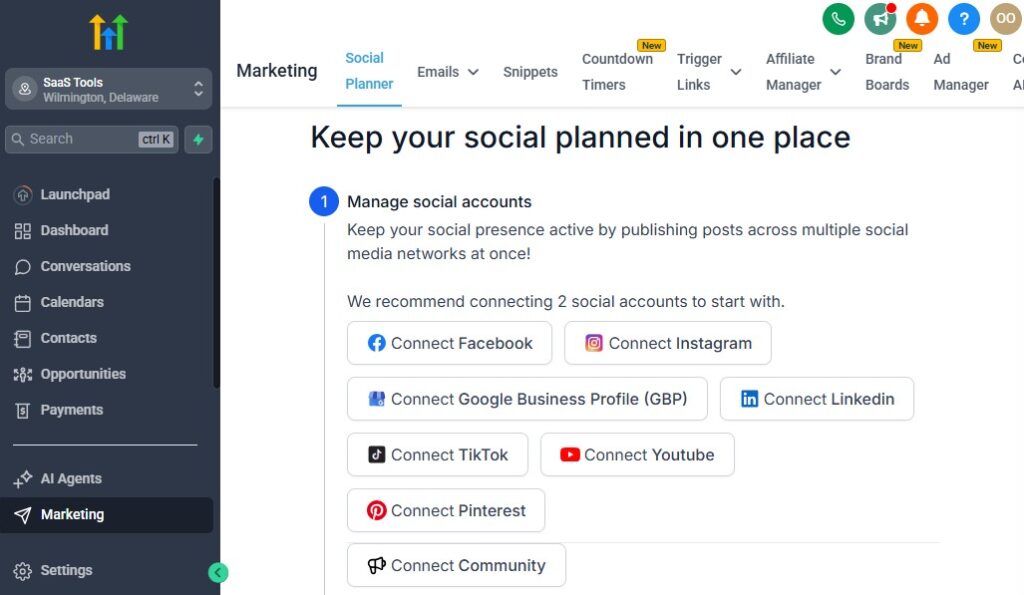
Solar leads rarely convert instantly. Most homeowners need education, trust-building, multiple touchpoints, and clear explanations about savings, financing, installation steps, and long-term benefits before making a decision.
GoHighLevel helps you automate all of this so every lead gets consistent follow-up without your team doing the work manually.
When your nurturing is strong, your close rates increase dramatically.
Here’s how to build effective email and SMS campaigns for your solar business.
Use Fast, Automated SMS Follow-Up for New Leads
Solar leads go cold quickly – usually within minutes. Automate:
- Instant SMS: “Thanks for checking your solar eligibility. Do you have a moment to answer a few quick questions?”
- Follow-up SMS 10 minutes later if no reply
- Consultation link
- Short qualification questions
This alone can double your appointment rates.
Create a High-Value Email Nurture Sequence for New Leads
This sequence warms up new homeowners and prepares them for a consultation:
Email 1: Solar Basics
Explain how solar works and how much they could save.
Email 2: Incentives & Rebates
Highlight federal, state, or local incentives.
Email 3: $0 Down Financing Options
Explain how financing works and how affordable solar can be.
Email 4: Case Studies & Testimonials
Show real-life savings, installations, and transformation stories.
Email 5: What Happens During a Consultation
Reduce anxiety and increase bookings.
Email 6: “Last chance to book your consultation”
A gentle nudge for those who haven’t scheduled yet.
This process builds trust while educating prospects.
Send Automated Reminders for Scheduled Consultations
Reduce no-shows with:
- Confirmation SMS
- 24-hour reminder
- 2-hour reminder
- “We’re on the way” message for in-home visits
- Reschedule link
Clear communication = higher conversion rates.
Run Follow-Up Campaigns After Consultations
After a homeowner completes their consultation:
- Thank them
- Send top benefits
- Share sample proposals
- Deliver financing information
- Encourage them to review the upcoming proposal
- Send FAQs about installation and savings
This keeps them engaged while waiting for design and proposal creation.
Automate Proposal Follow-Up
When a homeowner receives their proposal:
- Instant SMS: “Your solar proposal is ready. Let me know when you’d like to review it.”
- Email with proposal link
- Reminder 24 hours later
- “Have any questions?” SMS
- Financing comparison email
- Case studies showing similar installations
- “Final chance to secure your design & pricing” message
Most proposal wins come from consistent follow-up, not the proposal itself.
Use SMS for Fast Financing Conversations
SMS is powerful for:
- Sending financing application links
- Reminders to complete credit check
- Updates about pre-approval
- Quick questions about budget or preferences
Short messages get faster replies than email.
Run Re-Engagement Campaigns for Lost or Cold Solar Leads
Your CRM is full of leads who showed interest but didn’t convert. Re-engage them with:
- Updated incentive programs
- New financing options
- Seasonal promotions
- Case studies of nearby homeowners
- “See how much you could save now” campaigns
Cold leads often convert when circumstances change.
Use Educational Sequences to Build Long-Term Trust
Create automated educational series:
- Solar myths vs facts
- Understanding solar panels & inverters
- How net metering works
- What makes a good roof for solar
- Long-term maintenance
- Battery storage benefits
Educated leads make faster decisions.
Send Post-Installation Email & SMS Sequences
Once a customer’s installation is complete:
- Congratulate them
- Send system activation instructions
- Link to monitoring apps
- Share warranty details
- Request reviews
- Invite them to refer friends
- Provide support contact info
Happy customers become your best marketers.
Build Referral Campaigns Through SMS & Email
Automate:
- Referral invitations
- Shareable referral links
- Rewards when referrals book or install
- “We’re expanding in your neighborhood” messages
Solar referrals convert at extremely high rates.
Use Behavior-Based Automation to Personalize Follow-Up
Trigger messages based on:
- Proposal viewed
- Form opened but not submitted
- SMS replied or ignored
- Email click
- Calendar booked
- Financing applied
- Financing denied
- Design completed
This ensures every lead receives the right message at the right time.
Managing Quotes, Financing Options, Contracts & Payments
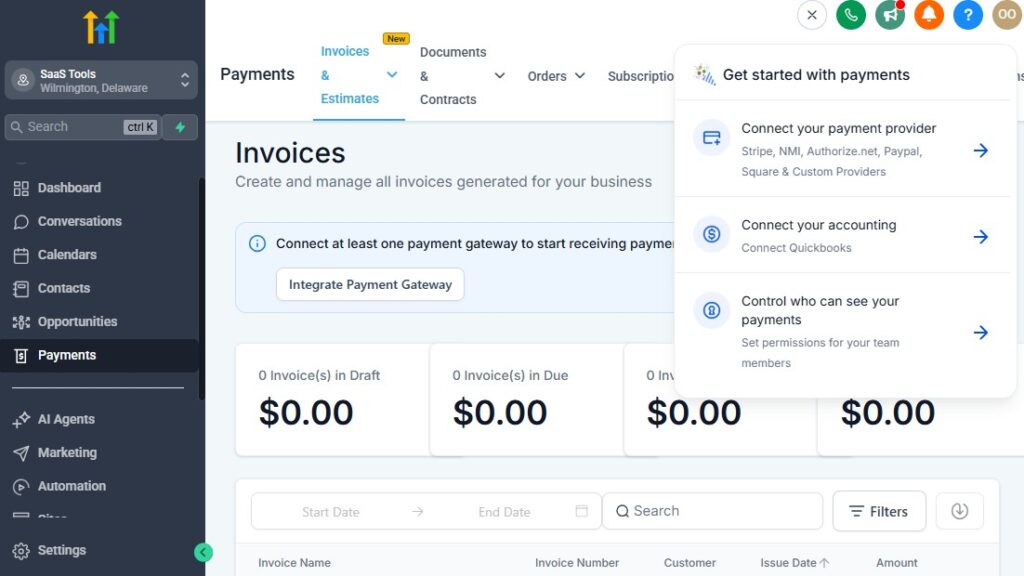
A solar sale involves several major steps: generating a quote, presenting a proposal, discussing financing, securing signatures, and collecting payments (if applicable).
When these steps aren’t streamlined, deals move slowly – or fall apart completely.
GoHighLevel helps you organize, automate, and deliver these parts of the solar sales process so homeowners get clear information and your team closes more deals with less manual work.
Here’s how to manage quotes, proposals, financing, contracts, and payments inside GoHighLevel.
Centralize All Quotes & Proposals in the CRM
Store every proposal within each homeowner’s profile, including:
- System size (kW)
- Panel type (brand, wattage)
- Inverter type (string, microinverter, hybrid)
- Estimated monthly savings
- Estimated installation cost
- Tax credit eligibility
- Production estimates
- ROI timeline
- Warranty information
Your sales reps always have accurate, up-to-date details.
Send Solar Proposals Automatically Through Workflows
Once a proposal is ready:
- Send it via email and SMS
- Track when the homeowner opens it
- Trigger a proposal follow-up sequence
- Add a task for the sales rep to call
- Move the homeowner to the “Proposal Sent” stage
Automation ensures the proposal never gets lost or ignored.
Offer Multiple Financing Options Easily
Solar buyers often need financing – GoHighLevel makes it simple to present:
- $0 down financing
- Low monthly payment plans
- Credit union partnerships
- Third-party solar lenders
- Cash purchase comparisons
Upload lender documents or integrate links so homeowners can apply instantly.
Create Financing Education Sequences to Help Homeowners Decide
Automate explanations like:
- How solar financing works
- Differences between loans & leases
- How monthly payments compare to utility bills
- How tax credits and incentives reduce cost
- Why going solar sooner saves more
Clear communication increases conversion rates dramatically.
Send Financing Application Links Automatically
If a homeowner expresses financing interest:
- Send application link via SMS & email
- Include step-by-step instructions
- Provide typical approval timelines
- Notify sales rep when the application is submitted
- Move the homeowner to “Financing Review” stage
You keep momentum strong during the decision process.
Track Financing Status for Every Homeowner
Add custom fields for:
- Credit score range
- Financing program selected
- Approved amount
- Monthly payment estimate
- Contract terms
- Application status (submitted/approved/denied)
Your sales team knows exactly what step comes next.
Trigger Contract Sending Automatically After Financing Approval
When financing is approved:
- Automatically send contract via DocuSign or PandaDoc
- Notify the sales rep
- Tag homeowner as “Contract Sent”
- Move them into the contract pipeline stage
- Send reminder emails/SMS until signing is complete
You eliminate bottlenecks and close deals faster.
Automate Contract Follow-Up to Reduce Drop-Off
Most unsent or unsigned contracts can be recovered using simple automation:
- Reminder after 24 hours
- “Do you have any questions?”
- Financing explanation email
- Proposal recap
- A quick-touch SMS from the sales rep
Consistent reminders dramatically improve signing rates.
Collect Deposits or Engineering Fees Online
Use GoHighLevel to collect:
- Initial deposits
- Engineering/design fees
- Permitting fees
- Upgrade payments
- Final payment (if applicable)
Set up one-time or recurring billing using Stripe or PayPal.
Track Payment Status in the CRM – GoHighLevel for Companies
Monitor:
- Payments completed
- Payments pending
- Incomplete transactions
- Financing payments vs cash customers
- Amount collected vs total project value
This keeps your accounting and install teams aligned.
Trigger Installation Workflow After Contract Signing
Once the contract is signed:
- Notify your installation team
- Assign tasks (permitting, ordering panels, roof inspection)
- Send homeowner a “Next Steps” message
- Move project to “Installation Preparation” stage
- Schedule installation date (manual or automated)
Your operations team stays organized from day one.
Keep Homeowners Informed Through Every Financing & Contract Step
Send automated updates like:
- “Your financing is approved!”
- “Your contract is ready to review.”
- “We received your deposit – thank you!”
- “Installation is being scheduled.”
Clear communication reduces uncertainty and builds trust.
Delivering Proposals, Roof Reports, System Designs & Project Documents
Solar customers want clarity. They want to see roof reports, system designs, panel layouts, projected savings, financing details, and installation timelines – all delivered in a clean, professional, and easy-to-understand format.
GoHighLevel helps you send all documents automatically, track engagement, and keep every homeowner informed throughout the entire solar process.
This makes your sales cycle smoother, faster, and more trustworthy.
Here’s how to deliver proposals and project documents the right way.
Send Solar Proposals Instantly & Professionally
Once your design team finishes the solar layout and pricing:
- Upload the proposal PDF
- Send it via SMS + email
- Add a personalized message
- Track when the homeowner opens it
- Trigger proposal follow-up automation
- Move them into the proposal pipeline stage
Homeowners appreciate fast, organized communication.
Deliver Roof Reports Automatically After Consultation
Upload roof reports such as:
- Shading analysis
- Roof condition assessment
- Structural notes
- Satellite or drone imagery
- Pitch and orientation measurements
- Solar access estimates
Then trigger automation:
- “Your roof report is ready. Here’s what we found…”
- Include a link or PDF download
- Add the report to the homeowner’s CRM profile
This builds transparency and credibility.
Share System Design Files & 3D Layouts
Solar customers love visual clarity. Deliver:
- Panel layout designs
- 3D roof renderings
- Electrical diagrams
- Production estimates (kWh/year)
- Inverter placement diagrams
- Battery storage options
- System size comparison charts
Send them automatically once designs are complete.
Send Financing Documents & Comparisons
Upload financing files such as:
- Payment breakdowns
- Loan terms
- Interest options
- Savings projections
- Federal/state incentive details
- Homeowner pre-qualification instructions
This helps your customer understand the best option clearly.
Deliver Contracts & Signature Requests Seamlessly
Integrate with e-sign platforms like:
- PandaDoc
- DocuSign
- HelloSign
Once the contract is ready:
- Send signing link via SMS + email
- Include instructions
- Track when contract is opened
- Trigger reminders if not signed
- Move homeowner to “Contract Signed” when complete
Your closing process becomes predictable and organized.
Provide Installation Documentation Ahead of Time
Before installation day, deliver:
- Installation checklist
- What to expect
- Preparation instructions
- Safety guidelines
- Timeline estimate
- Contact information for the install team
This reduces confusion and improves customer satisfaction.
Share Permit Documents & Utility Applications
Upload and send:
- Permit submissions
- Utility interconnection forms
- HOA approval documents
- Engineering stamps
- Inspection checklists
Transparency builds trust during long approval periods.
Deliver Final Inspection & PTO Documents
Once the installation is complete, send:
- Final inspection results
- PTO approval notice
- Warranty certificates
- User manuals
- Monitoring app setup instructions
- System activation steps
Homeowners feel confident about their investment.
Create a Digital Project Folder for Each Customer
Inside GoHighLevel:
- Store all digital files
- Organize documents by project stage
- Give your team quick access
- Attach materials to tasks
- Send documents from one place
Your entire solar operation becomes easier to manage.
Use Automation to Trigger Document Delivery at Every Stage
Examples:
- Consultation completed → Send roof report
- Design completed → Send system design
- Proposal sent → Send follow-up info
- Financing approved → Send contract
- Contract signed → Send installation prep guide
- Installation complete → Send warranty documents
- PTO approved → Send activation instructions
No step is forgotten, and your team stays consistent.
Track Engagement to See Who Is Most Interested
GoHighLevel lets you see when homeowners:
- Open proposals
- Download reports
- View system designs
- Click financing links
- Sign contracts
- Revisit documents
This helps your sales team follow up at the perfect moment.
Collecting Reviews, Testimonials & Building Trust for Solar Sales
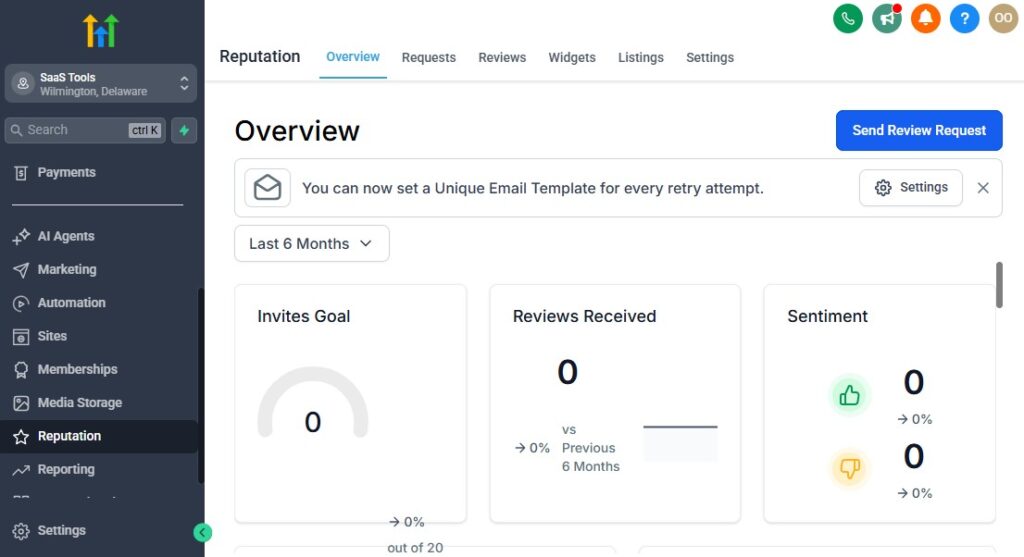
Solar is a high-ticket purchase, and homeowners need reassurance before making a final decision.
Reviews, testimonials, project photos, and documented success stories help build the trust needed to win more deals – especially when customers compare multiple installers.
GoHighLevel makes it simple to automate review collection, gather testimonials, and showcase your best work across your marketing channels.
Here’s how to build trust at every step of the solar sales process.
Automate Review Requests After Installation
Once a project is complete, trigger:
- Thank-you SMS
- Email requesting a review
- Direct links to Google, Facebook, or Yelp
- Request for project photos or feedback
Homeowners are most excited right after the install – this is the perfect time to ask.
Send Multiple Review Reminders Automatically
If they don’t leave a review immediately, automate:
- Follow-up reminder (24 hours later)
- Second reminder (3 days later)
- Final reminder (7 days later)
Gentle, spaced reminders significantly increase review collection rates.
Request Testimonials After PTO or First Month of Savings
Homeowners get even more excited once they:
- Receive PTO
- See their first low electricity bill
- Monitor solar production
- Experience additional savings
Trigger testimonial requests at these key moments.
Use Project Photos to Strengthen Social Proof
Solar customers love seeing:
- Before & after roof installs
- Drone shots
- Panel layouts
- Inverter/battery installations
- Full system views
- Production screenshots
Upload these photos into GoHighLevel and use them in campaigns, funnels, and social posts.
Collect Video Testimonials to Build Maximum Trust
Create a simple form asking homeowners to submit:
- A short video
- Photo of their installed system
- Short quote about their experience
- Permission to use their likeness
This becomes powerful content for future marketing.
Build a Testimonial Collection Funnel
Use GoHighLevel to create a dedicated testimonial funnel with:
- A simple form
- Video upload option
- Star rating
- Written testimonial section
- Consent checkbox
Customers can submit content easily from their phone.
Add Reviews & Testimonials to Your Landing Pages
Boost conversions by embedding:
- Google reviews
- Facebook recommendations
- Case studies
- Customer success stories
- Before/after project photos
- Savings results
Social proof increases funnel effectiveness dramatically.
Use SMS to Collect Quick, Simple Feedback
After installation, send:
“On a scale of 1–10, how was your experience with us?”
- 9–10 → Trigger review request
- 7–8 → Trigger improvement survey
- 1–6 → Notify operations manager
This ensures happy customers become promoters while unhappy customers receive support.
Turn Positive Reviews Into Case Studies
Gather:
- System size (kW)
- Savings projection
- Monthly bill before vs after
- Project photos
- Homeowner testimonial
- Installation timeframe
Use this data to create case studies for your website and funnels.
Share Customer Stories Through Email & SMS Campaigns
Add testimonials to:
- Lead nurturing emails
- Proposal follow-up sequences
- Financing education campaigns
- Re-engagement sequences
Stories convert better than sales copy.
Feature Trust Badges on Pages & Funnels
Include:
- NABCEP certification
- Partnerships with panel/inverter brands
- Warranty badges
- Google Guaranteed badge (if applicable)
- Insurance and licensing info
Homeowners feel safer choosing you.
Monitor Review Performance Using GoHighLevel’s Reputation Dashboard
Track:
- Total reviews
- Rating trends
- Review growth over time
- Top platforms where customers leave reviews
- Negative review alerts
This lets you respond quickly and maintain a strong brand image.
Reporting & Analytics for Solar Companies
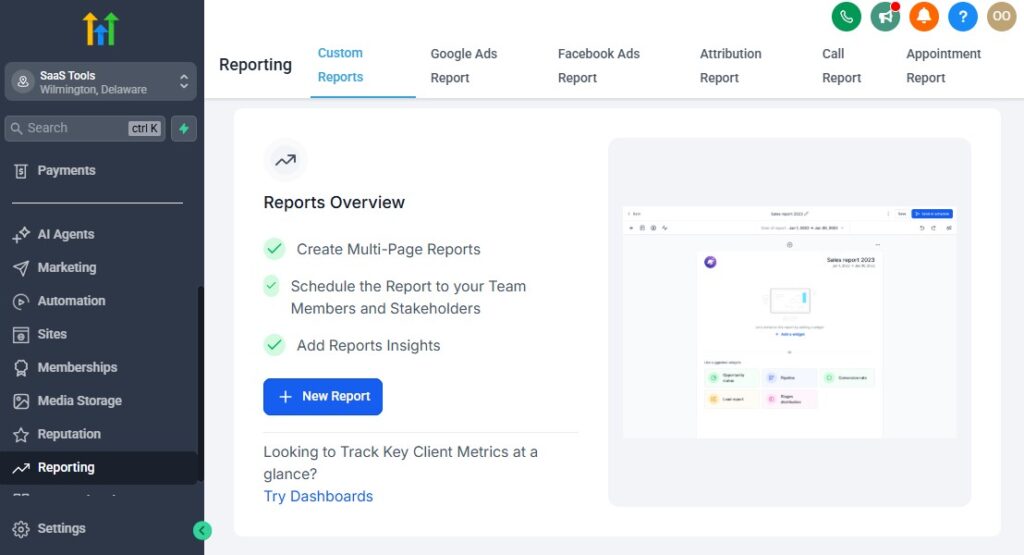
Solar companies depend on accurate data to track leads, sales performance, installation timelines, financing progress, and overall profitability.
GoHighLevel gives you a complete analytics system that shows exactly what’s working, what’s slowing down your pipeline, and where you can improve your operations.
Here’s how to use reporting and analytics to grow your solar business with clarity and confidence.
Track Lead Sources to Know What’s Driving Revenue
See which lead sources generate the most qualified homeowners:
- Facebook ads
- Google ads
- TikTok ads
- Organic search
- Website traffic
- Referral campaigns
- Door-to-door leads
- Affiliate partners
- Community events
Use this data to invest more in high-performing channels.
Monitor Lead-to-Appointment Conversion Rates
Track:
- Total leads
- Number of qualified leads
- Appointment bookings
- Show-up rates
- Consultation completion rates
This tells you whether your follow-up and scheduling system is effective.
Analyze Proposal Performance
Key metrics include:
- Proposals sent
- Proposals viewed
- Average view time
- Follow-up responses
- Close rates
This helps you identify if your proposal needs better pricing, visuals, or messaging.
Track Financing Applications & Approval Rates
Monitor:
- How many homeowners request financing
- How many apply
- Approval rate
- Average loan amount
- Most popular financing products
This helps your team predict timelines and close deals more efficiently.
Track Contract Signing Insights – GoHighLevel for Solar Companies
See:
- Contracts sent
- Contracts opened
- Contracts signed
- Average time to sign
- Bottlenecks in the process
This tells you how well your sales reps are closing deals.
Monitor Installation Pipeline Performance
For each project stage, track:
- Permit submission time
- Design completion time
- Installation scheduled date
- Installation completion time
- Final inspection progress
- PTO approval timeline
These insights help you reduce project delays and improve efficiency.
Track Revenue, Cash Flow & Profitability
Use GoHighLevel dashboards to track:
- Total revenue
- Revenue by month
- Revenue by lead source
- Cost per lead (CPL)
- Cost per acquisition (CPA)
- Profit per installation
- Average project value
- Lifetime customer value (LTV)
Your financial data becomes clear and predictable.
Monitor Team Performance & Accountability
Track metrics for:
Sales Reps
- Appointments booked
- Show-up rates
- Proposals sent
- Closing rates
- Revenue generated
Installation Teams
- Installation timelines
- Delays or bottlenecks
- Customer satisfaction
Design/Engineering Team
- Design turnaround time
- Accuracy of proposals
- Roof report completion time
This helps you reward top performers and support struggling team members.
Use Automation Analytics to Improve Your Workflow
Track:
- Email open rates
- SMS engagement
- Conversion rates for each funnel
- Drop-off points in the nurturing sequence
You’ll know exactly which touchpoints generate results.
Track Homeowner Engagement Across the Entire Solar Journey
Know when homeowners:
- View proposals
- Open emails
- Click financing links
- Respond to SMS
- Sign contracts
- Submit documents
- Review their installation
This allows your team to follow up at the perfect moment.
Create Custom Dashboards for Each Department
Design dashboards for:
- Sales team
- Design/engineering
- Installation/operations
- Finance
- Customer success
Everyone sees exactly what they need to stay on track.
Predict Sales & Installation Capacity With Pipeline Forecasting
Forecast:
- Expected contracts
- Expected installations
- Monthly revenue
- Equipment & staffing needs
- Seasonal changes in demand
This helps you scale predictably and avoid operational overload.
Integrating GoHighLevel With Solar Tools & Platforms
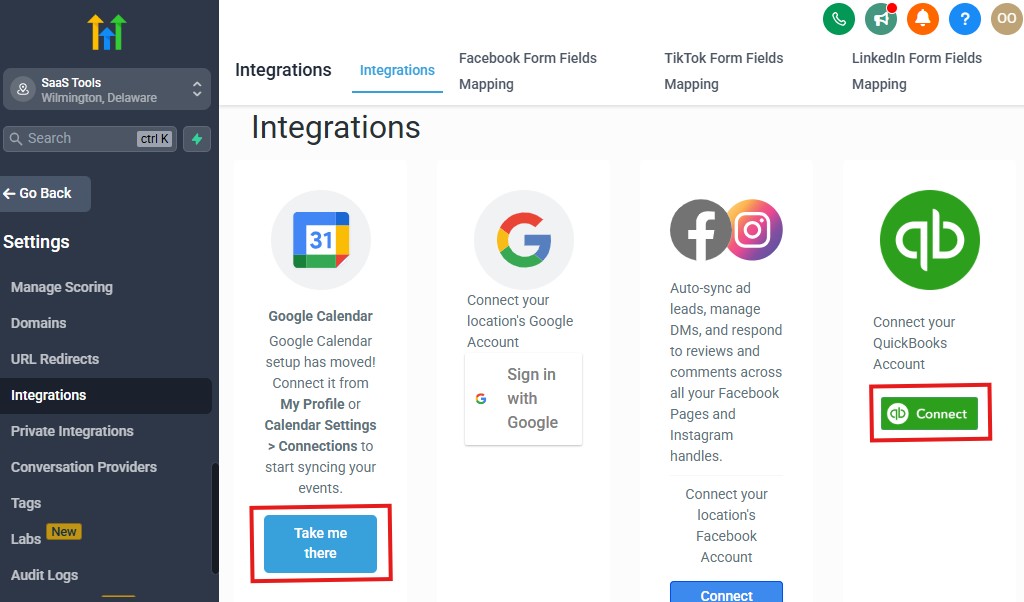
Solar companies rely on a mix of software tools – design apps, financing platforms, proposal tools, project management systems, analytics tools, and communication channels.
Integrating these tools with GoHighLevel helps you centralize your operations, reduce manual work, and improve your entire solar workflow.
Here’s how to connect GoHighLevel with the platforms your solar business already uses.
Integrate Solar Design Tools (Indirect Integrations)
Connect your main design tools through Zapier, Make, or simple file uploads:
- Aurora Solar
- HelioScope
- Solo
- OpenSolar
- PVWatts (data import)
- EagleView or RoofSnap (roof reports)
Use automations to:
- Upload finished designs directly to customer CRM profiles
- Notify sales reps when designs are ready
- Trigger proposal delivery sequences
Your design workflow becomes smoother and more organized.
Connect Financing Platforms for Easy Solar Applications
Solar financing tools don’t integrate natively, but you can connect them via:
- Webhooks
- Zapier automation
- Embedded links
- Custom fields for status tracking
Common platforms include:
- Sunlight Financial
- GoodLeap
- Mosaic
- EnerBank
- Dividend Solar
- Greensky
GoHighLevel helps you automate status updates, send reminders, and track financing progress.
Integrate E-Sign Platforms for Contracts
Connect your preferred e-signature tool:
- DocuSign
- PandaDoc
- HelloSign
- SignNow
Trigger automations such as:
- “Contract sent” notification
- “Contract opened” alert
- Follow-up reminders
- Move homeowner to the next pipeline stage after signing
This creates a seamless closing process.
Integrate Payment Processors for Deposits & Fees
Use:
- Stripe
- PayPal
- Square (indirect via Zapier)
Collect:
- Deposits
- Engineering fees
- Upgrade fees
- Final payments
Every transaction is tracked in the CRM.
Sync Calendars for Solar Scheduling
Connect:
- Google Calendar
- Outlook Calendar
This keeps your team aligned for:
- Consultations
- Roof inspections
- Site surveys
- Installation dates
- Final inspections
Your calendars update automatically as customers book appointments.
Integrate Communication Channels Into the Unified Inbox
Connect platforms like:
- SMS
- Facebook Messenger
- Instagram DMs
- Website live chat
- Google Business Messages
- WhatsApp (via third-party integration)
All conversations flow into one centralized inbox, making communication faster and more organized.
Sync Cloud Storage for Project Files
Integrate:
- Google Drive
- Dropbox
- OneDrive
Store project documents such as:
- Design files
- Roof reports
- Proposals
- Contracts
- Permits
- Installation photos
Your team can access files instantly from any device.
Integrate Project Management Tools (Indirect)
If your solar company uses project management apps, connect them via automations:
- Trello
- Asana
- Monday.com
- Notion
- ClickUp
Use triggers such as:
- Contract signed → Create installation task
- Design completed → Update project board
- Permit approved → Move job to new stage
This keeps your operations team organized.
Import Leads Automatically From Advertising Platforms
Connect your ads to GoHighLevel:
- Facebook Lead Ads
- TikTok Lead Ads
- Google Ads
- YouTube Ads
Every lead flows instantly into your CRM with:
- Automatic tagging
- Lead source tracking
- Qualification sequence
- Appointment booking link
No more manually downloading leads.
Integrate Solar Monitoring & Customer Portals (Indirect)
While solar monitoring tools aren’t natively integrated, you can:
- Send activation instructions via automation
- Deliver app setup details
- Trigger reminders when system goes live
Common platforms include:
- Enphase Enlighten
- SolarEdge Monitoring
- Tesla Powerwall app
This improves customer satisfaction after installation.
Use Zapier, Make & Webhooks for Custom Solar Automations
You can connect almost any solar-related tool through:
- API calls
- Webhooks
- Conditional workflows
- Scheduled tasks
Examples:
- Auto-create a design request when consultation ends
- Notify project manager when financing is approved
- Update CRM fields when proposal is viewed
- Trigger installation workflow after contract is signed
GoHighLevel becomes your central automation engine.
Advanced Automation for Solar Companies
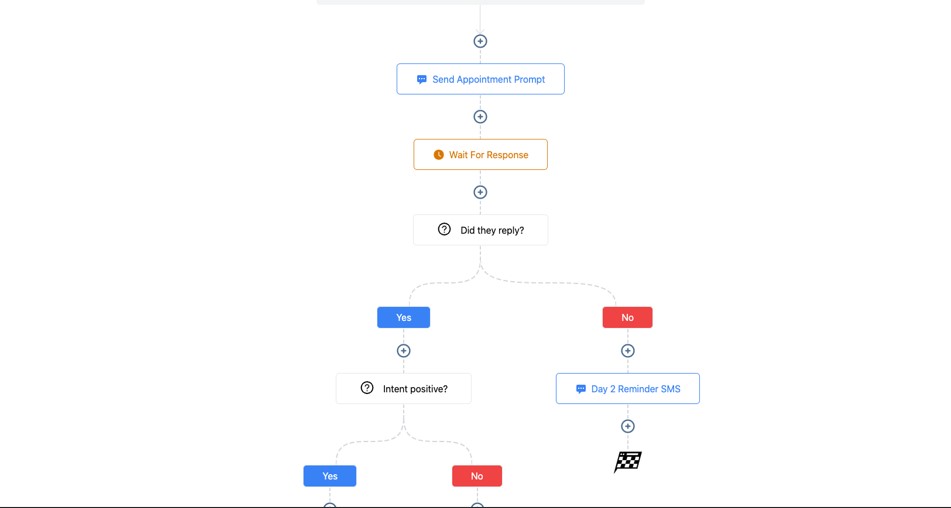
Advanced automation is what turns GoHighLevel into the true backbone of your solar business.
Instead of relying on manual follow-ups, reminders, spreadsheets, and scattered communication, you create a smooth, predictable process that guides each homeowner from lead to installation – and beyond.
Here’s how to build advanced automation sequences that save time, increase conversions, and keep your operations running like a world-class solar company.
Automated Lead Intake & Instant Qualification
When a lead enters your system (via ad, form, call, or website):
- Send an instant “Thank you” SMS
- Send a qualification form (electric bill, roof type, address)
- Assign to the correct rep based on zip code or lead source
- Add tags like “Facebook Lead,” “Hot Lead,” or “Needs Financing”
- Trigger an appointment booking workflow
Fast response + proper qualification = more booked consultations.
Smart Routing for Sales Reps & Appointment Setters
Automations can:
- Assign leads in round-robin
- Route by territory/zip code
- Route by rep availability
- Route by lead priority (hot/warm/cold)
No lead ever slips through the cracks.
Automated Nurture Sequences for Cold or Long-Term Leads
Create long-term nurturing sequences with:
- Solar education
- Savings comparisons
- Incentive updates
- Financing options
- Case studies
- Customer testimonials
- Booking invitations
Leads often convert months later – automation keeps you top-of-mind.
Proposal Delivery & Follow-Up Automation
Once a proposal is sent:
- Send SMS: “Your solar proposal is ready!”
- Send email with proposal link
- Track when it’s opened
- Trigger follow-up based on behavior
- If not opened → reminder after 24 hours
- If opened → financing sequence
- If replied → notify sales rep
You don’t lose deals due to slow or inconsistent follow-up.
Financing Workflow Automation
For homeowners interested in financing:
- Send financing application links automatically
- Send educational emails explaining lending options
- Notify reps when applications are submitted
- Update CRM status automatically via Zapier/webhooks
- Trigger contract workflow once approved
This keeps your financing process smooth and fast.
Contract Follow-Up & Closing Automation
After sending the contract:
- SMS reminder after 6 hours
- Email reminder after 24 hours
- “Do you have any questions?” touchpoints
- Notify rep when contract is signed
- Move lead to “Installation Prep” stage
You close more deals with less manual pressure.
Automated Internal Workflows for Design & Engineering
Trigger workflows:
- After consultation → Create design request
- After qualification → Order roof report
- After contract signing → Begin engineering
- When design is ready → Notify sales + send to customer
Your design and operations team works in sync.
Permit, Inspection & Installation Automation
Automate updates at every stage:
- Permit submitted
- Permit approved
- Installation scheduled
- Installation reminders
- Install team dispatched
- Installation completed
- Final inspection scheduled
- Final inspection passed
Homeowners stay informed without constant calling.
Post-Installation Customer Satisfaction Automation
After installation:
- Send thank-you message
- Deliver monitoring app instructions
- Provide warranty documents
- Offer tips for maximizing system output
- Send follow-up at 7 days to ask how things are going
- Trigger referral program invitation
A structured post-install flow increases satisfaction and referrals.
Automated Review & Testimonial Collection
Trigger right after PTO or installation:
- Google review request
- Facebook review request
- Testimonial funnel
- Photo/video submission form
- Satisfaction survey
Solar businesses thrive on social proof – automation helps you collect it.
Referral Program Automation
Build a referral engine with:
- Referral invitation messages
- Referral tracking links
- Automated reward notifications
- “Your referral just booked an appointment!” SMS
- “Your referral installed solar – here’s your reward!” message
Referrals convert at extremely high rates.
Task Automation for Your Entire Team
Automatically assign tasks for:
- Sales reps (follow-ups)
- Engineers (design tasks)
- Install teams (pre-install checklist)
- Admin staff (permit submissions)
- Project managers (inspection scheduling)
Your company runs smoothly without micromanagement.
Behavior-Based Personalization (The Most Powerful Automation)
Trigger workflows based on lead actions:
- Viewed proposal → send financing follow-up
- Didn’t view proposal → send reminder
- Clicked payment link → notify admin
- Booked installation → send prep instructions
- No response in 48 hours → send re-engagement SMS
This makes your communication smarter and more human.
Lifecycle Automation for Long-Term Customer Relationships
Create ongoing customer relationships with:
- First-month check-in
- 6-month performance update
- 1-year anniversary message
- Warranty reminders
- Upgrade offers (battery storage, EV chargers, additional panels)
Happy customers become repeat buyers and referral champions.
Learn More:
- What is GoHighLevel? (Features, Use Cases, Pricing & More)
- GoHighLevel Review: (My Experience After 5 Years)
- GoHighLevel Pricing: (+ Discount Codes)
- GoHighLevel Features: (Full List of Tools)
- GoHighLevel Onboarding Checklist: (Complete Tutorial)
- GoHighLevel for Property Management: (Detailed Tutorial)
- GoHighLevel for Small Businesses: (2026 Helpful Tutorial)
- GoHighLevel for Service Businesses: (2026 Helpful Tutorial)
- GoHighLevel for Local Businesses: (2026 Helpful Tutorial)
Frequently Asked Questions
Here are the 5 most important FAQs solar companies ask when using GoHighLevel. Each answer is simple, clear, and focused on real solar workflows.
Can GoHighLevel manage our entire solar sales pipeline from lead to installation?
Yes. GoHighLevel can track every stage – from new lead, qualification, consultation, proposal, financing, contract, installation, inspection, and PTO approval. Pipelines, tasks, and automations help you manage the whole solar lifecycle in one system.
Can we send proposals, roof reports, and design documents through GoHighLevel?
Absolutely. You can upload any PDF or link to proposals, system designs, roof reports, financing docs, and contracts. You can send them automatically and track when homeowners open or download them.
Does GoHighLevel work with solar financing tools like GoodLeap, Sunlight, or Mosaic?
Yes, indirectly. You can integrate financing links, embed applications, or sync status updates using Zapier, Make, or webhooks. You can also automate reminders and track financing progress in custom fields.
Can GoHighLevel automate our solar appointment scheduling?
Yes. You can create calendars for consultations, site surveys, roof inspections, financing meetings, installation dates, and final inspections. Automated reminders significantly reduce no-shows and increase show-up rates.
Can GoHighLevel help with collecting reviews and generating referrals?
Definitely. You can automate review requests after installation or PTO approval, create testimonial funnels, send referral invitations, track referral submissions, and automate rewards. This helps build trust and drive new leads.
Final Thoughts
GoHighLevel gives your solar company everything you need to run a smooth, predictable, and highly profitable operation.
Instead of juggling multiple apps, spreadsheets, manual reminders, and scattered follow-ups, you manage your entire solar process – from lead generation to installation – in one powerful platform.
With the right setup, GoHighLevel becomes your solar business command center.
You streamline appointment scheduling, automate proposal and financing follow-up, deliver documents instantly, organize installation workflows, and nurture homeowners for long-term satisfaction and referrals.
Whether you’re selling residential solar, commercial systems, roofing + solar packages, or energy storage upgrades, GoHighLevel helps you scale with confidence, close more projects, reduce operational delays, and create a world-class buying experience for every homeowner you serve.