Churches today juggle many responsibilities:
- managing members
- welcoming first-time visitors
- coordinating ministries
- organizing events
- following up with newcomers
- handling prayer requests
- sending announcements
- collecting offerings
- sharing sermons
- and keeping the entire church community connected.
When these tasks are scattered across WhatsApp groups, spreadsheets, email lists, physical attendance sheets, and volunteer notebooks, things quickly become overwhelming.
GoHighLevel for Churches brings everything into one simple, organized system.
Whether you pastor a:
- small church
- run a growing ministry
- manage multiple departments
- or oversee a large multi-campus structure
GoHighLevel helps you improve communication, strengthen follow-up, support discipleship, manage volunteers, and grow your church more effectively.
This guide shows you how to use GoHighLevel to make your church more connected, more organized, and more impactful – without adding extra work for your staff or volunteers.
TL;DR: How GoHighLevel Helps Churches Grow & Stay Connected
- GoHighLevel helps you manage members, visitors, ministries, volunteers, events, prayer requests, and communication in one centralized system.
- You can automate church workflows like new visitor follow-ups, prayer responses, event reminders, discipleship messages, volunteer scheduling, and donation acknowledgments.
- Church landing pages, sign-up forms, and outreach funnels help you attract more visitors, grow your ministries, and increase engagement.
- This guide shows you step-by-step how to use GoHighLevel to run your church more efficiently and strengthen your church community.
How to Set Up GoHighLevel for Churches – (Step-by-Step Tutorial)
Let’s keep it simple – we’ll both set up your account first, then follow the step-by-step strategies to put everything in place.
Here’s how to set up your church’s GoHighLevel account the right way:
Step 1: Create HighLevel Account for 30 Days Free
Since you’re just starting with GoHighLevel, you would need to properly set up your account.
And you can do that for free through our exclusive 30-Day Free Trial link here.
In order to start, head over to gohighlevel.com/30-day-free-tial free trial and click on “30 DAY FREE TRIAL” as you can see below.

Upon clicking on “30 DAY FREE TRIAL“, a page will pop that looks exactly like the image below.
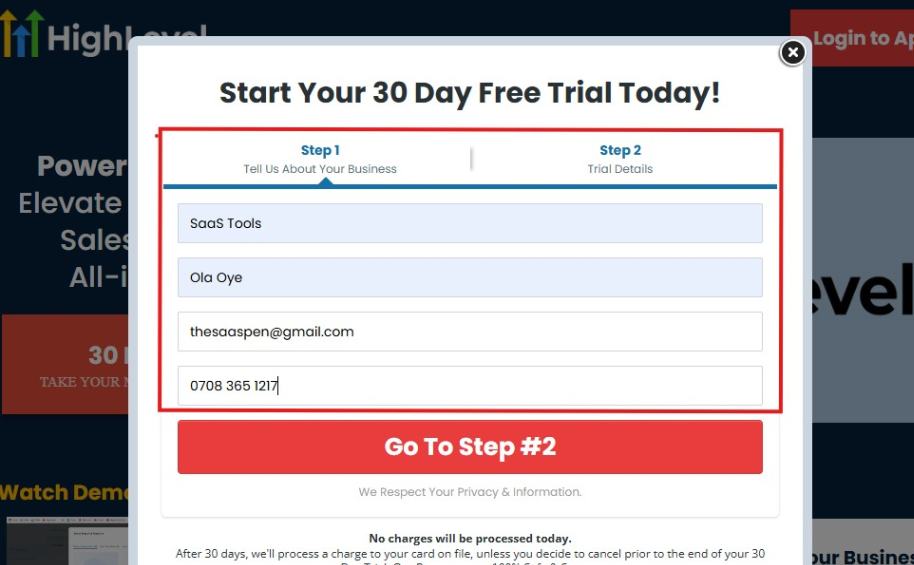
If you take a closer look at the image above, you will see that you need to supply your:
- Business name
- Company name
- Company email
- Phone number
Supply all the pieces of information and click on “Go To Step #2.”
On the next page, you will be required to select the plan you want to opt in for.
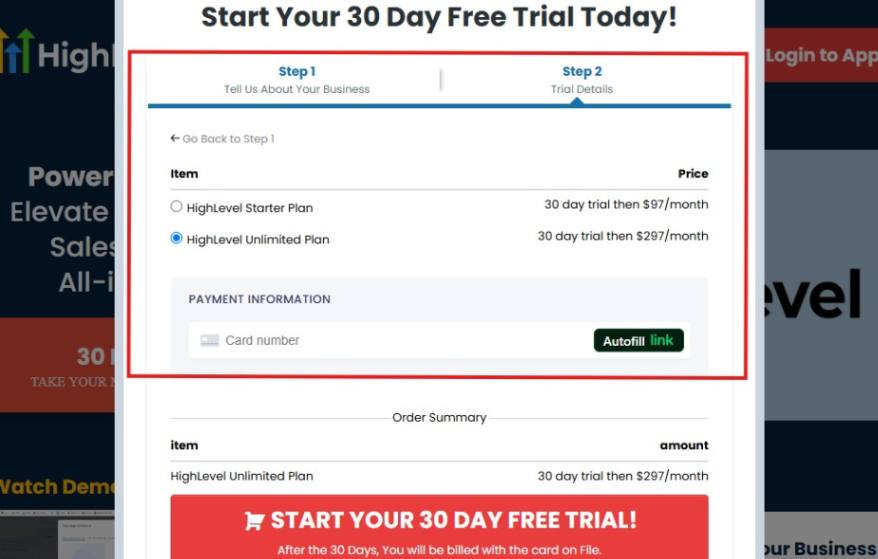
As you can see from the image above, you can either choose from:
- HighLevel Starter Plan
- HighLevel Unlimited Plan
Select the HighLevel Unlimited Plan and continue – you can always upgrade to the SaaS Mode later if you want that or downgrade.
The next thing you want to do is supply your credit card information.
Note: You will not be debited anything today until the end of your trail that is if you don’t cancel. Keep in mind that $1 will be debited and refunded back instantly into your account just to test your card is working.
After you have supplied the information accordingly, click on “START YOUR 30 DAY FREE TRIAL” and you will be asked to confirm you’re not a robot.
After that, the page below will pop up.
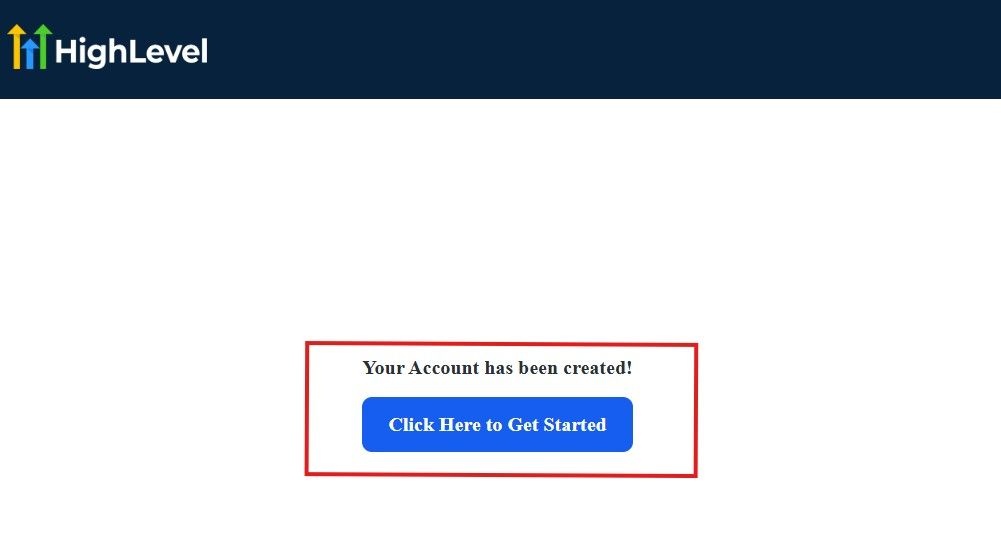
The image above says, “Your Account has been created!” Now, you need to click on the blue button that says “Click Here to Get Started.“
Click on the blue button to start your onboarding process.
Step 2: GoHighLevel Onboarding Process
The onboarding questions help GoHighLevel understand why you have signed up for the platform so that it can tailor your experience accordingly.
This is all you need to do:
After you click on the blue button above, the page below will pop up.
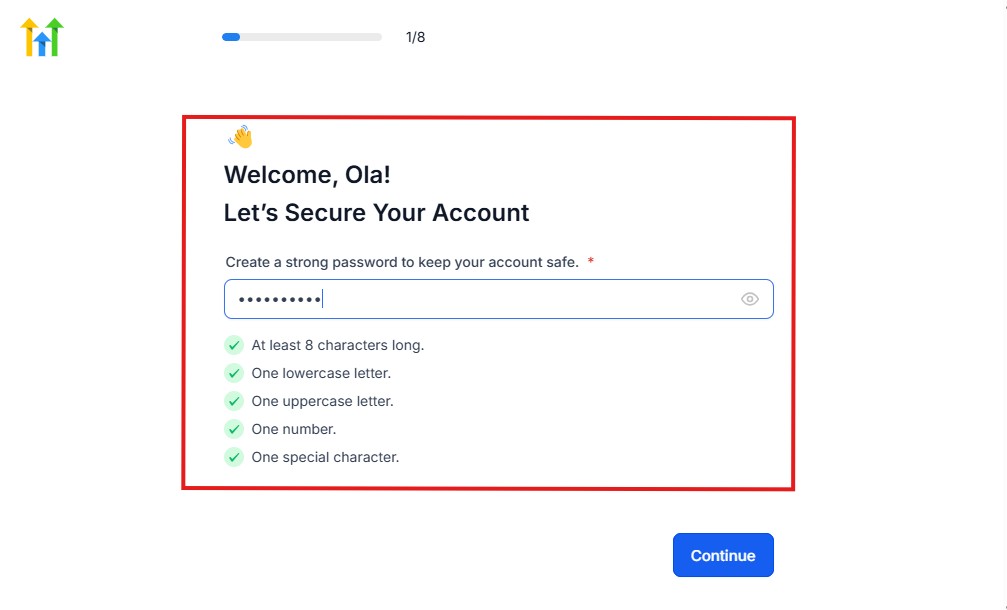
As you can see above, you need to set up your password, and the password has to be:
- At least 8 characters long
- One lowercase letter
- One uppercase letter
- One number
- One special character
If you have input the password and it matches all the description above, everything will be green just the way it’s in the image.
Click on “Continue” there after, and the image below will pop up.
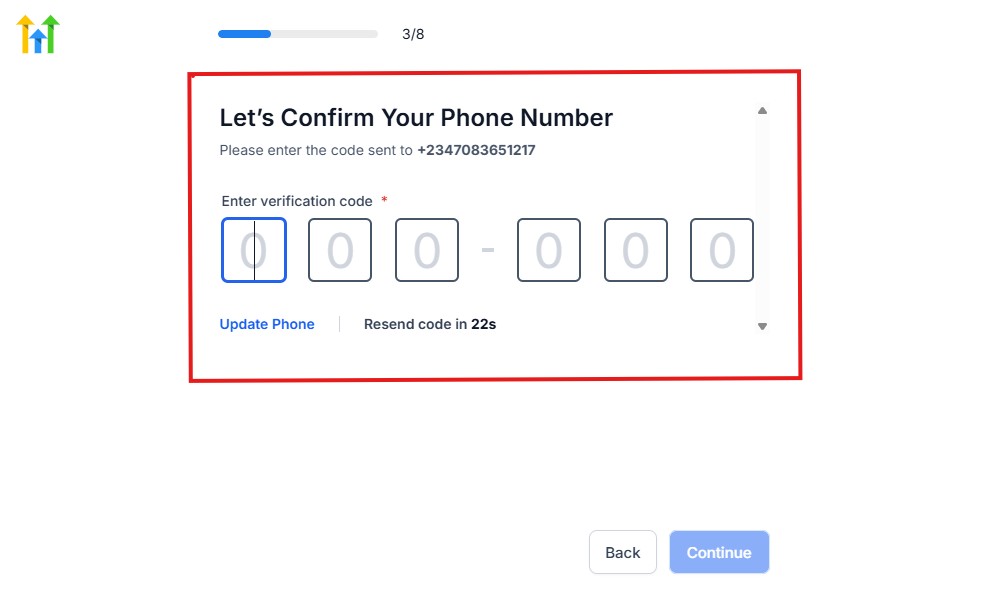
As you can see, a code will be sent to you to confirm your email address and phone number. The process is the same for the 2.
The next thing you need to do is to select how you plan to use GoHighLevel, as you can see below.
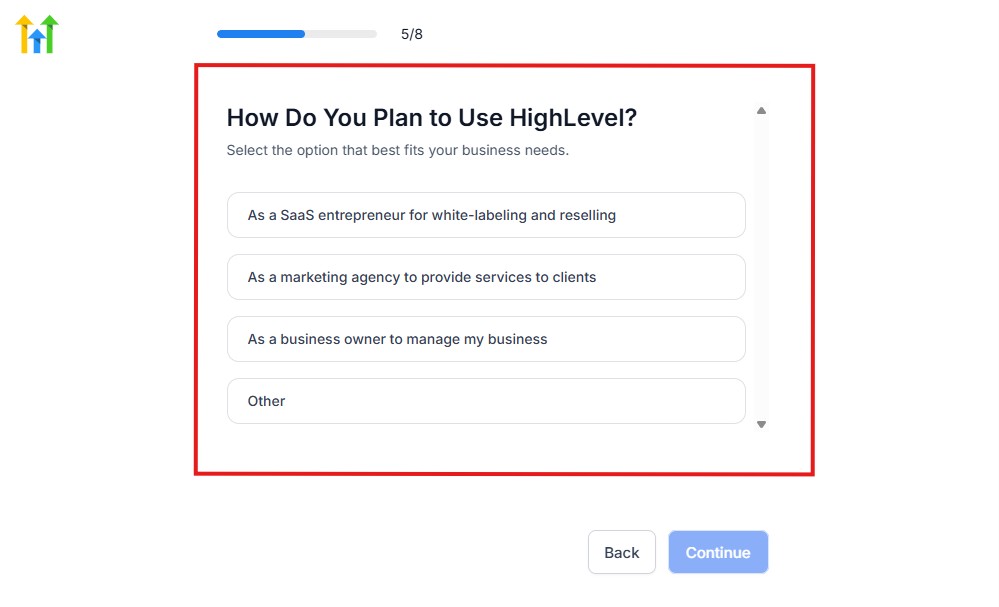
Select what best matches why you have signed up and click on Continue.
On the next page, you will be asked if you plan to resell GoHighLevel or not.
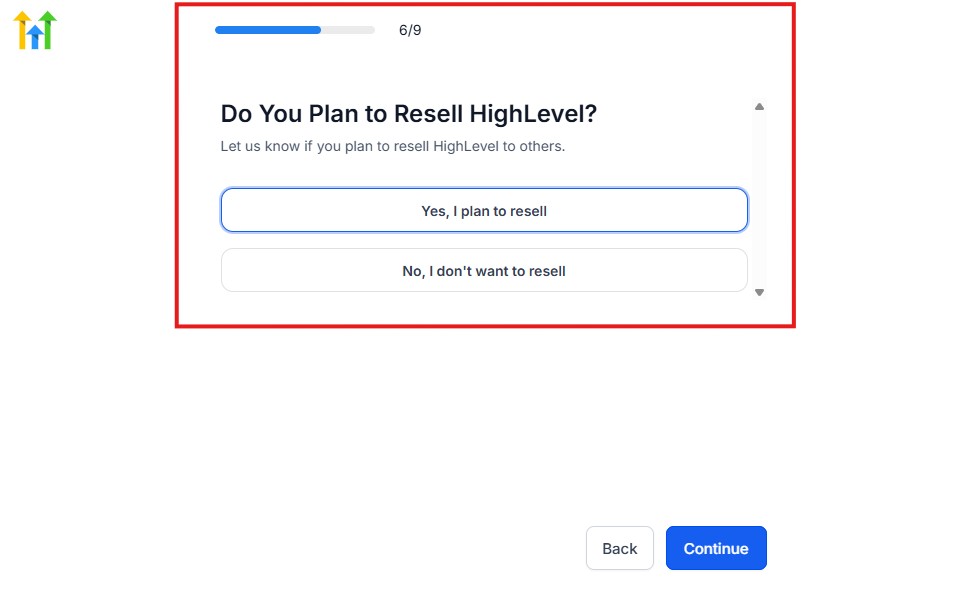
Select the answer based on the reason why you have signed up and click on “Continue”
Then, the page below will pop up.
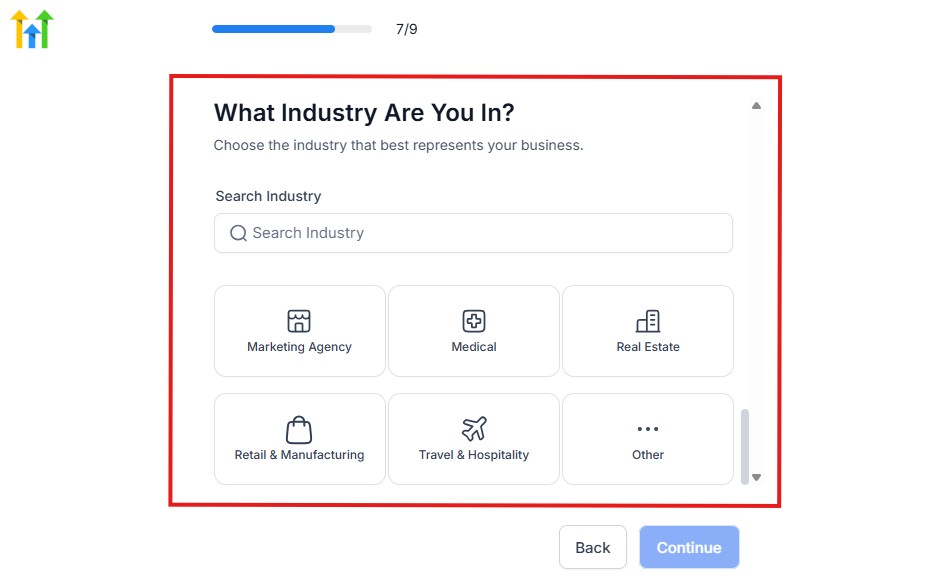
From the image above, you need to select the industry that you fall on. You can also make use of the search button if you can’t find it right away.
Then, click on continue after you select your industry.
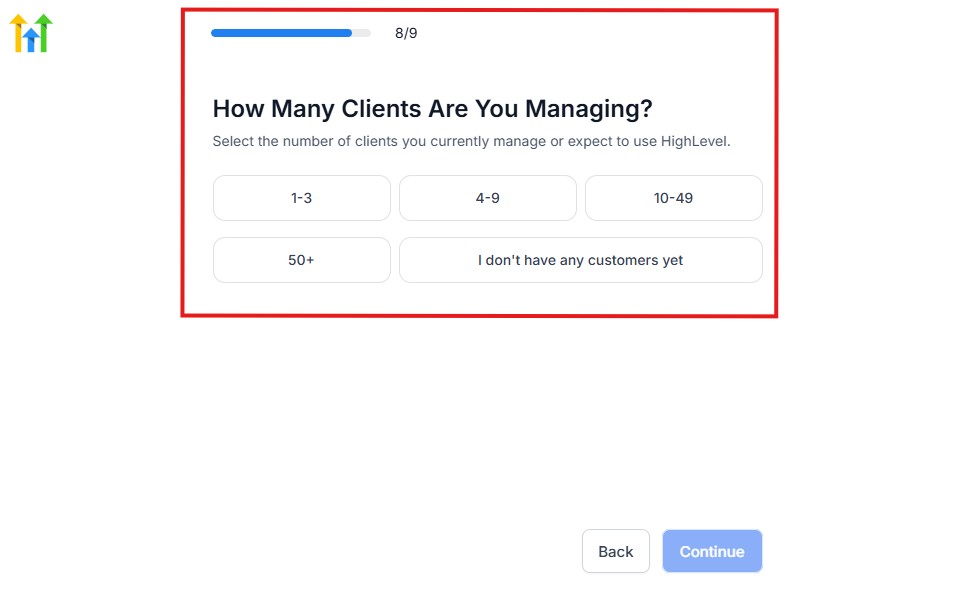
Then, the next thing you need to do is to select the number of clients that you currently have. Select “I don’t have any customers” yet if you currently don’t have one.
On the next page, you will be asked to select the platforms you currently use that you can integrate with GoHighLevel right away.
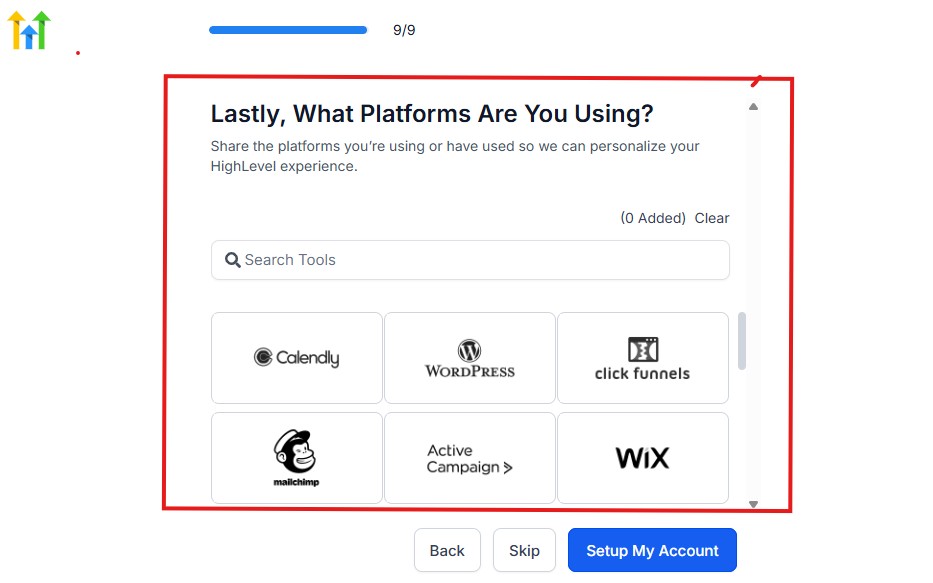
You can use the search button to search for any tools you want to add to your GoHighLevel account.
You can also skip this process and do it later if you want to.
After that, the page below will pop up.
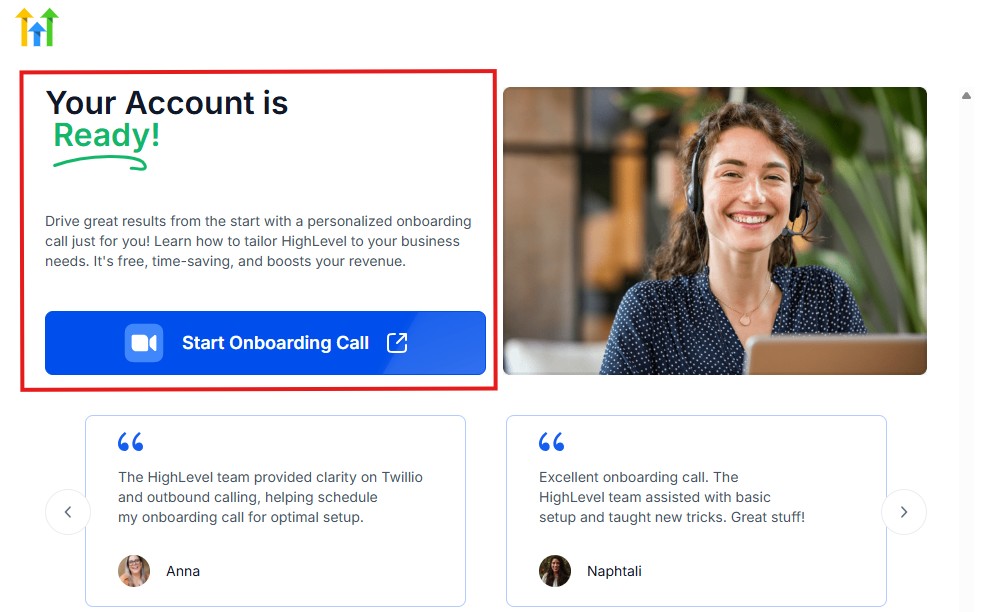
The page above says your account is ready and is asking you to “Start Onboarding Call.”
The “Onboarding Call” allows you to connect with the Go High Level team in order to discuss your account set-up process and everything regarding your plan in using HighLevel.
If you don’t want to start the “Onboarding Call” yet, just stroll down, and you will see the button in the image below.
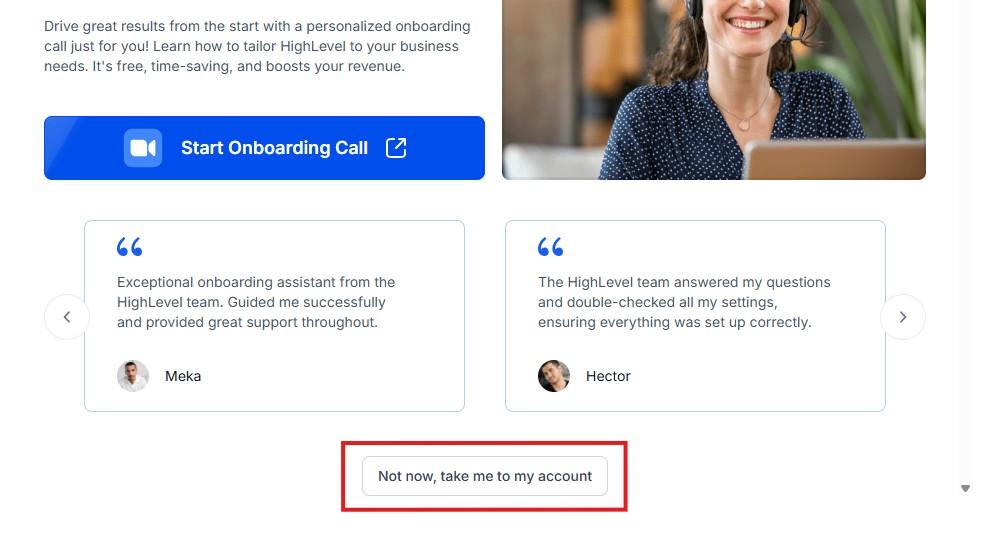
Simply click on “Not now, take me to my account“, and you will have access to your dashboard.
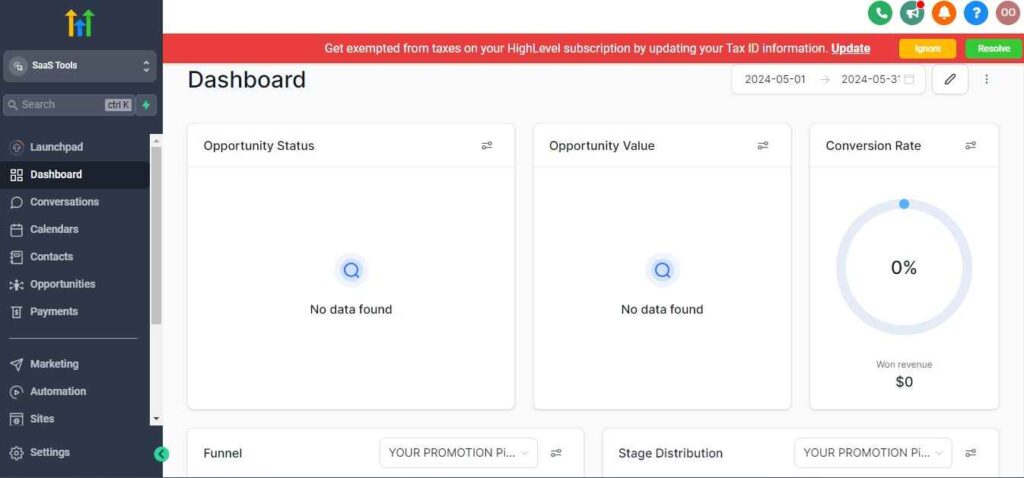
Note: If you have indicated that you want to resell HighLevel, you would have access to the agency dashboard by default, which looks like the image below.
But if you didn’t indicate interest in reselling GHL, your dashboard will look like the image below.
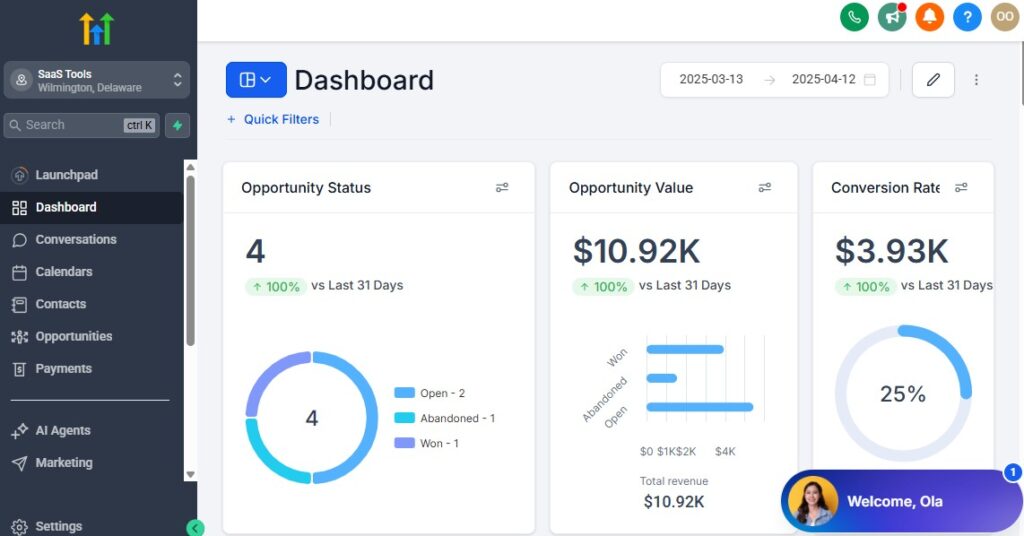
You can switch between these dashboards at any time.
The data you see on the dashboard above are not real data, they’re snapshots that you can use to kickstart your account setup process.
I want to say congratulations. You have successfully set up your Go High Level account.
Step 3: Connect Your Church’s Essentials
Start by connecting the tools your church already uses:
- Your church domain (for landing pages & online forms)
- Gmail, Outlook, or custom domain email (for announcements)
- Phone number (for SMS devotionals, reminders & follow-ups)
- Google or Outlook calendar (for services & event scheduling)
- Payment processor (Stripe recommended for online giving)
This creates a strong foundation for everything that follows.
Step 4: Create Pipelines for Church Membership Flow
Organize members, visitors, and ministries into simple pipelines:
New Visitor Pipeline
- First-time visitor
- Follow-up sent
- Connected with ministry
- Attended newcomer class
- Became regular attendee
Member Management Pipeline
- Active members
- Inactive members
- Serving volunteers
- Members needing follow-up
Ministry & Outreach Pipeline
- Prayer request received
- Assigned to prayer team
- Follow-up completed
This structure keeps your church organized and responsive.
Step 5: Set Up Your Church Calendars
Create separate calendars for various church activities:
- Sunday services
- Midweek services
- Youth meetings
- Men’s & women’s fellowship
- Choir rehearsals
- Volunteer meetings
- Prayer sessions
- Church events & conferences
Each calendar can have unique availability and reminders.
Step 6: Build Your Church Forms
Create forms for:
- New visitors
- Prayer requests
- Volunteer sign-ups
- Event registrations
- Ministry interest
- Baptism applications
- Membership classes
- Giving & donation pledges
Every form feeds directly into the CRM for easy follow-up and tracking.
Step 7: Upload Sermons, Study Materials & Church Resources
Add important church assets:
- Sermon notes (PDF)
- Audio/video messages
- Bible study guides
- Devotional materials
- Event flyers
- Ministry documents
These can be delivered automatically or stored inside member profiles.
Step 8: Set Up Message Templates for Your Church Communication
Create ready-to-use templates for:
- Welcome messages for first-time visitors
- Prayer request responses
- Event reminders
- Service announcements
- Bible study invites
- Volunteer instructions
- Donation thank-you notes
- Birthday & anniversary messages
Templates save time and keep communication consistent.
Step 9: Assign Roles to Your Church Team
Give proper access levels to:
- Pastor or lead minister
- Associate pastors
- Ministry heads
- Media/communications team
- Volunteer coordinators
- Church administrator
This ensures privacy, control, and smooth operations.
Step 10: Enable Notifications for Important Church Actions
Turn on notifications for:
- New visitor submissions
- Prayer requests
- Event registrations
- Volunteer sign-ups
- New donations
- Form completions
- Member follow-up needed
Your team never misses important pastoral opportunities.
Step 11: Set Up Your Church Dashboard
Customize your dashboard to show:
- New visitors this week
- Total active members
- Upcoming events
- Pending follow-ups
- Donation totals
- Prayer requests
- Volunteer activity
- Message engagement
This gives you a quick overview of your church’s health and activity.
Managing Members, Visitors & Ministries With the CRM
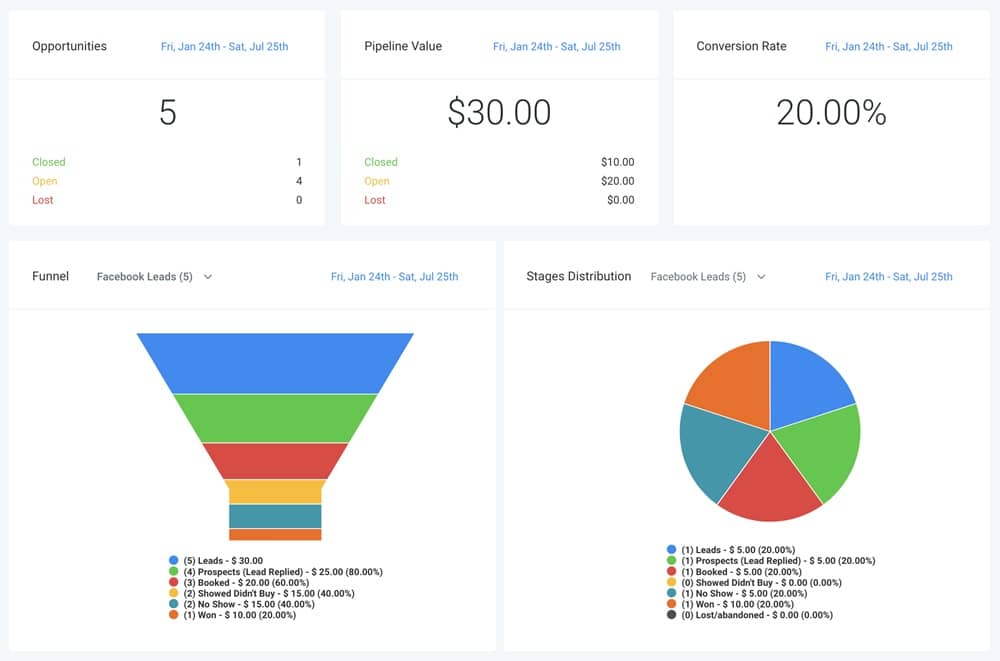
Your church thrives when people feel seen, connected, and cared for.
GoHighLevel’s CRM helps you manage every member, visitor, volunteer, and ministry participant in one organized system.
With it, you can track attendance, follow-ups, spiritual growth, pastoral care, and ministry involvement without juggling spreadsheets or scattered notes.
Here’s how to use the CRM to strengthen relationships and support your church community.
Create Detailed Profiles for Members, Visitors & Families
Every person in your church gets a profile that includes:
- Name and contact information
- Family connections
- First visit date
- Service attendance
- Ministry involvement
- Volunteer role
- Prayer requests
- Notes from pastors or leaders
- Follow-up history
- Giving history (optional)
This helps you understand and support your congregation better.
Organize People Using Tags & Groups
Use tags to categorize individuals clearly:
- First-time visitor
- Regular attendee
- Baptism candidate
- Youth ministry
- Women’s fellowship
- Choir member
- Volunteer
- Prayer team
- Donor
- VIP supporters
Tags help you segment communication and personalize outreach.
Use Pipelines to Track Visitor & Member Progress
Create pipelines that show where someone is in their spiritual journey:
Visitor Pipeline
- New visitor
- Welcome message sent
- Invited to next service
- Attended second time
- Connected to a ministry
Member Growth Pipeline
- New member
- Attending classes
- Serving in ministry
- Active member
- Needs follow-up
Pipelines make discipleship and pastoral care more intentional.
Track Attendance for Services & Events
Use the CRM to monitor:
- Weekly service attendance
- Bible study attendance
- Youth gatherings
- Ministry meetings
- Conferences or retreats
This helps you understand engagement trends and reach out when someone becomes inactive.
Manage Prayer Requests With Care & Order
Every prayer request submitted online or through forms goes into the CRM:
- Assign requests to prayer leaders
- Track updates
- Mark when prayer is completed
- Follow up with the person
- Send encouragement messages
Your prayer ministry becomes more structured and impactful.
Organize Volunteers & Ministry Teams
Each volunteer gets a record showing:
- Role
- Skills
- Availability
- Ministry team
- Upcoming assignments
- Past activity
- Notes from team leaders
This helps you schedule and manage volunteers more efficiently.
Store Sermons, Class Materials & Resources in Member Profiles
Attach or link:
- Sermon notes
- Bible study lessons
- Ministry training materials
- Devotional documents
- Event schedules
Members can receive these automatically after signing up or attending an event.
Use Smart Lists to Keep Member Data Updated Automatically
Smart Lists update themselves based on triggers like:
- New visitor added
- Attended service for the first time
- Missed services for 4 weeks
- Signed up for baptism
- Joined a ministry
- Made a donation
This helps your church identify who needs follow-up instantly.
Track Giving & Contribution Information (Optional)
If your church handles giving inside GoHighLevel, you can track:
- Tithes
- Offerings
- Special donations
- Event payments
- Pledge tracking
This helps pastors and finance teams organize contributions (securely and privately).
Centralize All Communication History
Inside each person’s profile, you can view:
- Emails sent
- SMS received or replied
- Calls made
- Notes from leaders
- Forms submitted
- Event registrations
- Ministry involvement
Everything you need is in one place, making pastoral care simple.
Let Ministry Leaders Access Only Their Relevant Members
You can restrict access so:
- Youth leaders see only youth
- Choir leaders see only choir members
- Prayer coordinators see prayer requests
- Admins manage full access
This keeps your data organized and secure.
Automating Workflows for Church Communication & Follow-Up
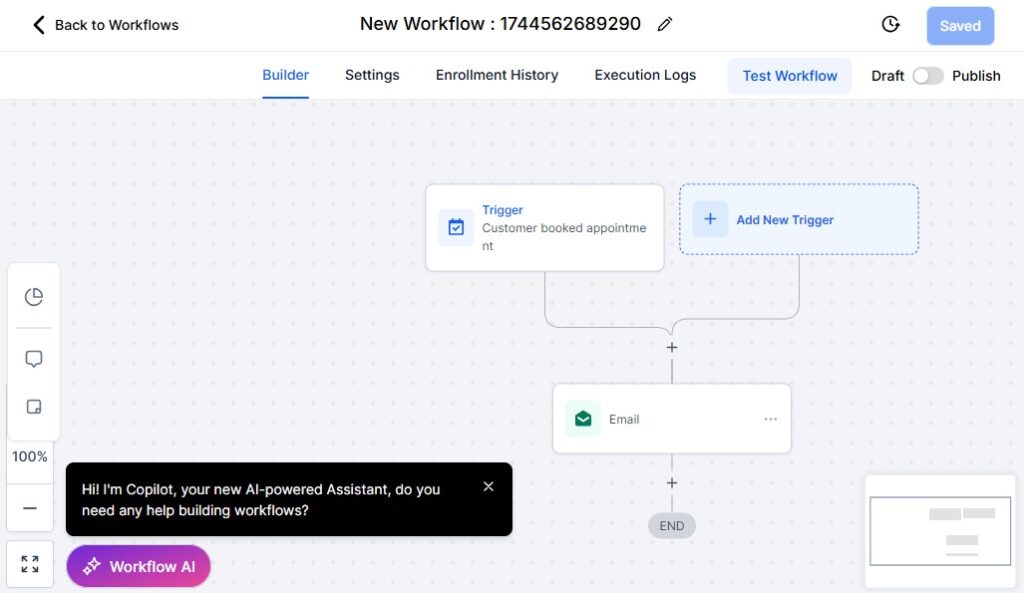
Automation helps your church stay connected, responsive, and organized – without putting extra pressure on pastors, administrators, or volunteers.
Instead of manually sending reminders, follow-up messages, visitor welcomes, or prayer responses, GoHighLevel runs these tasks for you automatically.
Here’s how to use automation to strengthen your church’s communication and discipleship.
Create Automated Follow-Ups for First-Time Visitors
When someone visits your church for the first time, trigger a simple follow-up sequence:
- Immediate welcome SMS: “Thank you for visiting our church today!”
- Email with service details & pastor’s message
- Invitation to next Sunday service
- Link to join small groups or ministries
- Reminder before their next visit
This warm, structured follow-up makes visitors feel valued.
Automate New Member Onboarding
When someone becomes a member, start a nurture workflow that includes:
- Welcome message
- Membership resources
- Bible study or discipleship class schedule
- Introduction to ministries
- Pastor greeting
- Optional video message
- Invitation to serve or volunteer
This ensures every new member is integrated into the church community.
Send Automated Reminders for Church Services & Events
Your church can send reminders such as:
- Sunday service reminders
- Midweek service reminders
- Choir rehearsals
- Youth meetings
- Prayer gatherings
- Upcoming conferences or special events
Reminders increase attendance and help people stay consistent.
Use Date-Based Automation for Birthdays & Anniversaries
Send personalized messages automatically:
- Birthday wishes
- Wedding anniversary messages
- Church membership anniversary
- Baptism anniversary
These small touches make members feel loved and remembered.
Automate Prayer Request Responses
When someone submits a prayer request:
- Send immediate confirmation
- Route request to the prayer team
- Notify the assigned leader
- Trigger a follow-up message after prayer
- Ask for updates or praise reports
This creates a caring and responsive prayer ministry.
Automate Communication for Volunteers
Make volunteer coordination easier with automated workflows:
- Volunteer onboarding
- Schedule confirmations
- Reminder messages
- Ministry updates
- Training material delivery
This keeps volunteers informed and engaged without manual management.
Set Up Sermon & Devotional Delivery Automations
You can automatically send:
- Sunday sermon notes
- Midweek devotionals
- Bible study reminders
- Weekly inspirational messages
- Monthly church newsletters
- Media links (video/audio)
This strengthens discipleship and spiritual growth.
Follow Up With Inactive Members Automatically
If someone hasn’t attended in a while, trigger:
- “We miss you!” message
- Pastoral check-in
- Link to join online service
- Invitation to reconnect
This helps prevent members from slipping away unnoticed.
Automate Registration & Confirmation for Church Events
For events such as:
- Conferences
- Retreats
- Camps
- Workshops
- Special services
- Baptism classes
Automation handles:
- Registration confirmation
- Payment (if required)
- Reminders
- Event updates
- Post-event thank you
- Feedback forms
This makes event management seamless.
Automate Giving & Contribution Communication
After someone donates, send:
- Thank-you message
- Giving receipt
- Year-end giving summary
- Follow-up encouragement
- Invitation to pledge campaigns
Automation ensures donors feel appreciated and informed.
Trigger Ministry-Specific Communication
For each ministry group, create tailored workflows:
- Youth ministry devotions
- Men’s fellowship reminders
- Women’s ministry announcements
- Choir notifications
- Small group materials
- Leadership training
Each group receives exactly what they need at the right time.
Use Tag-Based Automation for Personalized Follow-Up
When someone is tagged with:
- “New visitor” → Send welcome series
- “Needs prayer” → Send pastoral follow-up
- “Interested in baptism” → Start baptism class workflow
- “Volunteering” → Send volunteer instructions
- “Attended event” → Send next-step message
The right message always goes to the right person.
Scheduling Church Services, Meetings, Events & Volunteers
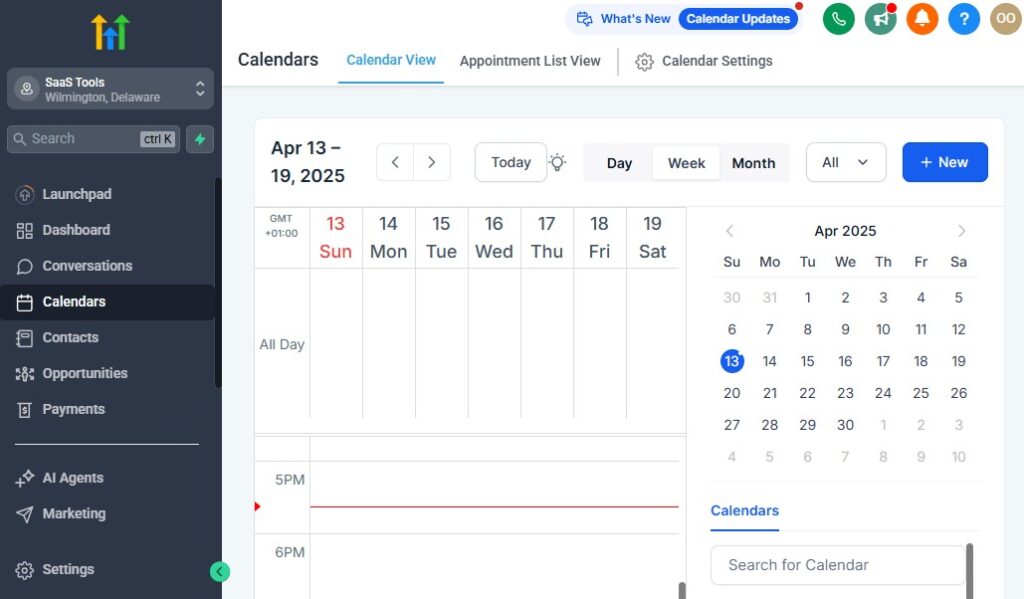
Church schedules can get busy – Sunday services, midweek programs, prayer meetings, youth gatherings, rehearsals, leadership meetings, small groups, retreats, and special events.
Add volunteer coordination to that, and scheduling becomes one of the most challenging parts of ministry.
GoHighLevel makes it easier by giving your church a clean, automated system for booking, organizing, and reminding members about everything happening in your church.
Here’s how to use GoHighLevel to manage your church’s schedule smoothly.
Create Dedicated Calendars for All Church Activities
Organize your church schedules with separate calendars such as:
- Sunday Services
- Midweek Services
- Bible Study Groups
- Youth Ministry Meetings
- Women’s & Men’s Fellowship
- Choir Rehearsals
- Prayer Meetings
- Leadership or Worker Meetings
- Retreats & Conferences
- Baptism Classes
- Volunteer Assignments
Each calendar can have its own availability, reminders, and booking rules.
Allow Members to Register or Book Through Church Landing Pages
Connect calendars to simple forms that allow members to register for:
- Services
- Workshops
- Special programs
- Events and conferences
- Baptism or membership classes
- Volunteer shifts
This reduces manual registration and ensures accurate attendance tracking.
Use Automated Confirmation & Reminder Messages
Every time someone registers, GoHighLevel can automatically send:
- A confirmation email or SMS
- A calendar invite
- Event details & directions
- Parking information
- What to bring (Bible, notebook, etc.)
- Service or meeting reminders
Reminders increase turnout and reduce last-minute confusion.
Schedule One-on-One Meetings for Pastoral Care or Counseling
Set up private calendars for:
- Pastoral counseling
- Prayer sessions
- Family meetings
- Leadership mentoring
- New member conversations
People can book available time slots without back-and-forth messages.
Run Volunteer Scheduling With Ease
Volunteers are essential to church operations. Use automation to:
- Assign volunteer roles
- Confirm volunteer attendance
- Send reminders
- Deliver instructions
- Notify volunteers of changes
- Share training materials
No more missed roles or scheduling conflicts.
Create Calendars for Multi-Service or Multi-Campus Churches
If your church has multiple services or locations, create calendars like:
- 8 AM service
- 10 AM service
- 6 PM service
- Main campus
- Youth campus
- Online service
This helps people register for the exact service they prefer.
Manage Event Logistics & Team Coordination
For major events like conferences or retreats, GoHighLevel helps with:
- Speaker schedules
- Team member roles
- Breakout sessions
- Transportation logistics
- Registration tracking
- Event reminders
- Post-event follow-up messages
Everything flows smoothly because the system keeps everyone aligned.
Use Time Buffers for Back-to-Back Activities
Add buffer times to allow:
- Cleanup after meetings
- Setup before services
- Preparation before counseling sessions
- Soundcheck or equipment setup
This prevents scheduling conflicts and ensures smooth transitions.
Centralize Your Church’s Full Calendar for Staff & Leaders
Your team can view:
- Weekly service schedules
- Ministry meetings
- Volunteer assignments
- Event timelines
- Special programs
- Private counseling sessions
- Staff meetings
Everyone stays coordinated and prepared.
Automate Attendance Tracking for Better Engagement
When someone registers or checks in, GoHighLevel updates:
- Visitor attendance
- Member consistency
- Volunteer reliability
- Event turnout
- Youth/children attendance
- Leadership activity
This helps pastors know who needs follow-up.
Trigger Follow-Up Based on Attendance Behavior
Examples:
- Missed 3 services → send “We missed you” message
- Attended youth event → invite to next meeting
- Registered for event but didn’t show up → send recap
- Attended membership class → send next steps
Your church becomes proactive, not reactive.
Building High-Converting Church Landing Pages & Outreach Funnels
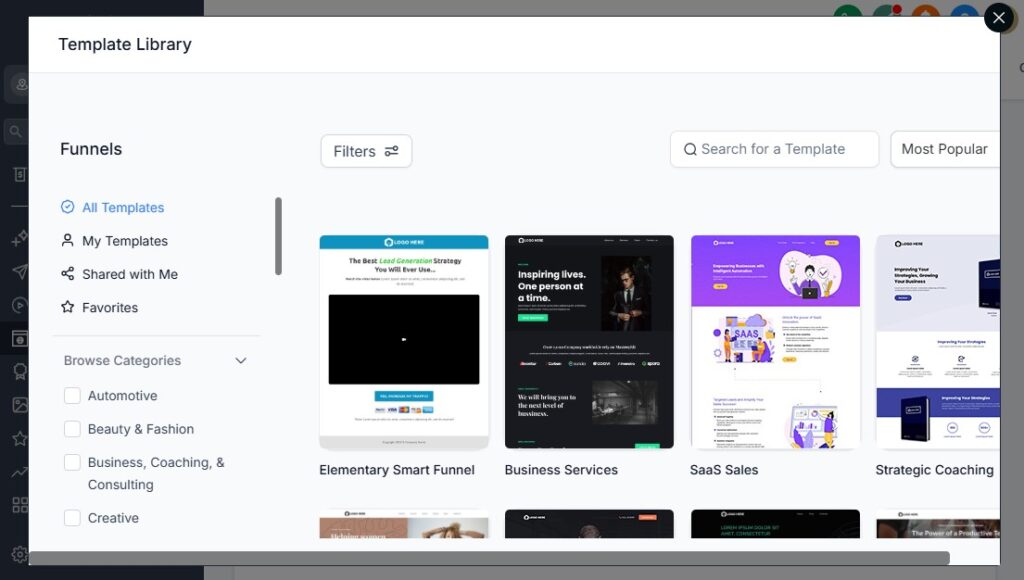
Your church’s landing pages and outreach funnels help you attract new visitors, grow ministries, collect prayer requests, increase event attendance, and engage your community more effectively.
With GoHighLevel, you can create beautiful, high-converting pages without needing a designer or web developer.
Here’s how to build powerful church landing pages and ministry funnels that inspire people to connect, attend, and grow in faith.
Create Dedicated Landing Pages for Every Ministry & Purpose
Instead of sending everyone to the same homepage, build focused pages for:
- Sunday service invitations
- New visitor welcome
- Event registrations
- Youth ministry
- Women’s / Men’s groups
- Bible study sign-ups
- Prayer request submissions
- Volunteer recruitment
- Baptism or membership classes
- Church giving & fundraising
- Sermon archives
Each page speaks directly to the needs of the person visiting it.
Use Clear, Warm, Faith-Centered Headlines
Your headline should connect emotionally and spiritually, such as:
- “You’re Welcome Here — Join Us This Sunday.”
- “Need Prayer? We’re Here for You.”
- “Grow Your Faith — Join Our Bible Study Community.”
- “Register for Our Upcoming Church Retreat.”
- “Experience God’s Love — Visit Our Church This Week.”
Strong headlines immediately draw people in.
Add Photos That Show Your Church’s Heart & Community
Use images of:
- Church worship services
- Friendly greeters
- Youth gatherings
- Bible study groups
- Church events
- Volunteers serving
- Pastors & leaders
People connect with real faces — it builds trust instantly.
Include Simple, High-Converting Forms
Create easy forms that allow people to take action:
- Visit registration
- Prayer request form
- Event sign-up
- Bible study registration
- Volunteer interest
- Giving form
- Ministry application
Only ask for essential details to reduce drop-offs.
Use Call-to-Action Buttons That Inspire Engagement
Examples include:
- “Plan Your Visit”
- “Join Us This Sunday”
- “Send Your Prayer Request”
- “Register Now”
- “Download Sermon Notes”
- “Volunteer Today”
- “Join a Small Group”
Make the next step simple and inviting.
Build Outreach Funnels for Visitor Growth & Evangelism
Funnels guide people through steps that lead to deeper connection, such as:
New Visitor Funnel
- Landing page
- Welcome video
- Plan Your Visit form
- Automated follow-up
- Invitation to attend service
Prayer Funnel
- Prayer request form
- Encouragement message
- Follow-up from prayer team
- Invitation to service or group
Bible Study Funnel
- Free devotional / eBook
- Follow-up email
- Invite to weekly study
- Reminder sequence
Event Funnel
- Event info page
- Registration form
- Countdown reminders
- Post-event follow-up
Funnels help your church engage people intentionally.
Show Social Proof to Build Trust & Credibility
Add elements such as:
- Testimonials
- Stories of changed lives
- Photos from past events
- Video messages from pastors
- Quotes from members
- Number of people served or engaged
People are more likely to participate when they see real results.
Organize Sermons, Messages & Resources in One Place
Create landing pages for:
- Sermon archives
- Devotionals
- Bible study notes
- Leadership teachings
- Event recordings
- Children’s ministry resources
Members can easily access what they need without contacting staff.
Promote Community Invitations & Outreach Campaigns
Landing pages work great for:
- Easter service
- Christmas events
- Revival programs
- Youth retreats
- Church anniversary
- Guest speaker events
- Worship concerts
Each page promotes attendance and improves awareness.
Use Thank-You Pages to Guide People Into Their Next Step
After someone completes a form, redirect them to a thank-you page with:
- Confirmation of their submission
- Video greeting from the pastor
- Links to join small groups
- Downloadable sermon notes
- Invitation to Sunday service
- Giving information
- Next-step spiritual resources
This deepens their connection immediately.
Connect Every Page to Automated Follow-Up Workflows
Once a visitor or member submits a form, GoHighLevel can:
- Send confirmation messages
- Deliver resources
- Assign ministry teams
- Invite them to service
- Trigger prayer responses
- Send reminders
- Add tags for segmentation
Your church communicates consistently without manual work.
Running Email & SMS Campaigns for Engagement, Discipleship & Growth
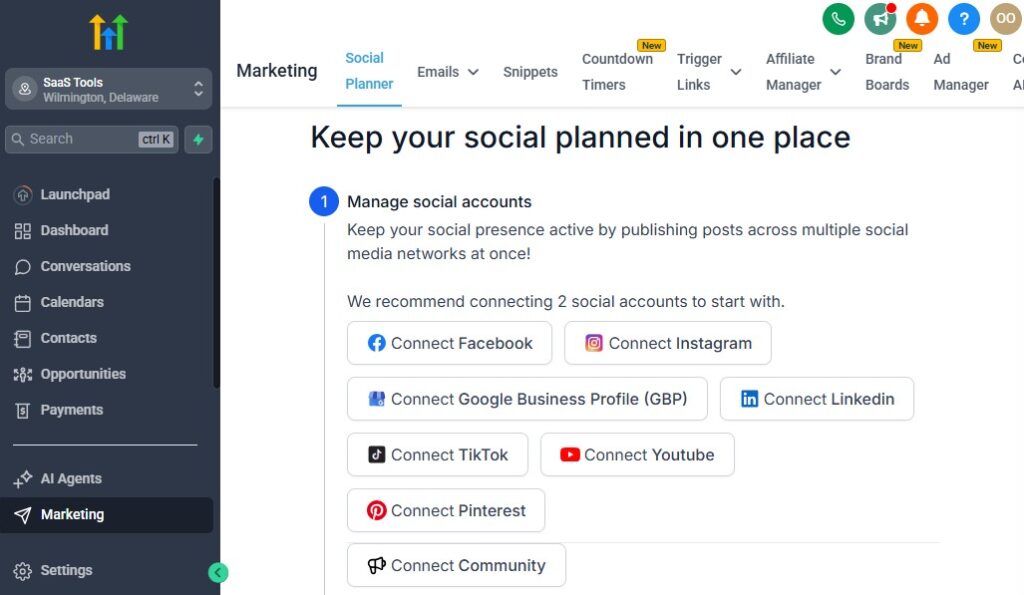
Email and SMS communication is essential for keeping your church active, connected, and spiritually growing.
GoHighLevel makes it easy to send important messages, devotionals, reminders, updates, and follow-ups – all in a consistent, organized, and automated way.
Here’s how to use email and SMS campaigns to deepen engagement, strengthen discipleship, and grow your church community.
Send Weekly Service Reminders to Increase Attendance
Use GoHighLevel to send reminders such as:
- Sunday service reminders
- Midweek service reminders
- Special program announcements
- Children’s or youth ministry reminders
These consistent touchpoints help boost attendance and keep members engaged.
Send Daily or Weekly Devotionals via Email or SMS
Encourage spiritual growth by automating devotionals such as:
- Daily Bible verses
- Weekly devotionals
- Prayer focus messages
- Encouragement notes from the pastor
- Audio or video devotional links
Members appreciate receiving faith-building content regularly.
Run Discipleship & Bible Study Sequences
Create automated sequences for:
- New believer follow-up
- Bible study reminders
- Ministry teaching series
- Spiritual growth lessons
- Memory verse campaigns
These structured messages support discipleship without extra workload on staff.
Follow Up With New Visitors Automatically
After someone visits your church, send:
- A warm welcome email
- Link to plan their next visit
- Invitation to meet the pastor
- Info about church ministries
- Small group or Bible study invitations
Follow-up increases visitor retention dramatically.
Use SMS for Quick, High-Impact Church Announcements
SMS messages work well for:
- Time changes
- Urgent updates
- Weather-related adjustments
- Last-minute reminders
- Volunteer needs
- Event registration reminders
- Prayer alerts
SMS has extremely high open rates, making it perfect for time-sensitive communication.
Promote Church Events Through Campaigns
Use email and SMS to promote:
- Conferences
- Retreats
- Worship nights
- Youth events
- Workshops & seminars
- Holiday programs (Easter, Christmas)
- Community outreach events
Include registration links to boost sign-ups instantly.
Send Automated Follow-Up After Events
After any event, automate:
- Thank-you message
- Event recap or photos
- Sermon or workshop notes
- Invitation to next event
- Link to join a ministry
- Feedback request
This deepens connection and increases participation in future events.
Build Sequences for Volunteer Engagement
Volunteers stay motivated when they feel supported. Automation can send:
- Volunteer appreciation messages
- Role-specific reminders
- Training links
- Duty schedules
- Ministry updates
This keeps volunteer teams unified and encouraged.
Run Giving Campaigns With Email & SMS
For tithes, offerings, and fundraising campaigns, send:
- Giving reminders
- End-of-year giving messages
- Project fundraising updates
- Links to online giving
- Thank-you messages after donations
These campaigns keep your church financially healthy and transparent.
Use Segmented Campaigns for Targeted Messages
Segment your audience using tags such as:
- Youth
- Men’s group
- Women’s ministry
- New members
- Volunteers
- Donors
- First-time visitors
Send each group messages tailored to their needs and interests.
Automate Birthday, Anniversary & Special Occasion Messages
Celebrate your members by sending:
- Birthday blessings
- Wedding anniversary messages
- Membership anniversary acknowledgments
These gestures strengthen relationships and build community.
Share Sermons, Resources & Church Content Easily
After each service, you can send:
- Sermon replay link
- Sermon notes
- Study questions
- Livestream link for online members
- Ministry updates
This helps members continue learning throughout the week.
Encourage Re-Engagement for Inactive Members
If someone stops attending for a while, triggers can send:
- “We missed you!” message
- Encouragement to reconnect
- Invitation to upcoming programs
- Pastoral care follow-up
These gentle nudges help bring members back.
Managing Donations, Tithes, Offerings & Giving Records
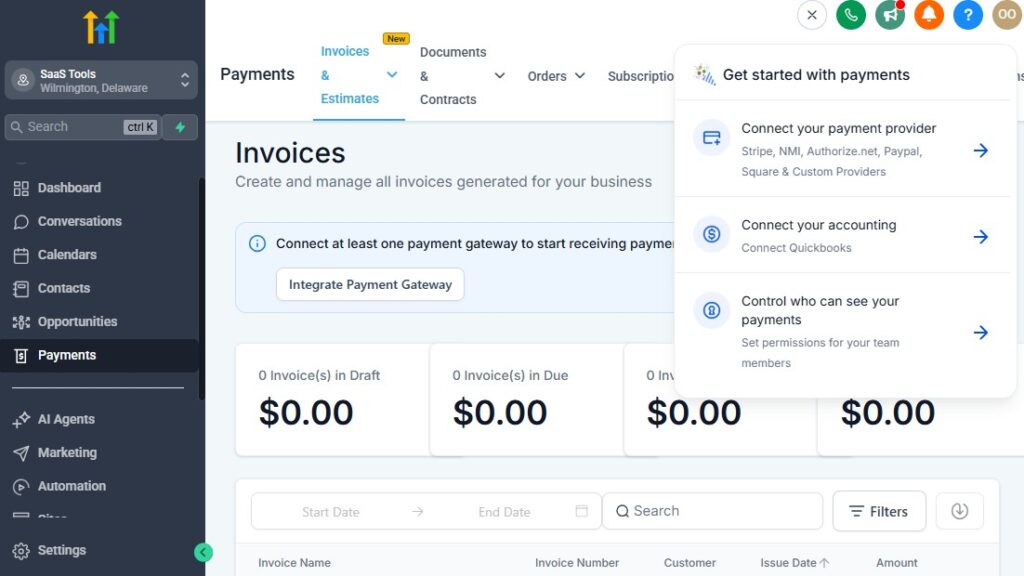
Giving is a major part of church life – weekly tithes, offerings, special project donations, fundraising campaigns, outreach support, missions giving, and more.
GoHighLevel helps you manage all of this in one organized system.
You can collect donations online, track giving history, send receipts, view reports, and automate follow-up messages without stressing your admin team.
Here’s how to use GoHighLevel to streamline and improve your church’s giving process.
Accept Online Tithes & Offerings Easily
GoHighLevel lets your church collect donations for:
- Tithes
- General offerings
- Building projects
- Missions and outreach
- Special events
- Youth or children’s programs
- Emergency support funds
- Monthly pledges
Each donation can be processed through a secure link or embedded form.
Set Up Multiple Giving Options for Different Needs
Create separate giving pages for:
- Weekly giving
- One-time giving
- Recurring monthly giving
- Pledge commitments
- Ministry-specific donations
- Project-based fundraising
Members simply choose where they want their giving to go.
Connect Your Payment Processor for Secure Transactions
GoHighLevel integrates with:
- Stripe (recommended)
- PayPal
- Square (indirect via Zapier/Make)
This gives your church flexibility and ensures all donations are processed safely.
Send Automated Giving Receipts Instantly
After someone gives, GoHighLevel can automatically send:
- A thank-you SMS
- A donation receipt email
- A message from the pastor
- A link to future giving
- Prayer or blessing messages
This makes donors feel appreciated and valued.
Track Giving History in Each Member’s Profile
Inside the CRM, you can see:
- Total giving amount
- Giving frequency
- Types of donations
- Pledges made
- Special campaign contributions
- First-time givers
- Lapsed givers
This data helps your church better understand donor behavior and engagement.
Automate Follow-Up Messages for First-Time Givers
When someone gives for the first time, trigger:
- A heartfelt thank-you message
- A short note from the pastor
- A link to learn about the church
- Invitation to join small groups or membership class
This simple sequence increases connection and encourages future giving.
Create Monthly or Yearly Giving Summaries
Automatically send:
- Monthly giving statements
- Year-end contribution reports
- Pledge updates
- Financial transparency summaries
- Vision updates about how donations were used
This helps build trust and encourages continued generosity.
Set Up Recurring Giving Campaigns
Encourage members to set up automated giving:
- Weekly
- Biweekly
- Monthly
Recurring donations give your church predictable financial stability.
Run Fundraising & Special Giving Campaigns Easily
Use GoHighLevel to collect and track donations for:
- Building projects
- Mission trips
- Outreach programs
- Youth retreats
- Holiday charity drives
- Emergency community support
Campaign pages can include progress bars, goals, and impact updates.
Allow Members to Give Through Email & SMS Links
Make giving simple by sending:
- “Click to give” donation links
- Automated reminders
- Mobile-friendly giving pages
- QR codes for in-service giving
Members can give anytime, anywhere.
Automate Stewardship Follow-Up for Lapsed Givers
If someone hasn’t given in a while, trigger:
- A gentle encouragement
- A message thanking them for past support
- An invitation to reconnect
- A ministry update
- A giving link
This helps bring members back into consistent stewardship.
Generate Financial & Giving Reports for Church Leadership
Track giving trends such as:
- Total donations
- Weekly giving patterns
- Recurring vs one-time giving
- Ministry-specific contributions
- Project-based totals
- First-time giver growth
- Donor retention rates
These insights help your church plan, budget, and steward resources wisely.
Create Simple, Transparent Giving Pages With Clear Messaging
Add content like:
- “Where your giving goes”
- Ministry impact stories
- Testimonies of changed lives
- Photos of community projects
- Pastor’s vision for the year
Transparency inspires generosity.
Delivering Sermons, Study Materials, Event Details & Church Resources
Your church shares a lot of important information – sermons, devotionals, study guides, event details, announcements, and ministry resources.
GoHighLevel helps you deliver all of these materials quickly, consistently, and automatically so your members always stay informed, encouraged, and connected.
Here’s how to use GoHighLevel to deliver church content efficiently.
Deliver Sermon Notes Automatically After Each Service
Upload sermon notes and let GoHighLevel send them automatically:
- PDF sermon notes
- Scripture references
- Study questions
- Key points or summaries
- Links to sermon replays
This helps members revisit the message throughout the week.
Send Weekly Bible Study & Discipleship Lessons
Deliver structured materials for:
- Small group Bible studies
- Discipleship classes
- New believer training
- Leadership development
- Youth & teen study materials
Everything is sent automatically before each class or session.
Share Event Details With Automated Messaging
For church events like retreats, conferences, and workshops, send:
- Registration confirmation
- Event schedule
- Location/maps
- Speaker lineup
- What to bring
- Reminder messages
- Post-event thank-you follow-ups
This keeps everyone well-prepared.
Deliver Daily or Weekly Devotionals
Set up automated devotionals and encouragement messages such as:
- Daily Bible verses
- Weekly devotional emails
- Audio or video devotionals
- Prayer points
- Encouraging reflections from the pastor
Members can receive spiritual nourishment all week long.
Share Children’s & Youth Ministry Resources
GoHighLevel allows you to send:
- Bible lessons
- Activity sheets
- Parent guides
- Youth event schedules
- Training or leadership materials
- Sunday school resources
This supports families and youth leaders effectively.
Provide Ministry-Specific Resources
Each ministry can receive their own materials:
- Choir rehearsal notes
- Women’s or men’s ministry teachings
- Prayer team resources
- Volunteer training
- Outreach planning guides
- Teacher or leader materials
Segmentation ensures each group gets exactly what they need.
Send Event Flyers & Promotional Materials
Share PDFs or images for:
- Conferences
- Gospel concerts
- Special services
- Outreach programs
- Revival nights
- Holiday events
Members can easily share these with others to invite more people.
Deliver Prayer & Testimony Updates
GoHighLevel can send:
- Prayer confirmations
- Follow-up messages
- Answered prayer testimonies
- Encouraging scriptures
- Prayer team updates
This builds faith and keeps your prayer ministry active.
Send Digital Invitations for Guests & Visitors
Send inviting resources including:
- “Plan Your Visit” details
- Service time reminders
- Welcome video messages
- Pastor introduction
- Ministry overview
These reduce hesitation and help visitors feel comfortable.
Provide Study Guides Through Membership Portals
Use GoHighLevel’s membership feature to create a digital resource library:
- Sermon archives
- Bible study curriculum
- Ministry training
- Youth resources
- Devotional content
- Exclusive teachings
Members can access everything anytime.
Deliver Giving Confirmations & Financial Resources
After someone donates, you can send:
- Giving receipt
- Year-end statement
- Vision updates
- Impact stories
- Stewardship teachings
This keeps giving transparent and meaningful.
Share Church Announcements & Important Updates
Send announcements such as:
- Time changes
- Venue changes
- Volunteer needs
- Emergency updates
- Special service information
- Ministry schedules
No one misses out on important news.
Trigger Automated Content Delivery Based on Behavior
Examples:
- New visitor → send welcome packet
- Registered for event → send event schedule
- Joined a ministry → send training materials
- Signed up for Bible study → send lesson plan
- Submitted prayer request → send encouragement verse
Your church stays organized even as your community grows.
Collecting Testimonials, Prayer Requests & Building Trust
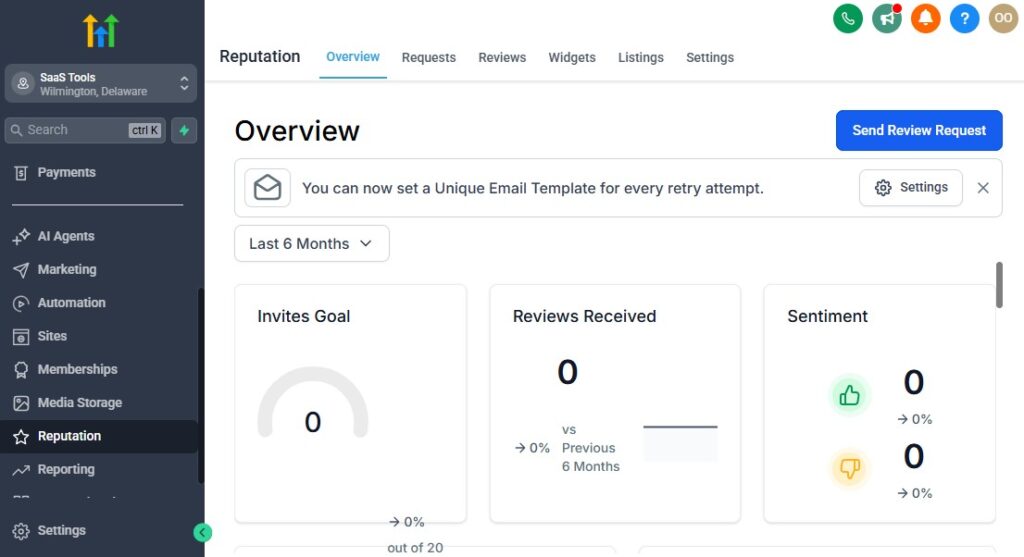
Churches thrive on connection, authenticity, and spiritual support. GoHighLevel makes it easier for your church to collect testimonies, gather prayer requests, and build trust with both members and visitors.
When people feel heard, prayed for, and valued, they naturally grow closer to the church community – and ultimately, closer to God.
Here’s how to use GoHighLevel to strengthen relationships and build a deeper sense of trust within your ministry.
Make It Easy for People to Submit Prayer Requests
Create simple prayer request forms on:
- Your website
- Landing pages
- Social media links
- Church app or QR codes
- SMS keywords (e.g., text “PRAYER” to your church number)
Every request flows directly into your CRM, ensuring no prayer goes unnoticed.
Automatically Acknowledge Every Prayer Request
As soon as someone submits a request, send:
- A confirmation message
- An encouraging verse
- A note that the prayer team is praying for them
- An optional follow-up question if more details are needed
This immediate response helps people feel cared for.
Assign Prayer Requests to Ministry Leaders
Use automated workflows to:
- Assign requests to the prayer team
- Notify leaders when new requests come in
- Track updates or completed prayers
- Notify requesters when prayer has been completed
Your prayer ministry becomes more organized and responsive.
Collect Testimonies to Celebrate God’s Faithfulness
Create forms or funnels specifically for testimonies:
- Healing testimonies
- Salvation stories
- Breakthrough experiences
- Financial blessings
- Relationship restoration
- Answers to prayer
These testimonies can be shared (with permission) on:
- Service slides
- Social media
- Website pages
- Outreach funnels
- Newsletters
Faith grows when people hear what God is doing in others’ lives.
Use Automated Testimony Requests After Major Events
Trigger testimony requests automatically after:
- Conferences
- Retreats
- Healing services
- Youth camps
- Revival nights
- Missions or outreach programs
- Baptisms
Members can share what God did in their lives while the experience is still fresh.
Create a Structured Follow-Up System for Prayer Needs
Set up step-by-step sequences like:
- Day 1: Acknowledge request
- Day 3: Send encouragement
- Day 7: Offer a follow-up or pastoral call
- Day 14: Ask for testimony or update
This ensures no one feels forgotten.
Use Testimonial Social Proof on Church Landing Pages
Showcase testimonies on:
- Salvation pages
- Event registration pages
- Ministry landing pages
- Outreach funnels
- Visit invitation pages
Seeing lives transformed encourages new visitors to come.
Collect Anonymous Feedback to Improve Ministries
Allow members to share private feedback on:
- Sermons
- Worship experience
- Youth ministry
- Children’s programs
- Church culture
- Leadership support
GoHighLevel organizes this feedback so leaders can address concerns proactively.
Build Trust Through Consistent Communication
Automate messages that help members feel connected, such as:
- Encouraging verses
- Pastoral notes
- Prayer follow-ups
- Event reminders
- Ministry updates
- Weekly devotionals
Consistency builds reliability – and reliability builds trust.
Use Surveys to Strengthen Community Engagement
Send surveys for:
- New visitor experience
- Event feedback
- Bible study interest
- Volunteer availability
- Ministry impact assessments
Members appreciate knowing their voice matters.
Track Pastoral Care & Follow-Up Notes
Inside each member profile, store notes about:
- Counseling sessions
- Family needs
- Spiritual growth
- Important dates
- Pastoral visits
This helps pastors and leaders personalize their care.
Encourage Member-Led Testimonies & Story Sharing
Use automations to invite members to share:
- Video testimonies
- Written stories
- Prayer answers
- Outreach experiences
These stories unify your church and inspire newcomers.
Reporting & Analytics for Churches
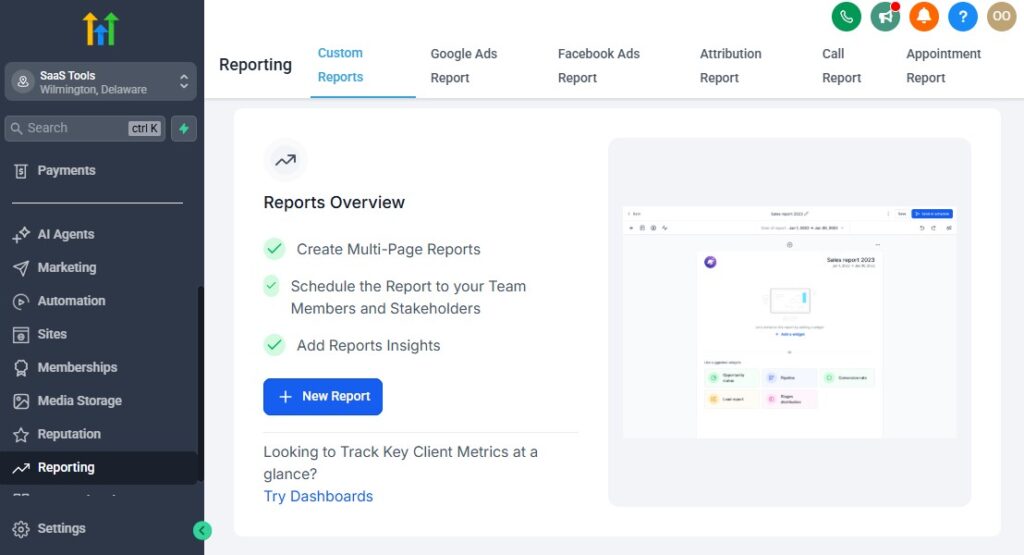
Healthy churches grow when leaders understand what’s happening within the congregation – attendance patterns, visitor engagement, follow-up progress, ministry activity, event participation, and giving trends.
GoHighLevel gives your church clear, organized insights so you can make wise decisions, strengthen your ministries, and serve your people better.
Here’s how to use GoHighLevel reporting and analytics to guide your church with clarity and confidence.
Track Visitor & Member Attendance Trends
Monitor attendance across:
- Sunday services
- Midweek services
- Bible studies
- Youth meetings
- Small groups
- Special events
- Discipleship classes
Track patterns like:
- First-time visitors
- Returning visitors
- Consistent members
- Inactive members
- Seasonal attendance shifts
These insights help your church follow up effectively and identify engagement gaps.
Monitor New Visitor Follow-Up Performance
GoHighLevel shows you:
- How many new visitors submitted forms
- How quickly follow-ups were sent
- How many visitors returned the next week
- Which follow-up messages performed best
- Where drop-offs occur in the visitor pipeline
This ensures your hospitality team stays organized and effective.
Analyze Ministry Engagement
See which ministries are growing or need support by tracking:
- Number of participants
- Frequency of attendance
- Volunteer activity
- Ministry-specific sign-ups
- Event registrations
- Member involvement over time
This helps leaders adjust, improve, and grow each ministry.
Track Volunteer Activity & Reliability
Use analytics to view:
- Volunteer sign-ups
- Attendance to assigned duties
- Repeated no-shows
- Most reliable volunteers
- Volunteers who need encouragement or training
This strengthens coordination and accountability.
Evaluate Event Performance – GoHighLevel for Churches
For every event, you can track:
- Registration numbers
- Attendance versus sign-ups
- Click-through rates on event campaigns
- Engagement on reminders
- Ministries generating the most attendees
- Costs versus donations or ticket sales
These insights help you plan better events in the future.
Monitor Prayer Requests & Pastoral Care Metrics
Track:
- Number of prayer requests received
- Response time by prayer team
- Completed or updated requests
- Pastoral care interactions
- Follow-up consistency
This ensures your church cares for people well.
Track Giving Trends & Financial Health
GoHighLevel reports help you monitor:
- Weekly tithes & offerings
- Recurring giving
- Project or ministry-based donations
- First-time givers
- Lapsed givers
- Donor retention
- Monthly or yearly totals
These insights help leaders budget wisely and forecast growth.
Analyze Email & SMS Campaign Engagement
Understand how your congregation responds to communication:
- Open rates
- Click-through rates
- Unsubscribes
- Most engaging topics
- Best time of day to send messages
- Performance of devotional sequences
- Follow-up effectiveness
This helps you improve communication strategy over time.
View Funnel & Landing Page Conversions
Track performance across:
- New visitor funnels
- Prayer request pages
- Event registration funnels
- Small group sign-ups
- Giving pages
- Sermon resource downloads
You’ll know which pages attract visitors and which need improvement.
Monitor Member Inactivity for Pastoral Follow-Up
Set alerts for:
- Missed 2 services
- Missed 4 services
- No engagement in 30 days
- No giving activity (optional)
- No group or ministry involvement
This helps pastors reach out before someone disconnects from the church.
Build Custom Dashboards for Church Leadership
Create dashboards for:
- Senior pastor updates
- Ministry leader insights
- Admin team tracking
- Volunteer coordinators
- Finance team overviews
Each dashboard shows only what that leader needs to see.
Use Data to Strengthen Vision, Discipleship & Church Growth
With all the data GoHighLevel provides, your church can:
- Improve hospitality
- Strengthen discipleship pipelines
- Support ministries more effectively
- Plan better events
- Strengthen member retention
- Identify growth opportunities
- Measure outreach impact
Data helps your church be intentional, spiritual, and strategic at the same time.
Integrating GoHighLevel With Church Tools & Platforms
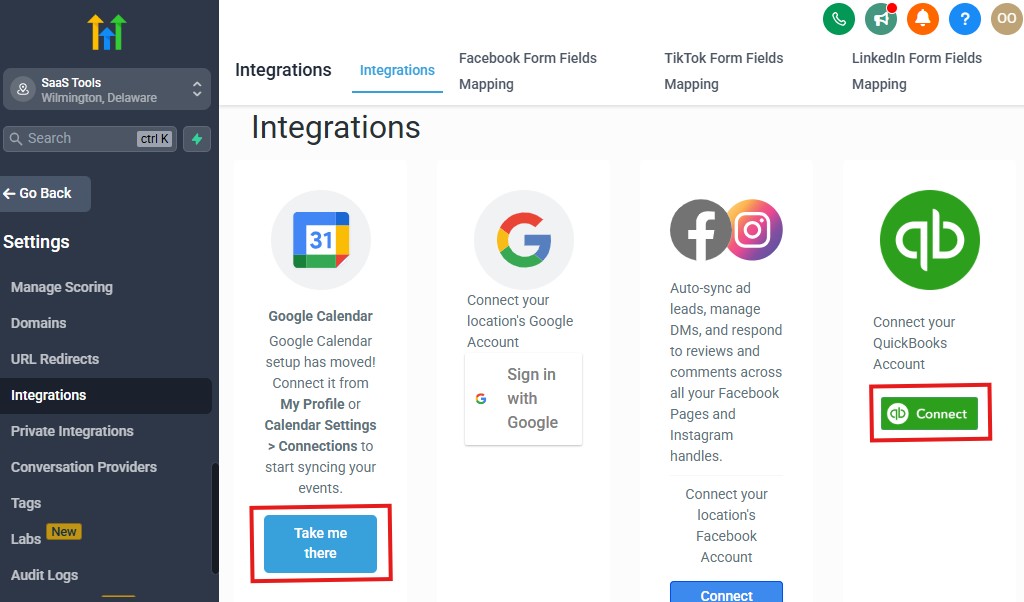
Churches often use multiple tools to manage communication, giving, event registration, livestreaming, volunteer scheduling, and multimedia.
GoHighLevel helps you centralize these systems by integrating with the tools your church already relies on.
This reduces complexity, eliminates duplicate work, and creates a smoother experience for both leaders and members.
Here’s how to integrate GoHighLevel with essential church platforms.
Connect Google & Outlook for Seamless Church Scheduling
Sync your church’s calendars to keep everyone aligned:
- Sunday & midweek services
- Ministry meetings
- Prayer gatherings
- Leadership sessions
- Counseling appointments
- Volunteer scheduling
Calendar syncing prevents double-booking and keeps your staff organized.
Integrate Payment Processors for Online Giving
GoHighLevel integrates with:
- Stripe (recommended)
- PayPal
- Square (via Zapier or Make)
Use these to collect:
- Tithes & offerings
- Special donations
- Ministry fund contributions
- Event payments
- Conference registrations
All giving information can then flow into member profiles.
Connect Livestream & Media Tools (Indirect Integrations)
While GoHighLevel doesn’t stream directly, it integrates with:
- YouTube
- Vimeo
- Facebook Live
You can embed livestreams or sermon replays on landing pages or inside membership areas. Automations can send sermon links after each service.
Integrate Church Giving Platforms (Indirect)
If your church already uses external giving tools such as:
- Tithe.ly
- Pushpay
- Planning Center Giving
- EasyTithe
You can connect them through:
- Webhooks
- Zapier
- Make.com
- Custom API integrations
This ensures giving records and donor data stay organized in your CRM.
Connect Church Management Tools (Indirect Via Zapier/Make)
For larger ministries using systems like:
- Planning Center
- Breeze CHMS
- ChurchTrac
- Elvanto
- Rock RMS
GoHighLevel can integrate indirectly to sync:
- Member data
- Attendance logs
- Event registrations
- Group participation
- Giving activity
This reduces manual data entry and improves accuracy.
Integrate Messaging Channels for Church Communication
GoHighLevel connects with:
- Facebook Messenger
- Instagram DMs
- Website chat widget
- Google Business Chat
You can also integrate WhatsApp through approved third-party connectors.
All conversations flow into one unified inbox.
Use Cloud Storage Integrations for Church Files
Integrate with:
- Google Drive
- Dropbox
- OneDrive
Store:
- Sermon files
- Graphics & flyers
- Study materials
- Leader manuals
- Youth ministry resources
- Training documents
These can be delivered automatically through workflows.
Integrate Email Tools for Better Deliverability
GoHighLevel connects with:
- Gmail
- Outlook
- Custom domain SMTP
This helps your church send:
- Announcements
- Devotionals
- Follow-up messages
- Newsletters
- Prayer confirmations
All with improved email deliverability.
Connect Marketing & Outreach Platforms
Integrate GoHighLevel with:
- Google Ads
- Facebook/Instagram Ads
- YouTube Ads
Track how many new visitors or event sign-ups came from your advertising campaigns.
Use Zapier, Make & Webhooks for Custom Church Automations
Almost any tool your church uses can be connected through automation, including:
- Forms
- Event check-ins
- Livestream triggers
- Volunteer scheduling apps
- Community platforms
- Messaging tools
Custom integrations allow your church to scale without changing your entire tech stack.
Use GoHighLevel’s Membership System for Online Courses & Ministries
Create membership areas for:
- Sermon archives
- Bible study lessons
- Leadership development
- New members class
- Ministry training
- Youth discipleship courses
Members can log in anytime, and you control access based on tags or sign-ups.
Integrate Online Forms & QR Codes for Easy Engagement
Use QR codes on:
- Bulletins
- Seats
- Posters
- Church screens
- Event flyers
- Outreach cards
These QR codes lead to forms for:
- Prayer requests
- First-time visitors
- Event registrations
- Giving
- Ministry sign-ups
Everything feeds directly into GoHighLevel.
Advanced Automation for Churches
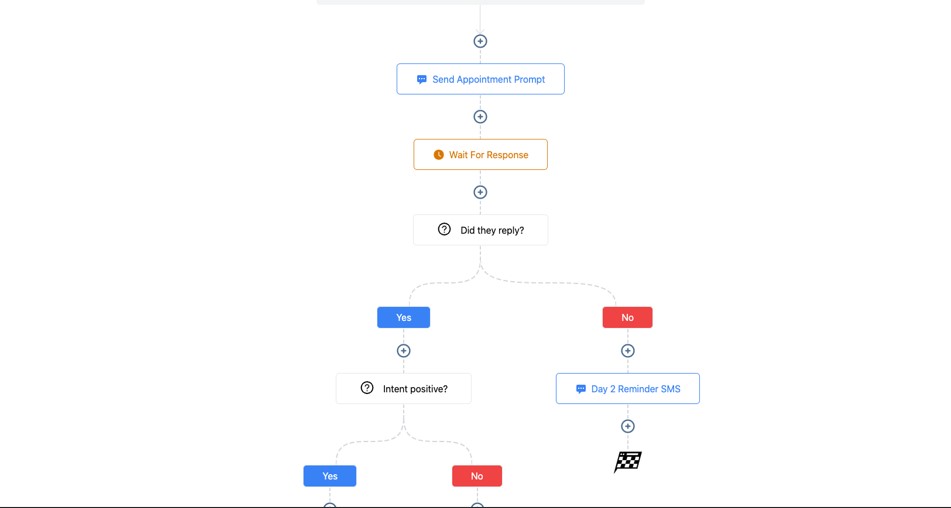
Advanced automation helps your church operate with greater excellence, consistency, and care – without putting more pressure on pastors, staff, or volunteers.
These automations allow you to disciple more people, follow up with visitors faster, communicate more effectively, and maintain deeper relationships with your congregation.
Here’s how to use advanced automation to transform the way your church functions every week.
Automated New Visitor Assimilation Pipeline
When a first-time visitor submits a form or attends service, trigger a full follow-up journey:
- Instant welcome SMS
- Email with service info & pastor introduction
- Invite to next service
- Optional video greeting
- Add to visitor follow-up pipeline
- Reminder before the next service
- Follow-up after attending again
This creates a warm, consistent, and personal experience for every visitor.
Automated New Member Onboarding Workflow
When someone becomes a member, GoHighLevel can automatically:
- Send a welcome message
- Deliver membership resources
- Share ministry opportunities
- Register them for membership or discipleship classes
- Notify ministry leaders for follow-up
- Invite them to serve or join small groups
Every new member receives the same quality onboarding experience.
Smart Attendance Tracking & Follow-Up Automation
Use automation to detect and respond to attendance patterns:
- Missed 2 services → send check-in message
- Missed 3–4 services → notify pastoral care
- Attended multiple times → send “We’re glad to see you” message
- Joined small group → send study material
- Youth attendance → notify parents or leaders
Your church stays proactive instead of reactive.
Prayer Request Automation With Care Coordination
When someone submits a prayer request:
- Send confirmation instantly
- Assign request to prayer leaders
- Notify pastoral care (for urgent cases)
- Create follow-up tasks
- Send encouragement message
- Ask for updates after a few days
- Request testimonies when prayers are answered
This system ensures no prayer request slips through.
Automated Devotional & Discipleship Sequences
Create automated drip sequences such as:
- 30-day devotional journey
- New believer discipleship series
- Bible reading plans
- Weekly encouragement messages
- Ministry-specific spiritual growth sequences
- Leadership development training
Members grow spiritually without needing constant manual outreach.
Event Registration & Engagement Automations
For any event – retreats, conferences, workshops, concerts:
- Confirm registrations instantly
- Send event schedule
- Send reminder countdowns (7 days, 3 days, 24 hours)
- Deliver materials before the event
- Trigger check-in processes
- Send post-event thank you
- Request testimonies or feedback
Your events run smoothly from start to finish.
Volunteer Management & Scheduling Automation
Volunteers stay informed and reliable with automated workflows:
- Volunteer onboarding
- Role-specific training
- Assignment notifications
- Schedule reminders
- Last-minute updates or changes
- Appreciation messages
- Re-engagement flows for inactive volunteers
Automation reduces miscommunication and boosts engagement.
Donation & Stewardship Automation
Encourage generosity with smart stewardship workflows:
- Automatic giving receipts
- Thank-you messages after each donation
- Year-end giving summaries
- Monthly financial impact updates
- Encouragement sequences for recurring donors
- Re-engagement messages for lapsed givers
This builds a culture of gratitude and transparency.
Baptism, Membership & Spiritual Growth Automations
Trigger sequences based on key spiritual decisions:
- Baptism sign-up: send next steps, class info, reminders
- Membership interest: deliver welcome guides and expectations
- Salvation decision: send foundational spiritual resources
- Discipleship class registration: send study guides and reminders
People get guided through their journey with clarity and care.
Small Group Follow-Up & Engagement Automation
For small groups and Bible studies:
- Assign leaders automatically
- Send weekly reminders
- Deliver lesson materials
- Check on inactive group members
- Notify leaders of drop-offs
- Track group engagement
This helps your church maintain strong, healthy small groups.
Automated Spiritual Care Pathways
Create workflows for specific pastoral care needs:
- Grief support
- Marriage counseling
- New parents
- Health challenges
- Crisis support
- Elderly care
Each pathway sends appropriate messages, scriptures, and follow-up reminders.
Ministry-Specific Communication Automations
Each ministry can have its own workflow, such as:
- Youth ministry notifications
- Women’s fellowship announcements
- Men’s group resources
- Choir rehearsal reminders
- Outreach plans and updates
Automation ensures consistent communication across all church departments.
Re-Engagement Automation for Inactive Members
Trigger sequences like:
- “We’ve missed you at church!”
- Invite to a special service or program
- Share sermon replays
- Offer pastoral call or prayer support
- Encourage re-connection
This helps bring members back into fellowship gently and effectively.
Feedback, Testimony & Survey Automations
After key activities, automatically request:
- Testimonies
- Prayer updates
- Event feedback
- Ministry satisfaction surveys
This helps your church grow and improve continuously.
Learn More:
- What is GoHighLevel? (Features, Use Cases, Pricing & More)
- GoHighLevel Review: (My Experience After 5 Years)
- GoHighLevel Pricing: (+ Discount Codes)
- GoHighLevel Features: (Full List of Tools)
- GoHighLevel Onboarding Checklist: (Complete Tutorial)
- GoHighLevel for Property Management: (Detailed Tutorial)
- GoHighLevel for Small Businesses: (2026 Helpful Tutorial)
- GoHighLevel for Service Businesses: (2026 Helpful Tutorial)
- GoHighLevel for Local Businesses: (2026 Helpful Tutorial)
Frequently Asked Questions
Here are the 5 most important FAQs church leaders commonly ask when using GoHighLevel. Each answer is simple, practical, and directly focused on helping your ministry operate more effectively.
Can GoHighLevel handle new visitor follow-up and member tracking?
Yes. GoHighLevel is excellent for managing first-time visitors, returning guests, active members, and ministry involvement. You can track attendance, follow-up progress, spiritual decisions, and pastoral care all inside the CRM.
Can we send devotionals, announcements, and reminders through GoHighLevel?
Absolutely. You can automate daily devotionals, weekly encouragement messages, service reminders, event announcements, prayer alerts, and ministry updates using both email and SMS.
Can GoHighLevel collect tithes, offerings, and donations?
Yes. You can collect online giving using Stripe, PayPal, or Square (via Zapier). GoHighLevel also lets you track giving history, send receipts, run fundraising campaigns, and automate thank-you messages.
Does GoHighLevel integrate with our existing church tools?
Most likely. While not every church platform is native, you can integrate tools like Planning Center, YouTube, Tithe.ly, Google Calendar, and more through Zapier, Make, webhooks, or embedded forms. This keeps your systems centralized.
Can GoHighLevel help manage volunteers and ministries?
Yes. You can create volunteer forms, track roles, send automated reminders, assign tasks, deliver training materials, and build communication workflows for each ministry – all inside one organized system.
Final Thoughts
GoHighLevel gives your church a powerful, all-in-one system to stay organized, communicate clearly, follow up consistently, and better care for your members.
Instead of juggling multiple apps, spreadsheets, message threads, and manual reminders, your ministry runs on a streamlined platform that supports growth without overwhelming your team.
Whether you’re welcoming new visitors, coordinating volunteers, managing prayer requests, delivering sermons and study materials, or nurturing spiritual growth, GoHighLevel helps you stay connected with your community every day of the week – not just on Sundays.
Most importantly, these tools free your pastors, leaders, and volunteers to focus on what matters most: ministering to people, building relationships, and advancing the mission of the church.